maintenance Acura RLX 2016 User Guide
[x] Cancel search | Manufacturer: ACURA, Model Year: 2016, Model line: RLX, Model: Acura RLX 2016Pages: 581, PDF Size: 31.43 MB
Page 121 of 581

120
uuGauges and Displays uMulti-Information Display
Instrument Panel
*1: Default SettingSetup Group Customizable Features Description Selectable Settings
Wiper SetupWiper ActionChanges the setting for the automatic intermittent
wipers in the
AUTO position.Rain Sensing*1/Intermittent /
Speed Sensitive
Maintenance
Info.Maintenance ResetResets/Cancels the engine oil life display when you
have performed the maintenance service. Cancel /Reset
Default All—Cancels/Resets all the cu stomized settings as
default.Cancel /Set
16 ACURA RLX E-AWD-31TY36200.book 120 ページ 2015年5月22日 金曜日 午後3時 50分
Page 281 of 581
280
uuAudio Error Messages uPandora®
Features
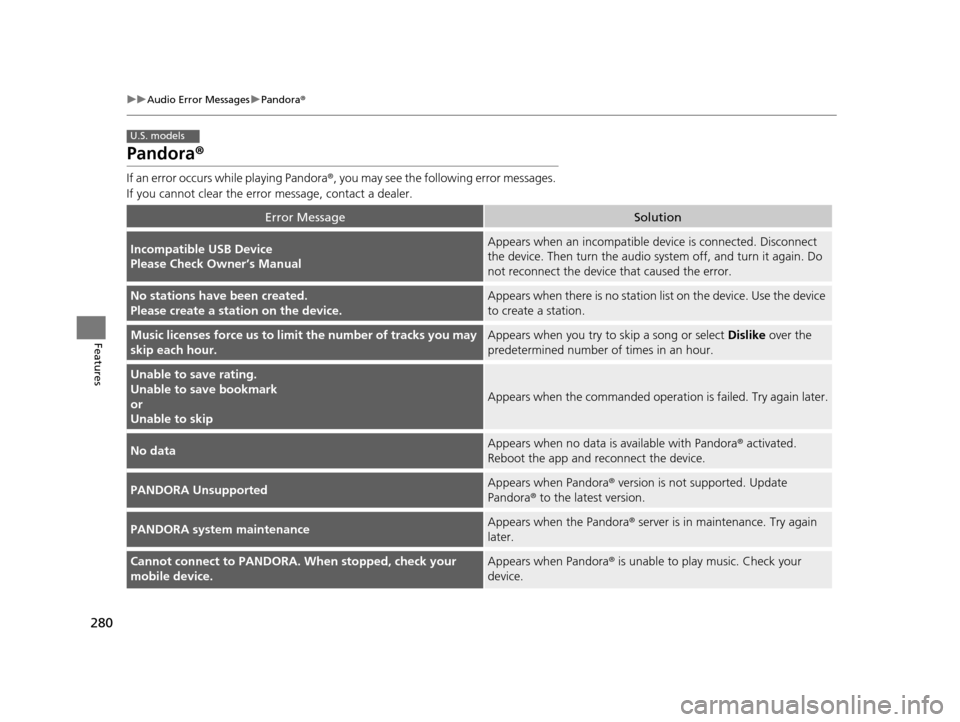
Pandora ®
If an error occurs while playing Pandora ®, you may see the following error messages.
If you cannot clear the error message, contact a dealer.
Error MessageSolution
Incompatible USB Device
Please Check Owner’s ManualAppears when an incompatible device is connected. Disconnect
the device. Then turn the audio system off, and turn it again. Do
not reconnect the device that caused the error.
No stations have been created.
Please create a station on the device.Appears when there is no station list on the device. Use the device
to create a station.
Music licenses force us to limi t the number of tracks you may
skip each hour.Appears when you try to skip a song or select Dislike over the
predetermined number of times in an hour.
Unable to save rating.
Unable to save bookmark
or
Unable to skip
Appears when the commanded operation is failed. Try again later.
No dataAppears when no data is available with Pandora® activated.
Reboot the app and reconnect the device.
PANDORA UnsupportedAppears when Pandora ® version is not supported. Update
Pandora® to the latest version.
PANDORA system maintenanceAppears when the Pandora ® server is in maintenance. Try again
later.
Cannot connect to PANDORA. When stopped, check your
mobile device.Appears when Pandora ® is unable to play music. Check your
device.
U.S. models
16 ACURA RLX E-AWD-31TY36200.book 280 ページ 2015年5月22日 金曜日 午後3時 50分
Page 291 of 581

290
uuCustomized Features u
Features
Fixed Guideline
Dynamic Guideline
Default
Rear
Camera
Cross Traffic Monitor
*1: Models with multi-view rear camera
Maintenance ResetMaintenance Info.
Wiper ActionWiper Setup
Key And Remote Unlock Mode
Keyless Lock Answer Back
Security Relock Timer
Auto Door Lock
Auto Door Unlock
Door
Setup
Auto Folding Door Mirror
Camera
Settings*1
16 ACURA RLX E-AWD-31TY36200.book 290 ページ 2015年5月22日 金曜日 午後3時 50分
Page 303 of 581

302
uuCustomized Features u
Features
*1:Default SettingSetup
Group Customizable Features Descri
ption Selectable Settings
Vehicle
Settings Mainte-
nance
Info.
Maintenance Reset
Resets the engine oil life display when you have
performed the maintenance service. —
Default Cancels/Resets all cust
omized items in the
Vehicle Settings group as default. Default
/OK
Camera
Settings
Rear
Camera
Fixed GuidelineSelects whether the fixed guidelines come on the
rear camera monitor.On*1/ Off
Dynamic GuidelineSelects whether the dynamic guidelines come on
the rear camera monitor.On*1/Off
DefaultCancels/Resets all cust omized items in the Rear
Camera group as default.Default/OK
Cross Traffic MonitorTurns the cross traffic m onitor feature on and off.On*1/Off
Models with
multi-view
rear camera
16 ACURA RLX E-AWD-31TY36200.book 302 ページ 2015年5月22日 金曜日 午後3時 50分
Page 357 of 581
uuAcuraLink ®u
356
Features
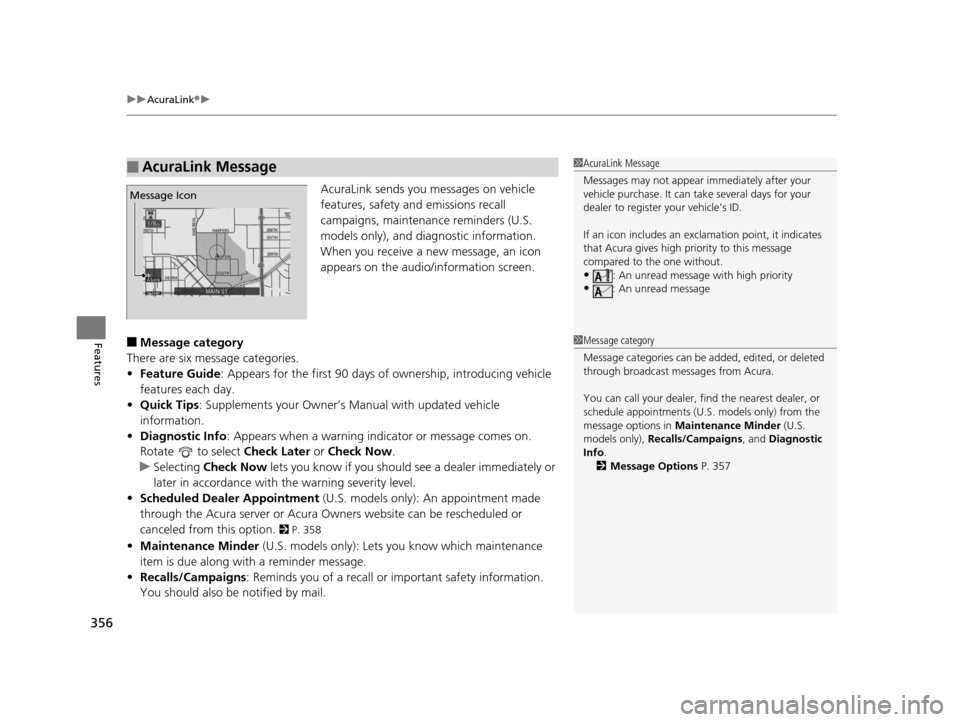
AcuraLink sends you messages on vehicle
features, safety and emissions recall
campaigns, maintenance reminders (U.S.
models only), and diagnostic information.
When you receive a new message, an icon
appears on the audio/information screen.
■Message category
There are six message categories.
• Feature Guide: Appears for the first 90 days of ownership, introducing vehicle
features each day.
• Quick Tips : Supplements your Owner’s Manual with updated vehicle
information.
• Diagnostic Info : Appears when a warning indicator or message comes on.
Rotate to select Check Later or Check Now .
u Selecting Check Now lets you know if you should see a dealer immediately or
later in accordance with the warning severity level.
• Scheduled Dealer Appointment (U.S. models only): An appointment made
through the Acura server or Acura Owners website can be rescheduled or
canceled from this option.
2 P. 358
• Maintenance Minder (U.S. models only): Lets you know which maintenance
item is due along with a reminder message.
• Recalls/Campaigns: Reminds you of a recall or important safety information.
You should also be notified by mail.
■AcuraLink Message1AcuraLink Message
Messages may not appear immediately after your
vehicle purchase. It can ta ke several days for your
dealer to register your vehicle’s ID.
If an icon includes an excl amation point, it indicates
that Acura gives high priority to this message
compared to the one without.
•: An unread message with high priority
•: An unread message
Message Icon
1 Message category
Message categories can be added, edited, or deleted
through broadcast me ssages from Acura.
You can call your dealer, find the nearest dealer, or
schedule appointments (U.S. models only) from the
message options in Maintenance Minder (U.S.
models only), Recalls/Campaigns , and Diagnostic
Info .
2 Message Options P. 357
16 ACURA RLX E-AWD-31TY36200.book 356 ページ 2015年5月22日 金曜日 午後3時 50分
Page 359 of 581

uuAcuraLink ®u
358
Features
• Schedule Dealer Appointment (U.S. models only): Automatically sets an
appointment date at your dealer.
• Phone number : Dials a number displaye d in the message via HFL.
• Diagnostic Info : Updates the current diagnostic message by connecting to the
Acura server using HFL.
■Dealer Appointments
You can confirm the scheduled appointment date when you receive a
Maintenance Minder or Recalls/Campaigns message, or reschedule any existing
appointments. 1.Select a Maintenance Minder , Recalls/
Campaigns , or Scheduled Dealer
Appointment message.
2. Rotate to select Scheduled Dealer
Appointment or Reschedule
Appointment (depending on the screen).
Press .
u A suggested time and date are displayed.
3. Rotate to select Confirm
Appointment . Press to accept the time
and date.
4. Press to select OK.1Dealer Appointments
To set up an automated de aler appointment when a
regular maintenance is due , visit the Acura Owners
website at owners.acura.com (in U.S.) or
www.acura.ca (in Canada), and set the required
option. A reminder message wi ll be sent as the date
for the dealer appointment approaches. A reminder
message will also be sent if you schedule an
appointment online using Acura Owners’ Schedule
Service Appointment function.
If you are not satisfied with the proposed
appointment date and time, ca ll your dealer directly.
To cancel the scheduled appointment, select Cancel
Appointment when a message is displayed.
U.S. models only
16 ACURA RLX E-AWD-31TY36200.book 358 ページ 2015年5月22日 金曜日 午後3時 50分
Page 361 of 581

360
Driving
Before Driving
Driving Preparation
Check the following items before you start driving.
• Make sure there are no obstructions on th e windows, door mirrors, exterior
lights, or other parts of the vehicle.
u Remove any frost, snow, or ice.
u Remove any snow on the roof, as this can slip down and obstruct your field of
vision while driving. If frozen solid , remove ice once it has softened.
u When removing ice from around the wheel s, be sure not to damage the wheel
or wheel components.
• Make sure the hood is securely closed.
u If the hood opens while driving, your front view will be blocked.
• Make sure the tires are in good condition.
u Check air pressures, and check for damage and excessive wear.
2Checking and Maintaining Tires P. 492
•Make sure there are no people or ob jects behind or around the vehicle.
u There are blind spots from the inside.
■Exterior Checks1Exterior Checks
NOTICE
When doors are frozen s hut, use warm water around
the door edges to melt any ice. Do not try to force
them open, as this can damage the rubber trim
around the doors. When done, wipe dry to avoid
further freezing.
Do not pour warm water into the key cylinder.
You will be unable to insert the key if the water
freezes in the hole.
Heat from the engine and exhaust can ignite
flammable material s left under the hood, causing a
fire. If you’ve parked y our vehicle for an extended
period, inspect and remove any debris that may have
collected, such as dried grass and leaves that have
fallen or have been carried in for use as a nest by a
small animal.
Also check under the hood fo r leftover flammable
materials after you or so meone else has performed
maintenance on your vehicle.
16 ACURA RLX E-AWD-31TY36200.book 360 ページ 2015年5月22日 金曜日 午後3時 50分
Page 422 of 581

421
uuWhen Driving uTire Pressure Monitoring System (TPMS) - Required Federal Explanation
Driving
Please note that the TPMS is not a substitute for proper tire
maintenance, and it is the driver ’s responsibility to maintain
correct tire pressure, even if un der-inflation has not reached the
level to trigger illumination of th e TPMS low tire pressure telltale.
Your vehicle has also been equi pped with a TPMS malfunction
indicator to indicate when the system is not operating properly.
The TPMS malfunction indicator is combined with the low tire
pressure telltale. When the syst em detects a malfunction, the
telltale will flash fo r approximately one minute and then remain
continuously illumina ted. This sequence will continue upon
subsequent vehicle start-ups as long as the malfunction exists.
When the malfunction indicator is illuminated, the system may
not be able to detect or signal low tire pressure as intended.
TPMS malfunctions may occur for a variety of reasons, including
the installation of replacement or alternate tires or wheels on the
vehicle that prevent the TPMS from functioning properly.
Always check the TPMS malfunction telltale after replacing one or
more tires or wheels on your vehicle to ensure that the
replacement or alternate tires and wheels allow the TPMS to
continue to function properly.
16 ACURA RLX E-AWD-31TY36200.book 421 ページ 2015年5月22日 金曜日 午後3時 50分
Page 461 of 581

460
Driving
Fuel Economy
Improving Fuel Economy
Fuel economy depends on several conditions, including driving conditions, your
driving habits, the condition of your vehicle, and loading. Depending on these and
other conditions, you may or may not achieve the rated fuel economy of this vehicle.
You can optimize your fuel economy with proper maintenance of your vehicle.
Always maintain your vehicle in accordance with the messages displayed on the
multi-information display.
• Use the recommended viscosity engine oil, displaying the API Certification Seal.
• Maintain the specified tire pressure.
• Do not load the vehicl e with excess cargo.
• Keep your vehicle clean. A buildup of snow or mud on your vehicle’s underside
adds weight and increases wind resistance.
■Maintenance and Fuel Economy
1Improving Fuel Economy
Direct calculation is the recommended method to
determine actual fuel consumed while driving.
In Canada, posted fuel economy numbers are
established following a simulated test. For more
information on how this test is performed, please visit
http://oee.nrcan.gc.ca/
Miles driven Gallons of
fuel Miles per
Gallon
100 L per 100 km
Liters of
fuel Kilometers
driven
16 ACURA RLX E-AWD-31TY36200.book 460 ページ 2015年5月22日 金曜日 午後3時 50分
Page 464 of 581
463
Maintenance
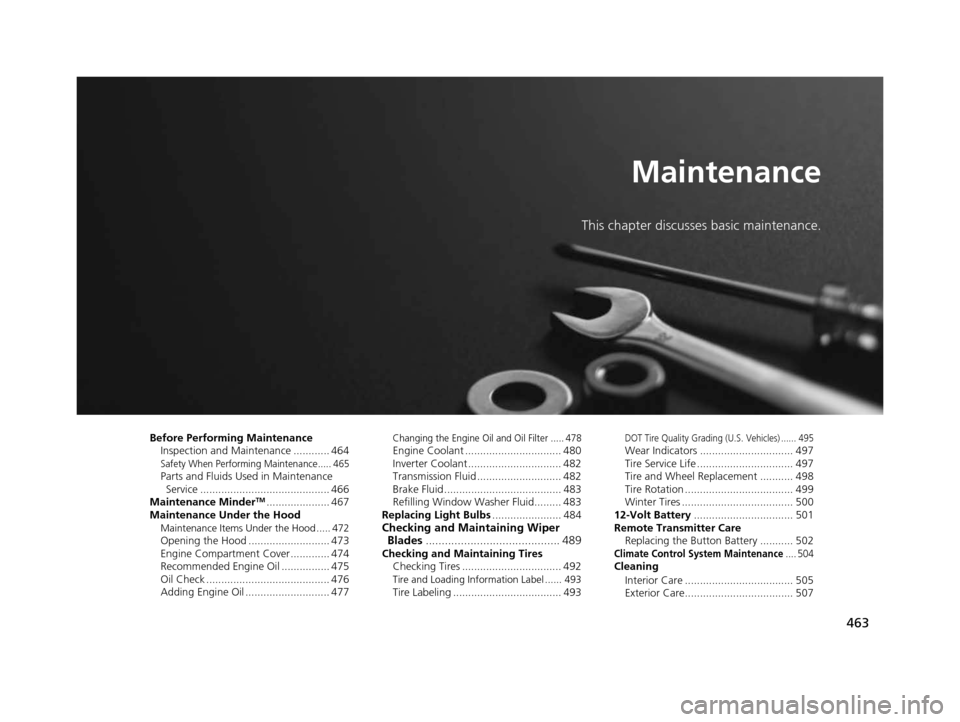
This chapter discusses basic maintenance.
Before Performing MaintenanceInspection and Maintenance ............ 464
Safety When Performing Maintenance..... 465Parts and Fluids Used in Maintenance Service ........................................... 466
Maintenance Minder
TM..................... 467
Maintenance Under the Hood
Maintenance Items Under the Hood ..... 472Opening the Hood ........................... 473
Engine Compartment Cover ............. 474
Recommended Engine Oil ................ 475
Oil Check ......................................... 476
Adding Engine Oil ............................ 477
Changing the Engine Oil and Oil Filter ..... 478Engine Coolant ................................ 480
Inverter Coolant ............................... 482
Transmission Fluid ............................ 482
Brake Fluid ....................................... 483
Refilling Window Washer Fluid......... 483
Replacing Light Bulbs ....................... 484
Checking and Maintaining Wiper
Blades .......................................... 489
Checking and Maintaining Tires
Checking Tires ................................. 492
Tire and Loading Information Label ...... 493Tire Labeling .................................... 493
DOT Tire Quality Grading (U.S. Vehicles) ...... 495Wear Indicators ............................... 497
Tire Service Life ................................ 497
Tire and Wheel Replacement ........... 498
Tire Rotation .................................... 499
Winter Tires ..................................... 500
12-Volt Battery ................................. 501
Remote Transmitter Care Replacing the Button Battery ........... 502
Climate Control System Maintenance.... 504Cleaning
Interior Care .................................... 505
Exterior Care.................................... 507
16 ACURA RLX E-AWD-31TY36200.book 463 ページ 2015年5月22日 金曜日 午後3時 50分