battery Acura RLX 2017 Owner's Manual
[x] Cancel search | Manufacturer: ACURA, Model Year: 2017, Model line: RLX, Model: Acura RLX 2017Pages: 557, PDF Size: 37.97 MB
Page 4 of 557
Contents
Child Safety P. 52Exhaust Gas Hazard P. 64Safety Labels P. 65
Opening and Closing the Trunk P. 128 Security System P. 131 Opening and Closing the Windows P. 134
Operating the Switches Around the Steering Wheel P. 137 Adjusting the Mirrors P. 153
Interior Lights/Interior Convenience It ems P. 163 Climate Control System P. 181
Audio Error Messages P. 253General Information on the Audio System P. 258
Bluetooth® HandsFreeLink ® P. 290 AcuraLink ® P. 330
When Driving P. 344 Braking P. 402Parking Your Vehicle P. 417
Refueling P. 437 Fuel Economy and CO
2 Emissions P. 439
Maintenance Under the Hood P. 450 Replacing Light Bulbs P. 462
Checking and Maintaining Tires P. 471 Battery P. 480 Remote Transmitter Care P. 481
Cleaning P. 484 Accessories and Modifications P. 488
Engine Does Not Start P. 509Jump Starting P. 512 Shift Lever Does Not Move P. 515
Fuses P. 522 Emergency Towing P. 527 When You Cannot Unlock the Fuel Fill Door P. 528
Refueling P. 530
Devices that Emit Radio Waves P. 535 Reporting Safety Defects P. 536
Authorized Manuals P. 541 Client Service Information P. 542
Quick Reference GuideP. 4
Safe DrivingP. 25
Instrument PanelP. 67
ControlsP. 113
FeaturesP. 191
DrivingP. 337
MaintenanceP. 441
Handling the UnexpectedP. 489
InformationP. 531
IndexP. 546
17 ACURA RLX-31TY26300.book 3 ページ 2016年6月17日 金曜日 午前8時12分
Page 20 of 557
19
Quick Reference Guide
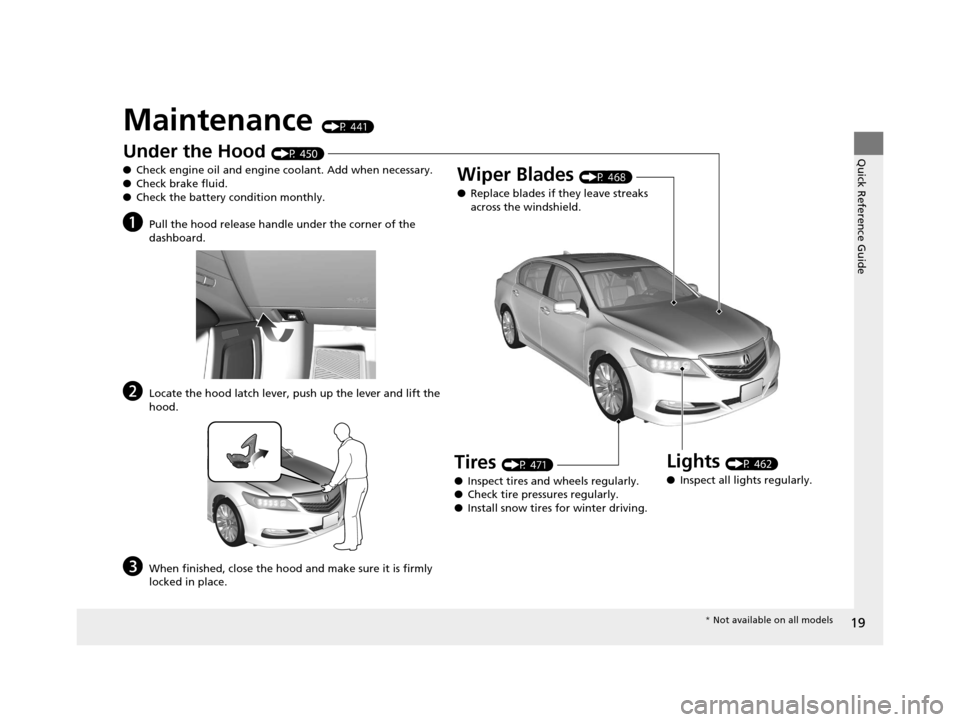
Maintenance (P 441)
Under the Hood (P 450)
● Check engine oil and engine coolant. Add when necessary.
● Check brake fluid.
● Check the battery condition monthly.
aPull the hood release handle under the corner of the
dashboard.
bLocate the hood latch lever, push up the lever and lift the
hood.
cWhen finished, close the hood and make sure it is firmly
locked in place.
Lights (P 462)
● Inspect all lights regularly.
Wiper Blades (P 468)
● Replace blades if they leave streaks
across the windshield.
Tires (P 471)
● Inspect tires and wheels regularly.
● Check tire pressures regularly.
● Install snow tires for winter driving.
* Not available on all models
17 ACURA RLX-31TY26300.book 19 ページ 2016年6月17日 金曜日 午前8時12分
Page 21 of 557
20
Quick Reference Guide
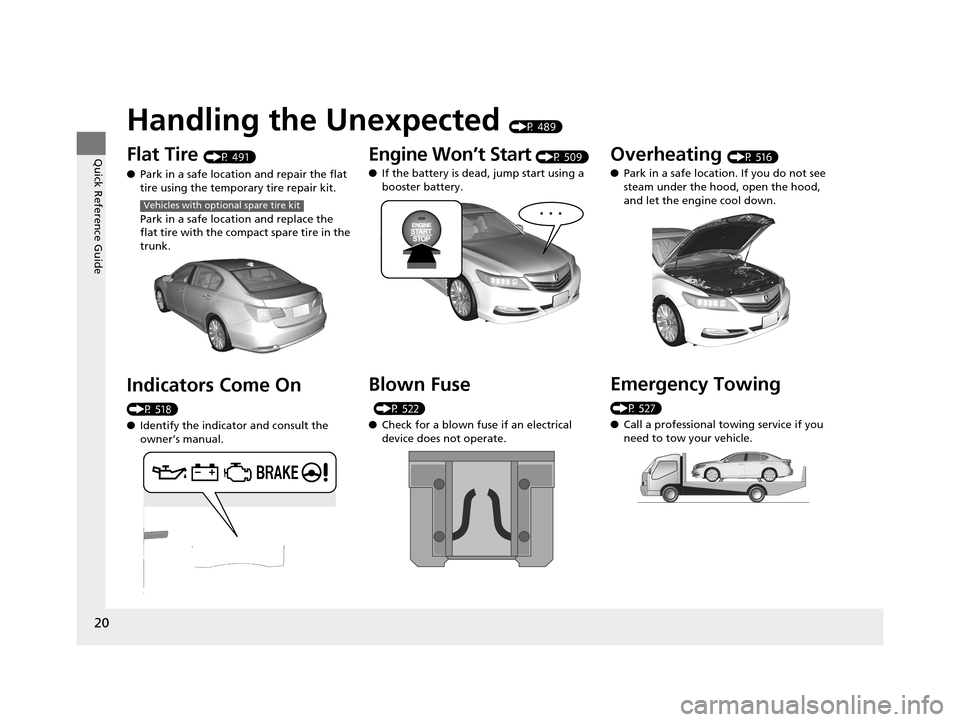
Handling the Unexpected (P 489)
Flat Tire (P 491)
● Park in a safe location and repair the flat
tire using the temporary tire repair kit.
Park in a safe location and replace the
flat tire with the compact spare tire in the
trunk.
Indicators Come On
(P 518)
●Identify the indicator and consult the
owner’s manual.
Vehicles with optional spare tire kit
Engine Won’t Start (P 509)
● If the battery is dead, jump start using a
booster battery.
Blown Fuse
(P 522)
● Check for a blown fuse if an electrical
device does not operate.
Overheating (P 516)
● Park in a safe location. If you do not see
steam under the hood, open the hood,
and let the engine cool down.
Emergency Towing
(P 527)
●Call a professional towing service if you
need to tow your vehicle.
17 ACURA RLX-31TY26300.book 20 ページ 2016年6月17日 金曜日 午前8時12分
Page 73 of 557
72
uuIndicators u
Instrument Panel
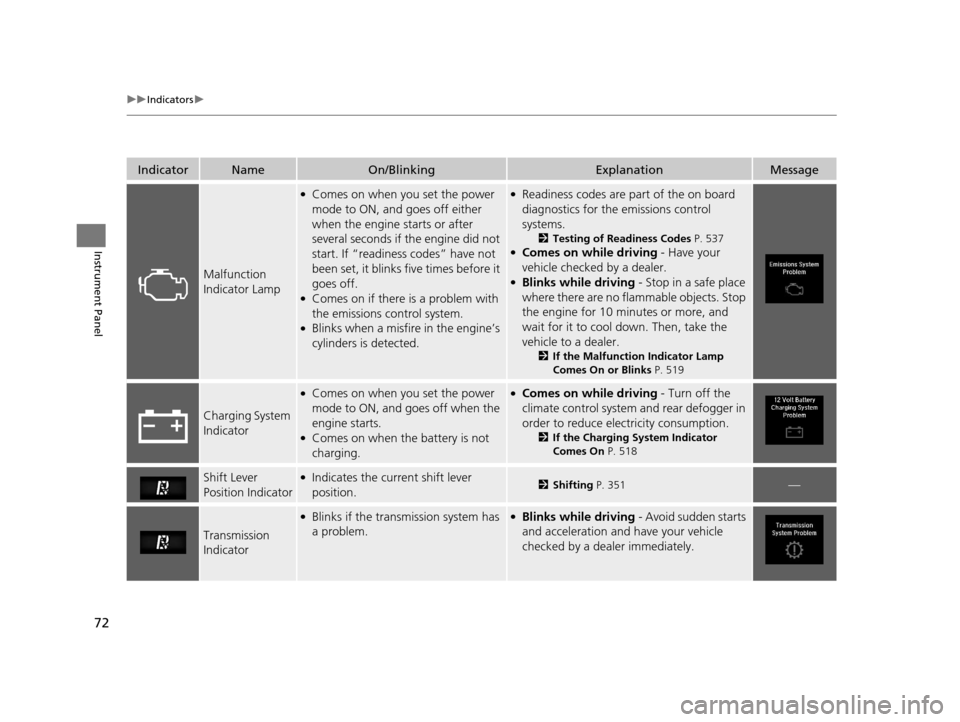
IndicatorNameOn/BlinkingExplanationMessage
Malfunction
Indicator Lamp
●Comes on when you set the power
mode to ON, and goes off either
when the engine starts or after
several seconds if the engine did not
start. If “readiness codes” have not
been set, it blinks five times before it
goes off.
●Comes on if there is a problem with
the emissions control system.
●Blinks when a misfir e in the engine’s
cylinders is detected.
●Readiness codes are part of the on board
diagnostics for the emissions control
systems.
2 Testing of Readiness Codes P. 537●Comes on while driving - Have your
vehicle checked by a dealer.
●Blinks while driving - Stop in a safe place
where there are no flammable objects. Stop
the engine for 10 minutes or more, and
wait for it to cool down. Then, take the
vehicle to a dealer.
2 If the Malfunction Indicator Lamp
Comes On or Blinks P. 519
Charging System
Indicator
●Comes on when you set the power
mode to ON, and goes off when the
engine starts.
●Comes on when the battery is not
charging.
●Comes on while driving - Turn off the
climate control system and rear defogger in
order to reduce electricity consumption.
2 If the Charging System Indicator
Comes On P. 518
Shift Lever
Position Indicator●Indicates the current shift lever
position.2Shifting P. 351—
Transmission
Indicator
●Blinks if the transmission system has
a problem.●Blinks while driving - Avoid sudden starts
and acceleration and have your vehicle
checked by a dealer immediately.
17 ACURA RLX-31TY26300.book 72 ページ 2016年6月17日 金曜日 午前8時12分
Page 88 of 557
87
uuIndicators uMulti-Information Display Warning and Information Messages
Continued
Instrument Panel
MessageConditionExplanation
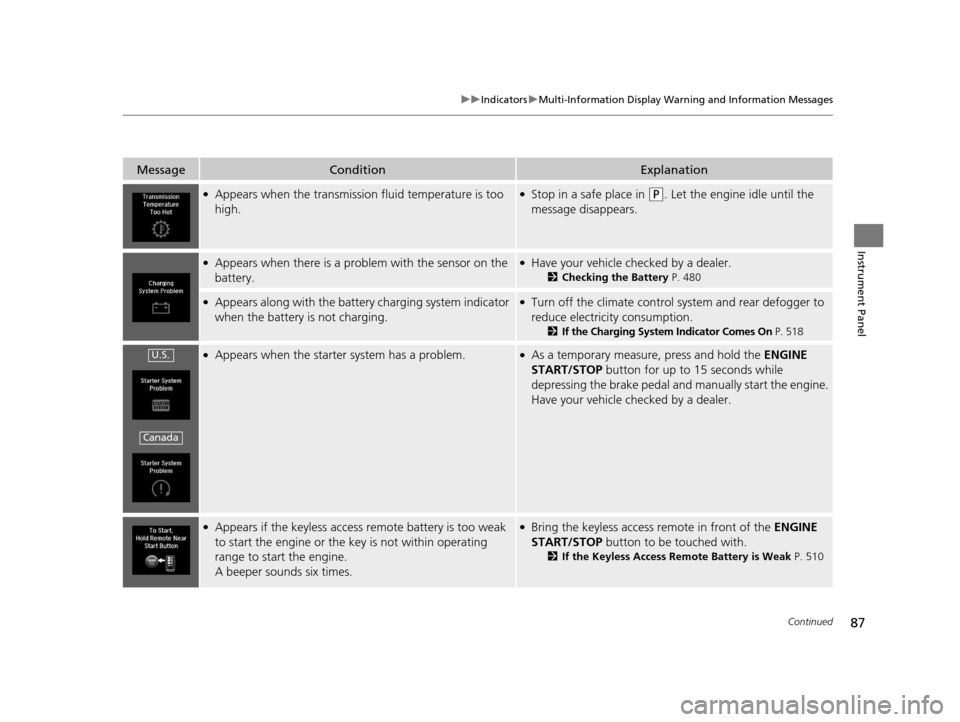
●Appears when the transmission fluid temperature is too
high.●Stop in a safe place in (P. Let the engine idle until the
message disappears.
●Appears when there is a prob lem with the sensor on the
battery.●Have your vehicle checked by a dealer.
2 Checking the Battery P. 480
●Appears along with the battery charging system indicator
when the battery is not charging.●Turn off the climate control sy stem and rear defogger to
reduce electricity consumption.
2 If the Charging System Indicator Comes On P. 518
●Appears when the starter system has a problem.●As a temporary measure, press and hold the ENGINE
START/STOP button for up to 15 seconds while
depressing the brake pedal and manually start the engine.
Have your vehicle checked by a dealer.
●Appears if the keyless access remote battery is too weak
to start the engine or the key is not within operating
range to start the engine.
A beeper sounds six times.●Bring the keyless access remote in front of the ENGINE
START/STOP button to be touched with.
2 If the Keyless Access Remote Battery is Weak P. 510
U.S.
Canada
17 ACURA RLX-31TY26300.book 87 ページ 2016年6月17日 金曜日 午前8時12分
Page 89 of 557
88
uuIndicators uMulti-Information Display Warn ing and Information Messages
Instrument Panel
MessageConditionExplanation
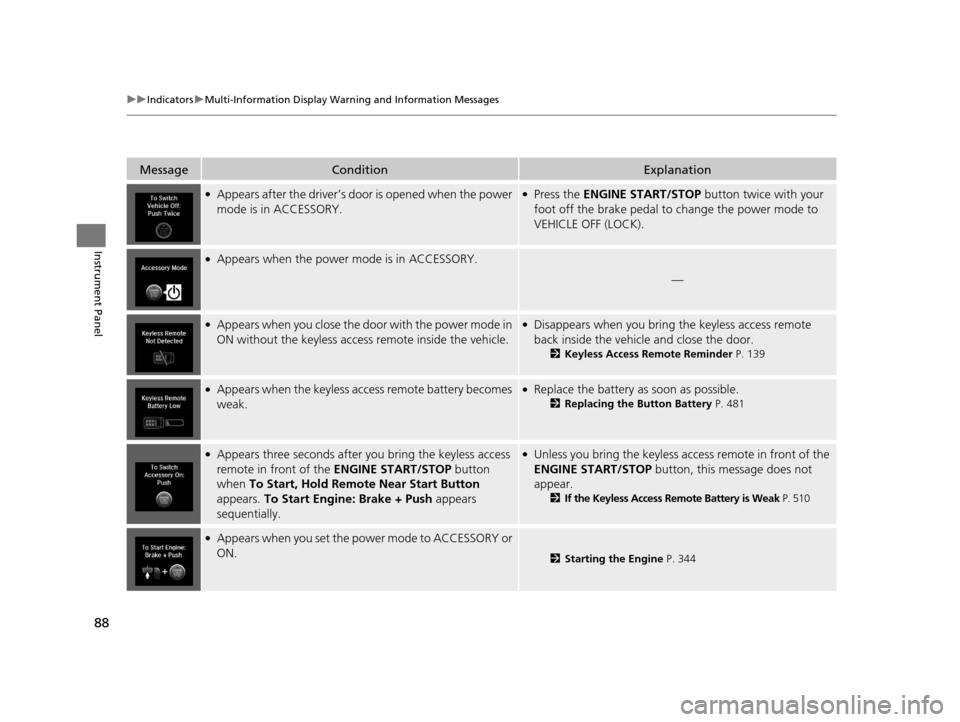
●Appears after the driver’s door is opened when the power
mode is in ACCESSORY.●Press the ENGINE START/STOP button twice with your
foot off the brake pedal to change the power mode to
VEHICLE OFF (LOCK).
●Appears when the power mode is in ACCESSORY.
—
●Appears when you close the do or with the power mode in
ON without the keyless access remote inside the vehicle.●Disappears when you bring the keyless access remote
back inside the vehicle and close the door.
2Keyless Access Remote Reminder P. 139
●Appears when the keyless access remote battery becomes
weak.●Replace the battery as soon as possible.
2 Replacing the Button Battery P. 481
●Appears three seconds after you bring the keyless access
remote in front of the ENGINE START/STOP button
when To Start, Hold Remote Near Start Button
appears. To Start Engine: Brake + Push appears
sequentially.●Unless you bring the keyless access remote in front of the
ENGINE START/STOP button, this message does not
appear.
2 If the Keyless Access Remote Battery is Weak P. 510
●Appears when you set the power mode to ACCESSORY or
ON.
2 Starting the Engine P. 344
17 ACURA RLX-31TY26300.book 88 ページ 2016年6月17日 金曜日 午前8時12分
Page 116 of 557
115Continued
Controls
Locking and Unlocking the Doors
Key Types and Functions
This vehicle comes with the following keys:
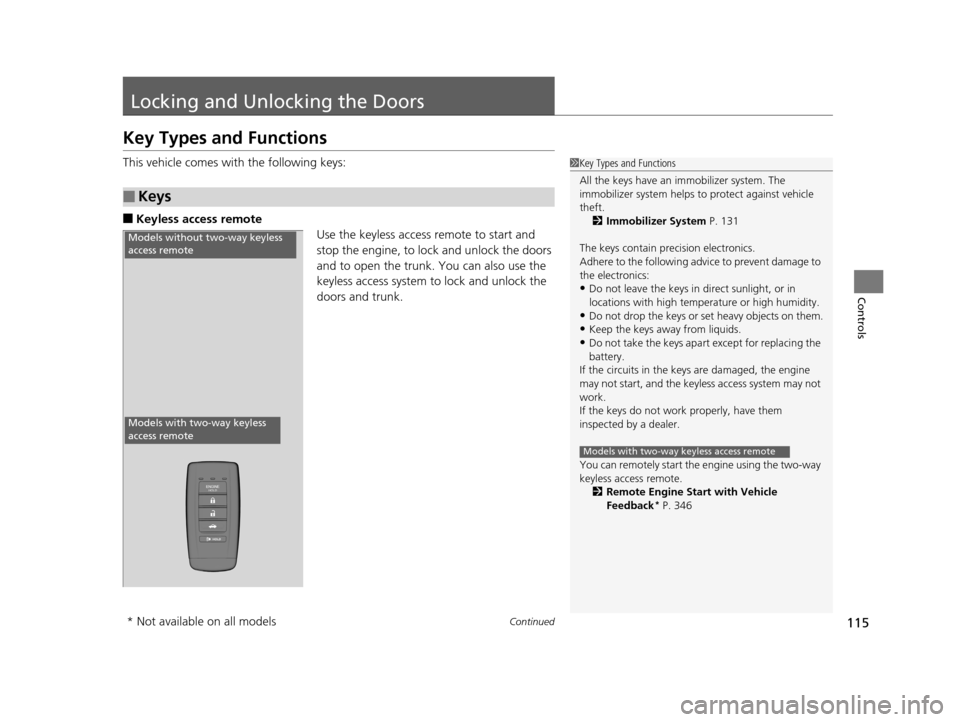
■Keyless access remote
Use the keyless access remote to start and
stop the engine, to lock and unlock the doors
and to open the trunk. You can also use the
keyless access system to lock and unlock the
doors and trunk.
■Keys
1Key Types and Functions
All the keys have an immobilizer system. The
immobilizer system helps to protect against vehicle
theft. 2 Immobilizer System P. 131
The keys contain precision electronics.
Adhere to the following advi ce to prevent damage to
the electronics:
•Do not leave the keys in direct sunlight, or in
locations with high temperature or high humidity.
•Do not drop the keys or set heavy objects on them.
•Keep the keys away from liquids.
•Do not take the keys apart except for replacing the
battery.
If the circuits in the keys are damaged, the engine
may not start, and the keyless access system may not
work.
If the keys do not work properly, have them
inspected by a dealer.
You can remotely start the engine using the two-way
keyless access remote.
2 Remote Engine Start with Vehicle
Feedback
* P. 346
Models with two-way keyless access remote
Models without two-way keyless
access remote
Models with two-way keyless
access remote
* Not available on all models
17 ACURA RLX-31TY26300.book 115 ページ 2016年6月17日 金曜日 午前8時12分
Page 117 of 557
116
uuLocking and Unlocking the Doors uKey Types and Functions
Controls
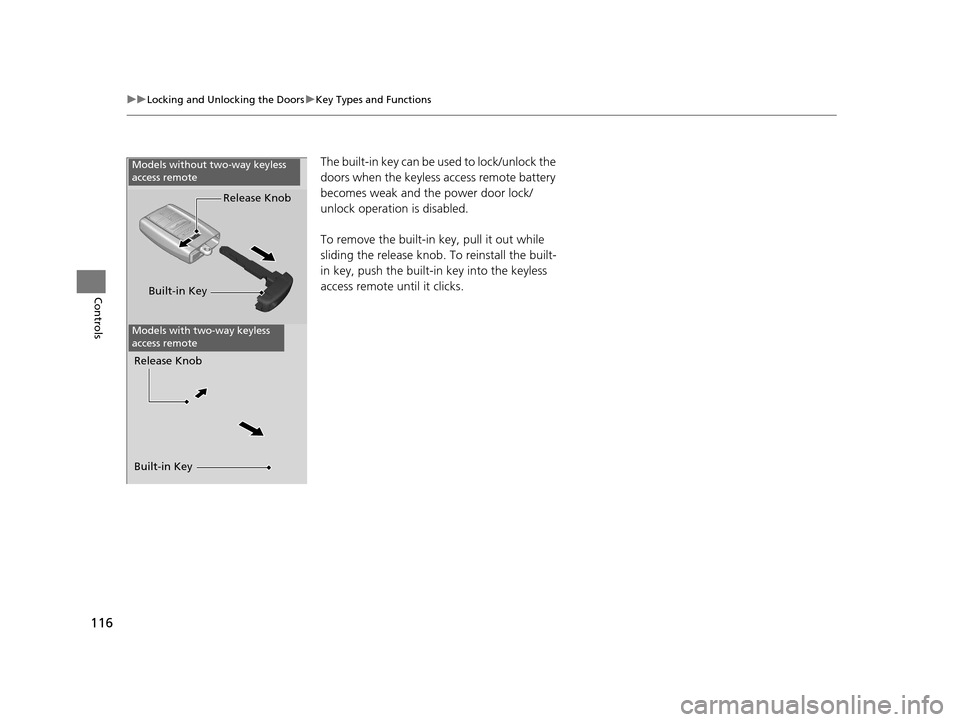
The built-in key can be us ed to lock/unlock the
doors when the keyless access remote battery
becomes weak and th e power door lock/
unlock operation is disabled.
To remove the built-in key, pull it out while
sliding the release knob. To reinstall the built-
in key, push the built-i n key into the keyless
access remote until it clicks.
Built-in Key Release Knob
Built-in Key Release Knob
Models without two-way keyless
access remote
Models with two-way keyless
access remote
17 ACURA RLX-31TY26300.book 116 ページ 2016年6月17日 金曜日 午前8時12分
Page 118 of 557
117
uuLocking and Unlocking the Doors uLow Keyless Access Remote Signal Strength
Controls
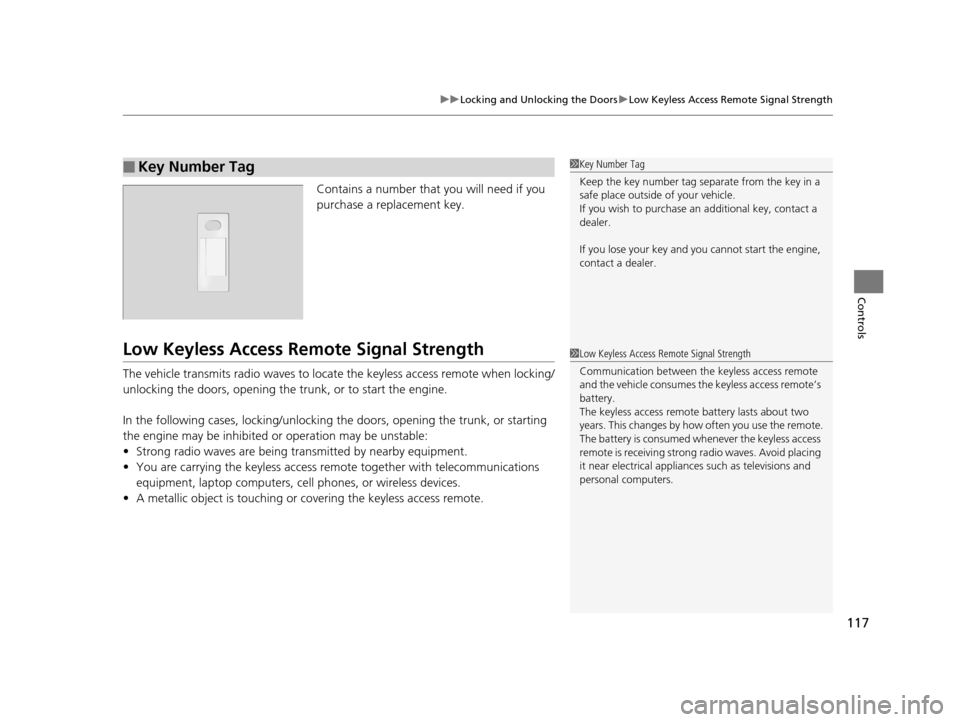
Contains a number that you will need if you
purchase a replacement key.
Low Keyless Access Re mote Signal Strength
The vehicle transmits radio waves to locate the keyless access remote when locking/
unlocking the doors, opening the trunk, or to start the engine.
In the following cases, locking/unlocking the doors, opening the trunk, or starting
the engine may be inhibited or operation may be unstable:
• Strong radio waves are being transmitted by nearby equipment.
• You are carrying the keyless access re mote together with telecommunications
equipment, laptop computers, ce ll phones, or wireless devices.
• A metallic object is touching or covering the keyless access remote.
■Key Number Tag1Key Number Tag
Keep the key number tag separate from the key in a
safe place outside of your vehicle.
If you wish to purchase an additional key, contact a
dealer.
If you lose your key and you cannot start the engine,
contact a dealer.
1 Low Keyless Access Remote Signal Strength
Communication between the keyless access remote
and the vehicle consumes the keyless access remote’s
battery.
The keyless access remote battery lasts about two
years. This changes by how often you use the remote.
The battery is consumed whenever the keyless access
remote is receivi ng strong radio wave s. Avoid placing
it near electrical appliances such as televisions and
personal computers.
17 ACURA RLX-31TY26300.book 117 ページ 2016年6月17日 金曜日 午前8時12分
Page 120 of 557
Continued119
uuLocking and Unlocking the Doors uLocking/Unlocking the Doors from the Outside
Controls
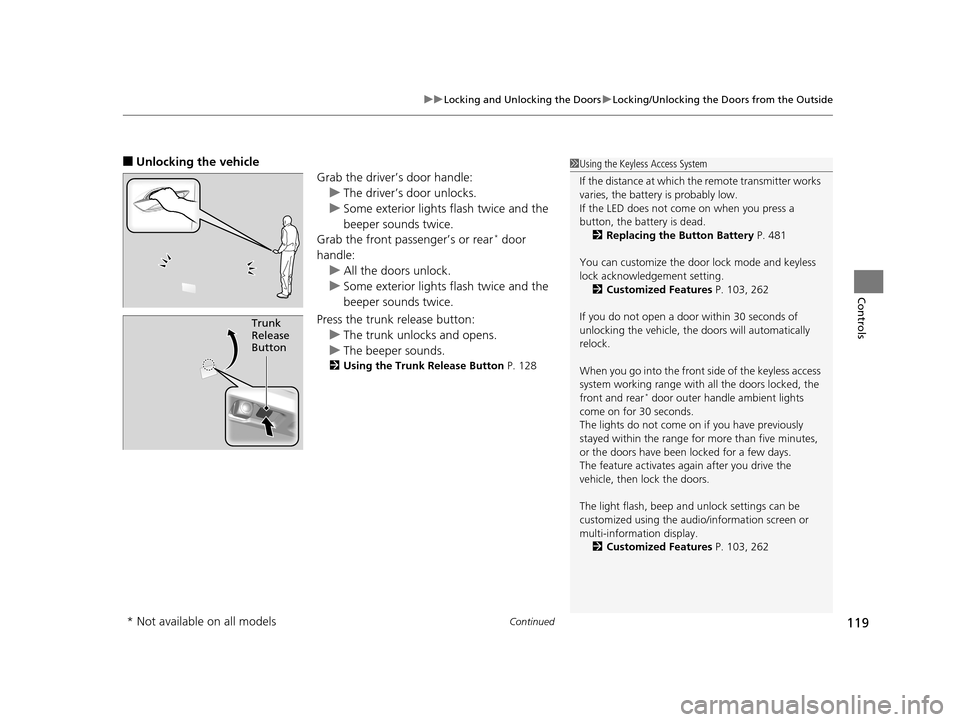
■Unlocking the vehicle
Grab the driver’s door handle:u The driver’s door unlocks.
u Some exterior lights flash twice and the
beeper sounds twice.
Grab the front passenger’s or rear
* door
handle: u All the doors unlock.
u Some exterior lights flash twice and the
beeper sounds twice.
Press the trunk release button: u The trunk unlocks and opens.
u The beeper sounds.
2 Using the Trunk Release Button P. 128
Trunk
Release
Button
1Using the Keyless Access System
If the distance at which the remote transmitter works
varies, the batter y is probably low.
If the LED does not come on when you press a
button, the battery is dead. 2 Replacing the Button Battery P. 481
You can customize the door lock mode and keyless
lock acknowledge ment setting.
2 Customized Features P. 103, 262
If you do not open a door within 30 seconds of
unlocking the vehicle, th e doors will automatically
relock.
When you go into the front side of the keyless access
system working range with all the doors locked, the
front and rear
* door outer handle ambient lights
come on for 30 seconds.
The lights do not come on if you have previously
stayed within the range for more than five minutes,
or the doors have been locked for a few days.
The feature activates again after you drive the
vehicle, then lock the doors.
The light flash, beep a nd unlock settings can be
customized using the audio/information screen or
multi-information display.
2 Customized Features P. 103, 262
* Not available on all models
17 ACURA RLX-31TY26300.book 119 ページ 2016年6月17日 金曜日 午前8時12分