radio controls Acura RLX 2017 Owner's Manual
[x] Cancel search | Manufacturer: ACURA, Model Year: 2017, Model line: RLX, Model: Acura RLX 2017Pages: 557, PDF Size: 37.97 MB
Page 4 of 557
Contents
Child Safety P. 52Exhaust Gas Hazard P. 64Safety Labels P. 65
Opening and Closing the Trunk P. 128 Security System P. 131 Opening and Closing the Windows P. 134
Operating the Switches Around the Steering Wheel P. 137 Adjusting the Mirrors P. 153
Interior Lights/Interior Convenience It ems P. 163 Climate Control System P. 181
Audio Error Messages P. 253General Information on the Audio System P. 258
Bluetooth® HandsFreeLink ® P. 290 AcuraLink ® P. 330
When Driving P. 344 Braking P. 402Parking Your Vehicle P. 417
Refueling P. 437 Fuel Economy and CO
2 Emissions P. 439
Maintenance Under the Hood P. 450 Replacing Light Bulbs P. 462
Checking and Maintaining Tires P. 471 Battery P. 480 Remote Transmitter Care P. 481
Cleaning P. 484 Accessories and Modifications P. 488
Engine Does Not Start P. 509Jump Starting P. 512 Shift Lever Does Not Move P. 515
Fuses P. 522 Emergency Towing P. 527 When You Cannot Unlock the Fuel Fill Door P. 528
Refueling P. 530
Devices that Emit Radio Waves P. 535 Reporting Safety Defects P. 536
Authorized Manuals P. 541 Client Service Information P. 542
Quick Reference GuideP. 4
Safe DrivingP. 25
Instrument PanelP. 67
ControlsP. 113
FeaturesP. 191
DrivingP. 337
MaintenanceP. 441
Handling the UnexpectedP. 489
InformationP. 531
IndexP. 546
17 ACURA RLX-31TY26300.book 3 ページ 2016年6月17日 金曜日 午前8時12分
Page 17 of 557
16
Quick Reference Guide
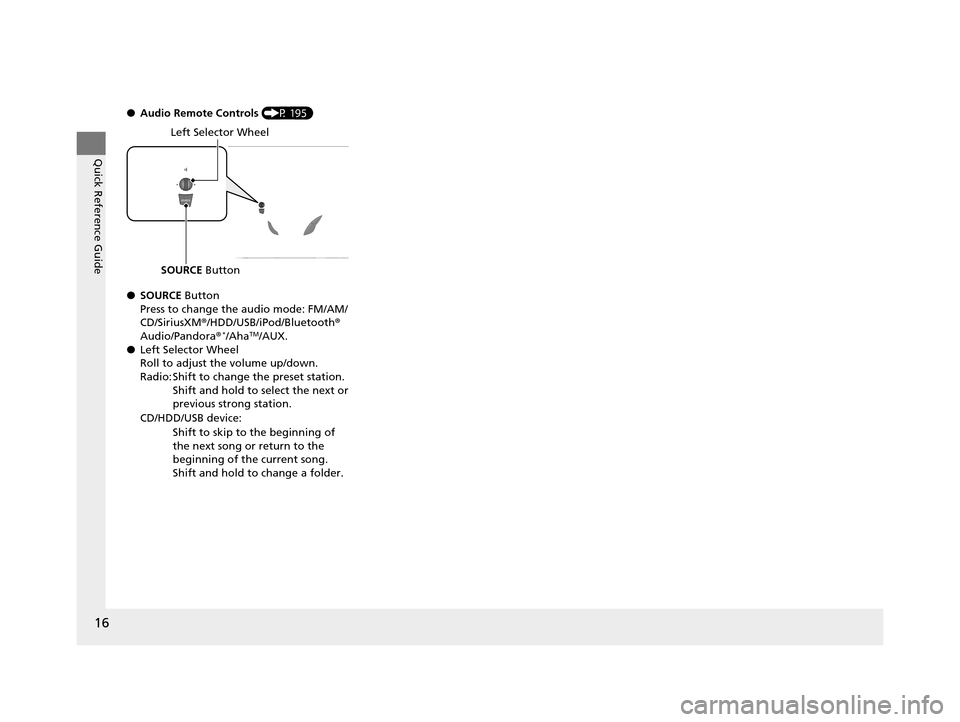
●Audio Remote Controls (P 195)
● SOURCE Button
Press to change the audio mode: FM/AM/
CD/SiriusXM ®/HDD/USB/iPod/Bluetooth ®
Audio/Pandora®
*/AhaTM/AUX.
● Left Selector Wheel
Roll to adjust the volume up/down.
Radio: Shift to change the preset station.
Shift and hold to select the next or
previous strong station.
CD/HDD/USB device: Shift to skip to the beginning of
the next song or return to the
beginning of the current song.
Shift and hold to change a folder.
Left Selector Wheel
SOURCE Button
17 ACURA RLX-31TY26300.book 16 ページ 2016年6月17日 金曜日 午前8時12分
Page 118 of 557
117
uuLocking and Unlocking the Doors uLow Keyless Access Remote Signal Strength
Controls
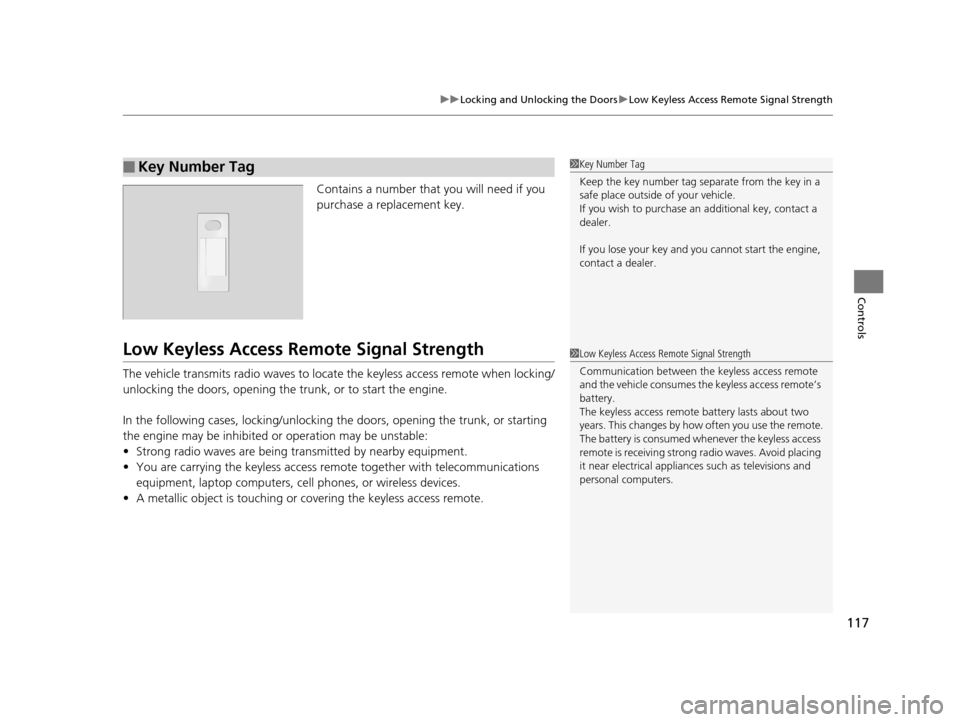
Contains a number that you will need if you
purchase a replacement key.
Low Keyless Access Re mote Signal Strength
The vehicle transmits radio waves to locate the keyless access remote when locking/
unlocking the doors, opening the trunk, or to start the engine.
In the following cases, locking/unlocking the doors, opening the trunk, or starting
the engine may be inhibited or operation may be unstable:
• Strong radio waves are being transmitted by nearby equipment.
• You are carrying the keyless access re mote together with telecommunications
equipment, laptop computers, ce ll phones, or wireless devices.
• A metallic object is touching or covering the keyless access remote.
■Key Number Tag1Key Number Tag
Keep the key number tag separate from the key in a
safe place outside of your vehicle.
If you wish to purchase an additional key, contact a
dealer.
If you lose your key and you cannot start the engine,
contact a dealer.
1 Low Keyless Access Remote Signal Strength
Communication between the keyless access remote
and the vehicle consumes the keyless access remote’s
battery.
The keyless access remote battery lasts about two
years. This changes by how often you use the remote.
The battery is consumed whenever the keyless access
remote is receivi ng strong radio wave s. Avoid placing
it near electrical appliances such as televisions and
personal computers.
17 ACURA RLX-31TY26300.book 117 ページ 2016年6月17日 金曜日 午前8時12分
Page 132 of 557
131Continued
Controls
Security System
Immobilizer System
The immobilizer system prevents a key that has not been pre-registered from
starting the engine. Each key contains electronic transmitters that use electronic
signals to verify the key.
Pay attention to the follo wing when pressing the ENGINE START/STOP button:
• Do not allow objects that emit strong radio waves near the ENGINE START/
STOP button.
• Make sure the key is not covered by or touching a metal object.
• Do not bring a key from another vehicle’s immobilizer system with the keyless
access remote.
Security System Alarm
The security system alarm activates when the trunk, hood or doors are forcibly
opened. The alarm does not go off if the trunk or doors are opened with the key,
remote transmitter or keyless access system.
However, the alarm goes off when a door is opened with the key, then the shift
lever is moved out of
( P or the hood is opened before the power mode is set to ON.
■When the security system alarm activates
The horn sounds intermittently and all of the exterior lights flash.
■To deactivate the security system alarm
Unlock the vehicle using the remote transmitter or keyless access system. The
system, along with the horn and flashing lights, is deactivated.
1 Immobilizer System
NOTICE
Leaving the keyless access re mote in the vehicle can
result in theft or accident al movement of the vehicle.
Always take the key with you whenever you leave the
vehicle unattended.
Do not alter the system or add other devices to it.
Doing so may damage the system and make your
vehicle inoperable.
1 Security System Alarm
The security alarm continues for a maximum of two
minutes until the security system deactivates.
17 ACURA RLX-31TY26300.book 131 ページ 2016年6月17日 金曜日 午前8時12分
Page 192 of 557
191
Features
This chapter describes how to operate technology features.
Audio SystemAbout Your Audio System ................ 192
USB Port .......................................... 193
Auxiliary Input Jack .......................... 193
Audio System Theft Protection ......... 194
Audio Remote Controls .................... 195
Audio System Basic Operation ........ 196
On Demand Multi-Use Display
TM....... 197
Audio/Information Screen ................ 205
Adjusting the Sound ........................ 209
Display Setup ................................... 210
Voice Control Operation .................. 211
Playing AM/FM Radio ....................... 216 Playing SiriusXM
® Radio ................... 221
Playing a CD .................................... 224
Playing Hard Disk Drive (HDD) Audio .... 227Playing an iPod ................................ 237
Song By VoiceTM (SBV) ...................... 241
Playing Internet Radio ...................... 245
Playing a USB Flash Drive ................. 248
Playing Bluetooth ® Audio................. 251
Audio Error Messages CD Player ......................................... 253
Hard Disk Drive (HDD) Audio............ 254
iPod/USB Flash Drive ........................ 255
Pandora ®......................................... 256
Aha
TM Radio ..................................... 257
General Information on the Audio SystemSiriusXM ® Radio Service ................... 258
Recommended CDs ......................... 259
Compatible iPod, iPhone, and USB Flash Drives ................................................261
Customized Features............................262Defaulting All th e Settings........................ 286
Deleting all HDD Data .............................. 287
HomeLink® Universal Transceiver.......288Bluetooth® HandsFreeLink®
Using HFL ........................................ 290
HFL Menus ...................................... 292
AcuraLink®............................................330
17 ACURA RLX-31TY26300.book 191 ページ 2016年6月17日 金曜日 午前8時12分
Page 193 of 557
192
Features
Audio System
About Your Audio System
See the Navigation System Manual for information on the navigation system.
The audio system features AM/FM radio and the SiriusXM ® Radio service. It can also
play audio CDs, WMA/MP3/AAC files, Hard Di sk Drive (HDD) audio, USB flash drives,
and iPod, iPhone and Bluetooth® devices.
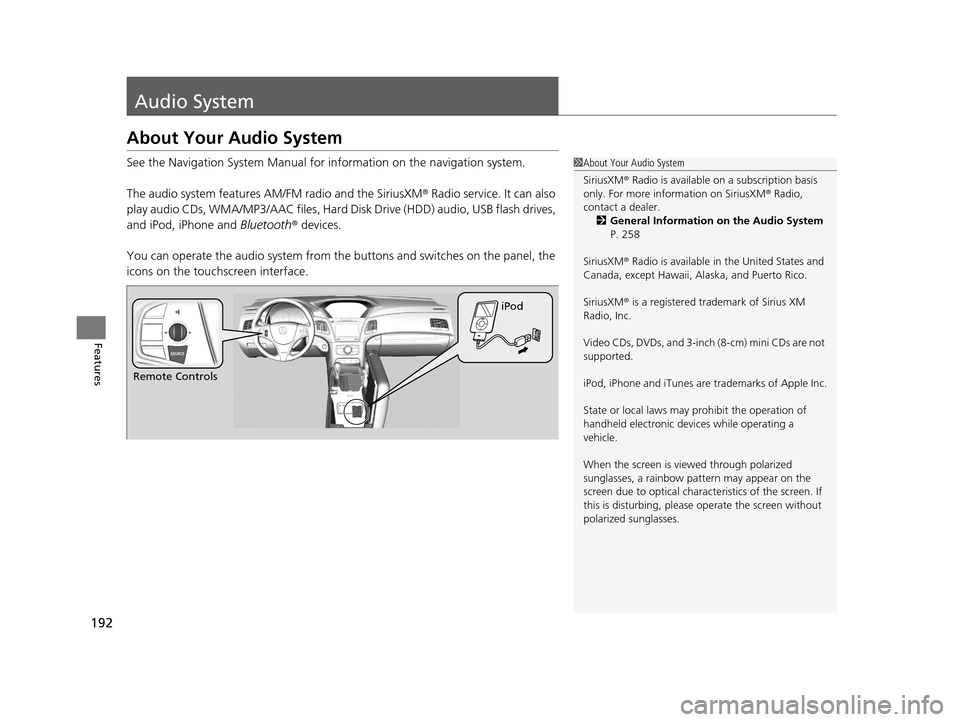
You can operate the audio system from the buttons and switches on the panel, the
icons on the touc hscreen interface.1About Your Audio System
SiriusXM ® Radio is available on a subscription basis
only. For more information on SiriusXM ® Radio,
contact a dealer.
2 General Information on the Audio System
P. 258
SiriusXM ® Radio is available in the United States and
Canada, except Ha waii, Alaska, and Puerto Rico.
SiriusXM ® is a registered trademark of Sirius XM
Radio, Inc.
Video CDs, DVDs, and 3-inch (8-cm) mini CDs are not
supported.
iPod, iPhone and iTunes are trademarks of Apple Inc.
State or local laws may pr ohibit the operation of
handheld electronic devi ces while operating a
vehicle.
When the screen is vi ewed through polarized
sunglasses, a rainbow pa ttern may appear on the
screen due to optical characteristics of the screen. If
this is disturbing, please operate the screen without
polarized sunglasses.
Remote Controls iPod
17 ACURA RLX-31TY26300.book 192 ページ 2016年6月17日 金曜日 午前8時12分
Page 196 of 557
195
uuAudio System uAudio Remote Controls
Features
Audio Remote Controls
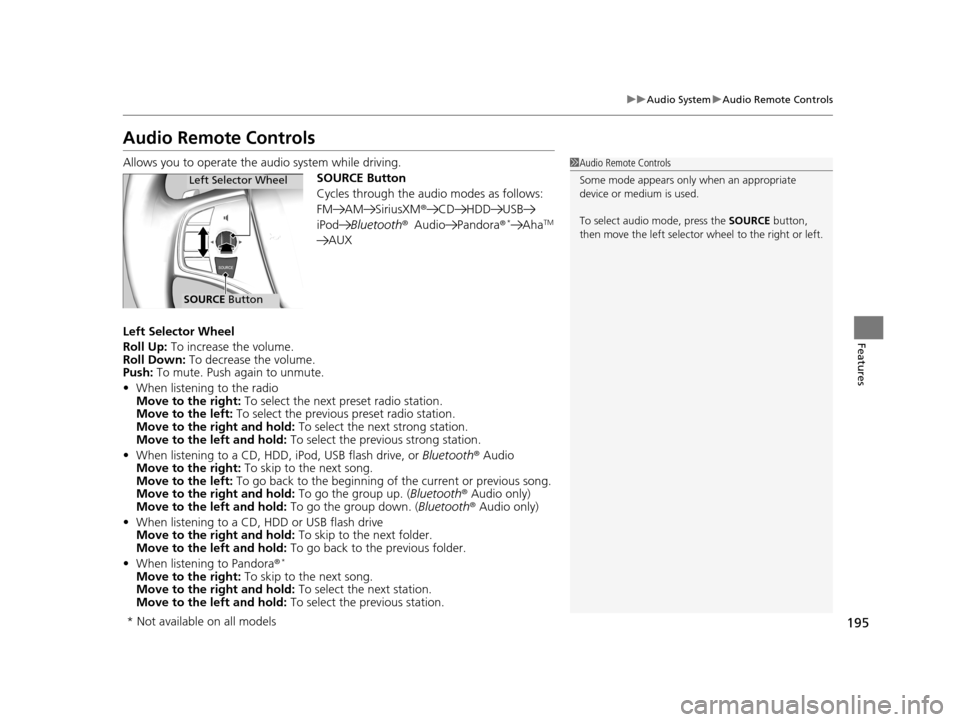
Allows you to operate the audio system while driving.
SOURCE Button
Cycles through the audio modes as follows:
FM AM SiriusXM®CD HDD USB
iPod Bluetooth ®Audio Pandora ®
*AhaTM
AUX
Left Selector Wheel
Roll Up: To increase the volume.
Roll Down: To decrease the volume.
Push: To mute. Push again to unmute.
• When listening to the radio
Move to the right: To select the next preset radio station.
Move to the left: To select the previous preset radio station.
Move to the right and hold: To select the next strong station.
Move to the left and hold: To select the previous strong station.
• When listening to a CD, HDD, iPod, USB flash drive, or Bluetooth® Audio
Move to the right: To skip to the next song.
Move to the left: To go back to the beginning of the current or previous song.
Move to the right and hold: To go the group up. (Bluetooth® Audio only)
Move to the left and hold: To go the group down. (Bluetooth ® Audio only)
• When listening to a CD, HDD or USB flash drive
Move to the right and hold: To skip to the next folder.
Move to the left and hold: To go back to the previous folder.
• When listening to Pandora®
*
Move to the right: To skip to the next song.
Move to the right and hold: To select the next station.
Move to the left and hold: To select the previous station.
1Audio Remote Controls
Some mode appears only when an appropriate
device or medium is used.
To select audio mode, press the SOURCE button,
then move the left selector wheel to the right or left.
Left Selector Wheel
SOURCE Button
* Not available on all models
17 ACURA RLX-31TY26300.book 195 ページ 2016年6月17日 金曜日 午前8時12分
Page 218 of 557
Continued217
uuAudio System Basic Operation uPlaying AM/FM Radio
Features
To store a station:
1. Tune to the selected station.
2. Press the MENU button.
3. Rotate to select Save Preset, then press .
4. Rotate to select the preset number you want to store that station, then press
.
You can also store that station by the following procedure.
1. Tune to the selected station.
2. Rotate to select the preset number you want to store the station.
3. Press and hold for a few seconds.
1. Tune to the selected station.
2. Select More.
3. Select Save Preset .
4. Select the preset number you want to store that station.
You can also store that station by the following procedure.
1. Tune to the selected station.
2. Change the display to the preset screen.
3. Select and hold the preset number you want to store that station.
■Preset Memory1Playing AM/FM Radio
You can control the AM/FM radio using voice
commands.
2 Voice Control Operation P. 211
The ST indicator appears on the display indicating
stereo FM broadcasts.
Stereo reproduction in AM is not available.
Switching the Audio Mode
Press the SOURCE button on the steering wheel.
2 Audio Remote Controls P. 195
You can also switch the mode by pressing the MENU
button and selecting Change Source on the Audio
menu screen.
You can store 6 AM stations and 12 FM stations into
the preset memory.
HD Radio Technology manufactured under license
from iBiquity Digital Cor poration. U.S. and Foreign
Patents. HD Radio™ an d the HD, HD Radio, and
"Arc" logos are proprietary trademarks of iBiquity
Digital Corp.
Models with HD RadioTM feature
Interface Dial
On Demand Multi-Use DisplayTM
17 ACURA RLX-31TY26300.book 217 ページ 2016年6月17日 金曜日 午前8時12分
Page 223 of 557

uuAudio System Basic Operation uPlaying SiriusXM ® Radio
222
Features
1. Select the SiriusXM® mode.
2 Audio Remote Controls P. 195
2 On Demand Multi-Use DisplayTM P. 197
2.Press the MENU button.
3. Rotate to select Channel List, then press .
4. Rotate to select a channel from a list, then press .
2. Select a channel using the , , , ic ons on the tune mode screen or
the preset numbers ( 1-12) on the preset mode screen.
To change the tune mode:
1. Press the MENU button.
2. Rotate to select XM Tune Mode, then press .
3. Rotate to select Channel Mode or Category Mode , then press .
1. Select More.
2. Select XM Tune Mode .
3. Select Channel Mode or Category Mode .
■To Play the SiriusXM® Radio1Playing SiriusXM ® Radio
You can control the SiriusXM ® radio using voice
commands.
2 Voice Control Operation P. 211
In the channel mode, all available channels are
selectable. In the categor y mode, you can select a
channel within a ca tegory (Jazz, Rock, Classical, etc.).
There may be instances when SiriusXM ® Radio does
not broadcast all the data fi elds (artist name, title).
This does not indicate a problem with your audio
system.
SiriusXM ® Radio stations load in ascending order,
which can take about a minute. Once they have
loaded you will be able to scroll up or down to make
your selections.
Interface Dial
On Demand Multi-Use DisplayTM
Interface Dial
On Demand Multi-Use DisplayTM
17 ACURA RLX-31TY26300.book 222 ページ 2016年6月17日 金曜日 午前8時12分
Page 547 of 557
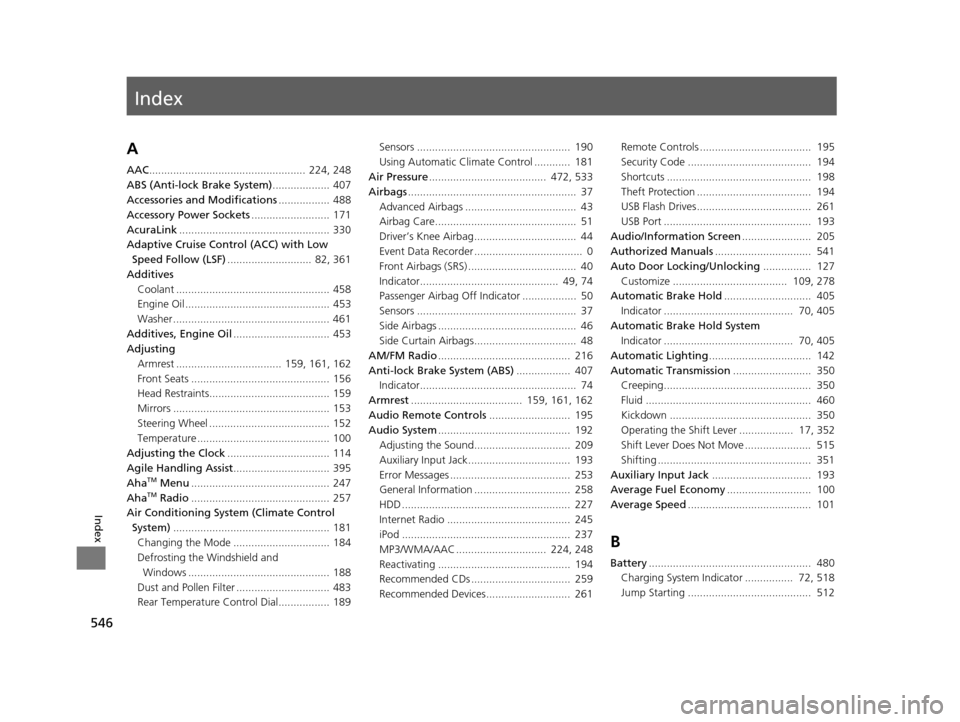
Index
546
Index
Index
A
AAC.................................................... 224, 248
ABS (Anti-lock Brake System) ................... 407
Accessories and Modifications ................. 488
Accessory Power Sockets .......................... 171
AcuraLink .................................................. 330
Adaptive Cruise Control (ACC) with Low Speed Follow (LSF) ............................ 82, 361
Additives Coolant ................................................... 458
Engine Oil ................................................ 453
Washer .................................................... 461
Additives, Engine Oil ................................ 453
Adjusting
Armrest ................................... 159, 161, 162
Front Seats .............................................. 156
Head Restraints........................................ 159
Mirrors .................................................... 153
Steering Wheel ........................................ 152
Temperature ............................................ 100
Adjusting the Clock .................................. 114
Agile Handling Assist ................................ 395
Aha
TM Menu .............................................. 247
AhaTM Radio .............................................. 257
Air Conditioning System (Climate Control
System) .................................................... 181
Changing the Mode ................................ 184
Defrosting the Windshield and
Windows ............................................... 188
Dust and Pollen Filter ............................... 483
Rear Temperature Control Dial................. 189 Sensors ................................................... 190
Using Automatic Climate Control ............ 181
Air Pressure ....................................... 472, 533
Airbags ........................................................ 37
Advanced Airbags ..................................... 43
Airbag Care............................................... 51
Driver’s Knee Airbag.................................. 44
Event Data Recorder .................................... 0
Front Airbags (SRS) .................................... 40
Indicator.............................................. 49, 74
Passenger Airbag Off Indicator .................. 50
Sensors ..................................................... 37
Side Airbags .............................................. 46
Side Curtain Airbags.................................. 48
AM/FM Radio ............................................ 216
Anti-lock Brake System (ABS) .................. 407
Indicator.................................................... 74
Armrest ..................................... 159, 161, 162
Audio Remote Controls ........................... 195
Audio System ............................................ 192
Adjusting the Sound................................ 209
Auxiliary Input Jack.................................. 193
Error Messages ........................................ 253
General Information ................................ 258
HDD ........................................................ 227
Internet Radio ......................................... 245
iPod ........................................................ 237
MP3/WMA/AAC .............................. 224, 248
Reactivating ............................................ 194
Recommended CDs ................................. 259
Recommended Devices............................ 261 Remote Controls ..................................... 195
Security Code ......................................... 194
Shortcuts ................................................ 198
Theft Protection ...................................... 194
USB Flash Drives...................................... 261
USB Port ................................................. 193
Audio/Information Screen ....................... 205
Authorized Manuals ................................ 541
Auto Door Locking/Unlocking ................ 127
Customize ...................................... 109, 278
Automatic Brake Hold ............................. 405
Indicator ........................................... 70, 405
Automatic Brake Hold System Indicator ........................................... 70, 405
Automatic Lighting .................................. 142
Automatic Transmission .......................... 350
Creeping................................................. 350
Fluid ....................................................... 460
Kickdown ............................................... 350
Operating the Shift Lever .................. 17, 352
Shift Lever Does Not Move ...................... 515
Shifting ................................................... 351
Auxiliary Input Jack ................................. 193
Average Fuel Economy ............................ 100
Average Speed ......................................... 101
B
Battery...................................................... 480
Charging System Indicator ................ 72, 518
Jump Starting ......................................... 512
17 ACURA RLX-31TY26300.book 546 ページ 2016年6月17日 金曜日 午前8時12分