climate control Acura RLX Hybrid 2017 Owner's Guide
[x] Cancel search | Manufacturer: ACURA, Model Year: 2017, Model line: RLX Hybrid, Model: Acura RLX Hybrid 2017Pages: 577, PDF Size: 38.63 MB
Page 207 of 577

uuClimate Control System uUsing Automatic Climate Control
206
Controls
■Shortcuts
You can store two sets of your preferred temperature, fan speed, and vent mode
settings to the climate control system. To store a set of the climate control settings:
1.Select Shortcuts .
2. Adjust the climate control system to your
preference.
2 Climate Control System P. 200
3.Select Climate .
4. Select Edit.
5. Select Add.
6. Select Preset 1 or Preset 2 you want to
store your settings to.
To recall one of the settings:
1. Select Shortcuts .
2. Select Climate .
3. Select Preset 1 or Preset 2 .
To delete a preset:
1. Select Shortcuts .
2. Select Climate .
3. Select Edit.
4. Select Delete.
5. Select Preset 1 or Preset 2 you want to
delete.
1 Shortcuts
You can also store a set by pressing and holding the
preset number you want to store that setting after
step 3.
17 ACURA RLX E-AWD-31TY36300.book 206 ページ 2016年6月17日 金曜日 午前8時 29分
Page 208 of 577
Continued207
uuClimate Control System uUsing Automatic Climate Control
Controls
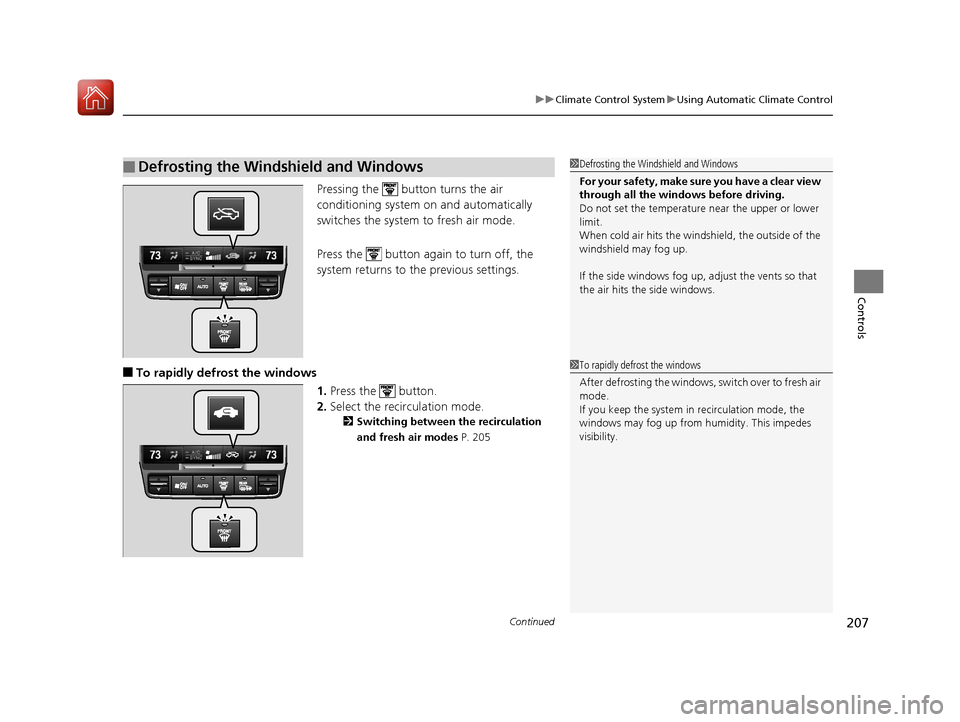
Pressing the button turns the air
conditioning system on and automatically
switches the system to fresh air mode.
Press the button again to turn off, the
system returns to the previous settings.
■To rapidly defrost the windows
1.Press the button.
2. Select the recirculation mode.
2 Switching between the recirculation
and fresh air modes P. 205
■Defrosting the Windshield and Windows1Defrosting the Windshield and Windows
For your safety, make sure you have a clear view
through all the windows before driving.
Do not set the temperatur e near the upper or lower
limit.
When cold air hits the windshield, the outside of the
windshield may fog up.
If the side windows fog up, adjust the vents so that
the air hits th e side windows.
1To rapidly defrost the windows
After defrosting the windows, switch over to fresh air
mode.
If you keep the system in recirculation mode, the
windows may fog up from humidity. This impedes
visibility.
17 ACURA RLX E-AWD-31TY36300.book 207 ページ 2016年6月17日 金曜日 午前8時 29分
Page 209 of 577
uuClimate Control System uUsing Automatic Climate Control
208
Controls
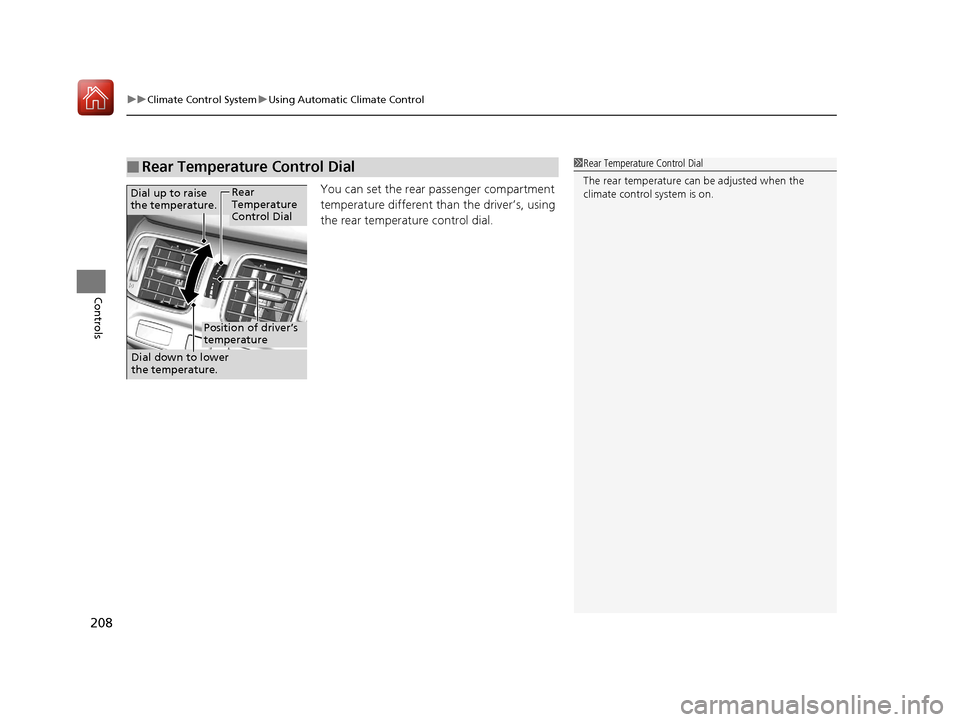
You can set the rear passenger compartment
temperature different th an the driver’s, using
the rear temperature control dial.
■Rear Temperature Control Dial1 Rear Temperature Control Dial
The rear temperature can be adjusted when the
climate control system is on.
Dial up to raise
the temperature.
Dial down to lower
the temperature.Rear
Temperature
Control Dial
Position of driver’s
temperature
17 ACURA RLX E-AWD-31TY36300.book 208 ページ 2016年6月17日 金曜日 午前8時 29分
Page 210 of 577
209
uuClimate Control System uAutomatic Climate Control Sensors
Controls
Automatic Climate Control Sensors
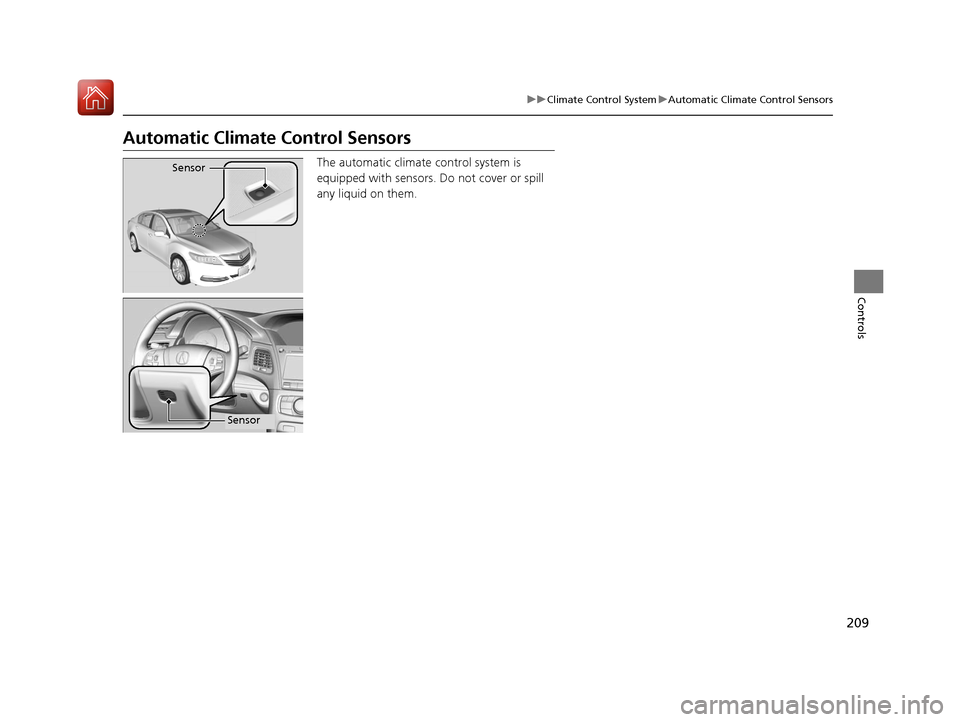
The automatic climate control system is
equipped with sensors. Do not cover or spill
any liquid on them.Sensor
Sensor
17 ACURA RLX E-AWD-31TY36300.book 209 ページ 2016年6月17日 金曜日 午前8時 29分
Page 234 of 577
233
uuAudio System Basic Operation uVoice Control Operation
Continued
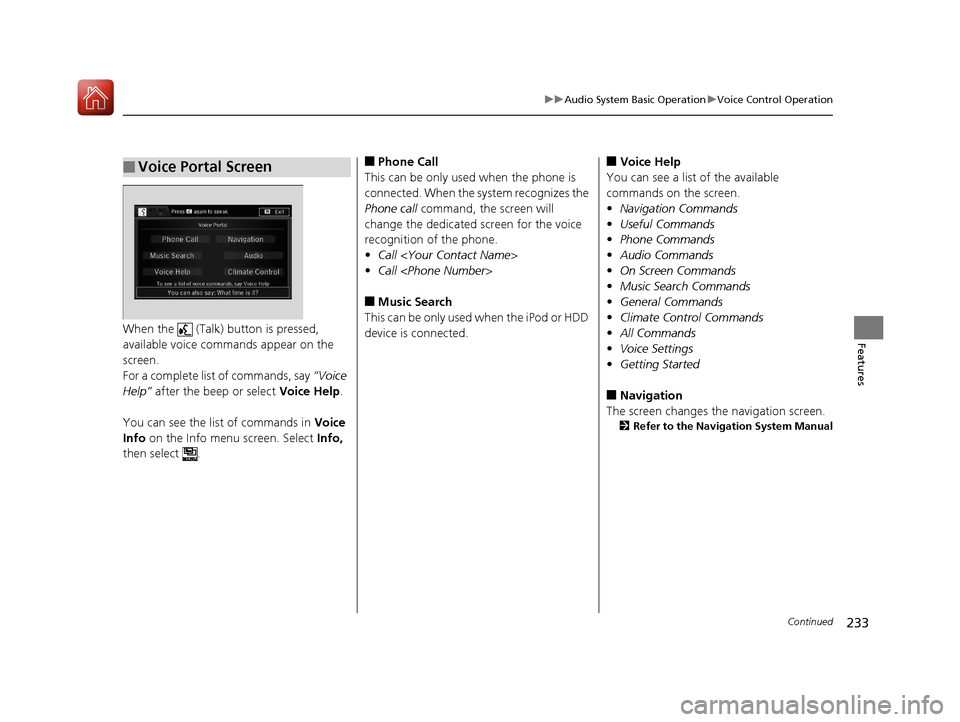
FeaturesWhen the (Talk) button is pressed,
available voice comma nds appear on the
screen.
For a complete list of commands, say “Voice
Help” after the beep or select Voice Help.
You can see the list of commands in Voice
Info on the Info menu screen. Select Info,
then select .
■Voice Portal Screen■Phone Call
This can be only used when the phone is
connected. When the sy stem recognizes the
Phone call command, the screen will
change the dedicated screen for the voice
recognition of the phone.
• Call
• Call
■Music Search
This can be only used when the iPod or HDD
device is connected.
■Voice Help
You can see a list of the available
commands on the screen.
• Navigation Commands
• Useful Commands
• Phone Commands
• Audio Commands
• On Screen Commands
• Music Search Commands
• General Commands
• Climate Control Commands
• All Commands
• Voice Settings
• Getting Started
■Navigation
The screen changes the navigation screen.
2 Refer to the Navigation System Manual
17 ACURA RLX E-AWD-31TY36300.book 233 ページ 2016年6月17日 金曜日 午前8時 29分
Page 235 of 577

234
uuAudio System Basic Operation uVoice Control Operation
Features
■Audio
When the system recognizes the Audio
command, the screen will change the
dedicated screen for the voice recognition
of the audio.
• Audio On
*1
•Audio off*1
•FM
• AM
• SXM
• Disc
• HDD
• USB
• iPod
• Bluetooth ® Audio
• Pandora
*
•Aha
• AUX
2 Audio Commands P. 235
*1: These commands toggle the function
on and off, so the command may not match
your intended action.
■Climate Control
The screen changes the climate control
screen.
2 Climate Control Commands P. 236
The system accepts these commands on the
voice portal top screen.
•Call
• Call
• What time is it?
• What is today's date?
■Useful Commands
The system accepts th ese commands on the
dedicated screen for the voice recognition
of the phone.
• Call
• Call
■Phone Commands
* Not available on all models
17 ACURA RLX E-AWD-31TY36300.book 234 ページ 2016年6月17日 金曜日 午前8時 29分
Page 237 of 577
236
uuAudio System Basic Operation uVoice Control Operation
Features
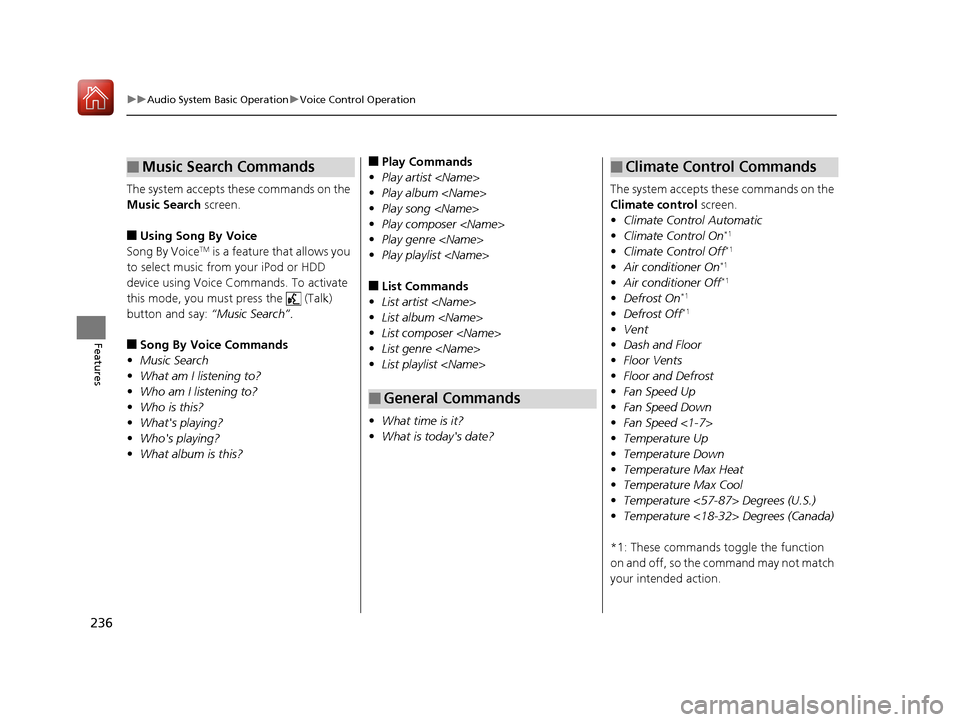
The system accepts these commands on the
Music Search screen.
■Using Song By Voice
Song By VoiceTM is a feature that allows you
to select music from your iPod or HDD
device using Voice Commands. To activate
this mode, you must press the (Talk)
button and say: “Music Search”.
■Song By Voice Commands
• Music Search
• What am I listening to?
• Who am I listening to?
• Who is this?
• What's playing?
• Who's playing?
• What album is this?
■Music Search Commands■Play Commands
• Play artist
• Play album
• Play song
• Play composer
• Play genre
• Play playlist
■List Commands
• List artist
• List album
• List composer
• List genre
• List playlist
• What time is it?
• What is today's date?
■General Commands
The system accepts these commands on the
Climate control screen.
• Climate Control Automatic
• Climate Control On
*1
•Climate Control Off*1
•Air conditioner On*1
•Air conditioner Off*1
•Defrost On*1
•Defrost Off*1
•Vent
• Dash and Floor
• Floor Vents
• Floor and Defrost
• Fan Speed Up
• Fan Speed Down
• Fan Speed <1-7>
• Temperature Up
• Temperature Down
• Temperature Max Heat
• Temperature Max Cool
• Temperature <57-87> Degrees (U.S.)
• Temperature <18-32> Degrees (Canada)
*1: These commands to ggle the function
on and off, so the command may not match
your intended action.
■Climate Control Commands
17 ACURA RLX E-AWD-31TY36300.book 236 ページ 2016年6月17日 金曜日 午前8時 29分
Page 365 of 577

364
Driving
When Driving
Turning on the Power
1.Make sure the parking brake is applied.
u The electric parking brake indicator
comes on for 15 seconds when you pull
up the electric parking brake switch.
2. Depress the brake pedal.
u Make sure the transmission is in
(P.
1When Driving
When you set the power mode to ON, you may feel
as if the brake pedal is sinking down. This is normal.
1Turning on the Power
Keep your foot firmly on the brake pedal when
starting the power system.
The engine is harder to st art in cold weather and in
thinner air found at altitudes above 8,000 feet (2,400
meters).
When turning on the power system in cold weather,
turn off all electrical accessories such as the lights,
climate control system, and rear defogger in order to
reduce 12-volt battery drain.
If you live in a region where winter is extremely cold,
an engine block heater and transmission clutch
actuator heater will impr ove starting and reduce the
warming time required befo re driving. Consult a
dealer for details.
If the exhaust system sounds abnormal or you can
smell exhaust gas inside the vehicle, have your vehicle
checked by a dealer. There may be a problem with
the engine or exhaust system.
Electric Parking
Brake Switch
Brake Pedal
17 ACURA RLX E-AWD-31TY36300.book 364 ページ 2016年6月17日 金曜日 午前8時 29分
Page 383 of 577
uuWhen Driving uFront Sensor Camera
382
Driving
1Front Sensor Camera
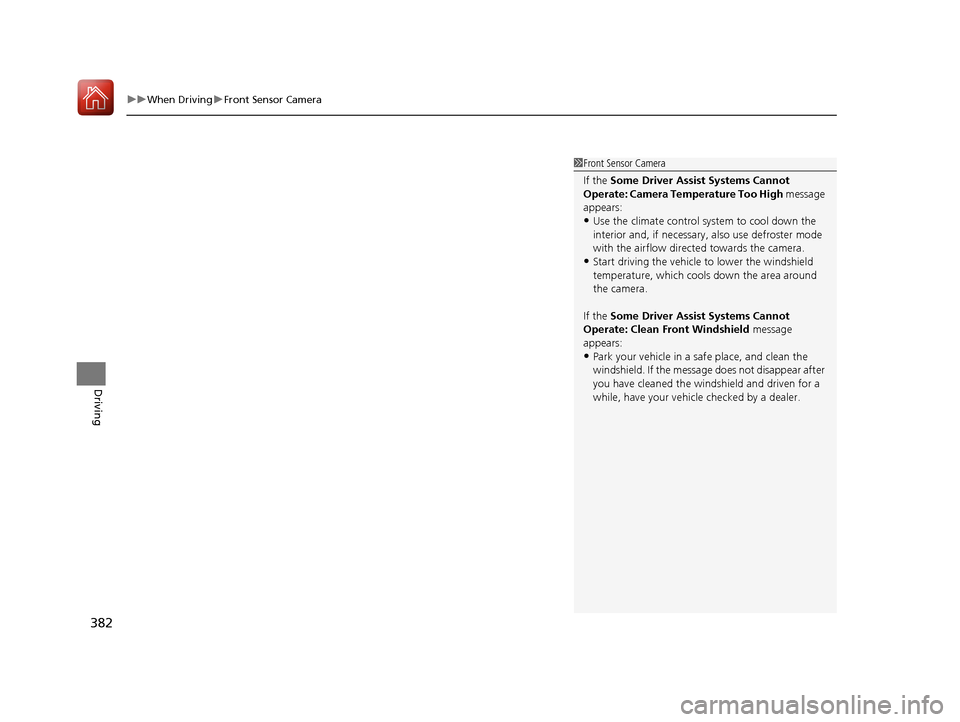
If the Some Driver Assist Systems Cannot
Operate: Camera Temperature Too High message
appears:
•Use the climate control system to cool down the
interior and, if necessary, also use defroster mode
with the airflow directed towards the camera.
•Start driving the vehicle to lower the windshield
temperature, which cool s down the area around
the camera.
If the Some Driver Assist Systems Cannot
Operate: Clean Front Windshield message
appears:
•Park your vehicle in a sa fe place, and clean the
windshield. If the message does not disappear after
you have cleaned the winds hield and driven for a
while, have your vehicle checked by a dealer.
17 ACURA RLX E-AWD-31TY36300.book 382 ページ 2016年6月17日 金曜日 午前8時 29分
Page 460 of 577
459
Maintenance
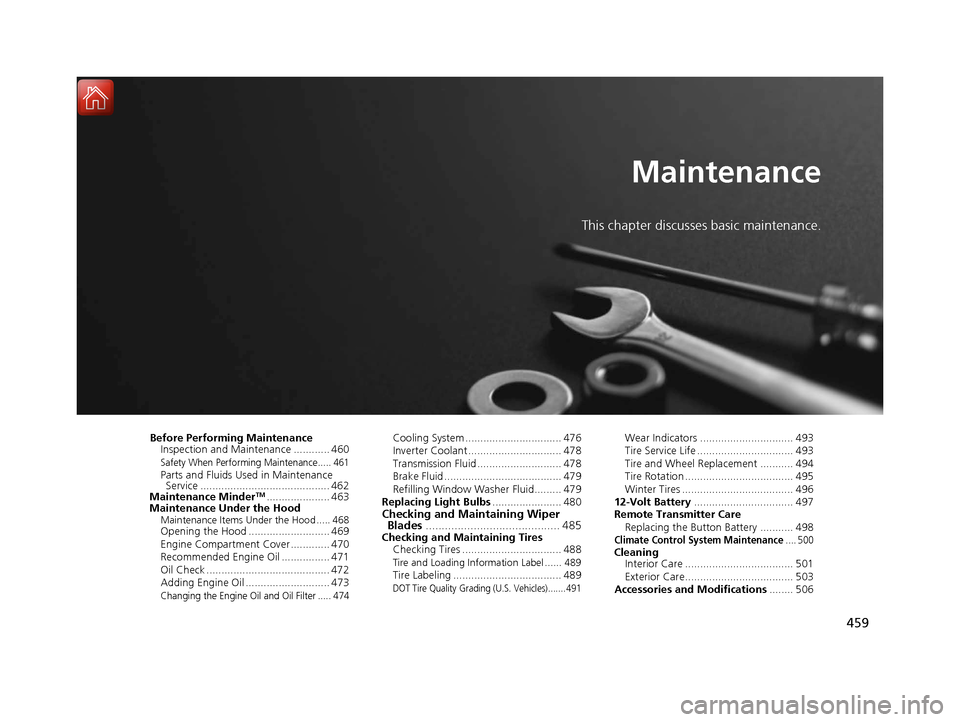
This chapter discusses basic maintenance.
Before Performing MaintenanceInspection and Maintenance ............ 460
Safety When Performing Maintenance..... 461Parts and Fluids Used in Maintenance Service ........................................... 462
Maintenance Minder
TM..................... 463
Maintenance Under the Hood
Maintenance Items Under the Hood ..... 468Opening the Hood ........................... 469
Engine Compartment Cover ............. 470
Recommended Engine Oil ................ 471
Oil Check ......................................... 472
Adding Engine Oil ............................ 473
Changing the Engine Oil and Oil Filter ..... 474
Cooling System ................................ 476
Inverter Coolant ............................... 478
Transmission Fluid ............................ 478
Brake Fluid ....................................... 479
Refilling Window Washer Fluid......... 479
Replacing Light Bulbs ....................... 480
Checking and Maintaining Wiper
Blades .......................................... 485
Checking and Maintaining Tires
Checking Tires ................................. 488
Tire and Loading Information Label ...... 489Tire Labeling .................................... 489DOT Tire Quality Grading (U.S. Vehicles)....... 491
Wear Indicators ............................... 493
Tire Service Life ................................ 493
Tire and Wheel Replacement ........... 494
Tire Rotation .................................... 495
Winter Tires ..................................... 496
12-Volt Battery ................................. 497
Remote Transmitter Care
Replacing the Button Battery ........... 498
Climate Control System Maintenance.... 500CleaningInterior Care .................................... 501
Exterior Care.................................... 503
Accessories and Modifications ........ 506
17 ACURA RLX E-AWD-31TY36300.book 459 ページ 2016年6月17日 金曜日 午前8時 29分