audio Acura TL 2000 3.2 User Guide
[x] Cancel search | Manufacturer: ACURA, Model Year: 2000, Model line: TL, Model: Acura TL 2000Pages: 311, PDF Size: 3.05 MB
Page 128 of 311
Audio System
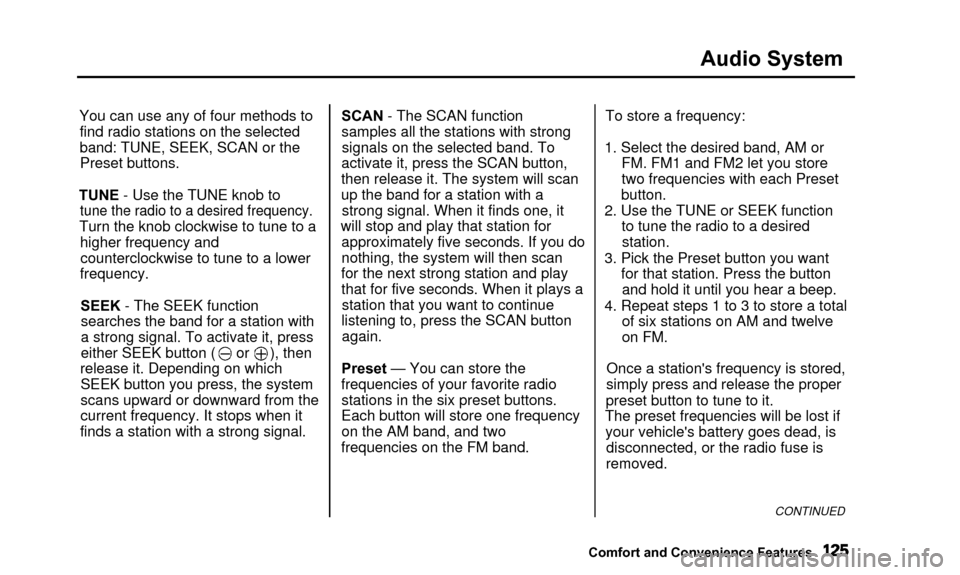
You can use any of four methods tofind radio stations on the selected
band: TUNE, SEEK, SCAN or thePreset buttons.
TUNE - Use the TUNE knob to
tune the radio to a desired frequency.
Turn the knob clockwise to tune to a higher frequency andcounterclockwise to tune to a lower
frequency.
SEEK - The SEEK functionsearches the band for a station with
a strong signal. To activate it, press
either SEEK button ( or ), then
release it. Depending on which SEEK button you press, the system
scans upward or downward from the
current frequency. It stops when it
finds a station with a strong signal. SCAN - The SCAN function
samples all the stations with strong
signals on the selected band. To
activate it, press the SCAN button,
then release it. The system will scan
up the band for a station with a strong signal. When it finds one, it
will stop and play that station for approximately five seconds. If you do
nothing, the system will then scan
for the next strong station and play that for five seconds. When it plays astation that you want to continue
listening to, press the SCAN button again.
Preset — You can store the
frequencies of your favorite radio stations in the six preset buttons.
Each button will store one frequency
on the AM band, and two
frequencies on the FM band. To store a frequency:
1. Select the desired band, AM or FM. FM1 and FM2 let you store
two frequencies with each Preset
button.
2. Use the TUNE or SEEK function to tune the radio to a desiredstation.
3. Pick the Preset button you want for that station. Press the buttonand hold it until you hear a beep.
4. Repeat steps 1 to 3 to store a total of six stations on AM and twelve
on FM.
Once a station's frequency is stored,
simply press and release the proper
preset button to tune to it.
The preset frequencies will be lost if your vehicle's battery goes dead, is disconnected, or the radio fuse is
removed.
CONTINUED
Comfort and Convenience Features
Page 129 of 311
Audio System
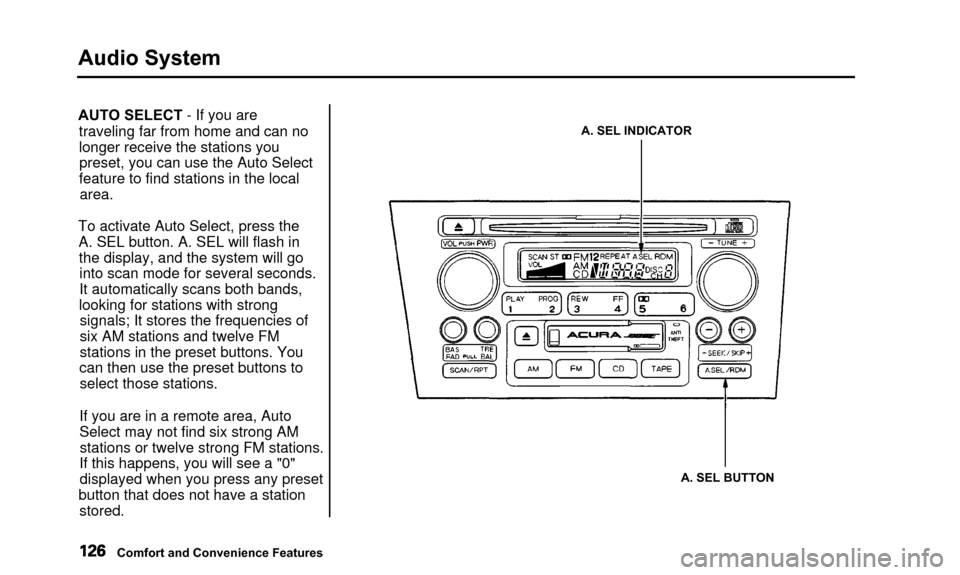
AUTO SELECT - If you aretraveling far from home and can no
longer receive the stations youpreset, you can use the Auto Select
feature to find stations in the local area.
To activate Auto Select, press the A. SEL button. A. SEL will flash inthe display, and the system will gointo scan mode for several seconds.
It automatically scans both bands,
looking for stations with strong signals; It stores the frequencies of
six AM stations and twelve FM
stations in the preset buttons. You
can then use the preset buttons to select those stations.
If you are in a remote area, Auto
Select may not find six strong AM stations or twelve strong FM stations.
If this happens, you will see a "0" displayed when you press any preset
button that does not have a station stored.A. SEL INDICATOR
A. SEL BUTTON
Comfort and Convenience Features
Page 130 of 311
Audio System
If you do not like the stations Auto
Select has stored, you can store
other frequencies in the preset
buttons. Use the TUNE, SEEK, or SCAN function to find the desired
frequencies, then store them in the selected preset buttons as described
previously.
Auto Select does not erase the frequencies that you preset pre-
viously. When you return home, turn off Auto Select by pressing the
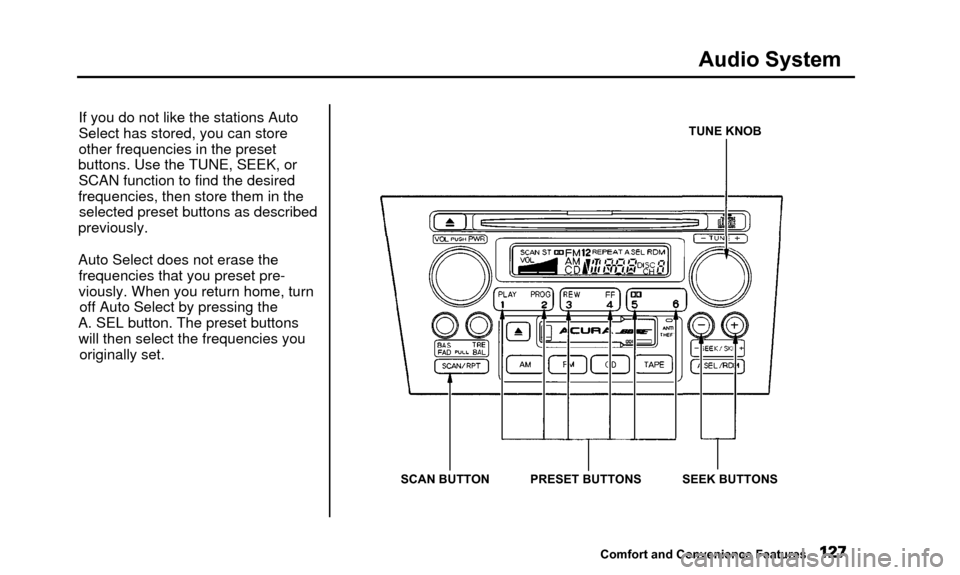
A. SEL button. The preset buttons will then select the frequencies you originally set.TUNE KNOB
SCAN BUTTON PRESET BUTTONS SEEK BUTTONS Comfort and Convenience Features
Page 131 of 311

Audio System
Adjusting the SoundBalance/Fader — These twocontrols adjust the strength of thesound coming from each speaker.
The Balance control adjusts the side- to-side strength, while the Fadercontrol adjusts the front-to-backstrength.
To adjust the fader, push on the BASS/FADER control knob to get it
to pop out. Pull it out slightly farther,and adjust the front-to-back sound to
your liking. Push the knob back in
when you are done so you cannot change the setting by accidentally
bumping it.
To adjust the balance, push on the
TREBLE/BALANCE control knob to get it to pop out. Pull it out slightly
farther, and adjust the side-to-side sound to your liking. Push the knob
back in when you are done so you cannot change the setting by
accidentally bumping it.BASS/FADER
CONTROL TREBLE/BALANCE
CONTROL
Treble/Bass — Use these controls
to adjust the tone to your liking.
To adjust the Treble level, push on the TREBLE/BALANCE control
knob to get it to pop out. Without
pulling it out farther, turn the knob
to adjust the treble level. Push the
knob back in when you are done so
you cannot change the setting by accidentally bumping it. To adjust the Bass level, push on the
BASS/FADER control knob to get it
to pop out. Without pulling it out
farther, turn the knob to adjust the
bass level. Push the knob back in
when you are done so you cannot change the setting by accidentally
bumping it.
Comfort and Convenience Features
Page 132 of 311
Audio System
Audio System LightingYou can use the instrument panel brightness control knob to adjust the
illumination of the audio system (see
page 64). The audio system
illuminates when the parking lightsare on, even if the radio is turned off.
Radio Frequencies
Your Acura's radio can receive the complete AM and FM bands.
Those bands cover these frequen- cies:
AM band: 530 to 1,710 kilohertz
FM band: 87.7 to 107.9 megahertz
Radio stations on the AM band are
assigned frequencies at least ten
kilohertz apart (530, 540, 550). Stations on the FM band are
assigned frequencies at least 0.2
megahertz apart (87.9, 88.1, 88.3). Stations must use these exact
frequencies. It is fairly common for stations to round-off the frequency in
their advertising, so your radio could display a frequency of 100.9 even
though the announcer may identify
the station as "FM101."
Radio Reception How well your Acura's radio receivesstations is dependent on many
factors, such as the distance from
the station's transmitter, nearby
large objects, and atmospheric conditions.
A radio station's signal gets weaker as you get farther away from its
transmitter. If you are listening to an
AM station, you will notice the sound volume becoming weaker, and the station drifting in and out. If you are
listening to an FM station, you will see the stereo indicator flickering off
and on as the signal weakens.
Eventually, the stereo indicator will go off and the sound will fade
completely as you get out of range of
the station's signal.
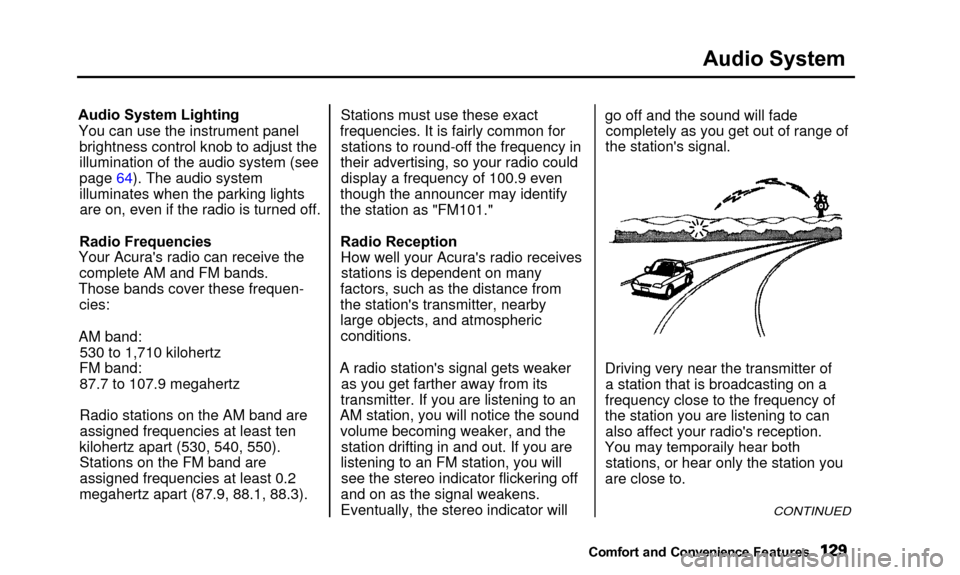
Driving very near the transmitter of a station that is broadcasting on a
frequency close to the frequency of
the station you are listening to can also affect your radio's reception.
Yo u
ma
y
temporaril
y
hea
r
bot
h
stations, or hear only the station you
are close to.
CONTINUED
Comfort and Convenienc e Features
You may temporaily hear both
Page 133 of 311

Audio System
Radio signals, especially on the FM
band, are deflected by large objects such as buildings and hills. Your
radio then receives both the direct signal from the station's transmitter,
and the deflected signal. This causes
the sound to distort or flutter. This is
a main cause of poor radio reception in city driving. Radio reception can be affected by
atmospheric conditions such as
thunderstorms, high humidity, and even sunspots. You may be able to
receive a distant radio station one day and not receive it the next day
because of a change in conditions.
Electrical interference from passing
vehicles and stationary sources can cause temporary reception problems.
As required by the FCC:
Changes or modifications not expressly
approved by the party responsible for
compliance could void the user's
authority to operate the equipment.
Comfort and Convenience Features
Page 134 of 311
Audio System
Operating the CD Player
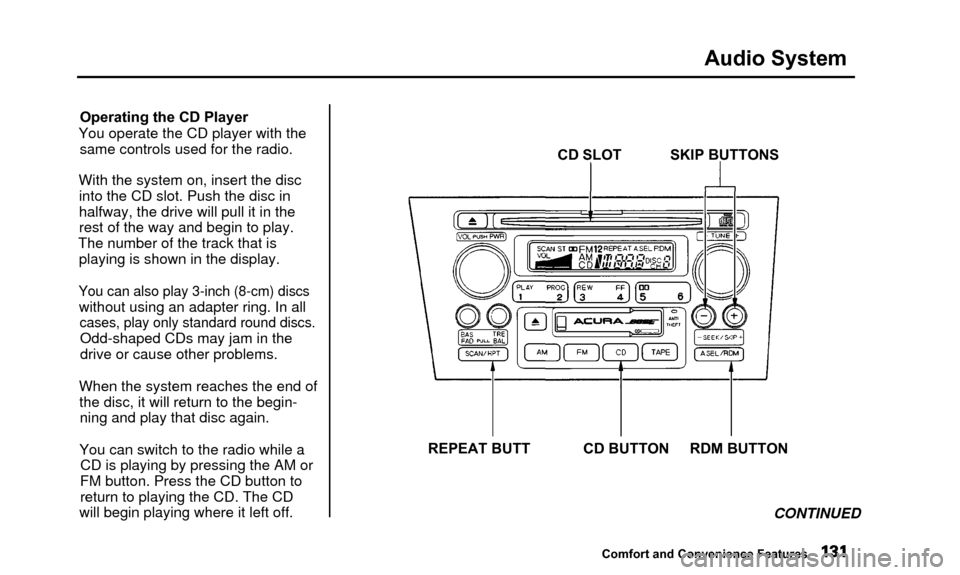
You operate the CD player with the same controls used for the radio.
With the system on, insert the disc into the CD slot. Push the disc in
halfway, the drive will pull it in the
rest of the way and begin to play.
The number of the track that is playing is shown in the display.
You can also play 3-inch (8-cm) discs
without using an adapter ring. In all
cases, play only standard round discs.
Odd-shaped CDs may jam in the
drive or cause other problems.
When the system reaches the end of the disc, it will return to the begin-ning and play that disc again.
You can switch to the radio while a CD is playing by pressing the AM or
FM button. Press the CD button to
return to playing the CD. The CD
will begin playing where it left off. CD SLOT SKIP BUTTONS
REPEAT BUTT CD BUTTON RDM BUTTON CONTINUED
Comfort and Convenience Features
Page 135 of 311
Audio System
If you turn the system off while a CD
is playing, either with the PWR/VOL
knob or by turning off the ignition, the disc will stay in the drive. When
you turn the system back on, the CD
will begin playing where it left off.
Press the eject button to remove the
disc from the drive.
If you eject the disc, but do not
remove it from the slot, the system
will automatically reload the disc after 15 seconds and put the CD
player in pause mode. To begin
playing the disc, press the CD button.
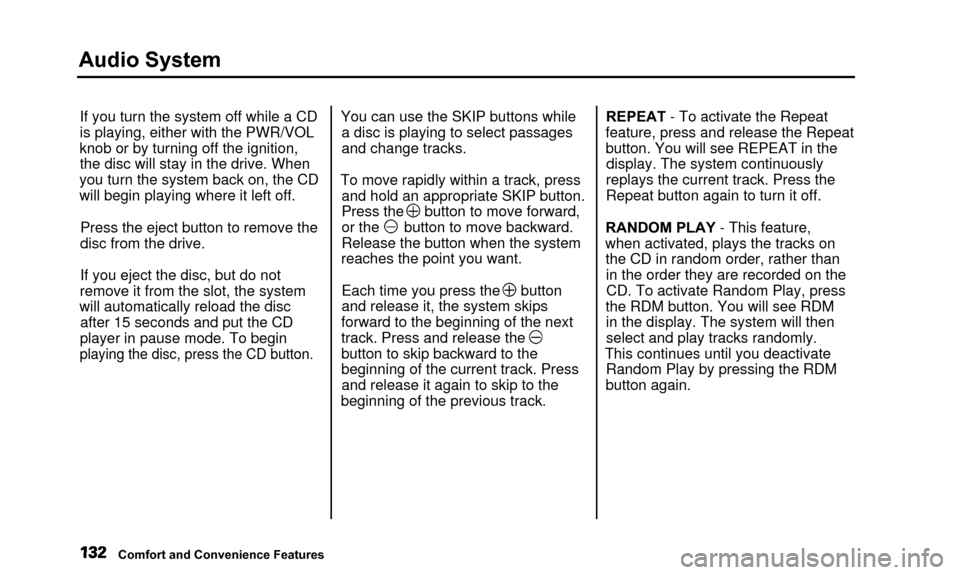
You can use the SKIP buttons while a disc is playing to select passages
and change tracks.
To move rapidly within a track, press and hold an appropriate SKIP button.
Press the button to move forward,
or the button to move backward.
Release the button when the system
reaches the point you want.
Each time you press the button
and release it, the system skips
forward to the beginning of the next
track. Press and release the
button to skip backward to the
beginning of the current track. Press and release it again to skip to the
beginning of the previous track. REPEAT - To activate the Repeat
feature, press and release the Repeat
button. You will see REPEAT in the display. The system continuously
replays the current track. Press the
Repeat button again to turn it off.
RANDOM PLAY - This feature,
when activated, plays the tracks on the CD in random order, rather thanin the order they are recorded on theCD. To activate Random Play, press
the RDM button. You will see RDM in the display. The system will then
select and play tracks randomly.
This continues until you deactivate Random Play by pressing the RDM
button again.
Comfort and Convenience Features
Page 136 of 311
Audio System
Operating the CD Changer
(Optional)
A Compact Disc changer is available for your vehicle. It holds up to six discs, providing several hours of
continuous entertainment. You
operate this CD changer with the same controls used for the in-dash
CD player.
Load the desired CDs in the magazine and load the magazine in
the changer according to the instructions that came with the unit.
Play only standard round discs. Odd-
shaped CDs may jam in the drive or
cause other problems.
To select the CD changer, press the CD button. The disc and track
numbers will be displayed. To select a different disc, press the
appropriate preset button (1—6). If
you select an empty slot in the magazine, the changer will, after
finding that slot empty, try to load the CD in the next slot. This
continues until it finds a CD to load
and play.
If you load a CD in the in-dash player
while the changer is playing a CD, the system will stop the changer and
begin playing the in-dash CD. To select the changer again, press the
CD button. Play will begin where it
left off. Use the CD button to switch
between the player and the changer.
If you eject the in-dash CD while it is
playing, the system will automatically switch to the CD changer and begin
play where it left off. If there are no CDs in the changer, the display will
flash. You will have to select another mode (AM or FM) with the FM or
AM button. When you switch back to CD mode,
the system selects the same unit (in- dash or changer) that was playing
when you switched out of CD mode.
To use the SKIP, REPEAT, and RANDOM functions, refer to the in-
dash player operating instructions.
Comfort and Convenience Features
Page 137 of 311

Audio System
Protecting Compact Discs
Handle a CD by its edges; never
touch either surface. Contamination
from fingerprints, liquids, felt-tip
pens, and labels can cause the CD to
not play properly, or possibly jam in
the drive.
When a CD is not being played, store
it in its case to protect it from dust and other contamination. To prevent
warpage, keep CDs out of direct sunlight and extreme heat.
To clean a disc, use a clean soft cloth.
Wipe across the disc from the centerto the outside edge. A new CD may be rough on the
inner and outer edges. The small
plastic pieces causing this roughness can flake off and fall on the re-
cording surface of the disc, causing
skipping or other problems. Remove
these pieces by rubbing the inner
and outer edges with the side of a
pencil or pen.
Never try to insert foreign objects in
the CD player or the magazine.
Comfort and Convenience Features