battery Acura TL 2000 3.2 User Guide
[x] Cancel search | Manufacturer: ACURA, Model Year: 2000, Model line: TL, Model: Acura TL 2000Pages: 311, PDF Size: 3.05 MB
Page 190 of 311
Maintenance
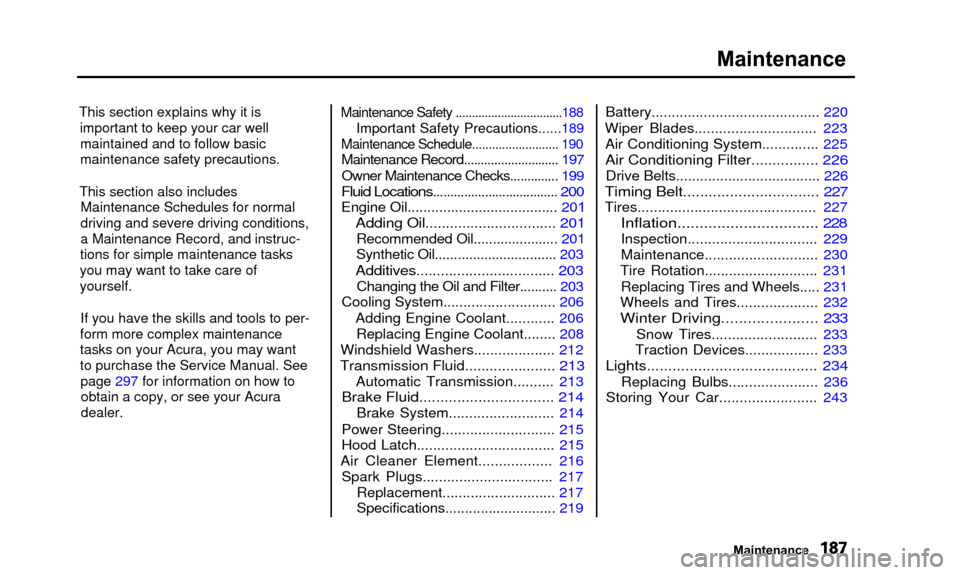
This section explains why it isimportant to keep your car wellmaintained and to follow basic
maintenance safety precautions.
This section also includes Maintenance Schedules for normal
driving and severe driving conditions,
a Maintenance Record, and instruc-
tions for simple maintenance tasks
you may want to take care of
yourself.
If you have the skills and tools to per-
form more complex maintenance
tasks on your Acura, you may want
to purchase the Service Manual. See page 297 for information on how toobtain a copy, or see your Acuradealer. Maintenance Safety .................................188
Important Safety Precautions......189
Maintenance Schedule
.......................... 190
Maintenance Record ............................ 197
Owner Maintenance Checks.............. 199
Fluid Locations.................................... 200
Engine Oil...................................... 201
Adding Oil................................ 201
Recommended Oil...................... 201
Synthetic Oil................................ 203
Additives.................................. 203
Changing the Oil and Filter.......... 203
Cooling System ............................ 206
Adding Engine Coolant............ 206 Replacing Engine Coolant........ 208
Windshield Washers .................... 212
Transmission Fluid...................... 213
Automatic Transmission.......... 213
Brake Fluid................................ 214
Brake System .......................... 214
Power Steering ............................ 215
Hood Latch.................................. 215
Air Cleaner Element .................. 216
Spark Plugs................................ 217
Replacement............................ 217
Specifications............................ 219Battery..........................................
220
Wiper Blades.............................. 223 Air Conditioning System.............. 225
Air Conditioning Filter................ 226
Drive Belts.................................... 226
Timing Belt................................ 227
Tires............................................ 227
Inflation................................ 228
Inspection................................ 229
Maintenance............................ 230
Tire Rotation............................ 231
Replacing Tires and Wheels..... 231
Wheels and Tires.................... 232
Winter Driving...................... 233
Snow Tires.......................... 233
Traction Devices.................. 233
Lights........................................ 234
Replacing Bulbs...................... 236
Storing Your Car........................ 243
Maintenance
Page 192 of 311

Maintenance Safety
Important Safety Precautions
Before you begin any maintenance,
make sure your car is parked on
level ground and that the parking
brake is set. Also, be sure the engine
is off. This will help to eliminateseveral potential hazards:
• Carbon monoxide poisoning from engine exhaust. Be surethere is adequate ventilation
whenever you operate the engine.
• Burns from hot parts. Let the engine and exhaust system cool
before touching any parts.
• Injury from moving parts. Do
not run the engine unless in-structed to do so. Read the instructions before you
begin, and make sure you have the tools and skills required.
To reduce the possibility of fire or explosion, be careful when working
around gasoline or batteries. Use a
commercially available degreaser or
parts cleaner, not gasoline, to clean
parts. Keep cigarettes, sparks, and
flames away from the battery and all
fuel-related parts.
You should wear eye protection and protective clothing when workingnear the battery or when using
compressed air.
Maintenance
Page 223 of 311

Battery
Check the condition of your car's
battery monthly. You should check
the color of the test indicator window,
and for corrosion on the terminals.TEST INDICATOR WINDOW
Remove the battery cover.
Check the battery condition by
looking at the test indicator window on the battery.
The label on the battery explains the test indicator's colors. Check the battery terminals for
corrosion (a white or yellowish
powder). To remove it, cover the
terminals with a solution of baking
soda and water. It will bubble up and
turn brown. When this stops, wash it
off with plain water. Dry off the
battery with a cloth or paper towel. Coat the terminals with grease to
help prevent future corrosion.
Maintenance
Page 224 of 311

Battery
If the terminals are severely cor-
roded, clean them with baking soda
and water. Then use a wrench to
loosen and remove the cables from the terminals. Always disconnect the
negative (—) cable first and recon-
nect it last. Clean the battery termi-nals with a terminal cleaning tool or
wire brush. Reconnect and tighten the cables, then coat the terminals
with grease. If you need to connect the battery to
a charger, disconnect both cables to prevent damage to the car's
electrical system. The battery gives off explosive
hydrogen gas during normal
operation.
A spark or flame can cause the battery to explode with enough
force to kill or seriously hurt you.
Wear protective clothing and a
face shield, or have a skilled mechanic do the battery
maintenance.
CONTINUED
Maintenance
Page 225 of 311

Battery
If your car's battery is disconnectedor goes dead, the audio system will
disable itself. The next time you turn
on the radio you will see "Code" in
the frequency display. Use the Preset buttons to enter the five-digit
code (see page 142 ).
The Navigation System will also disable itself. The next time you turn
on the ignition switch, the system
will require you to enter a PIN
before it can be used. Refer to the Navigation System Owner's Manual.NOTICE
Charging the battery with the cables
connected can seriously damage your
car's electronic controls. Detach the
battery cables before connecting the
battery to a charger.
Maintenance
Page 246 of 311

Storing Your Car
If you need to park your car for an
extended period (more than one
month), there are several things youshould do to prepare it for storage.
Proper preparation helps prevent deterioration and makes it easier to
get your car back on the road. If
possible, store your car indoors.
• Fill the fuel tank.
• Change the engine oil and filter (see page 203).
• Wash and dry the exterior completely.
• Clean the interior. Make sure the carpeting, floor mats, etc. are
completely dry.
• Leave the parking brake off. Put the transmission in Park. • Block the rear wheels.
• If the car is to be stored for a
longer period, it should besupported on jackstands so the
tires are off the ground.
• Leave one window open slightly (if the car is being stored indoors).
• Disconnect the battery. • Support the front wiper blade arms with a folded towel or rag so
they do not touch the windshield.
• To minimize sticking, apply a silicone spray lubricant to all door
and trunk seals. Also, apply a
vehicle body wax to the painted surfaces that mate with the door
and trunk seals. • Cover the car with a "breathable"
cover, one made from a porous
material such as cotton.
Nonporous materials, such as
plastic sheeting, trap moisture,
which can damage the paint.
• If possible, run the engine for a while periodically (preferably oncea month).
If you store your car for 12 months or longer, have your Acura dealer
perform the inspections called for in
the 24 months/30,000 miles (48,000
km) maintenance schedule (Normal Conditions) as soon as you take it
out of storage (see page 192). The
replacements called for in the maintenance schedule are not
needed unless the car has actually
reached that time or mileage.
Maintenance
Page 264 of 311

If Your Engine Won't Start
Nothing Happens or the Starter
Motor Operates Very Slowly
When you turn the ignition switch to START (III), you do not hear the
normal noise of the engine trying tostart. You may hear a clicking sound
or series of clicks, or nothing at all.
Check these things:• Check the transmission interlock. The transmission must be in Parkor Neutral or the starter will not
operate.
• Turn the ignition switch to ON (II).
Turn on the headlights and check their brightness. If the headlightsare very dim or don't light at all,
the battery is discharged. See
Jump Starting on page 262.
• Turn the ignition switch to START (III). If the headlights do not dim,
check the condition of the fuses. If
the fuses are OK, there is proba-
bly something wrong with the electrical circuit for the ignitionswitch or starter motor. You will
need a qualified technician to determine the problem. (See
Emergency Towing on page 277.)
If the headlights dim noticeably or
go out when you try to start the engine, either the battery is dis-
charged or the connections are
corroded. Check the condition of
the battery and terminal connec- tions (see page 220). You can
then try jump starting the car froma booster battery (see page 262).
Taking Care of the Unexpected
Page 265 of 311

If Your Engine Won't Start, Jump Starting
The Starter Operates NormallyIn this case, the starter motor's
speed sounds normal, or even faster
than normal, when you turn the
ignition switch to START (III), but
the engine does not run.
• Your car has the Immobilizer System. You should use a
properly-coded master or valet key
to start the engine (see page 74).
A key that is not properly coded will cause the immobilizer systemindicator in the dash panel to blink
rapidly.
• Are you using the proper starting procedure? Refer to Starting theEngine on page 161.
• Do you have fuel? Turn the
ignition switch to ON (II) for a
minute and watch the fuel gauge.
The low fuel level warning light may not be working, so you were
not reminded to fill the tank.
• There may be an electrical problem, such as no power to the
fuel pump. Check all the fuses (see page 273).
If you find nothing wrong, you will
need a qualified technician to find
the problem. See Emergency
Towing on page 277. Jump Starting
If your car's battery has run down,
you may be able to start the engine by using a booster battery. Although
this seems like a simple procedure,
you should take several precautions.
A battery can explode if you donot follow the correct procedure,
seriously injuring anyone nearby.
Keep all sparks, open flames,
and smoking materials away
from the battery.
You cannot start your Acura by pushing or pulling it.
Taking Care of the Unexpected
Page 266 of 311

Jump Starting
To jump start your car, follow thesedirections closely:
1. Open the hood and check the physical condition of the battery(see page 220). In very cold
weather, check the condition of
the electrolyte. If it seems slushy or like ice, do not try jump starting
until it thaws.
NOTICE
If a battery sits in extreme cold, the
electrolyte inside can freeze.
Attempting to jump start with a frozen battery can cause it to rupture.
2. Turn off all the electrical acces- sories: climate control, stereo
system, lights, etc.
Put the transmission in Neutral or
Park and set the parking brake. 3. Remove the battery cover.
4. Connect one jumper cable to the positive (+) terminal on the
booster battery. Connect the otherend to the positive (+) terminal
on your Acura's battery. 5. Connect the second jumper cable
to the negative (—) terminal on
the booster battery. Connect theother end to the grounding strap
as shown. Do not connect this
jumper cable to any other part of the engine.
CONTINUED
Taking Care of the Unexpected
Page 267 of 311

Jump Starting
6. If the booster battery is in anothervehicle, have an assistant startthat vehicle and run it at a fast idle.
7. Start your car. If the starter motorstill operates slowly, check the
jumper cable connections to make sure they have good metal-to-
metal contact. 8. Once your car is running, discon-
nect the negative cable from your
car, then from the booster battery.
Disconnect the positive cable from
your car, then the booster battery.
Taking Care of the Unexpected BOOSTER
BATTERY