air condition Acura TL 2000 3.2 Owner's Manual
[x] Cancel search | Manufacturer: ACURA, Model Year: 2000, Model line: TL, Model: Acura TL 2000Pages: 311, PDF Size: 3.05 MB
Page 9 of 311

Important Safety Precautions
You'll find many safetyrecommendations throughout thissection, and throughout this manual.
The recommendations on this page are the ones we consider to be the
most important.
Always Wear Your Seat Belt A seat belt is your best protection in all types of collisions. Airbags
supplement seat belts, but airbags
are designed to inflate only in a
moderate to severe frontal collision.
So even though your car is equipped
with airbags, make sure you and
your passengers always wear your seat belts, and wear them properly. (See page 15.)
Restrain All Children Children are safest when they are
properly restrained in the back seat,
not the front seat. A child who is too small for a seat belt must be properly
restrained in a child safety seat. (See page 20.) Be Aware of Airbag Hazards
While airbags can save lives, they can cause serious or fatal injuries tooccupants who sit too close to them,
or are not properly restrained.
Infants, young children, and short
adults are at the greatest risk. Be sure to follow all instructions and
warnings in this manual. (See page 9.)
Don't Drink and Drive
Alcohol and driving don't mix. Even one drink can reduce your ability to
respond to changing conditions, and
your reaction time gets worse with every additional drink. So don't drinkand drive, and don't let your friends
drink and drive, either. Control Your Speed
Excessive speed is a major factor in
crash injuries and deaths. Generally,
the higher the speed the greater the
risk, but serious accidents can also
occur at lower speeds. Never drive
faster than is safe for current conditions, regardless of the
maximum speed posted.
Keep Your Car in Safe Condition
Having a tire blowout or a
mechanical failure can be extremely
hazardous. To reduce the possibility of such problems, check your tire
pressures and condition frequently, and perform all regularly scheduledmaintenance. (See page 192 .)
Driver and Passenger Safety
Page 45 of 311
Additional Information About Your Seat Belts
Seat Belt Maintenance
For safety, you should check the
condition of your seat belts regularly.
Pull each belt out fully and look for
frays, cuts, burns, and wear. Check that the latches work smoothly and
that the lap/shoulder belts retracteasily. Any belt not in good condition
or not working properly will not
provide good protection and should
be replaced as soon as possible.
U.S. Models
Acura provides a lifetime warranty on seat belts. Acura will repair or
replace any seat belt component
that fails to function properly during normal use.
Please see your Acura WarrantyInformation booklet for details. Not checking or maintaining
seat belts can result in serious injury or death if the seat belts
do not work properly whenneeded.
Check your seat belts regularly
and have any problem
corrected as soon as possible. If a seat belt is worn during a crash,
you should have your dealer inspect the belt, and replace it if necessary.
A belt that has been worn during a crash may not provide the same levelof protection in a subsequent crash.
The dealer should also inspect the anchors for damage and replace
them if needed.
For information on how to clean your seat belts, see page 249.
Driver and Passenger Safety
Page 52 of 311
Carbon Monoxide Hazard
Your vehicle's exhaust containscarbon monoxide gas. You should
have no problem with carbon monoxide entering the vehicle in
normal driving if you maintain your
vehicle properly.
Have the exhaust system inspected
for leaks whenever:
• The vehicle is raised for an oil change.
• You notice a change in the sound of the exhaust.
• The vehicle was in an accident that may have damaged the under-side. Carbon monoxide gas is toxic.
Breathing it can cause
unconsciousness and even kill
you.
Avoid any enclosed areas or activities that expose you to
carbon monoxide.
High levels of carbon monoxide can
collect rapidly in enclosed areas, such as a garage. Do not run the
engine with the garage door closed.
Even with the door open, run the
engine only long enough to move the
vehicle out of the garage. With the trunk lid open, air flow can
pull exhaust gas into your car's
interior and create a hazardouscondition. If you must drive with the
trunk lid open, open all the windows and set the climate control system as
shown below.
If you must sit in your parked car, even in an unconfined area, with the
engine running, adjust the climate
control system as follows:
1. Push the button.
2. Select the mode.
3. Turn the fan on high speed.
4. Set the temperature control to a
comfortable setting.
Driver and Passenger Safety
Page 115 of 311

Climate Control System
3.2 TL without Navigation System
Fully-automatic Operation
To put the Automatic Climate Control in fully-automatic mode,
press the AUTO button and set the
fan control dial to AUTO, then set
the desired temperature by turning
the temperature control dial. You will see FULL AUTO in the system's
display. The light above the
button also shows you which
mode, Recirculation or Fresh Air, is selected.
The system automatically selects the proper mix of conditioned and/or
heated air that will, as quickly as
possible, raise or lower the interior
temperature from its current level to
the set temperature.
TEMPERATURE
CONTROL DIAL FULL AUTO FAN CONTROL DIAL
DISPLAY
AUTO BUTTON OFF BUTTON
When you set the temperature to its lower limit (60°F/18°C) or its upper
limit (90°F/32°C), the system runsat full cooling or heating only. It does
not regulate the interior temperature.
When the temperature is set between the lower and upper limits,the system regulates the interior
temperature to the set value.
Comfort and Convenience Features
Page 116 of 311

Climate Control System
Pressing the OFF button shuts the
climate control system completelyoff. Keep the system completely off
only for short periods. To keep stale
air and mustiness from collecting,
you should have the fan running at all times.
Semi-automatic Operation
You can manually select various functions of the Climate Control system when it is in FULL AUTO.
All other features remain auto- matically controlled. Making any
manual selection causes the word
FULL to go out.
Air Conditioning (A/C) Button Press the A/C button to turn the air
conditioning on and off. You will see
A/C ON or A/C OFF in the display.TEMPERATURE AIR CONDITIONING BUTTON CONTROL DIAL
RECIRCULATION BUTTON
When you turn the A/C off, the sys-tem cannot regulate the inside tem-
perature if you set the dial below theoutside temperature. With the A/C
on, use the temperature control dial
to adjust the temperature of the air
flow to a comfortable setting.
CONTINUED
Comfort and Convenience Features
Page 121 of 311

Climate Control System
3.2 TL with Navigation System
Fully-automatic Operation
To put the Automatic Climate Control in fully-automatic mode,
press the AUTO button. Then set
the desired temperature by pressing
either side of the TEMP button:
to raise the temperature above the
displayed value, or to lower the
temperature.
The system automatically selects the proper mix of conditioned and/or
heated air that will, as quickly aspossible, raise or lower the interior
temperature from its current level to
the set temperature.
When you set the temperature to its lower limit (60°F/18°C) or its upper
limit (90°F/32°C), the system runsat full cooling or heating only. It does
not regulate the interior temperature.
TEMPERATURE BUTTON
OFF BUTTON
AUTO BUTTON
TEMPERATURE DISPLAY
When the temperature is set
between the lower and upper limits,
the system regulates the interior temperature to the set value. Pressing the OFF button shuts the
climate control system completely
off. Keep the system completely off
only for short periods. To keep stale
air and mustiness from collecting,
you should have the fan running at all times.
Comfort and Convenience Features
Page 122 of 311

Climate Control System
Semi-automatic Operation
You can manually select various functions of the Climate Controlsystem when it is in FULL AUTO.
All other features remain auto- matically controlled. Some of these
functions appear in the NavigationSystem display. Press the A/C
button next to the display to show
these functions.
Air Conditioning (A/C) Buttons Pressing "ON" or "OFF" in thedisplay turns the air conditioning on
and off. You will see A/C ON or A/C OFF activated in the display.
When you turn the A/C off, the system cannot regulate the inside
temperature if you set the dial below
the outside temperature. With the
A/C on, use the temperature button to adjust the temperature of the air
flow to a comfortable setting.
TEMPERATURE BUTTONS
RECIRCULATION BUTTON
AIR CONDITIONING (A/C) BUTTONS
CONTINUED
Comfort and Convenience Features
ON OFF
Page 132 of 311
Audio System
Audio System LightingYou can use the instrument panel brightness control knob to adjust the
illumination of the audio system (see
page 64). The audio system
illuminates when the parking lightsare on, even if the radio is turned off.
Radio Frequencies
Your Acura's radio can receive the complete AM and FM bands.
Those bands cover these frequen- cies:
AM band: 530 to 1,710 kilohertz
FM band: 87.7 to 107.9 megahertz
Radio stations on the AM band are
assigned frequencies at least ten
kilohertz apart (530, 540, 550). Stations on the FM band are
assigned frequencies at least 0.2
megahertz apart (87.9, 88.1, 88.3). Stations must use these exact
frequencies. It is fairly common for stations to round-off the frequency in
their advertising, so your radio could display a frequency of 100.9 even
though the announcer may identify
the station as "FM101."
Radio Reception How well your Acura's radio receivesstations is dependent on many
factors, such as the distance from
the station's transmitter, nearby
large objects, and atmospheric conditions.
A radio station's signal gets weaker as you get farther away from its
transmitter. If you are listening to an
AM station, you will notice the sound volume becoming weaker, and the station drifting in and out. If you are
listening to an FM station, you will see the stereo indicator flickering off
and on as the signal weakens.
Eventually, the stereo indicator will go off and the sound will fade
completely as you get out of range of
the station's signal.
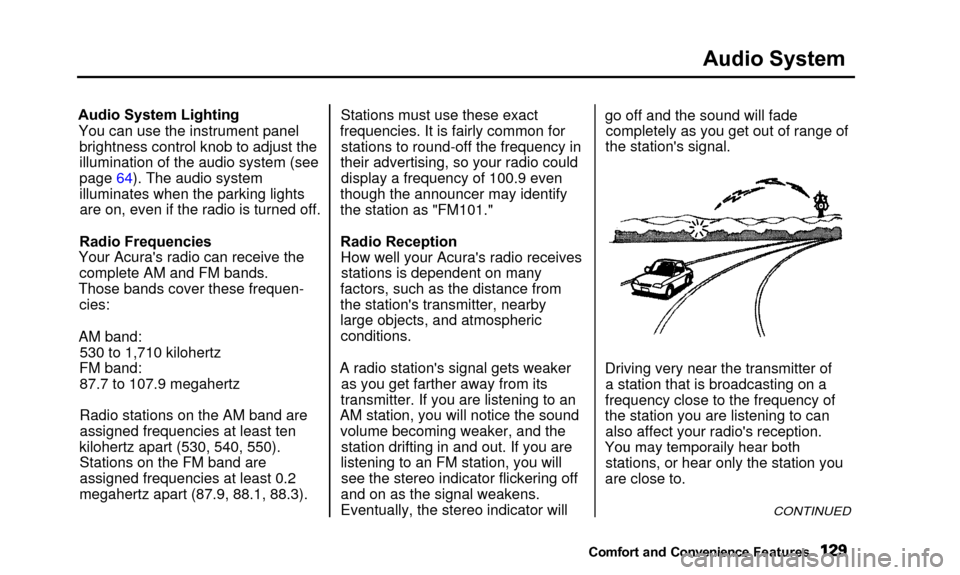
Driving very near the transmitter of a station that is broadcasting on a
frequency close to the frequency of
the station you are listening to can also affect your radio's reception.
Yo u
ma
y
temporaril
y
hea
r
bot
h
stations, or hear only the station you
are close to.
CONTINUED
Comfort and Convenienc e Features
You may temporaily hear both
Page 155 of 311

Fuel Economy
The condition of your car and yourdriving habits are the two most
important things that affect the fuel
mileage you get.
Vehicle Condition Always maintain your car according to the maintenance schedule. This
will keep it in top operating condition.
An important part of that mainte- nance is the Owner MaintenanceChecks (see page 199). For
example, an underinflated tire
causes more "rolling resistance,"
which uses fuel. It also wears out
faster, so check the tire pressure at least monthly.
In winter, the build-up of snow on
your car's underside adds weight and rolling resistance. Frequent cleaning
helps your fuel mileage and reduces
the chance of corrosion. Driving Habits
You can improve fuel economy by driving moderately. Rapid acceler-
ation, abrupt cornering, and hard
braking use more fuel.
Always drive in the highest gear that allows the engine to run and acceler-
ate smoothly.
Depending on traffic conditions, try
to maintain a constant speed. Every
time you slow down and speed up,
your car uses extra fuel. Use the cruise control, when appropriate, to
increase fuel economy. A cold engine uses more fuel than a
warm engine. It is not necessary to
"warm-up" a cold engine by letting it
idle for a long time. You can drive away in about a minute, no matter
how cold it is outside. The engine
will warm up faster, and you get
better fuel economy. To cut down on
the number of "cold starts," try to combine several short trips into one.
The air conditioning puts an extra load on the engine which makes it
use more fuel. Turn off the A/C tocut down on air conditioning use.Use the flow-through ventilation
when the outside air temperature is moderate.
Before Driving
Page 182 of 311
Driving in Bad Weather
Visibility — Being able to seeclearly in all directions and being
visible to other drivers are important in all weather conditions. This is
more difficult in bad weather. To be
seen more clearly during daylight
hours, turn on your headlights.
Inspect your windshield wipers and
washers frequently. Keep the wind- shield washer reservoir full of theproper fluid. Have the windshield
wiper blades replaced if they start to streak the windshield or leave parts
unwiped. Use the defroster and air
conditioning to keep the windows
from fogging up on the inside (see pages 112 and 118). Traction — Check your tires
frequently for wear and properpressure. Both are important in
preventing "hydroplaning" (loss of
traction on a wet surface). In the
winter, mount snow tires on all four
wheels for the best handling.
Watch road conditions carefully, they can change from moment tomoment. Wet leaves can be as slip-
pery as ice. "Clear" roads can have
patches of ice. Driving conditions
can be very hazardous when theoutside temperature is near freezing.
The road surface can become covered with areas of water puddlesmixed with areas of ice, so your
traction can change without warning.
Be careful when downshifting. If
traction is low, you can lock up the
drive wheels for a moment and cause
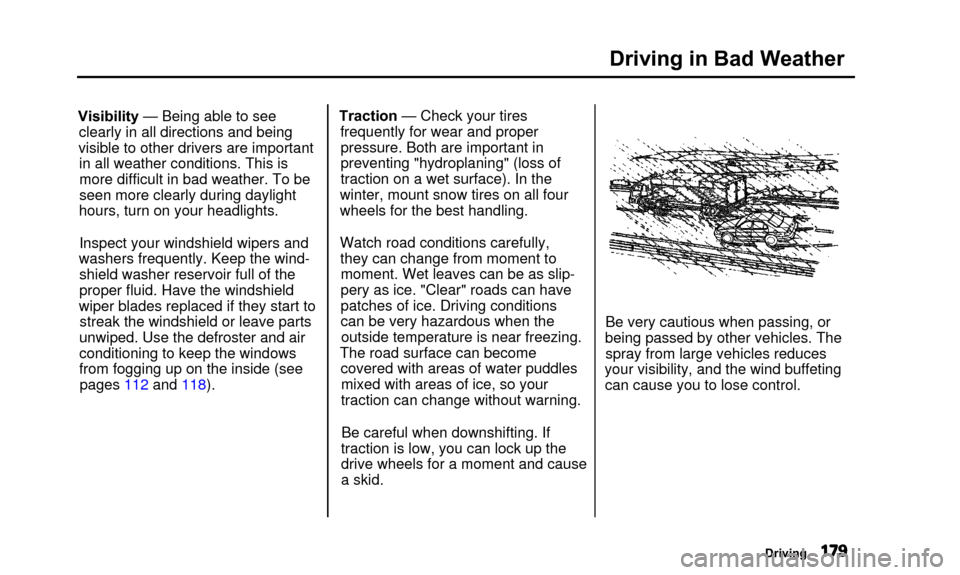
a skid. Be very cautious when passing, or
being passed by other vehicles. The spray from large vehicles reduces
your visibility, and the wind buffeting can cause you to lose control.
Driving