change Acura TL 2010 Workshop Manual
[x] Cancel search | Manufacturer: ACURA, Model Year: 2010, Model line: TL, Model: Acura TL 2010Pages: 612, PDF Size: 15.02 MB
Page 183 of 612

Automatic TransmissionManual Transmission
How the mode is switched depends
on if the shif t lever is in Park or not.Each time you press the engine
start/stop button without pressing
the clutch pedal, the power mode
switches between VEHICLE OFF
(LOCK), ACCESSORY, and ON
modes. To change the mode f rom
ON to ACCESSORY, or
ACCESSORY to VEHICLE OFF
(LOCK), press the engine start/stop
button twice. If the keyless access system
main switch in the glove box is of f ,
make sure to insert the keyless
access remote into the keyless
access slot to turn on your vehicle’s
power mode. For more inf ormation,
ref er to page .
To remove the keyless access
remote from the slot, make sure the
power mode is VEHICLE OFF
(LOCK).
With the shift lever in Park, the
power mode changes f rom ON to
VEHICLE OFF (LOCK) when you
push the engine start/stop button.
TochangethemodefromONto
ACCESSORY with the shift lever
position in Park, take your f oot of f
the brake and press the engine
start/stop button twice.
Tochangethemodefrom
ACCESSORY to VEHICLE OFF
(LOCK),shifttoPark,thenpress
the engine start/stop button twice. 189
K eyless A ccess System
180
NOTE:
09/07/29 17:13:05 31TK4610_185
2010 TL
Page 188 of 612

CONT INUED
If the power mode is in ACCESSORY,
you may see the ‘‘ACCESSORY
MODE’’ message on the multi-
inf ormation display.Af ter the driver’s door is opened, you
willseethe‘‘TOTURNVEHICLE
OFF:’’ message on the multi-
inf ormation display. Press the engine
start/stop button twice with your
f oot of f the brake pedal to change
the power mode f rom ACCESSORY
to VEHICLE OFF (LOCK).Press the engine start/stop button
twice with your f oot of f the brake
pedal (automatic transmission) or
the clutch pedal (manual
transmission) to change the power
mode to VEHICLE OFF (LOCK). If you open the driver’s door in the
ACCESSORY mode, a beeper will
sound. You will also see a
‘‘ACCESSORY MODE’’ or ‘‘TO
TURN VEHICLE OFF:’’ message on
the multi-information display.
Bef ore leaving the vehicle, make
sure it is in VEHICLE OFF (LOCK).
All models
K eyless A ccess System
Inst rument s and Cont rols
185
TO TURN VEHICLE OFF
ACCESSORY MODE
09/07/29 17:14:05 31TK4610_190
2010 TL
Page 189 of 612

The engine start/stop button may be
used to stop the engine due to an
emergency situation even while
driving. If you must stop the engine,
do either of the f ollowing operations:Press and hold the engine start/
stop button for three seconds.
Firmly press the engine start/stop
button three times.
Do not press the button while driving
unless it is absolutely necessary f or
the engine to be switched of f . If you are driving, the power mode
switches f rom ON to ACCESSORY
or VEHICLE OFF (LOCK)
whenever you perf orm either
procedure. However, the steering
wheel will NOT lock.
If you cannot stop the engine by
pressing the engine start/stop
button once when the vehicle is
stopped and the shif t lever is in Park
(automatic transmission), do either
emergency engine stop procedure.
In this case, the power mode will
change to VEHICLE OFF (LOCK),
however, the steering wheel may
NOT lock.
K eyless A ccess System
Emergency Engine St op
186
09/07/29 17:14:12 31TK4610_191
2010 TL
Page 190 of 612

CONT INUED
If you take the keyless access
remote out of the vehicle and close
the door with the power mode ON or
ACCESSORY, the inside and outside
beepers sound and a ‘‘KEYLESS
REMOTE NOT DETECTED’’
message will be displayed on the
multi-inf ormation display, and the
doors will not lock.The displayed message goes away
when you bring the remote back
inside the vehicle.
If the engine is running and you take
the remote out of the vehicle, it will
continue to run, and the inside and
outside beepers will sound. Once the
power mode is changed to VEHICLE
OFF (LOCK), the engine will not
restart until you bring back a remote
into the vehicle.
Even when the remote is inside the
vehicle, the beeper may sound when
the location of the remote is not
detected due to surrounding
conditions. It is not a f ailure. Make
sure that you carry the remote with
you. The engine does not start if you push
the engine start/stop button when
theremoteisoutsidethevehicle.
Check where the remote is. Make
sure that the remote is in the vehicle
with you when you operate the
engine start/stop button.
K eyless A ccess System
K eyless Remot e Not Det ect ed
Beeper and Message
Inst rument s and Cont rols
187
09/07/29 17:14:22 31TK4610_192
2010 TL
Page 191 of 612

Thebatteryintheremotenormally
lasts about 2 years. To ensure
maximum battery life, do not store
the remote close to electrical devices
such as computers or TVs. When the
multi-inf ormation display shows
‘‘CHANGE KEYLESS REMOTE
BATTERY,’’ replace the battery as
soon as possible (see page ).If the remote battery becomes weak
and the power door lock/unlock
operation is disabled, you should
insert the remote into the keyless
access remote slot to set the power
mode and start the engine. Af ter
inserting the remote to the slot,
operate the engine start/stop button
as previously described (see pages
and ). For more information
on the keyless access slot, see page .
Inserting the remote does not charge
the remote battery. You should
replace the battery as soon as
possible.
The outside beeper sounds when the
power mode is in ACCESSORY, and
a door is opened, then closed.
175178 182
191
K eyless A ccess System
K eyless Remot e L ow Bat t ery
188
09/07/29 17:14:30 31TK4610_193
2010 TL
Page 192 of 612
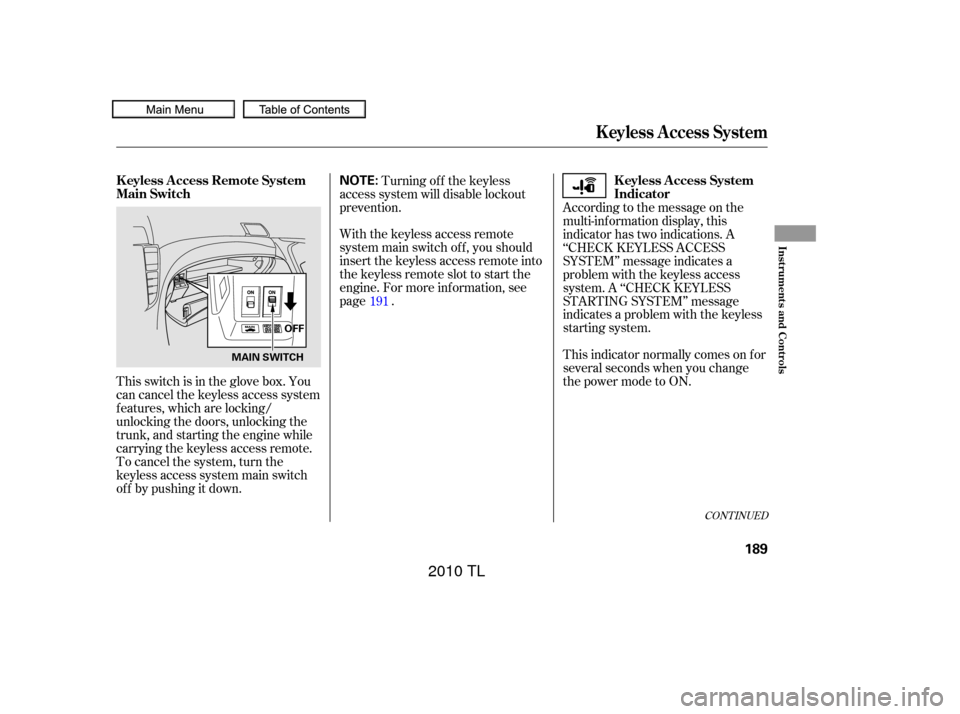
This switch is in the glove box. You
can cancel the keyless access system
f eatures, which are locking/
unlocking the doors, unlocking the
trunk, and starting the engine while
carrying the keyless access remote.
To cancel the system, turn the
keyless access system main switch
of f by pushing it down.Turning of f the keyless
access system will disable lockout
prevention.
With the keyless access remote
system main switch of f , you should
insert the keyless access remote into
the keyless remote slot to start the
engine. For more inf ormation, see
page . According to the message on the
multi-inf ormation display, this
indicator has two indications. A
‘‘CHECK KEYLESS ACCESS
SYSTEM’’ message indicates a
problem with the keyless access
system. A ‘‘CHECK KEYLESS
STARTING SYSTEM’’ message
indicates a problem with the keyless
starting system.
This indicator normally comes on f or
several seconds when you change
the power mode to ON.
191
CONT INUED
K eyless A ccess System
K eyless Access Remote System
Main Switch
K eyless Access System
Indicator
Inst rument s and Cont rols
189
NOTE:
OFF
MAIN SWITCH
09/07/29 17:14:40 31TK4610_194
2010 TL
Page 195 of 612
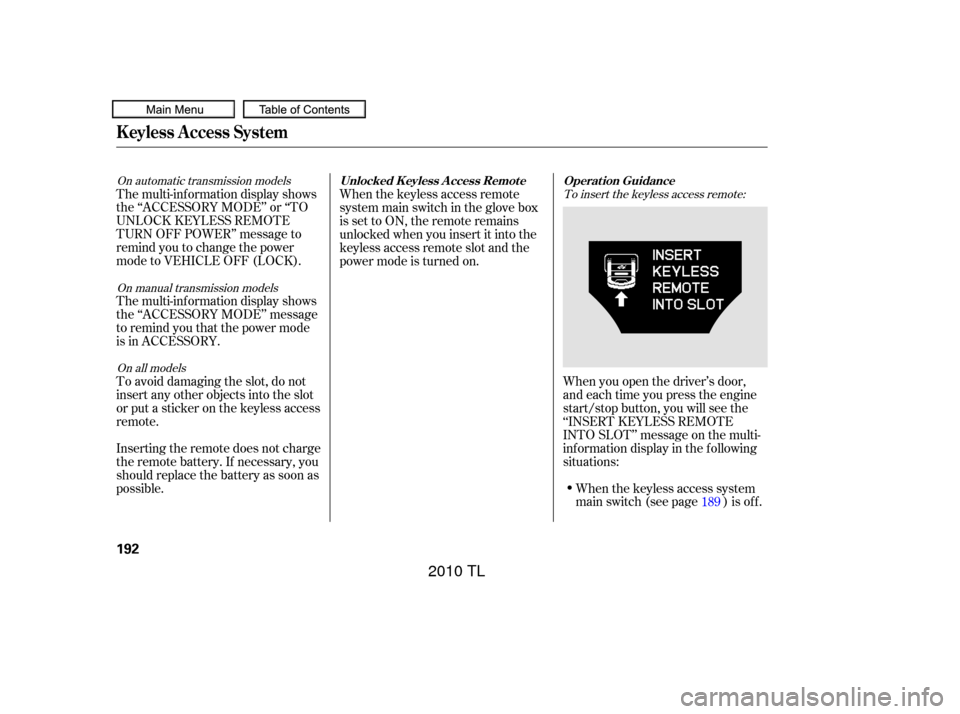
To insert the keyless access remote:
On all models
On automatic transmission models
On manual transmission models
When you open the driver’s door,
and each time you press the engine
start/stop button, you will see the
‘‘INSERT KEYLESS REMOTE
INTO SLOT’’ message on the multi-
inf ormation display in the f ollowing
situations:When the keyless access system
main switch (see page ) is of f .
The multi-inf ormation display shows
the ‘‘ACCESSORY MODE’’ or ‘‘TO
UNLOCK KEYLESS REMOTE
TURN OFF POWER’’ message to
remind you to change the power
mode to VEHICLE OFF (LOCK).
The multi-inf ormation display shows
the ‘‘ACCESSORY MODE’’ message
to remind you that the power mode
is in ACCESSORY.
To avoid damaging the slot, do not
insert any other objects into the slot
or put a sticker on the keyless access
remote.
Inserting the remote does not charge
the remote battery. If necessary, you
should replace the battery as soon as
possible.
When the keyless access remote
system main switch in the glove box
issettoON,theremoteremains
unlocked when you insert it into the
keyless access remote slot and the
power mode is turned on.
189
K eyless A ccess System
Operat ion Guidance
Unlocked K eyless A ccess Remot e
192
09/07/29 17:15:15 31TK4610_197
2010 TL
Page 200 of 612

Follow these precautions whenever
you use the seat heaters:Use the HI setting only to heat the
seats quickly, because it draws
large amounts of current f rom the
battery.
If the engine is lef t idling f or an
extended period, do not use the
seat heaters even on the LO
setting. It can weaken the battery,
causing hard starting.
In the HI setting, the heater turns off
when the seat gets warm, and turns
back on after the seat’s temperature
drops.
In the LO setting, the heater runs
continuously. It does not cycle with
temperature changes.
Seat Heaters
Inst rument s and Cont rols
197
09/07/29 17:15:56 31TK4610_202
2010 TL
Page 215 of 612

To turn off the setting, press the
OFF button.The f ront individual map lights
canbeturnedonandoff by
pressing each map light button
(/).
The rear individual map lights
cannot be turned on. The individual map lights in the
f ront and rear come on when any
door is opened, when the remote
transmitter (the keyless access
remote on models with keyless
access system) is used to unlock
the doors. When the doors are
closed, each light can be turned on
and of f by pushing the map light
button ( / ).
After all doors are closed tightly, the
lights dim slightly, then f ade out in
about 30 seconds.
To change the ‘‘INTERIOR LIGHT
DIMMING TIME’’ setting, see page .
With any door lef t open, the lights
stay on about 15 minutes, then go
out. The lights also come on when the
key is removed f rom the ignition
switch.
The lights also come on when the
power mode is set to VEHICLE OFF
(LOCK).
All the individual map lights come
on and stay on.
117
OFF position: Door (Door activated position):
ON position:
On models without keyless access
system
On models with keyless access system
Interior Lights
212
MAPLIGHTBUTTON
Front
Rear
09/07/29 17:18:22 31TK4610_217
2010 TL
Page 218 of 612
The standard audio system has
many f eatures. This section
describes those f eatures and how to
use them. The climate control system in your
vehicle provides a comfortable
driving environment in all weather
conditions.
Your vehicle has an anti-theft audio
system that requires a code number
to enable it.
The security system helps to dis-
courage vandalism and thef t of your
vehicle................
Climate Control System . 216
Using Automatic Climate ...................................
Control .218 Dual Temperature and Mode
...................................
Control .222
..........
Climate Control Sensors . 224
................................
Audio System .225
................................
Audio System .226
..........
Playing the AM/FM Radio . 227
................
Playing the XM
Radio . 235
.................................
Playing Discs .241
...
Disc Changer Error Messages . 251
............................
PlayinganiPod
. 252
.................
iPod
Error Messages . 259
Playing a USB Flash Memory ........................................
Device .260
USB Flash Memory Device ........................
Error Messages .268
.............
Audio System . 269
................................
Audio System .273
..........
Playing the AM/FM Radio . 274
................
Playing the XM
Radio . 287
................................
Playing a Disc .295
.......
Disc Player Error Messages . 307
Playing Hard Disc Drive (HDD) ..........................................
Audio .308
............................
PlayinganiPod
. 338 .................
iPod
Error Messages . 346
Playing a USB Flash Memory ........................................
Device .347
USB Flash Memory Device ........................
Error Messages .358
.............
Audio System . 359
..................
Protecting Your Discs . 364
............
AM/FM Radio Reception . 368
................
Remote Audio Controls . 370
......................
Auxiliary Input Jack .371
.................
Radio Thef t Protection . 372
..........................
Setting the Clock .373
............................
Security System .376
.........................................
Compass .378
...............................
Cruise Control .382
HomeLink
Universal ................................
Transceiver .385
HandsFreeLink
(Models without navigation
..................................
system) .388
HandsFreeLink
(Models with navigation
..................................
system) .406
..
AcuraLink
(U.S. models only) . 425
...
Rearview Camera and Monitor . 441
Models without navigation system
BluetoothModels with navigation system Bluetooth
BluetoothBluetooth
Features
Features
215
09/07/29 17:18:54 31TK4610_220
2010 TL