battery Acura TL 2011 Owner's Guide
[x] Cancel search | Manufacturer: ACURA, Model Year: 2011, Model line: TL, Model: Acura TL 2011Pages: 614, PDF Size: 15.86 MB
Page 397 of 614

To use HFL, you need to pair your
Bluetooth-compatible cell phone to
the system.Press and release the HFL Talk
button. If you are pairing a phone
f or the f irst time, HFL will give
you inf ormation about the pairing
process. If it is not the f irst phone
you are pairing, say ‘‘
’’ and say ‘‘ .’’
Follow the HFL prompts and put
your phone in discovery or search
mode. HFL will give you a 4-digit
pairing code and begin searching
foryourphone.
When your phone f inds a
Bluetooth device, select HFL f rom
the options and enter the 4-digit
code f rom the previous step.
Follow the HFL prompts and
name the newly paired phone.
This command group is available f or
paired cell phones.
You cannot pair your phone while
the vehicle is moving.
Your phone must be in discovery
or search mode to pair. Ref er to
your phone’s manual.
Up to six phones can be paired.
Your phone’s battery may drain
f aster when it is paired to HFL.
If af ter three minutes your phone
is not ready to pair or a phone is
not f ound, the system will time out
andreturntoidle. 1.
2.
3.
4.
BluetoothHandsFreeL ink(Models without navigation system)
T o pair a cell phone:
Phone pairing tips
Phone
setup Pair
Phone Setup
394
10/07/29 12:31:27 31TK4620_399
2011 TL
Page 400 of 614

You can make calls using any phone
number or a name in the HFL
phonebook. You can also redial the
last number called.
Bluetooth is the wireless technology
that links your phone to HFL. HFL
uses a Class 2 Bluetooth, which
means the maximum range between
yourphoneandvehicleis30feet(10
meters).
During a call, HFL allows you to talk
up to 30 minutes af ter you remove
the key from the ignition switch.
However, this may weaken the
vehicle’s battery.Press and release the HFL Talk
button bef ore a command.
Say ‘‘ ’’ or ‘‘ .’’
Follow the HFL prompts and say
thenamestoredintheHFL
phonebook that you want to call.
Follow the HFL prompts to
conf irm the name and make the
call. Press and release the HFL Talk
button bef ore a command.
Say ‘‘ ’’ or ‘‘ .’’
Follow the HFL prompts and say
the phone number you want to dial.
Follow the HFL prompts to
conf irm the number and say
‘‘ ’’ or ‘‘ .’’
Once connected, you will hear the
person you called through the audio
speakers.
Press and release the HFL Talk
button and say ‘‘ .’’ 1.
2.
3.
1.
2.
3.
Making a Call
Call DialCall Dial
Call Dial
Redial
BluetoothHandsFreeL ink(Models without navigation system)
TomakeacallusinganameintheHFL phonebook: T o make a call using a phone
number:
To redial the last numbercalled by HFL:
Features
397
10/07/29 12:32:00 31TK4620_402
2011 TL
Page 411 of 614
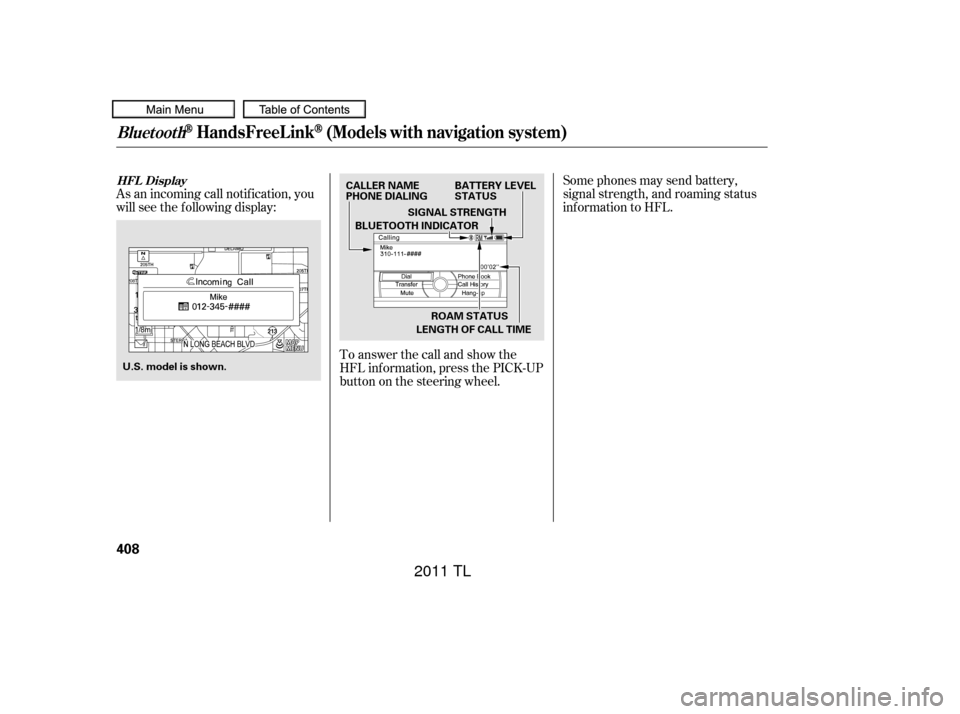
Some phones may send battery,
signal strength, and roaming status
inf ormation to HFL.
As an incoming call notif ication, you
will see the f ollowing display:
To answer the call and show the
HFL inf ormation, press the PICK-UP
button on the steering wheel.
BluetoothHandsFreeL ink(Models with navigation system)
HFL Display
408
U.S. model is shown. CALLER NAME
PHONE DIALING
BATTERY LEVEL
STATUS
SIGNAL STRENGTH
LENGTH OF CALL TIME ROAM STATUS
BLUETOOTH INDICATOR
10/07/29 12:33:55 31TK4620_413
2011 TL
Page 417 of 614
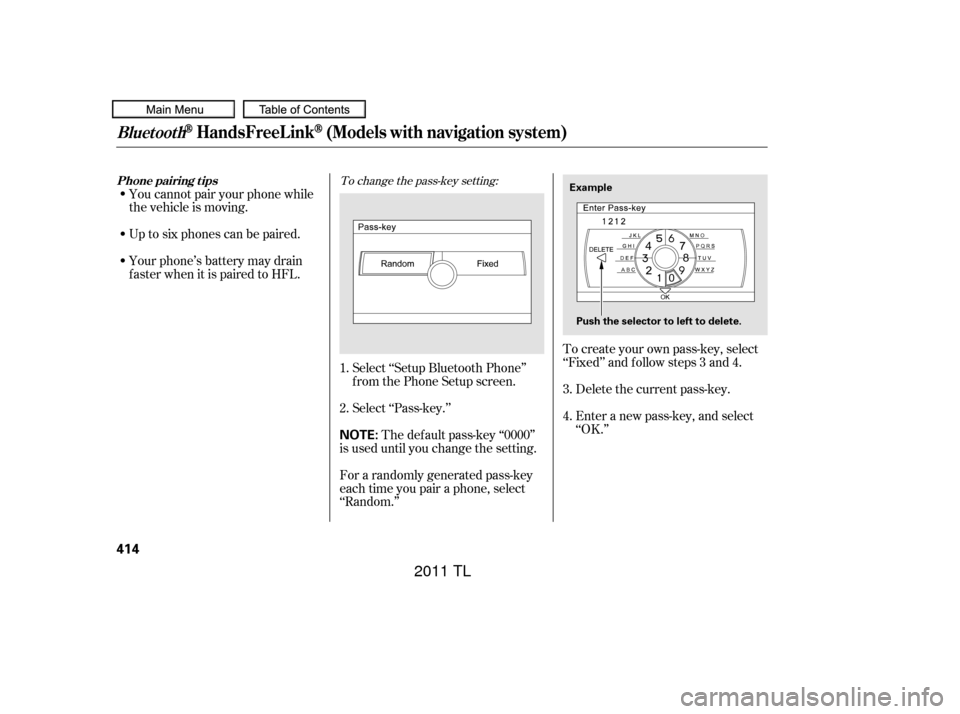
To create your own pass-key, select
‘‘Fixed’’ and f ollow steps 3 and 4.Delete the current pass-key.
Enter a new pass-key, and select
‘‘OK.’’
Select ‘‘Setup Bluetooth Phone’’
f rom the Phone Setup screen.
Select ‘‘Pass-key.’’
The def ault pass-key ‘‘0000’’
is used until you change the setting.
For a randomly generated pass-key
each time you pair a phone, select
‘‘Random.’’
Up to six phones can be paired.
Your phone’s battery may drain
f aster when it is paired to HFL. You cannot pair your phone while
the vehicle is moving.
3.
1.
2.
4.
To change the pass-key setting:
BluetoothHandsFreeL ink(Models with navigation system)
Phone pairing tips
414
NOTE:
Example
Push the selector to left to delete.
10/07/29 12:34:40 31TK4620_419
2011 TL
Page 423 of 614
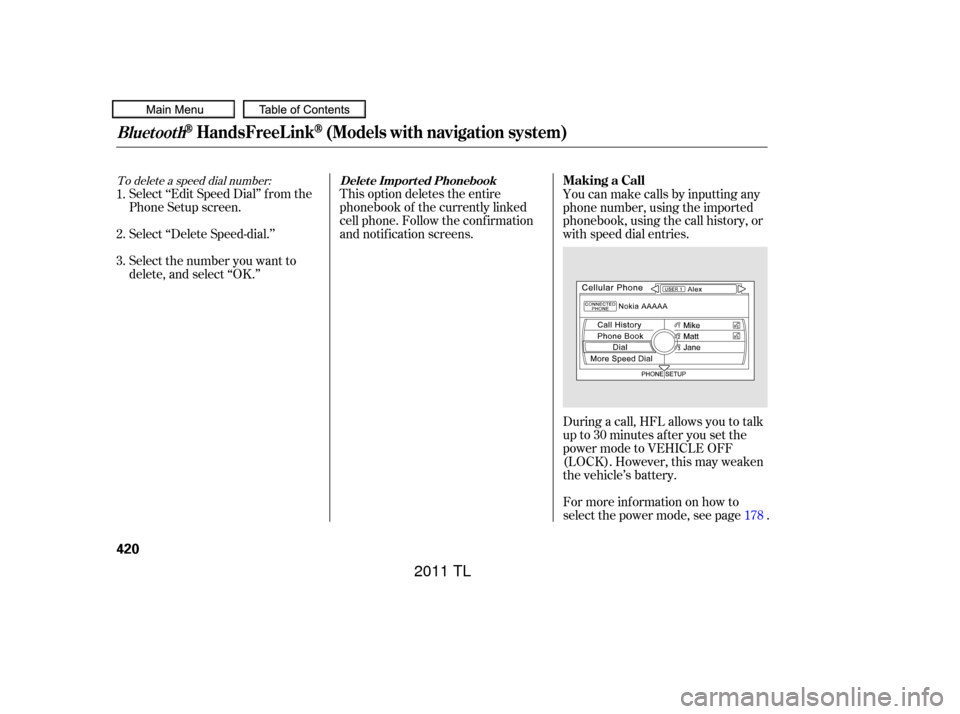
To delete a speed dial number:
Select ‘‘Edit Speed Dial’’ f rom the
Phone Setup screen.
Select ‘‘Delete Speed-dial.’’
Select the number you want to
delete, and select ‘‘OK.’’This option deletes the entire
phonebook of the currently linked
cell phone. Follow the conf irmation
and notif ication screens.
During a call, HFL allows you to talk
up to 30 minutes af ter you set the
power mode to VEHICLE OFF
(LOCK). However, this may weaken
the vehicle’s battery.
For more inf ormation on how to
select the power mode, see page . You can make calls by inputting any
phone number, using the imported
phonebook, using the call history, or
with speed dial entries.
2. 1.
3.
178
BluetoothHandsFreeL ink(Models with navigation system)
Delet e Import ed PhonebookMaking a Call
420
10/07/29 12:35:49 31TK4620_425
2011 TL
Page 464 of 614
Your vehicle’s starting system has an
auto control mode. When you turn
the ignition switch to the START
(III) position, this f eature keeps the
engine’s starter motor running until
the engine starts. Follow these
instructions to start the engine:Without touching the accelerator
pedal, turn the ignition switch to
the START (III) position, then
release the ignition switch. You do
not need to hold the ignition
switch in the START (III) position
to start the engine. Depending on
the outside temperature, the starter motor runs f or about 6 to 9
seconds until the engine starts.
Make sure the shif t lever is in
Park. Press on the brake pedal. In cold weather, turn of f all
electrical accessories to reduce
the drain on the battery. Apply the parking brake. If the engine does not start,
wait at least 10 seconds before
trying again. If you hold the ignition switch in
the START (III) position f or more
than 7 seconds, the starter motor,
depending on the outside
temperature, runs f or about 10 to
25 seconds until the engine starts.
1.
2.
3.
4.
Starting the Engine (Models without Keyless Access System)
Driving
461
T he immobilizer system protects your
vehicle f rom thef t. If an improperly
coded key (or other device) is used, the
engine’s f uel system is disabled. For
more inf ormation, see page . The engine is harder to start in cold
weather. Also, the thinner air f ound at
altitudes above 8,000 f eet (2,400
meters) adds to this problem.
143
10/07/29 12:41:25 31TK4620_466
2011 TL
Page 466 of 614
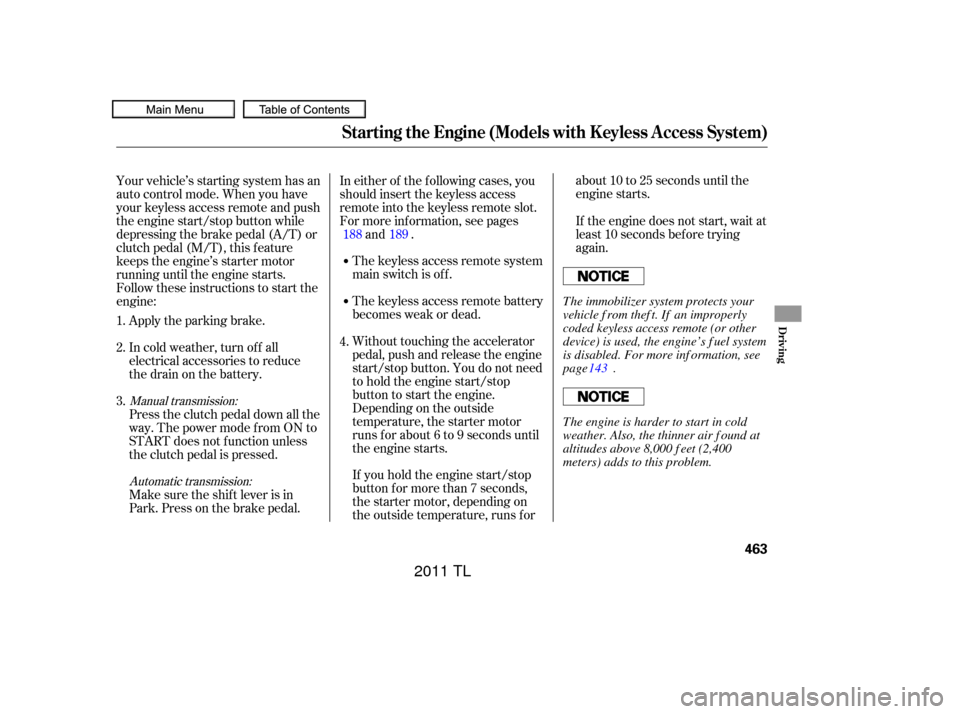
If you hold the engine start/stop
button for more than 7 seconds,
the starter motor, depending on
the outside temperature, runs f orabout10to25secondsuntilthe
engine starts.
Without touching the accelerator
pedal, push and release the engine
start/stop button. You do not need
to hold the engine start/stop
button to start the engine.
Depending on the outside
temperature, the starter motor
runs f or about 6 to 9 seconds until
the engine starts. The keyless access remote battery
becomes weak or dead. The keyless access remote system
main switch is of f .
In either of the f ollowing cases, you
should insert the keyless access
remote into the keyless remote slot.
For more inf ormation, see pages
and . If the engine does not start, wait at
least 10 seconds bef ore trying
again.
Your vehicle’s starting system has an
auto control mode. When you have
your keyless access remote and push
the engine start/stop button while
depressing the brake pedal (A/T) or
clutch pedal (M/T), this f eature
keeps the engine’s starter motor
running until the engine starts.
Follow these instructions to start the
engine:
Make sure the shif t lever is in
Park. Press on the brake pedal. Press the clutch pedal down all the
way. The power mode f rom ON to
START does not f unction unless
the clutch pedal is pressed. In cold weather, turn of f all
electrical accessories to reduce
the drain on the battery. Apply the parking brake.
1.
2.
3. 4.188 189Automatic transmission:
Manual transmission:
Starting the Engine (Models with Keyless Access System)
Driving
463
T he immobilizer system protects your
vehicle f rom thef t. If an improperly
coded keyless access remote (or other
device) is used, the engine’s f uel system
is disabled. For more inf ormation, see
page .
The engine is harder to start in cold
weather. Also, the thinner air f ound at
altitudes above 8,000 f eet (2,400
meters) adds to this problem. 143
10/07/29 12:41:40 31TK4620_468
2011 TL
Page 498 of 614
This section explains why it is
important to keep your vehicle well
maintained and how to f ollow basic
maintenance saf ety precautions.
This section also includes
instructions on how to read the
Maintenance Minder messages on
the multi-information display, and
instructions f or simple maintenance
tasks you may want to take care of
yourself .
If you have the skills and tools to
perf orm more complex maintenance
tasks on your vehicle, you may want
to purchase the service manual. See
page f or inf ormation on how to
obtain a copy, or see your dealer.U.S. Vehicles:
......................
Maintenance Saf ety .496
.................
Maintenance Minder . 497
..............................
Fluid Locations .507
......
Engine Compartment Covers . 508
........................
Adding Engine Oil .509
Changing the Engine Oil and ...........................................
Filter .510
..............................
Engine Coolant .512
....................
Windshield Washers .514
.......................
Transmission Fluid .515
..........
Automatic Transmission . 515
..............
Manual Transmission . 517
..................
Brake and Cluth Fluid . 519
....................................
Timing Belt .520
.............................................
Lights .521
................
Cleaning the Seat Belts . 530
.....................................
Floor Mats .531
..................
Dust and Pollen Filter . 532
.................................
Exterior Care .532
.................................
Wiper Blades .532
...............................................
Tires .534
...................
Checking the Battery . 542
.............................
Vehicle Storage .544
..................................
Interior Care .545
599
Maintenance
Maintenance, replacement, or
repair of emissions control
devices and systems may be done
by any automotive repair
establishment or individual using
parts that are ‘‘certif ied’’ to EPA
standards.
Maint enance
495
TM
10/07/29 12:45:26 31TK4620_500
2011 TL
Page 499 of 614

To eliminate potential hazards, read
the instructions bef ore you begin,
and make sure you have the tools
and skills required. All service items not detailed in this
section should be perf ormed by a
certif ied technician or other qualif ied
mechanic.Make sure your vehicle is parked
on level ground, the parking brake
is set, and the engine is of f .
To clean parts, use a commercially
available degreaser or parts
cleaner, not gasoline.
To reduce the possibility of f ire or
explosion, keep cigarettes, sparks,
and flames away from the battery
and all f uel-related parts.
Wear eye protection and
protective clothing when working
with the battery or compressed air. Be sure there is
adequate ventilation whenever you
operate the engine.
Let the
engine and exhaust system cool
down bef ore touching any parts. Do
not run the engine unless
instructed to do so.
Some of the most important saf ety
precautions are given here. However,
we cannot warn you of every
conceivable hazard that can arise in
perf orming maintenance. Only you
can decide whether or not you
should perf orm a given task.
Maintenance Saf ety
Important Saf ety Precautions Potential Vehicle HazardsCarbon Monoxide poison f rom
engine exhaust.
Burns f rom hot parts. Injury f rom moving parts.
496
Improperly maintaining this
vehicle, or failing to correct a
problem before driving can
cause a crash in which you can
be seriously hurt or killed.
Always follow the inspection
and maintenance
recommendations in this owner’s
manual.
Failure to properly follow
maintenance instructions and
precautions can cause you to
be seriously hurt or killed.
Always follow the procedures
and precautions in this owner’s
manual.
10/07/29 12:45:36 31TK4620_501
2011 TL
Page 545 of 614
Clean the wheels as you would the
rest of the exterior. Wash them with
thesamesolution,andrinsethem
thoroughly.
Aluminum alloy wheels have a
protective clear-coat that keeps the
aluminum f rom corroding and
tarnishing. Cleaning the wheels with
harsh chemicals (including some
commercial wheel cleaners) or a stif f
brush can damage the clear-coat. To
clean the wheels, use a mild
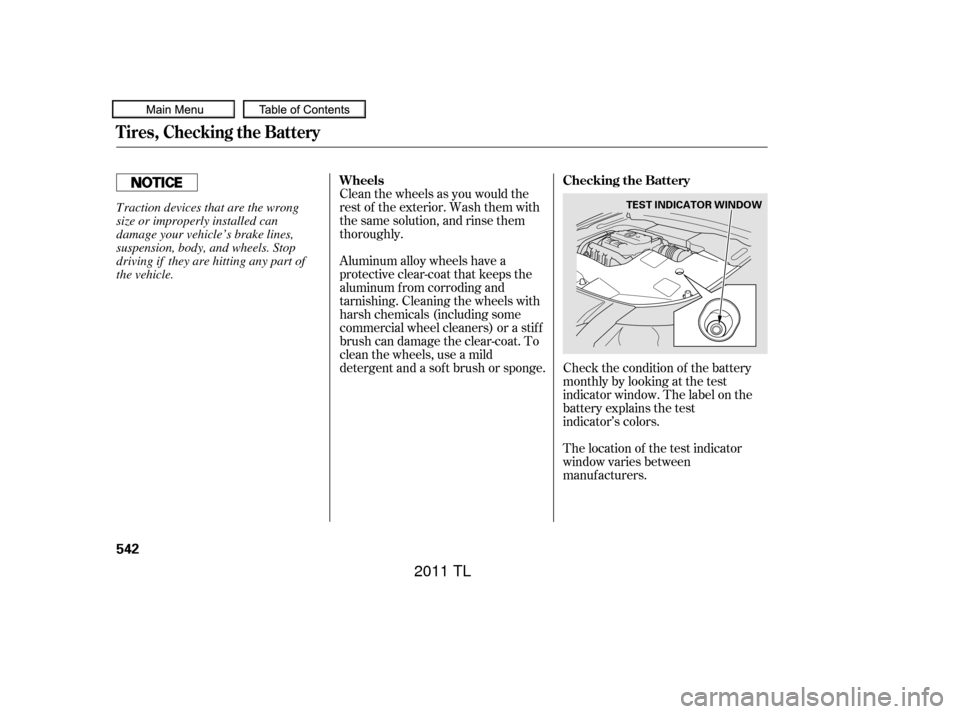
detergent and a sof t brush or sponge. Check the condition of the batterymonthly by looking at the test
indicator window. The label on the
battery explains the test
indicator’s colors.
The location of the test indicator
window varies between
manuf acturers.
Tires, Checking the Battery
Wheels Checking the Battery
542
TEST INDICATOR WINDOWTraction devices that are the wrong
size or improperly installed can
damage your vehicle’s brake lines,
suspension, body, and wheels. Stop
driving if they are hitting any part of
the vehicle.
10/07/29 12:51:43 31TK4620_547
2011 TL