lock Acura TL 2013 Manual Online
[x] Cancel search | Manufacturer: ACURA, Model Year: 2013, Model line: TL, Model: Acura TL 2013Pages: 650, PDF Size: 14.78 MB
Page 201 of 650
If the remote battery becomes
weak and the power door lock/
unlock operation is disabled.When the keyless access remote
system main switch in the glove
box is set to of f .
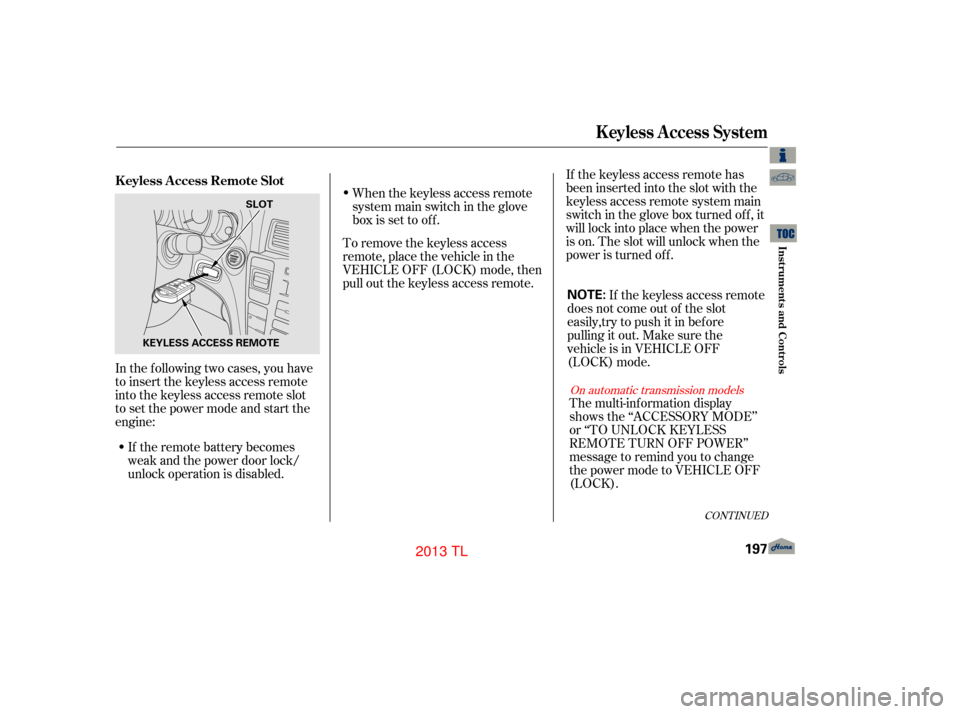
In the following two cases, you have
to insert the keyless access remote
into the keyless access remote slot
to set the power mode and start the
engine: To remove the keyless access
remote, place the vehicle in the
VEHICLE OFF (LOCK) mode, then
pull out the keyless access remote.
If the keyless access remote has
been inserted into the slot with the
keyless access remote system main
switch in the glove box turned off, it
will lock into place when the power
is on. The slot will unlock when the
power is turned off.
If the keyless access remote
does not come out of the slot
easily,try to push it in before
pulling it out. Make sure the
vehicle is in VEHICLE OFF
(LOCK) mode.
CONT INUED
K eyless A ccess System
K eyless A ccess Remote Slot
Inst rument s and Cont rols
197
NOTE:
KEYLESS ACCESS REMOTE SLOT
12/07/20 10:55:06 31TK4640_202
On automatic transmission models
The multi-information display
shows the ‘‘ACCESSORY MODE’’
or ‘‘TO UNLOCK KEYLESS
REMOTE TURN OFF POWER’’
message to remind you to change
the power mode to VEHICLE OFF
(LOCK).
2013 TL
Page 202 of 650
To insert the keyless access remote:
On all models
On manual transmission models
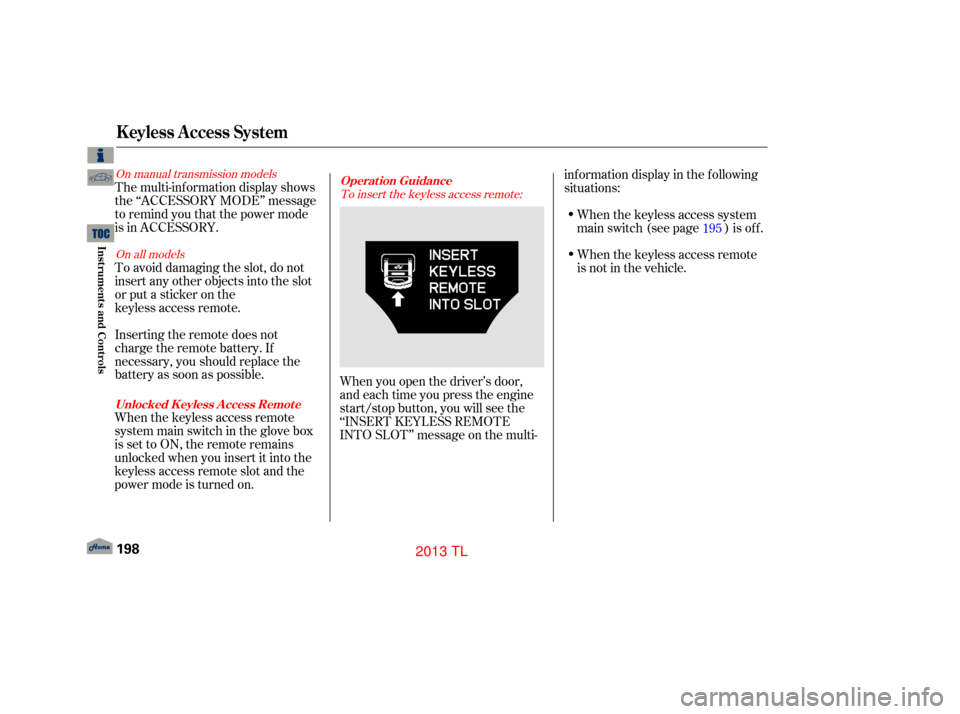
When you open the driver’s door,
and each time you press the engine
start/stop button, you will see the
‘‘INSERT KEYLESS REMOTE
INTO SLOT’’ message on the multi- inf ormation display in the f ollowing
situations:
When the keyless access system
main switch (see page ) is of f .
The multi-inf ormation display shows
the ‘‘ACCESSORY MODE’’ message
to remind you that the power mode
is in ACCESSORY.
To avoid damaging the slot, do not
insert any other objects into the slot
or put a sticker on the
keyless access remote.
Inserting the remote does not
charge the remote battery. If
necessary, you should replace the
battery as soon as possible.
When the keyless access remote
system main switch in the glove box
issettoON,theremoteremains
unlocked when you insert it into the
keyless access remote slot and the
power mode is turned on. 195
K eyless A ccess System
Operat ion Guidance
Unlocked K eyless A ccess Remot e
198
12/07/20 10:55:16 31TK4640_203
When the keyless access remote
is not in the vehicle.Inst rument s and Cont rols
2013 TL
Page 203 of 650
CONT INUED
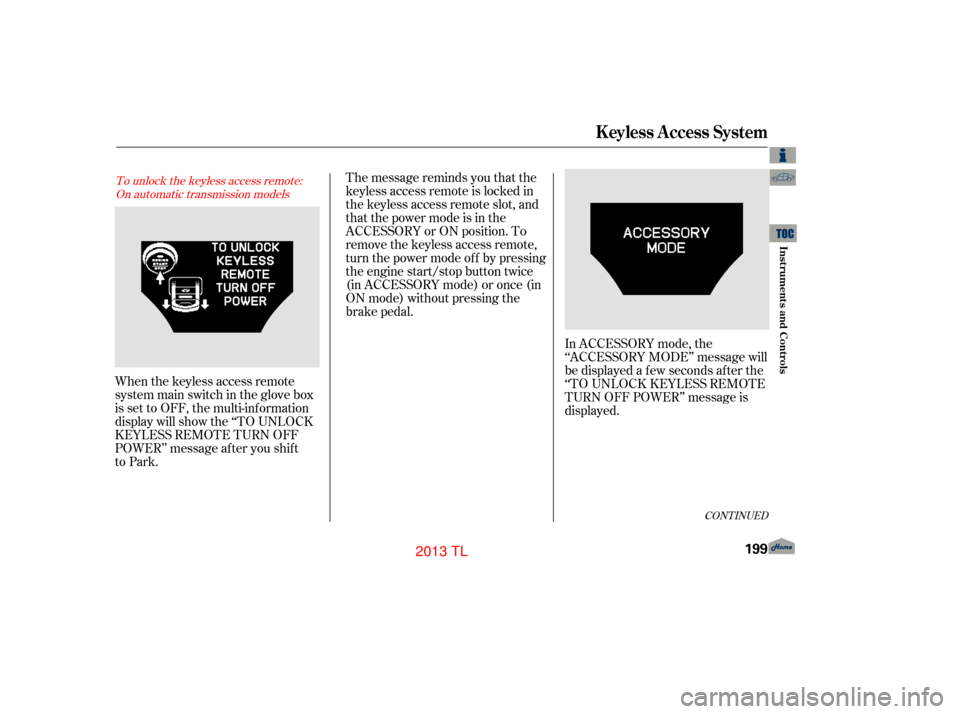
The message reminds you that the
keyless access remote is locked in
the keyless access remote slot, and
that the power mode is in the
ACCESSORY or ON position. To
remove the keyless access remote,
turn the power mode of f by pressing
the engine start/stop button twice
(in ACCESSORY mode) or once (in
ON mode) without pressing the
brake pedal.
When the keyless access remote
system main switch in the glove box
is set to OFF, the multi-information
display will show the ‘‘TO UNLOCK
KEYLESS REMOTE TURN OFF
POWER’’ message after you shift
to Park.To unlock the keyless access remote: On automatic transmission models
K eyless A ccess System
Inst rument s and Cont rols
199
12/07/20 10:55:21 31TK4640_204
In ACCESSORY mode, the
‘‘ACCESSORY MODE’’ message will
be displayed a f ew seconds af ter the
‘‘TO UNLOCK KEYLESS REMOTE
TURN OFF POWER’’ message is
displayed.
2013 TL
Page 204 of 650
To remove the keyless access remote:On automatic transmission models
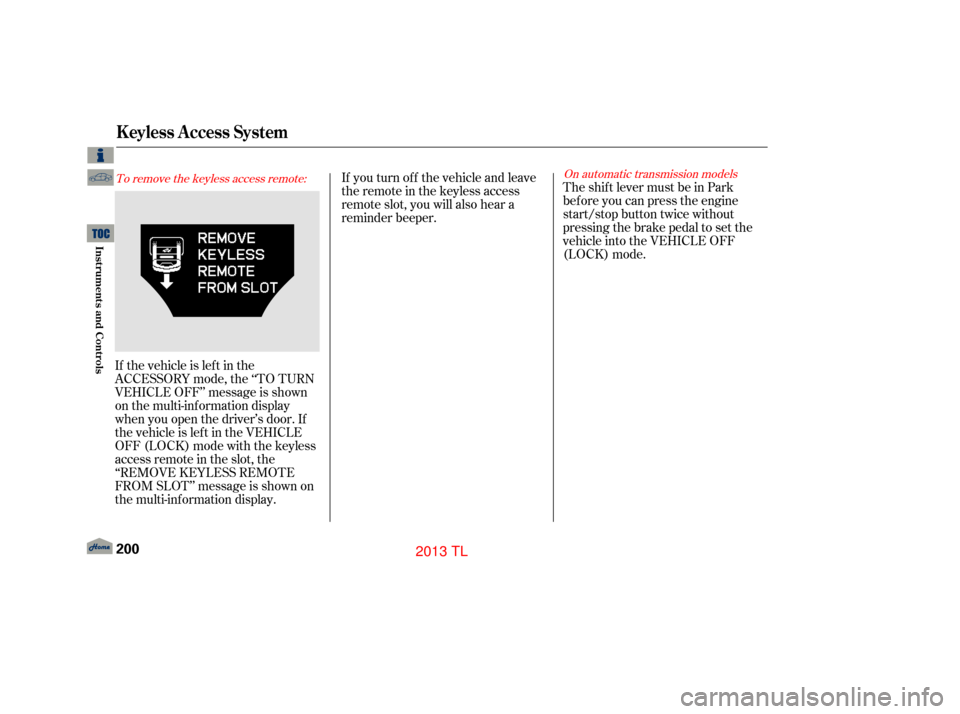
If the vehicle is lef t in the
ACCESSORY mode, the ‘‘TO TURN
VEHICLE OFF’’ message is shown
on the multi-information display
when you open the driver’s door. If
the vehicle is lef t in the VEHICLE
OFF (LOCK) mode with the keyless
access remote in the slot, the
‘‘REMOVE KEYLESS REMOTE
FROM SLOT’’ message is shown on
the multi-information display.If youturnoff thevehicleandleave
the remote in the keyless access
remote slot, you will also hear a
reminder beeper.
TheshiftlevermustbeinPark
bef ore you can press the engine
start/stop button twice without
pressing the brake pedal to set the
vehicle into the VEHICLE OFF
(LOCK) mode.
K eyless A ccess System
200
12/07/20 10:55:27 31TK4640_205
Inst rument s and Cont rols
2013 TL
Page 205 of 650
The trunk and glove box cannot be
opened when you turn the trunk
main switch of f and lock the glove
box and trunk pass-through cover
with the built-in key. Then, the trunk
cannot be opened by using the
remote or the exterior trunk release
switch.
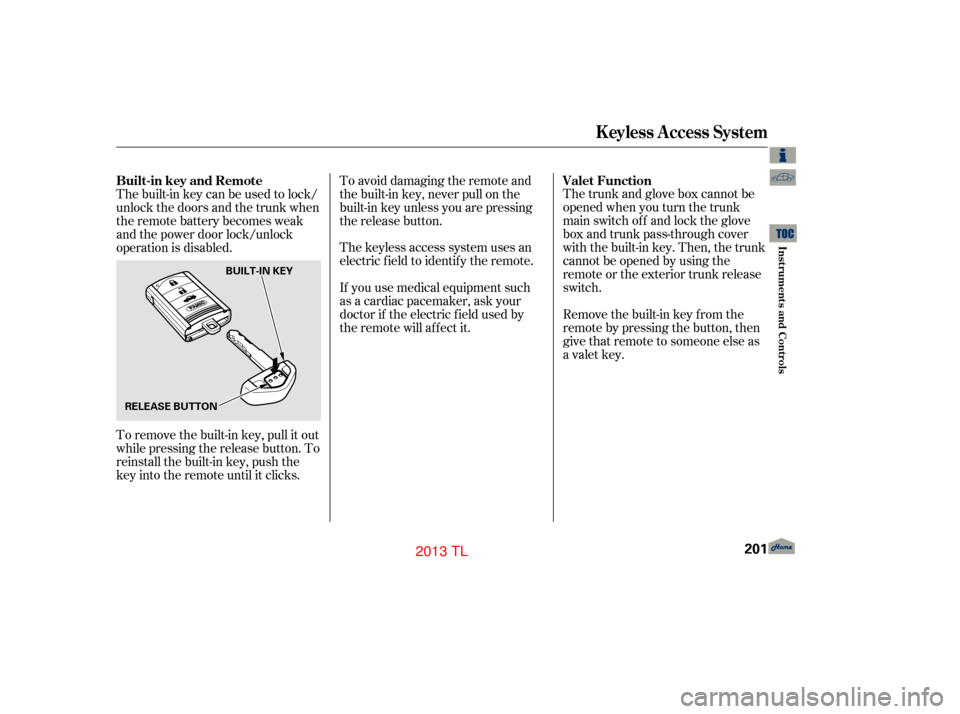
Remove the built-in key from the
remote by pressing the button, then
give that remote to someone else as
a valet key.
To avoid damaging the remote and
the built-in key, never pull on the
built-in key unless you are pressing
the release button.
The keyless access system uses an
electric f ield to identif y the remote.
If you use medical equipment such
as a cardiac pacemaker, ask your
doctor if the electric f ield used by
the remote will af f ect it.
Thebuilt-inkeycanbeusedtolock/
unlock the doors and the trunk when
the remote battery becomes weak
and the power door lock/unlock
operation is disabled.
To remove the built-in key, pull it out
while pressing the release button. To
reinstall the built-in key, push the
key into the remote until it clicks. Valet Function
Built-in key and Remote
K eyless A ccess System
Inst rument s and Cont rols
201
RELEASE BUTTON BUILT-IN KEY
12/07/20 10:55:35 31TK4640_206
2013 TL
Page 211 of 650
If either f ront window runs into any
obstacle while it is closing
automatically, it will reverse
direction, and then stop. To close the
window, remove the obstacle, then
use the window switch again.
Auto reverse stops sensing when the
window is almost closed. You should
always check that all passengers and
objects are away from the window
bef ore closing it.The driver’s window auto
reverse f unction is disabled when
you continuously pull up the switch.
When you push the main switch in,
the indicator comes on and the
passengers’ windows cannot be
raised or lowered. Use the main
switchwhenyouhavechildreninthe
vehicle so they do not injure
themselves by operating the
windows unintentionally. To cancel
this feature, push on the switch
again. The switch will pop out and
the indicator will go of f .
The windows and the main switch
willoperateforupto10minutes
after you turn off the ignition switch
(set VEHICLE OFF mode on models
with keyless access system).
Opening either f ront door cancels
this function.
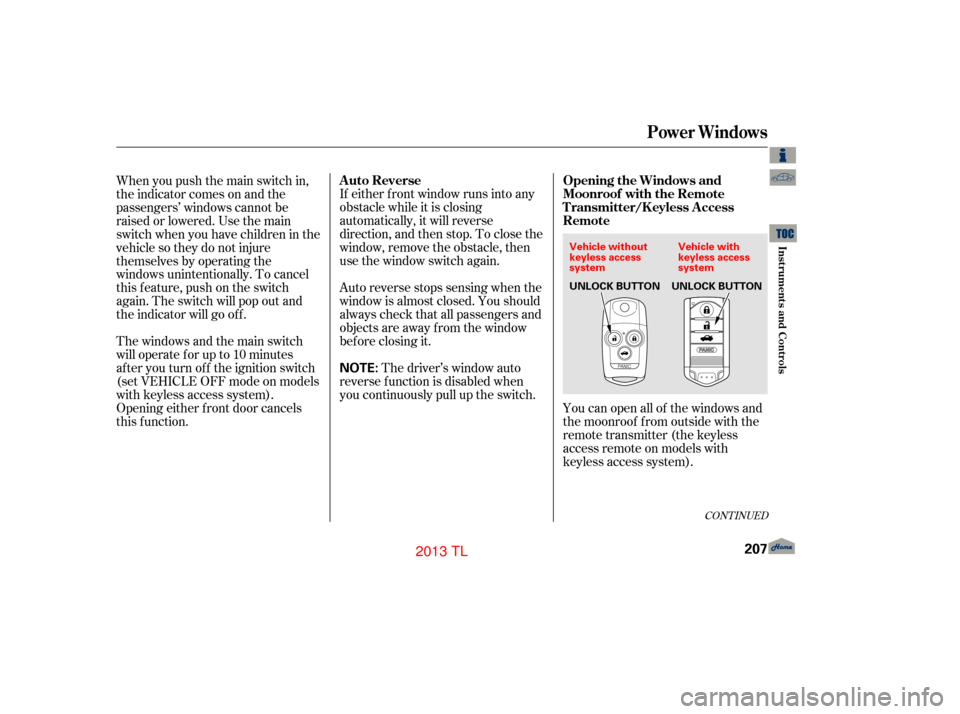
You can open all of the windows and
the moonroof f rom outside with the
remote transmitter (the keyless
access remote on models with
keyless access system).
CONT INUED
A uto Reverse
Opening the Windows and
Moonroof with the Remote
Transmitter/K eyless Access
Remote
Power Windows
Inst rument s and Cont rols
207
NOTE:
Vehicle without
keyless access
systemVehicle with
keyless access
system
UNLOCK BUTTON UNLOCK BUTTON
12/07/20 10:56:15 31TK4640_212
2013 TL
Page 212 of 650
Press the UNLOCK button once
to unlock the driver’s door.
Press the UNLOCK button a
second time, and hold it. The
remaining doors unlock, and all
f our windows and the moonroof
start to open. To stop the windows
and moonroof , release the button.
To open the windows and
moonroof f urther, press the
button again (within 10 seconds of
step 1) and hold it. If the windows
and the moonroof stop bef ore the
desired position, repeat steps 1
and 2.
You cannot close the windows or the
moonroof with the remote
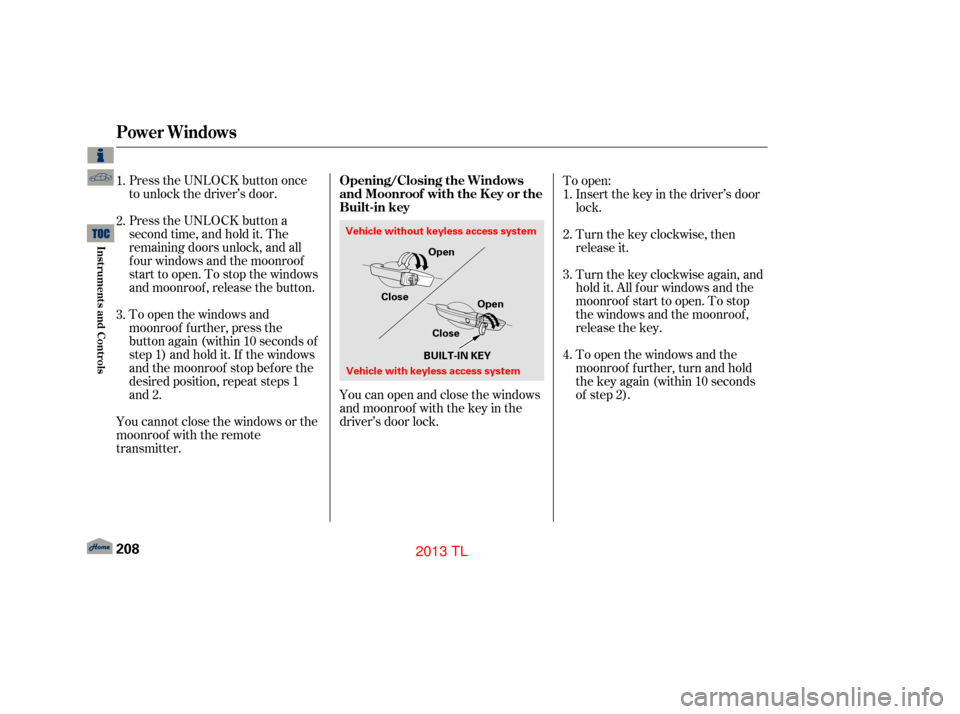
transmitter. You can open and close the windows
and moonroof with the key in the
driver’s door lock.To open:
Insert the key in the driver’s door
lock.
Turn the key clockwise, then
release it.
Turnthekeyclockwiseagain,and
hold it. All f our windows and the
moonroof start to open. To stop
the windows and the moonroof ,
release the key.
To open the windows and the
moonroof f urther, turn and hold
the key again (within 10 seconds
of step 2).
1.
2.
3.
1.
2.
3.
4.
Power Windows
Opening/Closing the Windows
and Moonroof with the K ey or the
Built-in key
208
Close
CloseOpen
Open
Vehicle without keyless access system
Vehicle with keyless access system BUILT-IN KEY
12/07/20 10:56:25 31TK4640_213
Inst rument s and Cont rols
2013 TL
Page 213 of 650

To close:Insert the key in the driver’s door
lock.
Turn the key counterclockwise,
then release it.
Turn the key counterclockwise
again, and hold it. All four
windows and the moonroof start to
close. To stop the windows and
the moonroof , release the key.
To close the windows and the
moonroof f urther, turn and hold
the key again (within 10 seconds
of step 2). If the windows and the
moonroof stop bef ore the desired
position, repeat steps 2 and 3.
1.
2.
4. 3.
Power Windows
Inst rument s and Cont rols
209
NOTE:
12/07/20 10:56:30 31TK4640_214
2013 TL
Page 215 of 650
To open or close the moonroof
partially, lightly pull the switch back
or push it f orward and hold it. The
moonroof will stop when you release
the switch.
If the moonroof runs into any
obstacle while it is closing
automatically, it will reverse
direction, and then stop. To close the
moonroof , remove the obstacle, then
use the moonroof switch again.
Auto reverse stops sensing when the
moonroof is almost closed. You
should always check that all
passengers and objects are away
f rom the moonroof bef ore closing it.You can open and close the
moonroof f or up to 10 minutes af ter
you turn of f the ignition switch, on
models with keyless access system,
set the power mode to VEHICLE
OFF (LOCK). Opening either f ront
door cancels this f unction.
You can use the remote transmitter/
keyless access remote or the key/
built-in key to operate the moonroof
f rom the outside. Ref er to page
f or details.
207
Auto Reverse
Moonroof
Inst rument s and Cont rols
211
If you try to open the moonroof in
below-f reezing temperatures, or when
it is covered with snow or ice, you can
damage the moonroof panel or its
motor.
12/07/20 10:56:45 31TK4640_216
2013 TL
Page 220 of 650
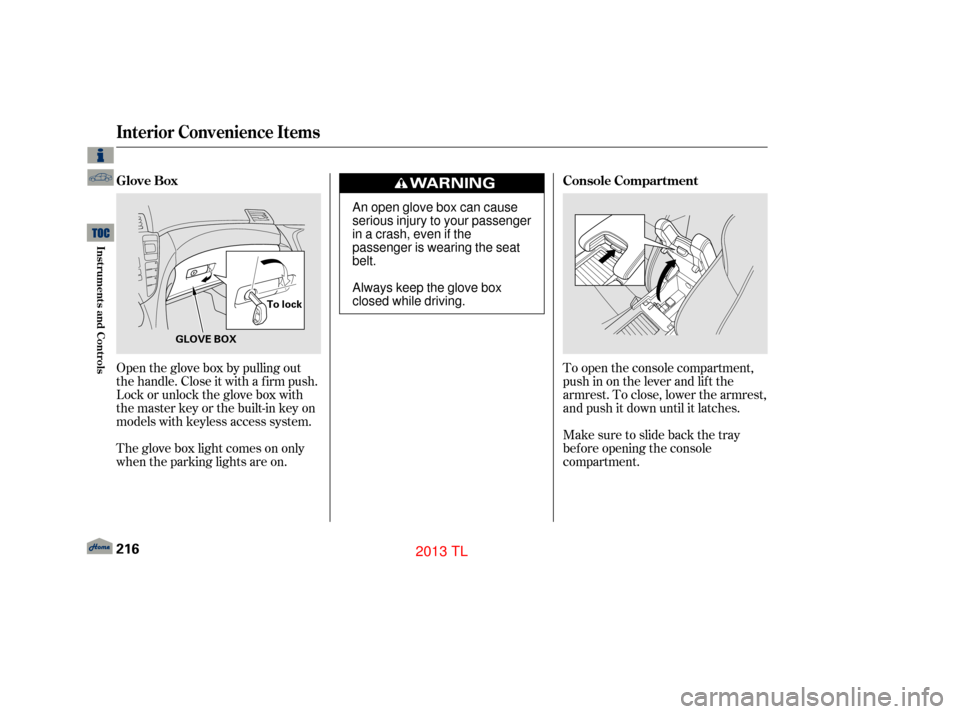
To open the console compartment,
push in on the lever and lif t the
armrest. To close, lower the armrest,
and push it down until it latches.
Make sure to slide back the tray
bef ore opening the console
compartment.
Open the glove box by pulling out
thehandle.Closeitwithafirmpush.
Lock or unlock the glove box with
the master key or the built-in key on
models with keyless access system.
The glove box light comes on only
when the parking lights are on. Console Compartment
Glove Box
Interior Convenience Items
216
GLOVE BOX To lock
An open glove box can cause
serious injury to your passenger
inacrash,evenifthe
passenger is wearing the seat
belt.
Always keep the glove box
closed while driving.
12/07/20 10:57:17 31TK4640_221
Inst rument s and Cont rols
2013 TL