automatic transmission Acura TLX 2015 User Guide
[x] Cancel search | Manufacturer: ACURA, Model Year: 2015, Model line: TLX, Model: Acura TLX 2015Pages: 545, PDF Size: 19.64 MB
Page 175 of 545
174
uuOperating the Switches Around the Steering Wheel uDriving Position Memory System
Controls
Driving Position Memory SystemYou can store two driver’s seat (except for power lumbar) and door mirror positions
with the driving position memory system.
When you unlock and open the driver’s door with a remote transmitter, or keyless
access system, the seat and door mirrors adjust automatically to one of the two
preset positions.
The multi-information display shows you which remote transmitter you used to
unlock the vehicle when you enter.
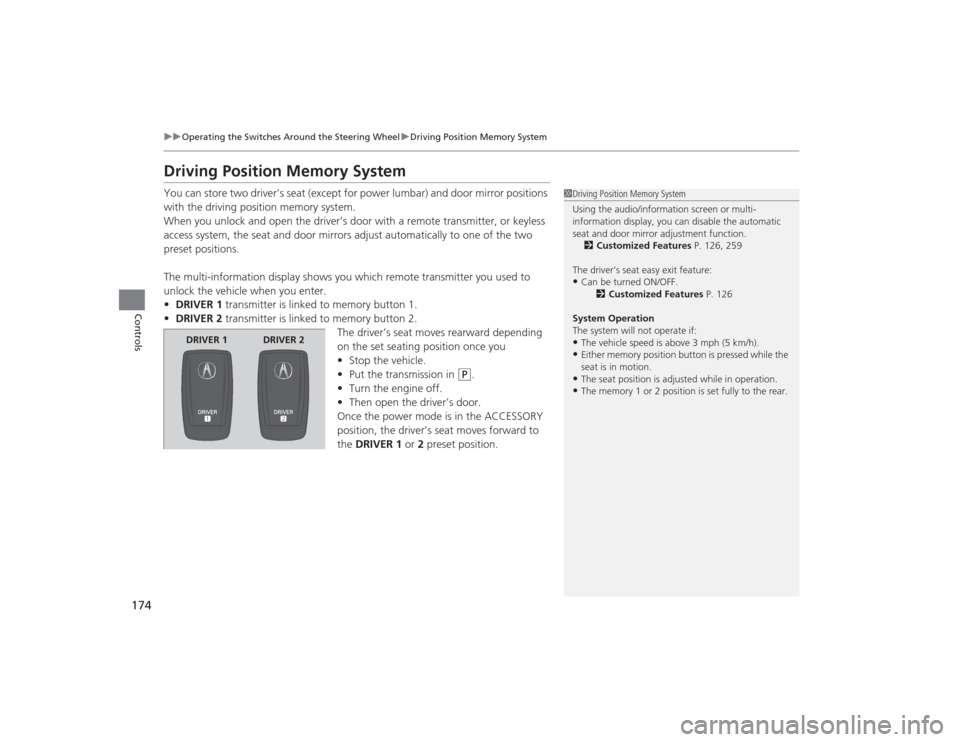
• DRIVER 1 transmitter is linked to memory button 1.
• DRIVER 2 transmitter is linked to memory button 2.
The driver’s seat moves rearward depending
on the set seating position once you
•Stop the vehicle.
• Put the transmission in
(P
.
• Turn the engine off.
• Then open the driver’s door.
Once the power mode is in the ACCESSORY
position, the driver’s seat moves forward to
the DRIVER 1 or 2 preset position.
1 Driving Position Memory System
Using the audio/information screen or multi-
information display, you can disable the automatic
seat and door mirror adjustment function.
2 Customized Features P. 126, 259
The driver’s seat easy exit feature:•Can be turned ON/OFF. 2Customized Features P. 126
System Operation
The system will not operate if:•The vehicle speed is above 3 mph (5 km/h).•Either memory position button is pressed while the
seat is in motion.•The seat position is adjusted while in operation.•The memory 1 or 2 position is set fully to the rear.
DRIVER 1 DRIVER 2
Page 178 of 545
177Controls
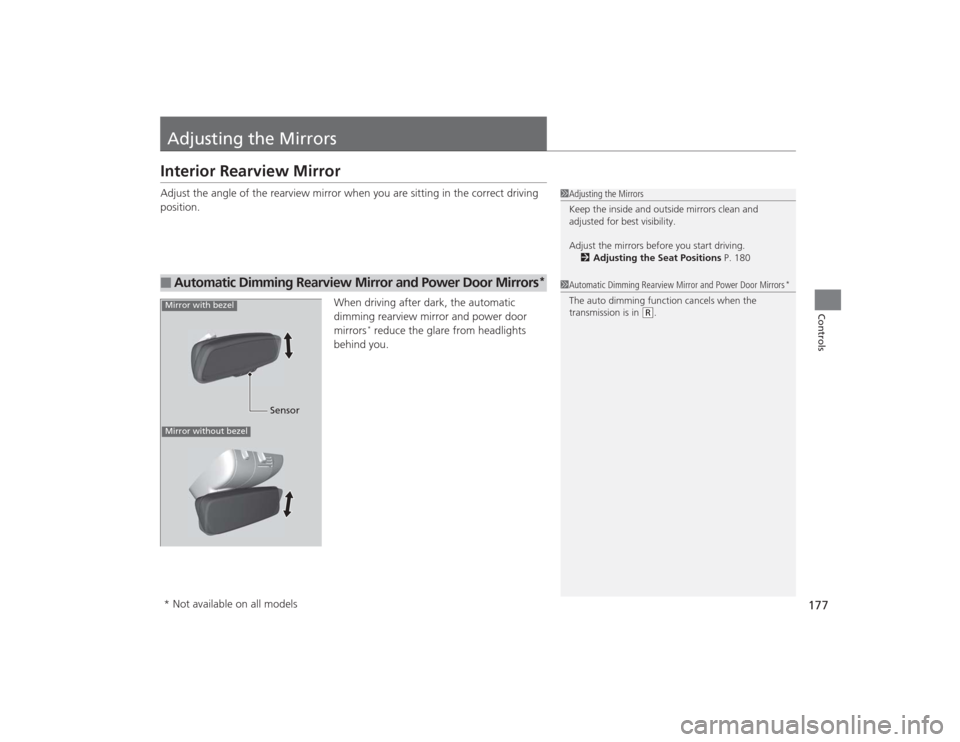
Adjusting the MirrorsInterior Rearview MirrorAdjust the angle of the rearview mirror when you are sitting in the correct driving
position.When driving after dark, the automatic
dimming rearview mirror and power door
mirrors
* reduce the glare from headlights
behind you.
■
Automatic Dimming Rearview Mirror and Power Door Mirrors
*
1Adjusting the Mirrors
Keep the inside and outside mirrors clean and
adjusted for best visibility.
Adjust the mirrors before you start driving.
2 Adjusting the Seat Positions P. 1801Automatic Dimming Rearview Mirror and Power Door Mirrors
*
The auto dimming function cancels when the
transmission is in
(R.
Sensor
Mirror with bezelMirror without bezel* Not available on all models
Page 316 of 545
315
Driving
This chapter discusses driving, refueling, and information on items such as accessories.
Before Driving................................... 316
Towing a Trailer ................................ 321
When Driving
Starting the Engine .......................... 322
Precautions While Driving................. 329
Automatic Transmission
*................. 330
Dual Clutch Transmission*............... 330
Shifting ............................................ 331
Shifting ............................................ 338
Auto Idle Stop
*................................ 342
Integrated Dynamics System (IDS)..... 346
Models with electronic gear selectorModels with shift lever
Cruise Control
*............................... 348
Front Sensor Camera
*..................... 351
Adaptive Cruise Control (ACC) with Low Speed Follow (LSF)
*....................... 352
Forward Collision Warning (FCW) with Pedestrian Detection*.................... 365
Lane Departure Warning (LDW)
*..... 371
Road Departure Mitigation (RDM) System
*... 375
Lane Keeping Assist System (LKAS)
*.. 380
Vehicle Stability Assist (VSA
®), aka Electronic
Stability Control (ESC), System ............... 386
Agile Handling Assist System............ 388
Precision All Wheel Steer System
*.... 388
Blind Spot Information (BSI) System
*.... 389
Super Handling-All Wheel Drive
TM (SH-
AWD® )
*......................................... 391
Tire Pressure Monitoring System (TPMS) ... 392Tire Pressure Monitoring System (TPMS) -
Required Federal Explanation ......... 394
Braking .............................................. 396
Parking Your Vehicle ........................ 411
Multi-View Rear Camera .................. 419
Refueling ........................................... 420
Fuel Economy .................................... 422
Accessories and Modifications ........ 423
* Not available on all models
Page 331 of 545
uuWhen Driving uAutomatic Transmission
*
330Driving
If there is a strong impact with something under the vehicle, stop in a safe location.
Check the underside of the vehicle for damage or any fluid leaks.Automatic Transmission
*
The engine runs at a higher idle speed and creeping increases.
Keep the brake pedal firmly depressed when stopped.
Quickly depressing the accelerator pedal while driving uphill may cause the
transmission to drop to a lower gear, unexpectedly increasing vehicle speed. Depress
the accelerator pedal carefully, especially on slippery roads and curves.Dual Clutch Transmission
*
As with a conventional automatic transmission, this vehicle will creep.
Keep the brake pedal firmly depressed when stopped.
Quickly depressing the accelerator pedal while driving uphill may cause the
transmission to drop to a lower gear, unexpectedly increasing vehicle speed. Depress
the accelerator pedal carefully, especially on slippery roads and curves.■
Other Precautions
■
Creeping
■
Kickdown
■
Creeping
■
Kickdown
1Precautions While Driving
Do not change the gear position to
(N, as you will
lose engine braking (and acceleration) performance.
During the first 600 miles (1,000 km) of operation,
avoid sudden acceleration or full throttle operation so
as to not damage the engine or powertrain.
Avoid hard braking for the first 200 miles (300 km).
You should also follow this when the brake pads are
replaced.
* Not available on all models
Page 332 of 545
331
uuWhen Driving uShifting
Continued
Driving
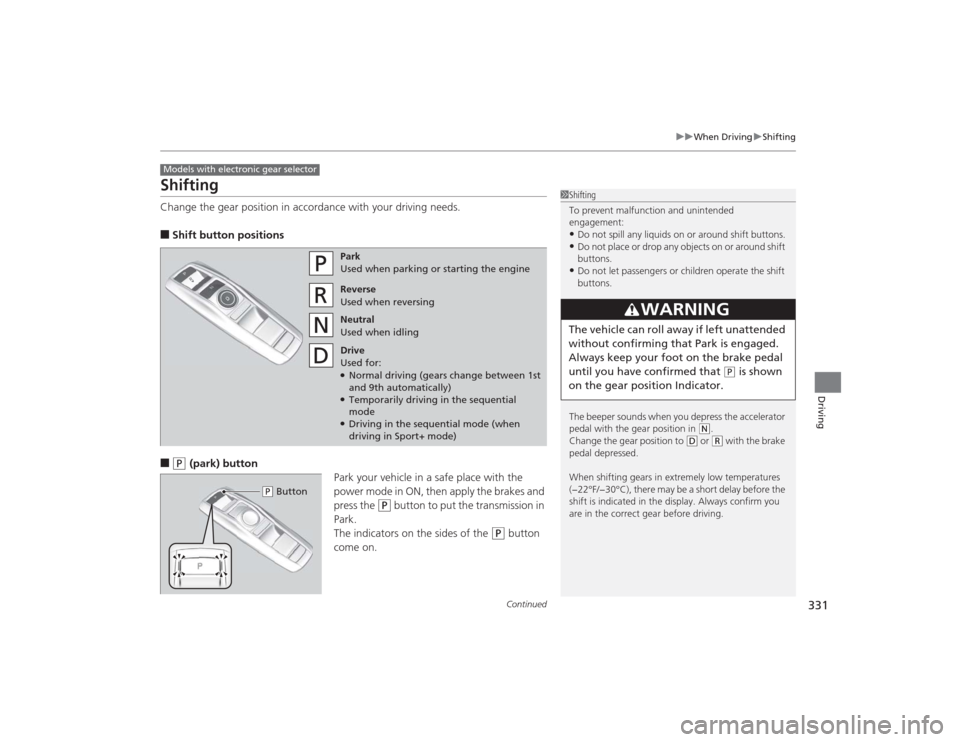
ShiftingChange the gear position in accordance with your driving needs.■Shift button positions■
(P
(park) button
Park your vehicle in a safe place with the
power mode in ON, then apply the brakes and
press the
(P
button to put the transmission in
Park.
The indicators on the sides of the
(P
button
come on.
Models with electronic gear selector
1 Shifting
To prevent malfunction and unintended
engagement:•Do not spill any liquids on or around shift buttons.•Do not place or drop any objects on or around shift
buttons.•Do not let passengers or children operate the shift
buttons.
The beeper sounds when you depress the accelerator
pedal with the gear position in
( N.
Change the gear position to
( D or
(R with the brake
pedal depressed.
When shifting gears in extremely low temperatures
(−22°F/−30°C), there may be a short delay before the
shift is indicated in the display. Always confirm you
are in the correct gear before driving.
3
WARNING
The vehicle can roll away if left unattended
without confirming that Park is engaged.
Always keep your foot on the brake pedal
until you have confirmed that
( P is shown
on the gear position Indicator.
Park
Used when parking or starting the engine
Reverse
Used when reversing
Neutral
Used when idling
Drive
Used for:●Normal driving (gears change between 1st
and 9th automatically)●Temporarily driving in the sequential
mode●Driving in the sequential mode (when
driving in Sport+ mode)
( P Button
Page 334 of 545
Continued
333
uuWhen Driving uShifting
Driving
In freezing or sub-freezing conditions, the electronic gear selector response may be
slow.
Always depress the brake pedal before changing the gear position to
(P
, and
confirm that
(P
is shown on the gear position indicator before releasing the brake.
■When opening the driver’s door
If you open the driver’s door under the following conditions, the gear position
automatically changes to
(P
.
• The vehicle is stationary with the engine running, or moving at 1 mph (2 km/h) or
slower.
• The transmission is in other than
(P
.
• You have unfastened the driver side seat belt.
u If you manually change the gear position from
(P
with the brake pedal
depressed, the gear position will automatically return to
(P
once you release
the brake pedal.
■When turning off the power mode
If you turn the engine off while the vehicle is stationary, and the transmission is in
other than
(P
, the gear position automatically changes to
(P
.
1 When opening the driver’s door
You should always select
(P before opening the
driver’s door.
Make sure to park the vehicle in a safe place. 2 When Stopped P. 411
If you want to drive the vehicle after the gear position
has automatically changed to ( P under the described
conditions, close the door, fasten the seat belt,
depress the brake pedal, then change the gear
position.
If you leave the vehicle, turn off the engine and lock
the doors.
Page 335 of 545
![Acura TLX 2015 User Guide 334
uuWhen Driving uShifting
Driving
■If you want to keep the transmission in
(N
position [car wash mode]
With the engine running:
1. Press and hold the brake pedal.
2. Select
(N
.
3. With in fi](/img/32/11130/w960_11130-334.png "Acura TLX 2015 User Guide 334
uuWhen Driving uShifting
Driving
■If you want to keep the transmission in
(N
position [car wash mode]
With the engine running:
1. Press and hold the brake pedal.
2. Select
(N
.
3. With in fi")
334
uuWhen Driving uShifting
Driving
■If you want to keep the transmission in
(N
position [car wash mode]
With the engine running:
1. Press and hold the brake pedal.
2. Select
(N
.
3. With in five seconds, press the ENGINE START/STOP button.
The power mode changes to ACCESSORY. u This puts the vehicle in car wash mode which must be used when your vehicle
is pulled through a conveyor type automatic car wash where you or an
attendant do not remain in the vehicle.
u The gear position remains in
(N
with the power mode in ACCESSORY for 15
minutes, then, it automatically changes to
(P
and the power mode changes to
OFF.
Manually changing to
(P
cancels ACCESSORY mode. The
(P
indicator comes on
and the power mode changes to OFF.
Page 337 of 545
336
uuWhen Driving uShifting
Driving
Use the paddle shifters to change between 1st and 9th gears without removing your
hands from the steering wheel. The transmission will switch to the sequential mode.■When the transmission is in
(D
:
The vehicle will go into the sequential mode momentarily, and the sequential mode
gear selection indicator will come on.
Once you start traveling at a constant speed, the sequential mode will automatically
switch off, and the sequential mode gear selection indicator will go off.
Hold the
(+
paddle shifter for two seconds or push
(D
button to return to normal
drive.
■When the transmission is in
(D
with Sport+ mode:
The vehicle will go into the sequential mode, and the M (sequential mode) indicator
and sequential mode gear selection indicator will come on.
If the vehicle speed increases and the engine speed reaches near the tachometer’s
red zone, the transmission automatically shifts up to the next gear.
You can cancel this mode by pressing IDS button to select other than Sport+ mode
or push
(D
button to return to normal drive Sport+ mode. When the sequential
mode is canceled, the sequential mode indicator and sequential mode gear selection
indicator go off.
■
Sequential Mode
Page 341 of 545
340
uuWhen Driving uShifting
Driving
Use the paddle shifters to change between 1st and 8th gears without removing your
hands from the steering wheel. The transmission will switch to the sequential shift
mode.■When the shift lever is in
(D
:
The vehicle will go into the sequential shift mode momentarily, and the gear position
indicator will come on.
Once you start traveling at a constant speed, the sequential shift mode will
automatically switch off, and the gear position indicator will go off.
Hold the
(+
paddle shifter for two seconds to return to normal drive.
■When the shift lever is in
(D
with Sport+ mode:
The vehicle goes into sequential sift mode and the M (sequential shift) indicator
comes on. At speeds of 2 mph (4 km/h) or less, the vehicle automatically shifts down
into 1st gear.
If you are in 1st through 6th gears and do not operate the paddle shifters as engine
speed increases approaches the tachometer red zone, the transmission
automatically shifts up to the next gear.
You can cancel Sport+ mode by either:
• Pressing the IDS button.
• Or holding the
(+
paddle shifter for two seconds.
When the mode is canceled the sequential mode and sequential mode gear
indicators go off.
■
Sequential Shift Mode
Page 344 of 545
Continued
343
uuWhen Driving uAuto Idle Stop
*
Driving
The vehicle stops with the gear position in
(D
and the brake pedal depressed.
■Auto idle stop does not activate when:
• The driver’s seat belt is not fastened.
• The engine coolant temperature is low or high.
• The transmission fluid temperature is low or high.
• The vehicle comes to a stop again before the vehicle speed reaches 5 km/h after
the engine starts.
• Stopped on a steep incline.
• A gear position other than
(D
or in Sport+.
• The engine is started with the hood open.
u Turn off the engine. Close the hood before you restart the engine to activate
Auto Idle Stop.
• The battery charge is low.
• The internal temperature of the battery is 14°F (−10°C). or less.
• The climate control system is in use, and the outside temperature is below −4°F
(−20°C) or over 104°F (40°C).
• The climate control system temperature is set to the Hi or Lo.
• is ON (indicator on).
■
Auto Idle Stop Activates When:
1Auto Idle Stop Activates When:
When ACC with LSF is in operation, the vehicle stops
without depressing the brake pedal and Auto Idle
Stop may activate.
Do not open the hood while the Auto Idle Stop
function is activated. If the hood is opened, the
engine will not restart automatically.
In this case, restart the engine with the ENGINE
START/STOP button.
2 Starting the Engine P. 322
Pressing the ENGINE START/STOP button changes
the power mode to ACCESSORY even while Auto Idle
Stop is in operation. Once in ACCESSORY, the engine
no longer restarts automatically. Follow the standard
procedure to start the engine. 2 Starting the Engine P. 322Models with ACC with LSF