climate control Acura TLX 2015 Owner's Guide
[x] Cancel search | Manufacturer: ACURA, Model Year: 2015, Model line: TLX, Model: Acura TLX 2015Pages: 545, PDF Size: 19.64 MB
Page 206 of 545
Continued
205
uuClimate Control System uUsing Automatic Climate Control
Controls
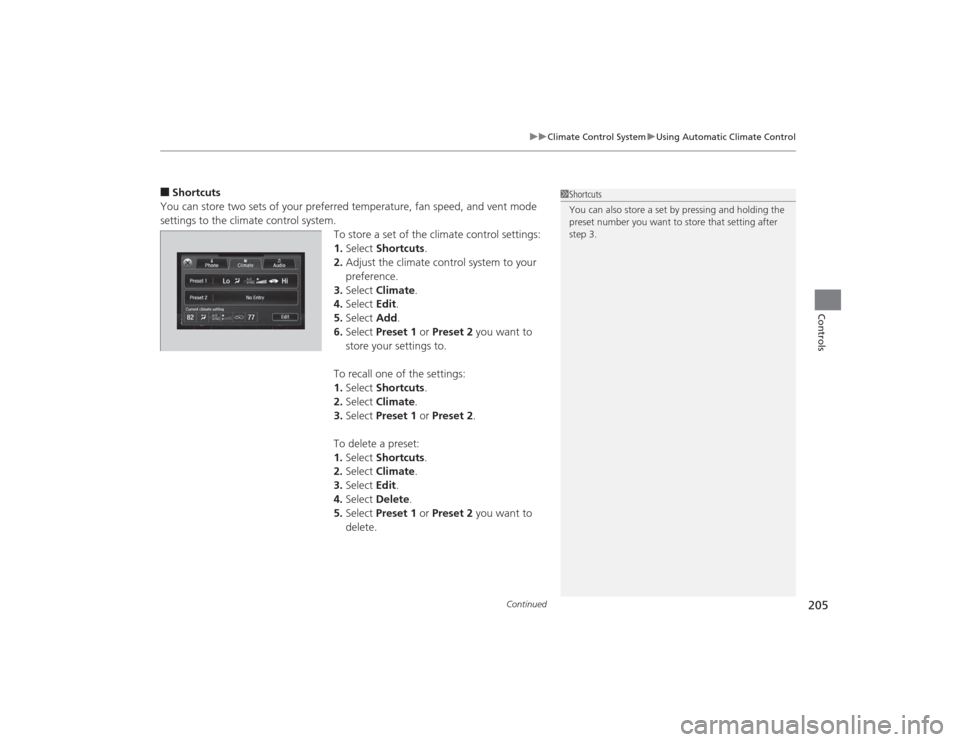
■Shortcuts
You can store two sets of your preferred temperature, fan speed, and vent mode
settings to the climate control system. To store a set of the climate control settings:
1.Select Shortcuts .
2. Adjust the climate control system to your
preference.
3. Select Climate .
4. Select Edit.
5. Select Add.
6. Select Preset 1 or Preset 2 you want to
store your settings to.
To recall one of the settings:
1. Select Shortcuts .
2. Select Climate .
3. Select Preset 1 or Preset 2 .
To delete a preset:
1. Select Shortcuts .
2. Select Climate .
3. Select Edit.
4. Select Delete .
5. Select Preset 1 or Preset 2 you want to
delete.
1 Shortcuts
You can also store a set by pressing and holding the
preset number you want to store that setting after
step 3.
Page 207 of 545

uuClimate Control System uUsing Automatic Climate Control
206Controls
Pressing the button turns the air
conditioning system on and automatically
switches the system to fresh air mode.
Press the button again to turn off, the
system returns to the previous settings.
■To rapidly defrost the windows
1.Press the button.
2. Select the recirculation mode.
2 Switching between the recirculation
and fresh air modes P. 204
■
Defrosting the Windshield and Windows
1Defrosting the Windshield and Windows
For your safety, make sure you have a clear view
through all the windows before driving.
Do not set the temperature near the upper or lower
limit.
When cold air hits the windshield, the outside of the
windshield may fog up.
If the side windows fog up, adjust the vents so that
the air hits the side windows.
If you press the button during Auto Idle Stop, the
engine restarts automatically.Models with Auto Idle Stop1To rapidly defrost the windows
After defrosting the windows, switch over to fresh air
mode.
If you keep the system in recirculation mode, the
windows may fog up from humidity. This impedes
visibility.
Page 208 of 545

207
uuClimate Control System uAutomatic Climate Control Sensors
Controls
Automatic Climate Control Sensors
The automatic climate control system is
equipped with sensors. Do not cover or spill
any liquid on them.
Sensor
Sensor
Page 323 of 545
322Driving
When DrivingStarting the Engine
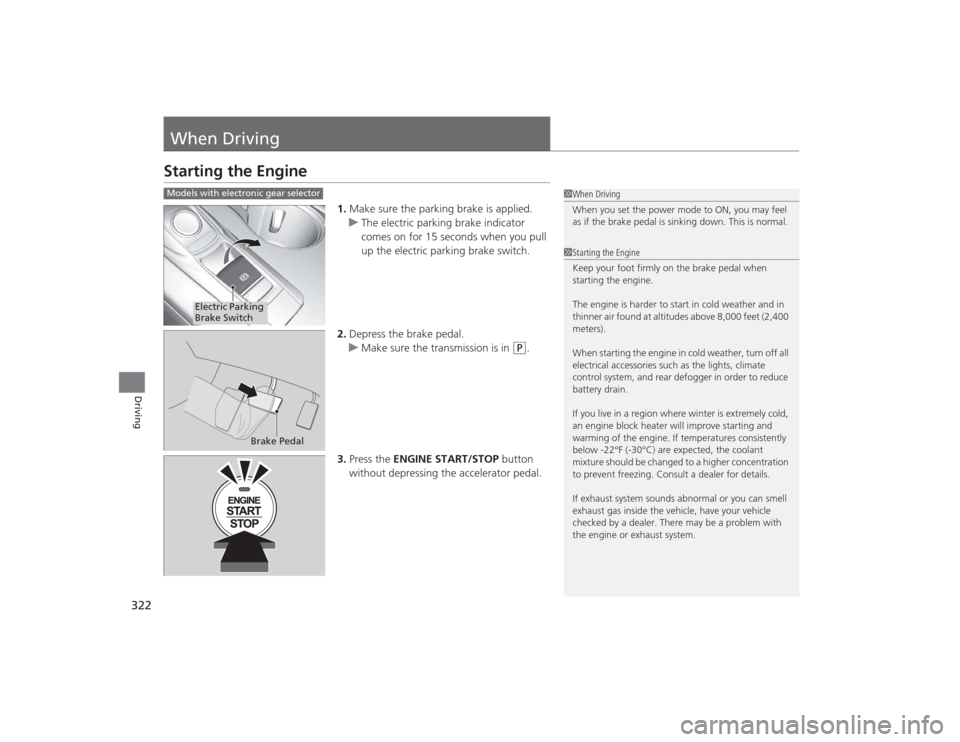
1.Make sure the parking brake is applied.
u The electric parking brake indicator
comes on for 15 seconds when you pull
up the electric parking brake switch.
2. Depress the brake pedal.
u Make sure the transmission is in
(P
.
3. Press the ENGINE START/STOP button
without depressing the accelerator pedal.
1 When Driving
When you set the power mode to ON, you may feel
as if the brake pedal is sinking down. This is normal.1Starting the Engine
Keep your foot firmly on the brake pedal when
starting the engine.
The engine is harder to start in cold weather and in
thinner air found at altitudes above 8,000 feet (2,400
meters).
When starting the engine in cold weather, turn off all
electrical accessories such as the lights, climate
control system, and rear defogger in order to reduce
battery drain.
If you live in a region where winter is extremely cold,
an engine block heater will improve starting and
warming of the engine. If temperatures consistently
below -22°F (-30°C) are expected, the coolant
mixture should be changed to a higher concentration
to prevent freezing. Consult a dealer for details.
If exhaust system sounds abnormal or you can smell
exhaust gas inside the vehicle, have your vehicle
checked by a dealer. There may be a problem with
the engine or exhaust system.
Models with electronic gear selector
Electric Parking
Brake Switch
Brake Pedal
Page 343 of 545
342
uuWhen Driving uAuto Idle Stop
*
Driving
Auto Idle Stop
*
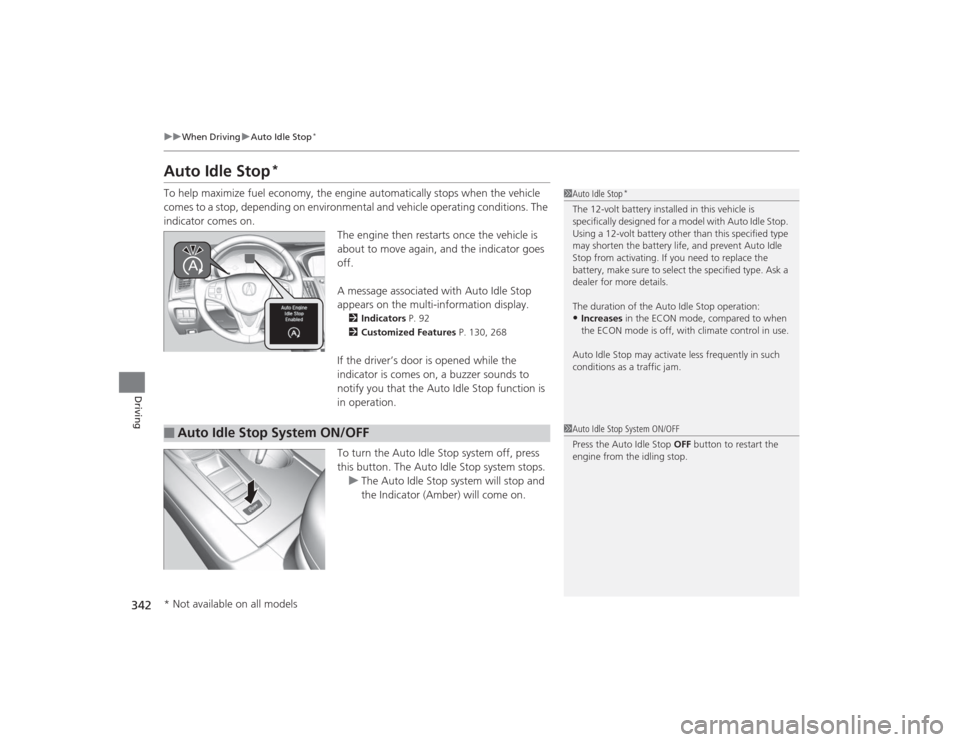
To help maximize fuel economy, the engine automatically stops when the vehicle
comes to a stop, depending on environmental and vehicle operating conditions. The
indicator comes on.
The engine then restarts once the vehicle is
about to move again, and the indicator goes
off.
A message associated with Auto Idle Stop
appears on the multi-information display.
2Indicators P. 92
2 Customized Features P. 130, 268If the driver’s door is opened while the
indicator is comes on, a buzzer sounds to
notify you that the Auto Idle Stop function is
in operation.
To turn the Auto Idle Stop system off, press
this button. The Auto Idle Stop system stops.
u The Auto Idle Stop system will stop and
the Indicator (Amber) will come on.
1Auto Idle Stop
*
The 12-volt ba ttery installed in this vehicle is
specifically designed for a model with Auto Idle Stop.
Using a 12-volt battery other than this specified type
may shorten the battery life, and prevent Auto Idle
Stop from activating. If you need to replace the
battery, make sure to select the specified type. Ask a
dealer for more details.
The duration of the Auto Idle Stop operation:•Increases in the ECON mode, compared to when
the ECON mode is off, with climate control in use.
Auto Idle Stop may activate less frequently in such
conditions as a traffic jam.
■
Auto Idle Stop System ON/OFF
1 Auto Idle Stop System ON/OFF
Press the Auto Idle Stop OFF button to restart the
engine from the idling stop.
* Not available on all models
Page 344 of 545
Continued
343
uuWhen Driving uAuto Idle Stop
*
Driving
The vehicle stops with the gear position in
(D
and the brake pedal depressed.
■Auto idle stop does not activate when:
• The driver’s seat belt is not fastened.
• The engine coolant temperature is low or high.
• The transmission fluid temperature is low or high.
• The vehicle comes to a stop again before the vehicle speed reaches 5 km/h after
the engine starts.
• Stopped on a steep incline.
• A gear position other than
(D
or in Sport+.
• The engine is started with the hood open.
u Turn off the engine. Close the hood before you restart the engine to activate
Auto Idle Stop.
• The battery charge is low.
• The internal temperature of the battery is 14°F (−10°C). or less.
• The climate control system is in use, and the outside temperature is below −4°F
(−20°C) or over 104°F (40°C).
• The climate control system temperature is set to the Hi or Lo.
• is ON (indicator on).
■
Auto Idle Stop Activates When:
1Auto Idle Stop Activates When:
When ACC with LSF is in operation, the vehicle stops
without depressing the brake pedal and Auto Idle
Stop may activate.
Do not open the hood while the Auto Idle Stop
function is activated. If the hood is opened, the
engine will not restart automatically.
In this case, restart the engine with the ENGINE
START/STOP button.
2 Starting the Engine P. 322
Pressing the ENGINE START/STOP button changes
the power mode to ACCESSORY even while Auto Idle
Stop is in operation. Once in ACCESSORY, the engine
no longer restarts automatically. Follow the standard
procedure to start the engine. 2 Starting the Engine P. 322Models with ACC with LSF
Page 345 of 545

uuWhen Driving uAuto Idle Stop
*
344Driving
■Auto idle stop may not activate when:
• The vehicle is stopped by braking suddenly.
• The steering wheel is operated.
• The fan speed is high.
• Altitude is high.
• The vehicle is repeatedly accelerat ed and decelerated at a low speed.
• The climate control system is in use, and there is a significant difference between
the set temperature and the actual interior temperature.
• Humidity in the interior is high.
The brake pedal is released and the automatic brake hold system is off.■The engine restarts even if the brake pedal is depressed or the automatic
brake hold system is activated when:
• The Auto Idle Stop OFF button is pressed.
• When a steering wheel is operated.
• The gear position is in a position other than
(D
or in Sport+.
• The pressure on the brake pedal is reduced and the vehicle starts moving while
stopped on an incline.
• The pressure on the brake pedal is repeatedly applied and released slightly during
a stop.
• The battery charge becomes low.
• The accelerator pedal is depressed.
• The driver’s seat belt is unlatched.
• is ON (indicator on).
• The climate control system is in use, and the difference between the set
temperature and actual interior temperature becomes significant.
• The climate control system is being used to dehumidify the interior.
■
The Engine Automatically Restarts When:
1The Engine Automatically Restarts When:•If you are using an electronic device during Auto
Idle Stop, the device may temporarily be turned off
when the engine restarts.
Page 352 of 545
351
uuWhen Driving uFront Sensor Camera
*
Driving
Front Sensor Camera
*
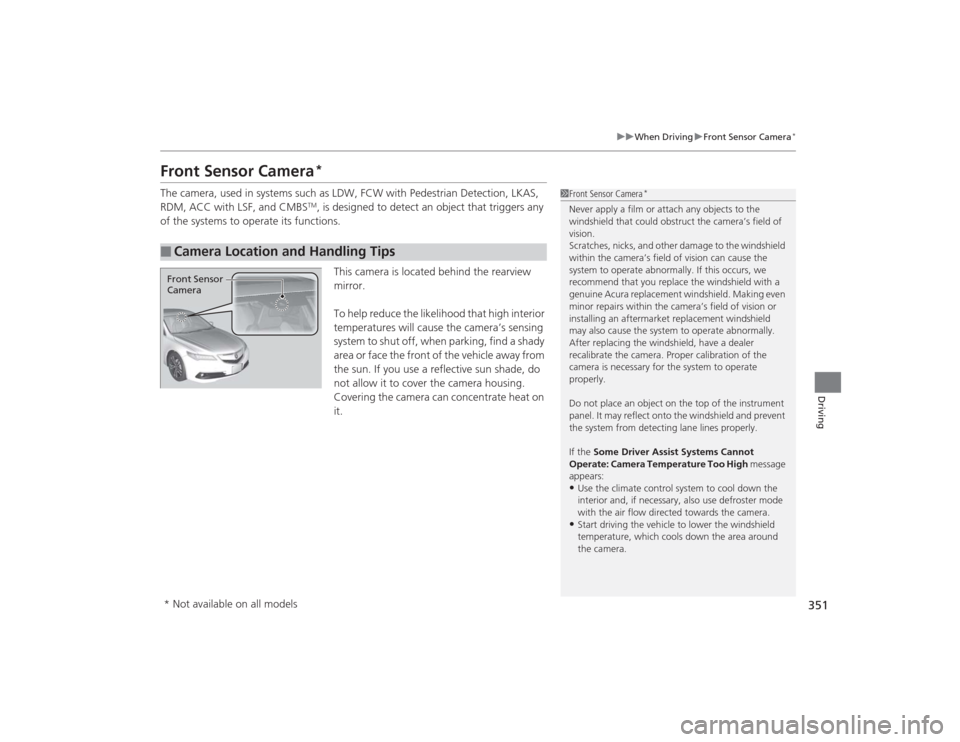
The camera, used in systems such as LDW, FCW with Pedestrian Detection, LKAS,
RDM, ACC with LSF, and CMBS
TM, is designed to detect an object that triggers any
of the systems to operate its functions.
This camera is located behind the rearview
mirror.
To help reduce the likelihood that high interior
temperatures will cause the camera’s sensing
s y s t e m t o s h u t o f f , w h e n p a r k i n g , f i n d a s h a d y
area or face the front of the vehicle away from
the sun. If you use a reflective sun shade, do
not allow it to cover the camera housing.
Covering the camera can concentrate heat on
it.
■
Camera Location and Handling Tips
1Front Sensor Camera
*
Never apply a film or attach any objects to the
windshield that could obstruct the camera’s field of
vision.
Scratches, nicks, and other damage to the windshield
within the ca mera’s field of vision can cause the
system to operate abnormally. If this occurs, we
recommend that you replace the windshield with a
genuine Acura replacement windshield. Making even
minor repairs withi n the camera’s field of vision or
installing an aftermarket replacement windshield
may also cause the system to operate abnormally.
After replacing the windshield, have a dealer
recalibrate the camera. Proper calibration of the
camera is necessary for the system to operate
properly.
Do not place an object on the top of the instrument
panel. It may reflect onto the windshield and prevent
the system from detecting lane lines properly.
If the Some Driver Assist Systems Cannot
Operate: Camera Temperature Too High message
appears:•Use the climate control system to cool down the
interior and, if necessary, also use defroster mode
with the air flow directed towards the camera.•Start driving the vehicle to lower the windshield
temperature, which cools down the area around
the camera.
Front Sensor
Camera* Not available on all models
Page 426 of 545
425
Maintenance
This chapter discusses basic maintenance.
Before Performing MaintenanceInspection and Maintenance ............ 426Safety When Performing Maintenance..... 427Parts and Fluids Used in Maintenance Service ........................................... 428
Maintenance Minder
TM..................... 429
Maintenance Under the Hood
Maintenance Items Under the Hood ..... 434Opening the Hood ........................... 436
Recommended Engine Oil ................ 437
Oil Check ......................................... 438
Adding Engine Oil ............................ 440Changing the Engine Oil and Oil Filter .. 441
Engine Coolant ................................ 443
Transmission Fluid ............................ 445
Brake Fluid ....................................... 446
Refilling Window Washer Fluid......... 446
Replacing Light Bulbs ....................... 447Checking and Maintaining Wiper
Blades .......................................... 454Checking and Maintaining Tires
Checking Tires ................................. 456Tire and Loading Information Label ...... 457Tire Labeling .................................... 457DOT Tire Quality Grading (U.S. Vehicles) .. 459Wear Indicators................................ 461 Tire Service Life ................................ 461
Tire and Wheel Replacement ........... 462
Tire Rotation .................................... 463
Winter Tires ..................................... 464
Battery ............................................... 465
Remote Transmitter Care
Replacing the Button Battery ........... 467
Climate Control System Maintenance
.... 469
Cleaning
Interior Care .................................... 470
Exterior Care.................................... 472
Page 460 of 545
459
uuChecking and Maintaining Tires uDOT Tire Quality Grading (U.S. Vehicles)
Continued
Maintenance
DOT Tire Quality Grading (U.S. Vehicles)The tires on your ve hicle meet all U.S. Federal Safety
Requirements. All tires are also graded for treadwear, traction,
and temperature performance according to Department of
Transportation (DOT) standards. The following explains these
gradings.
Quality grades can be found where applicable on the tire sidewall
between tread shoulder and maximum section width.
The treadwear grade is a comparative rating based on the wear
rate of the tire when tested under controlled conditions on a
specified government test course. For example, a tire graded 150
would wear one and one-half (1 1/2) times as well on the
government course as a tire graded 100. Th e relative performance
of tires depends upon the actual conditions of their use, however,
and may depart significantly from the norm due to variations in
driving habits, service practices and differences in road
characteristics and climate.■
Uniform Tire Quality Grading
■
Treadwear
1 Uniform Tire Quality GradingFor example:
Treadwear 200
Traction AA
Temperature A
All passenger car tires must conform
to Federal Safety Requirements in
addition to these grades.