AC system Acura TLX 2016 Owner's Manual
[x] Cancel search | Manufacturer: ACURA, Model Year: 2016, Model line: TLX, Model: Acura TLX 2016Pages: 553, PDF Size: 31.29 MB
Page 288 of 553
Continued287
uuBluetooth ® HandsFreeLink ®u HFL Menus
Features
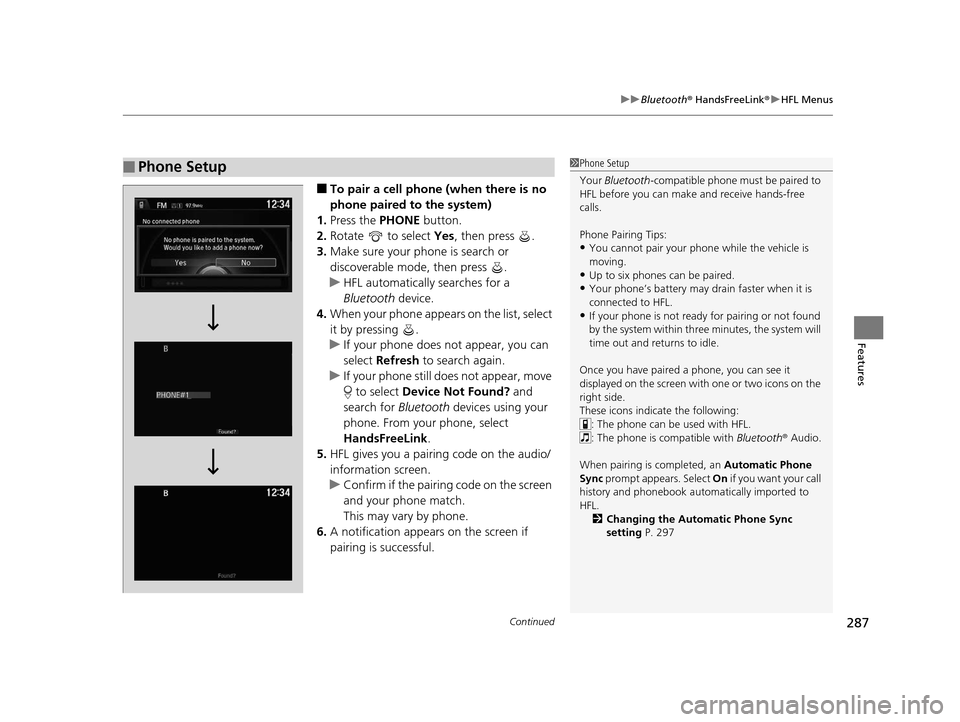
■To pair a cell phone (when there is no
phone paired to the system)
1. Press the PHONE button.
2. Rotate to select Yes, then press .
3. Make sure your phone is search or
discoverable mode, then press .
u HFL automatically searches for a
Bluetooth device.
4. When your phone appears on the list, select
it by pressing .
u If your phone does not appear, you can
select Refresh to search again.
u If your phone still does not appear, move
to select Device Not Found? and
search for Bluetooth devices using your
phone. From your phone, select
HandsFreeLink .
5. HFL gives you a pairing code on the audio/
information screen.
u Confirm if the pairing code on the screen
and your phone match.
This may vary by phone.
6. A notification appears on the screen if
pairing is successful.
■Phone Setup1Phone Setup
Your Bluetooth -compatible phone must be paired to
HFL before you can make and receive hands-free
calls.
Phone Pairing Tips:
•You cannot pair your phone while the vehicle is
moving.
•Up to six phones can be paired.
•Your phone’s battery may dr ain faster when it is
connected to HFL.
•If your phone is not ready for pairing or not found
by the system within three minutes, the system will
time out and returns to idle.
Once you have paired a phone, you can see it
displayed on the screen with one or two icons on the
right side.
These icons indicate the following: : The phone can be used with HFL.
: The phone is compatible with Bluetooth ® Audio.
When pairing is completed, an Automatic Phone
Sync prompt appears. Select On if you want your call
history and phonebook automatically imported to
HFL.
2 Changing the Automatic Phone Sync
setting P. 297
16 ACURA TLX-31TZ36100.book 287 ページ 2015年8月26日 水曜日 午後1時54分
Page 289 of 553
288
uuBluetooth ® HandsFreeLink ®u HFL Menus
Features
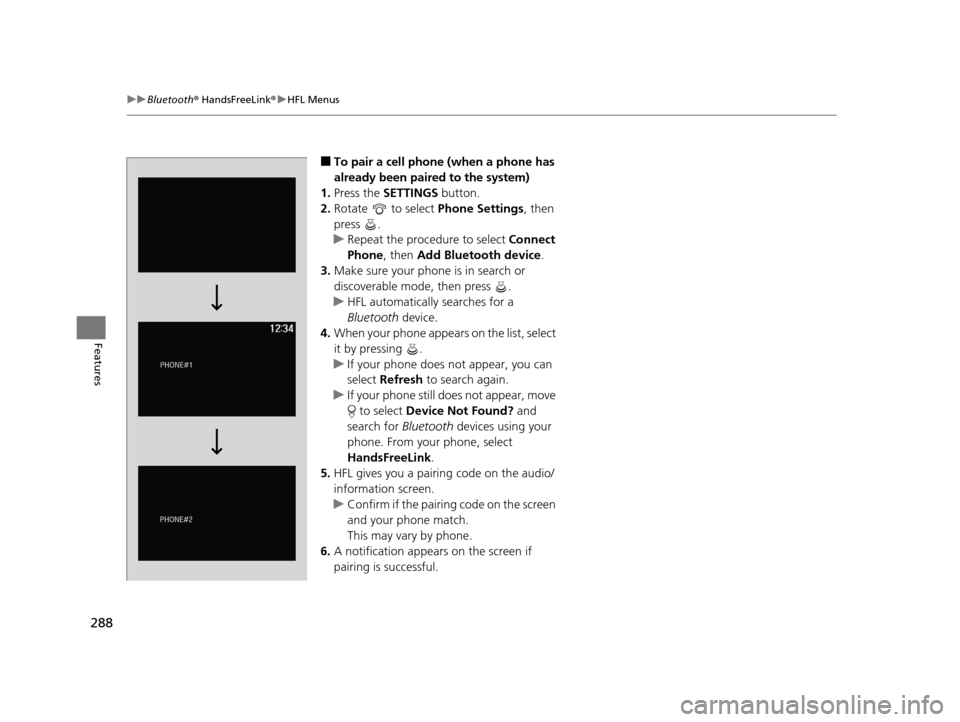
■To pair a cell phone (when a phone has
already been paired to the system)
1. Press the SETTINGS button.
2. Rotate to select Phone Settings, then
press .
u Repeat the procedure to select Connect
Phone , then Add Bluetooth device .
3. Make sure your phone is in search or
discoverable mode, then press .
u HFL automatically searches for a
Bluetooth device.
4. When your phone appears on the list, select
it by pressing .
u If your phone does not appear, you can
select Refresh to search again.
u If your phone still does not appear, move
to select Device Not Found? and
search for Bluetooth devices using your
phone. From your phone, select
HandsFreeLink .
5. HFL gives you a pairing code on the audio/
information screen.
u Confirm if the pairing code on the screen
and your phone match.
This may vary by phone.
6. A notification appears on the screen if
pairing is successful.
16 ACURA TLX-31TZ36100.book 288 ページ 2015年8月26日 水曜日 午後1時54分
Page 290 of 553
Continued289
uuBluetooth ® HandsFreeLink ®u HFL Menus
Features
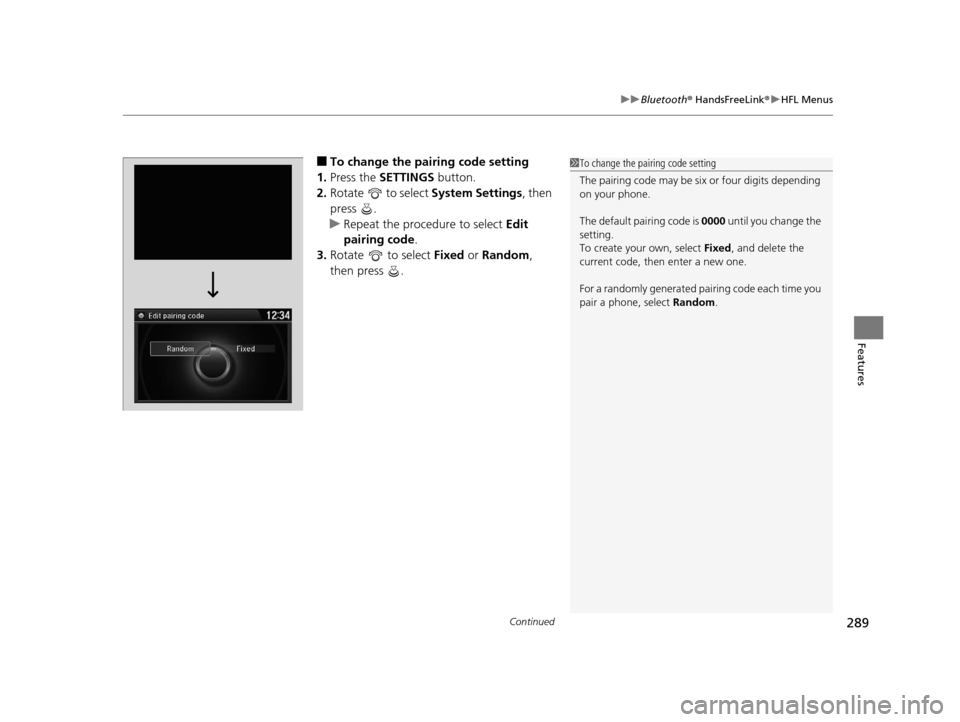
■To change the pairing code setting
1. Press the SETTINGS button.
2. Rotate to select System Settings, then
press .
u Repeat the procedure to select Edit
pairing code .
3. Rotate to select Fixed or Random ,
then press .1 To change the pairing code setting
The pairing code may be si x or four digits depending
on your phone.
The default pair ing code is 0000 until you change the
setting.
To create your own, select Fixed, and delete the
current code, then enter a new one.
For a randomly generated pa iring code each time you
pair a phone, select Random.
16 ACURA TLX-31TZ36100.book 289 ページ 2015年8月26日 水曜日 午後1時54分
Page 293 of 553
uuBluetooth ® HandsFreeLink ®u HFL Menus
292
Features
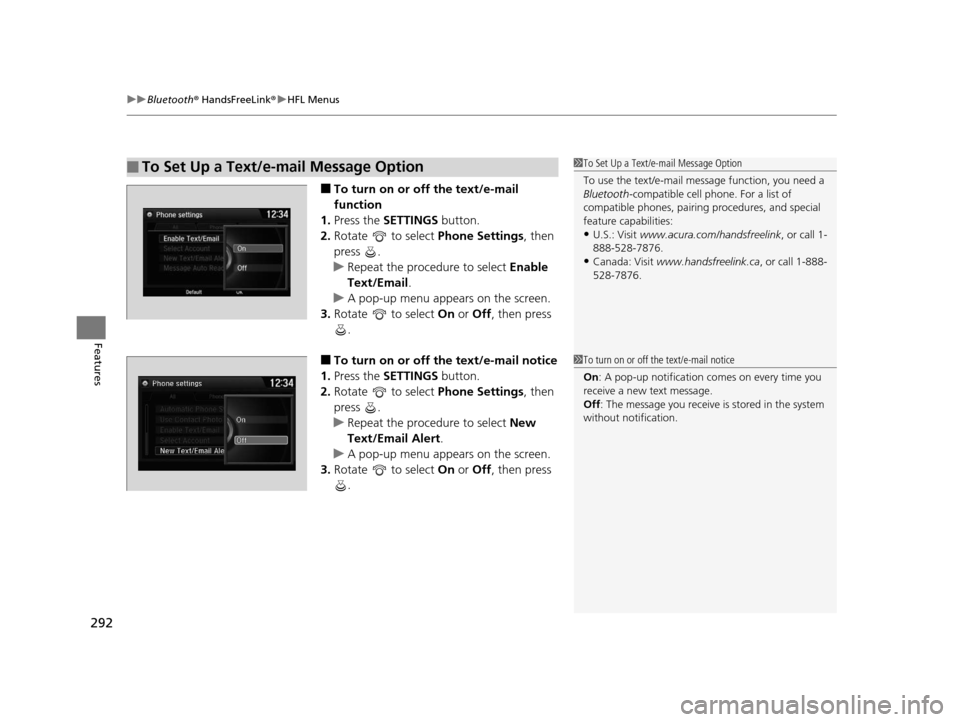
■To turn on or off the text/e-mail
function
1. Press the SETTINGS button.
2. Rotate to select Phone Settings, then
press .
u Repeat the procedure to select Enable
Text/Email .
u A pop-up menu appears on the screen.
3. Rotate to select On or Off , then press
.
■To turn on or off the text/e-mail notice
1. Press the SETTINGS button.
2. Rotate to select Phone Settings, then
press .
u Repeat the procedure to select New
Text/Email Alert .
u A pop-up menu appears on the screen.
3. Rotate to select On or Off , then press
.
■To Set Up a Text/e-mail Message Option1 To Set Up a Text/e-mail Message Option
To use the text/e-mail message function, you need a
Bluetooth -compatible cell pho ne. For a list of
compatible phones, pairing procedures, and special
feature capabilities:
•U.S.: Visit www.acura.com/handsfreelink , or call 1-
888-528-7876.
•Canada: Visit www.handsfreelink.ca , or call 1-888-
528-7876.
1 To turn on or off the text/e-mail notice
On : A pop-up notification co mes on every time you
receive a new text message.
Off : The message you receive is stored in the system
without not ification.
16 ACURA TLX-31TZ36100.book 292 ページ 2015年8月26日 水曜日 午後1時54分
Page 308 of 553
Continued307
uuBluetooth ® HandsFreeLink ®u HFL Menus
Features
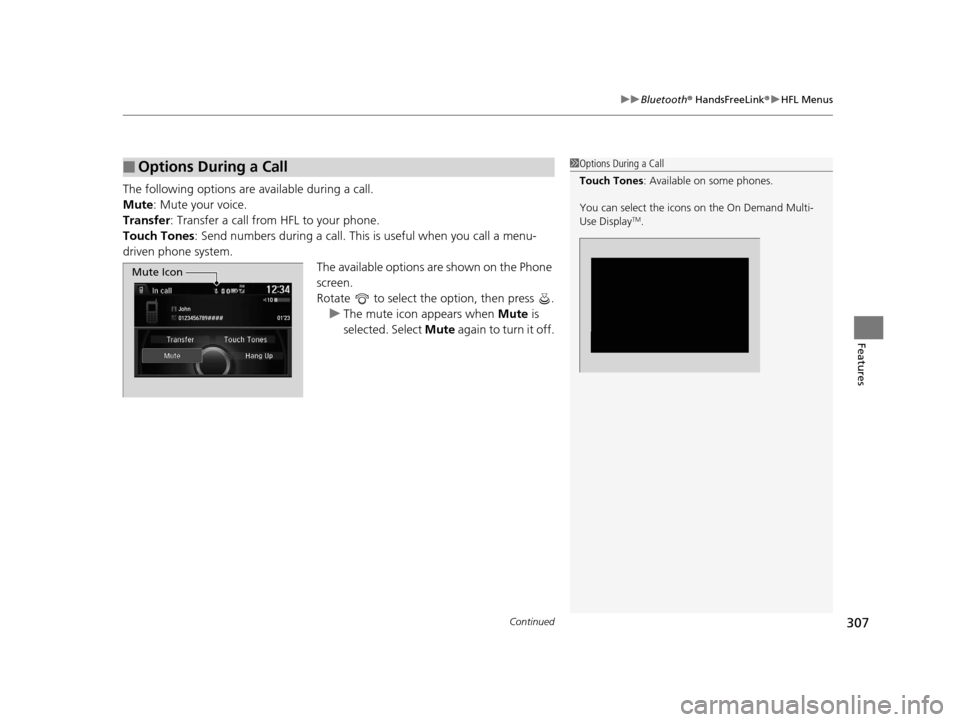
The following options are available during a call.
Mute : Mute your voice.
Transfer: Transfer a call from HFL to your phone.
Touch Tones : Send numbers during a call. This is useful when you call a menu-
driven phone system.
The available options are shown on the Phone
screen.
Rotate to select the option, then press . u The mute icon appears when Mute is
selected. Select Mute again to turn it off.
■Options During a Call1Options During a Call
Touch Tones : Available on some phones.
You can select the icons on the On Demand Multi-
Use Display
TM.
Mute Icon
16 ACURA TLX-31TZ36100.book 307 ページ 2015年8月26日 水曜日 午後1時54分
Page 309 of 553
uuBluetooth ® HandsFreeLink ®u HFL Menus
308
Features
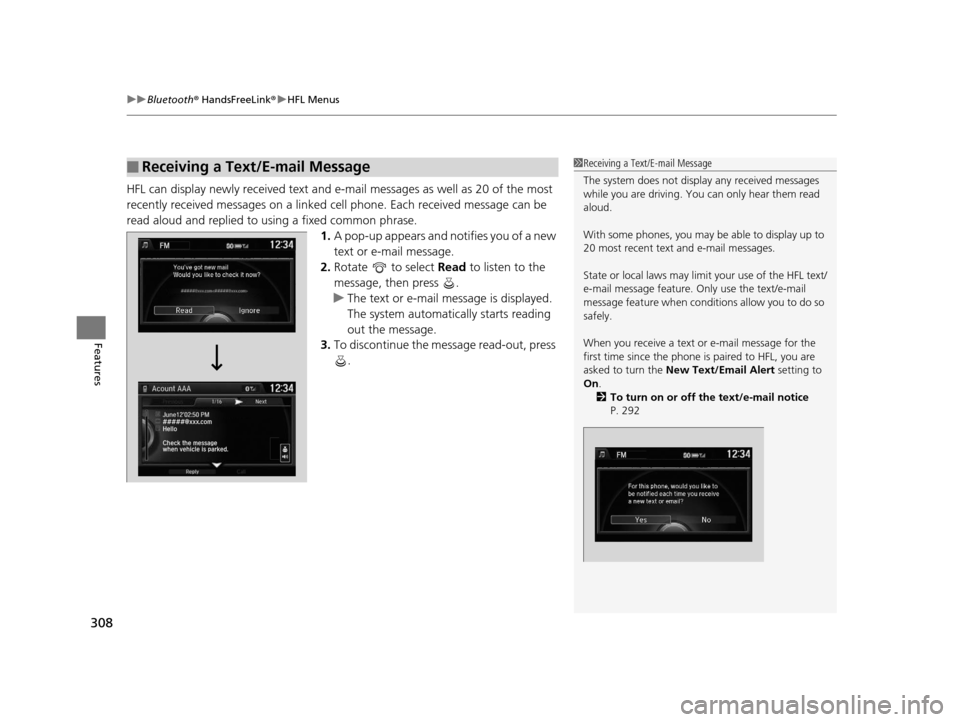
HFL can display newly received text and e-ma il messages as well as 20 of the most
recently received messages on a linked ce ll phone. Each received message can be
read aloud and replied to using a fixed common phrase. 1.A pop-up appears and notifies you of a new
text or e-mail message.
2. Rotate to select Read to listen to the
message, then press .
u The text or e-mail message is displayed.
The system automatically starts reading
out the message.
3. To discontinue the message read-out, press
.
■Receiving a Text/E-mail Message1Receiving a Text/E-mail Message
The system does not display any received messages
while you are driving. You can only hear them read
aloud.
With some phones, you may be able to display up to
20 most recent text and e-mail messages.
State or local laws may limit your use of the HFL text/
e-mail message feature. Only use the text/e-mail
message feature when conditions allow you to do so
safely.
When you receive a text or e-mail message for the
first time since the phone is paired to HFL, you are
asked to turn the New Text/Email Alert setting to
On .
2 To turn on or off the text/e-mail notice
P. 292
16 ACURA TLX-31TZ36100.book 308 ページ 2015年8月26日 水曜日 午後1時54分
Page 311 of 553
uuBluetooth ® HandsFreeLink ®u HFL Menus
310
Features
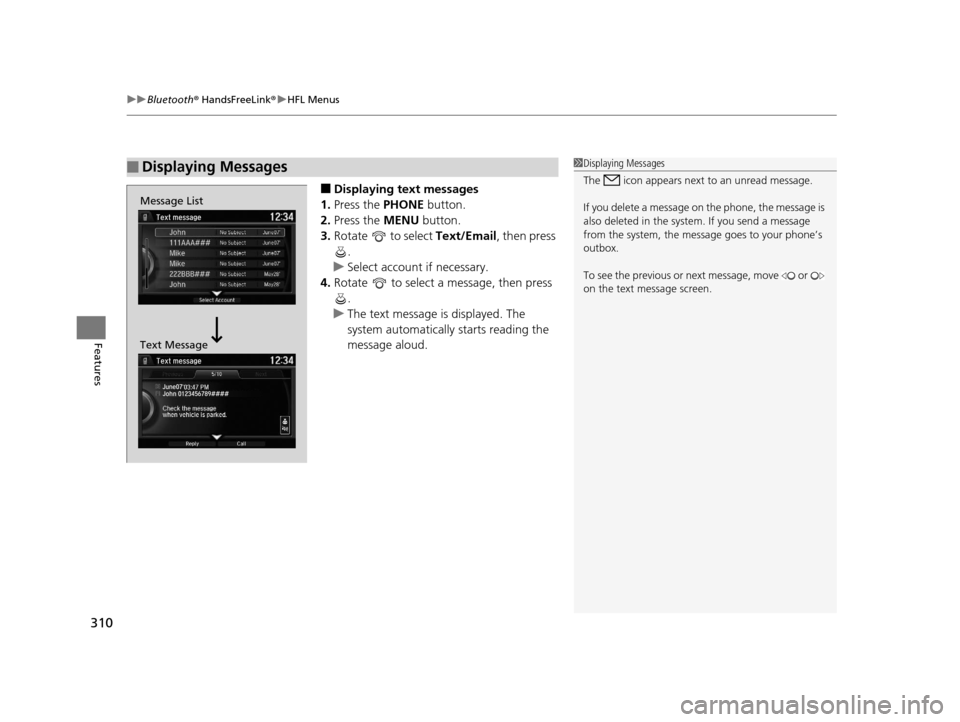
■Displaying text messages
1. Press the PHONE button.
2. Press the MENU button.
3. Rotate to select Text/Email, then press
.
u Select account if necessary.
4. Rotate to select a message, then press
.
u The text message is displayed. The
system automatically starts reading the
message aloud.
■Displaying Messages1Displaying Messages
The icon appears next to an unread message.
If you delete a message on the phone, the message is
also deleted in the system. If you send a message
from the system, the message goes to your phone’s
outbox.
To see the previous or ne xt message, move or
on the text message screen.
Message List
Text Message
16 ACURA TLX-31TZ36100.book 310 ページ 2015年8月26日 水曜日 午後1時54分
Page 312 of 553
Continued311
uuBluetooth ® HandsFreeLink ®u HFL Menus
Features
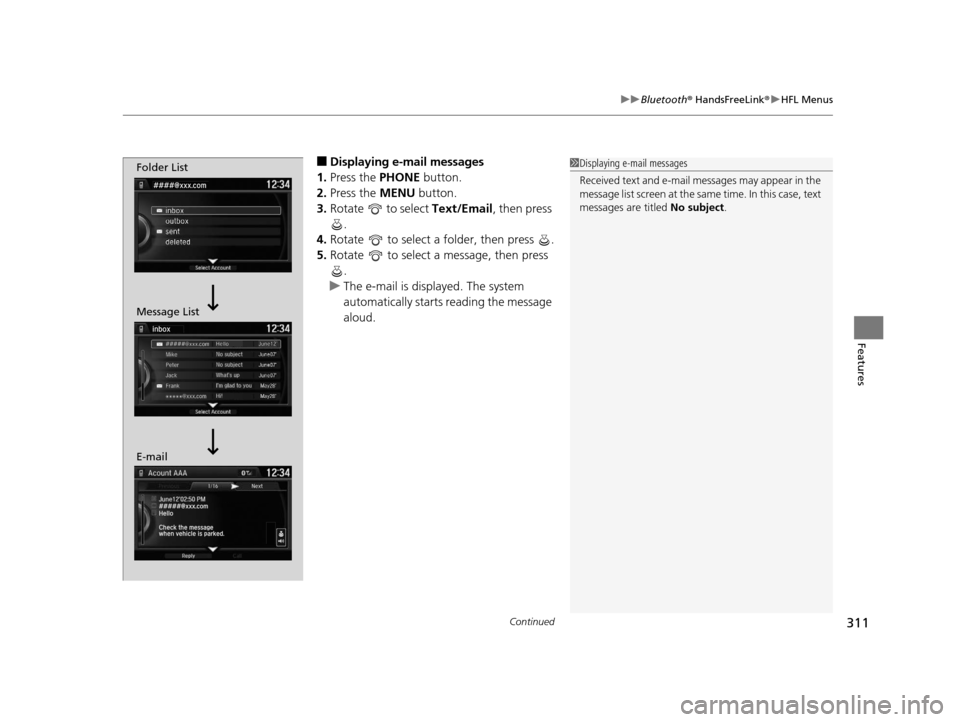
■Displaying e-mail messages
1. Press the PHONE button.
2. Press the MENU button.
3. Rotate to select Text/Email , then press
.
4. Rotate to select a folder, then press .
5. Rotate to select a message, then press
.
u The e-mail is displayed. The system
automatically starts reading the message
aloud.1Displaying e-mail messages
Received text and e-mail messages may appear in the
message list screen at the same time. In this case, text
messages are titled No subject.Folder List
Message List
E-mail
16 ACURA TLX-31TZ36100.book 311 ページ 2015年8月26日 水曜日 午後1時54分
Page 313 of 553
uuBluetooth ® HandsFreeLink ®u HFL Menus
312
Features
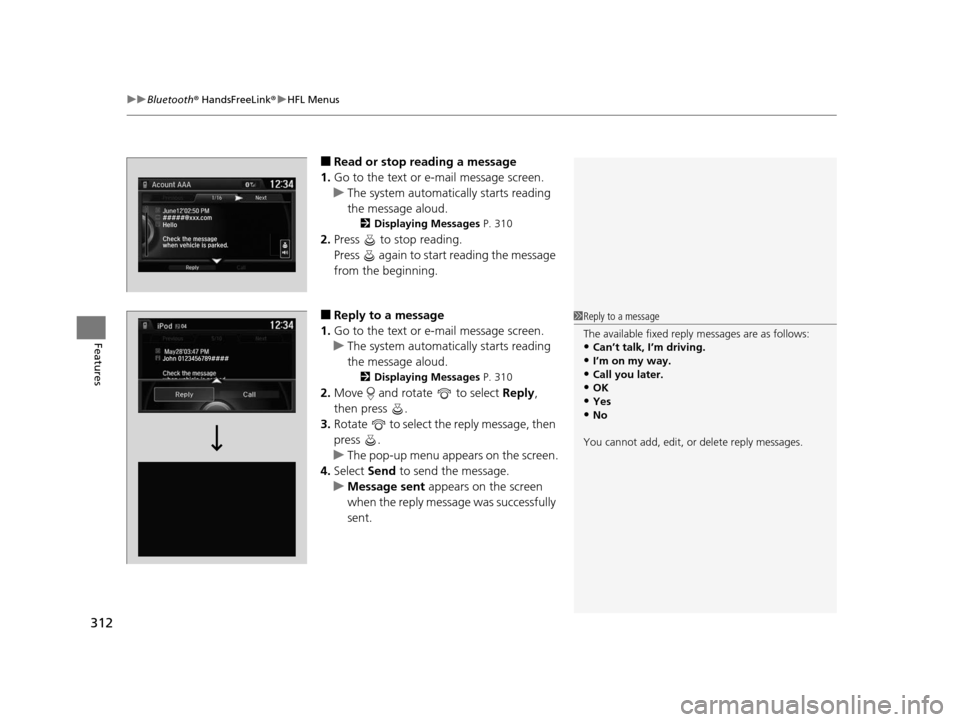
■Read or stop re ading a message
1. Go to the text or e-mail message screen.
u The system automatically starts reading
the message aloud.
2 Displaying Messages P. 310
2.Press to stop reading.
Press again to start reading the message
from the beginning.
■Reply to a message
1. Go to the text or e-mail message screen.
u The system automatically starts reading
the message aloud.
2 Displaying Messages P. 310
2.Move and rotate to select Reply,
then press .
3. Rotate to select the reply message, then
press .
u The pop-up menu appears on the screen.
4. Select Send to send the message.
u Message sent appears on the screen
when the reply message was successfully
sent.
1 Reply to a message
The available fixed reply messages are as follows:
•Can’t talk, I’m driving.
•I’m on my way.
•Call you later.•OK
•Yes
•No
You cannot add, edit, or delete reply messages.
16 ACURA TLX-31TZ36100.book 312 ページ 2015年8月26日 水曜日 午後1時54分
Page 314 of 553
313
uuBluetooth ® HandsFreeLink ®u HFL Menus
Features
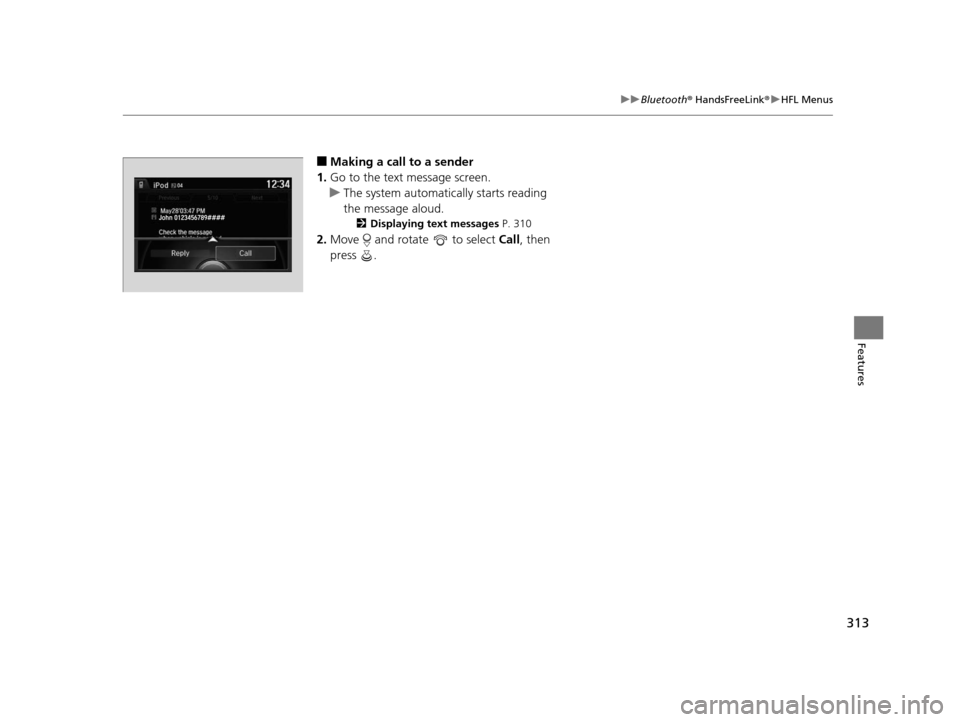
■Making a call to a sender
1. Go to the text message screen.
u The system automatically starts reading
the message aloud.
2 Displaying text messages P. 310
2.Move and rotate to select Call, then
press .
John 0123456789####
Reply Call
16 ACURA TLX-31TZ36100.book 313 ページ 2015年8月26日 水曜日 午後1時54分