warning light Acura TLX 2018 Owner's Guide
[x] Cancel search | Manufacturer: ACURA, Model Year: 2018, Model line: TLX, Model: Acura TLX 2018Pages: 589, PDF Size: 35.45 MB
Page 520 of 589

519Continued
Handling the Unexpected
If a Tire Goes Flat
Temporarily Repairing a Flat Tire
If the tire has a large cut or is otherwise severely damaged, you will need to have the
vehicle towed. If the tire only has a small puncture, from a nail for instance, you can
use the temporary tire repair kit so that you can drive to the nearest service station
for a more permanent repair.
If a tire goes flat while driving, grasp the steering wheel firmly, and brake gradually
to reduce speed. Then stop in a safe place.
1. Park the vehicle on a firm, level, and n on-slippery surface, and apply the parking
brake.
2. Change the gear position to
(P.
3. Turn on the hazard warning lights an d set the power mode to VEHICLE OFF
(LOCK).
1 Temporarily Repairing a Flat Tire
The kit should not be used in the following situations
(Instead, contact a dealer or roadside assistance to
have the vehicle towed):
•The tire sealant has expired.
•More than one tire is punctured.•The puncture or cut is larger than 3/16 inch (4 mm).
•The tire side wall is da maged or the puncture is
outside the contact area.
•Damage has been caused by driving with the tire
extremely under inflated.
•The tire bead is no longer seated.
•The rim is damaged.
Do not remove a nail or screw that punctured the
tire. If you remove it from the tire, you may not be
able to repair the puncture using the kit.
NOTICE
Do not use a puncture-repairing agent other than the
one provided in the kit that came with your vehicle. If
a different agent is used, you may permanently
damage the tire pressure sensor.
When the puncture is:Use Kit
Smaller than 3/16 inch (4 mm)Yes
Larger than 3/16 inch (4 mm)No
Contact
Area
18 ACURA TLX-31TZ36300.book 519 ページ 2017年2月21日 火曜日 午後2時32分
Page 533 of 589
532
uuIf a Tire Goes Flat uChanging a Flat Tire
Handling the Unexpected
Changing a Flat Tire
If a tire goes flat while driving, grasp the steering wheel firmly, and brake gradually
to reduce speed. Then, stop in a safe place. Replace the flat tire with a compact
spare tire. Go to a dealer as soon as possible to have th e full-size tire repaired or
replaced.
1. Park the vehicle on firm, level, non-slippe ry surface, and apply the parking brake.
2. Change the gear position to
(P.
3. Turn on the hazard warning lights an d set the power mode to VEHICLE OFF
(LOCK).
Vehicles with optional spare tire
1 Changing a Flat Tire
Follow compact spare precautions:
Periodically check the tire pressure of the compact
spare. It should be set to the specified pressure.
Specified Pressure: 60 psi (420 kPa, 4.2 kgf/cm
2)
When driving with the compact spare tire, keep the
vehicle speed under 50 mph (80 km/h). Replace with
a full-size tire as soon as possible.
The compact spare tire and wheel in your vehicle are
specifically for this model. Do not use them with
another vehicle. Do not us e another type of compact
spare tire or wheel with your vehicle.
Do not mount tire chains on a compact spare tire.
If a chain-mounted front tire goes flat, remove one of
the full-size rear tires and replace it with the compact
spare tire. Remove the flat front tire and replace it
with the full-size tire that was removed from the rear.
Mount the tire chains on the front tire.
Do not use a puncture-repairing agent other than the
Tire Repair Ki t provided with your vehicle, as some
tire repair agents can caus e damage to the pressure
sensors.
18 ACURA TLX-31TZ36300.book 532 ページ 2017年2月21日 火曜日 午後2時32分
Page 543 of 589
542
Handling the Unexpected
Jump Starting
Turn off the power to electric devices, such as audio and lights. Turn off the engine,
then open the hood.
1.Open the battery terminal cover.
■Jump Starting Procedure1Jump Starting
Securely attach the jumper cable clips so that they do
not come off when the engine vibrates. Also be
careful not to tangle the ju mper cables or allow the
cable ends to touch each other while attaching or
detaching the jumper cables.
Battery performance degrades in cold conditions and
may prevent the engi ne from starting.
3WARNING
A battery can explode if you do not follow
the correct procedure, seriously injuring
anyone nearby.
Keep all sparks, open flames, and smoking
materials away from the battery.6-cylinder models
Battery
Terminal Cover
6-cylinder models
18 ACURA TLX-31TZ36300.book 542 ページ 2017年2月21日 火曜日 午後2時32分
Page 548 of 589
547Continued
Handling the Unexpected
Overheating
How to Handle Overheating
Overheating symptoms are as follows:
•The temperature gauge needle is at the mark or the engine suddenly loses
power.
• The Stop Driving When Safe. En gine Temperature Too Hot message appears
on the multi-information display.
• Steam or spray comes out of the engine compartment.
■First thing to do
1. Immediately park the vehicle in a safe place.
2. Turn off all accessories and turn on the hazard warning lights.
u No steam or spray present: Keep the engine running and open the hood.
u Steam or spray is present : Turn off the engine and wait until it subsides.
Then, open the hood.
1 How to Handle Overheating
NOTICE
Continuing to drive with the temperature gauge
needle at the mark may damage the engine.
3WARNING
Steam and spray from an overheated
engine can seriously scald you.
Do not open the hood if steam is coming
out.
H
H
18 ACURA TLX-31TZ36300.book 547 ページ 2017年2月21日 火曜日 午後2時32分
Page 550 of 589
549
Handling the Unexpected
Indicator, Coming On/Blinking
If the Low Oil Pressure Indicator Comes On
■Reasons for the indicator to come on
Comes on when the engine oil pressure is low.
■What to do as soon as the indicator comes on
1. Immediately park the vehicle on level ground in a safe place.
2. If necessary, turn the hazard warning lights on.
■What to do after parking the vehicle
1. Stop the engine and let it sit for about three minutes.
2. Open the hood and check the oil level.
2 Oil Check P. 478
3.Start the engine and check th e low oil pressure indicator.
u The indicator goes off: Start driving again.
u The indicator does not go off with in 10 seconds: Stop the engine
and contact a dealer for repairs immediately.
If the Charging System Indicator Comes On
■Reasons for the indicator to come on
Comes on when the battery is not being charged.
■What to do when th e indicator comes on
Turn off the climate control system, rear defogger, and other electrical
systems, and immediately co ntact a dealer for repairs.
1If the Low Oil Pressure Indicator Comes On
NOTICE
Running the engine with low oil pressure can cause
serious mechanical damage almost immediately.
1If the Charging System Indicator Comes On
If you need to stop temporarily, do not turn off the
engine. Restarting the engi ne may rapidly discharge
the battery.
18 ACURA TLX-31TZ36300.book 549 ページ 2017年2月21日 火曜日 午後2時32分
Page 555 of 589

554
uuIndicator, Coming On/Blinking uIf the Transmission System Indicator Blinks along with the Warning Message
Handling the Unexpected
If the Transmission System Indicator Blinks along
with the Warning Message
■Reasons for the indicator to blink
The transmission is malfunctioned.
■What to do when the indicator blinks
• Immediately have your vehi cle inspected by a dealer.
• Change to
(N after starting the engine.
u Check if the
(N position on the instrument panel and the indicator
on the
(N button light/blink.
u The engine cannot be turned on unless the parking brake is set.
2 Starting the Engine P. 362
Models with electronic gear selector
1If the Transmission System In dicator Blinks along with the
Warning Message
You may not be able to start the engine.
Make sure to set the pa rking brake when parking
your vehicle.
Call a professional towing service if you need to tow
your vehicle. 2 Emergency Towing P. 560
18 ACURA TLX-31TZ36300.book 554 ページ 2017年2月21日 火曜日 午後2時32分
Page 583 of 589
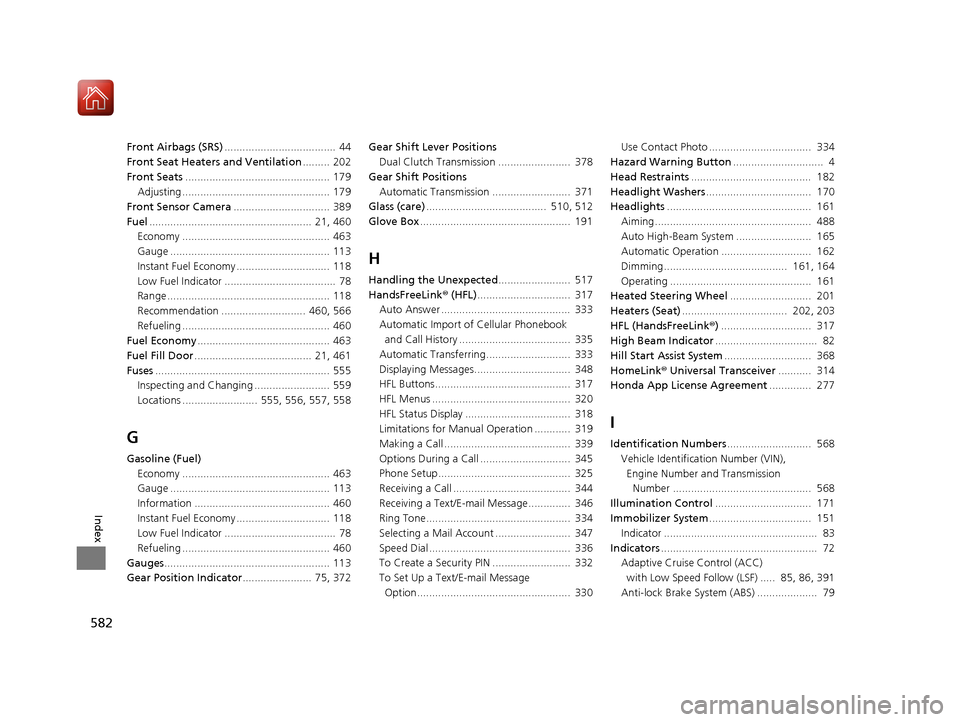
582
Index
Front Airbags (SRS)..................................... 44
Front Seat Heaters and Ventilation ......... 202
Front Seats ................................................ 179
Adjusting ................................................. 179
Front Sensor Camera ................................ 389
Fuel ...................................................... 21, 460
Economy ................................................. 463
Gauge ..................................................... 113
Instant Fuel Economy ............................... 118
Low Fuel Indicator ..................................... 78
Range ...................................................... 118
Recommendation ............................ 460, 566
Refueling ................................................. 460
Fuel Economy ............................................ 463
Fuel Fill Door ....................................... 21, 461
Fuses .......................................................... 555
Inspecting and Changing ......................... 559
Locations ......................... 555, 556, 557, 558
G
Gasoline (Fuel) Economy ................................................. 463
Gauge ..................................................... 113
Information ............................................. 460
Instant Fuel Economy ............................... 118
Low Fuel Indicator ..................................... 78
Refueling ................................................. 460
Gauges ....................................................... 113
Gear Position Indicator ....................... 75, 372 Gear Shift Lever Positions
Dual Clutch Transmission ........................ 378
Gear Shift Positions Automatic Transmission .......................... 371
Glass (care) ........................................ 510, 512
Glove Box .................................................. 191
H
Handling the Unexpected ........................ 517
HandsFreeLink ® (HFL) ............................... 317
Auto Answer ........................................... 333
Automatic Import of Cellular Phonebook
and Call History ..................................... 335
Automatic Transferring............................ 333
Displaying Messages................................ 348
HFL Buttons............................................. 317
HFL Menus .............................................. 320
HFL Status Display ................................... 318
Limitations for Manual Operation ............ 319
Making a Call .......................................... 339
Options During a Call .............................. 345
Phone Setup............................................ 325
Receiving a Call ....................................... 344
Receiving a Text/E-mail Message.............. 346
Ring Tone................................................ 334
Selecting a Mail Account ......................... 347
Speed Dial ............................................... 336
To Create a Security PIN .......................... 332
To Set Up a Text/E-mail Message
Option................................................... 330 Use Contact Photo .................................. 334
Hazard Warning Button .............................. 4
Head Restraints ........................................ 182
Headlight Washers ................................... 170
Headlights ................................................ 161
Aiming.................................................... 488
Auto High-Beam System ......................... 165
Automatic Operation .............................. 162
Dimming......................................... 161, 164
Operating ............................................... 161
Heated Steering Wheel ........................... 201
Heaters (Seat) ................................... 202, 203
HFL (HandsFreeLink ®) .............................. 317
High Beam Indicator .................................. 82
Hill Start Assist System ............................. 368
HomeLink ® Universal Transceiver ........... 314
Honda App License Agreement .............. 277
I
Identification Numbers............................ 568
Vehicle Identification Number (VIN), Engine Number and Transmission
Number .............................................. 568
Illumination Control ................................ 171
Immobilizer System .................................. 151
Indicator ................................................... 83
Indicators .................................................... 72
Adaptive Cruise Control (ACC) with Low Speed Follow (LSF) ..... 85, 86, 391
Anti-lock Brake System (ABS) .................... 79
18 ACURA TLX-31TZ36300.book 582 ページ 2017年2月21日 火曜日 午後2時32分
Page 588 of 589
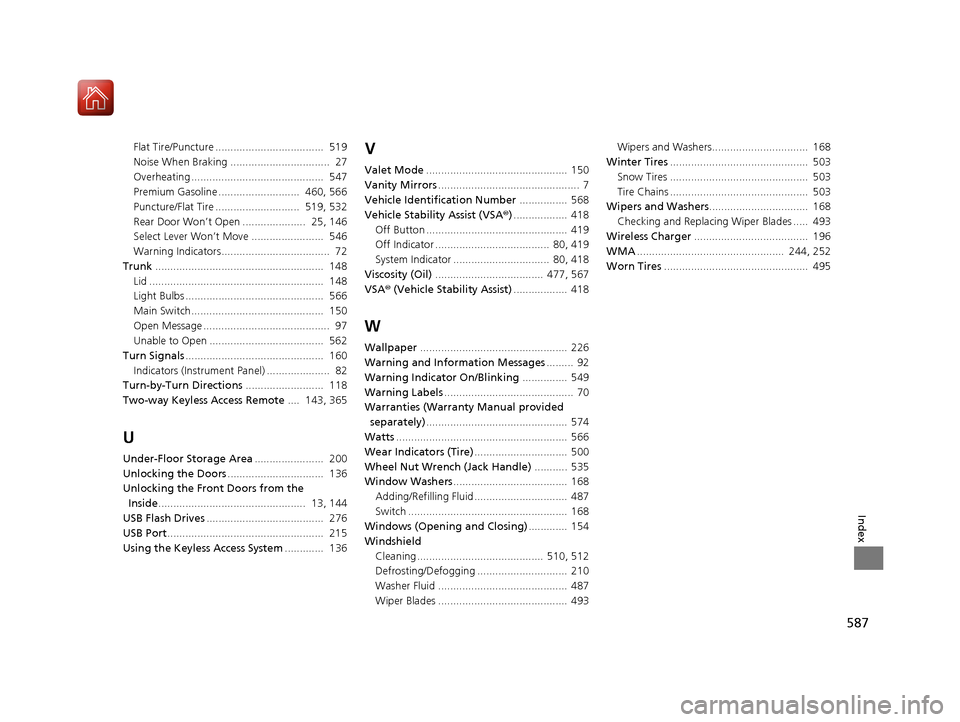
587
Index
Flat Tire/Puncture .................................... 519
Noise When Braking ................................. 27
Overheating ............................................ 547
Premium Gasoline ........................... 460, 566
Puncture/Flat Tire ............................ 519, 532
Rear Door Won’t Open ..................... 25, 146
Select Lever Won’t Move ........................ 546
Warning Indicators.................................... 72
Trunk ........................................................ 148
Lid .......................................................... 148
Light Bulbs .............................................. 566
Main Switch............................................ 150
Open Message .......................................... 97
Unable to Open ...................................... 562
Turn Signals .............................................. 160
Indicators (Instrume nt Panel) ..................... 82
Turn-by-Turn Directions .......................... 118
Two-way Keyless Access Remote .... 143, 365
U
Under-Floor Storage Area....................... 200
Unlocking the Doors ................................ 136
Unlocking the Fron t Doors from the
Inside ................................................. 13, 144
USB Flash Drives ....................................... 276
USB Port .................................................... 215
Using the Keyless Access System ............. 136
V
Valet Mode............................................... 150
Vanity Mirrors ............................................... 7
Vehicle Identification Number ................ 568
Vehicle Stability Assist (VSA® ).................. 418
Off Button ............................................... 419
Off Indicator ...................................... 80, 419
System Indicator ................................ 80, 418
Viscosity (Oil) .................................... 477, 567
VSA ® (Vehicle Stability Assist) .................. 418
W
Wallpaper................................................. 226
Warning and Information Messages ......... 92
Warning Indicator On/Blinking ............... 549
Warning Labels ........................................... 70
Warranties (Warranty Manual provided
separately) ............................................... 574
Watts ......................................................... 566
Wear Indicators (Tire) ............................... 500
Wheel Nut Wrench (Jack Handle) ........... 535
Window Washers ...................................... 168
Adding/Refilling Fluid ............................... 487
Switch ..................................................... 168
Windows (Opening and Closing) ............. 154
Windshield
Cleaning .......................................... 510, 512
Defrosting/Defogging .............................. 210
Washer Fluid ........................................... 487
Wiper Blades ........................................... 493 Wipers and Washers................................ 168
Winter Tires .............................................. 503
Snow Tires .............................................. 503
Tire Chains .............................................. 503
Wipers and Washers ................................. 168
Checking and Replacing Wiper Blades ..... 493
Wireless Charger ...................................... 196
WMA ................................................. 244, 252
Worn Tires ................................................ 495
18 ACURA TLX-31TZ36300.book 587 ページ 2017年2月21日 火曜日 午後2時32分