Accessories Acura TLX 2020 Owner's Manual
[x] Cancel search | Manufacturer: ACURA, Model Year: 2020, Model line: TLX, Model: Acura TLX 2020Pages: 589, PDF Size: 32.88 MB
Page 4 of 589
Contents
Child Safety P. 56Exhaust Gas Hazard P. 69Safety Labels P. 70
Opening and Closing the Trunk P. 149 Security System P. 152 Opening and Closing the Windows P. 155
Operating the Switches Around the Steering Wheel P. 158 Adjusting the Mirrors P. 177
Interior Lights/Interior Convenience Items P. 189 Climate Control System P. 205
Audio Error Messages P. 267General Information on the Audio System P. 274
Bluetooth® HandsFreeLink ® P. 317 Compass* P. 352
When Driving P. 362 Braking P. 429Parking Your Vehicle P. 446
Refueling P. 460 Fuel Economy and CO
2 Emissions P. 463
Maintenance Under the Hood P. 474 Replacing Light Bulbs P. 488
Checking and Maintaining Tires P. 495 Battery P. 504 Remote Transmitter Care P. 506
Cleaning P. 509 Accessories and Modifications P. 514
Engine Does Not Start P. 539Jump Starting P. 542 Shift Lever Does Not Move P. 546
Fuses P. 555 Emergency Towing P. 560 When You Cannot Unlock the Fuel Fill Door P. 561
Refueling P. 563
Devices that Emit Radio Waves P. 569 Reporting Safety Defects P. 570
Authorized Manuals P. 575 Client Service Information P. 576
Quick Reference GuideP. 4
Safe DrivingP. 29
Instrument PanelP. 71
ControlsP. 131
FeaturesP. 213
DrivingP. 355
MaintenanceP. 465
Handling the UnexpectedP. 517
InformationP. 565
IndexP. 578
20 ACURA TLX-31TZ36500.book 3 ページ 2019年2月7日 木曜日 午後2時2分
Page 36 of 589
Continued35
uuSeat Belts uAbout Your Seat Belts
Safe Driving
■Proper use of seat belts
Follow these guidelines for proper use:
• All occupants should sit upright, well back in the seat, and remain in that position
for the duration of the trip. Slouching and leaning reduce the effectiveness of the
belt and can increase the chance of serious injury in a crash.
• Never place the shoulder part of a lap/shoulder seat belt under your arm or
behind your back. This could cause very serious injuries in a crash.
• Two people should never use the same seat belt. If they do, they could be very
seriously injured in a crash.
• Do not put any accessories on the seat belts. Devices intended to improve comfort
or reposition the shoulder part of a seat belt can reduce the protective capability
and increase the chance of serious injury in a crash.
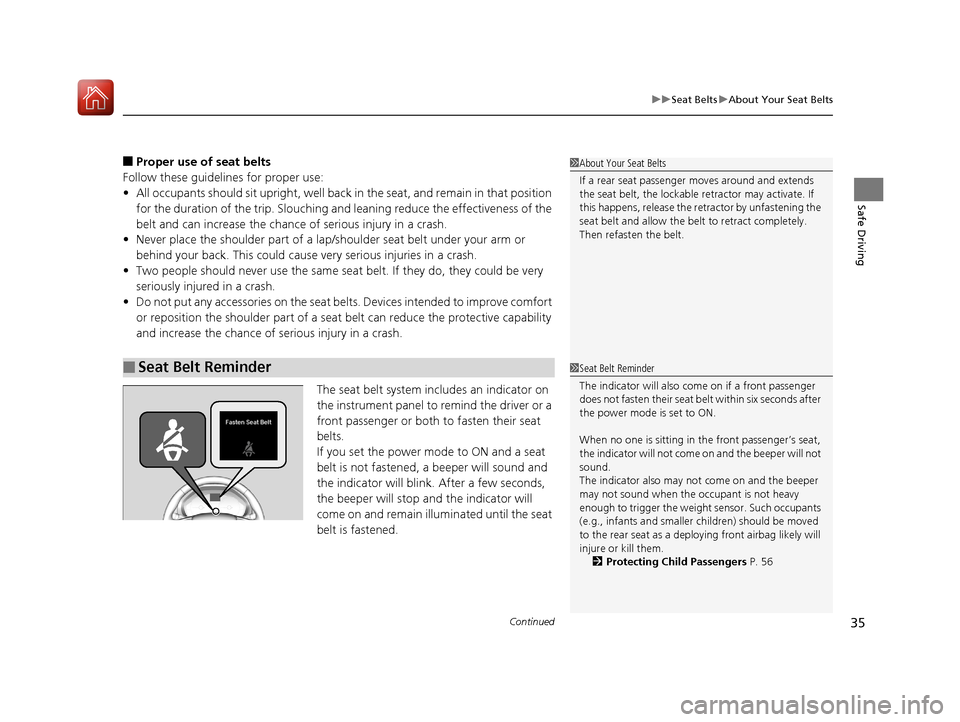
The seat belt system includes an indicator on
the instrument panel to remind the driver or a
front passenger or both to fasten their seat
belts.
If you set the power mode to ON and a seat
belt is not fastened, a beeper will sound and
the indicator will blink. After a few seconds,
the beeper will stop and the indicator will
come on and remain illuminated until the seat
belt is fastened.
■Seat Belt Reminder
1About Your Seat Belts
If a rear seat passenger moves around and extends
the seat belt, the lockable retractor may activate. If
this happens, release the retractor by unfastening the
seat belt and allow the belt to retract completely.
Then refasten the belt.
1 Seat Belt Reminder
The indicator will also come on if a front passenger
does not fasten their seat belt within six seconds after
the power mode is set to ON.
When no one is sitting in th e front passenger’s seat,
the indicator will not come on and the beeper will not
sound.
The indicator also may no t come on and the beeper
may not sound when the occupant is not heavy
enough to trigger the weight sensor. Such occupants
(e.g., infants and smaller children) should be moved
to the rear seat as a deploying front airbag likely will
injure or kill them. 2 Protecting Child Passengers P. 56
20 ACURA TLX-31TZ36500.book 35 ページ 2019年2月7日 木曜日 午後2時2分
Page 49 of 589
48
uuAirbags uDriver’s Knee Airbag
Safe Driving
Driver’s Knee Airbag
The driver’s knee SRS airbag inflates in a moderate-to-severe fronta l collision to help
keep the driver in the proper position and to help maximize the benefit provided by
the vehicle’s other safety features.
SRS (Supplemental Restraint System) indica tes that the airbag is designed to
supplement seat belts, not replace them. Seat belts are the occupant’s primary
restraint system.
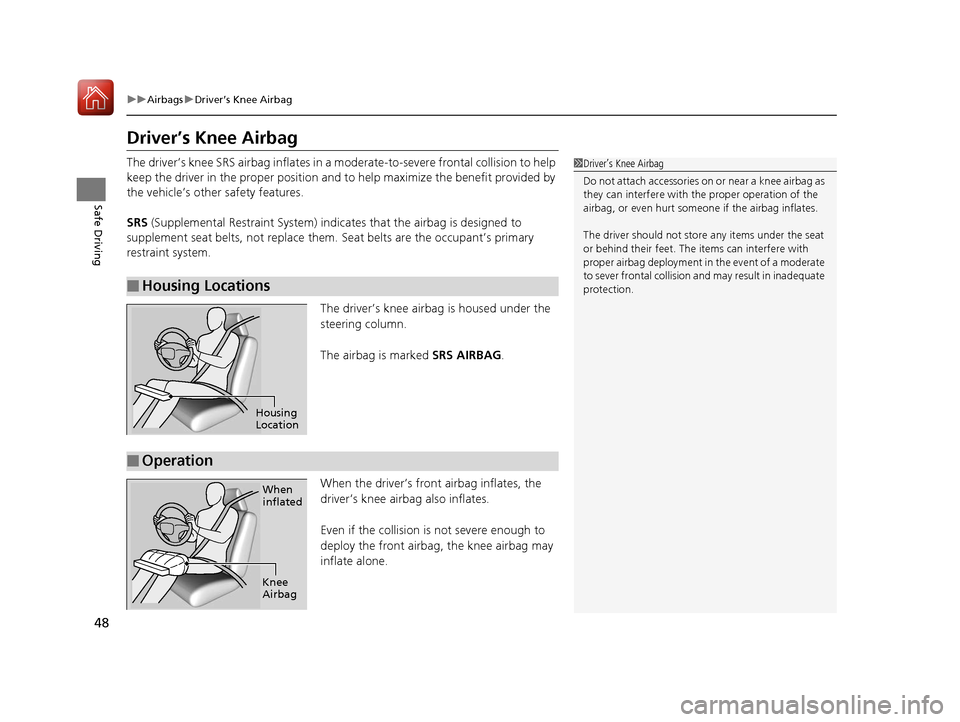
The driver’s knee airbag is housed under the
steering column.
The airbag is marked SRS AIRBAG.
When the driver’s front airbag inflates, the
driver’s knee airbag also inflates.
Even if the collision is not severe enough to
deploy the front airbag, the knee airbag may
inflate alone.
■Housing Locations
1 Driver’s Knee Airbag
Do not attach accessories on or near a knee airbag as
they can interfere with the proper operation of the
airbag, or even hurt someone if the airbag inflates.
The driver should not stor e any items under the seat
or behind their feet. The items can interfere with
proper airbag deployment in the event of a moderate
to sever frontal collision a nd may result in inadequate
protection.
Housing
Location
■Operation
When
inflated
Knee
Airbag
20 ACURA TLX-31TZ36500.book 48 ページ 2019年2月7日 木曜日 午後2時2分
Page 51 of 589
50
uuAirbags uSide Airbags
Safe Driving
Side Airbags
The side airbags help protect the torso and pelvis of the driver or a front passenger
during a moderate-to-severe side impact.
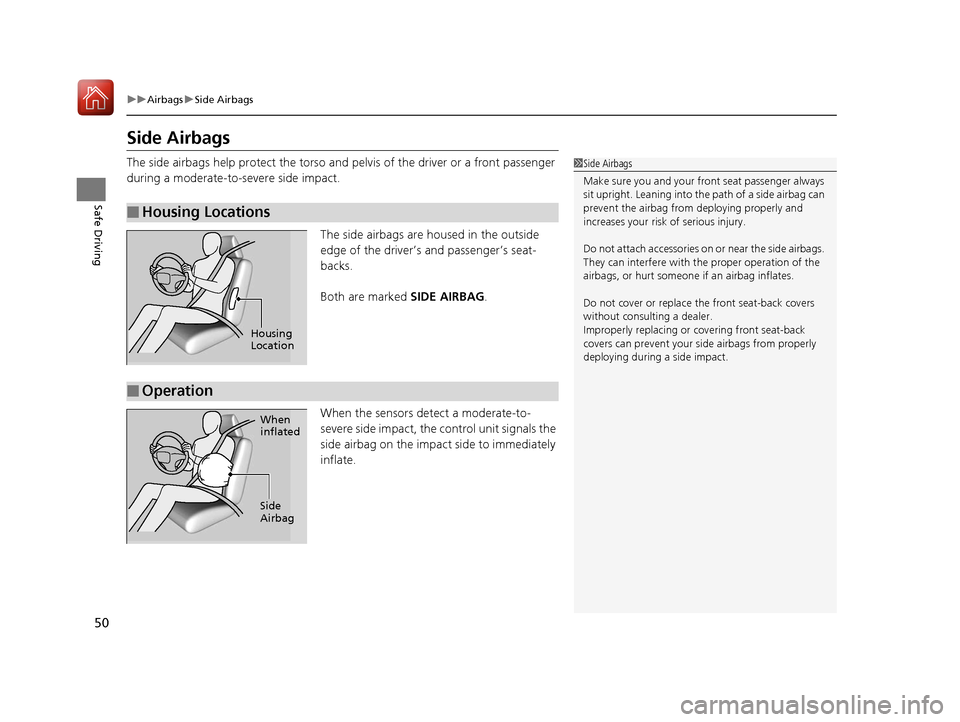
The side airbags are housed in the outside
edge of the driver’s and passenger’s seat-
backs.
Both are marked SIDE AIRBAG.
When the sensors detect a moderate-to-
severe side impact, the control unit signals the
side airbag on the impact side to immediately
inflate.
■Housing Locations
1 Side Airbags
Make sure you and your front seat passenger always
sit upright. Leaning into the path of a side airbag can
prevent the airbag from deploying properly and
increases your risk of serious injury.
Do not attach accessories on or near the side airbags.
They can interfere with the proper operation of the
airbags, or hurt someone if an airbag inflates.
Do not cover or replace the front seat-back covers
without consulting a dealer.
Improperly replac ing or covering front seat-back
covers can prevent your si de airbags from properly
deploying during a side impact.
Housing
Location
■Operation
When
inflated
Side
Airbag
20 ACURA TLX-31TZ36500.book 50 ページ 2019年2月7日 木曜日 午後2時2分
Page 159 of 589
158
Controls
Operating the Switches Around the Steering Wheel
ENGINE START/STOP Button
*1:Canadian models
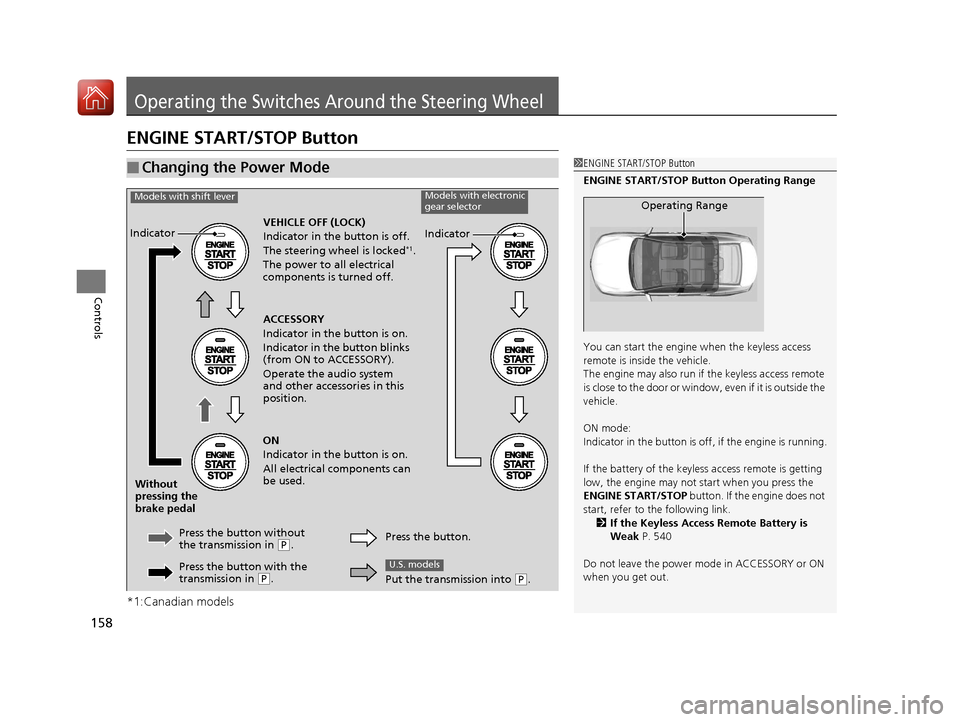
■Changing the Power Mode1ENGINE START/STOP Button
ENGINE START/STOP Button Operating Range
You can start the engine when the keyless access
remote is inside the vehicle.
The engine may also run if the keyless access remote
is close to the door or window, even if it is outside the
vehicle.
ON mode:
Indicator in the button is of f, if the engine is running.
If the battery of the keyless access remote is getting
low, the engine may not start when you press the
ENGINE START/STOP button. If the engine does not
start, refer to the following link. 2 If the Keyless Access Remote Battery is
Weak P. 540
Do not leave the power mode in ACCESSORY or ON
when you get out.
Operating Range
VEHICLE OFF (LOCK)
Indicator in th e button is off.
The steering wheel is locked
*1.
The power to all electrical
components is turned off.
Press the button without
the transmission in
( P.
Without
pressing the
brake pedal ACCESSORY
Indicator in the button is on.
Indicator in the button blinks
(from ON to ACCESSORY).
Operate the audio system
and other accessories in this
position.
ON
Indicator in the button is on.
All electrical components can
be used.
Indicator
Indicator
Models with shift leverModels with electronic
gear selector
Press the button with the
transmission in (P. Press the button.
Put the transmission into (
P.
U.S. models
20 ACURA TLX-31TZ36500.book 158 ページ 2019年2月7日 木曜日 午後2時2分
Page 197 of 589
uuInterior Lights/Interior Convenience Items uInterior Convenience Items
196
Controls
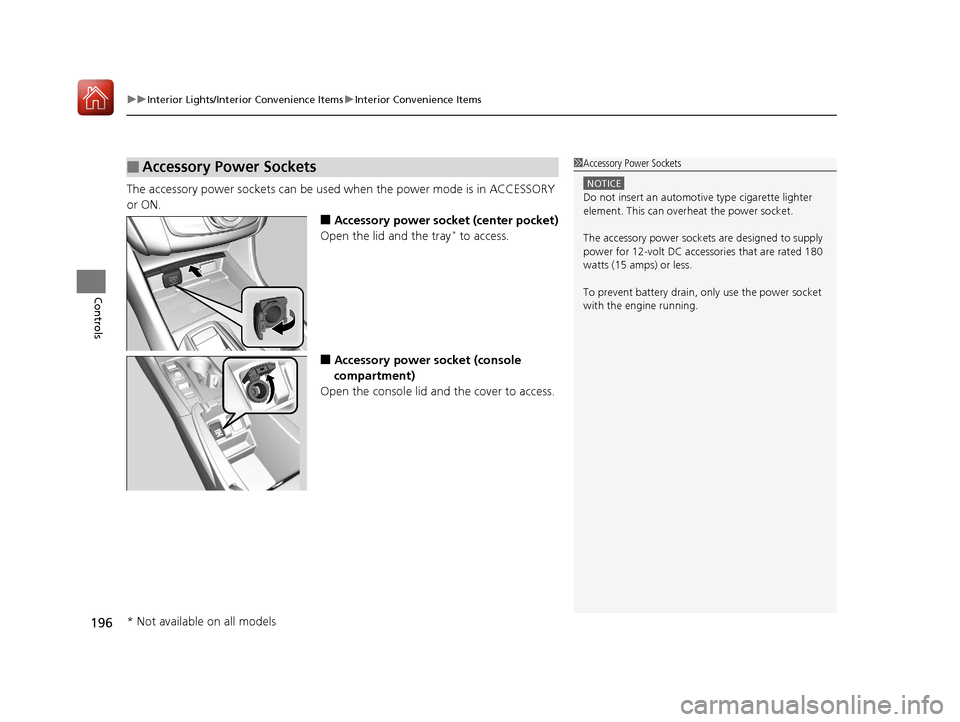
The accessory power sockets can be used when the power mode is in ACCESSORY
or ON.
■Accessory power socket (center pocket)
Open the lid and the tray* to access.
■Accessory power socket (console
compartment)
Open the console lid and the cover to access.
■Accessory Power Sockets1 Accessory Power Sockets
NOTICE
Do not insert an automotive type cigarette lighter
element. This can overheat the power socket.
The accessory power socket s are designed to supply
power for 12-volt DC accessories that are rated 180
watts (15 amps) or less.
To prevent battery drain, only use the power socket
with the engine running.
* Not available on all models
20 ACURA TLX-31TZ36500.book 196 ページ 2019年2月7日 木曜日 午後2時2分
Page 353 of 589
352
Features
Compass*
When you set the power mode to ON, the compass self-calibrates, and the compass
display appears.
Compass Calibration
If the compass indicates the wrong direction, or the CAL indicator blinks, you need
to manually calibrate the system.
1. Set the power mode to ON.
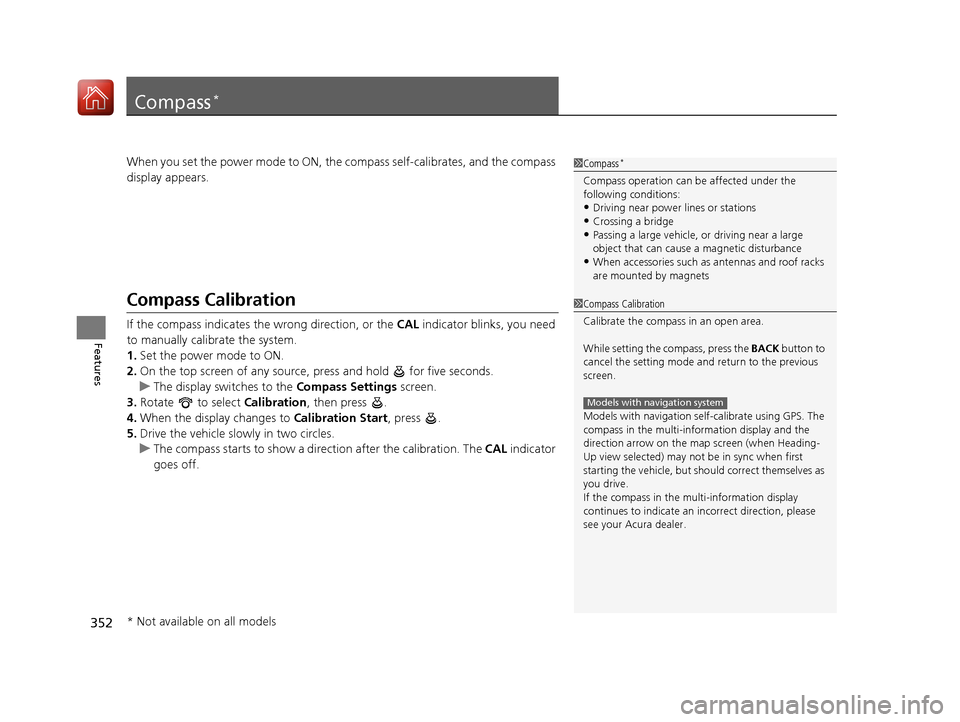
2. On the top screen of any source, press and hold for five seconds.
u The display switches to the Compass Settings screen.
3. Rotate to select Calibration, then press .
4. When the display changes to Calibration Start, press .
5. Drive the vehicle slowly in two circles.
u The compass starts to show a dire ction after the calibration. The CAL indicator
goes off.
1 Compass*
Compass operation can be affected under the
following conditions:
•Driving near power lines or stations•Crossing a bridge
•Passing a large vehicle, or driving near a large
object that can cause a magnetic disturbance
•When accessories such as antennas and roof racks
are mounted by magnets
1 Compass Calibration
Calibrate the compass in an open area.
While setting the compass, press the BACK button to
cancel the setting mode a nd return to the previous
screen.
Models with navigation self -calibrate using GPS. The
compass in the multi-information display and the
direction arrow on the ma p screen (when Heading-
Up view selected) may not be in sync when first
starting the vehicle, but should correct themselves as
you drive.
If the compass in the multi-information display
continues to indicate an in correct direction, please
see your Acura dealer.
Models with navigation system
* Not available on all models
20 ACURA TLX-31TZ36500.book 352 ページ 2019年2月7日 木曜日 午後2時2分
Page 360 of 589
359
uuBefore Driving uMaximum Load Limit
Continued
Driving
Maximum Load Limit
The maximum load for your ve hicle is 850 lbs (385 kg).
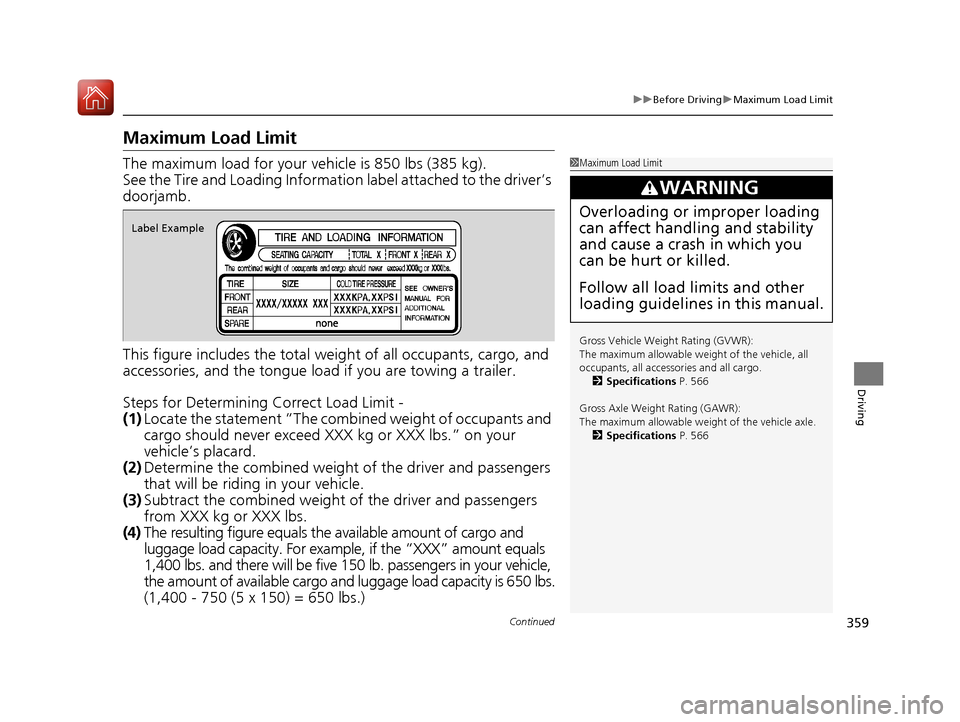
See the Tire and Loading Informatio n label attached to the driver’s
doorjamb.
This figure includes the total weig ht of all occupants, cargo, and
accessories, and the tongue load if you are towing a trailer.
Steps for Determining Correct Load Limit -
(1) Locate the statement “The comb ined weight of occupants and
cargo should never exceed XXX kg or XXX lbs.” on your
vehicle’s placard.
(2) Determine the combined weight of the driver and passengers
that will be riding in your vehicle.
(3) Subtract the combined weight of the driver and passengers
from XXX kg or XXX lbs.
(4) The resulting figure equals the available amount of cargo and
luggage load capacity. For exampl e, if the “XXX” amount equals
1,400 lbs. and there will be five 150 lb. passengers in your vehicle,
the amount of available cargo and luggage load capacity is 650 lbs.
(1,400 - 750 (5 x 150) = 650 lbs.)1 Maximum Load Limit
Gross Vehicle Weight Rating (GVWR):
The maximum allowable weight of the vehicle, all
occupants, all accesso ries and all cargo.
2 Specifications P. 566
Gross Axle Weight Rating (GAWR):
The maximum allowable weight of the vehicle axle. 2 Specifications P. 566
3WARNING
Overloading or improper loading
can affect handling and stability
and cause a crash in which you
can be hurt or killed.
Follow all load limits and other
loading guidelines in this manual.
Label Example
20 ACURA TLX-31TZ36500.book 359 ページ 2019年2月7日 木曜日 午後2時2分
Page 361 of 589
uuBefore Driving uMaximum Load Limit
360
Driving
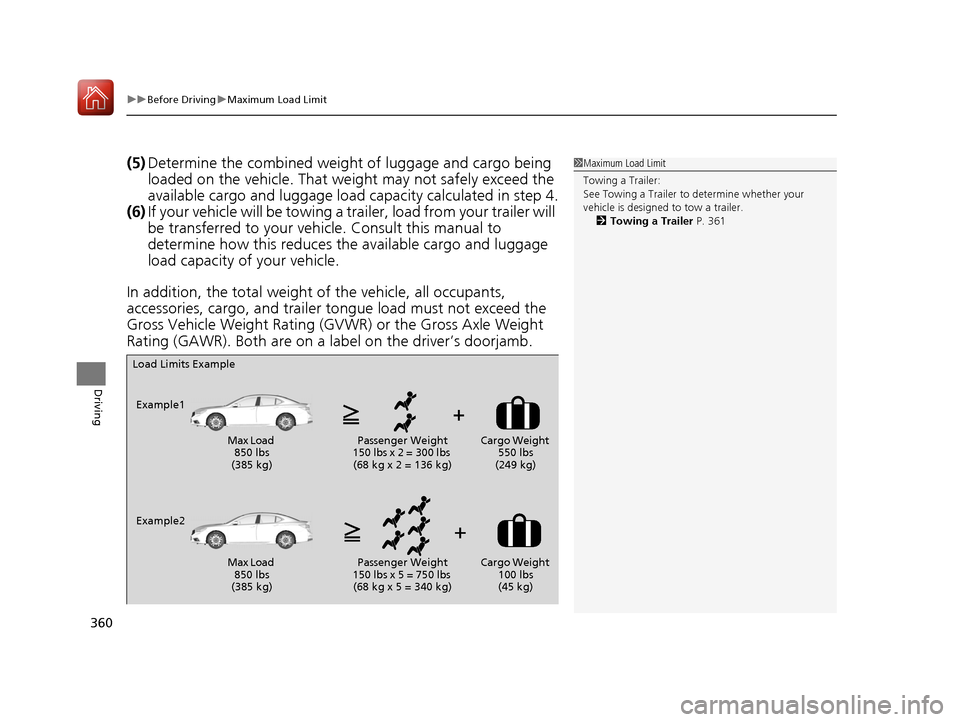
(5) Determine the combined weight of luggage and cargo being
loaded on the vehicle. That we ight may not safely exceed the
available cargo and luggage load capacity calculated in step 4.
(6) If your vehicle will be towing a tra iler, load from your trailer will
be transferred to your vehicl e. Consult this manual to
determine how this reduces the available cargo and luggage
load capacity of your vehicle.
In addition, the total weight of the vehicle, all occupants,
accessories, cargo, and trailer tongue load must not exceed the
Gross Vehicle Weight Rating (GVW R) or the Gross Axle Weight
Rating (GAWR). Both are on a label on the driver’s doorjamb.1 Maximum Load Limit
Towing a Trailer:
See Towing a Trailer to determine whether your
vehicle is designed to tow a trailer.
2 Towing a Trailer P. 361
Load Limits Example
Example1 Max Load 850 lbs
(385 kg) Passenger Weight
150 lbs x 2 = 300 lbs (68 kg x 2 = 136 kg) Cargo Weight
550 lbs
(249 kg)
Example2 Max Load 850 lbs
(385 kg) Passenger Weight
150 lbs x 5 = 750 lbs (68 kg x 5 = 340 kg) Cargo Weight
100 lbs
(45 kg)
20 ACURA TLX-31TZ36500.book 360 ページ 2019年2月7日 木曜日 午後2時2分
Page 363 of 589

362
Driving
When Driving
Starting the Engine
1.Make sure the parking brake is applied.
u The electric parking brake indicator
comes on for 15 seconds when you pull
up the electric parking brake switch.
2. Depress the brake pedal.
3. Press the ENGINE START/STOP button
without depressing the accelerator pedal.
1 Starting the Engine
Keep your foot firmly on the brake pedal when
starting the engine.
The engine is harder to st art in cold weather and in
thinner air found at altitudes above 8,000 feet (2,400
meters).
When starting the engine in cold weather, turn off all
electrical accessories such as the lights, climate
control system, and rear de fogger in order to reduce
battery drain.
If you live in a region where winter is extremely cold,
an engine block heater will improve starting and
warming of the engine. Cons ult a dealer for details.
If the exhaust system sounds abnormal or you can
smell exhaust gas inside the vehicle, have your vehicle
checked by a dealer. There may be a problem with
the engine or exhaust system.Models with electronic gear selector
Electric Parking
Brake Switch
Brake Pedal
ENGINE START
STOP
20 ACURA TLX-31TZ36500.book 362 ページ 2019年2月7日 木曜日 午後2時2分