headlight Alfa Romeo Giulia 2017 User Guide
[x] Cancel search | Manufacturer: ALFA ROMEO, Model Year: 2017, Model line: Giulia, Model: Alfa Romeo Giulia 2017Pages: 268, PDF Size: 18.64 MB
Page 84 of 268
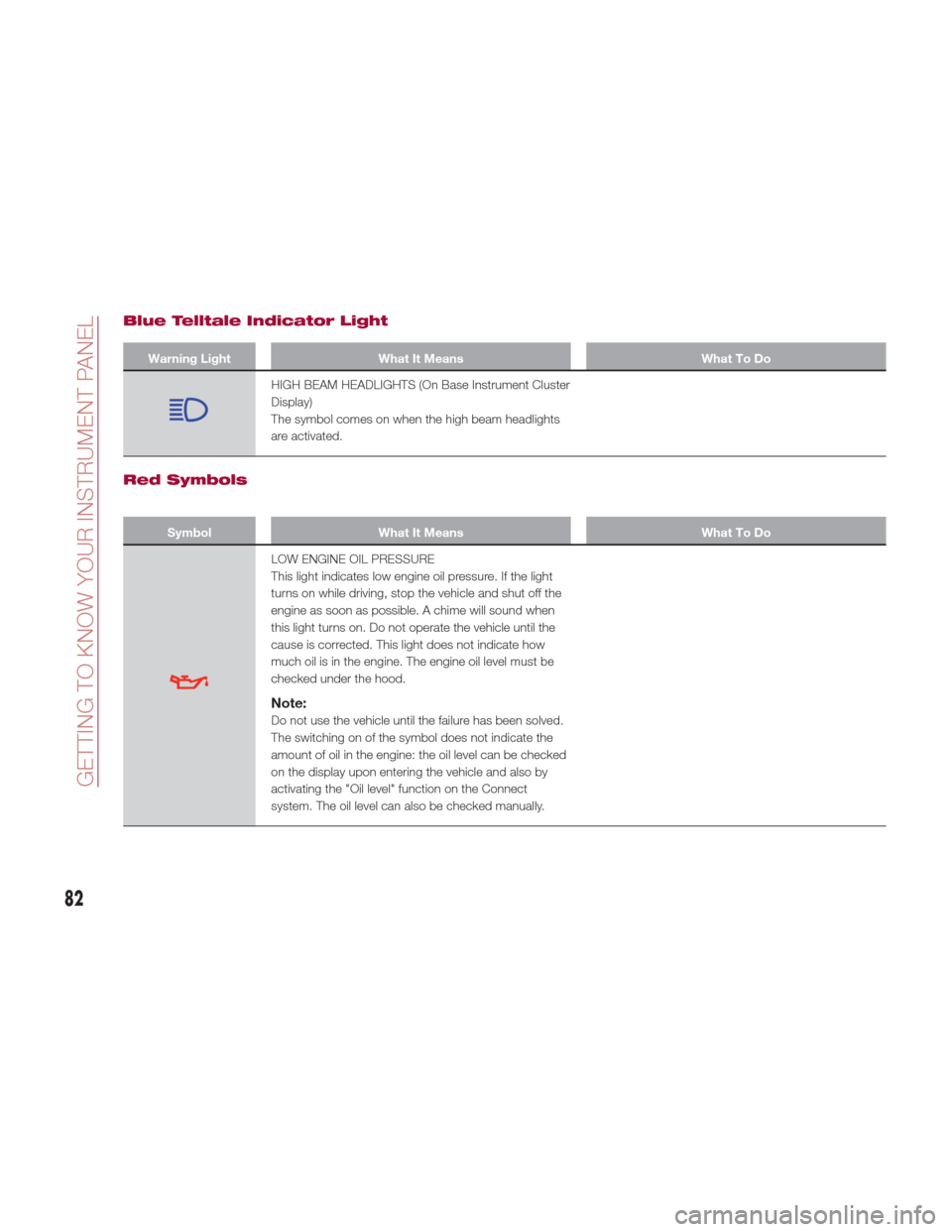
Blue Telltale Indicator Light
Warning LightWhat It Means What To Do
HIGH BEAM HEADLIGHTS (On Base Instrument Cluster
Display)
The symbol comes on when the high beam headlights
are activated.
Red Symbols
SymbolWhat It Means What To Do
LOW ENGINE OIL PRESSURE
This light indicates low engine oil pressure. If the light
turns on while driving, stop the vehicle and shut off the
engine as soon as possible. A chime will sound when
this light turns on. Do not operate the vehicle until the
cause is corrected. This light does not indicate how
much oil is in the engine. The engine oil level must be
checked under the hood.
Note:
Do not use the vehicle until the failure has been solved.
The switching on of the symbol does not indicate the
amount of oil in the engine: the oil level can be checked
on the display upon entering the vehicle and also by
activating the "Oil level" function on the Connect
system. The oil level can also be checked manually.
82
GETTING TO KNOW YOUR INSTRUMENT PANEL
Page 91 of 268
SymbolWhat It Means What To Do
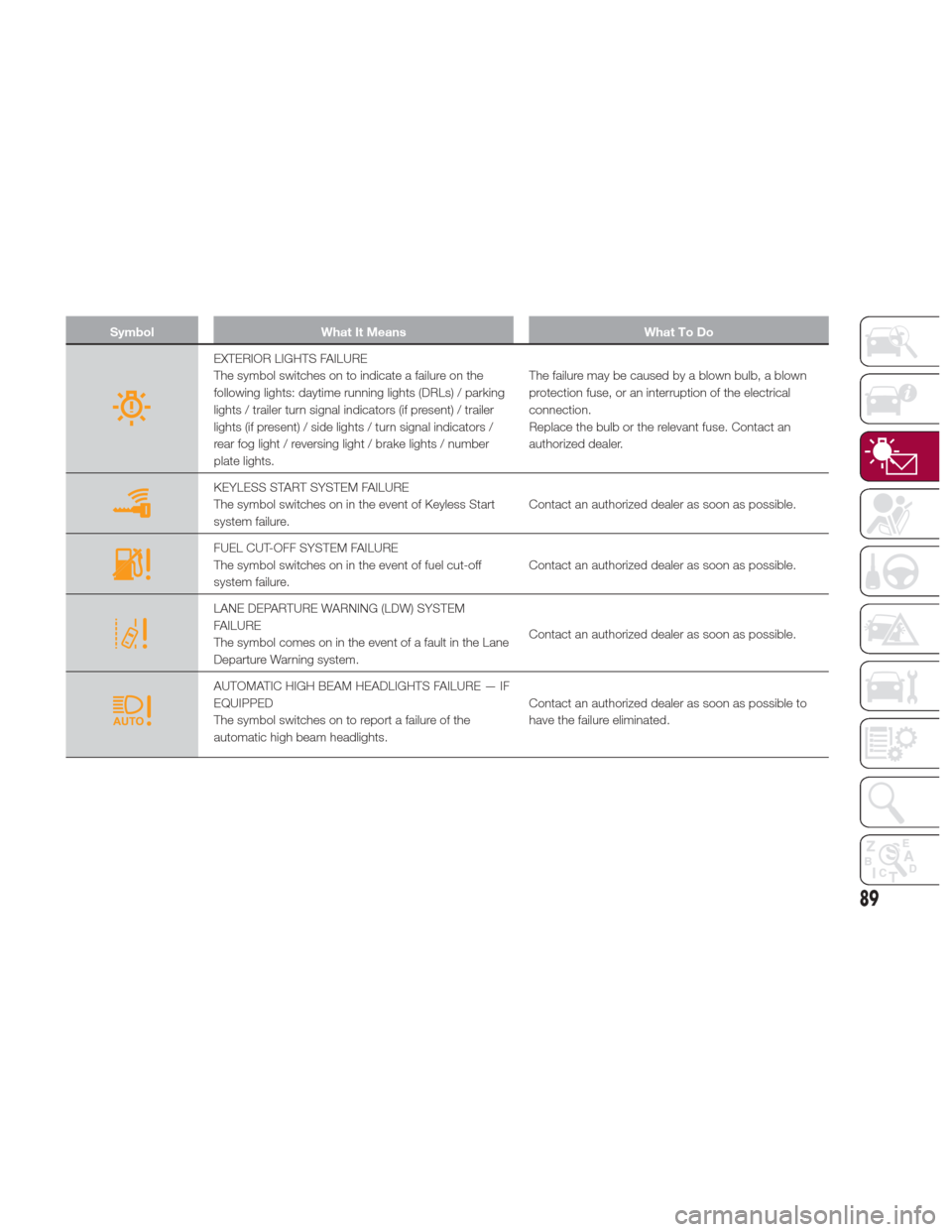
EXTERIOR LIGHTS FAILURE
The symbol switches on to indicate a failure on the
following lights: daytime running lights (DRLs) / parking
lights / trailer turn signal indicators (if present) / trailer
lights (if present) / side lights / turn signal indicators /
rear fog light / reversing light / brake lights / number
plate lights.The failure may be caused by a blown bulb, a blown
protection fuse, or an interruption of the electrical
connection.
Replace the bulb or the relevant fuse. Contact an
authorized dealer.
KEYLESS START SYSTEM FAILURE
The symbol switches on in the event of Keyless Start
system failure.
Contact an authorized dealer as soon as possible.
FUEL CUT-OFF SYSTEM FAILURE
The symbol switches on in the event of fuel cut-off
system failure.Contact an authorized dealer as soon as possible.
LANE DEPARTURE WARNING (LDW) SYSTEM
FAILURE
The symbol comes on in the event of a fault in the Lane
Departure Warning system.Contact an authorized dealer as soon as possible.
AUTOMATIC HIGH BEAM HEADLIGHTS FAILURE — IF
EQUIPPED
The symbol switches on to report a failure of the
automatic high beam headlights.Contact an authorized dealer as soon as possible to
have the failure eliminated.
89
Page 94 of 268
SymbolWhat It Means What To Do
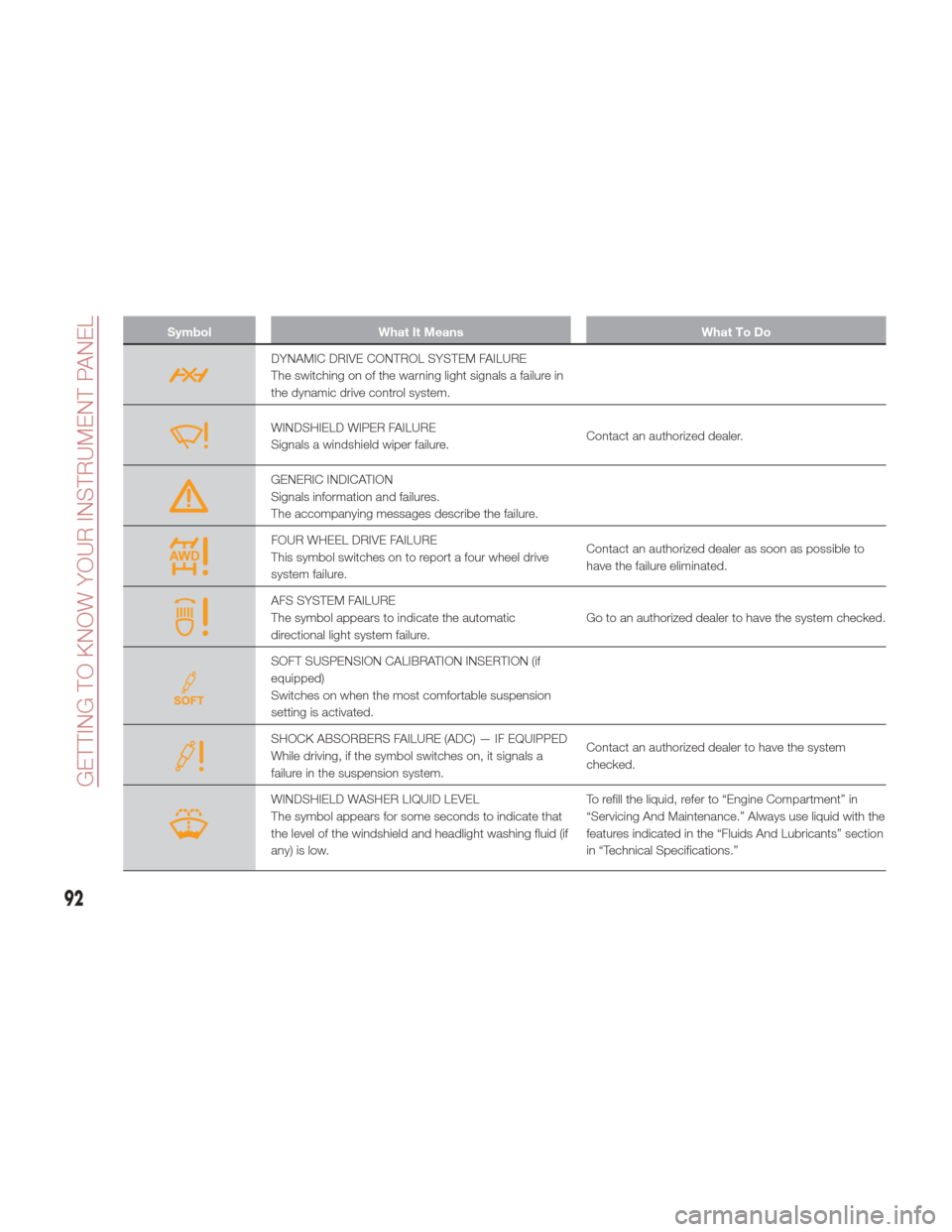
DYNAMIC DRIVE CONTROL SYSTEM FAILURE
The switching on of the warning light signals a failure in
the dynamic drive control system.
WINDSHIELD WIPER FAILURE
Signals a windshield wiper failure.Contact an authorized dealer.
GENERIC INDICATION
Signals information and failures.
The accompanying messages describe the failure.
FOUR WHEEL DRIVE FAILURE
This symbol switches on to report a four wheel drive
system failure.Contact an authorized dealer as soon as possible to
have the failure eliminated.
AFS SYSTEM FAILURE
The symbol appears to indicate the automatic
directional light system failure.
Go to an authorized dealer to have the system checked.
SOFT SUSPENSION CALIBRATION INSERTION (if
equipped)
Switches on when the most comfortable suspension
setting is activated.
SHOCK ABSORBERS FAILURE (ADC) — IF EQUIPPED
While driving, if the symbol switches on, it signals a
failure in the suspension system.Contact an authorized dealer to have the system
checked.
WINDSHIELD WASHER LIQUID LEVEL
The symbol appears for some seconds to indicate that
the level of the windshield and headlight washing fluid (if
any) is low.To refill the liquid, refer to “Engine Compartment” in
“Servicing And Maintenance.” Always use liquid with the
features indicated in the “Fluids And Lubricants” section
in “Technical Specifications.”
92
GETTING TO KNOW YOUR INSTRUMENT PANEL
Page 95 of 268
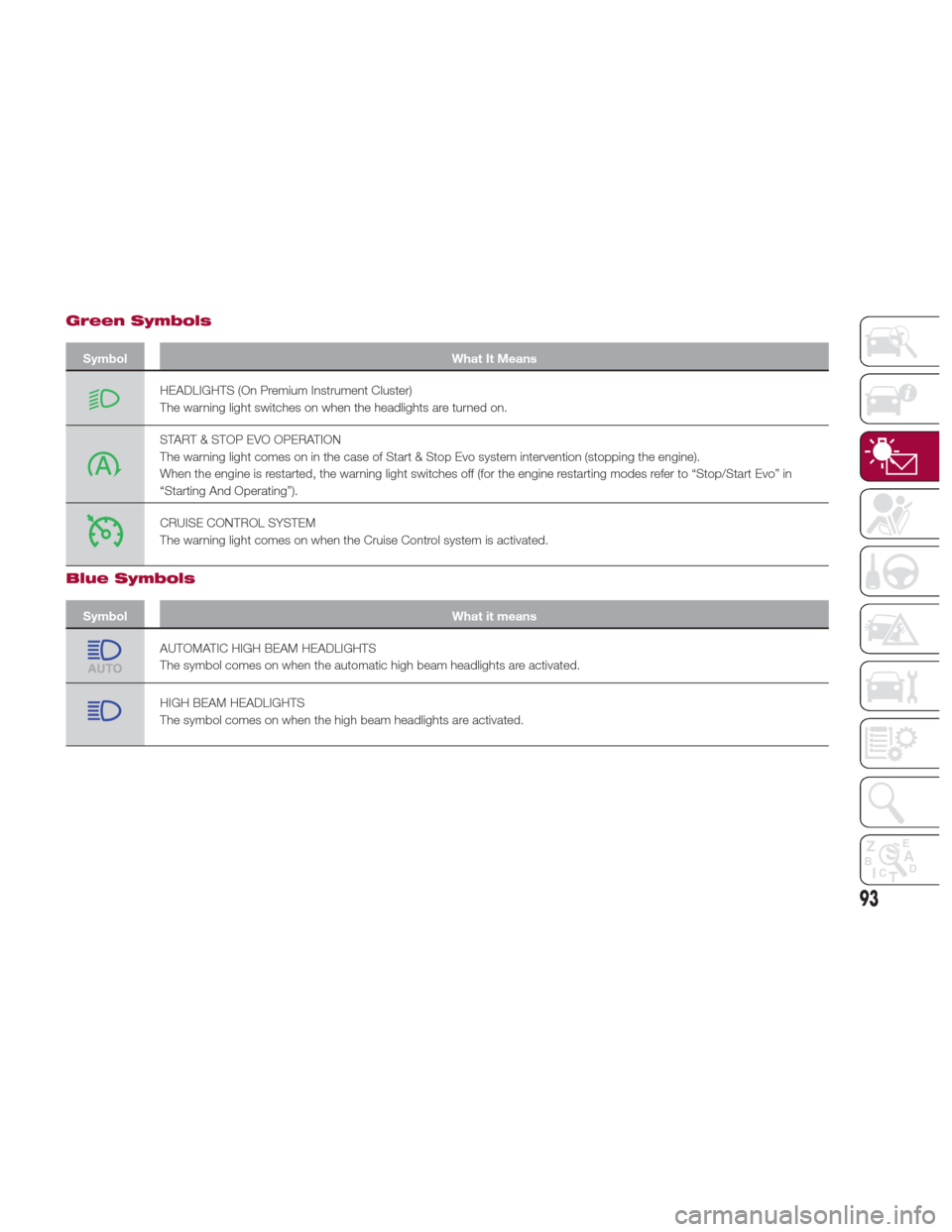
Green Symbols
SymbolWhat It Means
HEADLIGHTS (On Premium Instrument Cluster)
The warning light switches on when the headlights are turned on.
START & STOP EVO OPERATION
The warning light comes on in the case of Start & Stop Evo system intervention (stopping the engine).
When the engine is restarted, the warning light switches off (for the engine restarting modes refer to “Stop/Start Evo” in
“Starting And Operating”).
CRUISE CONTROL SYSTEM
The warning light comes on when the Cruise Control system is activated.
Blue Symbols
Symbol What it means
AUTOMATIC HIGH BEAM HEADLIGHTS
The symbol comes on when the automatic high beam headlights are activated.
HIGH BEAM HEADLIGHTS
The symbol comes on when the high beam headlights are activated.
93
Page 165 of 268

PARKSENSE
SYSTEM — IF
EQUIPPED
Vehicles With Rear
Sensors Only
The parking sensors, located in the rear
bumper, detect obstacles while the
vehicle is in REVERSE. When an
obstacle is detected, an acoustic alert
will sound and, if equipped, visual
indications will be displayed on the
instrument cluster.
Engagement/Disengagement
To turn the system off, push the
ParkSense switch located to the left of
the headlight switch. The indicator light
within the switch will light up when the
system is turned off. Pushing the switch
a second time will turn the system back
on, and the indicator light will turn off.The indicator light within the ParkSense
switch will also be on in case of system
failure. If the switch is pushed with a
system failure, the indicator light will
flash for approximately five seconds.
The light will then stay on constantly.
System Activation/Deactivation
The system, when engaged, is
automatically activated by engaging the
REVERSE gear. It is deactivated by
engaging another gear.
Acoustic Signal
When REVERSE is engaged and there
is an obstacle behind the vehicle, an
acoustic signal with variable frequency
will sound.
The acoustic signal increases in
frequency as the distance between the
vehicle and the obstacle decreases.
The acoustic signal becomes
continuous when the distance between the vehicle and the obstacle is less than
11 inches (30 cm), and stops if the
distance increases.
The acoustic signal is constant if the
distance between the vehicle and the
obstacle is unchanged.
Note: If several obstacles are detected
by the sensors, only the nearest one is
considered.
Indication On Display
The driver can select the type of
warning they would like to be displayed
through the Connect system. To access
the function on the main menu, select in
the following order:
1. “Settings”
2. “Driver Assistance”
3. “ParkSense”
4. “Mode”
5. “Sound-Display”
Visual Indications
The system indicates the presence of
an obstacle by displaying a single arc in
the detected area, in relation to the
distance of the object and the position
of the vehicle.
If the obstacle is detected in the rear
central area, a single arc will be
displayed as the obstacle approaches,
first constant, then flashing, in addition
to an acoustic signal.
GUID-07176S0001EMRear Sensor Location
07176S0052EMParkSense System On/Off Switch
163
Page 167 of 268

Caution!
The Parking Sensor system is only a
parking aid and it is unable to recognize
every obstacle, including small obstacles.
Parking curbs might be temporarily
detected or not detected at all. Obstacles
located above or below the sensors will not
be detected when they are in close
proximity
The vehicle must be driven slowly when
using the Parking Sensor system in order
to be able to stop in time when an obstacle
is detected. It is recommended that the
driver looks over his/her shoulder when
using the Parking Sensor system.
Vehicles With Front And
Rear Sensors
The parking sensors, located in the
front and rear bumpers, detect the
presence of any obstacles and warn
the driver through an acoustic signal
and, if equipped, visual indications will
be displayed on the instrument cluster.
Engagement/Disengagement
To turn the system off, push the
ParkSense switch located to the left of
the headlight switch. The indicator light
within the switch will light up when the
system is turned off. Pushing the switch
a second time will turn the system back
on, and the indicator light will turn off.The indicator light within the ParkSense
switch will also be on in case of system
failure. If the switch is pushed with a
system failure, the indicator light will
flash for approximately five seconds.
The light will then stay on constantly.
System Activation/Deactivation
When the REVERSE gear is engaged
and the system is on, the front and rear
sensors are activated. If the vehicle
moves from REVERSE to a forward
gear, the rear sensors are deactivated,
while the front sensors remain active
until the speed of 9 mph (15 km/h) is
exceeded.
Acoustic Signal
In the presence of an obstacle at the
front or the rear of the vehicle, an
acoustic signal with variable frequency
will sound:The acoustic signal increases in
frequency as the distance between the
vehicle and the obstacle decreases.
The acoustic signal becomes
continuous when the distance between
the vehicle and the obstacle is less than
11 in (30 cm), and stops if the distance
increases.
The acoustic signal is constant if the
distance between the vehicle and the
obstacle is unchanged.
GUID-07176S0003EMFront Sensor Location
GUID-07176S0001EMRear Sensor Location
165
Page 177 of 268
TRAILER TOWING
Trailer Towing — If
Equipped
Trailer towing is not recommended for
this vehicle.
SUGGESTIONS FOR
DRIVING
Saving Fuel
Below are some suggestions which
may help you save fuel and lower the
amount of harmful emissions released
into the atmosphere.
Vehicle maintenance
Checks and operations should be
carried out in accordance with the
"Scheduled Servicing" (see chapter
"Servicing And Maintenance").
Tires
Check the tire pressures at least once
every four weeks: if the pressure is too
low, consumption levels increase as
resistance to rolling is higher.
Unnecessary loads
Do not travel with an overloaded trunk.
The weight of the vehicle and its
arrangement greatly affect fuel
consumption and stability.
Electric devices
Use electrical systems only for the
amount of time needed. The rear
window defroster, additional headlights,
windshield wipers and heater blower
fan require a considerable amount of
energy; increasing the current uptake
increases fuel consumption (by up to
+25% when city driving).Climate control system
Using the climate control system will
increase consumption: use standard
ventilation when the temperature
outside permits.
Devices for aerodynamic control
The use of non-certified devices for
aerodynamic control may adversely
affect air drag and consumption levels.
Driving Style
Starting
Do not warm up the engine at low or
high revs when the vehicle is stationary;
this causes the engine to warm up
more slowly, thereby increasing fuel
consumption and emissions. It is
therefore advisable to drive off
immediately, slowly, avoiding high
speeds: by doing this the engine will
warm up more quickly.
Unnecessary Actions
Avoid revving up when starting at traffic
lights or before stopping the engine.
This action is unnecessary and causes
increased fuel consumption and
pollution.
Gear Selection
Use a high gear when traffic and road
conditions allow it. Using a low gear for
faster acceleration will increase fuel
consumption. Improper use of a high
gear increases consumption, emissions
and engine wear.
175
Page 182 of 268
HAZARD WARNING
LIGHTS
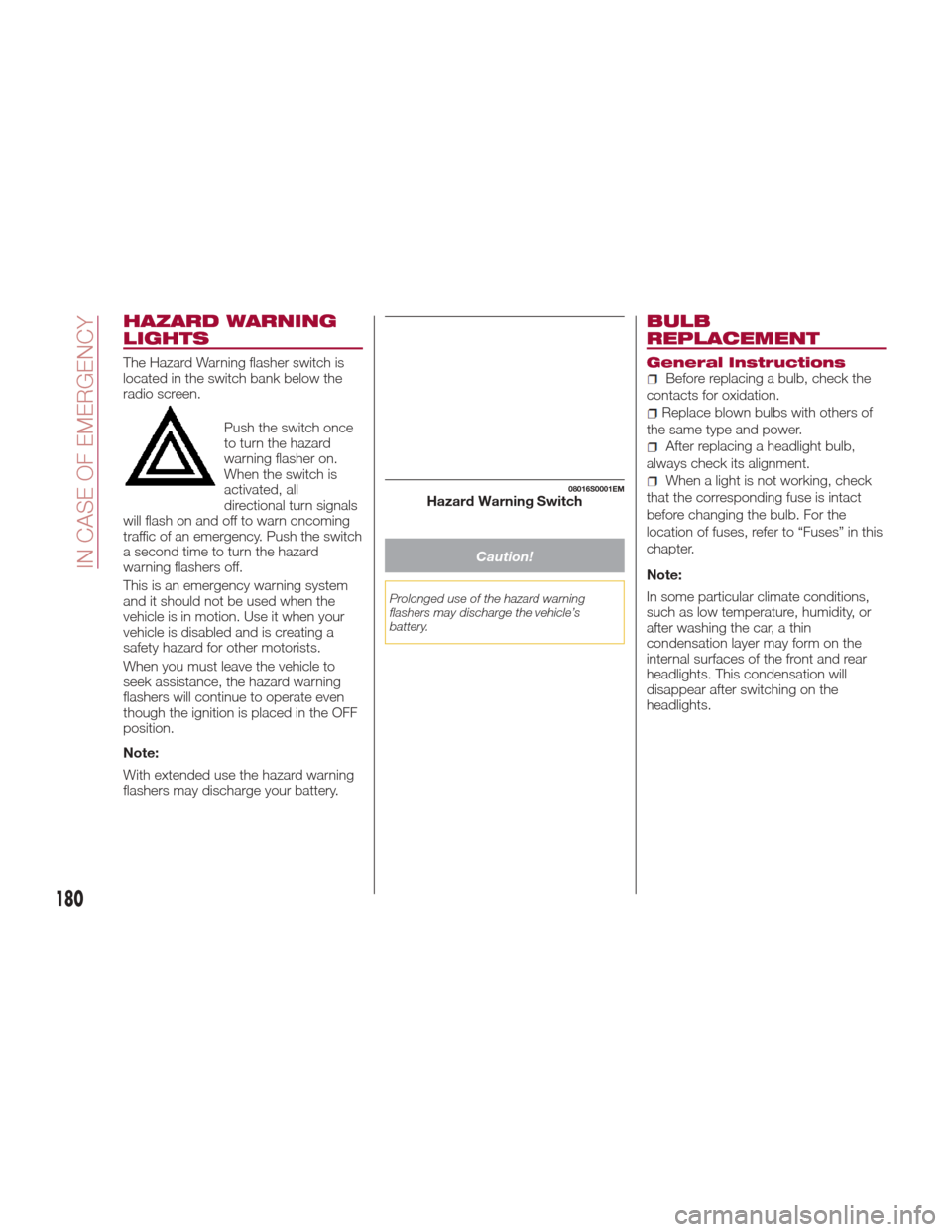
The Hazard Warning flasher switch is
located in the switch bank below the
radio screen.Push the switch once
to turn the hazard
warning flasher on.
When the switch is
activated, all
directional turn signals
will flash on and off to warn oncoming
traffic of an emergency. Push the switch
a second time to turn the hazard
warning flashers off.
This is an emergency warning system
and it should not be used when the
vehicle is in motion. Use it when your
vehicle is disabled and is creating a
safety hazard for other motorists.
When you must leave the vehicle to
seek assistance, the hazard warning
flashers will continue to operate even
though the ignition is placed in the OFF
position.
Note:
With extended use the hazard warning
flashers may discharge your battery.
Caution!
Prolonged use of the hazard warning
flashers may discharge the vehicle’s
battery.
BULB
REPLACEMENT
General InstructionsBefore replacing a bulb, check the
contacts for oxidation.
Replace blown bulbs with others of
the same type and power.
After replacing a headlight bulb,
always check its alignment.
When a light is not working, check
that the corresponding fuse is intact
before changing the bulb. For the
location of fuses, refer to “Fuses” in this
chapter.
Note:
In some particular climate conditions,
such as low temperature, humidity, or
after washing the car, a thin
condensation layer may form on the
internal surfaces of the front and rear
headlights. This condensation will
disappear after switching on the
headlights.08016S0001EMHazard Warning Switch
180
IN CASE OF EMERGENCY
Page 184 of 268
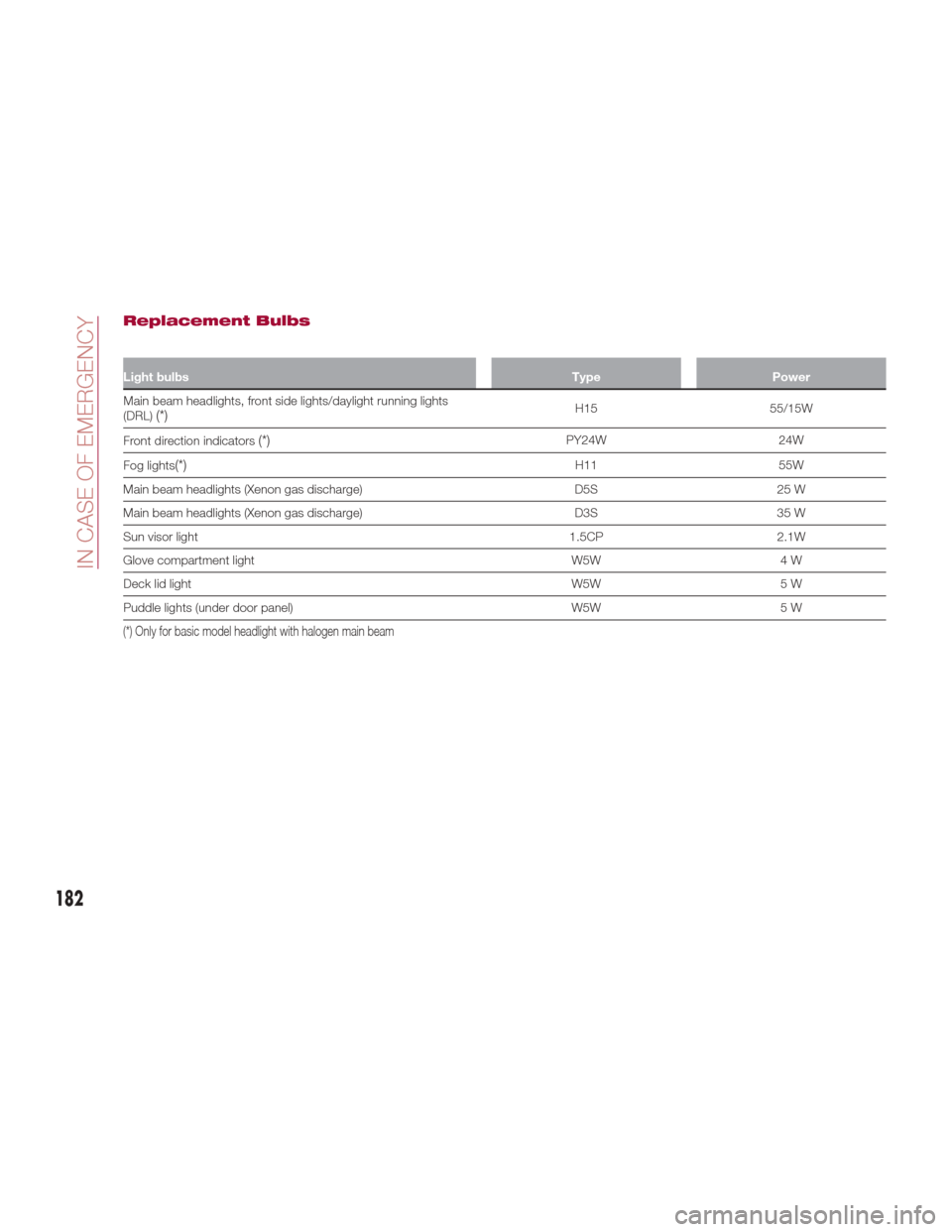
Replacement Bulbs
Light bulbsTypePower
Main beam headlights, front side lights/daylight running lights
(DRL)
(*)H15 55/15W
Front direction indicators
(*)PY24W 24W
Fog lights
(*)H11 55W
Main beam headlights (Xenon gas discharge) D5S25 W
Main beam headlights (Xenon gas discharge) D3S35 W
Sun visor light 1.5CP2.1W
Glove compartment light W5W4 W
Deck lid light W5W5 W
Puddle lights (under door panel) W5W5 W
(*) Only for basic model headlight with halogen main beam
182
IN CASE OF EMERGENCY
Page 185 of 268
Replacing Exterior
Bulbs
Note:Only replace the bulb when the
engine is off. Also ensure that the
engine is cold, to prevent the risk of
burns.
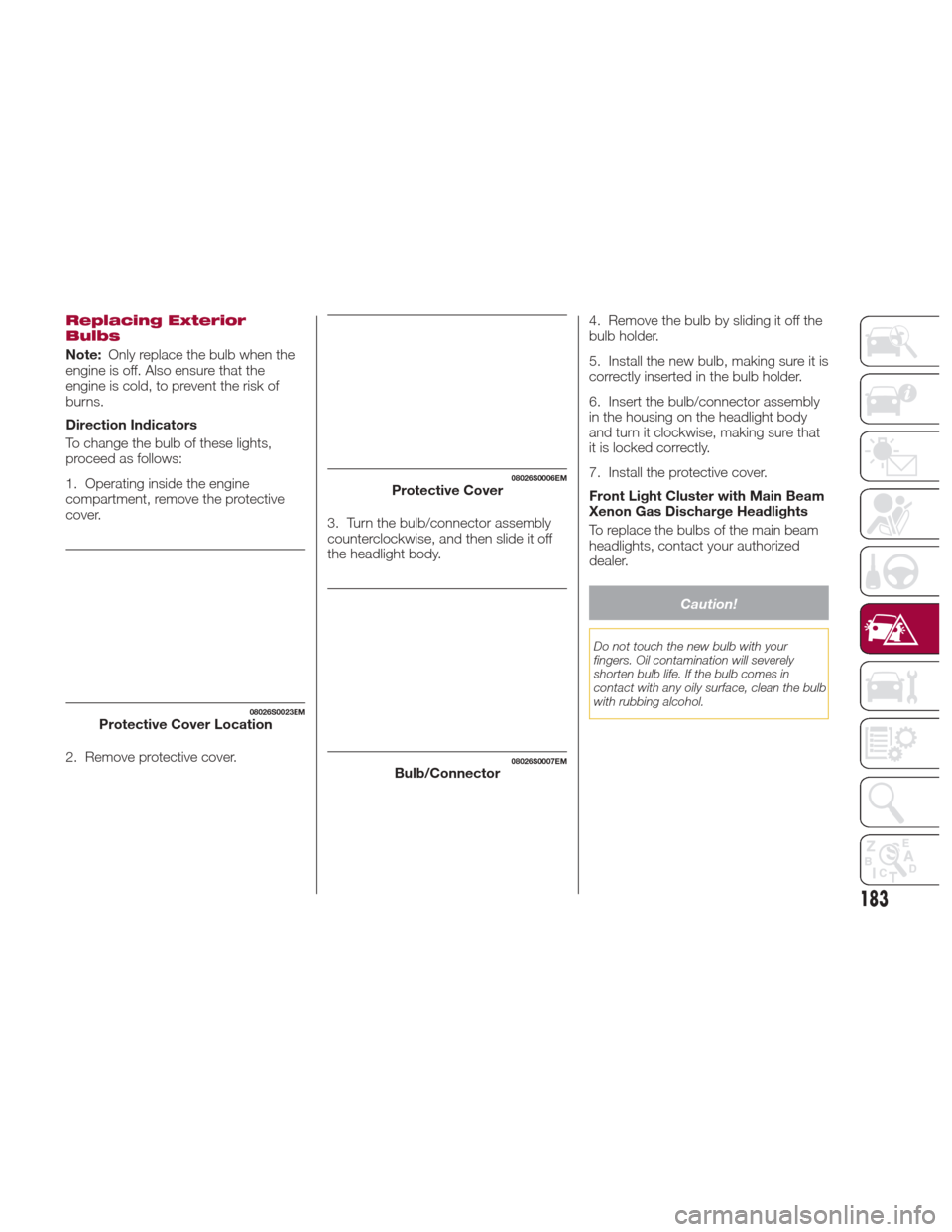
Direction Indicators
To change the bulb of these lights,
proceed as follows:
1. Operating inside the engine
compartment, remove the protective
cover.
2. Remove protective cover. 3. Turn the bulb/connector assembly
counterclockwise, and then slide it off
the headlight body.
4. Remove the bulb by sliding it off the
bulb holder.
5. Install the new bulb, making sure it is
correctly inserted in the bulb holder.
6. Insert the bulb/connector assembly
in the housing on the headlight body
and turn it clockwise, making sure that
it is locked correctly.
7. Install the protective cover.
Front Light Cluster with Main Beam
Xenon Gas Discharge Headlights
To replace the bulbs of the main beam
headlights, contact your authorized
dealer.
Caution!
Do not touch the new bulb with your
fingers. Oil contamination will severely
shorten bulb life. If the bulb comes in
contact with any oily surface, clean the bulb
with rubbing alcohol.
08026S0023EMProtective Cover Location
08026S0006EMProtective Cover
08026S0007EMBulb/Connector
183