lights Alfa Romeo Giulia 2017 Owner's Manual
[x] Cancel search | Manufacturer: ALFA ROMEO, Model Year: 2017, Model line: Giulia, Model: Alfa Romeo Giulia 2017Pages: 268, PDF Size: 18.64 MB
Page 12 of 268
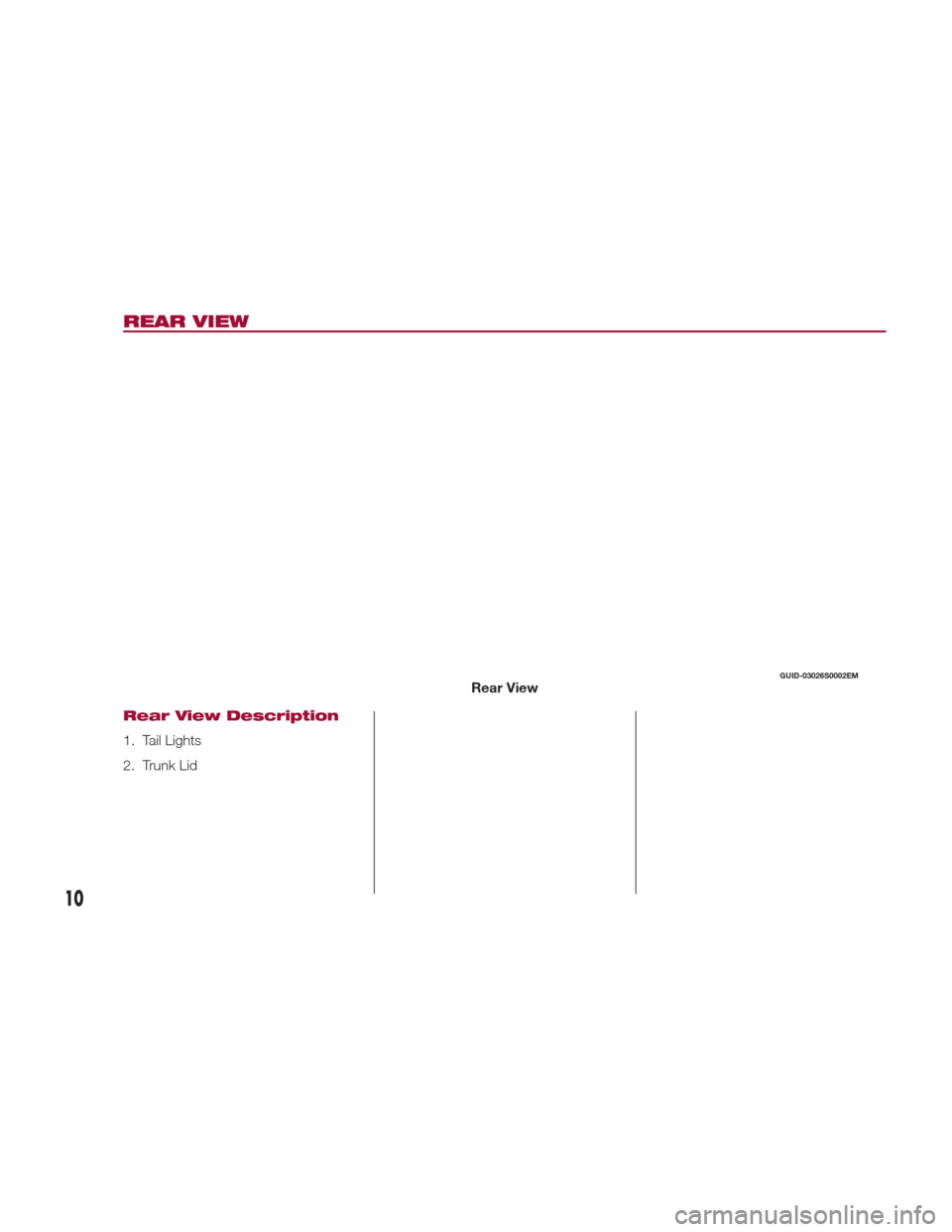
REAR VIEW
Rear View Description
1. Tail Lights
2. Trunk Lid
GUID-03026S0002EMRear View
10
Page 14 of 268
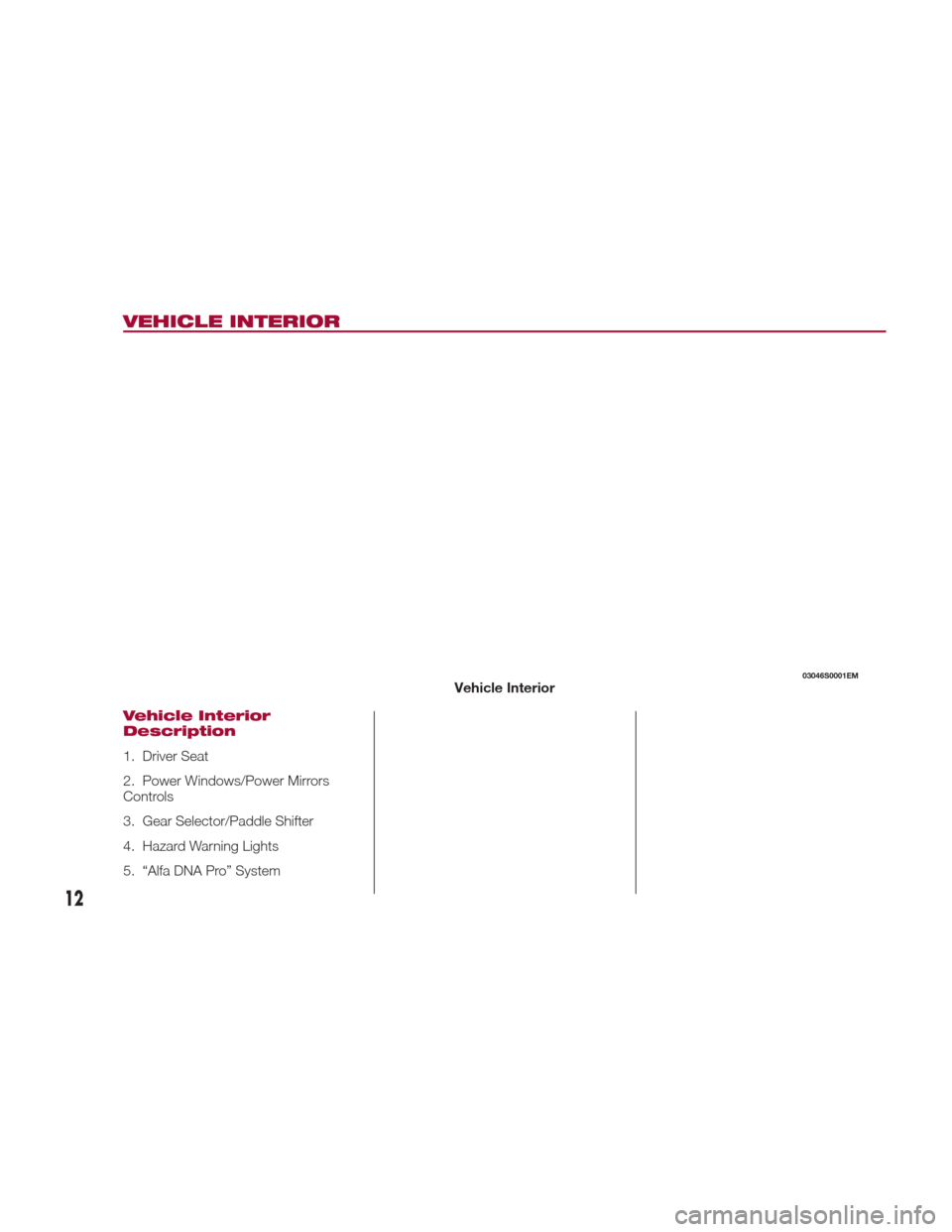
VEHICLE INTERIOR
Vehicle Interior
Description
1. Driver Seat
2. Power Windows/Power Mirrors
Controls
3. Gear Selector/Paddle Shifter
4. Hazard Warning Lights
5. “Alfa DNA Pro” System
03046S0001EMVehicle Interior
12
Page 15 of 268
GETTING TO KNOW YOUR VEHICLE
In this section, you will find important
information to help you become familiar
with the features needed to operate
your vehicle, and how they function.KEYS....................14
IGNITION SYSTEM ...........17
ENGINE IMMOBILIZER ........18
SECURITY ALARM SYSTEM —
IF EQUIPPED ...............19
DOORS ...................21
SEATS ...................26
HEAD RESTRAINTS ...........29
STEERING WHEEL ............31
REAR VIEW MIRRORS .........33
EXTERIOR LIGHTS ...........34
INTERIOR LIGHTS ............37 WINDSHIELD WIPERS
.........40
CLIMATE CONTROL ..........42
POWER WINDOWS ...........49
POWER SUNROOF —
IF EQUIPPED ...............50
HOOD ...................52
TRUNK ..................53
INTERNAL EQUIPMENT ........55
ENVIRONMENTAL PROTECTION
SYSTEMS .................60
ACTIVE AERODYNAMICS .......60
13
Page 16 of 268
KEYS
Key Fob
Your vehicle uses a keyless ignition
system. This system includes a key fob
and a keyless push button ignition.
The key fob with Remote Control
contains a Remote Keyless Entry key
fob. The Remote Keyless Entry system
allows you to lock or unlock the doors
and trunk or activate the Panic Alarm
from distances. The key fob does not
need to be pointed at the vehicle to
activate the system.
PANIC Function
To activate the PANIC function, push
and hold the PANIC button for at least
one second. When the panic alarm is
active, the headlights turn on, the turn
signals flash, the horn honks
intermittently, and all internal adjustablelights turn on. The panic alarm will
remain active for three minutes, and
can be deactivated:By pushing the PANIC button again.
Automatically if the vehicle speed
exceeds 5 mph (8 km/h).
In both cases, the panic alarm is
immediately deactivated.
Warning!
Before exiting a vehicle, always shift the
automatic transmission into PARK, apply
the parking brake, turn the engine OFF,
remove the key fob from the vehicle and
lock your vehicle.
Never leave children alone in a vehicle,
or with access to an unlocked vehicle.
Allowing children to be in a vehicle
unattended is dangerous for a number of
reasons. A child or others could be
seriously or fatally injured. Children should
be warned not to touch the parking brake,
brake pedal or the gear selector.
Do not leave the key fob in or near the
vehicle, or in a location accessible to
children. A child could operate power
windows, other controls, or move the
vehicle.
Do not leave children or animals inside
parked vehicles in hot weather. Interior heat
build-up may cause serious injury or death.
Operation
Door And Trunk Lid Unlock
Briefly pushing the unlock button on the
key fob will unlock the doors and trunk
lid, turn on the interior lights, and flash
the turn signals once (if activated from
the Connect system).
Push and release the unlock button on
the key fob once to unlock the driver
side front door or twice within one
second to unlock all doors and the
trunk lid.
The current unlock setting can be
changed through the Connect system
menu, so that the system unlocks:
All doors unlock on the first push of
the key fob unlock button.
Unlock the driver door on the first
push of the key fob unlock button.
Flashing of the turn signals upon
locking/unlocking the doors and
activation of the courtesy light upon
unlocking the doors can be activated or
deactivated through the Connect
system. For further information, refer to
the “Connect Owner’s Manual
Supplement.”
The doors can also be unlocked by
using the emergency key, located inside
the key fob.
Door And Trunk Lid Lock
Briefly pushing the lock button on the
key fob will lock the doors and trunk lid,
switch off the internal lights, and flash
04016S0001EMKey Fob
14
GETTING TO KNOW YOUR VEHICLE
Page 17 of 268
the turn signals (if activated in the
Connect System).
If one or more doors are open, these
doors will also lock, and this is
indicated by a rapid flashing of the turn
signals. The doors prepare for locking,
which becomes active from the
moment they are closed. The doors will
unlock again only if the key fob is
detected inside the passenger
compartment.
The doors can be locked by using the
emergency key in the driver’s side door
lock.
Automatic Window Opening/
Closing Function
Pushing and holding the unlock button
on the key fob will allow all windows to
open to a desired position. Release the
unlock button on the key fob anytime
during this operation, and the windows
will stop automatically.
Pushing and holding the lock button on
the key fob will allow all windows to
close to a desired position. Release the
lock button on the key fob anytime
during this operation, and the windows
will stop automatically.
Trunk Lid Opening
Rapidly push the trunk lid key fob
button twice to open the trunk lid. The
turn signals will flash to indicate that the
trunk lid has been opened.Remote Start — If Equipped
The remote start button on the key fob
enables engine starting (push the
button twice to start the engine).
Car Finder
Push the lock or unlock button to
remotely and temporarily switch on turn
signals and headlights.
This is useful for finding the vehicle
easily in a crowded area like a parking
garage, for example.
Pushing the lock or unlock button again
will restart the lights switch on timer (if
the parking lights functions was already
active, it will remain active).
This function is available only if the
doors are closed.
Replacing The
Electronic Key Fob
Battery
To replace the battery, proceed as
follows:
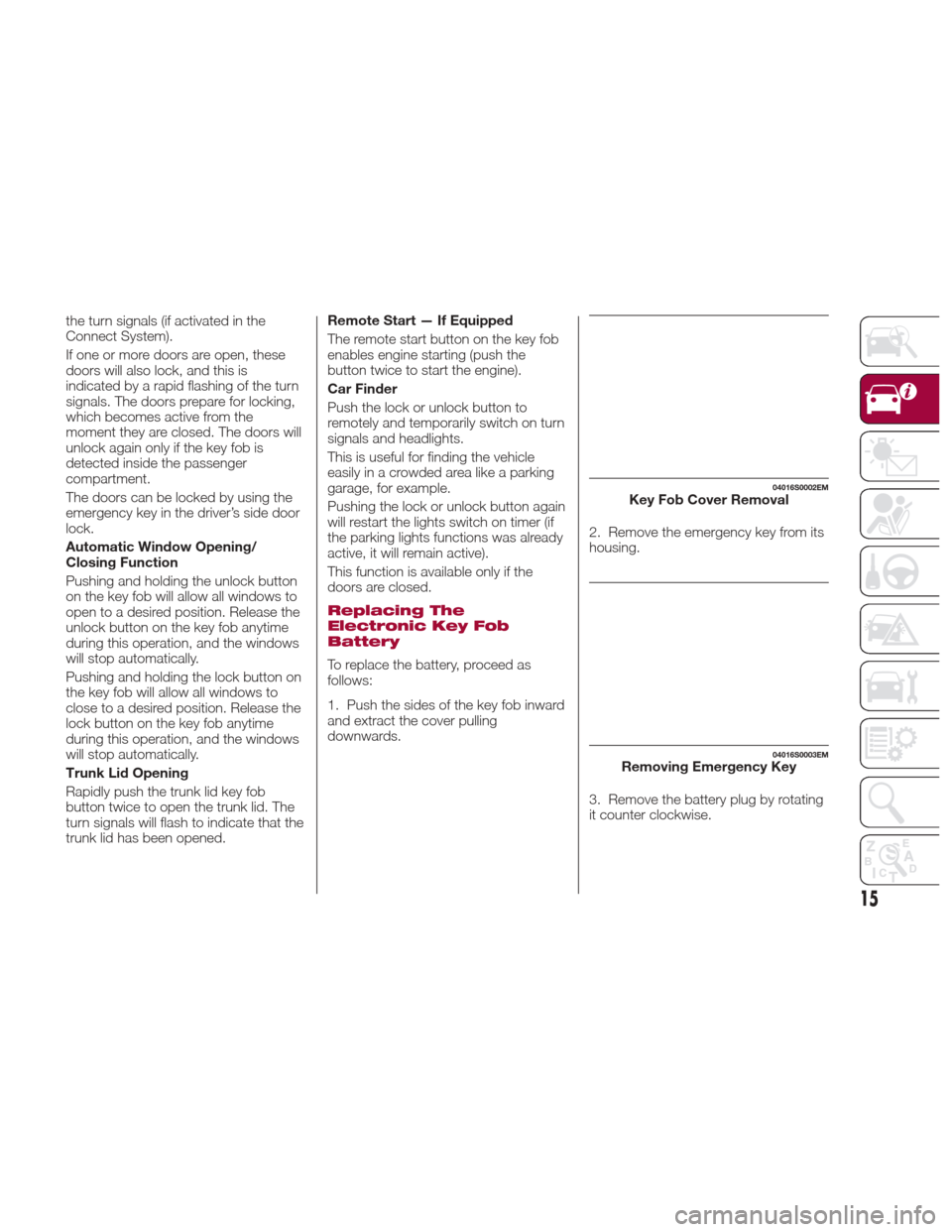
1. Push the sides of the key fob inward
and extract the cover pulling
downwards.
2. Remove the emergency key from its
housing.
3. Remove the battery plug by rotating
it counter clockwise.
04016S0002EMKey Fob Cover Removal
04016S0003EMRemoving Emergency Key
15
Page 20 of 268
Starting With A
Discharged Key Fob
Battery
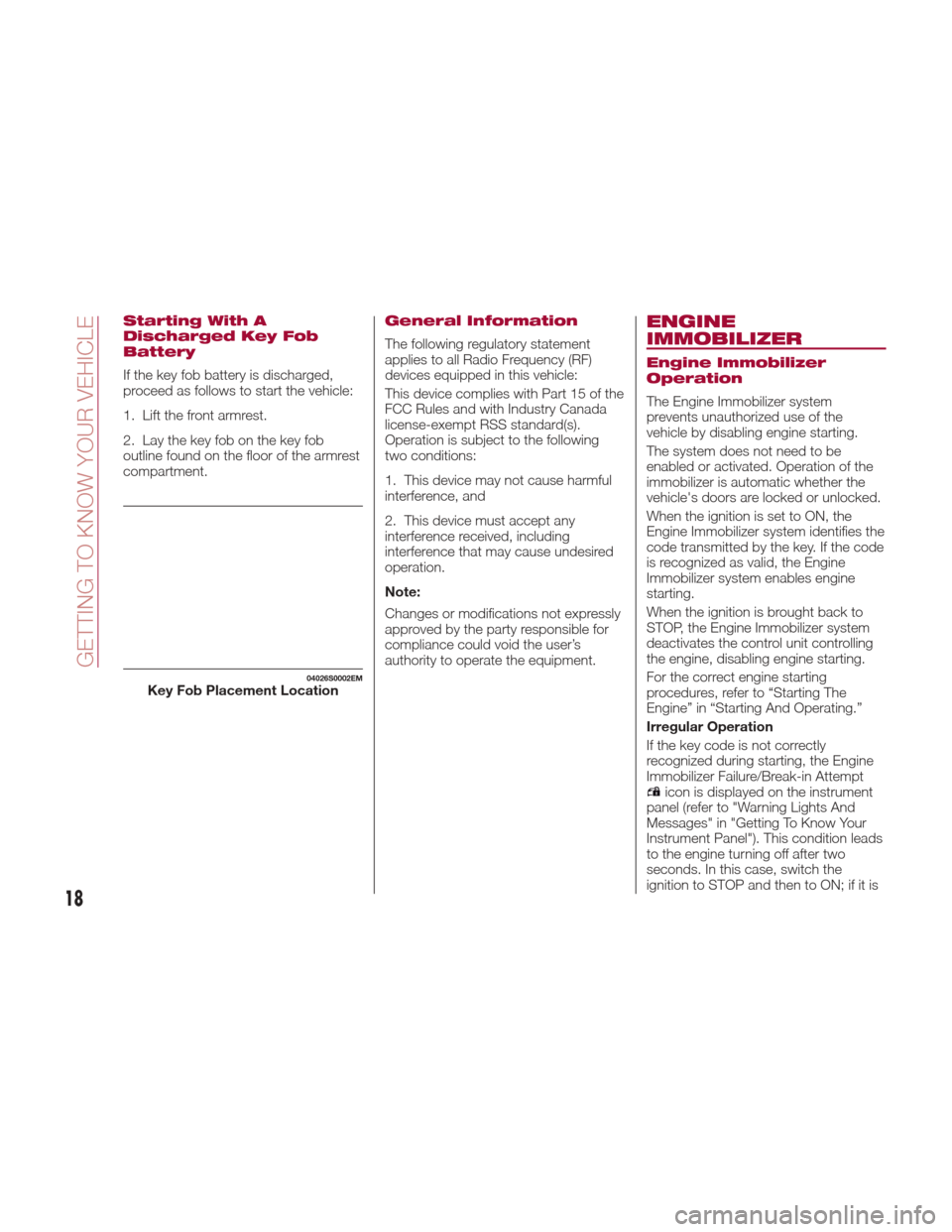
If the key fob battery is discharged,
proceed as follows to start the vehicle:
1. Lift the front armrest.
2. Lay the key fob on the key fob
outline found on the floor of the armrest
compartment.
General Information
The following regulatory statement
applies to all Radio Frequency (RF)
devices equipped in this vehicle:
This device complies with Part 15 of the
FCC Rules and with Industry Canada
license-exempt RSS standard(s).
Operation is subject to the following
two conditions:
1. This device may not cause harmful
interference, and
2. This device must accept any
interference received, including
interference that may cause undesired
operation.
Note:
Changes or modifications not expressly
approved by the party responsible for
compliance could void the user’s
authority to operate the equipment.
ENGINE
IMMOBILIZER
Engine Immobilizer
Operation
The Engine Immobilizer system
prevents unauthorized use of the
vehicle by disabling engine starting.
The system does not need to be
enabled or activated. Operation of the
immobilizer is automatic whether the
vehicle's doors are locked or unlocked.
When the ignition is set to ON, the
Engine Immobilizer system identifies the
code transmitted by the key. If the code
is recognized as valid, the Engine
Immobilizer system enables engine
starting.
When the ignition is brought back to
STOP, the Engine Immobilizer system
deactivates the control unit controlling
the engine, disabling engine starting.
For the correct engine starting
procedures, refer to “Starting The
Engine” in “Starting And Operating.”
Irregular Operation
If the key code is not correctly
recognized during starting, the Engine
Immobilizer Failure/Break-in Attempt
icon is displayed on the instrument
panel (refer to "Warning Lights And
Messages" in "Getting To Know Your
Instrument Panel"). This condition leads
to the engine turning off after two
seconds. In this case, switch the
ignition to STOP and then to ON; if it is
04026S0002EMKey Fob Placement Location
18
GETTING TO KNOW YOUR VEHICLE
Page 21 of 268
still blocked, try with the other keys
provided. If it is still not possible to start
the engine, contact an authorized
dealer.
If the Engine Immobilizer
Failure/Break-in Attempt
icon is
displayed while driving, this means that
the system is running a self-diagnosis
(e.g. due to a voltage drop). If the
display persists, contact an authorized
dealer.
Important Notes
Do not tamper with the Engine
Immobilizer system. Any modifications
or alterations could cause the
protection function to be deactivated.
The Engine Immobilizer system is not
compatible with certain aftermarket
remote starting systems. The use of
these devices could cause problems
when starting, as well as the
deactivation of the protection function.
All keys provided with the vehicle
have been programmed in accordance
with the electronics on the vehicle itself.
Each key has its own code which
must be stored by the system's control
unit. Contact an authorized dealer to
have new keys (up to eight) stored with
a code.
SECURITY ALARM
SYSTEM — IF
EQUIPPED
Alarm Activation
While armed, the alarm will sound in the
following scenarios:
Opening of doors/hood/deck lid
(perimeter protection)
Operation of ignition with a key which
is not validated
Cutting of the battery cables
Movement inside the passenger
compartment (volumetric protection —
if equipped)
Unexpected lifting/tilting of the car
(anti-lift protection — if equipped)
Activation of the alarm triggers the
acoustic warning and the turn signals.
Note: The alarm system is activated by
the Engine Immobilizer system, which is
automatically activated when you get
out of the vehicle with the key fob and
lock the doors.
To Arm The Alarm
With the doors, hood, and trunk lid
closed and the keyless ignition system
placed in the STOP position, push and
release the lock button on the key fob.
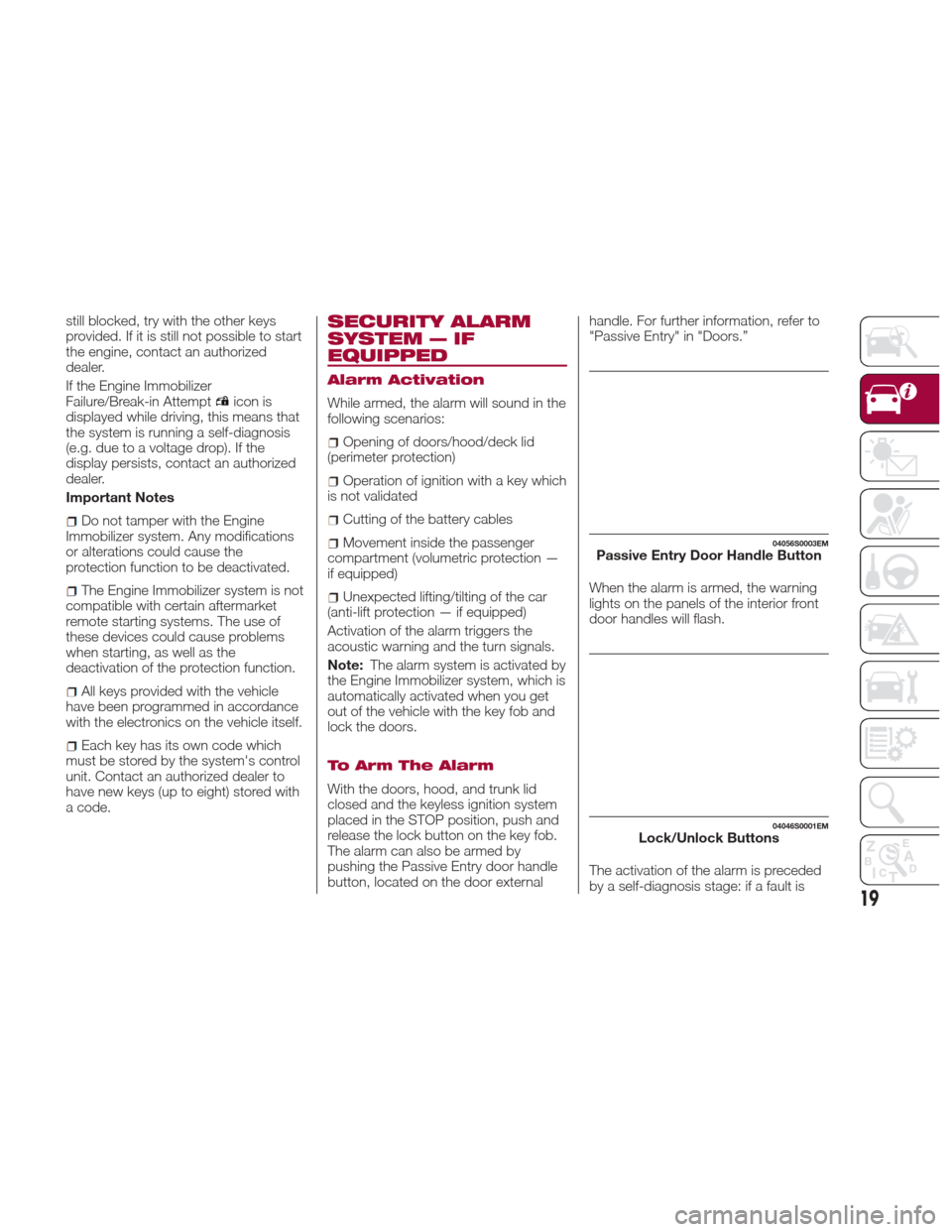
The alarm can also be armed by
pushing the Passive Entry door handle
button, located on the door external handle. For further information, refer to
"Passive Entry" in "Doors.”
When the alarm is armed, the warning
lights on the panels of the interior front
door handles will flash.
The activation of the alarm is preceded
by a self-diagnosis stage: if a fault is
04056S0003EMPassive Entry Door Handle Button
04046S0001EMLock/Unlock Buttons
19
Page 26 of 268
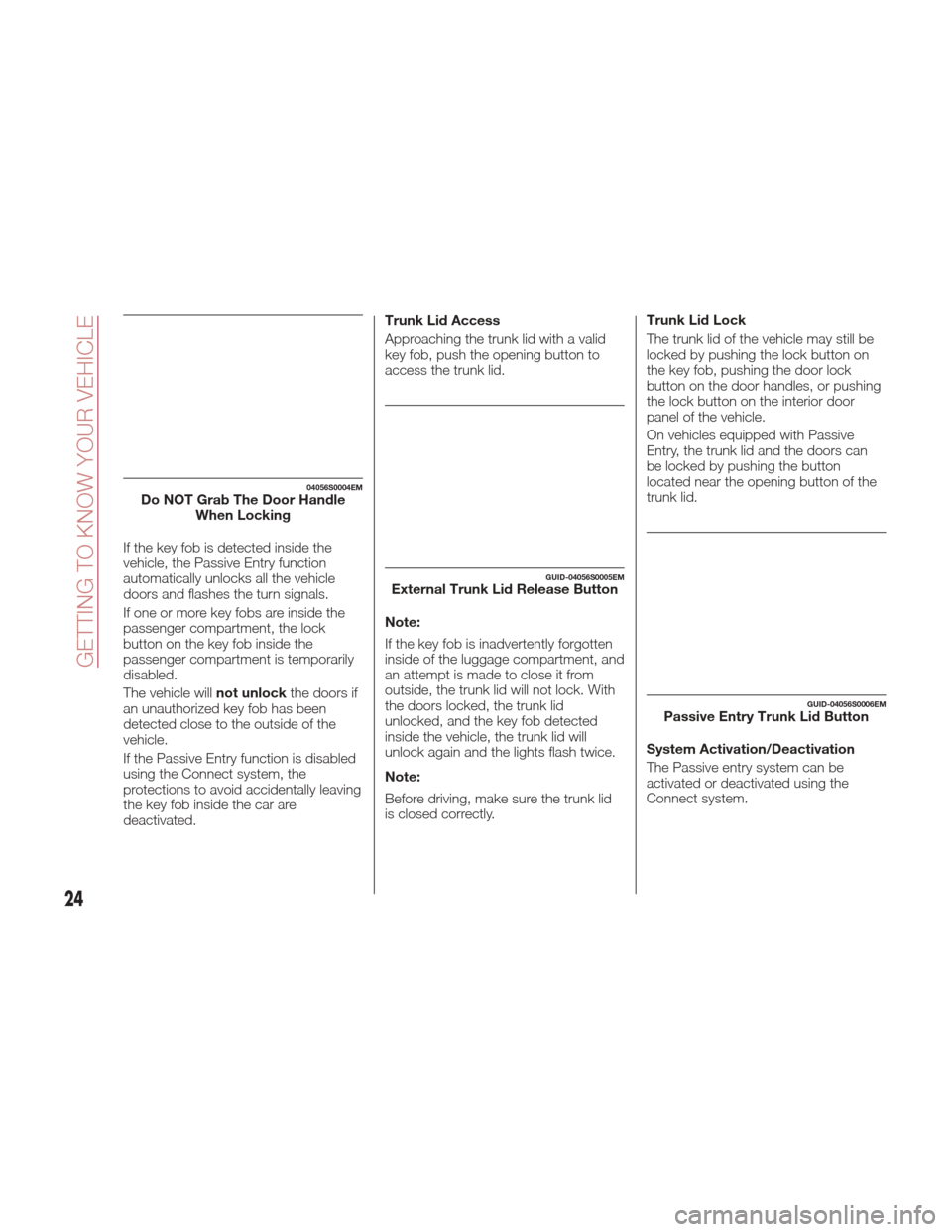
If the key fob is detected inside the
vehicle, the Passive Entry function
automatically unlocks all the vehicle
doors and flashes the turn signals.
If one or more key fobs are inside the
passenger compartment, the lock
button on the key fob inside the
passenger compartment is temporarily
disabled.
The vehicle willnot unlockthe doors if
an unauthorized key fob has been
detected close to the outside of the
vehicle.
If the Passive Entry function is disabled
using the Connect system, the
protections to avoid accidentally leaving
the key fob inside the car are
deactivated. Trunk Lid Access
Approaching the trunk lid with a valid
key fob, push the opening button to
access the trunk lid.
Note:
If the key fob is inadvertently forgotten
inside of the luggage compartment, and
an attempt is made to close it from
outside, the trunk lid will not lock. With
the doors locked, the trunk lid
unlocked, and the key fob detected
inside the vehicle, the trunk lid will
unlock again and the lights flash twice.
Note:
Before driving, make sure the trunk lid
is closed correctly.
Trunk Lid Lock
The trunk lid of the vehicle may still be
locked by pushing the lock button on
the key fob, pushing the door lock
button on the door handles, or pushing
the lock button on the interior door
panel of the vehicle.
On vehicles equipped with Passive
Entry, the trunk lid and the doors can
be locked by pushing the button
located near the opening button of the
trunk lid.
System Activation/Deactivation
The Passive entry system can be
activated or deactivated using the
Connect system.
04056S0004EMDo NOT Grab The Door Handle
When Locking
GUID-04056S0005EMExternal Trunk Lid Release Button
GUID-04056S0006EMPassive Entry Trunk Lid Button
24
GETTING TO KNOW YOUR VEHICLE
Page 36 of 268
Automatic Dimming Mirrors — If
Equipped
Like the electrochromic mirror, an
automatic dimming feature is also
available on the outside rear view
mirrors to prevent glare. The automatic
dimming button is the same for all rear
view mirrors.
Warning!
Vehicles and other objects seen in an
outside convex mirror will look smaller and
farther away than they really are. Relying
too much on side convex mirrors could
cause you to collide with another vehicle or
other object. Use your inside mirror when
judging the size or distance of a vehicle
seen in a side convex mirror.
Heated Mirrors
Push the rear defrostbutton in the
climate controls to activate the heated
mirrors.
EXTERIOR LIGHTS
Headlight Switch
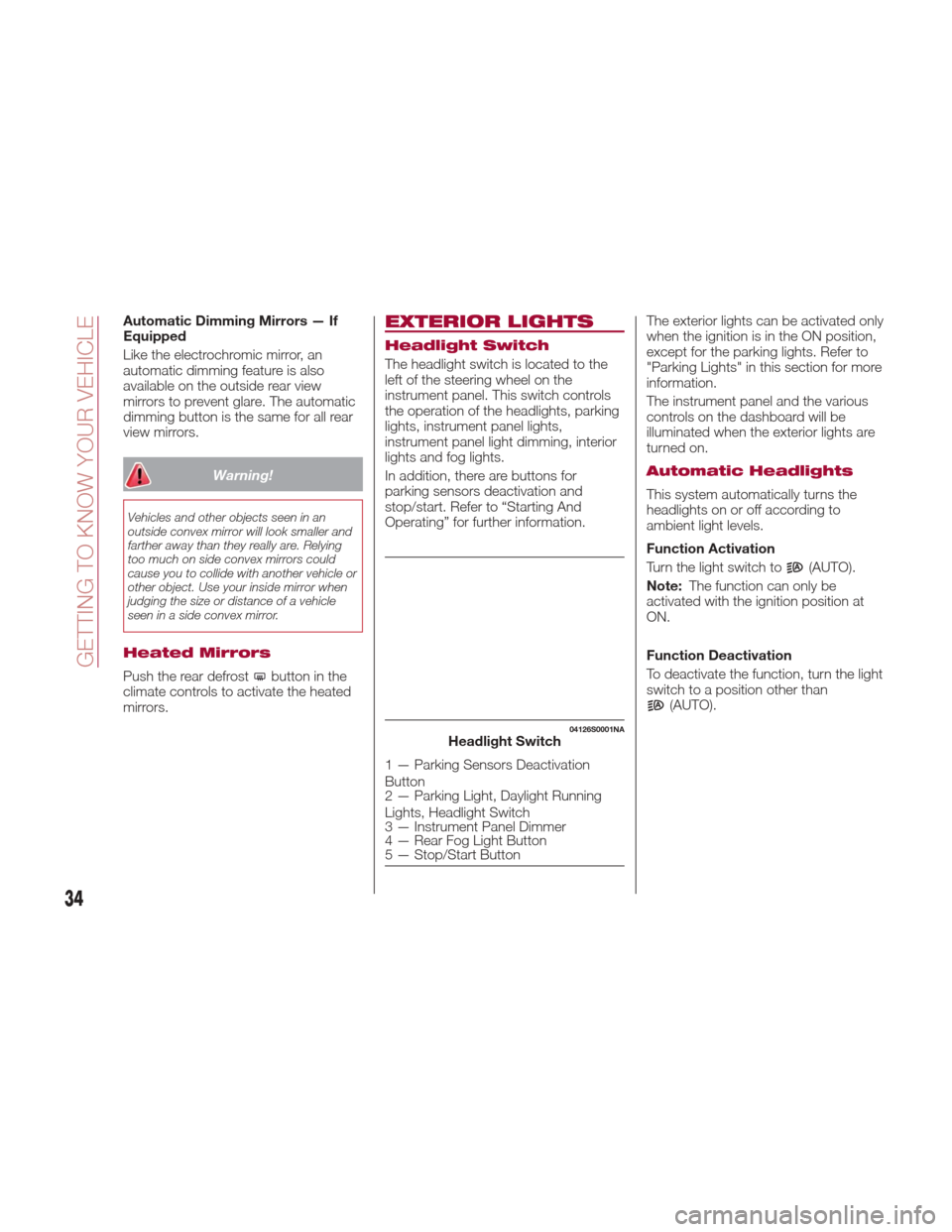
The headlight switch is located to the
left of the steering wheel on the
instrument panel. This switch controls
the operation of the headlights, parking
lights, instrument panel lights,
instrument panel light dimming, interior
lights and fog lights.
In addition, there are buttons for
parking sensors deactivation and
stop/start. Refer to “Starting And
Operating” for further information. The exterior lights can be activated only
when the ignition is in the ON position,
except for the parking lights. Refer to
"Parking Lights" in this section for more
information.
The instrument panel and the various
controls on the dashboard will be
illuminated when the exterior lights are
turned on.
Automatic Headlights
This system automatically turns the
headlights on or off according to
ambient light levels.
Function Activation
Turn the light switch to
(AUTO).
Note: The function can only be
activated with the ignition position at
ON.
Function Deactivation
To deactivate the function, turn the light
switch to a position other than
(AUTO).
04126S0001NAHeadlight Switch
1 — Parking Sensors Deactivation
Button
2 — Parking Light, Daylight Running
Lights, Headlight Switch
3 — Instrument Panel Dimmer
4 — Rear Fog Light Button
5 — Stop/Start Button
34
GETTING TO KNOW YOUR VEHICLE
Page 37 of 268
Daytime Running Lights
(DRL)
With the ignition in the ON position and
the light switch turned to the
position, if the dusk sensor detects
sufficient external light, the Daytime
Running Lights will turn on
automatically while the other lights
remain off.
If the turn signals are operated, the
brightness of the corresponding
Daytime Running Lights will be
decreased as long as the turn signals
are on.
Non-Canadian Markets
If equipped, the DRL can be
activated/deactivated from the Connect
system, by selecting the following
functions in sequence on the main
MENU: "Settings", "Lights" and
"Daytime Lights".
Rear Fog Light
The rear fog light switch is integrated
with the headlight switch.
Push the
button to turn the fog lights
on/off.
The rear fog lights turn on only when
the headlights or fog lights are turned
on. The light can be turned off by
pushing the
buttonagainorby
turning off the headlights.
When the engine is stopped with the
rear fog lights on, the rear fog lights will
be off the next time the engine is
started.
Parking Lights
Turn the headlight switch to theposition to turn parking lights on. All
of the parking lights will turn on for eight
minutes, and opening the door
activates an audible warning.
To leave only the lights on one side
(right/left) illuminated, you must move
the turn signal lever to the side that you
want to remain on. With the parking
lights on, the
warning light on the
instrument panel will come on.
Note: Turning the ignition switch to ON
turns off the parking lights, which were
on only illuminated on one side.
Headlight Off Delay
The “Headlight Off Delay” function
delays the switching off of the
headlights after the vehicle has been
stopped.
The function can be activated from the
Connect system by selecting the
following functions in sequence on the
main menu: “Settings”, “Lights” and
“Headlight Off Delay”.
The side lights and the headlights stay
on for a time that can be set between
30, 60, and 90 seconds.
Function Activation
With the headlights on, place the
ignition to the OFF position; the timer
will then start. Note:
To activate this function, the
headlights must be deactivated within
two minutes after the ignition has been
turned OFF.
Function Deactivation
This function is deactivated by
switching on the headlights, the side
lights, or by bringing the ignition device
to ON.
High Beam Headlights
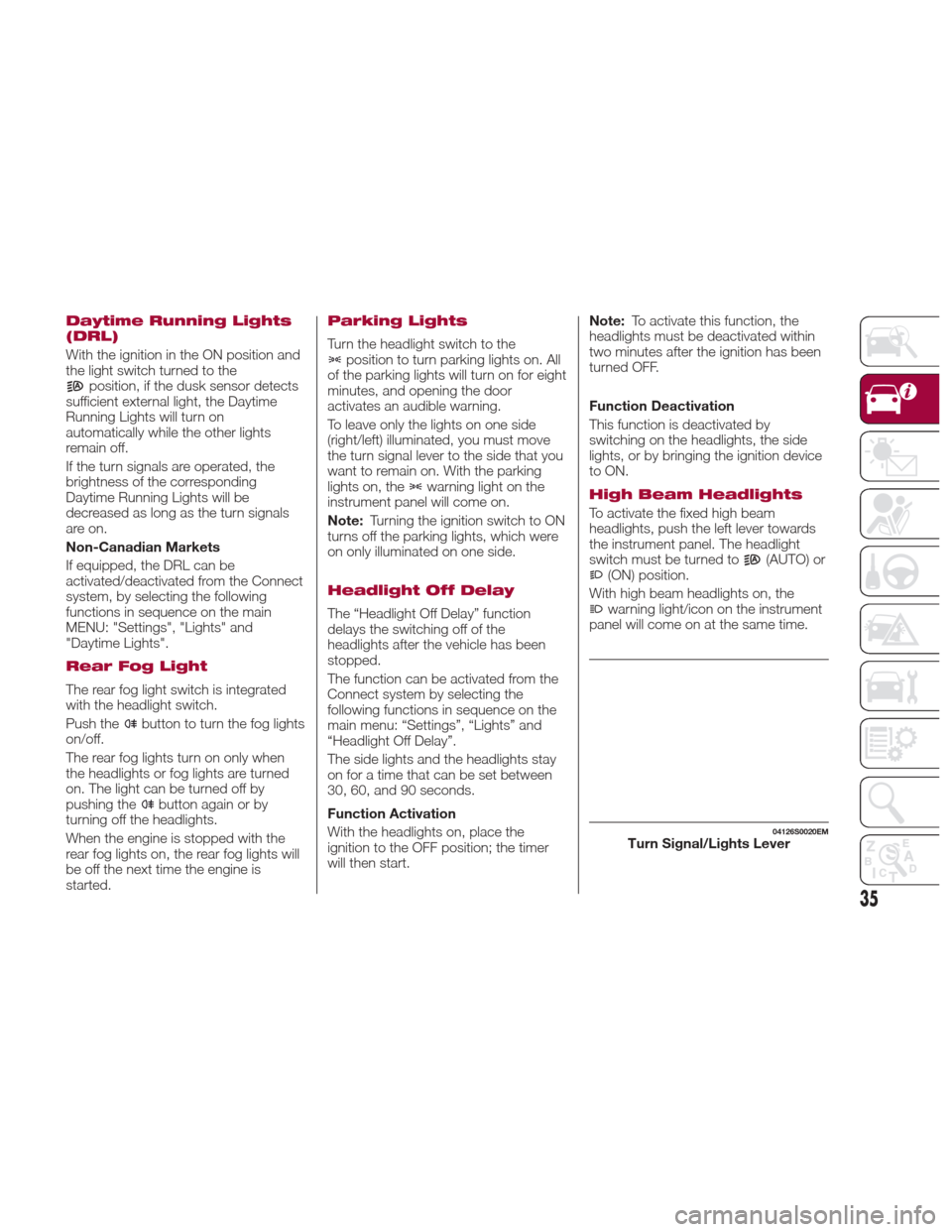
To activate the fixed high beam
headlights, push the left lever towards
the instrument panel. The headlight
switch must be turned to
(AUTO) or(ON) position.
With high beam headlights on, the
warning light/icon on the instrument
panel will come on at the same time.
04126S0020EMTurn Signal/Lights Lever
35