battery Alfa Romeo Giulia 2018 Owner's Guide
[x] Cancel search | Manufacturer: ALFA ROMEO, Model Year: 2018, Model line: Giulia, Model: Alfa Romeo Giulia 2018Pages: 260, PDF Size: 6 MB
Page 135 of 260
How to use Remote Start
All of the following conditions must be
met before the engine will remote start:
Gear selector in PARK (P).
Doors closed.
Hood closed.
Trunk closed.
Hazard switch off.
Brake switch inactive (brake pedal not
pressed).
Battery at an acceptable charge level.
PANIC button not pushed.
System not disabled from previous
remote start event.
Vehicle alarm system indicator
flashing.
Ignition in the OFF mode.
Fuel level meets minimum requirement.
Remote Start Comfort Systems —
If Equipped
When Remote Start is activated, the
heated steering wheel and driver heated
seat features will automatically turn on in
cold weather.
These features will stay on through the
duration of remote start also until the
ignition is cycled to the ON/RUN mode. Remote Start Windshield Wiper De–Icer
Activation — If Equipped
When remote start is active and the
outside ambient temperature is less than
39°F (4°C), the Windshield Wiper De-Icer
will be enabled. Exiting remote start will
resume previous operation, except if the
Windshield Wiper De-Icer is active.
The Windshield Wiper De-Icer timer and
operation will continue.
Extended Park Starting
If the vehicle has not been started or
driven for at least 35 days, it is advisable
to follow the indications below.
To start the engine, proceed as follows:
1. Briefly push the ignition button
2. If the engine does not start, wait five
seconds and let the starter cool down and
then repeat the starting procedure
3. If the engine does not start after eight
attempts, let the starter cool down for at
least 10 seconds, and then repeat the
starting procedure
If the problem persists, contact your
authorized dealer.
Note:
After prolonged vehicle inactivity,
very difficult starting, that can be noticed
through rapid fatigue of the starter,
might also be due to a discharged
battery. In this case, see the "Jump
Starting" section in the "In Case Of
Emergency" chapter.
If Engine Fails To Start
Starting the Engine with Key Fob
Battery Run Down or Drained
If the ignition does not respond when the
button is pushed, the key fob battery
might be run down or drained. Therefore,
the system does not detect the presence
of the key fob in the vehicle, and will
display a dedicated message.
In this case, follow the instructions
outlined in "Starting With A Discharged
Key Fob Battery" in the "Getting To Know
Your Vehicle" chapter, and start the
engine normally.
Warning!
Never pour fuel or other flammable liquid
into the throttle body air inlet opening in an
attempt to start the vehicle. This could
result in flash fire causing serious personal
injury.
Do not attempt to push or tow your
vehicle to get it started. Vehicles equipped
with an automatic transmission cannot be
started this way. Unburned fuel could enter
the catalytic converter and once the engine
has started, ignite and damage the
converter and vehicle.
133
Page 136 of 260
If the vehicle has a discharged battery,
booster cables may be used to obtain a
start from a booster battery or the battery
in another vehicle. This type of start can be
dangerous if done improperly. Refer to
“Jump Starting” in “In Case Of Emergency”
for further information.
Caution!
To prevent damage to the starter, do not
continuously crank the engine for more than
25 seconds at a time. Wait 60 seconds
before trying again.
After Starting — Warming Up The
Engine
Proceed as follows:
Travel slowly, letting the engine run at
a reduced RPM, without accelerating
suddenly.
It is recommended to wait until the
digital engine coolant temperature
indicator starts to rise for maximum
performance.
Stopping The Engine
To stop the engine, proceed as follows:
1. Park the vehicle in a position that is
not dangerous for oncoming traffic.
2. Engage the PARK (P) mode.
3. With engine idling, push the
START/STOP button on the steering
wheel to STOP the engine.
Note: Do not leave the ignition in ON
mode when the engine is off.
To shut off the engine with vehicle speed
greater than 5 mph (8 km/h), you must
push and hold the ignition or push the
START/STOP button three times
consecutively within a few seconds. The
engine will shut down, and the ignition will
be placed in the ON mode
With the keyless ignition system, it is
possible to go away from the vehicle
taking the key fob with you, without the
engine switching off. The vehicle will
inform about the absence of the key on
board, only if the doors are closed.
Stopping the engine (cycling from the ON
to the STOP position) the accessories are
still powered for about three minutes, or
until a door is opened. When the ignition is in the STOP/OFF
mode, the window switches remain active
for three minutes. Opening a front door
will cancel this function.
After severe driving, idle the engine to
allow the temperature inside the engine
compartment to cool before shutting off
the engine.
Turbocharger Cool Down
It is recommended before switching the
vehicle off, to keep the engine idling for a
few minutes so that the turbocharger can
be suitably lubricated. This procedure is
particularly recommended after severe
driving.
After a full load operation, keep the
engine idling for three to five minutes
before switching it off.
This time allows the lubricating oil and
the engine coolant to eliminate the
excessive heat from combustion
chamber, bearings, inner components and
turbocharger.
134
STARTING AND OPERATING
Page 137 of 260
ELECTRIC PARK BRAKE
The vehicle is equipped with electric park
brake to guarantee better use and
optimal performance compared to a
manually operated park brake.
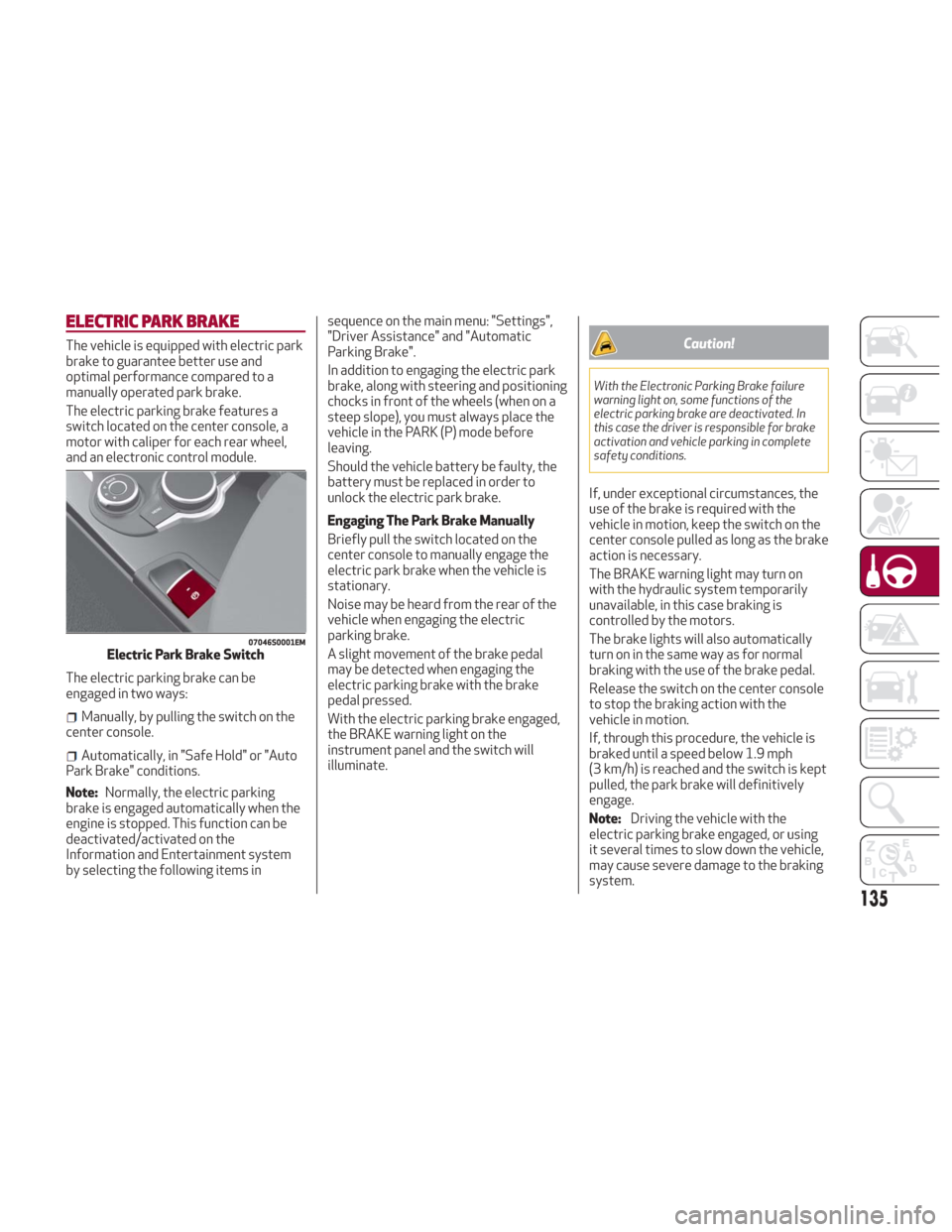
The electric parking brake features a
switch located on the center console, a
motor with caliper for each rear wheel,
and an electronic control module.
The electric parking brake can be
engaged in two ways:
Manually, by pulling the switch on the
center console.
Automatically, in "Safe Hold" or "Auto
Park Brake" conditions.
Note: Normally, the electric parking
brake is engaged automatically when the
engine is stopped. This function can be
deactivated/activated on the
Information and Entertainment system
by selecting the following items in sequence on the main menu: "Settings",
"Driver Assistance" and "Automatic
Parking Brake".
In addition to engaging the electric park
brake, along with steering and positioning
chocks in front of the wheels (when on a
steep slope), you must always place the
vehicle in the PARK (P) mode before
leaving.
Should the vehicle battery be faulty, the
battery must be replaced in order to
unlock the electric park brake.
Engaging The Park Brake Manually
Briefly pull the switch located on the
center console to manually engage the
electric park brake when the vehicle is
stationary.
Noise may be heard from the rear of the
vehicle when engaging the electric
parking brake.
A slight movement of the brake pedal
may be detected when engaging the
electric parking brake with the brake
pedal pressed.
With the electric parking brake engaged,
the BRAKE warning light on the
instrument panel and the switch will
illuminate.
Caution!
With the Electronic Parking Brake failure
warning light on, some functions of the
electric parking brake are deactivated. In
this case the driver is responsible for brake
activation and vehicle parking in complete
safety conditions.
If, under exceptional circumstances, the
use of the brake is required with the
vehicle in motion, keep the switch on the
center console pulled as long as the brake
action is necessary.
The BRAKE warning light may turn on
with the hydraulic system temporarily
unavailable, in this case braking is
controlled by the motors.
The brake lights will also automatically
turn on in the same way as for normal
braking with the use of the brake pedal.
Release the switch on the center console
to stop the braking action with the
vehicle in motion.
If, through this procedure, the vehicle is
braked until a speed below 1.9 mph
(3 km/h) is reached and the switch is kept
pulled, the park brake will definitively
engage.
Note:
Driving the vehicle with the
electric parking brake engaged, or using
it several times to slow down the vehicle,
may cause severe damage to the braking
system.
07046S0001EMElectric Park Brake Switch
135
Page 149 of 260
System Activation
The activation of the system is indicated
by the
symbol lighting up on the
display. In this condition, the light on the
button is off.
System Deactivation
A message will appear on the display
when the system is deactivated. In this
condition, the light on the button is on.
Note: Each time the engine is started,
the system is activated regardless of
where was when it was previously
switched off.
Possible Reasons The Engine Does Not
Autostop
For higher comfort and increased safety,
and to reduce emissions, there are
certain conditions where the engine will
not autostop despite the system being
active, such as:
Engine still cold.
Especially cold outside temperature.
Battery not sufficiently charged.
Driver's door not shut.
Driver's seat belt not fastened.
Reverse gear engaged (e.g. for parking
maneuvers).
With the automatic climate control
active, an adequate cabin heating or
cooling comfort has not been reached or
with MAX-DEF function active.
During the first period of use, to
initialize the system.
Steering angle beyond threshold.
Engine Restarting Conditions
Due to comfort, emission control and
safety reasons, the engine can restart
automatically without any action by the
driver, under special conditions, such as:
Battery not sufficiently charged.
Reduced braking system vacuum (e.g.
if the brake pedal is pressed repeatedly).
Vehicle moving (e.g. when driving on
roads with a grade).
Engine stopping by the Stop/Start
system for more than approx. three
minutes.
With the automatic climate control
active, an adjustment in cabin heating or
cooling is made or with MAX-DEF
function active.
Safety Functions
When the engine is stopped through the
Stop/Start system, if the driver releases
their seat belt, opens the driver's or
passenger's door, or opens the hood from
inside the vehicle, the engine can be
restarted only by using the ignition.
This condition is indicated to the driver
both through a buzzer and a message on
the instrument cluster display.
Irregular Operation
In the event of malfunction, the
Stop/Start system is deactivated.
For failure indications, see the "Warning
Lights and Messages" paragraph,
"Getting To Know Your Instrument Panel"
chapter.
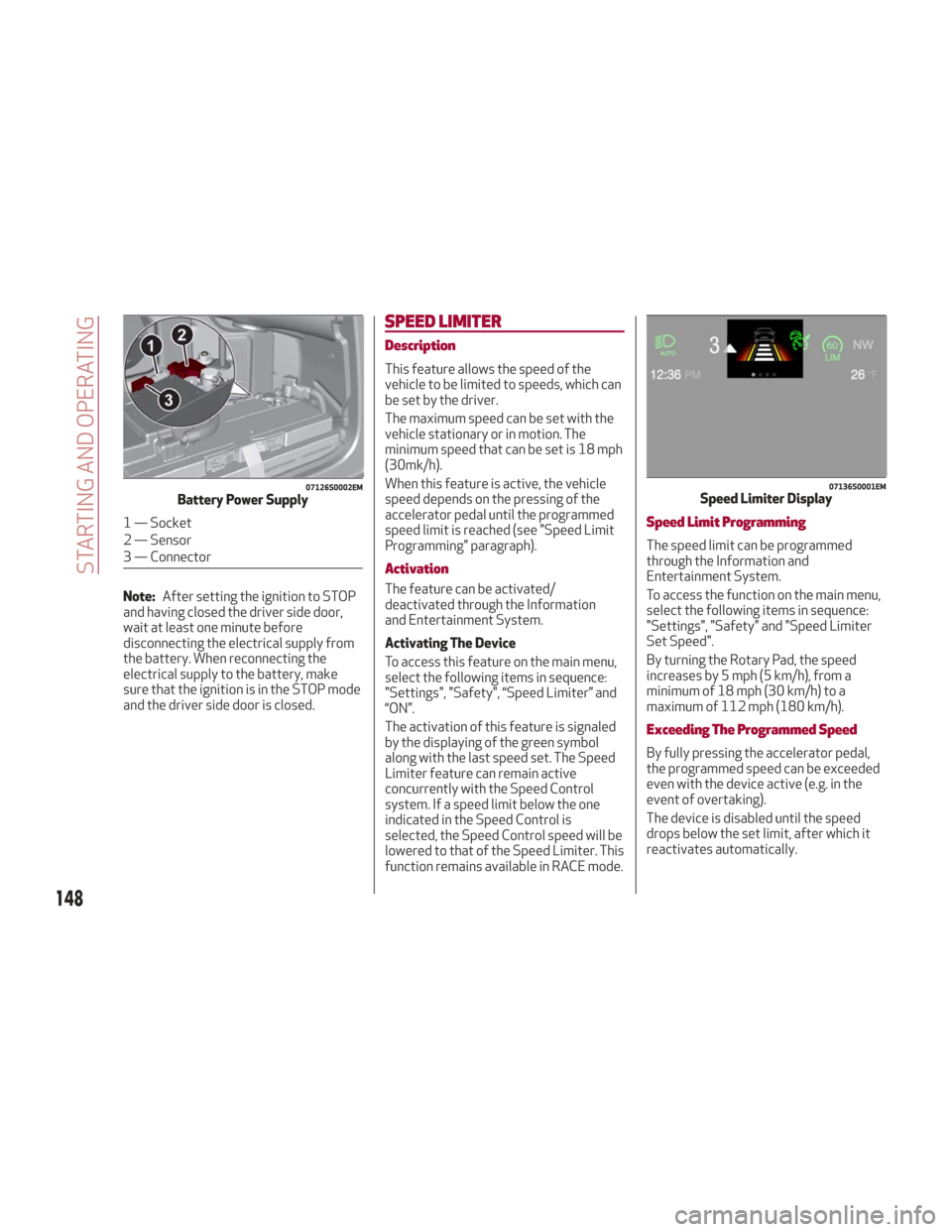
Vehicle Inactivity
In the event of vehicle inactivity (or if the
battery is replaced), special attention
must be paid to the disconnection of the
battery power supply.
Proceed as follows:
Remove connector from socket to
disconnect sensor (battery status
monitoring) installed on the negative pole
of the battery. This sensor should never
be disconnected from the pole except if
the battery is replaced.
147
Page 150 of 260
Note:After setting the ignition to STOP
and having closed the driver side door,
wait at least one minute before
disconnecting the electrical supply from
the battery. When reconnecting the
electrical supply to the battery, make
sure that the ignition is in the STOP mode
and the driver side door is closed.
SPEED LIMITER
Description
This feature allows the speed of the
vehicle to be limited to speeds, which can
be set by the driver.
The maximum speed can be set with the
vehicle stationary or in motion. The
minimum speed that can be set is 18 mph
(30mk/h).
When this feature is active, the vehicle
speed depends on the pressing of the
accelerator pedal until the programmed
speed limit is reached (see "Speed Limit
Programming" paragraph).
Activation
The feature can be activated/
deactivated through the Information
and Entertainment System.
Activating The Device
To access this feature on the main menu,
select the following items in sequence:
"Settings", "Safety", “Speed Limiter” and
“ON”.
The activation of this feature is signaled
by the displaying of the green symbol
along with the last speed set. The Speed
Limiter feature can remain active
concurrently with the Speed Control
system. If a speed limit below the one
indicated in the Speed Control is
selected, the Speed Control speed will be
lowered to that of the Speed Limiter. This
function remains available in RACE mode.
Speed Limit Programming
The speed limit can be programmed
through the Information and
Entertainment System.
To access the function on the main menu,
select the following items in sequence:
"Settings", "Safety" and "Speed Limiter
Set Speed".
By turning the Rotary Pad, the speed
increases by 5 mph (5 km/h), from a
minimum of 18 mph (30 km/h) to a
maximum of 112 mph (180 km/h).
Exceeding The Programmed Speed
By fully pressing the accelerator pedal,
the programmed speed can be exceeded
even with the device active (e.g. in the
event of overtaking).
The device is disabled until the speed
drops below the set limit, after which it
reactivates automatically.
07126S0002EMBattery Power Supply
1 — Socket
2 — Sensor
3 — Connector
07136S0001EMSpeed Limiter Display
148
STARTING AND OPERATING
Page 174 of 260
HAZARD WARNING LIGHTS
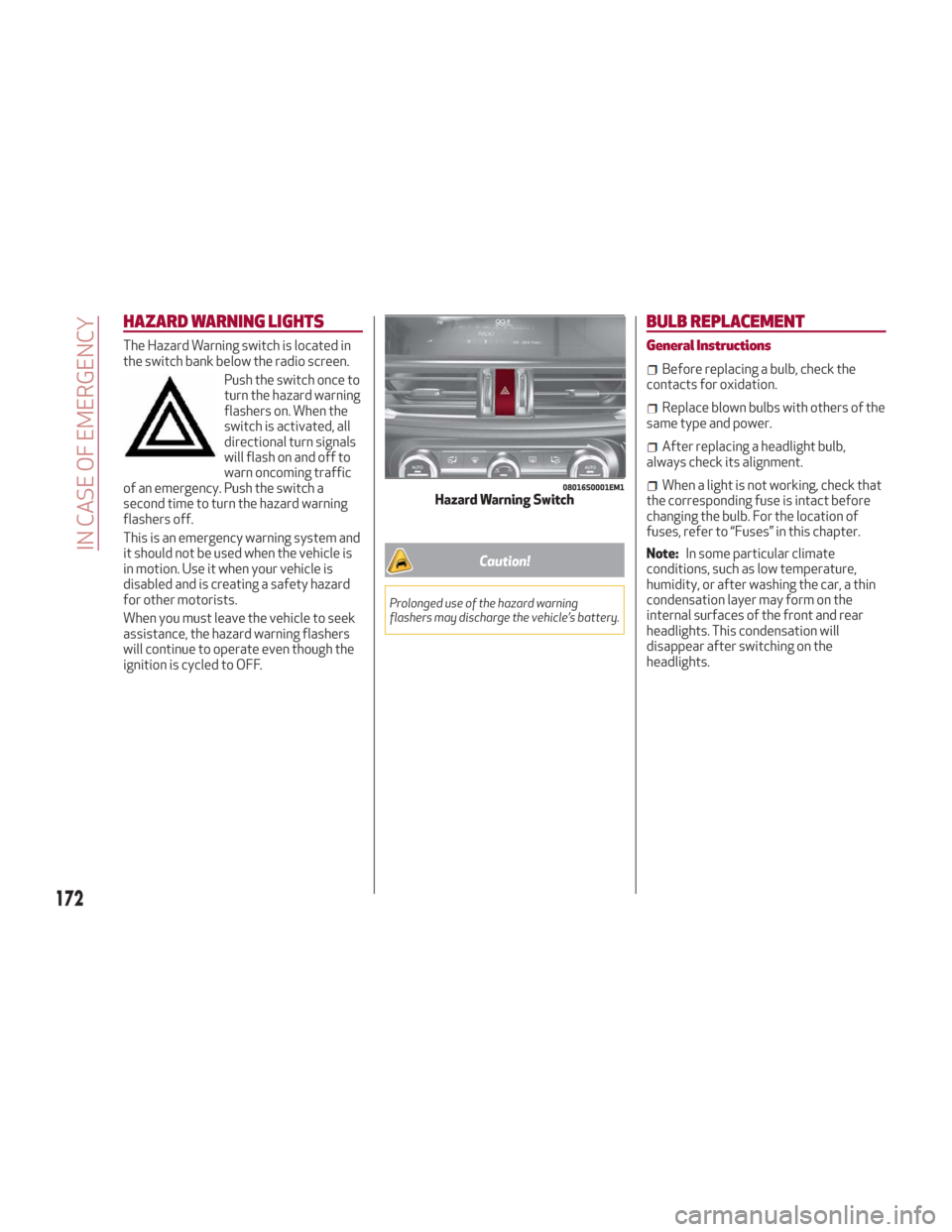
The Hazard Warning switch is located in
the switch bank below the radio screen.Push the switch once to
turn the hazard warning
flashers on. When the
switch is activated, all
directional turn signals
will flash on and off to
warn oncoming traffic
of an emergency. Push the switch a
second time to turn the hazard warning
flashers off.
This is an emergency warning system and
it should not be used when the vehicle is
in motion. Use it when your vehicle is
disabled and is creating a safety hazard
for other motorists.
When you must leave the vehicle to seek
assistance, the hazard warning flashers
will continue to operate even though the
ignition is cycled to OFF.
Caution!
Prolonged use of the hazard warning
flashers may discharge the vehicle’s battery.
BULB REPLACEMENT
General Instructions
Before replacing a bulb, check the
contacts for oxidation.
Replace blown bulbs with others of the
same type and power.
After replacing a headlight bulb,
always check its alignment.
When a light is not working, check that
the corresponding fuse is intact before
changing the bulb. For the location of
fuses, refer to “Fuses” in this chapter.
Note: In some particular climate
conditions, such as low temperature,
humidity, or after washing the car, a thin
condensation layer may form on the
internal surfaces of the front and rear
headlights. This condensation will
disappear after switching on the
headlights.08016S0001EM1Hazard Warning Switch
172
IN CASE OF EMERGENCY
Page 179 of 260
3. Install bulb, making sure that it is
correctly inserted fully.
4. Close the protective cover on the lens.
5. Install puddle light in the correct
position, inserting it firstly on one side
and then pressing on the other side until
it clicks into place.
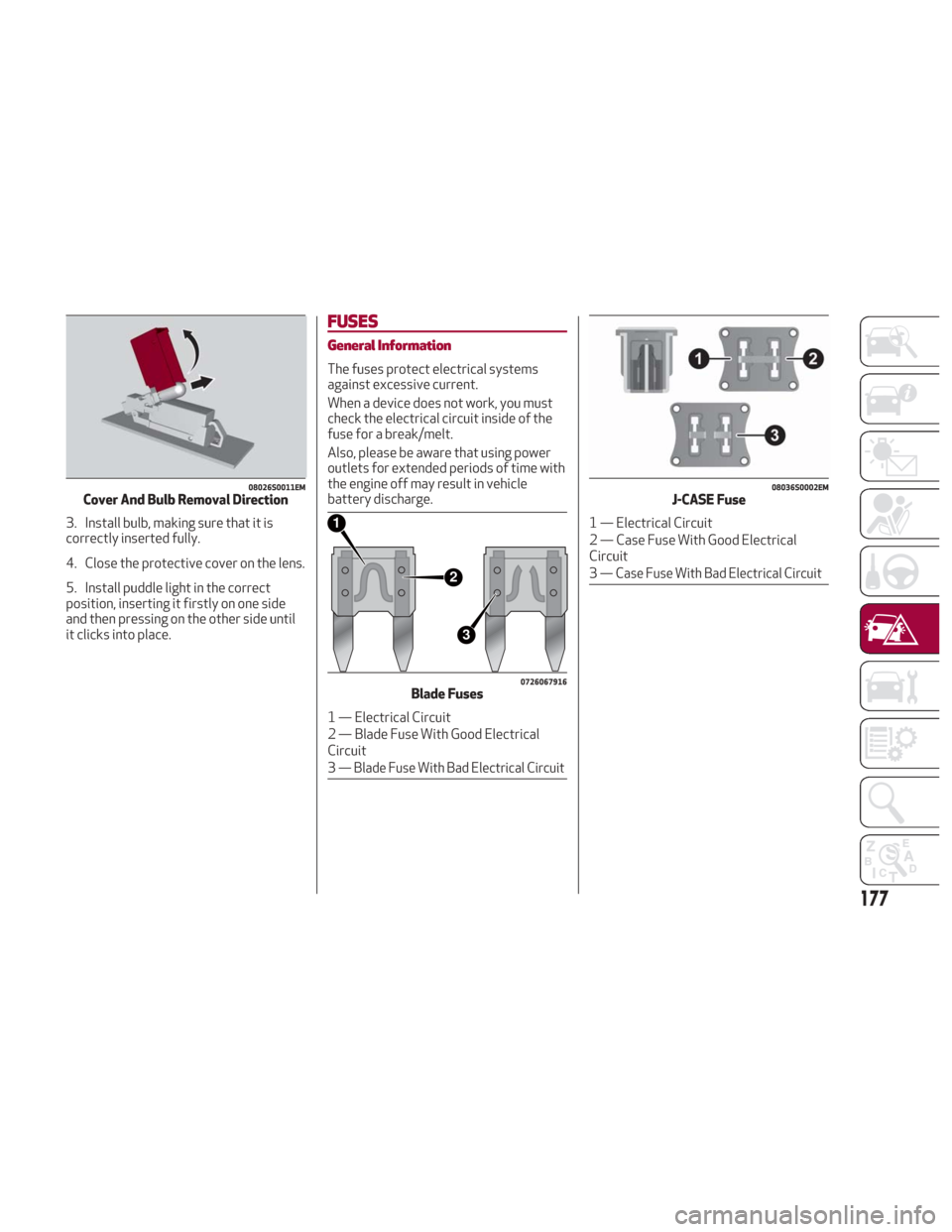
FUSES
General Information
The fuses protect electrical systems
against excessive current.
When a device does not work, you must
check the electrical circuit inside of the
fuse for a break/melt.
Also, please be aware that using power
outlets for extended periods of time with
the engine off may result in vehicle
battery discharge.
08026S0011EMCover And Bulb Removal Direction
2
3
1
0726067916Blade Fuses
1 — Electrical Circuit
2 — Blade Fuse With Good Electrical
Circuit
3
— Blade Fuse With Bad Electrical Circuit
08036S0002EMJ-CASE Fuse
1 — Electrical Circuit
2 — Case Fuse With Good Electrical
Circuit
3
— Case Fuse With Bad Electrical Circuit
177
Page 188 of 260
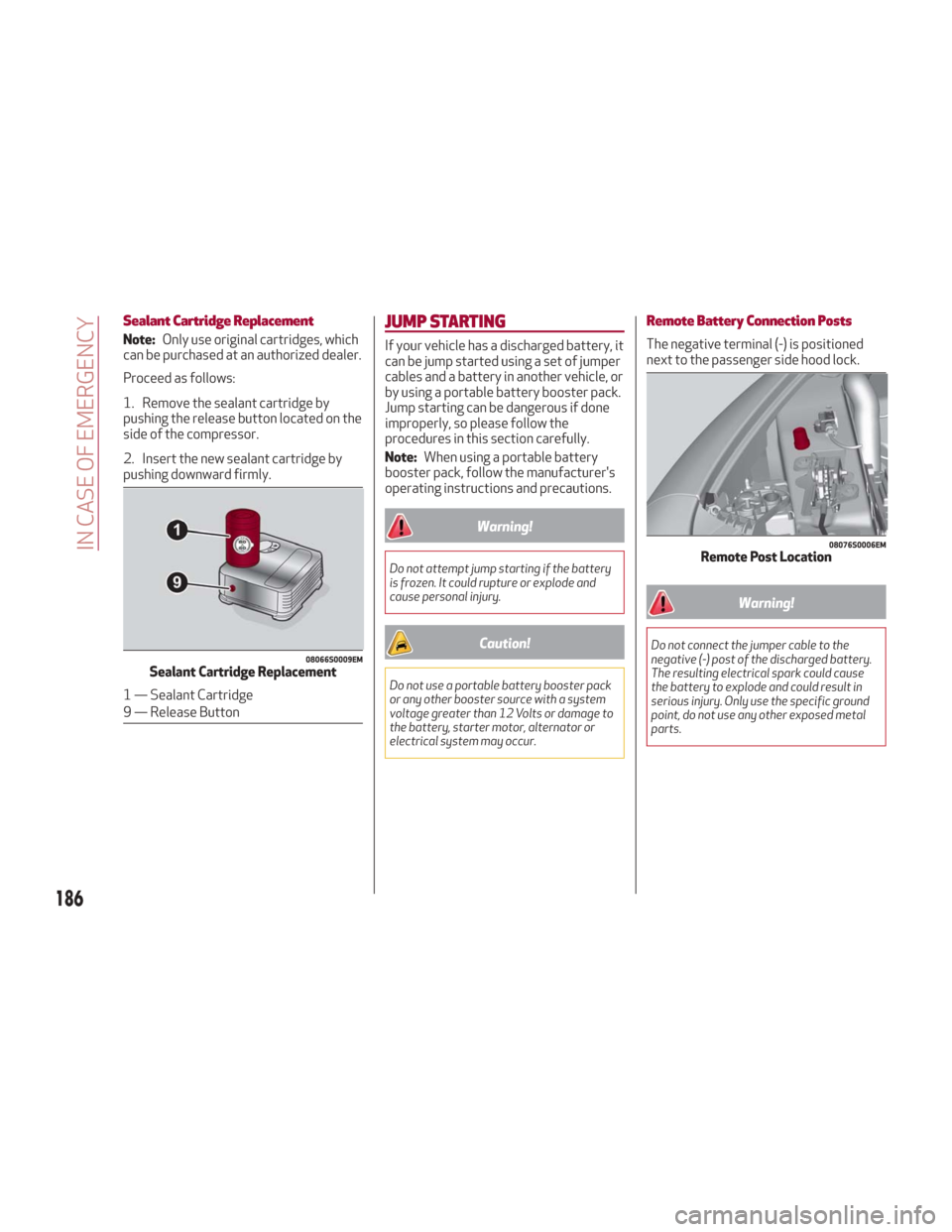
Sealant Cartridge Replacement
Note:Only use original cartridges, which
can be purchased at an authorized dealer.
Proceed as follows:
1. Remove the sealant cartridge by
pushing the release button located on the
side of the compressor.
2. Insert the new sealant cartridge by
pushing downward firmly.
JUMP STARTING
If your vehicle has a discharged battery, it
can be jump started using a set of jumper
cables and a battery in another vehicle, or
by using a portable battery booster pack.
Jump starting can be dangerous if done
improperly, so please follow the
procedures in this section carefully.
Note: When using a portable battery
booster pack, follow the manufacturer's
operating instructions and precautions.
Warning!
Do not attempt jump starting if the battery
is frozen. It could rupture or explode and
cause personal injury.
Caution!
Do not use a portable battery booster pack
or any other booster source with a system
voltage greater than 12 Volts or damage to
the battery, starter motor, alternator or
electrical system may occur.
Remote Battery Connection Posts
The negative terminal (-) is positioned
next to the passenger side hood lock.
Warning!
Do not connect the jumper cable to the
negative (-) post of the discharged battery.
The resulting electrical spark could cause
the battery to explode and could result in
serious injury. Only use the specific ground
point, do not use any other exposed metal
parts.08066S0009EMSealant Cartridge Replacement
1 — Sealant Cartridge
9 — Release Button
08076S0006EMRemote Post Location
186
IN CASE OF EMERGENCY
Page 189 of 260
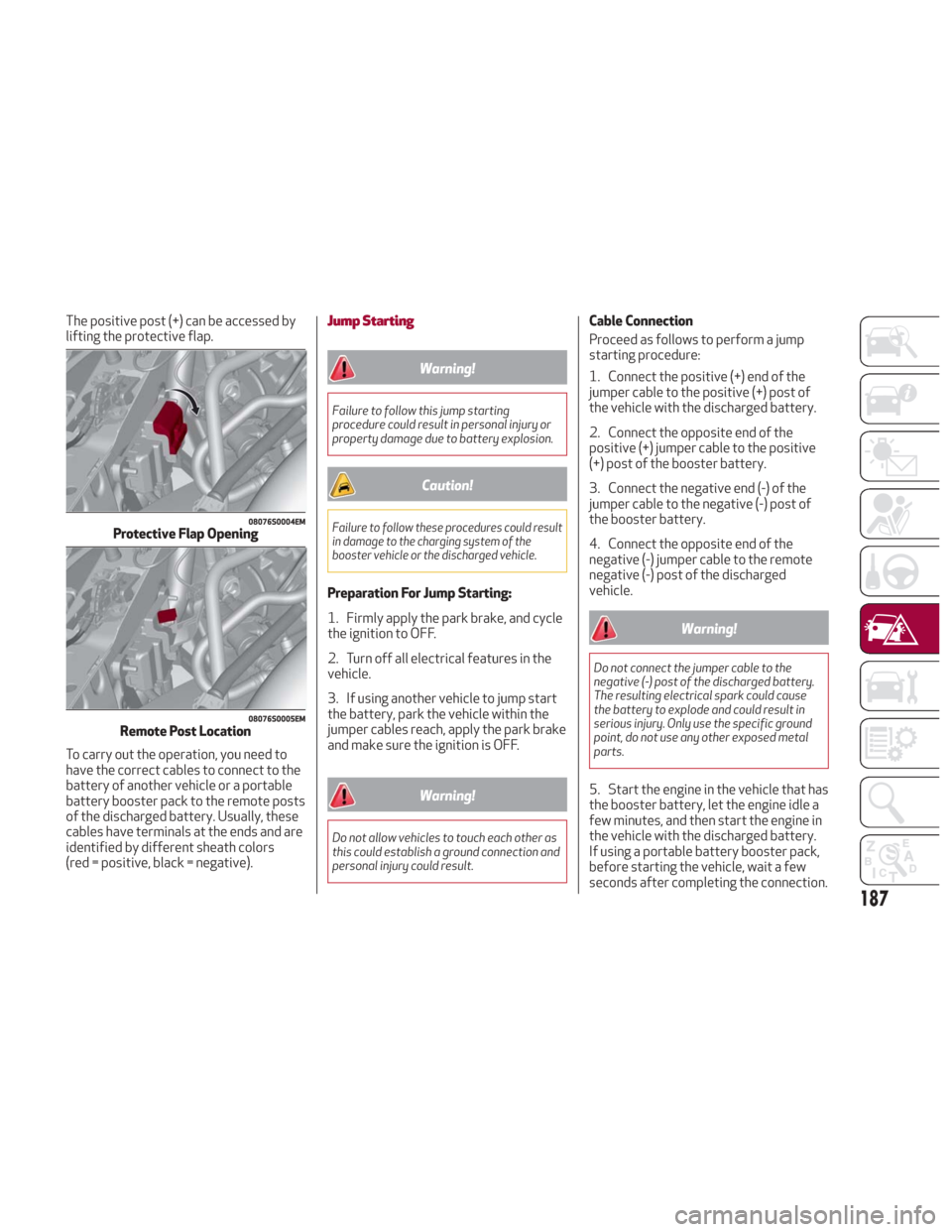
The positive post (+) can be accessed by
lifting the protective flap.
To carry out the operation, you need to
have the correct cables to connect to the
battery of another vehicle or a portable
battery booster pack to the remote posts
of the discharged battery. Usually, these
cables have terminals at the ends and are
identified by different sheath colors
(red = positive, black = negative).Jump Starting
Warning!
Failure to follow this jump starting
procedure could result in personal injury or
property damage due to battery explosion.
Caution!
Failure to follow these procedures could result
in damage to the charging system of the
booster vehicle or the discharged vehicle.
Preparation For Jump Starting:
1. Firmly apply the park brake, and cycle
the ignition to OFF.
2. Turn off all electrical features in the
vehicle.
3. If using another vehicle to jump start
the battery, park the vehicle within the
jumper cables reach, apply the park brake
and make sure the ignition is OFF.
Warning!
Do not allow vehicles to touch each other as
this could establish a ground connection and
personal injury could result.
Cable Connection
Proceed as follows to perform a jump
starting procedure:
1. Connect the positive (+) end of the
jumper cable to the positive (+) post of
the vehicle with the discharged battery.
2. Connect the opposite end of the
positive (+) jumper cable to the positive
(+) post of the booster battery.
3. Connect the negative end (-) of the
jumper cable to the negative (-) post of
the booster battery.
4. Connect the opposite end of the
negative (-) jumper cable to the remote
negative (-) post of the discharged
vehicle.
Warning!
Do not connect the jumper cable to the
negative (-) post of the discharged battery.
The resulting electrical spark could cause
the battery to explode and could result in
serious injury. Only use the specific ground
point, do not use any other exposed metal
parts.
5. Start the engine in the vehicle that has
the booster battery, let the engine idle a
few minutes, and then start the engine in
the vehicle with the discharged battery.
If using a portable battery booster pack,
before starting the vehicle, wait a few
seconds after completing the connection.
08076S0004EMProtective Flap Opening
08076S0005EMRemote Post Location
187
Page 190 of 260
Cable Disconnection
Once the engine is started, remove the
connection cables in reverse sequence,
as described below:
1. Disconnect the negative (-) jumper
cable from the remote negative (-) post
of the discharged vehicle.
2. Disconnect the negative end (-) of the
jumper cable from the negative (-) post of
the booster battery.
3. Disconnect the opposite end of the
positive (+) jumper cable from the
positive (+) post of the booster battery.
4. Disconnect the positive (+) end of the
jumper cable from the positive (+) post of
the vehicle with the discharged battery.
If frequent jump starting is required to
start your vehicle, you should have the
battery and charging system inspected at
your authorized dealer.
Caution!
Accessories plugged into the vehicle power
outlets draw power from the vehicle’s
battery, even when not in use (i.e., cellular
phones, etc.). Eventually, if plugged in long
enough without engine operation, the
vehicle’s battery will discharge sufficiently
to degrade battery life and/or prevent the
engine from starting.
Bump Starting
Never jump start the engine by pushing,
towing or coasting downhill.
Note:You cannot start a vehicle with an
automatic transmission by pushing it.
REFUELING IN EMERGENCY
Refueling in an emergency is described in
"Refueling The Vehicle" in "Starting And
Operating".
188
IN CASE OF EMERGENCY