ECO mode Alfa Romeo Giulia 2019 User Guide
[x] Cancel search | Manufacturer: ALFA ROMEO, Model Year: 2019, Model line: Giulia, Model: Alfa Romeo Giulia 2019Pages: 232, PDF Size: 4.87 MB
Page 112 of 232
STARTING THE ENGINE
STARTING THE ENGINE
Before starting the engine, adjust the
seat, the interior rear view mirrors, the
door mirrors and fasten the seat belt
correctly.
Never press the accelerator pedal for
starting the engine.
If necessary, messages indicating the
starting procedure can be shown on the
display.
103) 104) 105)
33) 34) 35)
Versions with manual gearbox
Proceed as follows:
engage the parking brake and set the
gear in neutral, on diesel versions turn the
ignition switch to ON, the
symbol will
appear on the instrument panel: wait until
it goes off;
fully depress the clutch pedal, without
touching the accelerator;
briefly press the ignition button;
if the engine doesn't start within a few
seconds, you need to repeat the
procedure.
if the problem persists, contact an Alfa
Romeo Dealership.Versions with automatic transmission
Proceed as follows:
engage the electric parking brake and
set the gear lever to P (Park) or N
(Neutral),
fully depress the brake pedal without
touching the accelerator;
briefly press the ignition button;
if the engine doesn't start within a few
seconds, you need to repeat the
procedure.
if the problem persists, contact an Alfa
Romeo Dealership.
ENGINE STARTING FAILURE
Starting the engine with electronic key
battery (Keyless Start) run down or flat
If the ignition device does not respond
when the relevant button is pressed the
electronic key battery might be run down
or flat. Therefore, the system does not
detect the presence of the electronic key
on board the car and displays a dedicated
message.
In this case, follow the instructions in
paragraph "Starting with flat key battery"
in the "Knowing your car" chapter and
start the engine normally.
STOPPING THE ENGINE
36)
To stop the engine, proceed as follows:
park the car in a position that is not
dangerous for oncoming traffic;
engage a gear (versions with manual
gearbox) or activate P (Park) mode
(versions with automatic transmission);
with engine idling, press the start
button.
Cars with electronic key (Keyless Start)
If the car speed is above 5 mph (8 km/h),
it is still possible to stop the engine if a
gear operating mode other than P (Park)
is selected. To switch off the engine in
this situation, hold down the ignition
device button for a while or press it
3 times in a row within a few seconds.
WARNING
103)It is dangerous to run the engine in
enclosed areas. The engine takes in oxygen
and releases carbon dioxide, carbon
monoxide and other toxic gases.
104)The electro-hydraulic braking system
is not active until the engine starts running.
So, the brake pedal travel will be longer than
normal. This does not indicate a fault.
105)Do not start the engine by pushing,
towing or driving downhill. These
manoeuvres may damage the catalytic
converter.
110
STARTING AND DRIVING
Page 113 of 232
IMPORTANT
33)We recommend that during the initial
period, or during the first 1600 km
(1000 miles), you do not drive to full car
performance (e.g. excessive acceleration,
long journeys at top speed, sharp braking,
etc.).
34)When the engine stopped never leave
the ignition device in the ON position to
prevent useless current draw from draining
the battery.
35)Warning light
will flash after starting
or during prolonged cranking to indicate a
fault with the glow plug heating system. If
the engine starts, the vehicle can be regularly
used, but an Alfa Romeo Dealership must be
contacted as soon as possible.
36)A quick burst on the accelerator before
turning off the engine serves absolutely no
practical purpose; it wastes fuel and is
damaging for the engine.
PARKING THE VEHICLE
106) 107) 108)
IMPORTANT In addition to parking the
vehicle with the parking brake always
engaged, the wheel steered, chocks or
stones positioned in front of the wheels
(when on a steep slope), you must always
engage:
Manual transmission:
Engage 1stgear if the car is parked
uphill or reverse gear if the car is parked
downhill.
Automatic transmission:
engage P (Park) mode;
always take the key with you when
leaving the vehicle.
IMPORTANT Always engage the electric
parking brake before leaving the vehicle.
ELECTRIC PARKING BRAKE
The car is equipped with electric parking
brake to guarantee better use and
optimal performance compared to a
manually operated parking brake.
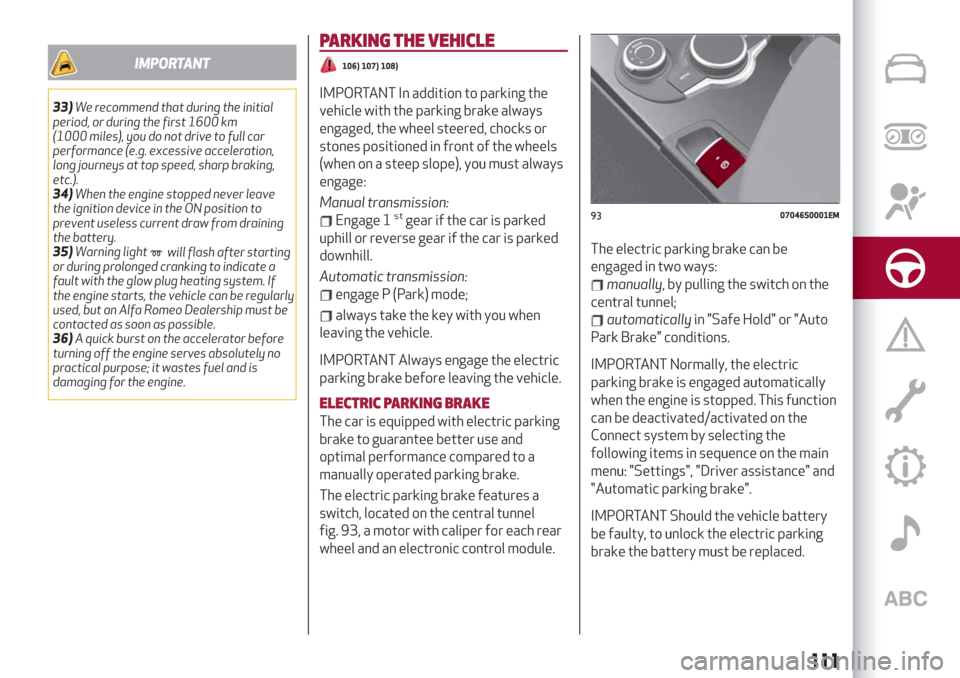
The electric parking brake features a
switch, located on the central tunnel
fig. 93, a motor with caliper for each rear
wheel and an electronic control module.The electric parking brake can be
engaged in two ways:
manually, by pulling the switch on the
central tunnel;
automaticallyin "Safe Hold" or "Auto
Park Brake" conditions.
IMPORTANT Normally, the electric
parking brake is engaged automatically
when the engine is stopped. This function
can be deactivated/activated on the
Connect system by selecting the
following items in sequence on the main
menu: "Settings", "Driver assistance" and
"Automatic parking brake".
IMPORTANT Should the vehicle battery
be faulty, to unlock the electric parking
brake the battery must be replaced.
9307046S0001EM
111
Page 116 of 232
MANUAL GEARBOX
109)
37)
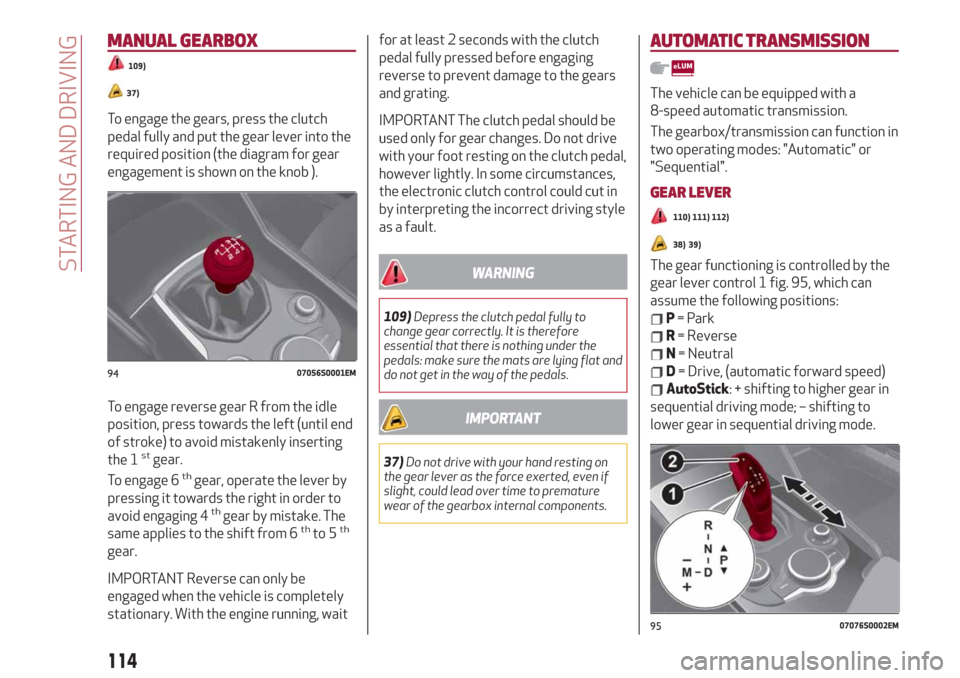
To engage the gears, press the clutch
pedal fully and put the gear lever into the
required position (the diagram for gear
engagement is shown on the knob ).
To engage reverse gear R from the idle
position, press towards the left (until end
of stroke) to avoid mistakenly inserting
the 1
stgear.
To engage 6thgear, operate the lever by
pressing it towards the right in order to
avoid engaging 4
thgear by mistake. The
same applies to the shift from 6thto 5th
gear.
IMPORTANT Reverse can only be
engaged when the vehicle is completely
stationary. With the engine running, waitfor at least 2 seconds with the clutch
pedal fully pressed before engaging
reverse to prevent damage to the gears
and grating.
IMPORTANT The clutch pedal should be
used only for gear changes. Do not drive
with your foot resting on the clutch pedal,
however lightly. In some circumstances,
the electronic clutch control could cut in
by interpreting the incorrect driving style
as a fault.
WARNING
109)Depress the clutch pedal fully to
change gear correctly. It is therefore
essential that there is nothing under the
pedals: make sure the mats are lying flat and
do not get in the way of the pedals.
IMPORTANT
37)Do not drive with your hand resting on
the gear lever as the force exerted, even if
slight, could lead over time to premature
wear of the gearbox internal components.
AUTOMATIC TRANSMISSION
The vehicle can be equipped with a
8-speed automatic transmission.
The gearbox/transmission can function in
two operating modes: "Automatic" or
"Sequential".
GEAR LEVER
110) 111) 112)
38) 39)
The gear functioning is controlled by the
gear lever control 1 fig. 95, which can
assume the following positions:
P= Park
R= Reverse
N= Neutral
D= Drive, (automatic forward speed)
AutoStick: + shifting to higher gear in
sequential driving mode; – shifting to
lower gear in sequential driving mode.
9407056S0001EM
9507076S0002EM
114
STARTING AND DRIVING
Page 117 of 232
The positions diagram is illustrated on
the top of the lever.
The letter corresponding to the selected
mode lights up and can be seen on the
instrument panel display.
To select one of the operating modes,
move the lever forwards or backwards
and press the brake pedal at the same
time.
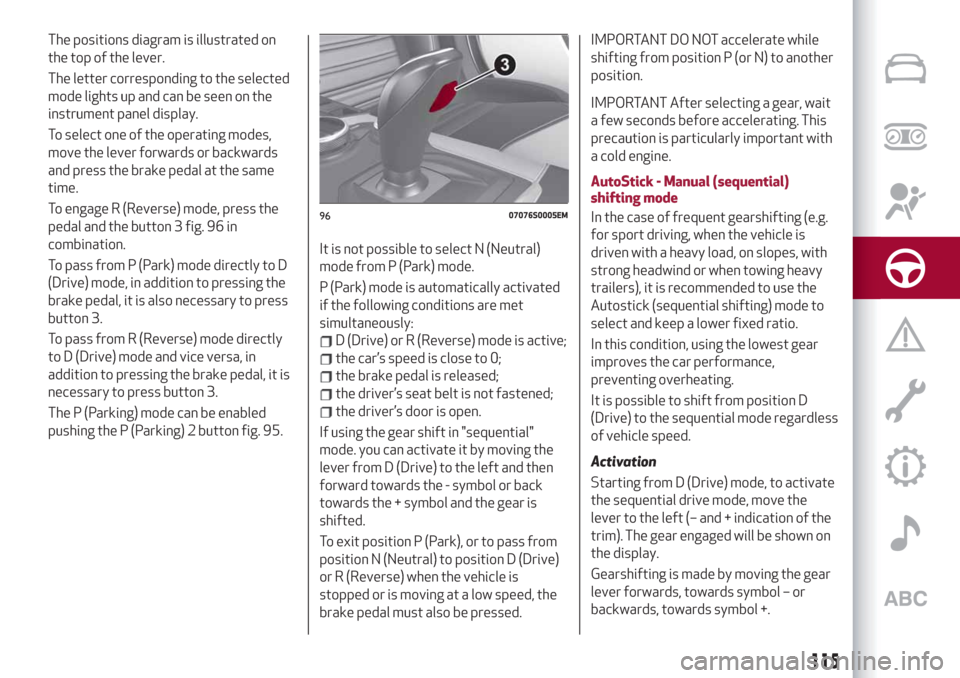
To engage R (Reverse) mode, press the
pedal and the button 3 fig. 96 in
combination.
To pass from P (Park) mode directly to D
(Drive) mode, in addition to pressing the
brake pedal, it is also necessary to press
button 3.
To pass from R (Reverse) mode directly
to D (Drive) mode and vice versa, in
addition to pressing the brake pedal, it is
necessary to press button 3.
The P (Parking) mode can be enabled
pushing the P (Parking) 2 button fig. 95.It is not possible to select N (Neutral)
mode from P (Park) mode.
P (Park) mode is automatically activated
if the following conditions are met
simultaneously:
D (Drive) or R (Reverse) mode is active;
the car’s speed is close to 0;
the brake pedal is released;
the driver’s seat belt is not fastened;
the driver’s door is open.
If using the gear shift in "sequential"
mode. you can activate it by moving the
lever from D (Drive) to the left and then
forward towards the - symbol or back
towards the + symbol and the gear is
shifted.
To exit position P (Park), or to pass from
position N (Neutral) to position D (Drive)
or R (Reverse) when the vehicle is
stopped or is moving at a low speed, the
brake pedal must also be pressed.
IMPORTANT DO NOT accelerate while
shifting from position P (or N) to another
position.
IMPORTANT After selecting a gear, wait
a few seconds before accelerating. This
precaution is particularly important with
a cold engine.
AutoStick - Manual (sequential)
shifting mode
In the case of frequent gearshifting (e.g.
for sport driving, when the vehicle is
driven with a heavy load, on slopes, with
strong headwind or when towing heavy
trailers), it is recommended to use the
Autostick (sequential shifting) mode to
select and keep a lower fixed ratio.
In this condition, using the lowest gear
improves the car performance,
preventing overheating.
It is possible to shift from position D
(Drive) to the sequential mode regardless
of vehicle speed.
Activation
Starting from D (Drive) mode, to activate
the sequential drive mode, move the
lever to the left (– and + indication of the
trim). The gear engaged will be shown on
the display.
Gearshifting is made by moving the gear
lever forwards, towards symbol – or
backwards, towards symbol +.
9607076S0005EM
115
Page 118 of 232
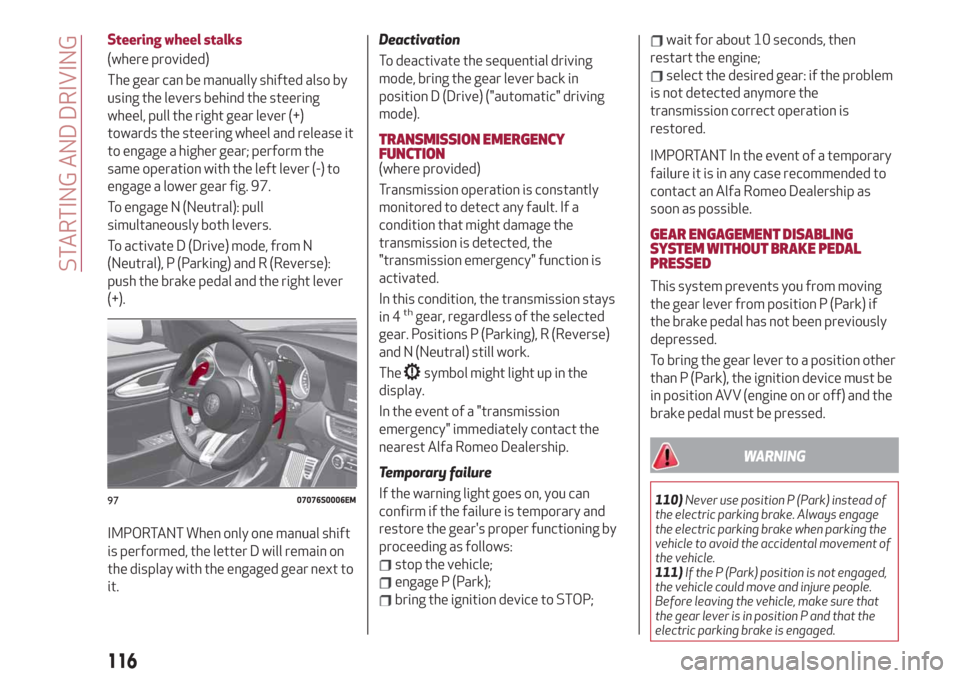
Steering wheel stalks
(where provided)
The gear can be manually shifted also by
using the levers behind the steering
wheel, pull the right gear lever (+)
towards the steering wheel and release it
to engage a higher gear; perform the
same operation with the left lever (-) to
engage a lower gear fig. 97.
To engage N (Neutral): pull
simultaneously both levers.
To activate D (Drive) mode, from N
(Neutral), P (Parking) and R (Reverse):
push the brake pedal and the right lever
(+).
IMPORTANT When only one manual shift
is performed, the letter D will remain on
the display with the engaged gear next to
it.
Deactivation
To deactivate the sequential driving
mode, bring the gear lever back in
position D (Drive) ("automatic" driving
mode).
TRANSMISSION EMERGENCY
FUNCTION
(where provided)
Transmission operation is constantly
monitored to detect any fault. If a
condition that might damage the
transmission is detected, the
"transmission emergency" function is
activated.
In this condition, the transmission stays
in 4
thgear, regardless of the selected
gear. Positions P (Parking), R (Reverse)
and N (Neutral) still work.
The
symbol might light up in the
display.
In the event of a "transmission
emergency" immediately contact the
nearest Alfa Romeo Dealership.
Temporary failure
If the warning light goes on, you can
confirm if the failure is temporary and
restore the gear's proper functioning by
proceeding as follows:
stop the vehicle;
engage P (Park);
bring the ignition device to STOP;
wait for about 10 seconds, then
restart the engine;
select the desired gear: if the problem
is not detected anymore the
transmission correct operation is
restored.
IMPORTANT In the event of a temporary
failure it is in any case recommended to
contact an Alfa Romeo Dealership as
soon as possible.
GEAR ENGAGEMENT DISABLING
SYSTEM WITHOUT BRAKE PEDAL
PRESSED
This system prevents you from moving
the gear lever from position P (Park) if
the brake pedal has not been previously
depressed.
To bring the gear lever to a position other
than P (Park), the ignition device must be
in position AVV (engine on or off) and the
brake pedal must be pressed.
WARNING
110)Never use position P (Park) instead of
the electric parking brake. Always engage
the electric parking brake when parking the
vehicle to avoid the accidental movement of
the vehicle.
111)If the P (Park) position is not engaged,
the vehicle could move and injure people.
Before leaving the vehicle, make sure that
the gear lever is in position P and that the
electric parking brake is engaged.9707076S0006EM
116
STARTING AND DRIVING
Page 119 of 232
112)Do not shift the gear lever to N
(Neutral) and do not stop the engine when
driving on a downhill road. This type of
driving is dangerous and reduces the
possibility of intervening in the case of
variation of the road traffic or surface. You
risk losing control of your vehicle and
causing accidents.
IMPORTANT
38)Before selecting P (Park) mode, bring the
ignition device to position ON and press the
brake pedal. Otherwise, the gear lever may
get damaged.
39)Engage reverse only with the car
stationary, engine at idling speed and
accelerator fully released.
"ALFA DNA™"SYSTEM
"ALFA DNA™"SYSTEM
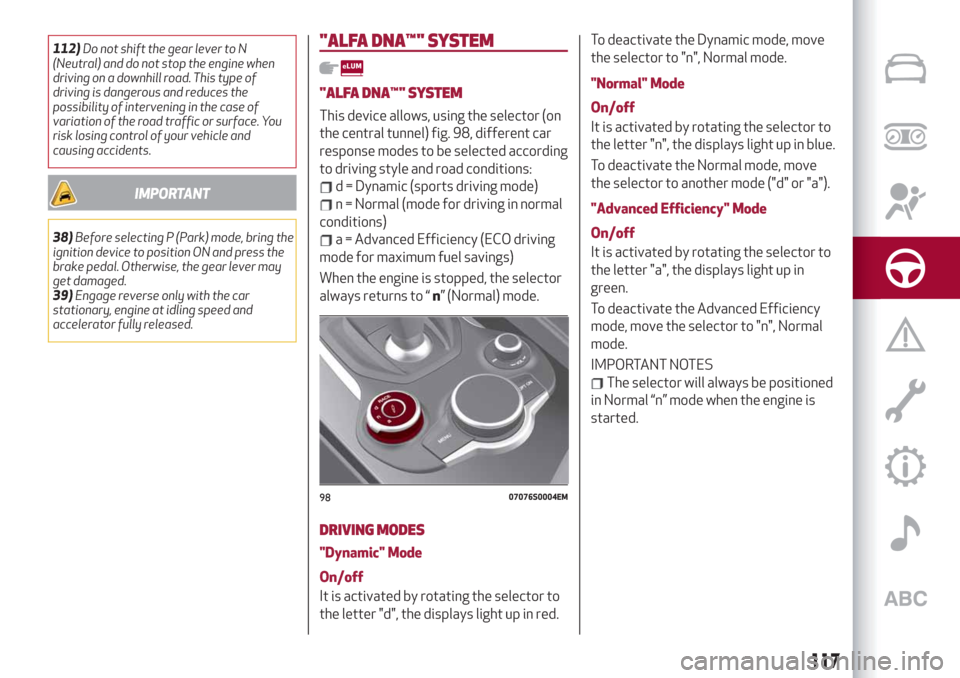
This device allows, using the selector (on
the central tunnel) fig. 98, different car
response modes to be selected according
to driving style and road conditions:
d = Dynamic (sports driving mode)
n = Normal (mode for driving in normal
conditions)
a = Advanced Efficiency (ECO driving
mode for maximum fuel savings)
When the engine is stopped, the selector
always returns to “n” (Normal) mode.
DRIVING MODES
"Dynamic" Mode
On/off
It is activated by rotating the selector to
the letter "d", the displays light up in red.To deactivate the Dynamic mode, move
the selector to "n", Normal mode.
"Normal" Mode
On/off
It is activated by rotating the selector to
the letter "n", the displays light up in blue.
To deactivate the Normal mode, move
the selector to another mode ("d" or "a").
"Advanced Efficiency" Mode
On/off
It is activated by rotating the selector to
the letter "a", the displays light up in
green.
To deactivate the Advanced Efficiency
mode, move the selector to "n", Normal
mode.
IMPORTANT NOTES
The selector will always be positioned
in Normal “n” mode when the engine is
started.
9807076S0004EM
117
Page 128 of 232
“STOP AND GO” STRATEGY
The “Stop and Go” operating strategy
allows you to maintain a safe distance
from the vehicle ahead until the car has
completely stopped. It will also restart
the car automatically if the vehicle ahead
moves off within two seconds, otherwise
it is necessary to press the accelerator
pedal or the RES button to restart.
DEACTIVATION
The device is deactivated and the set
speed is cancelled if:
if thebutton on the Active Cruise
Control is pressed (with the device
enabled or paused);
the ignition device is in the STOP
position;
RACE mode is activated.
The device is cancelled (the set speed
and distance are stored):
when the device is paused (see the
“Activating / Deactivating Active Cruise
Control” paragraph);
when the conditions shown in the
“Setting the desired speed” paragraph
occur;
SYSTEM LIMITED OPERATION
WARNING
If the dedicated message is shown on the
display, a condition limiting the system
operation may have occurred.
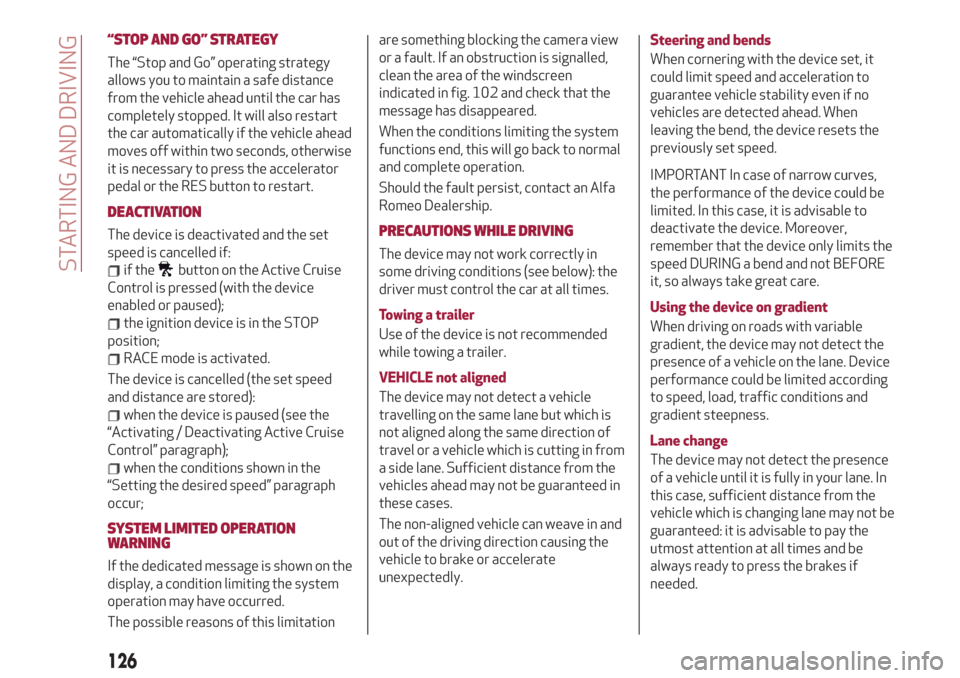
The possible reasons of this limitationare something blocking the camera view
or a fault. If an obstruction is signalled,
clean the area of the windscreen
indicated in fig. 102 and check that the
message has disappeared.
When the conditions limiting the system
functions end, this will go back to normal
and complete operation.
Should the fault persist, contact an Alfa
Romeo Dealership.
PRECAUTIONS WHILE DRIVING
The device may not work correctly in
some driving conditions (see below): the
driver must control the car at all times.
Towing a trailer
Use of the device is not recommended
while towing a trailer.
VEHICLE not aligned
The device may not detect a vehicle
travelling on the same lane but which is
not aligned along the same direction of
travel or a vehicle which is cutting in from
a side lane. Sufficient distance from the
vehicles ahead may not be guaranteed in
these cases.
The non-aligned vehicle can weave in and
out of the driving direction causing the
vehicle to brake or accelerate
unexpectedly.Steering and bends
When cornering with the device set, it
could limit speed and acceleration to
guarantee vehicle stability even if no
vehicles are detected ahead. When
leaving the bend, the device resets the
previously set speed.
IMPORTANT In case of narrow curves,
the performance of the device could be
limited. In this case, it is advisable to
deactivate the device. Moreover,
remember that the device only limits the
speed DURING a bend and not BEFORE
it, so always take great care.
Using the device on gradient
When driving on roads with variable
gradient, the device may not detect the
presence of a vehicle on the lane. Device
performance could be limited according
to speed, load, traffic conditions and
gradient steepness.
Lane change
The device may not detect the presence
of a vehicle until it is fully in your lane. In
this case, sufficient distance from the
vehicle which is changing lane may not be
guaranteed: it is advisable to pay the
utmost attention at all times and be
always ready to press the brakes if
needed.
126
STARTING AND DRIVING
Page 132 of 232
LANE DEPARTURE WARNING
(LDW) SYSTEM
DESCRIPTION
51) 52) 53) 54) 55) 56)
The Lane Departure Warning system
makes use of a camera located on the
windscreen to detect the lane limits and
calculate the position of the vehicle
within such limits, in order to make sure
that it remains inside the lane.
When one or both lane limits are
detected and the vehicle passes over one
without the driver's say-so (direction
indicator not turned on), the system
emits an acoustic signal.
If the vehicle continues to go beyond the
line of the lane without any intervention
from the driver, the surpassed line will
light up on the display (left or right) to
urge the driver to bring the vehicle back
into the limits of the lane.
SYSTEM ON/OFF
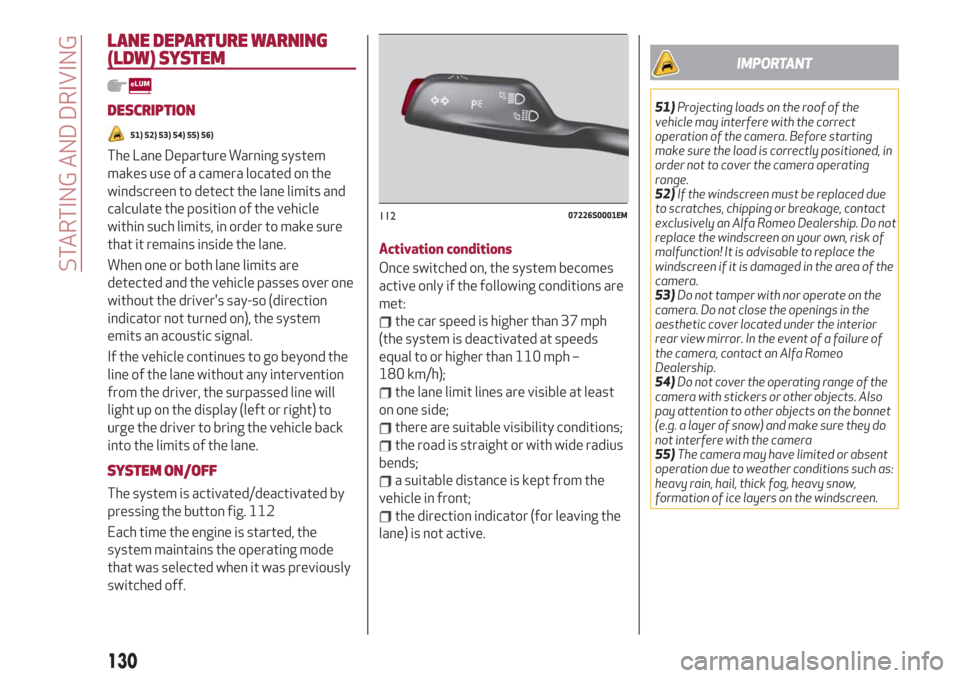
The system is activated/deactivated by
pressing the button fig. 112
Each time the engine is started, the
system maintains the operating mode
that was selected when it was previously
switched off.Activation conditions
Once switched on, the system becomes
active only if the following conditions are
met:
the car speed is higher than 37 mph
(the system is deactivated at speeds
equal to or higher than 110 mph –
180 km/h);
the lane limit lines are visible at least
on one side;
there are suitable visibility conditions;
the road is straight or with wide radius
bends;
a suitable distance is kept from the
vehicle in front;
the direction indicator (for leaving the
lane) is not active.
IMPORTANT
51)Projecting loads on the roof of the
vehicle may interfere with the correct
operation of the camera. Before starting
make sure the load is correctly positioned, in
order not to cover the camera operating
range.
52)If the windscreen must be replaced due
to scratches, chipping or breakage, contact
exclusively an Alfa Romeo Dealership. Do not
replace the windscreen on your own, risk of
malfunction! It is advisable to replace the
windscreen if it is damaged in the area of the
camera.
53)Do not tamper with nor operate on the
camera. Do not close the openings in the
aesthetic cover located under the interior
rear view mirror. In the event of a failure of
the camera, contact an Alfa Romeo
Dealership.
54)Do not cover the operating range of the
camera with stickers or other objects. Also
pay attention to other objects on the bonnet
(e.g. a layer of snow) and make sure they do
not interfere with the camera
55)The camera may have limited or absent
operation due to weather conditions such as:
heavy rain, hail, thick fog, heavy snow,
formation of ice layers on the windscreen.
11207226S0001EM
130
STARTING AND DRIVING
Page 180 of 232
IMPORTANT
81)Keep your speed down when snow chains
are fitted; do not exceed 50 km/h (or the
equivalent in miles). Avoid potholes, do not
drive over steps or pavements and do not
drive long distances over roads without
snow, to avoid damaging both your vehicle
and the road surface.
BODY
PRESERVING THE BODYWORK
Paintwork
82)7)
Touch up abrasions and scratches
immediately to prevent the formation of
rust.
Some parts of the car may be covered
with a matt paint which, in order to be
maintained intact, requires special care:
see the instructions in the warning at the
end of this paragraph.
83)
To correctly wash the vehicle, follow
these instructions:
if high pressure jets or cleaners are
used to wash the vehicle, hold at least
16 in [40 cm] away from the bodywork to
avoid damage or alteration. Build up of
water could cause damage to the car in
the long term;
to make it easier to remove any dirt
deposits in the area where the blades are
normally located it is recommended to
position the windscreen wipers vertically
(service position), for more information
consult the “Maintenance procedures”
paragraph in this chapter.If you want to wash a car with automatic
transmission in a car wash that moves it,
you must do the following:
make sure that the car is on a flat
surface and that automatic engagement
of the parking brake when the engine is
switched off is disabled (for how to
disable it, refer to the “Electric parking
brake” section in the “Starting and
driving” chapter);
with the car stationary, the gear in N
(Neutral) and the brake pedal up: press
the start button.The car will remain in N
(Neutral) for 15 minutes, after which P
(Park) mode will be activated.
IMPORTANT
82)In order to preserve the aesthetic
appearance of the paint abrasive products
and/or polishes should not be used for
cleaning the vehicle.
178
SERVICING AND CARE
Page 213 of 232
MEDIA MODE
IMPORTANT Applications used on
portable devices may be not compatible
with the Connect system.
Track selection (Browse)
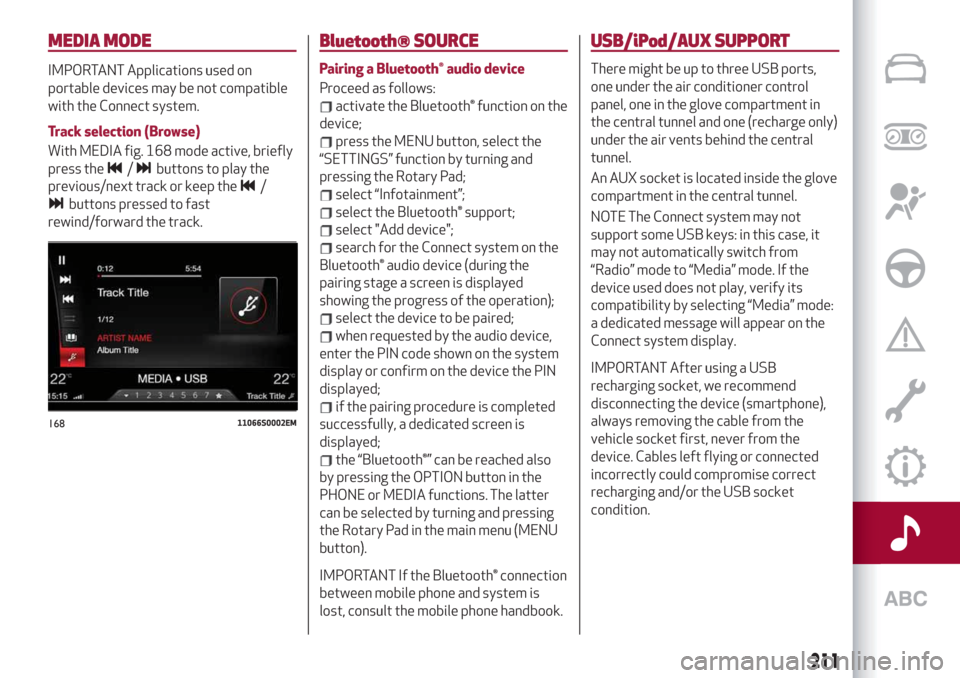
With MEDIA fig. 168 mode active, briefly
press the
/buttons to play the
previous/next track or keep the
/
buttons pressed to fast
rewind/forward the track.
Bluetooth® SOURCE
Pairing a Bluetooth® audio device
Proceed as follows:
activate the Bluetooth® function on the
device;
press the MENU button, select the
“SETTINGS” function by turning and
pressing the Rotary Pad;
select “Infotainment”;
select the Bluetooth® support;
select "Add device";
search for the Connect system on the
Bluetooth® audio device (during the
pairing stage a screen is displayed
showing the progress of the operation);
select the device to be paired;
when requested by the audio device,
enter the PIN code shown on the system
display or confirm on the device the PIN
displayed;
if the pairing procedure is completed
successfully, a dedicated screen is
displayed;
the “Bluetooth®” can be reached also
by pressing the OPTION button in the
PHONE or MEDIA functions. The latter
can be selected by turning and pressing
the Rotary Pad in the main menu (MENU
button).
IMPORTANT If the Bluetooth® connection
between mobile phone and system is
lost, consult the mobile phone handbook.
USB/iPod/AUX SUPPORT
There might be up to three USB ports,
one under the air conditioner control
panel, one in the glove compartment in
the central tunnel and one (recharge only)
under the air vents behind the central
tunnel.
An AUX socket is located inside the glove
compartment in the central tunnel.
NOTE The Connect system may not
support some USB keys: in this case, it
may not automatically switch from
“Radio” mode to “Media” mode. If the
device used does not play, verify its
compatibility by selecting “Media” mode:
a dedicated message will appear on the
Connect system display.
IMPORTANT After using a USB
recharging socket, we recommend
disconnecting the device (smartphone),
always removing the cable from the
vehicle socket first, never from the
device. Cables left flying or connected
incorrectly could compromise correct
recharging and/or the USB socket
condition.
16811066S0002EM
211