mirror Alfa Romeo Giulia 2019 User Guide
[x] Cancel search | Manufacturer: ALFA ROMEO, Model Year: 2019, Model line: Giulia, Model: Alfa Romeo Giulia 2019Pages: 232, PDF Size: 4.87 MB
Page 216 of 232
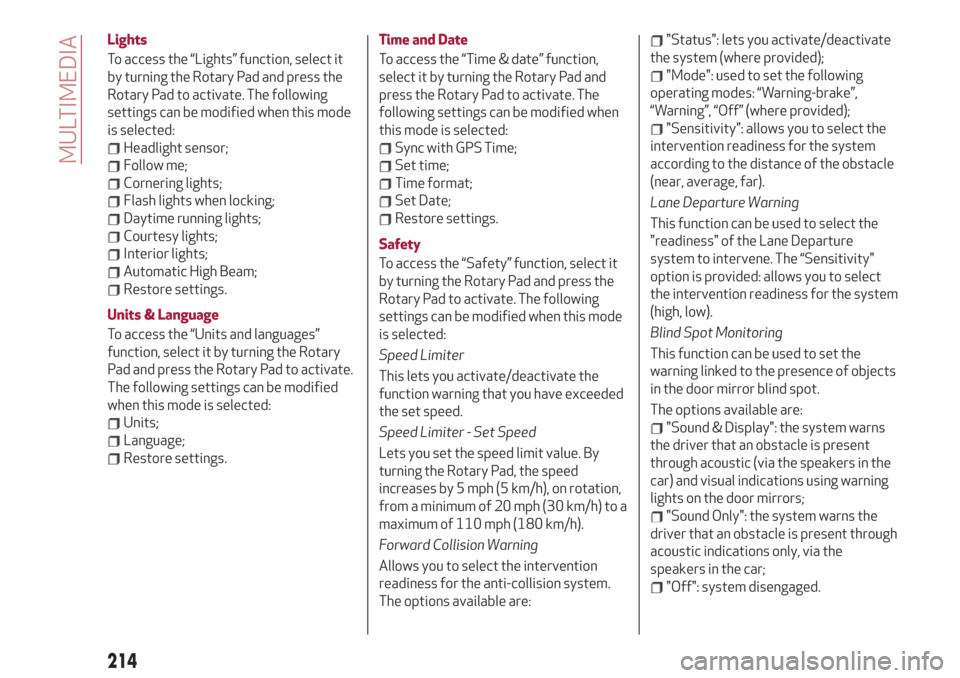
Lights
To access the “Lights” function, select it
by turning the Rotary Pad and press the
Rotary Pad to activate. The following
settings can be modified when this mode
is selected:
Headlight sensor;
Follow me;
Cornering lights;
Flash lights when locking;
Daytime running lights;
Courtesy lights;
Interior lights;
Automatic High Beam;
Restore settings.
Units & Language
To access the “Units and languages”
function, select it by turning the Rotary
Pad and press the Rotary Pad to activate.
The following settings can be modified
when this mode is selected:
Units;
Language;
Restore settings.Time and Date
To access the “Time & date” function,
select it by turning the Rotary Pad and
press the Rotary Pad to activate. The
following settings can be modified when
this mode is selected:
Sync with GPS Time;
Set time;
Time format;
Set Date;
Restore settings.
Safety
To access the “Safety” function, select it
by turning the Rotary Pad and press the
Rotary Pad to activate. The following
settings can be modified when this mode
is selected:
Speed Limiter
This lets you activate/deactivate the
function warning that you have exceeded
the set speed.
Speed Limiter - Set Speed
Lets you set the speed limit value. By
turning the Rotary Pad, the speed
increases by 5 mph (5 km/h), on rotation,
from a minimum of 20 mph (30 km/h) to a
maximum of 110 mph (180 km/h).
Forward Collision Warning
Allows you to select the intervention
readiness for the anti-collision system.
The options available are:
"Status": lets you activate/deactivate
the system (where provided);
"Mode": used to set the following
operating modes: “Warning-brake”,
“Warning”, “Off” (where provided);
"Sensitivity": allows you to select the
intervention readiness for the system
according to the distance of the obstacle
(near, average, far).
Lane Departure Warning
This function can be used to select the
"readiness" of the Lane Departure
system to intervene. The “Sensitivity"
option is provided: allows you to select
the intervention readiness for the system
(high, low).
Blind Spot Monitoring
This function can be used to set the
warning linked to the presence of objects
in the door mirror blind spot.
The options available are:
"Sound & Display": the system warns
the driver that an obstacle is present
through acoustic (via the speakers in the
car) and visual indications using warning
lights on the door mirrors;
"Sound Only": the system warns the
driver that an obstacle is present through
acoustic indications only, via the
speakers in the car;
"Off": system disengaged.
214
MULTIMEDIA
Page 218 of 232
Automatic mirror closing
(where provided)
This function activates/deactivates
automatic folding of the mirrors when the
doors are locked/unlocked. The default
setting is “Off”.
Restore settings
This function allows you to delete the
settings from this menu and restore the
default settings. Access the functions
and select the setting by turning and
pressing the Rotary Pad.
Doors & Locks
To access the “Doors & Locks” function,
select it by turning the Rotary Pad and
press the control to activate it. The
following settings can be modified when
this mode is selected:
Door lock in motion;
Unlock all doors on exit;
Passive Entry (where provided);
Door Unlock On Entry (where
provided);
Horn with remote start (where
provided)
Sound Horn with Lock (where
provided);
Auto Relock (where provided);
Restore settings.Control panel
To access the “Control panel” function,
select it by turning the Rotary Pad and
press the Rotary Pad to activate. The
following settings can be modified when
this mode is selected:
Warning buzzer volume;
Trip B;
Show telephone info;
Show audio info;
Show Navi info;
Restore settings.
Infotainment
To access the “Infotainment” function,
select it by turning the Rotary Pad and
press the Rotary Pad to activate. The
following settings can be modified when
this mode is selected:
Screen Off;
Splitscreen (where provided);
Audio;
Bluetooth®;
Radio;
Media;
Phone;
Navigation (where provided);
Apps.
System
To access the “System” function, select it
by turning the Rotary Pad and press the
Rotary Pad to activate. The following
settings can be modified when this mode
is selected:
Automatic activation;
Cam Delay;
Update Software;
Map update;
Clear personal data;
Restore settings.
IMPORTANT For further information
about the map update procedure, refer to
the Connect system supplement on the
uLum website.
MAP UPDATE
To ensure optimal performance, the
navigation system must be updated
periodically.
For this, the Mopar Map Care service
offers a new map update every three
months.
The updates can be downloaded from the
maps.mopar.eu website and installed
directly on the Connect system. All
updates are free of charge for 3 years
from the start of the warranty on the car.
The navigation system can also be
updated at the Alfa Romeo Dealership.
NOTE The dealer may charge for
updating the navigation system.
216
MULTIMEDIA
Page 228 of 232
Fuel consumption............200
Fuel cut-off system...........156
Fuse boxes................146
Fuses (replacement)...........146
Hazard warning lights..........140
Emergency braking..........140
Headlight alignment adjustment....30
Headlight alignment corrector......30
Headrests..................23
HSA (Hill Start Assist) system......73
Identification data............182
Ignition device...............13
Important information and
recommendations..........221
Interior lights................31
Interiors (cleaning)............179
ISOFIX child restraint system
(installation)...............94
Jump starting...............155
Keys
electronic key..............12
Lane Change................29
Lane Departure Warning System . . .130
Lifting the vehicle............176
Light bulbs
types of bulbs.............141
Light switch.................26
Main beam headlights..........28Main beam headlights (changing a
bulb)...................143
Manual gearbox..............114
Occupant protection systems......85
Paintwork (cleaning and
maintenance).............178
Park Sensors system..........128
Parking lights................28
Parking the vehicle............111
Passive Entry (system)..........16
PBA (Panic Brake Assist) system....73
Performance (top speed)........198
Power Lock (device)............17
Pretensioners................88
Load limiters..............88
Rain sensor.................32
RCP system.................77
Rear Back-up Camera / Dynamic
Gridlines................131
Rear seats..................21
Rear view mirrors.............25
Reconfigurable TFT display.......46
Refuelling.................192
Refuelling procedure..........133
Refuelling the vehicle..........132
Replacing an external bulb.......143
Rims and tyres..............186
Rims and tyres provided........186
Roof rack / Ski rack............41Run Flat Tyres . ..............153
Saving fuel................136
SBA (Seat Belt Alert) system......87
SBL function . . ..............30
Scheduled servicing...........160
Scheduled servicing plan (2.2 JTD
diesel engine versions) . . ......164
Screen wiper/washer...........31
Smart washing function........32
Seat belts..................85
Seats.....................19
Service schedule (2.0 T4 MAir
petrol engine versions) . . ......161
Servicing procedures..........174
Side bag..................106
Snow chains................177
Speed Limiter . ..............119
Split folding rear seat...........22
SRS (supplementary restraint
system).................102
Start & Stop Evo.............118
Starting the engine............110
Starting with flat key battery......14
Steering lock . . ..............14
Steering wheel...............24
Suggestions for driving .........136
Symbols....................5
Tailgate...................39
INDEX