Flashing Alfa Romeo MiTo 2016 Owner's Manual
[x] Cancel search | Manufacturer: ALFA ROMEO, Model Year: 2016, Model line: MiTo, Model: Alfa Romeo MiTo 2016Pages: 280, PDF Size: 8.52 MB
Page 12 of 280
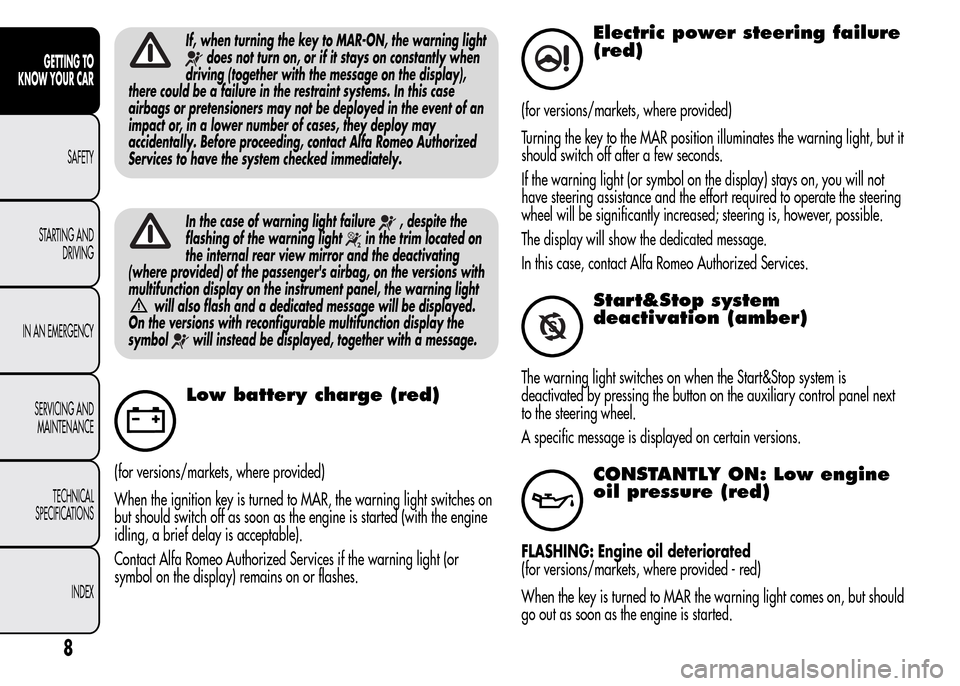
If, when turning the key to MAR-ON, the warning light
does not turn on, or if it stays on constantly when
driving (together with the message on the display),
there could be a failure in the restraint systems. In this case
airbags or pretensioners may not be deployed in the event of an
impact or, in a lower number of cases, they deploy may
accidentally. Before proceeding, contact Alfa Romeo Authorized
Services to have the system checked immediately.
In the case of warning light failure, despite the
flashing of the warning light
in the trim located on
the internal rear view mirror and the deactivating
(where provided) of the passenger's airbag, on the versions with
multifunction display on the instrument panel, the warning light
will also flash and a dedicated message will be displayed.
On the versions with reconfigurable multifunction display the
symbol
will instead be displayed, together with a message.
Low battery charge (red)
(for versions/markets, where provided)
When the ignition key is turned to MAR, the warning light switches on
but should switch off as soon as the engine is started (with the engine
idling, a brief delay is acceptable).
Contact Alfa Romeo Authorized Services if the warning light (or
symbol on the display) remains on or flashes.
Electric power steering failure
(red)
(for versions/markets, where provided)
Turning the key to the MAR position illuminates the warning light, but it
should switch off after a few seconds.
If the warning light (or symbol on the display) stays on, you will not
have steering assistance and the effort required to operate the steering
wheel will be significantly increased; steering is, however, possible.
The display will show the dedicated message.
In this case, contact Alfa Romeo Authorized Services.
Start&Stop system
deactivation (amber)
The warning light switches on when the Start&Stop system is
deactivated by pressing the button on the auxiliary control panel next
to the steering wheel.
A specific message is displayed on certain versions.
CONSTANTLY ON: Low engine
oil pressure (red)
FLASHING: Engine oil deteriorated
(for versions/markets, where provided - red)
When the key is turned to MAR the warning light comes on, but should
go out as soon as the engine is started.
8
GETTING TO
KNOW YOUR CAR
SAFETY
STARTING AND
DRIVING
IN AN EMERGENCY
SERVICING AND
MAINTENANCE
TECHNICAL
SPECIFICATIONS
INDEX
Page 13 of 280
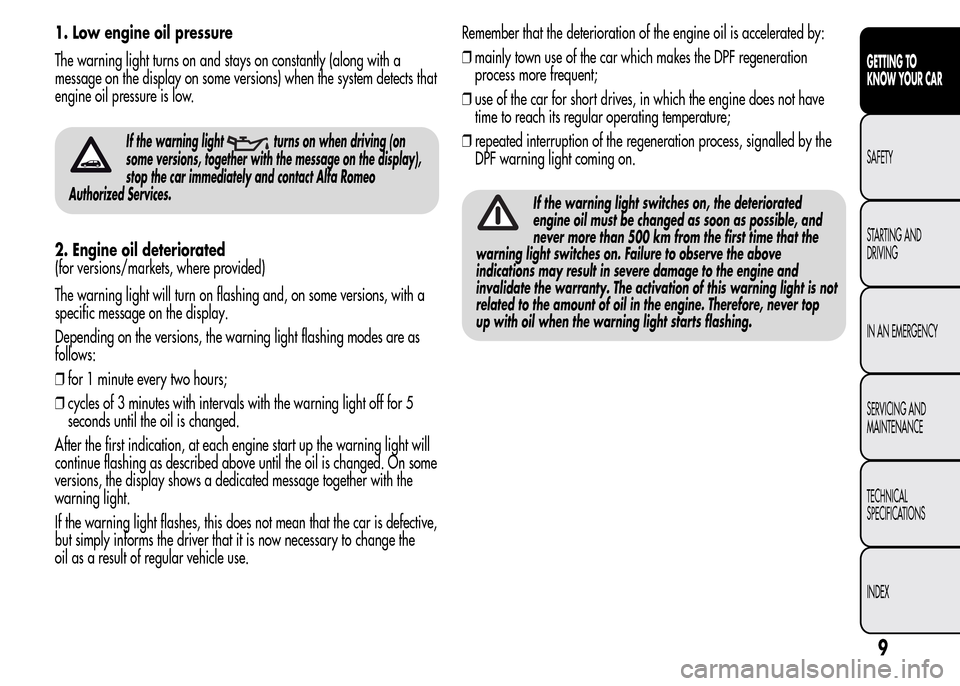
1. Low engine oil pressure
The warning light turns on and stays on constantly (along with a
message on the display on some versions) when the system detects that
engine oil pressure is low.
If the warning lightturns on when driving (on
some versions, together with the message on the display),
stop the car immediately and contact Alfa Romeo
Authorized Services.
2. Engine oil deteriorated
(for versions/markets, where provided)
The warning light will turn on flashing and, on some versions, with a
specific message on the display.
Depending on the versions, the warning light flashing modes are as
follows:
❒for 1 minute every two hours;
❒cycles of 3 minutes with intervals with the warning light off for 5
seconds until the oil is changed.
After the first indication, at each engine start up the warning light will
continue flashing as described above until the oil is changed. On some
versions, the display shows a dedicated message together with the
warning light.
If the warning light flashes, this does not mean that the car is defective,
but simply informs the driver that it is now necessary to change the
oil as a result of regular vehicle use.Remember that the deterioration of the engine oil is accelerated by:
❒mainly town use of the car which makes the DPF regeneration
process more frequent;
❒use of the car for short drives, in which the engine does not have
time to reach its regular operating temperature;
❒repeated interruption of the regeneration process, signalled by the
DPF warning light coming on.
If the warning light switches on, the deteriorated
engine oil must be changed as soon as possible, and
never more than 500 km from the first time that the
warning light switches on. Failure to observe the above
indications may result in severe damage to the engine and
invalidate the warranty. The activation of this warning light is not
related to the amount of oil in the engine. Therefore, never top
up with oil when the warning light starts flashing.
9
GETTING TO
KNOW YOUR CAR
SAFETY
STARTING AND
DRIVING
IN AN EMERGENCY
SERVICING AND
MAINTENANCE
TECHNICAL
SPECIFICATIONS
INDEX
Page 15 of 280
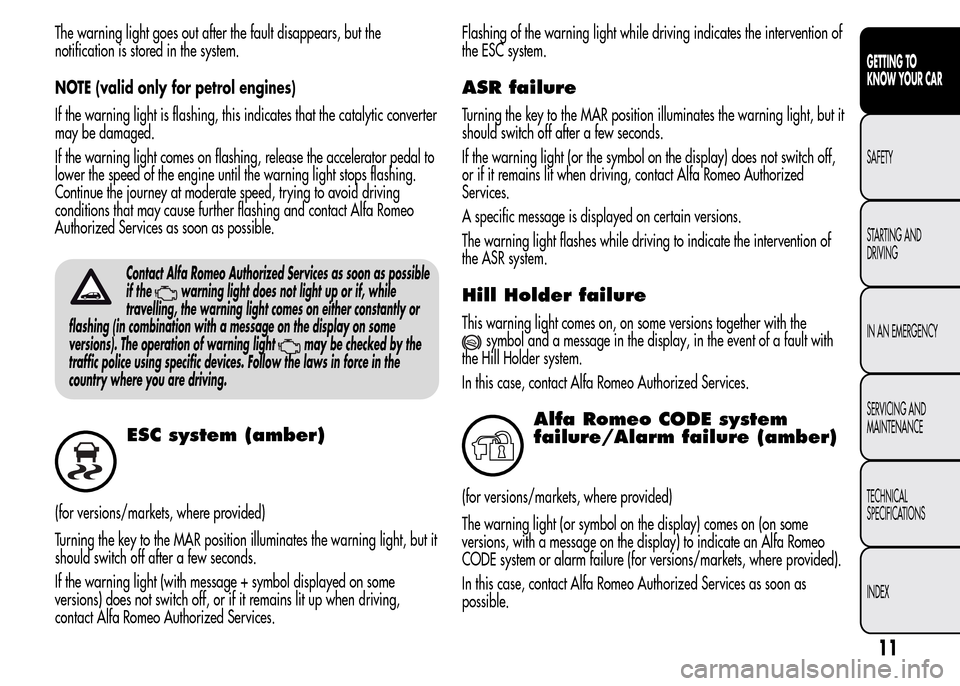
The warning light goes out after the fault disappears, but the
notification is stored in the system.
NOTE (valid only for petrol engines)
If the warning light is flashing, this indicates that the catalytic converter
may be damaged.
If the warning light comes on flashing, release the accelerator pedal to
lower the speed of the engine until the warning light stops flashing.
Continue the journey at moderate speed, trying to avoid driving
conditions that may cause further flashing and contact Alfa Romeo
Authorized Services as soon as possible.
Contact Alfa Romeo Authorized Services as soon as possible
if the
warning light does not light up or if, while
travelling, the warning light comes on either constantly or
flashing (in combination with a message on the display on some
versions). The operation of warning light
may be checked by the
traffic police using specific devices. Follow the laws in force in the
country where you are driving.
ESC system (amber)
(for versions/markets, where provided)
Turning the key to the MAR position illuminates the warning light, but it
should switch off after a few seconds.
If the warning light (with message + symbol displayed on some
versions) does not switch off, or if it remains lit up when driving,
contact Alfa Romeo Authorized Services.Flashing of the warning light while driving indicates the intervention of
the ESC system.
ASR failure
Turning the key to the MAR position illuminates the warning light, but it
should switch off after a few seconds.
If the warning light (or the symbol on the display) does not switch off,
or if it remains lit when driving, contact Alfa Romeo Authorized
Services.
A specific message is displayed on certain versions.
The warning light flashes while driving to indicate the intervention of
the ASR system.
Hill Holder failure
This warning light comes on, on some versions together with the
symbol and a message in the display, in the event of a fault with
the Hill Holder system.
In this case, contact Alfa Romeo Authorized Services.
Alfa Romeo CODE system
failure/Alarm failure (amber)
(for versions/markets, where provided)
The warning light (or symbol on the display) comes on (on some
versions, with a message on the display) to indicate an Alfa Romeo
CODE system or alarm failure (for versions/markets, where provided).
In this case, contact Alfa Romeo Authorized Services as soon as
possible.
11
GETTING TO
KNOW YOUR CAR
SAFETY
STARTING AND
DRIVING
IN AN EMERGENCY
SERVICING AND
MAINTENANCE
TECHNICAL
SPECIFICATIONS
INDEX
Page 30 of 280
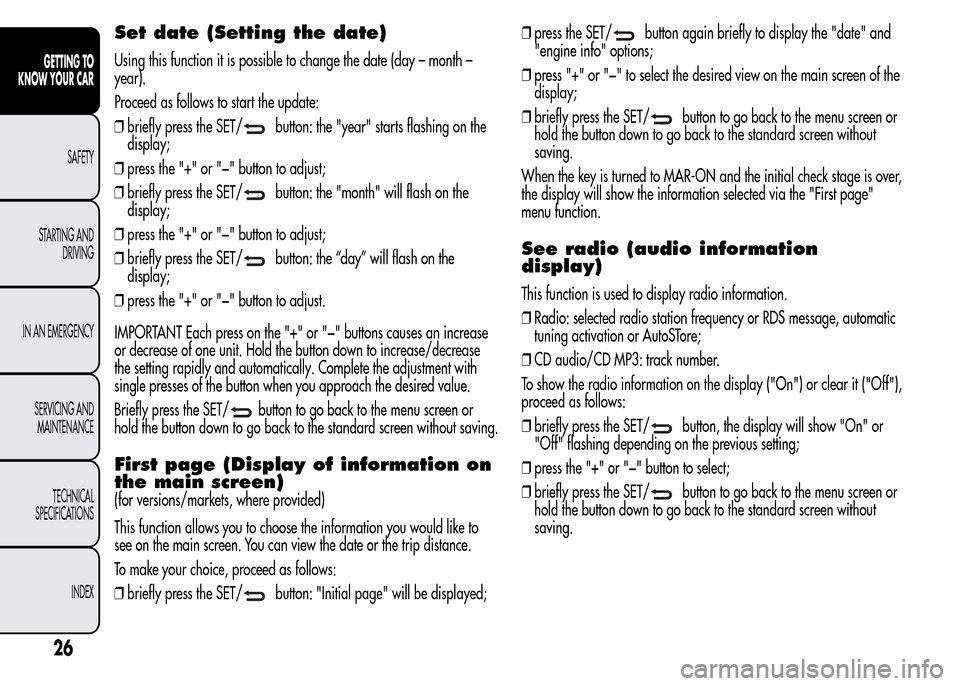
Set date (Setting the date)
Using this function it is possible to change the date (day – month –
year).
Proceed as follows to start the update:
❒briefly press the SET/
button: the "year" starts flashing on the
display;
❒press the "+" or "−" button to adjust;
❒briefly press the SET/
button: the "month" will flash on the
display;
❒press the "+" or "−" button to adjust;
❒briefly press the SET/
button: the “day” will flash on the
display;
❒press the "+" or "−" button to adjust.
IMPORTANT Each press on the "+" or "−" buttons causes an increase
or decrease of one unit. Hold the button down to increase/decrease
the setting rapidly and automatically. Complete the adjustment with
single presses of the button when you approach the desired value.
Briefly press the SET/
button to go back to the menu screen or
hold the button down to go back to the standard screen without saving.
First page (Display of information on
the main screen)
(for versions/markets, where provided)
This function allows you to choose the information you would like to
see on the main screen. You can view the date or the trip distance.
To make your choice, proceed as follows:
❒briefly press the SET/
button: "Initial page" will be displayed;❒press the SET/
button again briefly to display the "date" and
"engine info" options;
❒press "+" or "−" to select the desired view on the main screen of the
display;
❒briefly press the SET/
button to go back to the menu screen or
hold the button down to go back to the standard screen without
saving.
When the key is turned to MAR-ON and the initial check stage is over,
the display will show the information selected via the "First page"
menu function.
See radio (audio information
display)
This function is used to display radio information.
❒Radio: selected radio station frequency or RDS message, automatic
tuning activation or AutoSTore;
❒CD audio/CD MP3: track number.
To show the radio information on the display ("On") or clear it ("Off"),
proceed as follows:
❒briefly press the SET/
button, the display will show "On" or
"Off" flashing depending on the previous setting;
❒press the "+" or "−" button to select;
❒briefly press the SET/
button to go back to the menu screen or
hold the button down to go back to the standard screen without
saving.
26
GETTING TO
KNOW YOUR CAR
SAFETY
STARTING AND
DRIVING
IN AN EMERGENCY
SERVICING AND
MAINTENANCE
TECHNICAL
SPECIFICATIONS
INDEX
Page 31 of 280
Autoclose (Automatic door lock
operation with car running)
When activated (On), this function locks the doors automatically when
the vehicle speed exceeds 20 km/h.
Proceed as follows to activate or deactivate this function:
❒press the SET/
button briefly to display a submenu;
❒press the SET/
button briefly to make the display flash "On" or
"Off" according to what was previously set;
❒press the "+" or "−" button to select;
❒press the SET/
button briefly to return to the submenu screen or
hold the button down to return to the main menu screen without
saving;
❒hold the SET/
button down again to return to the standard
screen or to the main menu according to where you are in the menu.
Unit of measurement (Setting the
unit of measurement)
With this function it is possible to set the measurement units through
three sub-menus: “Distance”, “Consumption” and “Temperature”.
To set the desired measurement unit, proceed as follows:
❒briefly press the SET/
button to display the three sub-menus;
❒press the "+" or "−" button to move between the three submenus;
❒once the submenu to be modified has been selected, briefly press the
SET/
button;
❒when the “Distance” submenu is entered: briefly pressing SET/
displays "km" or "mi" depending on the previous setting;❒press the "+" or "−" button to select;
❒when the “Consumption” submenu is entered, pressing SET/
displays km/l, l/100 km or mpg depending on the previous
setting;
If the set distance unit is "km", the fuel consumption unit will be
displayed in km/l or l/100 km.
If the distance unit set is “mi” the fuel consumption unit will be
displayed in “mpg”.
❒press the "+" or "−" button to select;
❒when the “Temperature” submenu is entered, pressing SET/
displays “°C” or “°F” depending on the previous setting;
❒press the "+" or "−" button to select;
When you have made the required settings, briefly press the SET/
button to go back to the submenu screen or hold the button down
to go back to the main menu screen without saving the new settings.
Hold the SET/
button down again to return to the standard screen
or to the main menu according to where you are in the menu.
Language (Language selection)
Display messages can be shown in different languages: Italian,
English, German, Portuguese, Spanish, French, Dutch, Turkish and
Brazilian.
To set the desired language proceed as follows:
❒briefly press the SET/
button: the previously set "language"
starts flashing on the display;
❒press the "+" or "−" button to select;
❒briefly press the SET/
button to go back to the menu screen or
hold the button down to go back to the standard screen without
saving.
27
GETTING TO
KNOW YOUR CAR
SAFETY
STARTING AND
DRIVING
IN AN EMERGENCY
SERVICING AND
MAINTENANCE
TECHNICAL
SPECIFICATIONS
INDEX
Page 32 of 280
Warnings volume (Adjusting the
alert/warning acoustic signal
volume)
With this function it is possible to adjust (to eight levels) the volume of
the acoustic signal which sounds in the event of alerts and warning.
To set the desired volume proceed as follows:
❒press the SET/
button briefly, making the display flash the
previously set volume "level";
❒press the "+" or "−" button to adjust;
❒briefly press the SET/
button to go back to the menu screen or
hold the button down to go back to the standard screen without
saving.
Button volume (Button volume
adjustment)
With this function it is possible to adjust (to eight levels) the volume of
the acoustic signal when the SET/
button is held down to exit a
submenu and return to the standard menu.
To set the desired volume proceed as follows:
❒briefly press the SET/
button, the previously set volume "level"
will be displayed;
❒press the "+" or "−" button to adjust the volume; an acoustic signal
equal to the volume level being selected is emitted during this
adjustment;
❒briefly press the SET/
button to go back to the previous screen
or hold the button down to go back to the standard screen without
saving.
On versions with reconfigurable multifunction display, the volume level
is represented by bars.
Belt reminder (Reactivation of SBR
buzzer)
(for versions/markets, where provided)
This function will only be displayed after the SBR system has been
deactivated by Alfa Romeo Authorised Services (see "SBR system" in
the "Safety" chapter).
To reactivate this function, proceed as follows:
❒briefly press the SET/
button, the display shows "OFF"
flashing. Press the "+" or "−" button and "On" will be displayed;
❒briefly press the SET/
button to go back to the previous screen
or hold the button down to go back to the standard screen without
saving.
Service (Scheduled servicing)
This function allows you to display the information about km/mileage
intervals or, for versions/markets, where provided, time intervals for
car servicing.
To consult this information, proceed as follows:
❒briefly press the SET/
button: the display shows when servicing
is due in km/mi or days (where provided) or mi or days (where
provided) according to the previous setting (see paragraph "Units of
measurement");
❒briefly press the SET/
button to go back to the menu screen or
hold the button down to go back to the standard screen.
28
GETTING TO
KNOW YOUR CAR
SAFETY
STARTING AND
DRIVING
IN AN EMERGENCY
SERVICING AND
MAINTENANCE
TECHNICAL
SPECIFICATIONS
INDEX
Page 40 of 280
Press button B to open/close the metal insert.
Press button B fig. 16 only with the key away from your
body, especially your eyes and from objects which could
get damaged (e.g. your clothes). Do not leave the key
unattended to avoid the button being accidentally pressed while it is
being handled, e.g. by a child.
Unlocking the doors and the tailgate
Briefly press button
: for unlocking of doors and luggage
compartment, timed switching-on of internal roof lights and double
flashing of direction indicators (for versions/markets, where provided).
The doors are unlocked automatically if the fuel cut-off system
intervenes.
Once the doors are locked, if one or more doors or the boot are not
closed correctly, the LED and direction indicators start flashing quickly.
Locking the doors and the tailgate
Briefly press button
: for locking of doors and luggage
compartment, with switching-off of roof light and single flashing of
direction indicators (for versions/markets, where provided).
If one or more doors are open, the doors will not be locked. This is
indicated by a rapid flashing of the direction indicators (for
versions/markets, where provided). If the luggage compartment is
open, the doors will, however, be locked.
When a speed of over 20 km/h is reached, the doors are
automatically locked if this specific function has been set (only on
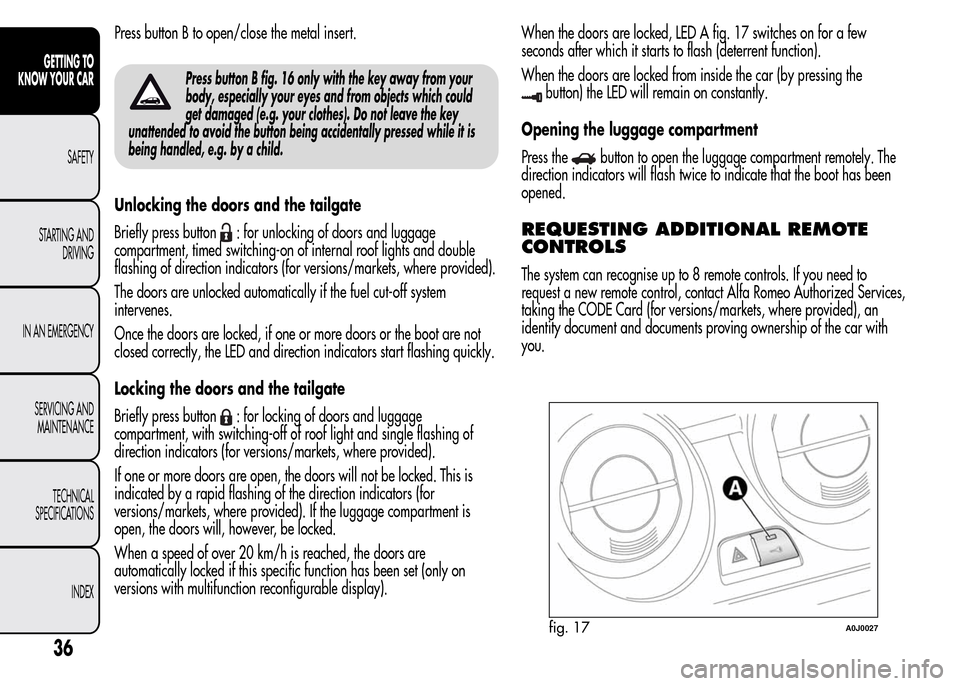
versions with multifunction reconfigurable display).When the doors are locked, LED A fig. 17 switches on for a few
seconds after which it starts to flash (deterrent function).
When the doors are locked from inside the car (by pressing the
button) the LED will remain on constantly.
Opening the luggage compartment
Press the
button to open the luggage compartment remotely. The
direction indicators will flash twice to indicate that the boot has been
opened.
REQUESTING ADDITIONAL REMOTE
CONTROLS
The system can recognise up to 8 remote controls. If you need to
request a new remote control, contact Alfa Romeo Authorized Services,
taking the CODE Card (for versions/markets, where provided), an
identity document and documents proving ownership of the car with
you.
fig. 17A0J0027
36
GETTING TO
KNOW YOUR CAR
SAFETY
STARTING AND
DRIVING
IN AN EMERGENCY
SERVICING AND
MAINTENANCE
TECHNICAL
SPECIFICATIONS
INDEX
Page 43 of 280
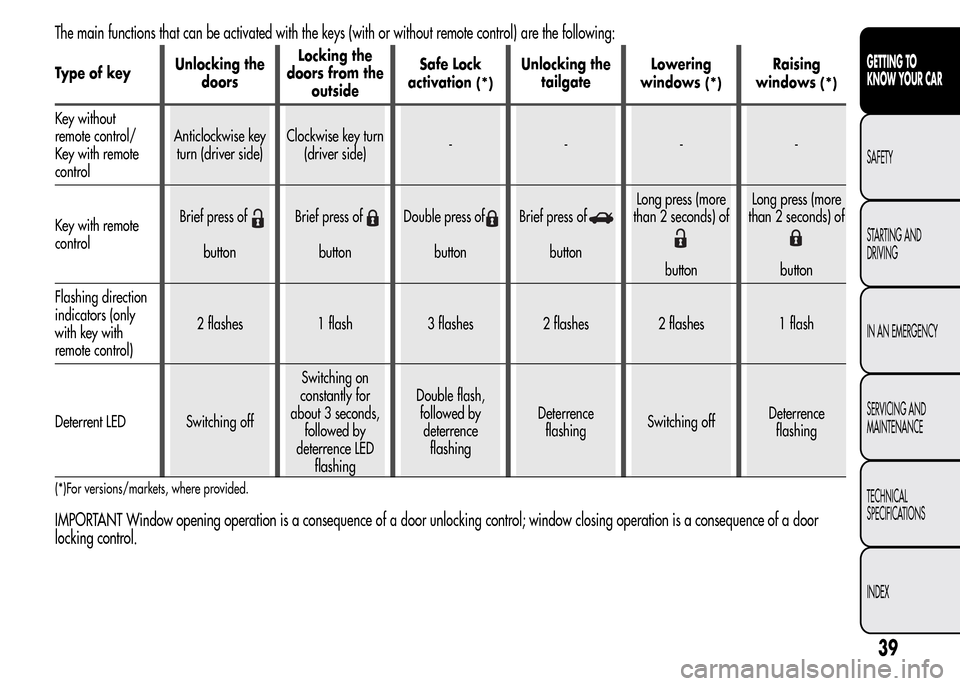
The main functions that can be activated with the keys (with or without remote control) are the following:
Type of keyUnlocking the
doorsLocking the
doors from the
outsideSafe Lock
activation(*)
Unlocking the
tailgateLowering
windows
(*)
Raising
windows
(*)
Key without
remote control/
Key with remote
controlAnticlockwise key
turn (driver side)Clockwise key turn
(driver side)----
Key with remote
controlBrief press of
buttonBrief press ofbuttonDouble press ofbuttonBrief press ofbuttonLong press (more
than 2 seconds) of
buttonLong press (more
than 2 seconds) ofbutton
Flashing direction
indicators (only
with key with
remote control)2 flashes 1 flash 3 flashes 2 flashes 2 flashes 1 flash
Deterrent LED Switching offSwitching on
constantly for
about 3 seconds,
followed by
deterrence LED
flashingDouble flash,
followed by
deterrence
flashingDeterrence
flashingSwitching offDeterrence
flashing
(*)For versions/markets, where provided.
IMPORTANT Window opening operation is a consequence of a door unlocking control; window closing operation is a consequence of a door
locking control.
39
GETTING TO
KNOW YOUR CAR
SAFETY
STARTING AND
DRIVING
IN AN EMERGENCY
SERVICING AND
MAINTENANCE
TECHNICAL
SPECIFICATIONS
INDEX
Page 44 of 280
ALARM
(for versions/markets, where provided)
ALARM ACTIVATION
The alarm activates in the following cases:
❒wrongful opening of a door/bonnet/luggage compartment
(perimeter protection);
❒wrongful operation of the ignition switch (key turned to MAR);
❒cutting of the battery cables;
❒movement inside the passenger compartment (volumetric protection);
❒anomalous lifting/tilting of the car (for versions/markets, where
provided).
Operation of the alarm is indicated by an acoustic and visual signal
(flashing of the direction indicators for several seconds). The alarm
activation modes may vary according to the market. There is a
maximum number of acoustic/visual cycles. When this is reached the
system returns to normal operation.
IMPORTANT The engine locking function is guaranteed by the Alfa
Romeo CODE, which is automatically activated when the ignition key
is extracted from the ignition switch.
IMPORTANT The alarm is adapted to meet requirements in various
countries.
SWITCHING ON THE ALARM
With the doors and bonnet closed and the ignition key either turned to
STOP or removed, direct the key with the remote control towards the
car, then press and release the
button. Except for specific markets,
the system emits a visual and acoustic signal and enables door locking.
A self-diagnosis stage precedes the switching on of the alarm: in the
event of faults, the system will generate a further acoustic and/or
visual signal through the LED on the dashboard.
If after the alarm is switched on, a second acoustic signal is emitted
and/or a visual signal via the LED on the dashboard, wait about
4 seconds and switch off the alarm by pressing the
button, check
that the doors, bonnet and luggage compartment are closed correctly
and then reactivate the system by pressing the
button.
If the alarm emits an acoustic signal even when the doors, bonnet and
boot are correctly closed, a fault has occurred in system operation:
in this case, contact Alfa Romeo Authorized Services.
ALARM SELF-ACTIVATION
(for versions/markets, where provided)
If the alarm has not been activated using the remote control, once
about 30 seconds have elapsed from when the ignition key was turned
to STOP and a door or the tailgate was last opened and then closed,
the alarm activates automatically.
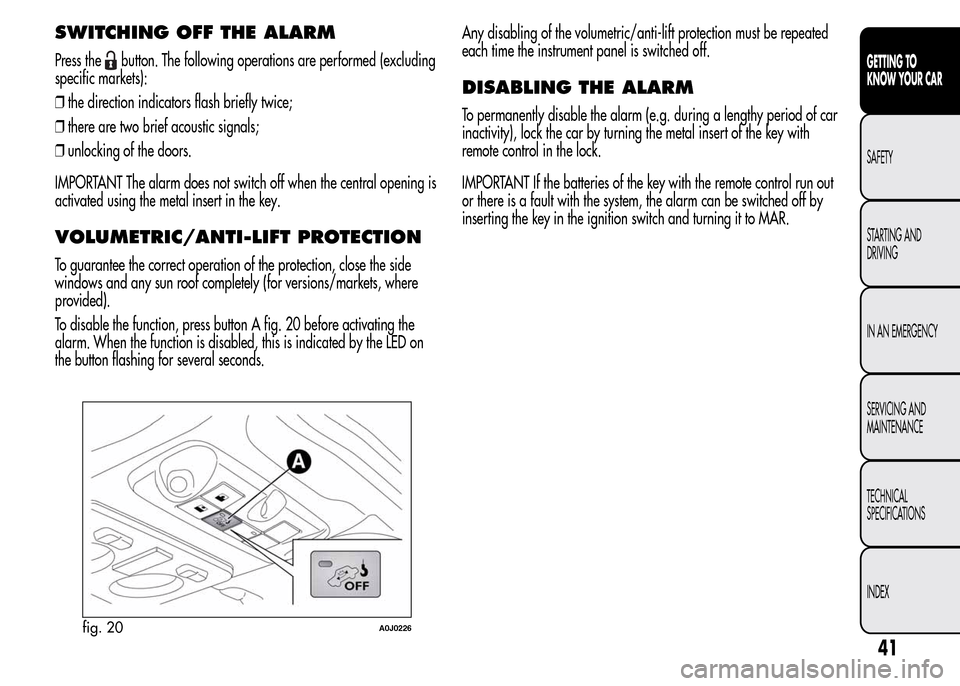
This is indicated by the LED on the button A fig. 20 lighting up
intermittently and the indications of activation described previously.
To deactivate the alarm, press the
button on the remote control.
The alarm also activates when the doors are closed by turning the
metal insert of the key in the driver side door latch. If the system
self-activates, the doors are not locked.
40
GETTING TO
KNOW YOUR CAR
SAFETY
STARTING AND
DRIVING
IN AN EMERGENCY
SERVICING AND
MAINTENANCE
TECHNICAL
SPECIFICATIONS
INDEX
Page 45 of 280
SWITCHING OFF THE ALARM
Press thebutton. The following operations are performed (excluding
specific markets):
❒the direction indicators flash briefly twice;
❒there are two brief acoustic signals;
❒unlocking of the doors.
IMPORTANT The alarm does not switch off when the central opening is
activated using the metal insert in the key.
VOLUMETRIC/ANTI-LIFT PROTECTION
To guarantee the correct operation of the protection, close the side
windows and any sun roof completely (for versions/markets, where
provided).
To disable the function, press button A fig. 20 before activating the
alarm. When the function is disabled, this is indicated by the LED on
the button flashing for several seconds.Any disabling of the volumetric/anti-lift protection must be repeated
each time the instrument panel is switched off.
DISABLING THE ALARM
To permanently disable the alarm (e.g. during a lengthy period of car
inactivity), lock the car by turning the metal insert of the key with
remote control in the lock.
IMPORTANT If the batteries of the key with the remote control run out
or there is a fault with the system, the alarm can be switched off by
inserting the key in the ignition switch and turning it to MAR.
fig. 20A0J0226
41
GETTING TO
KNOW YOUR CAR
SAFETY
STARTING AND
DRIVING
IN AN EMERGENCY
SERVICING AND
MAINTENANCE
TECHNICAL
SPECIFICATIONS
INDEX