Battery Alfa Romeo Stelvio 2018 User Guide
[x] Cancel search | Manufacturer: ALFA ROMEO, Model Year: 2018, Model line: Stelvio, Model: Alfa Romeo Stelvio 2018Pages: 276, PDF Size: 5.79 MB
Page 44 of 276
Note:Before exiting the vehicle, ensure
that the overhead lights are off. This will
prevent the battery from discharging
once the doors are closed. If a light is left
on accidently, the overhead lights will
turn off automatically approximately
15 minutes after the engine has been
cycled OFF.
Overhead Light Timing
On certain models, to assist getting in
and out of the vehicle at night or in
poorly-lit areas, two timed modes have
been provided.
Timing While Getting Into The Vehicle
— The overhead lights turn on according
to the following modes:
Will illuminate for a few seconds when
the doors are unlocked.
Will illuminate for approximately three
minutes when one of the doors is opened.
Will illuminate for a few seconds when
the doors are locked.
Timing is interrupted when the ignition is
cycled to ON mode.
Three Modes Are Available For Turning
Off Overhead Lighting:
When all doors are closed after
entering the vehicle, the three-minute
timer will stop and a seconds timer will
start for the interior lights. This timing
will stop when the ignition is cycled to ON
mode.
When doors are locked (either with key
fob or with key inserted on driver side
door), the overhead light turns off.
The interior lights will turn off after
15 minutes to preserve the battery.
Timing While Getting Out Of The
Vehicle — After cycling the ignition to
STOP mode, the overhead lights will turn
on as follows:
For a few seconds after the engine
stops.
For approximately three minutes when
one of the doors is opened.
For a few seconds when the last door
is closed.
The timing stops automatically when the
doors are locked.
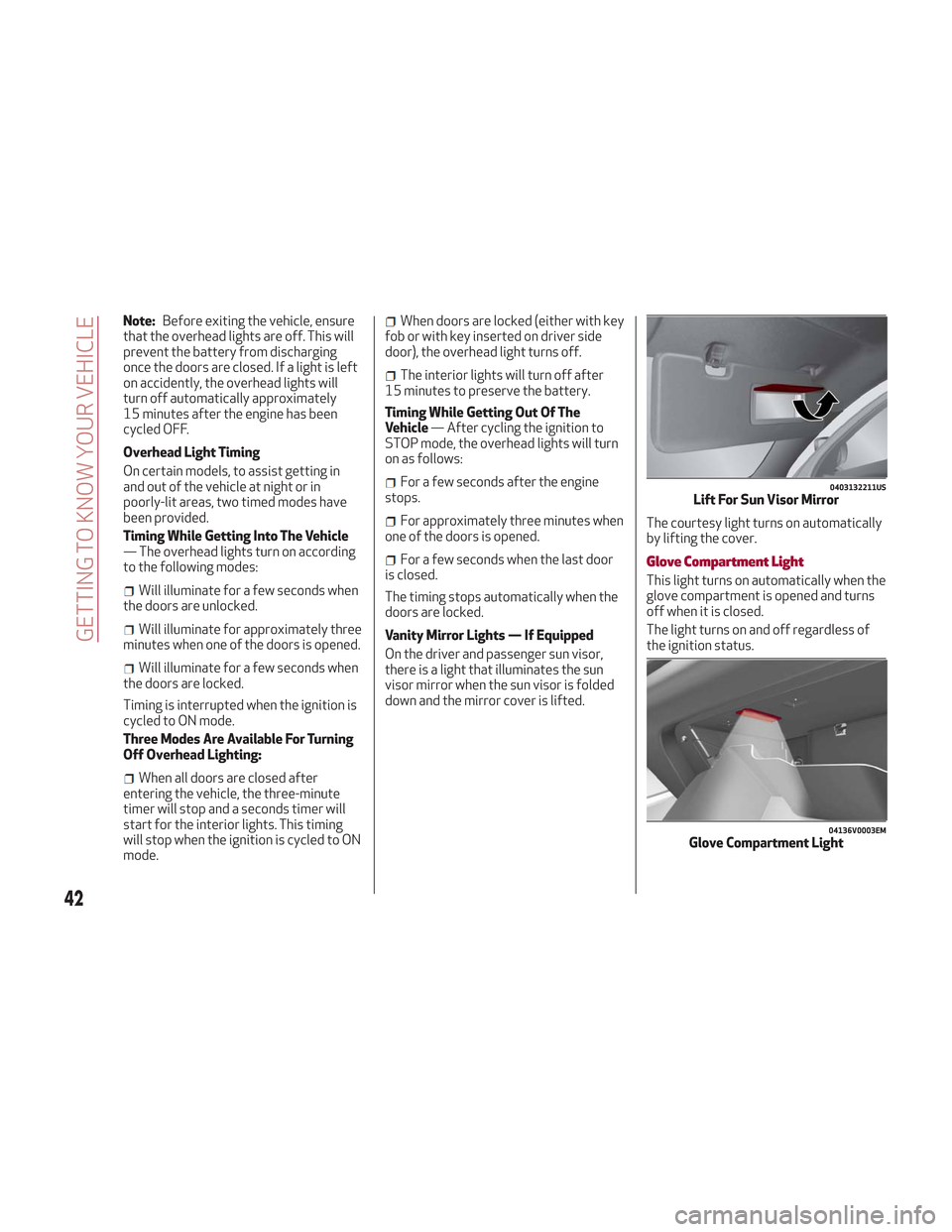
Vanity Mirror Lights — If Equipped
On the driver and passenger sun visor,
there is a light that illuminates the sun
visor mirror when the sun visor is folded
down and the mirror cover is lifted. The courtesy light turns on automatically
by lifting the cover.Glove Compartment Light
This light turns on automatically when the
glove compartment is opened and turns
off when it is closed.
The light turns on and off regardless of
the ignition status.
0403132211USLift For Sun Visor Mirror
04136V0003EMGlove Compartment Light
42
GETTING TO KNOW YOUR VEHICLE
Page 46 of 276
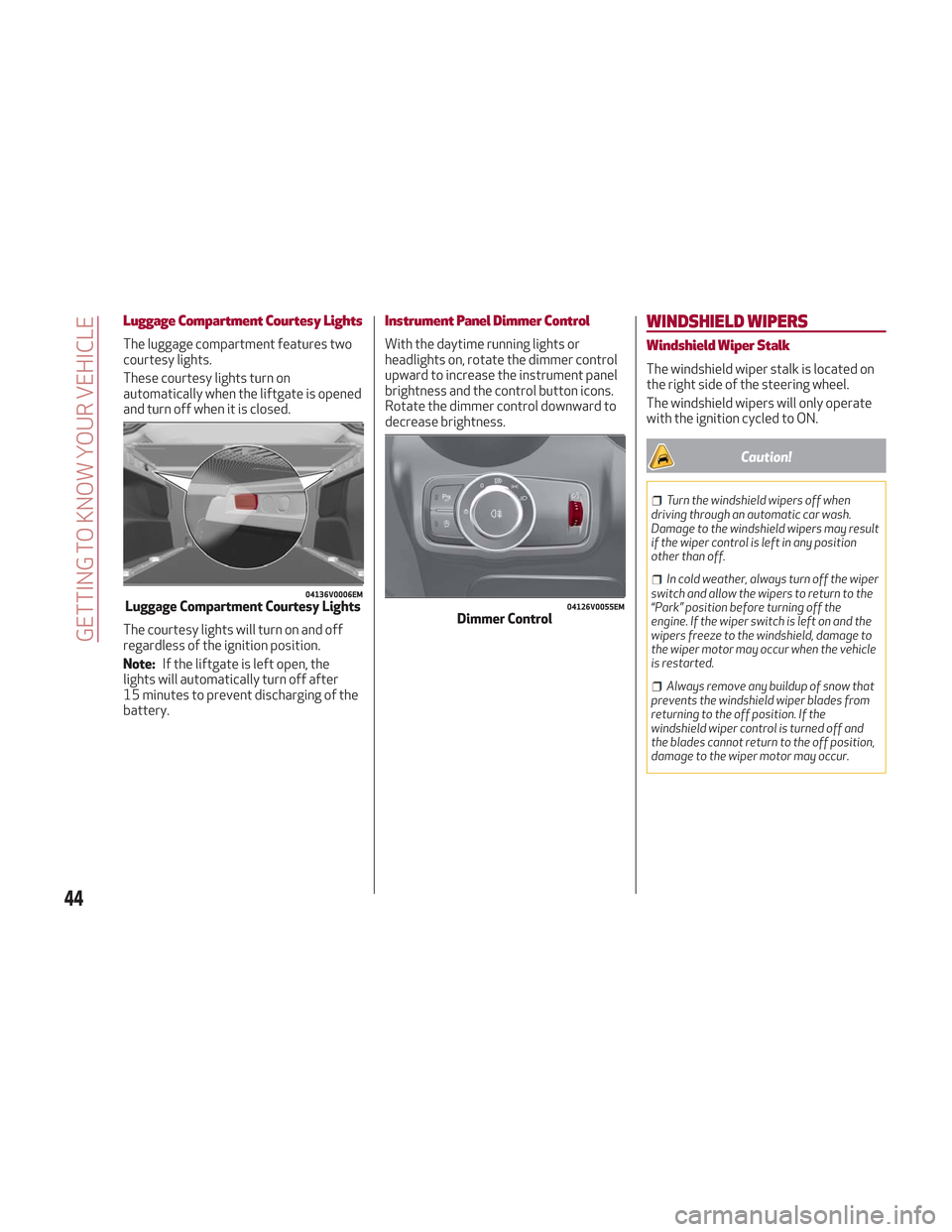
Luggage Compartment Courtesy Lights
The luggage compartment features two
courtesy lights.
These courtesy lights turn on
automatically when the liftgate is opened
and turn off when it is closed.
The courtesy lights will turn on and off
regardless of the ignition position.
Note:If the liftgate is left open, the
lights will automatically turn off after
15 minutes to prevent discharging of the
battery.
Instrument Panel Dimmer Control
With the daytime running lights or
headlights on, rotate the dimmer control
upward to increase the instrument panel
brightness and the control button icons.
Rotate the dimmer control downward to
decrease brightness.
WINDSHIELD WIPERS
Windshield Wiper Stalk
The windshield wiper stalk is located on
the right side of the steering wheel.
The windshield wipers will only operate
with the ignition cycled to ON.
Caution!
Turn the windshield wipers off when
driving through an automatic car wash.
Damage to the windshield wipers may result
if the wiper control is left in any position
other than off.
In cold weather, always turn off the wiper
switch and allow the wipers to return to the
“Park” position before turning off the
engine. If the wiper switch is left on and the
wipers freeze to the windshield, damage to
the wiper motor may occur when the vehicle
is restarted.
Always remove any buildup of snow that
prevents the windshield wiper blades from
returning to the off position. If the
windshield wiper control is turned off and
the blades cannot return to the off position,
damage to the wiper motor may occur.
04136V0006EMLuggage Compartment Courtesy Lights04126V0055EMDimmer Control
44
GETTING TO KNOW YOUR VEHICLE
Page 58 of 276
Caution!
Do not open the sun roof if a roof rack or
crossbars are fitted. Do not open the sun
roof if there is snow or ice on it: you may
damage it.
Closing
From the complete open position, push
the open/close button toward the front
of the vehicle. The roof will close
completely.
The automatic motion can be interrupted
in any position by pushing the open/close
button again.
Vent Opening
To bring the roof into vent position, push
and release the vent button.
This type of vent opening can be
activated regardless of the position of
the sunroof. When starting with the roof
in the closed position, pushing the vent
button automatically causes the sunroof
to open to the vent position. If the roof is
already open, the button must be held
until the roof reaches the vent-opening
position.
Pushing the vent button again during
automatic movement of the roof will stop
it.
Power Sun Shade
The sunshade is power operated.
Push the Power Shade open/close button
toward the rear of the vehicle to open the
sun shade.
Push the Power Shade open/close button
toward the front of the vehicle to close
the sun shade.
The automatic motion can be interrupted
in any position by pushing the Power
Shade on/off button again.
Pinch Protect Feature
The sunroof has an anti-pinch safety
system capable of detecting the
presence of an obstacle during the
closing movement. If an obstacle is
detected, the system intervenes and the
movement of the sunroof is immediately
reversed into opening.
Initialization Procedure
Automatic operation of the sunroof must
be initialized again in case of faulty
sunroof operation. It may also be
necessary to initialize the sunroof after
the vehicle’s battery as been
disconnected and then reconnected.Proceed as follows:
1. Push the open/close button to bring
the roof into the completely closed
position.
2. Cycle the ignition to STOP mode and
wait at least ten seconds.
3. Cycle the ignition to AVV mode. Refer
to “Ignition System” in this chapter for
further information.
4. Hold the open/close button down for
at least ten seconds. You should then
hear the mechanical stop of the roof
motor.
5. Within five seconds, hold the
open/close button down. The roof will
perform a complete opening and closing
cycle (to indicate that the initialization
procedure has been successful). If this
does not occur, the procedure must be
restarted from the beginning.
56
GETTING TO KNOW YOUR VEHICLE
Page 62 of 276
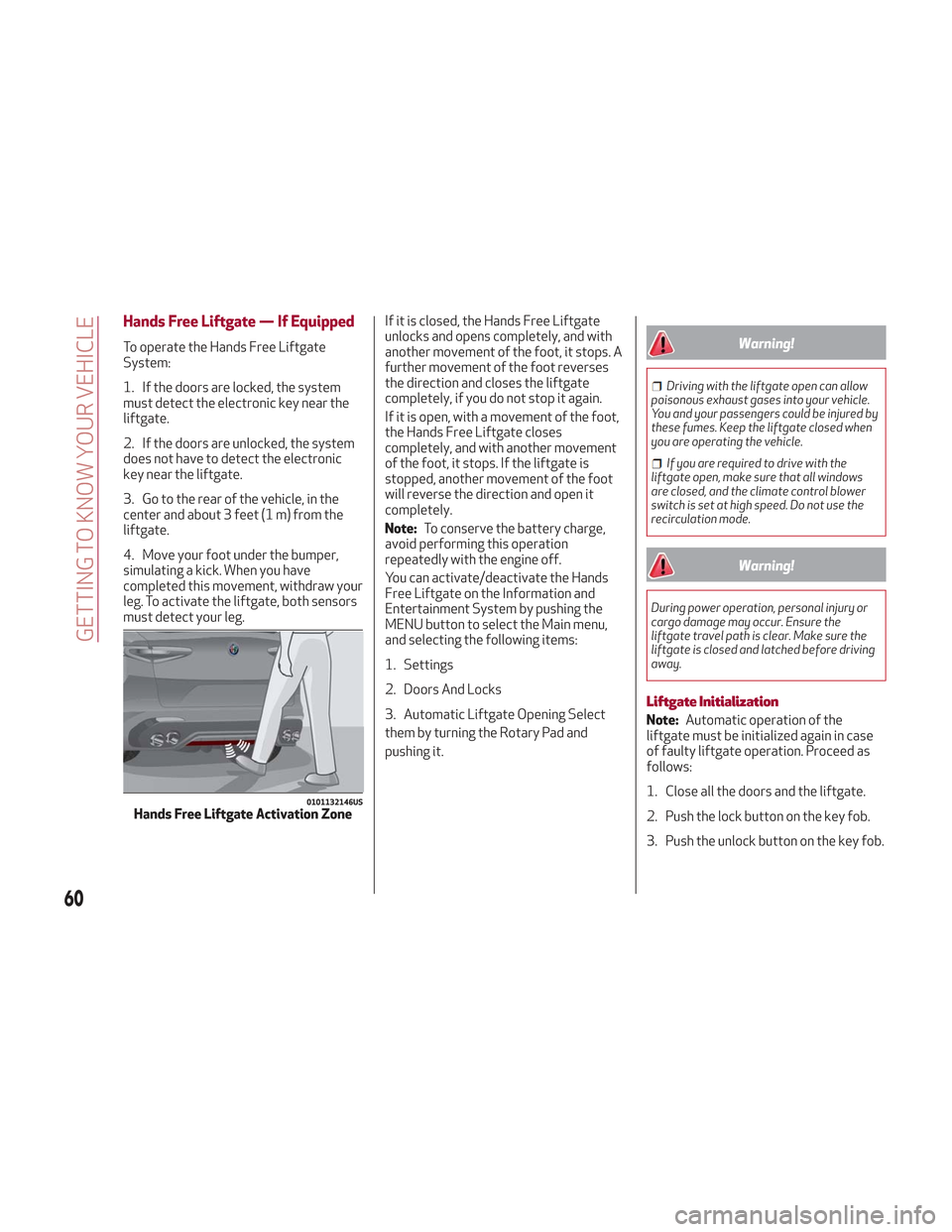
Hands Free Liftgate — If Equipped
To operate the Hands Free Liftgate
System:
1. If the doors are locked, the system
must detect the electronic key near the
liftgate.
2. If the doors are unlocked, the system
does not have to detect the electronic
key near the liftgate.
3. Go to the rear of the vehicle, in the
center and about 3 feet (1 m) from the
liftgate.
4. Move your foot under the bumper,
simulating a kick. When you have
completed this movement, withdraw your
leg. To activate the liftgate, both sensors
must detect your leg.If it is closed, the Hands Free Liftgate
unlocks and opens completely, and with
another movement of the foot, it stops. A
further movement of the foot reverses
the direction and closes the liftgate
completely, if you do not stop it again.
If it is open, with a movement of the foot,
the Hands Free Liftgate closes
completely, and with another movement
of the foot, it stops. If the liftgate is
stopped, another movement of the foot
will reverse the direction and open it
completely.
Note:
To conserve the battery charge,
avoid performing this operation
repeatedly with the engine off.
You can activate/deactivate the Hands
Free Liftgate on the Information and
Entertainment System by pushing the
MENU button to select the Main menu,
and selecting the following items:
1. Settings
2. Doors And Locks
3. Automatic Liftgate Opening Select
them by turning the Rotary Pad and
pushing it.Warning!
Driving with the liftgate open can allow
poisonous exhaust gases into your vehicle.
You and your passengers could be injured by
these fumes. Keep the liftgate closed when
you are operating the vehicle.
If you are required to drive with the
liftgate open, make sure that all windows
are closed, and the climate control blower
switch is set at high speed. Do not use the
recirculation mode.
Warning!
During power operation, personal injury or
cargo damage may occur. Ensure the
liftgate travel path is clear. Make sure the
liftgate is closed and latched before driving
away.
Liftgate Initialization
Note: Automatic operation of the
liftgate must be initialized again in case
of faulty liftgate operation. Proceed as
follows:
1. Close all the doors and the liftgate.
2. Push the lock button on the key fob.
3. Push the unlock button on the key fob.
0101132146USHands Free Liftgate Activation Zone
60
GETTING TO KNOW YOUR VEHICLE
Page 90 of 276
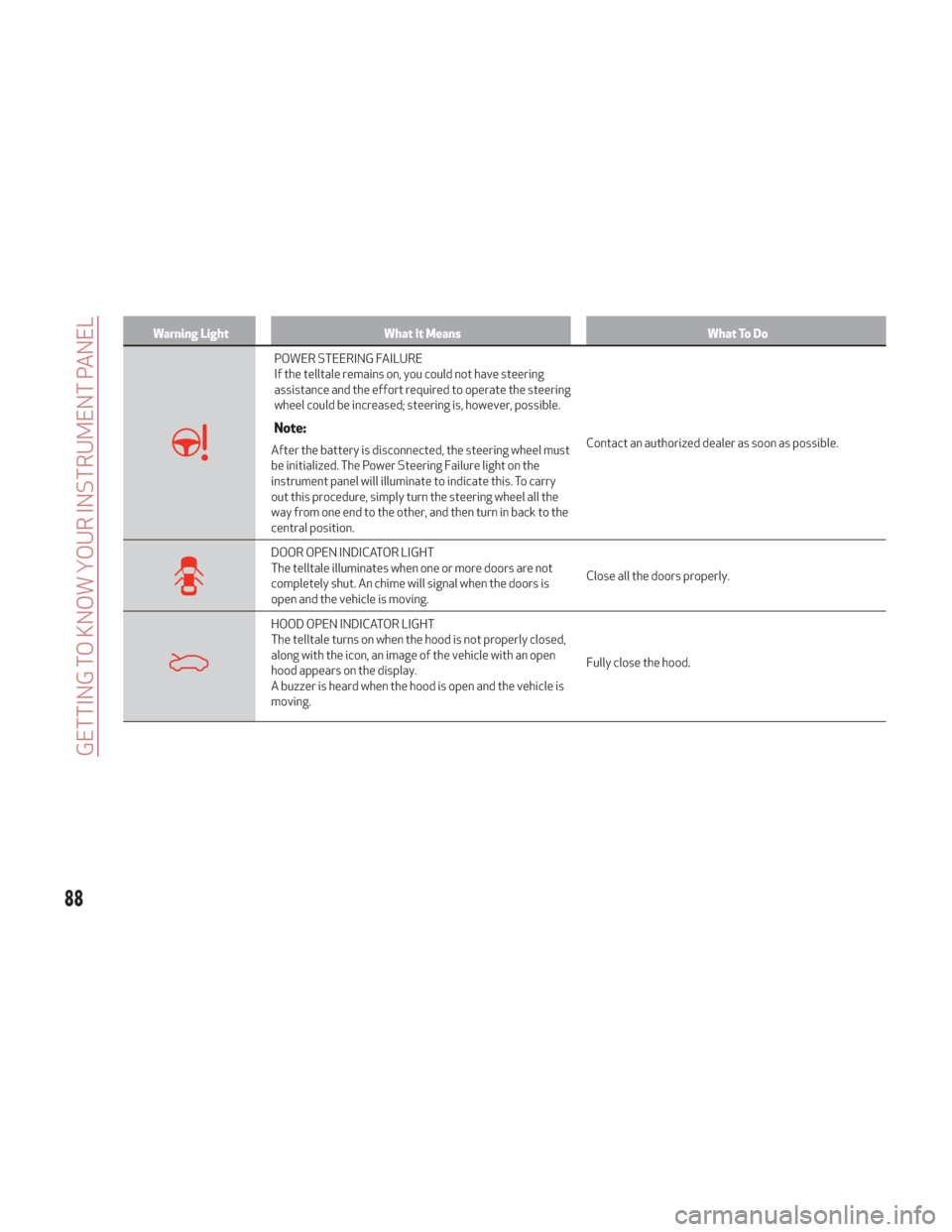
Warning LightWhat It Means What To Do
POWER STEERING FAILURE
If the telltale remains on, you could not have steering
assistance and the effort required to operate the steering
wheel could be increased; steering is, however, possible.
Note:
After the battery is disconnected, the steering wheel must
be initialized. The Power Steering Failure light on the
instrument panel will illuminate to indicate this. To carry
out this procedure, simply turn the steering wheel all the
way from one end to the other, and then turn in back to the
central position.Contact an authorized dealer as soon as possible.
DOOR OPEN INDICATOR LIGHT
The telltale illuminates when one or more doors are not
completely shut. An chime will signal when the doors is
open and the vehicle is moving.
Close all the doors properly.
HOOD OPEN INDICATOR LIGHT
The telltale turns on when the hood is not properly closed,
along with the icon, an image of the vehicle with an open
hood appears on the display.
A buzzer is heard when the hood is open and the vehicle is
moving.Fully close the hood.
88
GETTING TO KNOW YOUR INSTRUMENT PANEL
Page 103 of 276
ONBOARD DIAGNOSTIC
SYSTEM
Operation
The OBD (Onboard Diagnostic system)
carries out a continuous diagnosis of the
components of the vehicle related to
emissions.
It also alerts the driver of when these
components are no longer in peak
condition by switching on the
warning
light on the instrument panel (see
“Warning Lights And Messages”
paragraph in this chapter).
The aim of the OBD system (Onboard
Diagnostic) is to:
Monitor the efficiency of the system
Indicate an increase in emissions
Indicate the need to replace damaged
components
The vehicle also has a connector, which
can interface with appropriate tools, that
makes it possible to read the error codes
stored in the electronic control units
together with a series of specific
parameters for engine operation and
diagnosis. This check can be carried out
by your authorized dealer.
Note: After eliminating a fault, to check
the system completely, your authorized
dealer is obliged to run tests and, if
necessary certain road tests.
Onboard Diagnostic System (OBD II)
Cybersecurity
Your vehicle is required to have an
Onboard Diagnostic system (OBD II) and
a connection port to allow access to
information related to the performance
of your emissions controls. Authorized
service technicians may need to access
this information to assist with the
diagnosis and service of your vehicle and
emissions system.
Warning!
ONLY an authorized service technician
should connect equipment to the OBD II
connection port in order to diagnose or
service your vehicle.
If unauthorized equipment is connected to
the OBD II connection port, such as a
driver-behavior tracking device, it may:
Be possible that vehicle systems,
including safety related systems, could be
impaired or a loss of vehicle control could
occur that may result in an accident
involving serious injury or death.
Access, or allow others to access,
information stored in your vehicle systems,
including personal information.
EMISSIONS INSPECTION AND
MAINTENANCE PROGRAMS
In some localities, it may be a legal
requirement to pass an inspection of your
vehicle's emissions control system.
Failure to pass could prevent vehicle
registration.
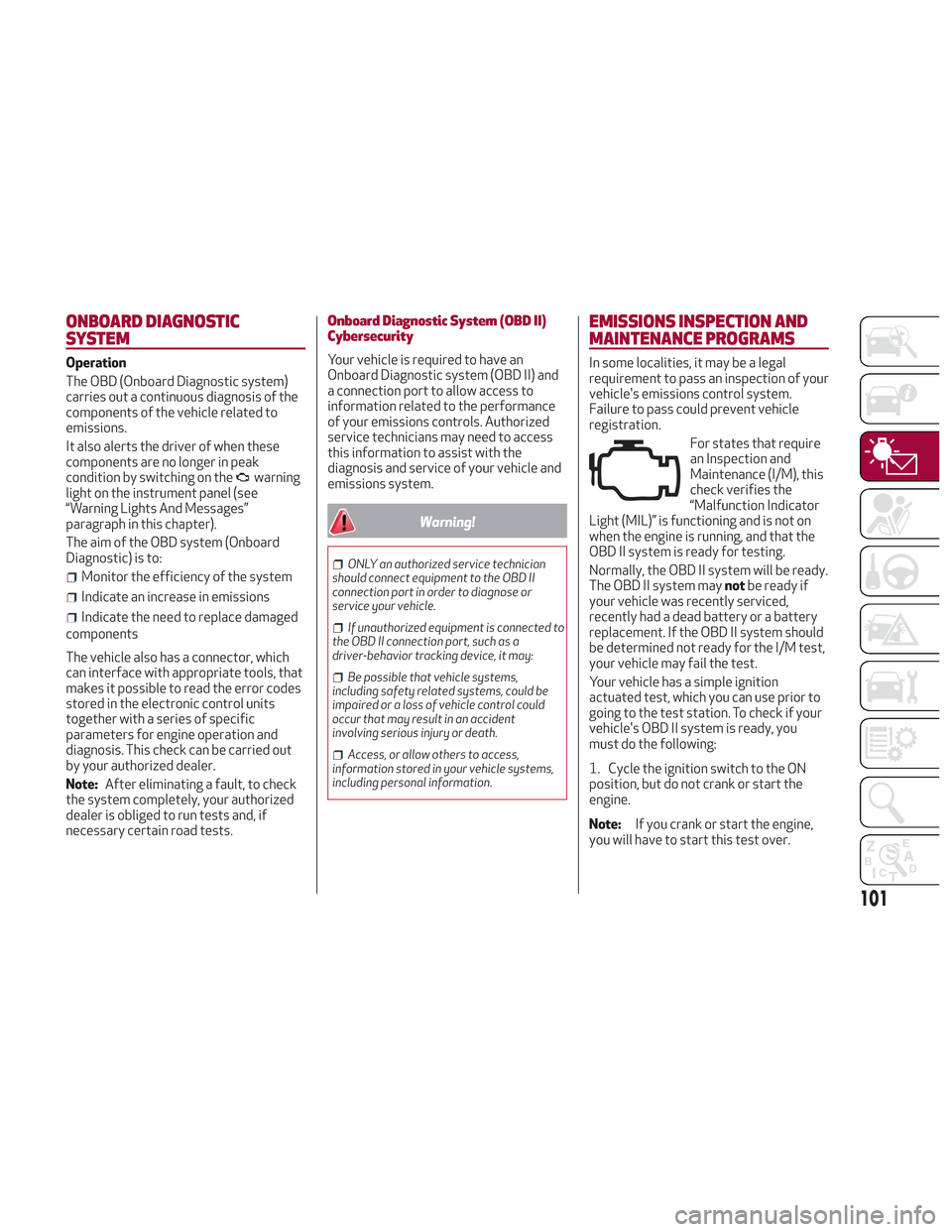
For states that require
an Inspection and
Maintenance (I/M), this
check verifies the
“Malfunction Indicator
Light (MIL)” is functioning and is not on
when the engine is running, and that the
OBD II system is ready for testing.
Normally, the OBD II system will be ready.
The OBD II system may notbe ready if
your vehicle was recently serviced,
recently had a dead battery or a battery
replacement. If the OBD II system should
be determined not ready for the I/M test,
your vehicle may fail the test.
Your vehicle has a simple ignition
actuated test, which you can use prior to
going to the test station. To check if your
vehicle's OBD II system is ready, you
must do the following:
1. Cycle the ignition switch to the ON
position, but do not crank or start the
engine.
Note: If you crank or start the engine,
you will have to start this test over.
101
Page 104 of 276
2. As soon as you cycle the ignition
switch to the ON position, you will see the
“Malfunction Indicator Light (MIL)”
symbol come on as part of a normal bulb
check.
3. Approximately 15 seconds later, one
of two things will happen:
The MIL will flash for about ten
seconds and then return to being fully
illuminated until you turn OFF the ignition
or start the engine. This means that your
vehicle's OBD II system is not readyand
you should notproceed to the I/M
station.
The MIL will not flash at all and will
remain fully illuminated until you place
the ignition in the off position or start the
engine. This means that your vehicle's
OBD II system is readyand you can
proceed to the I/M station. If your OBD II system is
not ready,you
should see an authorized dealer or repair
facility. If your vehicle was recently
serviced or had a battery failure or
replacement, you may need to do nothing
more than drive your vehicle as you
normally would in order for your OBD II
system to update. A recheck with the
above test routine may then indicate that
the system is now ready.
Regardless of whether your vehicle's
OBD II system is ready or not, if the MIL is
illuminated during normal vehicle
operation you should have your vehicle
serviced before going to the I/M station.
The I/M station can fail your vehicle
because the MIL is on with the engine
running.
102
GETTING TO KNOW YOUR INSTRUMENT PANEL
Page 125 of 276
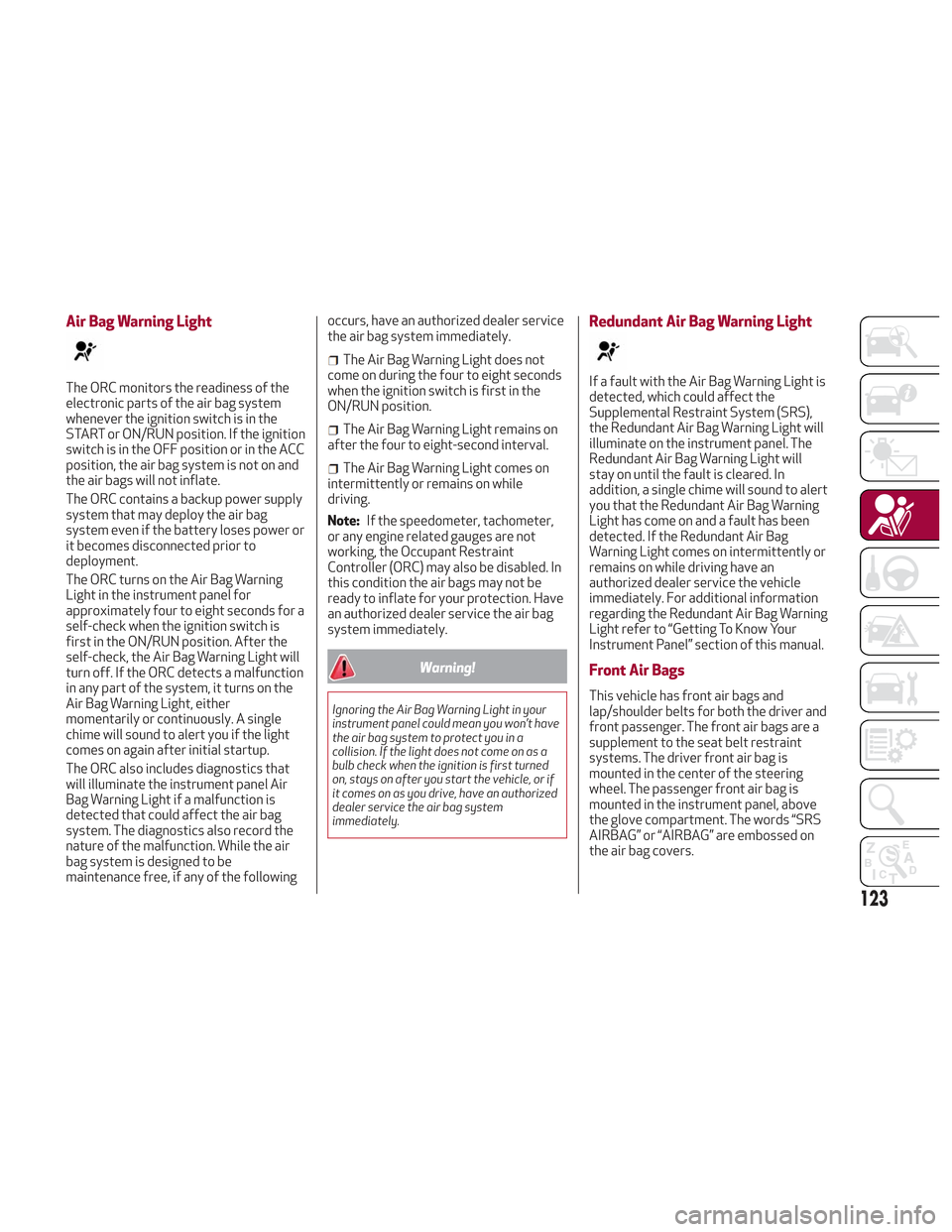
Air Bag Warning Light
The ORC monitors the readiness of the
electronic parts of the air bag system
whenever the ignition switch is in the
START or ON/RUN position. If the ignition
switch is in the OFF position or in the ACC
position, the air bag system is not on and
the air bags will not inflate.
The ORC contains a backup power supply
system that may deploy the air bag
system even if the battery loses power or
it becomes disconnected prior to
deployment.
The ORC turns on the Air Bag Warning
Light in the instrument panel for
approximately four to eight seconds for a
self-check when the ignition switch is
first in the ON/RUN position. After the
self-check, the Air Bag Warning Light will
turn off. If the ORC detects a malfunction
in any part of the system, it turns on the
Air Bag Warning Light, either
momentarily or continuously. A single
chime will sound to alert you if the light
comes on again after initial startup.
The ORC also includes diagnostics that
will illuminate the instrument panel Air
Bag Warning Light if a malfunction is
detected that could affect the air bag
system. The diagnostics also record the
nature of the malfunction. While the air
bag system is designed to be
maintenance free, if any of the followingoccurs, have an authorized dealer service
the air bag system immediately.
The Air Bag Warning Light does not
come on during the four to eight seconds
when the ignition switch is first in the
ON/RUN position.
The Air Bag Warning Light remains on
after the four to eight-second interval.
The Air Bag Warning Light comes on
intermittently or remains on while
driving.
Note: If the speedometer, tachometer,
or any engine related gauges are not
working, the Occupant Restraint
Controller (ORC) may also be disabled. In
this condition the air bags may not be
ready to inflate for your protection. Have
an authorized dealer service the air bag
system immediately.
Warning!
Ignoring the Air Bag Warning Light in your
instrument panel could mean you won’t have
the air bag system to protect you in a
collision. If the light does not come on as a
bulb check when the ignition is first turned
on, stays on after you start the vehicle, or if
it comes on as you drive, have an authorized
dealer service the air bag system
immediately.
Redundant Air Bag Warning Light
If a fault with the Air Bag Warning Light is
detected, which could affect the
Supplemental Restraint System (SRS),
the Redundant Air Bag Warning Light will
illuminate on the instrument panel. The
Redundant Air Bag Warning Light will
stay on until the fault is cleared. In
addition, a single chime will sound to alert
you that the Redundant Air Bag Warning
Light has come on and a fault has been
detected. If the Redundant Air Bag
Warning Light comes on intermittently or
remains on while driving have an
authorized dealer service the vehicle
immediately. For additional information
regarding the Redundant Air Bag Warning
Light refer to “Getting To Know Your
Instrument Panel” section of this manual.
Front Air Bags
This vehicle has front air bags and
lap/shoulder belts for both the driver and
front passenger. The front air bags are a
supplement to the seat belt restraint
systems. The driver front air bag is
mounted in the center of the steering
wheel. The passenger front air bag is
mounted in the instrument panel, above
the glove compartment. The words “SRS
AIRBAG” or “AIRBAG” are embossed on
the air bag covers.
123
Page 131 of 276
Warning!
Deployed air bags and seat belt
pretensioners cannot protect you in another
collision. Have the air bags, seat belt
pretensioners, and the seat belt retractor
assemblies replaced by an authorized dealer
immediately. Also, have the Occupant
Restraint Controller System serviced as
well.
Note:
Air bag covers may not be obvious in
the interior trim, but they will open
during air bag deployment.
After any collision, the vehicle should
be taken to an authorized dealer
immediately.
Enhanced Accident Response
System
In the event of an impact, if the
communication network remains intact,
and the power remains intact, depending
on the nature of the event, the ORC will
determine whether to have the Enhanced
Accident Response System perform the
following functions:
Cut off fuel to the engine (If Equipped)
Cut off battery power to the electric
motor (If Equipped)
Flash hazard lights as long as the
battery has power
Turn on the interior lights, which
remain on as long as the battery has
power or for 15 minutes from the
intervention of the Enhanced Accident
Response System.
Unlock the power door locks.
Your vehicle may also be designed to
perform any of these other functions in
response to the Enhanced Accident
Response System:
Turn off the Fuel Filter Heater, Turn off
the HVAC Blower Motor, Close the HVAC
Circulation Door
Cut off battery power to the:
– Engine
– Electric Motor (if equipped)
– Electric power steering
– Brake booster
– Electric park brake
– Automatic transmission gear selector
– Horn
– Front wiper
– Headlamp washer pump
Note: After an accident, remember to
cycle the ignition to the STOP
(OFF/LOCK) position and remove the key from the ignition switch to avoid draining
the battery. Carefully check the vehicle
for fuel leaks in the engine compartment
and on the ground near the engine
compartment and fuel tank before
resetting the system and starting the
engine. If there are no fuel leaks or
damage to the vehicle electrical devices
(e.g. headlights) after an accident, reset
the system by following the procedure
described below.
Enhanced Accident Response
System Reset Procedure
After the event occurs, when the system
is active, a message regarding fuel cutoff
is displayed. Turn the ignition switch from
ignition AVV/START or MAR/ACC/ON/
RUN to ignition STOP/OFF/LOCK.
Carefully check the vehicle for fuel leaks
in the engine compartment and on the
ground near the engine compartment and
fuel tank before resetting the system and
starting the engine.
Depending on the nature of the event the
left and right turn signal lights, located in
the instrument panel, may both be
blinking and will continue to blink. In order
to move your vehicle to the side of the
road, you must follow the system reset
procedure.
129
Page 148 of 276
STARTING THE ENGINE
Before starting the engine, be sure to
adjust the seat, the interior rear view
mirrors, and the door mirrors, and fasten
the seat belt correctly.
Never press the accelerator pedal before
starting the engine.
If necessary, messages indicating the
starting procedure can be shown in the
display.
Warning!
When leaving the vehicle, always remove
the key fob from the vehicle and lock your
vehicle.
Never leave children alone in a vehicle, or
with access to an unlocked vehicle.
Allowing children to be in a vehicle
unattended is dangerous for a number of
reasons. A child or others could be seriously
or fatally injured. Children should be warned
not to touch the parking brake, brake pedal
or the transmission gear selector.
Do not leave the key fob in or near the
vehicle, or in a location accessible to
children. A child could operate power
windows, other controls, or move the
vehicle.
Do not leave children or animals inside
parked vehicles in hot weather. Interior heat
build-up may cause serious injury or death.
Starting Procedure
Proceed as follows:
1. Apply the electric park brake and set
the gear selector to PARK (P) or
NEUTRAL (N).
2. Fully depress the brake pedal without
touching the accelerator.
3. Briefly push the ignition button.
4. If the engine doesn't start within a few
seconds, you need to repeat the
procedure.
If the problem persists, contact an
authorized dealer.
Warning!
Never pour fuel or other flammable liquid
into the throttle body air inlet opening in an
attempt to start the vehicle. This could
result in flash fire causing serious personal
injury.
Do not attempt to push or tow your
vehicle to get it started. Vehicles equipped
with an automatic transmission cannot be
started this way. Unburned fuel could enter
the catalytic converter and once the engine
has started, ignite and damage the
converter and vehicle.
If the vehicle has a discharged battery,
booster cables may be used to obtain a
start from a booster battery or the battery
in another vehicle. This type of start can be
dangerous if done improperly. Refer to “Jump Starting” in “In Case Of Emergency”
for further information.
Caution!
To prevent damage to the starter, do not
continuously crank the engine for more than
25 seconds at a time. Wait 60 seconds
before trying again.
Remote Starting System
This system uses the key fob to start the
engine conveniently from outside the
vehicle while still maintaining security.
The system has a range of at least 300
feet (91 meters).
The remote starting system also
activates the climate control (if
equipped), the heated seats (if equipped),
and the heated steering wheel (if
equipped), depending on temperatures
outside and inside of the vehicle.
Note:
Obstructions between the vehicle
and key fob may reduce this range.
How To Use Remote Start
All of the following conditions must be
met before the engine will remote start:
Gear selector in PARK (P).
Doors closed.
Hood closed.
Liftgate closed.
Hazard switch off.
146
STARTING AND OPERATING