engine Alfa Romeo Stelvio 2018 User Guide
[x] Cancel search | Manufacturer: ALFA ROMEO, Model Year: 2018, Model line: Stelvio, Model: Alfa Romeo Stelvio 2018Pages: 276, PDF Size: 5.79 MB
Page 25 of 276
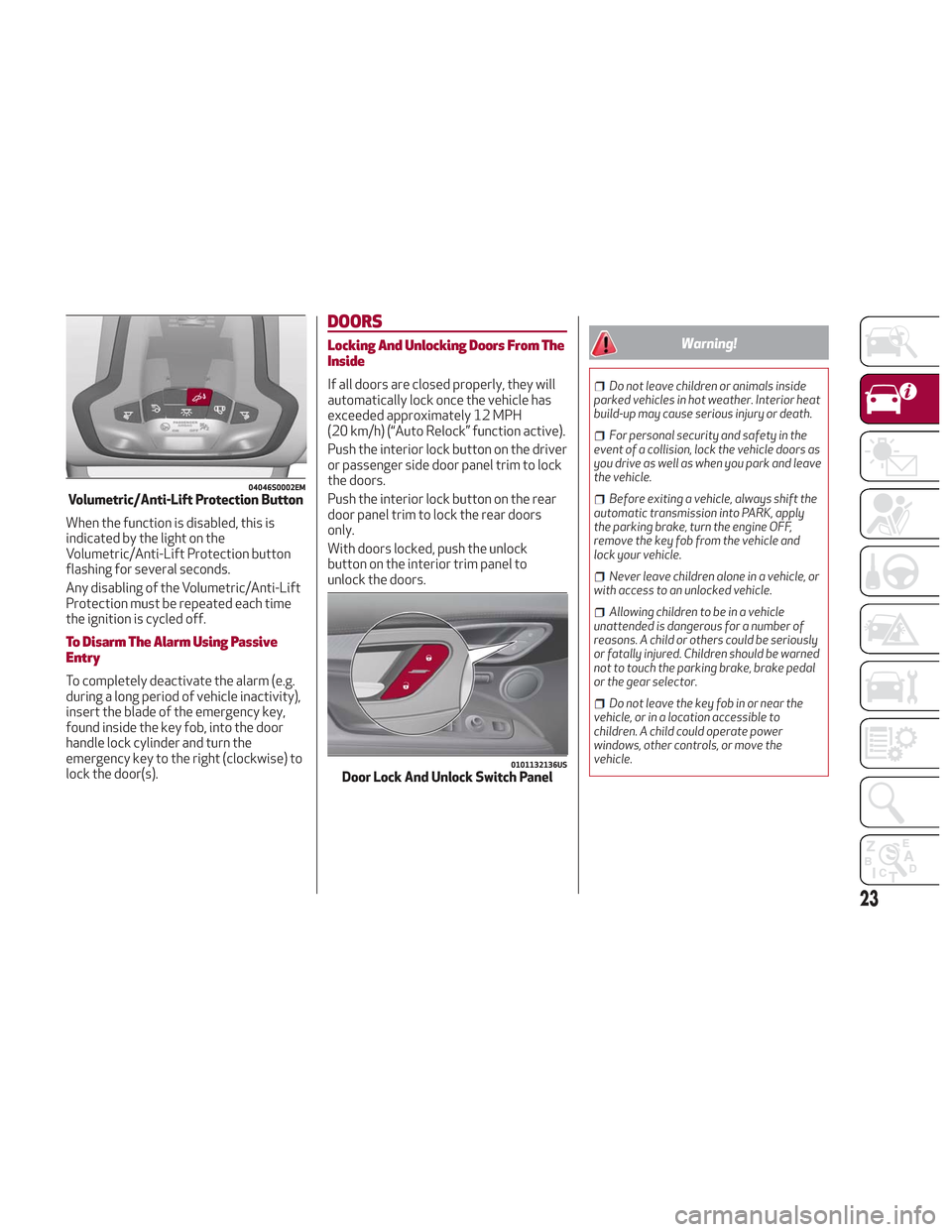
When the function is disabled, this is
indicated by the light on the
Volumetric/Anti-Lift Protection button
flashing for several seconds.
Any disabling of the Volumetric/Anti-Lift
Protection must be repeated each time
the ignition is cycled off.
To Disarm The Alarm Using Passive
Entry
To completely deactivate the alarm (e.g.
during a long period of vehicle inactivity),
insert the blade of the emergency key,
found inside the key fob, into the door
handle lock cylinder and turn the
emergency key to the right (clockwise) to
lock the door(s).
DOORS
Locking And Unlocking Doors From The
Inside
If all doors are closed properly, they will
automatically lock once the vehicle has
exceeded approximately 12 MPH
(20 km/h) (“Auto Relock” function active).
Push the interior lock button on the driver
or passenger side door panel trim to lock
the doors.
Push the interior lock button on the rear
door panel trim to lock the rear doors
only.
With doors locked, push the unlock
button on the interior trim panel to
unlock the doors.
Warning!
Do not leave children or animals inside
parked vehicles in hot weather. Interior heat
build-up may cause serious injury or death.
For personal security and safety in the
event of a collision, lock the vehicle doors as
you drive as well as when you park and leave
the vehicle.
Before exiting a vehicle, always shift the
automatic transmission into PARK, apply
the parking brake, turn the engine OFF,
remove the key fob from the vehicle and
lock your vehicle.
Never leave children alone in a vehicle, or
with access to an unlocked vehicle.
Allowing children to be in a vehicle
unattended is dangerous for a number of
reasons. A child or others could be seriously
or fatally injured. Children should be warned
not to touch the parking brake, brake pedal
or the gear selector.
Do not leave the key fob in or near the
vehicle, or in a location accessible to
children. A child could operate power
windows, other controls, or move the
vehicle.
04046S0002EMVolumetric/Anti-Lift Protection Button
0101132136USDoor Lock And Unlock Switch Panel
23
Page 32 of 276
Height Adjustment
The height of the seats can be adjusted
up or down. Pull upward or push
downward on the seat switch, and the
seat will move in the direction of the
switch. Release the switch when the
desired position is reached.
Seat Angle Adjustment (Tilting) — If
Equipped
The seat angle can be adjusted in four
directions. Lift or push the front part of
seat switch to move the front part of the
seat in the corresponding direction.
Release the seat switch when the seat
has reached the desired position.
Power Bolster Adjustment — If
Equipped
Push the power bolster adjustment
buttons to regulate the width of the
backrest through the lateral padding.
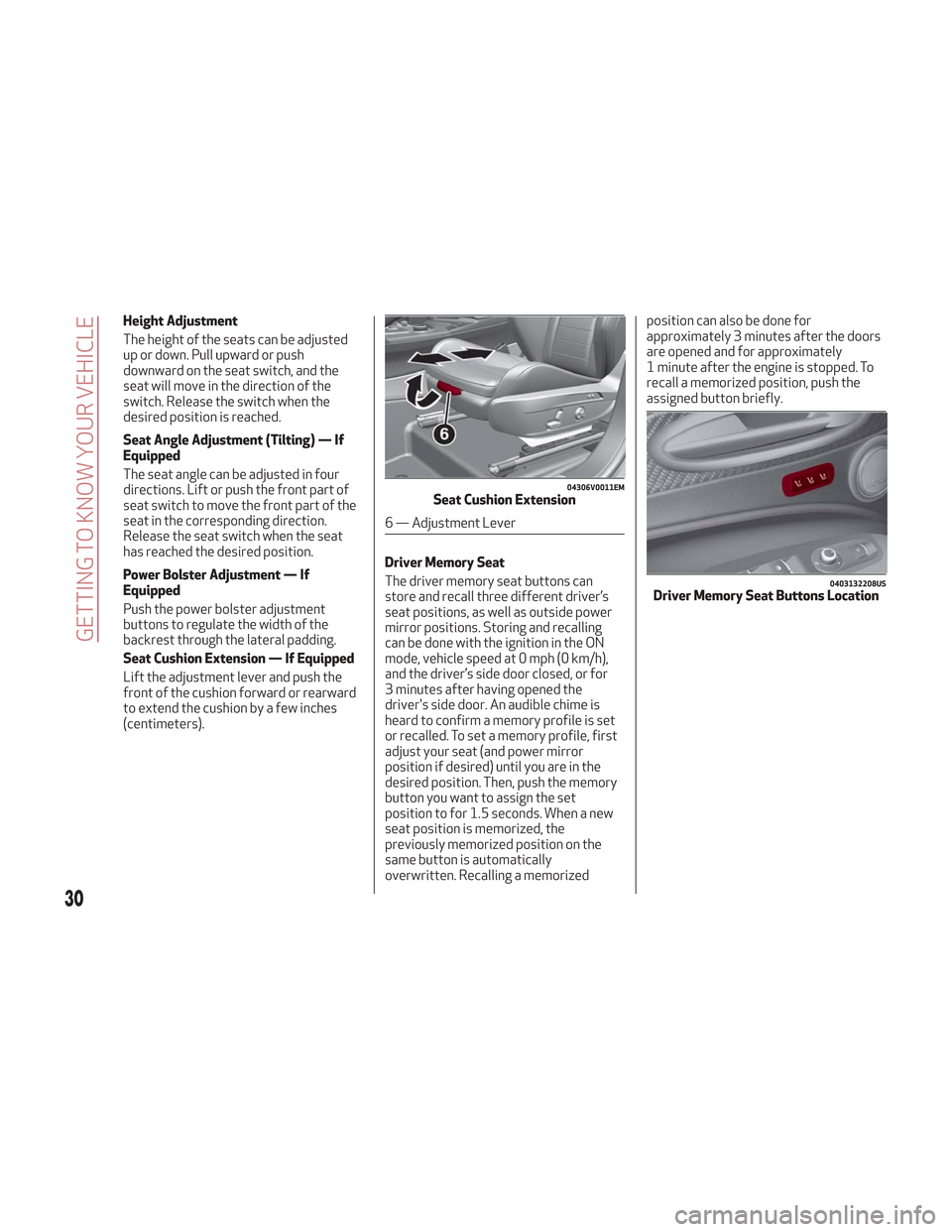
Seat Cushion Extension — If Equipped
Lift the adjustment lever and push the
front of the cushion forward or rearward
to extend the cushion by a few inches
(centimeters).Driver Memory Seat
The driver memory seat buttons can
store and recall three different driver’s
seat positions, as well as outside power
mirror positions. Storing and recalling
can be done with the ignition in the ON
mode, vehicle speed at 0 mph (0 km/h),
and the driver’s side door closed, or for
3 minutes after having opened the
driver's side door. An audible chime is
heard to confirm a memory profile is set
or recalled. To set a memory profile, first
adjust your seat (and power mirror
position if desired) until you are in the
desired position. Then, push the memory
button you want to assign the set
position to for 1.5 seconds. When a new
seat position is memorized, the
previously memorized position on the
same button is automatically
overwritten. Recalling a memorizedposition can also be done for
approximately 3 minutes after the doors
are opened and for approximately
1 minute after the engine is stopped. To
recall a memorized position, push the
assigned button briefly.
04306V0011EMSeat Cushion Extension
6 — Adjustment Lever
0403132208USDriver Memory Seat Buttons Location
30
GETTING TO KNOW YOUR VEHICLE
Page 33 of 276
Warning!
Adjusting a seat while driving may be
dangerous. Moving a seat while driving
could result in loss of control which could
cause a collision and serious injury or death.
Seats should be adjusted before
fastening the seat belts and while the
vehicle is parked. Serious injury or death
could result from a poorly adjusted seat
belt.
Do not ride with the seatback reclined so
that the shoulder belt is no longer resting
against your chest. In a collision you could
slide under the seat belt, which could result
in serious injury or death.
Heated Seats — If Equipped
Front Heated Seats
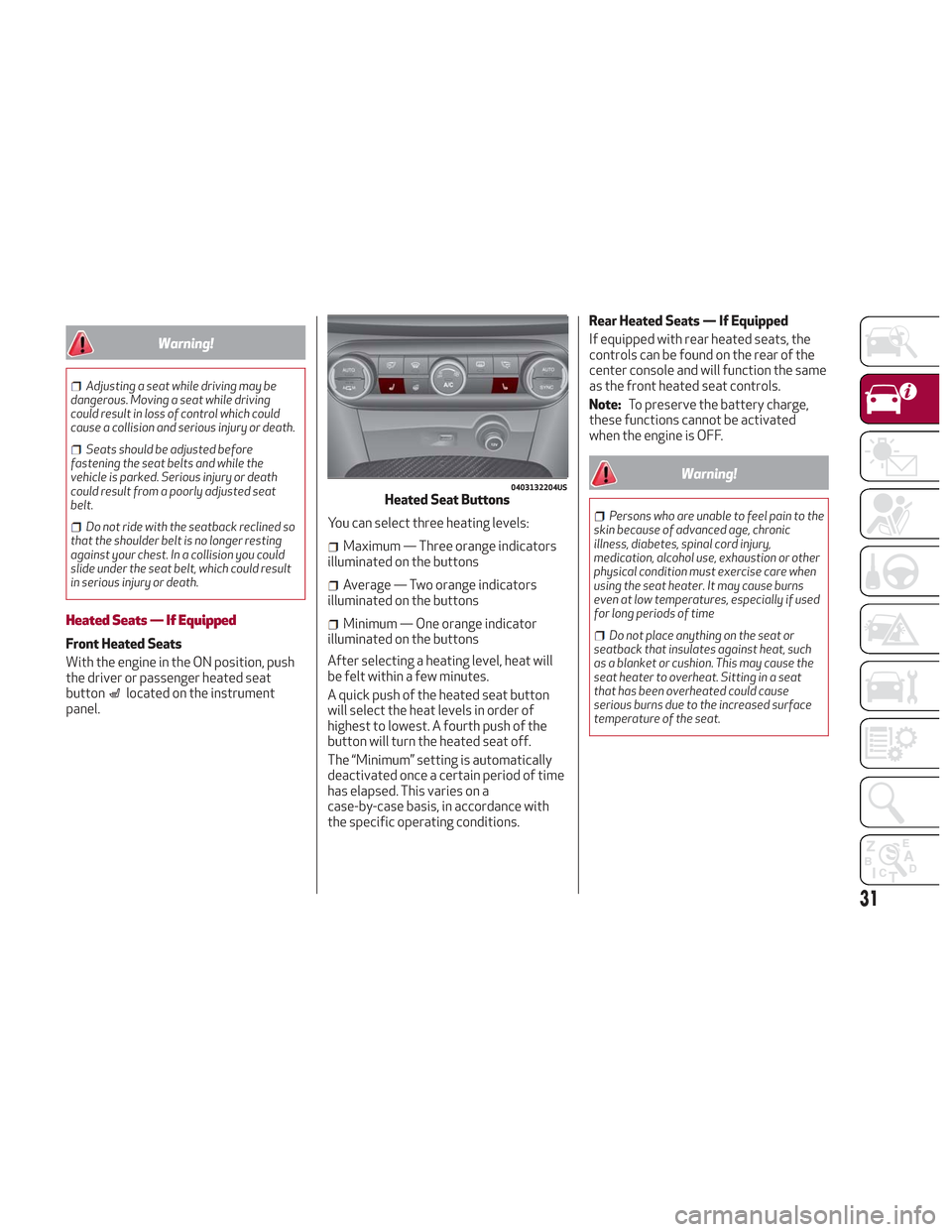
With the engine in the ON position, push
the driver or passenger heated seat
button
located on the instrument
panel. You can select three heating levels:
Maximum — Three orange indicators
illuminated on the buttons
Average — Two orange indicators
illuminated on the buttons
Minimum — One orange indicator
illuminated on the buttons
After selecting a heating level, heat will
be felt within a few minutes.
A quick push of the heated seat button
will select the heat levels in order of
highest to lowest. A fourth push of the
button will turn the heated seat off.
The “Minimum” setting is automatically
deactivated once a certain period of time
has elapsed. This varies on a
case-by-case basis, in accordance with
the specific operating conditions. Rear Heated Seats — If Equipped
If equipped with rear heated seats, the
controls can be found on the rear of the
center console and will function the same
as the front heated seat controls.
Note:
To preserve the battery charge,
these functions cannot be activated
when the engine is OFF.
Warning!
Persons who are unable to feel pain to the
skin because of advanced age, chronic
illness, diabetes, spinal cord injury,
medication, alcohol use, exhaustion or other
physical condition must exercise care when
using the seat heater. It may cause burns
even at low temperatures, especially if used
for long periods of time
Do not place anything on the seat or
seatback that insulates against heat, such
as a blanket or cushion. This may cause the
seat heater to overheat. Sitting in a seat
that has been overheated could cause
serious burns due to the increased surface
temperature of the seat.
0403132204USHeated Seat Buttons
31
Page 41 of 276
The exterior lights can be activated only
when the ignition is in the ON mode,
except for the parking lights. Refer to
"Parking Lights" in this section for more
information.
The instrument panel and the various
controls on the dashboard will be
illuminated when the exterior lights are
turned on.
Automatic Headlights
This system automatically turns the
headlights on or off according to ambient
light levels.
Function Activation
From the O (off) position, rotate the light
switch to the
(auto) position.
Note: The function can only operate with
the ignition position cycled to ON.
Function Deactivation
To deactivate the function, rotate the
light switch to a position other than the
(auto) position.
Daytime Running Lights (DRL)
With the ignition cycled to ON, and the
light switch turned to theposition, if
the dusk sensor detects sufficient
external light, the Daytime Running
Lights will turn on automatically while the
other lights remain off.
If the turn signals are operated, the
brightness of the corresponding Daytime
Running Lights will be decreased for as
long as the turn signals are on.
If equipped, the DRL can be
activated/deactivated from the
Information and Entertainment System,
by selecting the following functions in
sequence on the main MENU:
1. “Settings.”
2. “Lights.”
3. “Daytime Lights.”
Note: The Daytime Running Lights
cannot be deactivated in Canadian
markets.
Rear Fog Lights
The rear fog light switch is located within
the headlight switch.
Push the
button, located in the center
of the headlight switch, to turn the rear
fog lights on/off. The rear fog lights turn on only when the
headlights or parking lights are also
turned on. The lights can be turned off by
pushing the
button again or by turning
the headlight switch to the O (off)
position.
When the engine is stopped with the rear
fog lights on, they will be off the next
time the engine is started.
Parking Lights
With the ignition in STOP mode, rotate
the headlight switch to theposition to
turn the parking lights on. All of the
parking lights will turn on for eight
minutes, and opening the door activates
an audible warning.
To leave only the lights on one side
(right/left) illuminated, you must move
the multifunction lever (located on the
left side of the steering wheel) to the side
that you want to remain on. With the
parking lights on, the
warning light on
the instrument panel will illuminate.
Note: Cycling the ignition to ON mode
turns off the parking lights, which were
only illuminated on one side.
39
Page 42 of 276
Headlight Off Delay
The “Headlight Off Delay” function delays
the turning off of the headlights after the
vehicle’s engine has been stopped.
The function can be activated from the
Information and Entertainment System
by selecting the following functions in
sequence on the main menu:
1. “Settings.”
2. “Lights.”
3. “Headlight Off Delay.”
The side lights and the headlights stay on
for a time that can be set between 30,
60, and 90 seconds.
Function Activation
With the headlights on, cycle the ignition
to STOP mode and the timer will start.
Note:To activate this function, the
headlights must be deactivated within
two minutes after the ignition has been
cycled to the STOP mode.
Function Deactivation
This function is deactivated by turning on
the headlights, the side lights, or by
cycling the ignition to ON mode.
Adaptive Headlight System (AFS)
This is a system combined with Xenon
headlights (Bi-Xenon 35 W headlamp if
equipped) which directs the headlights
horizontally, and continuously and
automatically adapts them to the driving
conditions around bends or when
cornering.
The system directs the headlights to light
up the road in the best way, taking into
account the speed of the vehicle and the
bend or corner angle, as well as the speed
of steering.
The adaptive lights are automatically
activated when the vehicle is started.
High Beam Headlights
To activate the fixed high beam
headlights, push the multifunction lever,
located on the left side of the steering
wheel, towards the instrument panel. The
headlight switch must first be turned to
the
(auto) or(on) position.
With high beam headlights on, the
High Beam Indicator on the
instrument panel will illuminate. The high beam headlights are turned off
by pulling the multifunction lever
rearward to its original position. The
warning light/icon
will turn off in the
instrument panel when the high beams
are turned off.
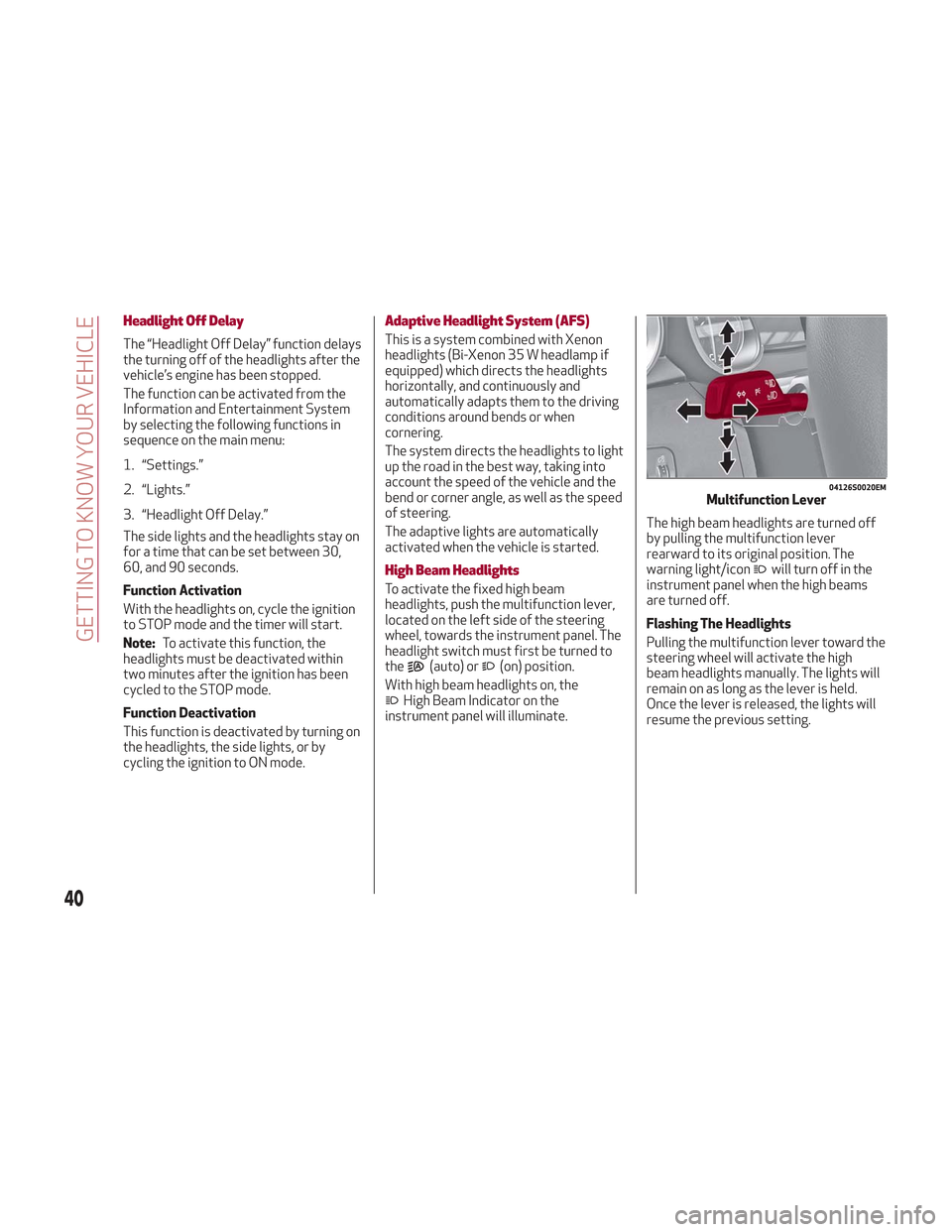
Flashing The Headlights
Pulling the multifunction lever toward the
steering wheel will activate the high
beam headlights manually. The lights will
remain on as long as the lever is held.
Once the lever is released, the lights will
resume the previous setting.
04126S0020EMMultifunction Lever
40
GETTING TO KNOW YOUR VEHICLE
Page 44 of 276
Note:Before exiting the vehicle, ensure
that the overhead lights are off. This will
prevent the battery from discharging
once the doors are closed. If a light is left
on accidently, the overhead lights will
turn off automatically approximately
15 minutes after the engine has been
cycled OFF.
Overhead Light Timing
On certain models, to assist getting in
and out of the vehicle at night or in
poorly-lit areas, two timed modes have
been provided.
Timing While Getting Into The Vehicle
— The overhead lights turn on according
to the following modes:
Will illuminate for a few seconds when
the doors are unlocked.
Will illuminate for approximately three
minutes when one of the doors is opened.
Will illuminate for a few seconds when
the doors are locked.
Timing is interrupted when the ignition is
cycled to ON mode.
Three Modes Are Available For Turning
Off Overhead Lighting:
When all doors are closed after
entering the vehicle, the three-minute
timer will stop and a seconds timer will
start for the interior lights. This timing
will stop when the ignition is cycled to ON
mode.
When doors are locked (either with key
fob or with key inserted on driver side
door), the overhead light turns off.
The interior lights will turn off after
15 minutes to preserve the battery.
Timing While Getting Out Of The
Vehicle — After cycling the ignition to
STOP mode, the overhead lights will turn
on as follows:
For a few seconds after the engine
stops.
For approximately three minutes when
one of the doors is opened.
For a few seconds when the last door
is closed.
The timing stops automatically when the
doors are locked.
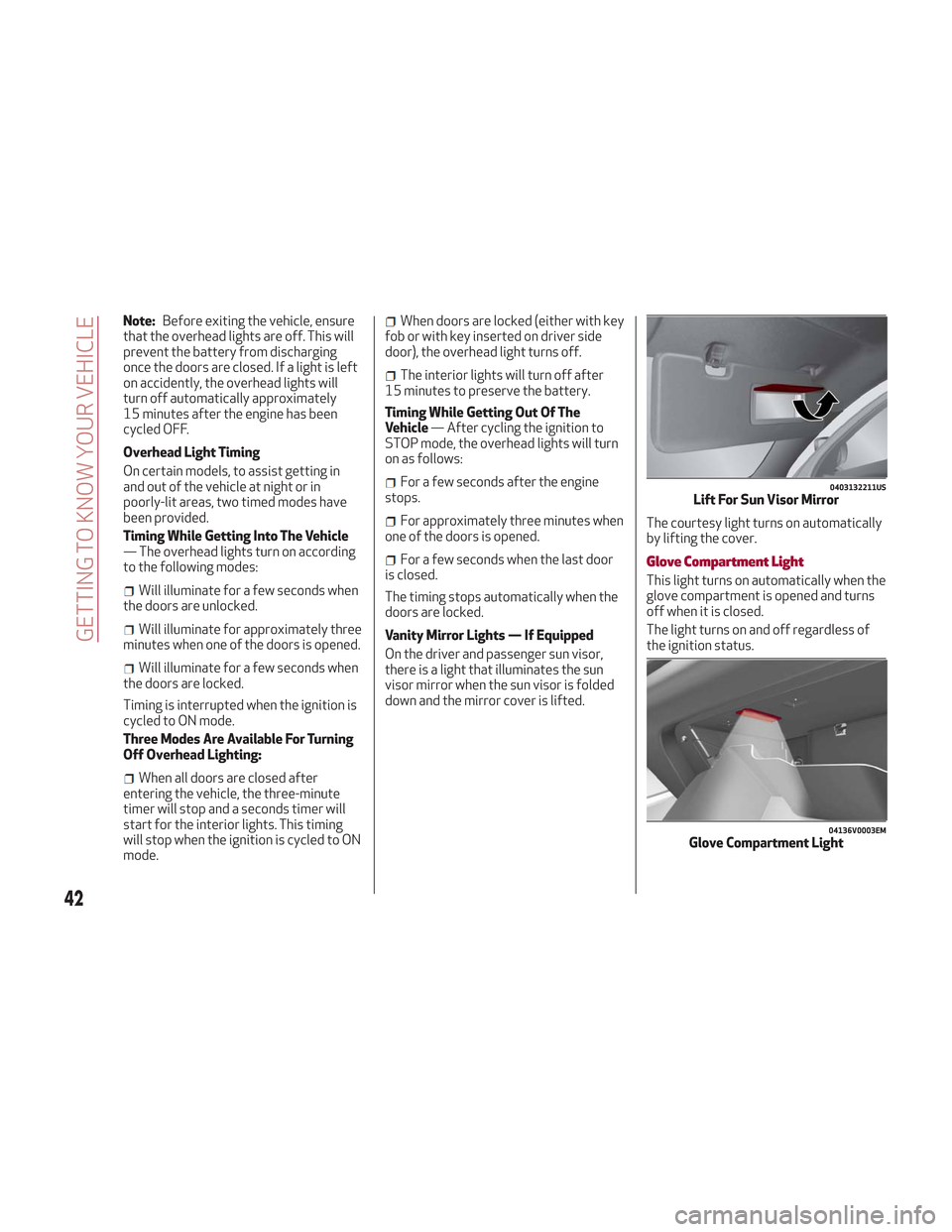
Vanity Mirror Lights — If Equipped
On the driver and passenger sun visor,
there is a light that illuminates the sun
visor mirror when the sun visor is folded
down and the mirror cover is lifted. The courtesy light turns on automatically
by lifting the cover.Glove Compartment Light
This light turns on automatically when the
glove compartment is opened and turns
off when it is closed.
The light turns on and off regardless of
the ignition status.
0403132211USLift For Sun Visor Mirror
04136V0003EMGlove Compartment Light
42
GETTING TO KNOW YOUR VEHICLE
Page 46 of 276
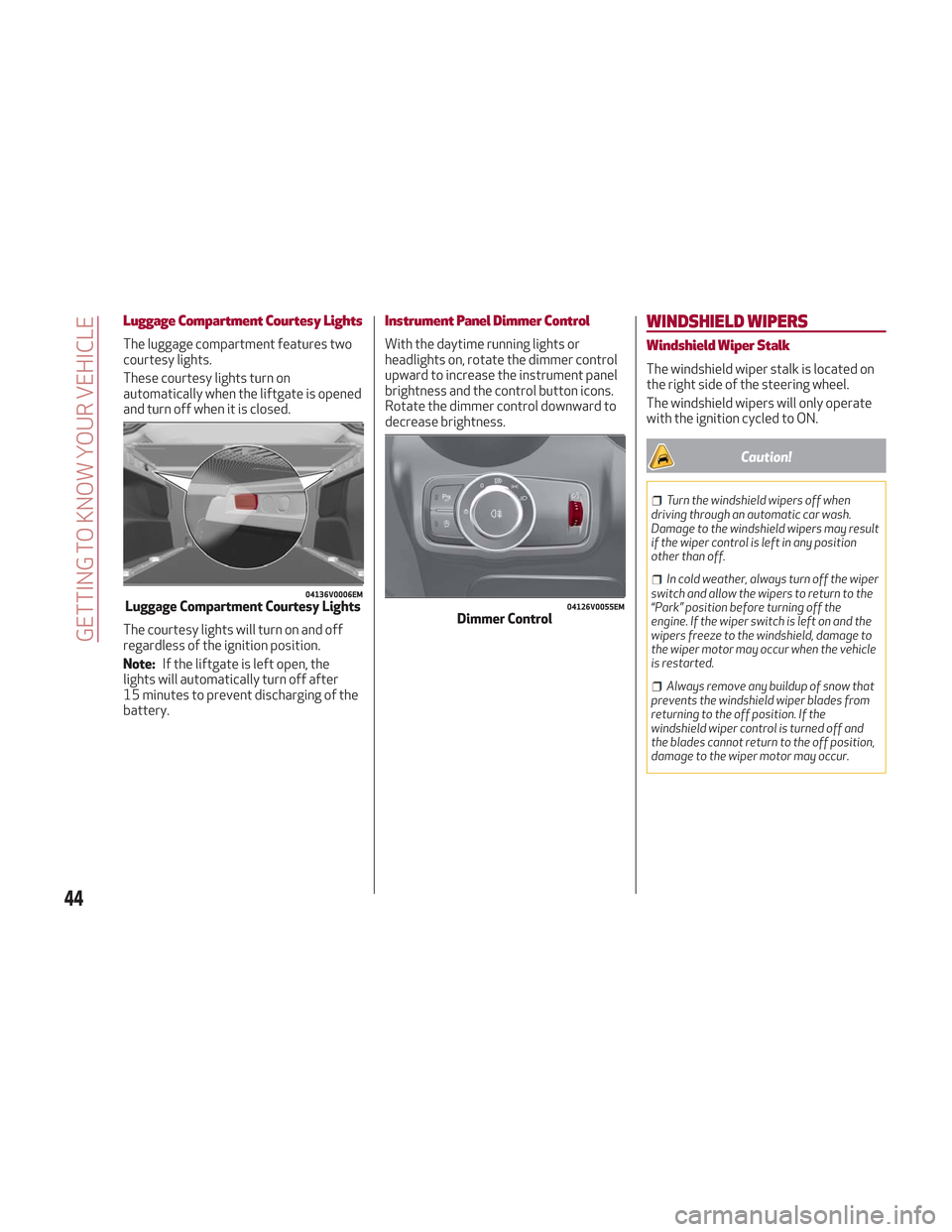
Luggage Compartment Courtesy Lights
The luggage compartment features two
courtesy lights.
These courtesy lights turn on
automatically when the liftgate is opened
and turn off when it is closed.
The courtesy lights will turn on and off
regardless of the ignition position.
Note:If the liftgate is left open, the
lights will automatically turn off after
15 minutes to prevent discharging of the
battery.
Instrument Panel Dimmer Control
With the daytime running lights or
headlights on, rotate the dimmer control
upward to increase the instrument panel
brightness and the control button icons.
Rotate the dimmer control downward to
decrease brightness.
WINDSHIELD WIPERS
Windshield Wiper Stalk
The windshield wiper stalk is located on
the right side of the steering wheel.
The windshield wipers will only operate
with the ignition cycled to ON.
Caution!
Turn the windshield wipers off when
driving through an automatic car wash.
Damage to the windshield wipers may result
if the wiper control is left in any position
other than off.
In cold weather, always turn off the wiper
switch and allow the wipers to return to the
“Park” position before turning off the
engine. If the wiper switch is left on and the
wipers freeze to the windshield, damage to
the wiper motor may occur when the vehicle
is restarted.
Always remove any buildup of snow that
prevents the windshield wiper blades from
returning to the off position. If the
windshield wiper control is turned off and
the blades cannot return to the off position,
damage to the wiper motor may occur.
04136V0006EMLuggage Compartment Courtesy Lights04126V0055EMDimmer Control
44
GETTING TO KNOW YOUR VEHICLE
Page 54 of 276
In automatic operation, air recirculation
will be controlled by the system
according to outside environmental
conditions.
Note:
With the AQS function active and
after the internal air recirculation
system has been functioning for a set
amount of time, the Climate Control
System enables air intake to cycle the
air in the passenger compartment for a
set time. The AQS function is disabled
during the air changes.
The engagement of the recirculation
system makes it possible to reach the
required heating or cooling conditions
faster. It is, however, inadvisable to use
it on rainy/cold days as it can increase
the possibility of the windows fogging.
When the outside temperature is low,
recirculation is forced off to prevent the
windows from fogging up.
A/C Compressor
Push the A/C button or theicon to
activate or deactivate the A/C
compressor (indicator illuminated when
activated). The A/C compressor will
remain off even after the engine has
stopped. When the A/C compressor is turned off,
the system deactivates air recirculation
to prevent the windows from fogging up.
If the climate control system can
maintain the temperature, with the A/C
turned off, the AUTO feature will remain
on and the AUTO button indicator light
will not switch off.
To restore automatic control of the A/C
compressor, push the A/C button or the
icon or the AUTO button. With the A/C
compressor off, the air speed can be set
manually using the Air Speed Adjustment
Knob.
When the A/C compressor is on, and the
engine is running, air speed cannot be
lower than the minimum speed (only one
indicator light is lit).
Note: When the A/C is off, the Climate
Control system can not produce air that
is colder than the current outside
temperature. Under certain
environmental conditions, windows could
fog up rapidly since the air is not
dehumidified.
Front Defroster And MAX-DEF
Function
Push the Front Defroster button(indicator illuminated) to defrost the
windshield and side windows.
While in MAX-DEF function, the air
conditioner will:
Activate the air conditioner
compressor when the weather allows
Turn air recirculation off
Set the maximum air temperature (HI)
on both the driver and passenger side
Activate a blower speed based on the
temperature of the engine coolant
Adjust the air flow towards the
windshield and front side windows
Activate the Rear Window Defroster
Display the fan speed (indicators
illuminated) and current air distribution
setting
Note: The MAX-DEF function remains
active for approximately three minutes
once the engine coolant reaches the
proper temperature.
When the function is on, AUTO mode will
deactivate. The only manual operations
possible are adjusting blower speed and
turning off the Rear Window Defroster.
Pushing the
button switches off the
MAX-DEF function.
Rear Defroster
Push the Rear Defrosterbutton to
activate (indicators illuminated) the Rear
Defroster.
The Rear Defroster will turn off after
20 minutes or once the engine is turned
off. To reactive the Rear Defroster, push
the Rear Defroster
button.
Note: To avoid damage, do not apply
stickers over the interior heating
filaments of the Rear Defroster.
52
GETTING TO KNOW YOUR VEHICLE
Page 55 of 276
Humidity Sensor
The Humidity Sensor helps to prevent the
windows from fogging up. The AUTO
function (indicator illuminated) must be
on for the Humidity Sensor to function.
When outside temperature is low, the
system may turn the compressor on and
turn air recirculation off for safer driving.
Switching Off/On The Climate Control
System
Switching Off The Climate Control
System
Rotate the Air Speed Adjustment Knob
completely counterclockwise to turn off
the Climate Control System.
With the air conditioner off:
Air recirculation is on
The A/C compressor is off
The fan is off
The heated rear window can be
activated/deactivated
Note: The climate control system stores
the previously set temperatures and
resumes operation when any button on
the system is pushed.
Switching On The Climate Control
System
To switch the climate control system on
in automatic mode, push the AUTO
button.
Stop/Start
The Stop/Start system shuts off the
engine when vehicle speed is 0 mph
(0 km/h), and the climate control system
will continue to maintain comfort within
the vehicle.
Stop/Start will deactivate in the
following scenarios:
The climate control system is in AUTO
mode (indicator illuminated), and the
vehicle has yet to reach the set
temperature
The climate control system is in LO
maximum cooling
The climate control system is in HI
maximum heating
The climate control system is in the
MAX-DEF status
When the Stop/Start system is active,
the engine will restart if the inside
temperature changes significantly, or if
the LO setting, or MAX-DEF setting, is
activated.
With Stop/Start system on, air flow is
reduced to keep the compartment
comfort conditions for longer.
Until the temperature drastically
changes within the cabin, the climate
control system will continue to maintain
the temperature while the engine is off.
By deactivating the Stop/Start system
with the
button located on the dashboard, the climate control system
will take priority over the engine shutting
off.
Note:
In harsh climate conditions, limit the
use of the Stop/Start system to prevent
the compressor from continuously
switching on and off. This will cause
rapid misting of the windows and the
accumulation of humidity in the
passenger compartment.
When the Stop/Start system is on,
the climate control system will always
take air in from outside, reducing the
probability of the windows fogging up.
System Maintenance
In winter, the Climate Control System
must be turned on at least once a month
for approximately ten minutes.
Have the system inspected at an
authorized dealer before the summer.
53
Page 59 of 276
HOOD
Opening The Hood
To open the hood, proceed as follows:
1. Pull the release lever located on the
driver’s side kick panel.
2. Move to the outside of the vehicle and
position yourself in front of the grille.
3. Lift the hood slightly.
4. Move the under-hood latch from right
to left to release the hood.5. Raise the hood completely. The
operation is assisted by the addition of
two gas props which hold it in the open
position.
Note:
Use both hands to lift the hood.
Before lifting, check that the windshield
wiper arms are not raised from the
windshield or in operation. Also, ensure
that the vehicle is stationary and that
the electric park brake is engaged.
Do not tamper with the props.
Assist the hood while lifting it.
Closing The Hood
To close, lower the hood to
approximately 16 inches (40 cm) from
the engine compartment then let it drop.
Make sure that the hood is completely
closed and fully latched. Do this by trying
to open it. If it is not perfectly closed, do
not try to push the hood lid down, but
open it and repeat the procedure.
Note: Always check that the hood is
closed correctly to prevent it from
opening while the vehicle is travelling.
Since the hood is equipped with a double
locking system, one for each side, you
must check that it is closed on each side.
Warning!
Be sure the hood is fully latched before
driving your vehicle. If the hood is not fully
latched, it could open when the vehicle is in
motion and block your vision. Failure to
follow this warning could result in serious
injury or death.
0403132207USHood Release Lever
0403132304USHood Latch Location
57