mirror Alfa Romeo Stelvio 2019 User Guide
[x] Cancel search | Manufacturer: ALFA ROMEO, Model Year: 2019, Model line: Stelvio, Model: Alfa Romeo Stelvio 2019Pages: 244, PDF Size: 4.95 MB
Page 131 of 244
LANE DEPARTURE WARNING
(LDW) SYSTEM
DESCRIPTION
47) 48) 49) 50) 51) 52)
The Lane Departure Warning system
makes use of a camera located on the
windscreen to detect the lane limits and
calculate the position of the vehicle
within such limits, in order to make sure
that it remains inside the lane.
When one or both lane limits are
detected and the vehicle passes over one
without the driver's say-so (direction
indicator not turned on), the system
emits an acoustic signal.
If the vehicle continues to go beyond the
line of the lane without any intervention
from the driver, the surpassed line will
light up on the display (left or right) to
urge the driver to bring the vehicle back
into the limits of the lane.
SYSTEM ON/OFF
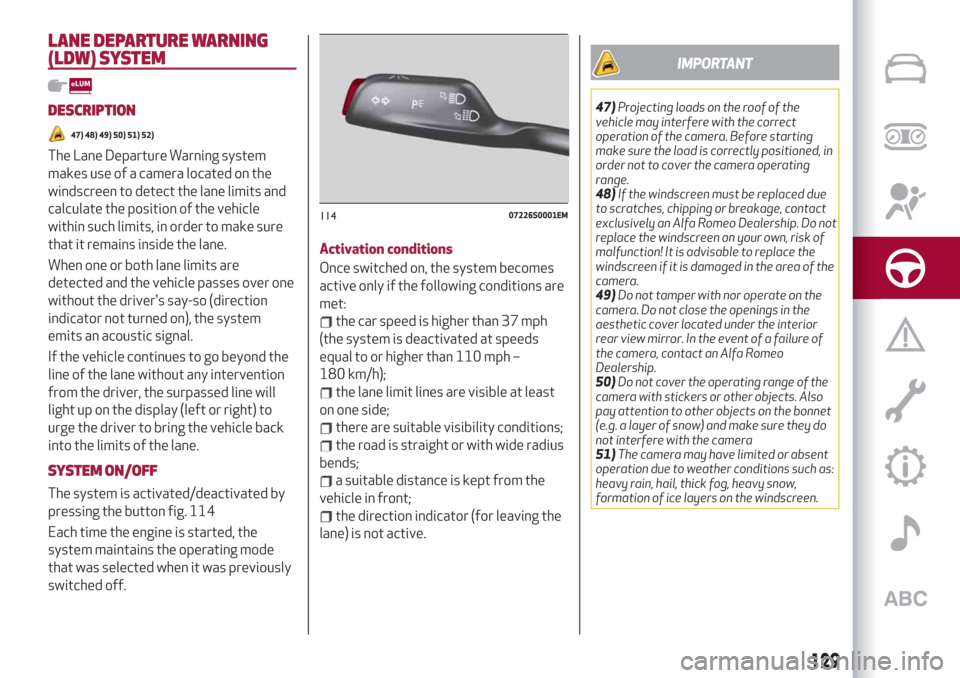
The system is activated/deactivated by
pressing the button fig. 114
Each time the engine is started, the
system maintains the operating mode
that was selected when it was previously
switched off.Activation conditions
Once switched on, the system becomes
active only if the following conditions are
met:
the car speed is higher than 37 mph
(the system is deactivated at speeds
equal to or higher than 110 mph –
180 km/h);
the lane limit lines are visible at least
on one side;
there are suitable visibility conditions;
the road is straight or with wide radius
bends;
a suitable distance is kept from the
vehicle in front;
the direction indicator (for leaving the
lane) is not active.
IMPORTANT
47)Projecting loads on the roof of the
vehicle may interfere with the correct
operation of the camera. Before starting
make sure the load is correctly positioned, in
order not to cover the camera operating
range.
48)If the windscreen must be replaced due
to scratches, chipping or breakage, contact
exclusively an Alfa Romeo Dealership. Do not
replace the windscreen on your own, risk of
malfunction! It is advisable to replace the
windscreen if it is damaged in the area of the
camera.
49)Do not tamper with nor operate on the
camera. Do not close the openings in the
aesthetic cover located under the interior
rear view mirror. In the event of a failure of
the camera, contact an Alfa Romeo
Dealership.
50)Do not cover the operating range of the
camera with stickers or other objects. Also
pay attention to other objects on the bonnet
(e.g. a layer of snow) and make sure they do
not interfere with the camera
51)The camera may have limited or absent
operation due to weather conditions such as:
heavy rain, hail, thick fog, heavy snow,
formation of ice layers on the windscreen.
11407226S0001EM
129
Page 155 of 244
CONTROL UNIT UNDER PASSENGER SIDE FOOTBOARD
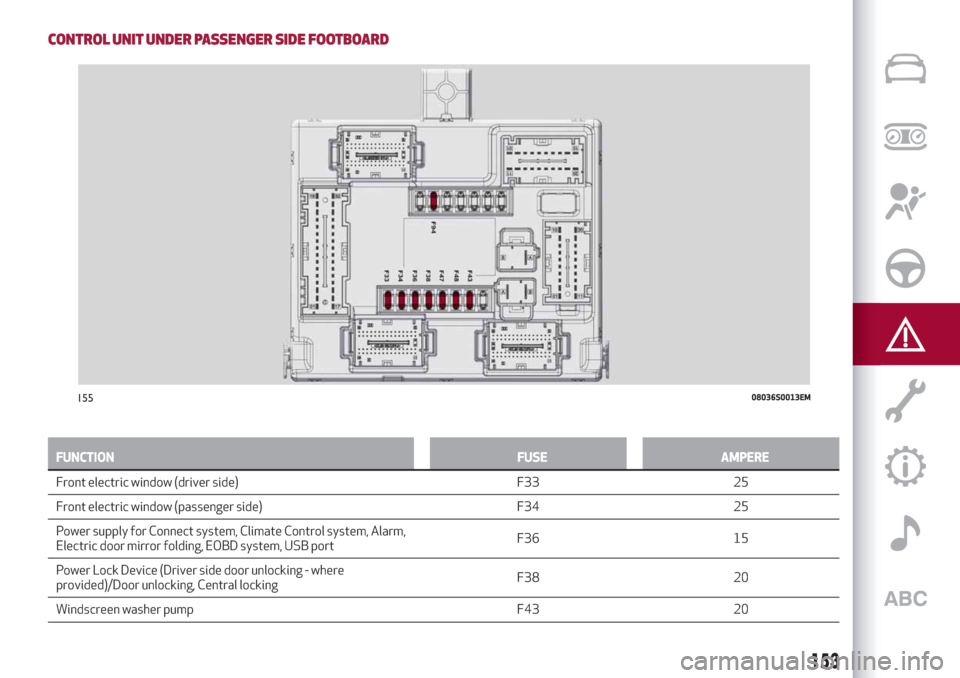
FUNCTION FUSE AMPERE
Front electric window (driver side) F33 25
Front
electric window (passenger side) F34 25
Power supply for Connect system, Climate Control system, Alarm,
Electric door mirror folding, EOBD system, USB portF36 15
Power Lock Device (Driver side door unlocking - where
provided)/Door unlocking, Central lockingF38 20
Windscreen washer pump F43 20
15508036S0013EM
153
Page 227 of 244
system to intervene. The options
available are:
“Sensitivity": allows you to select the
intervention readiness for the system
(high, low).
Blind Spot Monitoring
This function can be used to set the
warning linked to the presence of objects
in the door mirror blind spot.
The options available are:
"Sound & Display": the system warns
the driver that an obstacle is present
through acoustic (via the speakers in the
car) and visual (on the instrument panel)
warnings;
"Sound Only": the system warns the
driver that an obstacle is present through
acoustic indications only, via the
speakers in the car;
"Off": system disengaged.
Passenger's airbag
(where provided)
Lets you activate/deactivate the front
passenger airbag function. When the
function is accessed, the system will
detect the activation/deactivation status
of the airbags and confirm change of
status. Press the Rotary Pad to continue.
The air bag status is visible through the
LED next to the status icon on the
dashboard.
Passenger protection activated: the ON
LED switches on with a steady light.Passenger protection deactivated: the
OFF LED switches on with a steady light.
Seat belt reminder
This function appears only if the seat belt
reminder was deactivated and allows to
reactivate it.
Driver assistance
To access the “Driver assistance”
function, select it by turning the Rotary
Pad and press the Rotary Pad to activate.
This function can be used to carry out the
following adjustments:
ParkSense
This function can be used to select the
type of warning provided by the
ParkSense system.
The options available are:“Mode”: the following options are
available in this function: “Sound”, the
system notifies the driver of the
presence of an obstacle by means of
auditory signals only, by means of the
speakers in the car or “Sound and
Display”, the system notifies the driver of
the presence of an obstacle by means of
auditory signals (by means of the
speakers in the vehicle) and visual
signals, on the instrument panel display.
"Audio": allows to select the volume of
the acoustic warnings provided by the
ParkSense system, the available options
are: "High", "Medium" or "Low".Rear view camera
(where provided)
This function can be used to carry out the
following adjustments:
"View": lets you activate viewing the
video camera on the display;
"Cam Delay": allows you to delay
switching off the camera by a few
seconds when reverse gear is
disengaged.
“Camera Guidelines”: Allows you to
enable the dynamic guidelines on the
display to indicate the vehicle’s path.
Automatic parking brake
This function allows you to
activate/deactivate the automatic
parking brake engagement upon
switching off the engine.
Brake service
(where provided)
This function permits the activation of
the procedure to carry out braking
system maintenance.
(where provided)
This function can be used to
activate/deactivate front seat retraction
(Easy Entry function). The default setting
is “Off”.
Automatic mirror closing
(where provided)
This function activates/deactivates
225
Easy Entry
Page 228 of 244
automatic folding of the mirrors when the
doors are locked/unlocked. The default
setting is “Off”.
Restore settings
This function allows you to delete the
settings from this menu.
Access the functions and select the
setting by turning and pressing the
Rotary Pad.
Doors & Locks
To access the “Doors & Locks” function,
select it by turning the Rotary Pad and
press the control to activate it. The
following settings can be modified when
this mode is selected:
Door lock in motion;
Unlock all doors on exit;
Passive Entry (where provided);
Door Unlock On Entry (where
provided);
Horn w/Remote Start (for
versions/markets where provided);
Sound Horn with Lock (where
provided);
Auto Relock (where provided);
Electric tailgate (where provided);
Automatic tailgate opening (where
provided);
Restore settings.Control panel
To access the “Control panel” function,
select it by turning the Rotary Pad and
press the Rotary Pad to activate. The
following settings can be modified when
this mode is selected:
Warning buzzer volume;
Trip B;
Show telephone info;
Show audio info;
Show Navi info;
Restore settings.
Infotainment
To access the “Infotainment” function,
select it by turning the Rotary Pad and
press the Rotary Pad to activate. The
following settings can be modified when
this mode is selected:
Screen Off;
Splitscreen (where provided);
Audio;
Bluetooth;
Radio;
Media;
Phone;
Navigation (where provided);
Apps.
System
To access the “System” function, select it
by turning the Rotary Pad and press the
Rotary Pad to activate. The followingsettings can be modified when this mode
is selected:
Automatic activation;
Cam Delay;
Update Software;
Map update;
Clear personal data;
Restore settings.
IMPORTANT For further information
about the map update procedure, refer to
the Connect system supplement on the
uLum website.
MAP UPDATE
To ensure optimal performance, the
navigation system must be updated
periodically.
For this, the Mopar Map Care service
offers a new map update every three
months.
The updates can be downloaded from the
maps.mopar.eu website and installed
directly on the Connect system. All
updates are free of charge for 3 years
from the start of the warranty on the car.
The navigation system can also be
updated at the Alfa Romeo Dealership.
NOTE The dealer may charge for
updating the navigation system.
226
MULTIMEDIA
Page 240 of 244
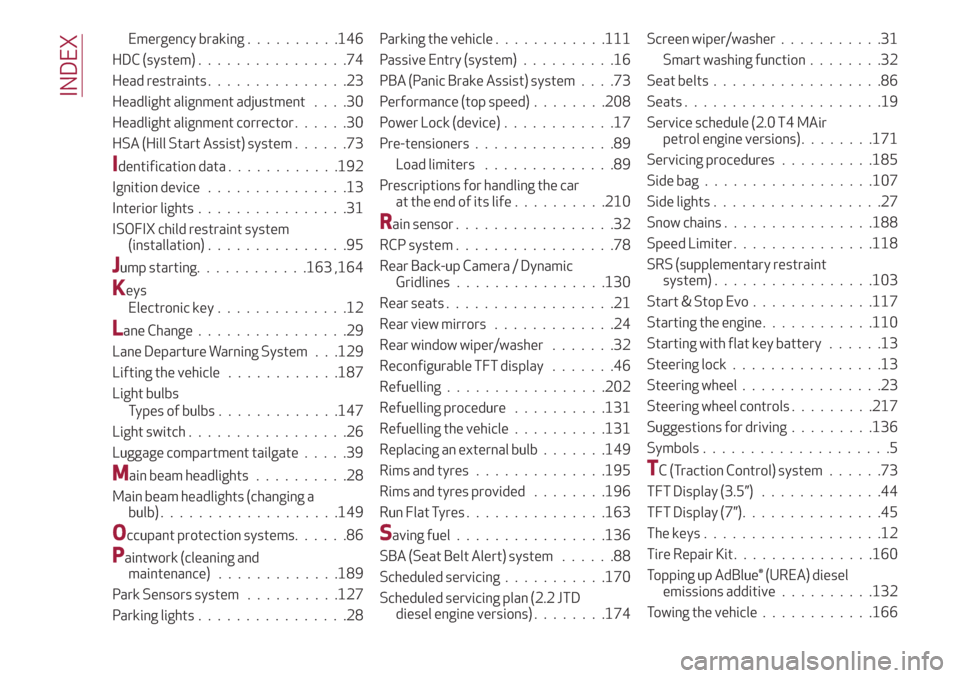
Emergency braking..........146
HDC (system)................74
Head restraints...............23
Headlight alignment adjustment....30
Headlight alignment corrector......30
HSA (Hill Start Assist) system......73
Identification data............192
Ignition device...............13
Interior lights................31
ISOFIX child restraint system
(installation)...............95
Jump starting............163 ,164
Keys
Electronic key..............12
Lane Change................29
Lane Departure Warning System . . .129
Lifting the vehicle............187
Light bulbs
Types of bulbs.............147
Light switch.................26
Luggage compartment tailgate.....39
Main beam headlights..........28
Main beam headlights (changing a
bulb)...................149
Occupant protection systems......86
Paintwork (cleaning and
maintenance).............189
Park Sensors system..........127
Parking lights................28Parking the vehicle............111
Passive Entry (system)..........16
PBA (Panic Brake Assist) system....73
Performance (top speed)........208
Power Lock (device)............17
Pre-tensioners...............89
Load limiters..............89
Prescriptions for handling the car
at the end of its life..........210
Rain sensor.................32
RCP system.................78
Rear Back-up Camera / Dynamic
Gridlines................130
Rear seats..................21
Rear view mirrors.............24
Rear window wiper/washer.......32
Reconfigurable TFT display.......46
Refuelling.................202
Refuelling procedure..........131
Refuelling the vehicle..........131
Replacing an external bulb.......149
Rims and tyres..............195
Rims and tyres provided........196
Run Flat Tyres...............163
Saving fuel................136
SBA (Seat Belt Alert) system......88
Scheduled servicing...........170
Scheduled servicing plan (2.2 JTD
diesel engine versions)........174Screen wiper/washer...........31
Smart washing function........32
Seat belts..................86
Seats.....................19
Service schedule (2.0 T4 MAir
petrol engine versions)........171
Servicing procedures..........185
Side bag..................107
Side lights..................27
Snow chains................188
Speed Limiter . ..............118
SRS (supplementary restraint
system).................103
Start & Stop Evo.............117
Starting the engine............110
Starting with flat key battery......13
Steering lock . . ..............13
Steering wheel...............23
Steering wheel controls .........217
Suggestions for driving .........136
Symbols....................5
TC (Traction Control) system......73
TFT Display (3.5”) . ............44
TFT Display (7”)...............45
The keys...................12
Tire Repair Kit . ..............160
Topping up AdBlue® (UREA) diesel
emissions additive..........132
Towing the vehicle . ...........166
INDEX