gps Alfa Romeo Stelvio 2019 Owner's Manual
[x] Cancel search | Manufacturer: ALFA ROMEO, Model Year: 2019, Model line: Stelvio, Model: Alfa Romeo Stelvio 2019Pages: 244, PDF Size: 4.95 MB
Page 51 of 244
Units & Language
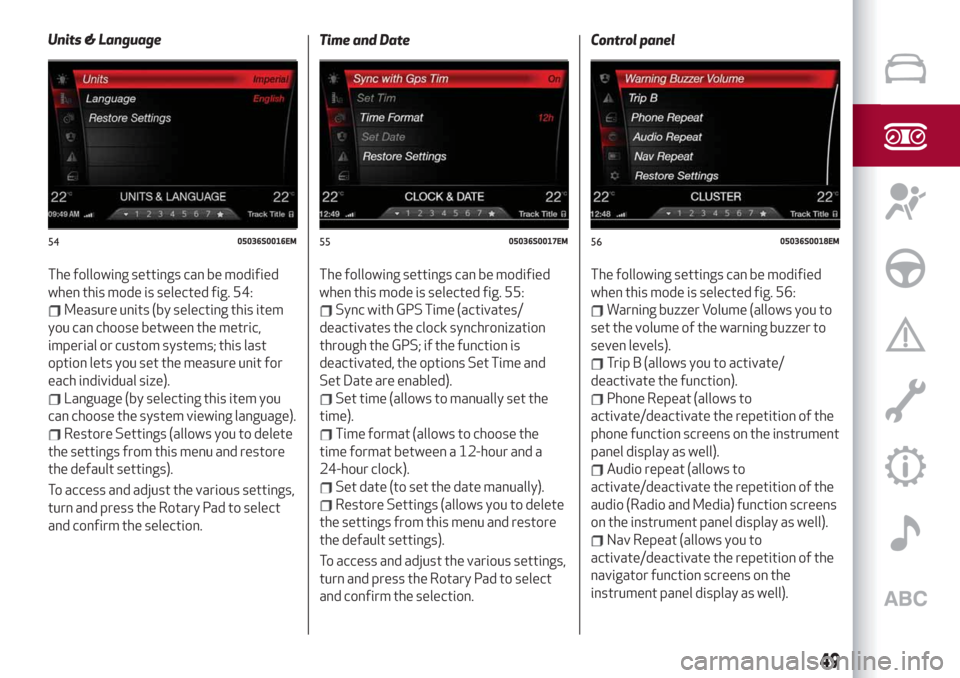
The following settings can be modified
when this mode is selected fig. 54:
Measure units (by selecting this item
you can choose between the metric,
imperial or custom systems; this last
option lets you set the measure unit for
each individual size).
Language (by selecting this item you
can choose the system viewing language).
Restore Settings (allows you to delete
the settings from this menu and restore
the default settings).
To access and adjust the various settings,
turn and press the Rotary Pad to select
and confirm the selection.Time and Date
The following settings can be modified
when this mode is selected fig. 55:
Sync with GPS Time (activates/
deactivates the clock synchronization
through the GPS; if the function is
deactivated, the options Set Time and
Set Date are enabled).
Set time (allows to manually set the
time).
Time format (allows to choose the
time format between a 12-hour and a
24-hour clock).
Set date (to set the date manually).
Restore Settings (allows you to delete
the settings from this menu and restore
the default settings).
To access and adjust the various settings,
turn and press the Rotary Pad to select
and confirm the selection.Control panel
The following settings can be modified
when this mode is selected fig. 56:
Warning buzzer Volume (allows you to
set the volume of the warning buzzer to
seven levels).
Trip B (allows you to activate/
deactivate the function).
Phone Repeat (allows to
activate/deactivate the repetition of the
phone function screens on the instrument
panel display as well).
Audio repeat (allows to
activate/deactivate the repetition of the
audio (Radio and Media) function screens
on the instrument panel display as well).
Nav Repeat (allows you to
activate/deactivate the repetition of the
navigator function screens on the
instrument panel display as well).
5405036S0016EM5505036S0017EM5605036S0018EM
49
Page 226 of 244
SETTINGS
To access the user-programmable
functions, open the main menu by
pressing the MENU button, then select
SETTINGS by turning and pressing the
Rotary Pad.
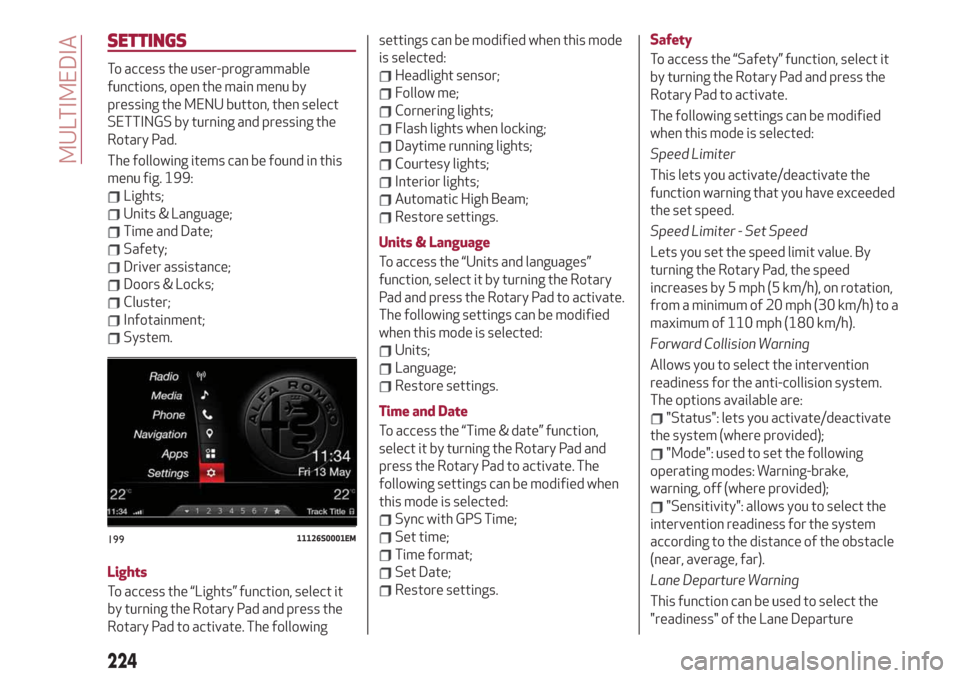
The following items can be found in this
menu fig. 199:
Lights;
Units & Language;
Time and Date;
Safety;
Driver assistance;
Doors & Locks;
Cluster;
Infotainment;
System.
Lights
To access the “Lights” function, select it
by turning the Rotary Pad and press the
Rotary Pad to activate. The followingsettings can be modified when this mode
is selected:
Headlight sensor;
Follow me;
Cornering lights;
Flash lights when locking;
Daytime running lights;
Courtesy lights;
Interior lights;
Automatic High Beam;
Restore settings.
Units & Language
To access the “Units and languages”
function, select it by turning the Rotary
Pad and press the Rotary Pad to activate.
The following settings can be modified
when this mode is selected:
Units;
Language;
Restore settings.
Time and Date
To access the “Time & date” function,
select it by turning the Rotary Pad and
press the Rotary Pad to activate. The
following settings can be modified when
this mode is selected:
Sync with GPS Time;
Set time;
Time format;
Set Date;
Restore settings.Safety
To access the “Safety” function, select it
by turning the Rotary Pad and press the
Rotary Pad to activate.
The following settings can be modified
when this mode is selected:
Speed Limiter
This lets you activate/deactivate the
function warning that you have exceeded
the set speed.
Speed Limiter - Set Speed
Lets you set the speed limit value. By
turning the Rotary Pad, the speed
increases by 5 mph (5 km/h), on rotation,
from a minimum of 20 mph (30 km/h) to a
maximum of 110 mph (180 km/h).
Forward Collision Warning
Allows you to select the intervention
readiness for the anti-collision system.
The options available are:
"Status": lets you activate/deactivate
the system (where provided);
"Mode": used to set the following
operating modes: Warning-brake,
warning, off (where provided);
"Sensitivity": allows you to select the
intervention readiness for the system
according to the distance of the obstacle
(near, average, far).
Lane Departure Warning
This function can be used to select the
"readiness" of the Lane Departure
19911126S0001EM
224
MULTIMEDIA