warning light ALFA ROMEO STELVIO 2023 Workshop Manual
[x] Cancel search | Manufacturer: ALFA ROMEO, Model Year: 2023, Model line: STELVIO, Model: ALFA ROMEO STELVIO 2023Pages: 268, PDF Size: 10.36 MB
Page 143 of 268
141
(Continued)
DYNAMIC STEERING TORQUE (DST)
S
YSTEM
DST uses the integration of the Electronic
Stability Control (ESC) system with the electric
power steering to increase the safety level of the
whole vehicle.
In critical situations (e.g. braking on surfaces with
different grip conditions), the ESC system
influences the steering through the DST function
to implement an additional torque contribution
on the steering wheel in order to suggest the
most correct maneuver to the driver.
The coordinated action of the brakes and steering
increases the safety and control of the vehicle.
NOTE:
The DST feature is only meant to help the driver
realize the correct course of action through small
torques on the steering wheel, which means the
effectiveness of the DST feature is highly depen -
dent on the driver’s sensitivity and overall reac -
tion to the applied torque. It is very important to
realize that this feature will not steer the vehicle,
meaning the driver is still responsible for steering
the vehicle.
DRIVE TRAIN CONTROL (DTC) SYSTEM
Some models of this vehicle are equipped with an
All-Wheel Drive (AWD) system, which offers an
optimal drive for countless driving conditions and
road surfaces. The system reduces tire slipping to
a minimum, automatically redistributing the
torque to the front and rear wheels as needed. To maximize fuel savings, the vehicle with AWD
automatically passes to Rear-Wheel Drive (RWD)
when the road and environmental conditions are
such that they wouldn't cause the tires to slip.
When the road and environmental conditions
require better traction, the vehicle automatically
switches to AWD mode.
NOTE:
There may be a brief delay in shifting to
AWD mode after a tire slipping event occurs.
If the system failure symbol switches on, after
starting the engine or while driving, it means
that the AWD system is not working properly. If
the warning message activates frequently, it is
recommended to carry out the maintenance
operations.
ELECTRONIC STABILITY CONTROL (ESC)
S
YSTEM
The ESC system improves the directional control
and stability of the vehicle in various driving
conditions.
The ESC system corrects the vehicle’s understeer
and oversteer, distributing the brake force on the
appropriate wheels. The torque supplied by the
engine can also be reduced in order to maintain
control of the vehicle.
The ESC system uses sensors installed on the
vehicle to determine the path that the driver
intends to follow and compares it with the
vehicle’s effective path. When the real path
deviates from the desired path, the ESC system
intervenes to counter the vehicle’s oversteer or
understeer.
Oversteer occurs when the vehicle is turning
more than it should according to the angle of
the steering wheel.
Understeer occurs when the vehicle is turning
less than it should according to the angle of the
steering wheel.
System Intervention
The intervention of the system is indicated by the
flashing of the ESC Warning Light on the
instrument panel, to inform the driver that the
vehicle stability and grip are critical.
WARNING!
Electronic Stability Control (ESC) cannot
prevent the natural laws of physics from
acting on the vehicle, nor can it increase the
traction afforded by prevailing road
conditions. ESC cannot prevent accidents,
including those resulting from excessive
speed in turns, driving on very slippery
surfaces, or hydroplaning. ESC also cannot
prevent accidents resulting from loss of
vehicle control due to inappropriate driver
input for the conditions. Only a safe,
attentive, and skillful driver can prevent
accidents. The capabilities of an ESC
equipped vehicle must never be exploited in
a reckless or dangerous manner which could
jeopardize the user’s safety or the safety of
others.
23_GU_OM_EN_USC_t.book Page 141
Page 145 of 268
143
NOTE:
If the vehicle’s speed exceeds 6 mph (10 km/h),
but remains below 37 mph (60 km/h) and the
accelerator pedal is released, as soon as the
vehicle gets close to the set speed the HDC
system will automatically brake to keep the
vehicle at the set speed.
The driver can cancel HDC system intervention at
any time by pressing the accelerator pedal.
System Deactivation
The HDC system will be deactivated, but remain
available, if any of the following conditions are
met:
The vehicle is traveling on a downhill slope with
a gradient less than 8%, on a level surface, or
on an uphill grade.
PARK (P) mode is engaged.
Disabling The System
The system is disabled if any of the following
conditions are met:
The HDC switch is pressed.
Cruise Control/Adaptive Cruise Control is
activated.
A vehicle speed of 37 mph (60 km/h) is
exceeded.
System deactivation is shown by the icon on
the display turning off.
HILL START ASSIST (HSA) SYSTEM
HSA is an integral part of the Electronic Stability
Control (ESC) system that facilitates starting on
slopes, activating automatically in the following
cases:
Uphill: the vehicle is stationary on a road with a
gradient higher than 5%, the engine is running,
the brake is pressed, and the transmission is
in NEUTRAL (N) or a gear other than REVERSE
(R) is engaged.
Downhill: the vehicle is stationary on a road
with a gradient higher than 5%, the engine is
running, the brake is pressed, and the
transmission is in REVERSE.
When starting to move forward from a complete
stop, the ESC system control unit maintains the
braking pressure on the wheels until the engine
torque necessary for starting is reached, or in any
case for a maximum of two seconds, allowing
your right foot to be moved easily from the brake
pedal to the accelerator.
The system will automatically deactivate after two
seconds without starting, gradually releasing the
braking pressure. During this release stage, it is
possible to hear a typical mechanical brake
release noise, indicating the imminent movement
of the vehicle.
PANIC BRAKE ASSIST (PBA) SYSTEM
The PBA system is designed to improve the
vehicle’s braking capacity during emergency
braking.
The system detects emergency braking by
monitoring the speed and force with which the
brake pedal is pressed, and consequently applies
the optimal brake pressure. This can reduce the
braking distance; the PBA system therefore
complements the ABS.
Maximum assistance from the PBA system is
obtained by pressing the brake pedal very quickly.
In addition, the brake pedal should be pressed
continuously during braking, avoiding
intermittent presses, to get the most out of the
system. Do not reduce pressure on the brake
pedal until braking is no longer necessary.
WARNING!
HDC is only intended to assist the driver in
controlling vehicle speed when descending
hills. The driver must remain attentive to the
driving conditions and is responsible for
maintaining a safe vehicle speed.
WARNING!
There may be situations where the Hill Start
Assist (HSA) will not activate and slight rolling
may occur, such as on minor hills or with a
loaded vehicle, or while pulling a trailer. HSA is
not a substitute for active driving involvement.
It is always the driver’s responsibility to be
attentive to distance to other vehicles, people,
and objects, and most importantly brake
operation to ensure safe operation of the
vehicle under all road conditions. Your
complete attention is always required while
driving to maintain safe control of your vehicle.
Failure to follow these warnings can result in a
collision or serious personal injury.
23_GU_OM_EN_USC_t.book Page 143
Page 146 of 268
SAFETY
144
The PBA system is deactivated when the brake
pedal is released.
TRACTION CONTROL SYSTEM (TCS)
The TCS automatically operates in the event of
slipping, loss of grip on wet roads (hydroplaning),
and acceleration on one or both drive wheels on
roads that are slippery, snowy, icy, etc.
Depending on the slipping conditions, two
different control systems are activated:
If the slipping involves both drive wheels, the
system intervenes, reducing the power
transmitted by the engine.
If the slipping only involves one of the drive
wheels, the Brake Limited Differential (BLD)
function is activated, automatically braking the
wheel which is slipping (the behavior of a
self-locking differential is simulated). This will
increase the engine torque transferred to the
wheel which isn't slipping.System Intervention
The intervention of the system is indicated by the
flashing of the ESC Warning Light on the
instrument panel, to inform the driver that the
vehicle stability and grip are critical.
AUXILIARY DRIVING
SYSTEMS
The following auxiliary driving systems may be
available in this vehicle:
Blind Spot Monitoring (BSM) — if equipped
Active Blind Spot Assist (ABSA) — if equipped
Forward Collision Warning Plus (FCW+)
Tire Pressure Monitoring System (TPMS)
The vehicle may also be fitted with the following
driving assistance systems:
Driver Attention Assist (DAA)
Lane Departure Warning (LDW)
Lane Keeping Assist (LKA)
Highway Assist System (HAS)
Traffic Jam Assist (TJA)
Adaptive Cruise Control (ACC)
Intelligent Speed Control (ISC)
Traffic Sign Recognition (TSR)
For the operation of the DAA, LDW, LKA, HAS, TJA,
ACC, ISC, or TSR systems, see
Ú
page 86.
NOTE:
When driving on two-way roads where there is no
lane dividing center line (e.g. on unpaved roads),
the use of the ABSA, HAS, TJA, and LKA systems is strongly discouraged as the system could
detect the entire road as single-lane dividing
lines.
NOTE:
The driving assistance systems are designed to
aid in driving the car. The driver must always
maintain a sufficient level of attention to the
traffic and road conditions and control the
trajectory of the car.
BLIND SPOT MONITORING (BSM)
S
YSTEM — IF EQUIPPED
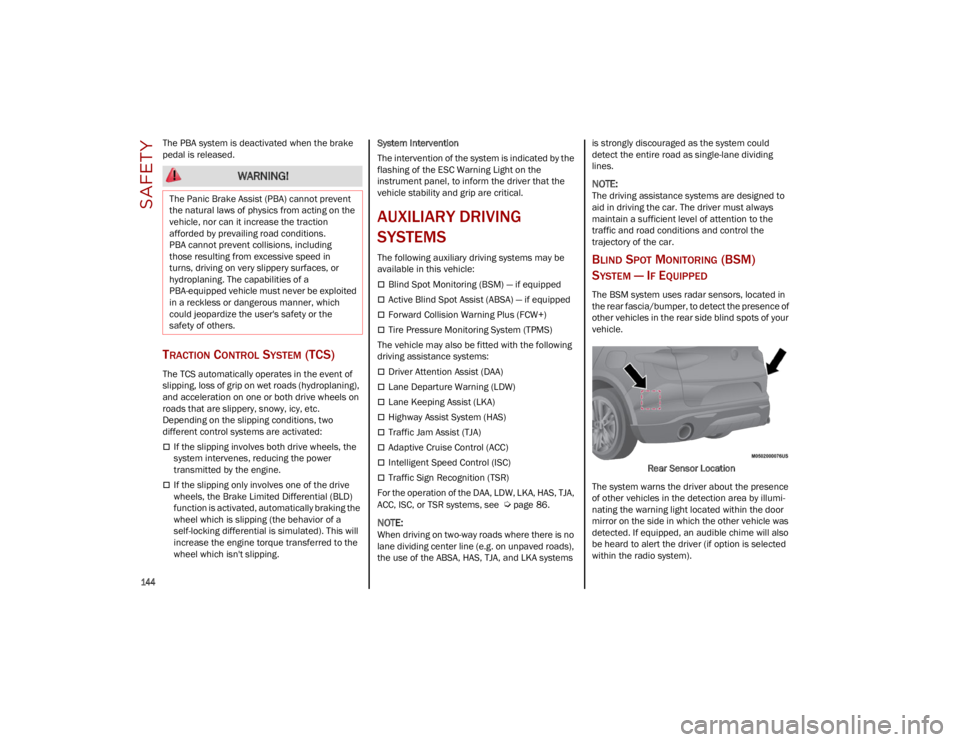
The BSM system uses radar sensors, located in
the rear fascia/bumper, to detect the presence of
other vehicles in the rear side blind spots of your
vehicle.
Rear Sensor Location
The system warns the driver about the presence
of other vehicles in the detection area by illumi -
nating the warning light located within the door
mirror on the side in which the other vehicle was
detected. If equipped, an audible chime will also
be heard to alert the driver (if option is selected
within the radio system).
WARNING!
The Panic Brake Assist (PBA) cannot prevent
the natural laws of physics from acting on the
vehicle, nor can it increase the traction
afforded by prevailing road conditions.
PBA cannot prevent collisions, including
those resulting from excessive speed in
turns, driving on very slippery surfaces, or
hydroplaning. The capabilities of a
PBA-equipped vehicle must never be exploited
in a reckless or dangerous manner, which
could jeopardize the user's safety or the
safety of others.
23_GU_OM_EN_USC_t.book Page 144
Page 147 of 268
145
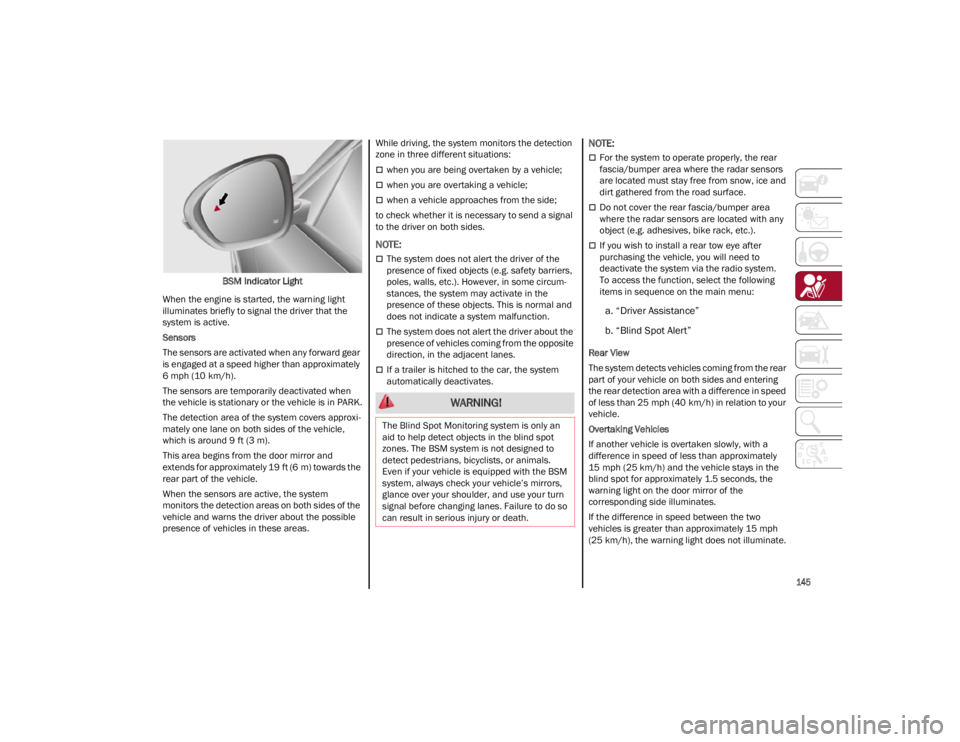
BSM Indicator Light
When the engine is started, the warning light
illuminates briefly to signal the driver that the
system is active.
Sensors
The sensors are activated when any forward gear
is engaged at a speed higher than approximately
6 mph (10 km/h). The sensors are temporarily deactivated when
the vehicle is stationary or the vehicle is in PARK.
The detection area of the system covers approxi -
mately one lane on both sides of the vehicle,
which is around 9 ft (3 m).
This area begins from the door mirror and
extends for approximately 19 ft (6 m) towards the
rear part of the vehicle.
When the sensors are active, the system
monitors the detection areas on both sides of the
vehicle and warns the driver about the possible
presence of vehicles in these areas. While driving, the system monitors the detection
zone in three different situations:
when you are being overtaken by a vehicle;
when you are overtaking a vehicle;
when a vehicle approaches from the side;
to check whether it is necessary to send a signal
to the driver on both sides.
NOTE:
The system does not alert the driver of the
presence of fixed objects (e.g. safety barriers,
poles, walls, etc.). However, in some circum -
stances, the system may activate in the
presence of these objects. This is normal and
does not indicate a system malfunction.
The system does not alert the driver about the
presence of vehicles coming from the opposite
direction, in the adjacent lanes.
If a trailer is hitched to the car, the system
automatically deactivates.
NOTE:
For the system to operate properly, the rear
fascia/bumper area where the radar sensors
are located must stay free from snow, ice and
dirt gathered from the road surface.
Do not cover the rear fascia/bumper area
where the radar sensors are located with any
object (e.g. adhesives, bike rack, etc.).
If you wish to install a rear tow eye after
purchasing the vehicle, you will need to
deactivate the system via the radio system.
To access the function, select the following
items in sequence on the main menu:
a. “Driver Assistance”
b. “Blind Spot Alert”
Rear View
The system detects vehicles coming from the rear
part of your vehicle on both sides and entering
the rear detection area with a difference in speed
of less than 25 mph (40 km/h) in relation to your
vehicle.
Overtaking Vehicles
If another vehicle is overtaken slowly, with a
difference in speed of less than approximately
15 mph (25 km/h) and the vehicle stays in the
blind spot for approximately 1.5 seconds, the
warning light on the door mirror of the
corresponding side illuminates.
If the difference in speed between the two
vehicles is greater than approximately 15 mph
(25 km/h), the warning light does not illuminate.
WARNING!
The Blind Spot Monitoring system is only an
aid to help detect objects in the blind spot
zones. The BSM system is not designed to
detect pedestrians, bicyclists, or animals.
Even if your vehicle is equipped with the BSM
system, always check your vehicle’s mirrors,
glance over your shoulder, and use your turn
signal before changing lanes. Failure to do so
can result in serious injury or death.
23_GU_OM_EN_USC_t.book Page 145
Page 148 of 268
SAFETY
146
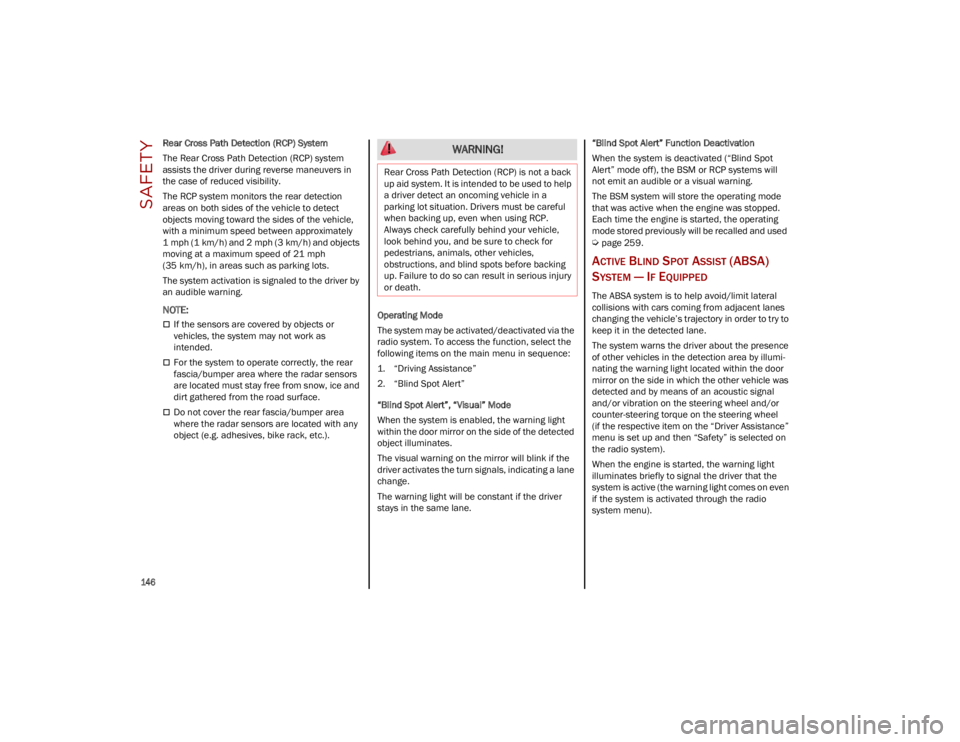
Rear Cross Path Detection (RCP) System
The Rear Cross Path Detection (RCP) system
assists the driver during reverse maneuvers in
the case of reduced visibility.
The RCP system monitors the rear detection
areas on both sides of the vehicle to detect
objects moving toward the sides of the vehicle,
with a minimum speed between approximately
1 mph (1 km/h) and 2 mph (3 km/h) and objects
moving at a maximum speed of 21 mph
(35 km/h), in areas such as parking lots.
The system activation is signaled to the driver by
an audible warning.
NOTE:
If the sensors are covered by objects or
vehicles, the system may not work as
intended.
For the system to operate correctly, the rear
fascia/bumper area where the radar sensors
are located must stay free from snow, ice and
dirt gathered from the road surface.
Do not cover the rear fascia/bumper area
where the radar sensors are located with any
object (e.g. adhesives, bike rack, etc.).Operating Mode
The system may be activated/deactivated via the
radio system. To access the function, select the
following items on the main menu in sequence:
1. “Driving Assistance”
2. “Blind Spot Alert”
“Blind Spot Alert”, “Visual” Mode
When the system is enabled, the warning light
within the door mirror on the side of the detected
object illuminates.
The visual warning on the mirror will blink if the
driver activates the turn signals, indicating a lane
change.
The warning light will be constant if the driver
stays in the same lane. “Blind Spot Alert” Function Deactivation
When the system is deactivated (“Blind Spot
Alert” mode off), the BSM or RCP systems will
not emit an audible or a visual warning.
The BSM system will store the operating mode
that was active when the engine was stopped.
Each time the engine is started, the operating
mode stored previously will be recalled and used
Ú
page 259.
ACTIVE BLIND SPOT ASSIST (ABSA)
S
YSTEM — IF EQUIPPED
The ABSA system is to help avoid/limit lateral
collisions with cars coming from adjacent lanes
changing the vehicle’s trajectory in order to try to
keep it in the detected lane.
The system warns the driver about the presence
of other vehicles in the detection area by illumi -
nating the warning light located within the door
mirror on the side in which the other vehicle was
detected and by means of an acoustic signal
and/or vibration on the steering wheel and/or
counter-steering torque on the steering wheel
(if the respective item on the “Driver Assistance”
menu is set up and then “Safety” is selected on
the radio system).
When the engine is started, the warning light
illuminates briefly to signal the driver that the
system is active (the warning light comes on even
if the system is activated through the radio
system menu).
WARNING!
Rear Cross Path Detection (RCP) is not a back
up aid system. It is intended to be used to help
a driver detect an oncoming vehicle in a
parking lot situation. Drivers must be careful
when backing up, even when using RCP.
Always check carefully behind your vehicle,
look behind you, and be sure to check for
pedestrians, animals, other vehicles,
obstructions, and blind spots before backing
up. Failure to do so can result in serious injury
or death.
23_GU_OM_EN_USC_t.book Page 146
Page 149 of 268
147
(Continued)
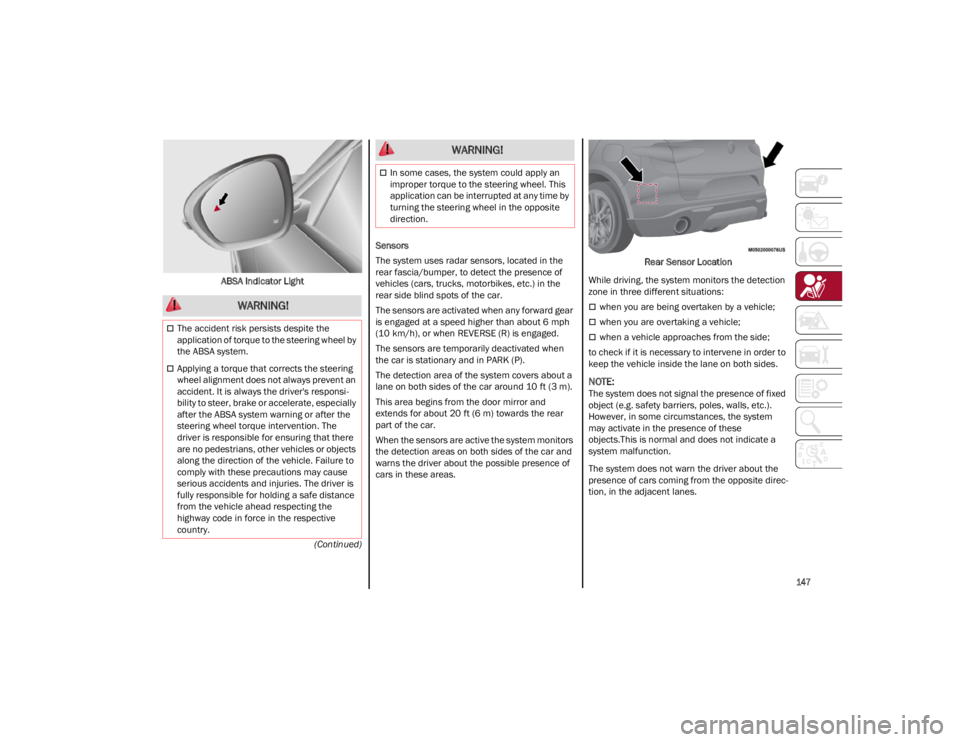
ABSA Indicator Light
Sensors
The system uses radar sensors, located in the
rear fascia/bumper, to detect the presence of
vehicles (cars, trucks, motorbikes, etc.) in the
rear side blind spots of the car.
The sensors are activated when any forward gear
is engaged at a speed higher than about 6 mph
(10 km/h), or when REVERSE (R) is engaged.
The sensors are temporarily deactivated when
the car is stationary and in PARK (P).
The detection area of the system covers about a
lane on both sides of the car around 10 ft (3 m).
This area begins from the door mirror and
extends for about 20 ft (6 m) towards the rear
part of the car.
When the sensors are active the system monitors
the detection areas on both sides of the car and
warns the driver about the possible presence of
cars in these areas. Rear Sensor Location
While driving, the system monitors the detection
zone in three different situations:
when you are being overtaken by a vehicle;
when you are overtaking a vehicle;
when a vehicle approaches from the side;
to check if it is necessary to intervene in order to
keep the vehicle inside the lane on both sides.
NOTE:
The system does not signal the presence of fixed
object (e.g. safety barriers, poles, walls, etc.).
However, in some circumstances, the system
may activate in the presence of these
objects.This is normal and does not indicate a
system malfunction.
The system does not warn the driver about the
presence of cars coming from the opposite direc -
tion, in the adjacent lanes.
WARNING!
The accident risk persists despite the
application of torque to the steering wheel by
the ABSA system.
Applying a torque that corrects the steering
wheel alignment does not always prevent an
accident. It is always the driver's responsi -
bility to steer, brake or accelerate, especially
after the ABSA system warning or after the
steering wheel torque intervention. The
driver is responsible for ensuring that there
are no pedestrians, other vehicles or objects
along the direction of the vehicle. Failure to
comply with these precautions may cause
serious accidents and injuries. The driver is
fully responsible for holding a safe distance
from the vehicle ahead respecting the
highway code in force in the respective
country.
In some cases, the system could apply an
improper torque to the steering wheel. This
application can be interrupted at any time by
turning the steering wheel in the opposite
direction.
WARNING!
23_GU_OM_EN_USC_t.book Page 147
Page 153 of 268
151
FORWARD COLLISION WARNING PLUS
(FCW+) S
YSTEM — IF EQUIPPED
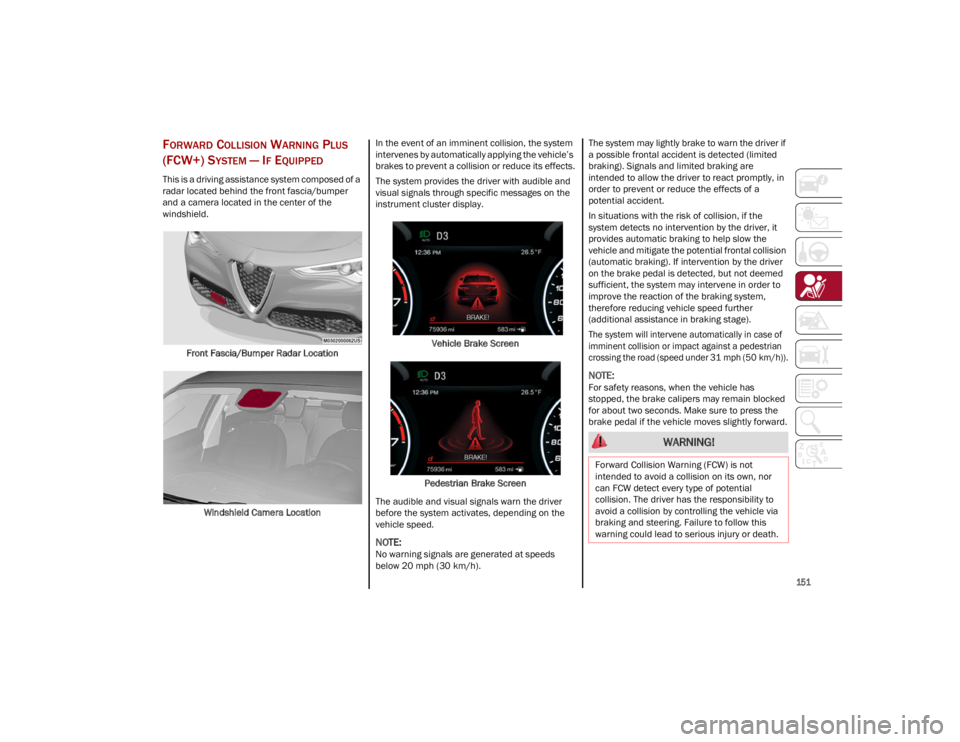
This is a driving assistance system composed of a
radar located behind the front fascia/bumper
and a camera located in the center of the
windshield.
Front Fascia/Bumper Radar Location
Windshield Camera Location In the event of an imminent collision, the system
intervenes by automatically applying the vehicle’s
brakes to prevent a collision or reduce its effects.
The system provides the driver with audible and
visual signals through specific messages on the
instrument cluster display.
Vehicle Brake Screen
Pedestrian Brake Screen
The audible and visual signals warn the driver
before the system activates, depending on the
vehicle speed.
NOTE:
No warning signals are generated at speeds
below 20 mph (30 km/h). The system may lightly brake to warn the driver if
a possible frontal accident is detected (limited
braking). Signals and limited braking are
intended to allow the driver to react promptly, in
order to prevent or reduce the effects of a
potential accident.
In situations with the risk of collision, if the
system detects no intervention by the driver, it
provides automatic braking to help slow the
vehicle and mitigate the potential frontal collision
(automatic braking). If intervention by the driver
on the brake pedal is detected, but not deemed
sufficient, the system may intervene in order to
improve the reaction of the braking system,
therefore reducing vehicle speed further
(additional assistance in braking stage).
The system will intervene automatically in case of
imminent collision or impact against a pedestrian
crossing the road (speed under 31 mph (50 km/h)).
NOTE:
For safety reasons, when the vehicle has
stopped, the brake calipers may remain blocked
for about two seconds. Make sure to press the
brake pedal if the vehicle moves slightly forward.
WARNING!
Forward Collision Warning (FCW) is not
intended to avoid a collision on its own, nor
can FCW detect every type of potential
collision. The driver has the responsibility to
avoid a collision by controlling the vehicle via
braking and steering. Failure to follow this
warning could lead to serious injury or death.
23_GU_OM_EN_USC_t.book Page 151
Page 154 of 268

SAFETY
152
Engagement/Disengagement
The system may be disengaged (and engaged
again) in the “Driver Assistance” menu of the
Information and Entertainment system.
The system can be deactivated even with the
ignition device in the ON position.
NOTE:
The system status can be changed with car at a
standstill only.
Select from three operating modes:
Warning And Braking: the system (if active), in
addition to the visual and audible warnings,
provides limited braking, automatic braking
and additional assistance in the braking stage,
where the driver does not brake sufficiently in
the event of a potential frontal impact.
Only Warning : the system (if active), does not
provide limited braking, but guarantees
automatic braking or additional assistance in
the braking stage, where the driver does not
brake at all or not sufficiently in the event of a
potential frontal impact.
Disabled : the system does not provide visual
and audible warnings, limited braking,
automatic braking or additional assistance in
the braking stage. The system will therefore
provide no indication of a possible collision.
Activation/Deactivation
The Forward Collision Warning system is
activated whenever the engine is started
regardless of what is shown on the radio system.
Following a deactivation, the system will not warn
the driver about the possible collision with a
preceding vehicle, regardless of the setting
selected in the radio system.
NOTE:
Each time the engine is started, the system is
activated regardless of what setting was selected
when the engine was turned off.
This function is not active at a speed lower than
4 mph (7 km/h) or higher than 124 mph
(200 km/h).
The system is active:
Each time the engine is started
When feature is selected within the radio
system
When the ignition is in the ON position
When the vehicle speed is between 2 mph
(4 km/h) and 124 mph (200 km/h)
When the front seat belts are fastened
The Alfa DNA selector is not in RACE position
(if equipped)
NOTE:
If the seat belts of the front seats are not correctly
fastened, the system will not intervene on the
braking system (only audible and visual signals
will be provided).
Changing The System Sensitivity
The sensitivity of the system can be changed
through the Information and Entertainment
system menu, choosing from one of the following
three options: "Near", "Medium" or "Far".
Refer to the description in the Information and
Entertainment system Supplement for how to
change the settings.
The default setting is "Medium". With this setting,
the system warns the driver of a possible collision
with the vehicle in front when that vehicle is at a
standard distance, between that of the other two
settings. With the system sensitivity set to "Far", the
system will warn the driver of a possible collision
with the vehicle in front when that vehicle is at a
greater distance, thus providing the possibility of
acting on the brakes more lightly and gradually.
This setting provides the driver with the maximum
possible reaction time to prevent a potential
collision.
NOTE:
The “Far” setting may result in a greater number
of FCW possible collision warnings experienced.
With the option set to "Near", the system will alert
the driver of a possible collision with the vehicle
in front when that vehicle is close. This setting
offers the driver a lower reaction time compared
to the "Medium" and "Far" settings, in the event of
a potential collision, but permits more dynamic
driving of the vehicle.
NOTE:
The “Near” setting may result in a lesser number
of FCW possible collision warnings experienced.
The system sensitivity setting is kept in the
memory when the engine is turned off.
System Limited Operation Warning
If a dedicated message is displayed, a condition
limiting the system operation may have occurred.
The possible reasons of this limitation are
something is blocking the camera view or a fault.
If an obstruction is signaled, clean the area of the
radar on the front fascia/bumper, and the
camera area on the windshield.
If a fault in the system is occurring, it will still be
possible to drive the vehicle normally, but
automatic braking will not be available in the
event of an impending collision.
23_GU_OM_EN_USC_t.book Page 152
Page 157 of 268
155
TIRE PRESSURE MONITORING SYSTEM
(TPMS)
The vehicle is equipped with a Tire Pressure
Monitoring System (TPMS) that sends the
inflation pressure information of each tire to the
control unit, and will signal the driver in the event
of insufficient tire pressure.
The TPMS uses wireless technology with wheel
rim mounted electronic sensors to monitor tire
pressure levels. Sensors, mounted to each wheel
as part of the valve stem, transmit tire pressure
readings to the receiver module.
Tire pressure will vary with temperature by
approximately 1 psi (7 kPa) for every 12°F
(6.5°C). This means that when the outside
temperature decreases, the tire pressure will also
decrease. Tire pressure should always be set
based on cold inflation tire pressure. This is
defined as the tire pressure after the vehicle has
not been driven for at least three hours, or driven
less than 1 mile (1.6 km) after a three hour
period. The cold tire inflation pressure must not
exceed the maximum inflation pressure molded
into the tire sidewall. The tire pressure will also
increase as the vehicle is driven. This is normal,
and there should be no adjustment for this
increased pressure.
See
Ú
page 224 for information on how to
properly inflate the vehicle’s tires.
The TPMS will signal the driver if pressure falls
below the warning limit for any reason, including
the effects of low temperature and normal loss of
pressure from the tire.
The TPMS will stop indicating insufficient tire
pressure when pressure is equal to or greater than
the prescribed cold inflation level. Therefore, if
insufficient tire pressure is indicated by the ( )
warning light displaying in the instrument cluster,
increase the inflation pressure up to the
prescribed cold inflation value.
The system will automatically update, and the
TPMS Warning Light will turn off once the system
receives the updated tire pressures. The vehicle
may need to be driven for up to 20 minutes above
15 mph (24 km/h) in order for the TPMS to
receive this information.
NOTE:
The TPMS cannot indicate sudden tire pressure
drops (e.g. if a tire bursts). In this case, proceed
with caution and avoid abrupt steering.
Operating Example
For example, your vehicle may have a
recommended cold (parked for more than three
hours) placard pressure of 33 psi (227 kPa). If the
ambient temperature is 68°F (20°C), and the
measured tire pressure is 28 psi (193 kPa), a
temperature drop to 20°F (-7°C) will decrease
the tire pressure to approximately 24 psi
(165 kPa). This tire pressure is low enough to turn
on the Tire Pressure Monitoring Warning Light.
Driving the vehicle may cause the tire pressure to
rise to approximately 28 psi (193 kPa), but the
TPMS Warning Light will still be on. In this
situation, the TPMS Warning Light will turn off
only after the tires are inflated to the vehicle’s
recommended cold placard pressure value.
WARNING!
The system has not been designed to
prevent impacts and cannot detect possible
conditions leading to an accident in
advance. Failure to take into account this
warning may lead to serious or fatal injuries.
The system may activate, assessing the
trajectory of the vehicle, for the presence of
reflecting metal objects different from other
vehicles, such as safety barriers, road signs,
barriers before parking lots, tollgates, level
crossings, gates, railways, objects near road
constructions sites or higher than the vehicle
(e.g. a fly-over). In the same way, the system
may intervene inside multi-story parking lots
or tunnels, or due to a glare on the road
surface. These possible activations are a
consequence of the real driving scenario
coverage by the system and must not be
regarded as faults.
The system has been designed for road use
only. If the vehicle is driven on a track, the
system must be deactivated to avoid
unnecessary warnings. Automatic deacti
-
vation is signaled by the dedicated warning
light/symbol switching on in the instrument
panel
Ú
page 74.
23_GU_OM_EN_USC_t.book Page 155
Page 158 of 268
SAFETY
156
Insufficient Tire Pressure Indication
If an insufficient pressure value is detected on
one or more tires, the warning light in the
instrument cluster will display alongside the
dedicated messages, the system will highlight the
tire or tires with insufficient pressure graphically,
and an acoustic signal will be emitted.In this case, stop the vehicle, check the inflation
pressure of each tire, and inflate the necessary
tire or tires to the correct cold inflation pressure
value, shown on the display or in the dedicated
TPMS menu.
TPMS Temporarily Disabled:
TPMS Check Message
When a system fault is detected, the TPMS
Warning Light will flash on and off for 75 seconds,
and then remain on solid. The system fault will
also sound a chime. If the ignition is cycled, this
sequence will repeat, provided that the system
fault still exists. The TPMS Warning Light will turn
off when the fault condition no longer exists. A
system fault can occur due to any of the following:
Jamming due to electronic devices or driving
next to facilities emitting the same radio
frequencies as the TPMS sensors.
Installing some form of aftermarket window
tinting that affects radio wave signals.
Packed snow or ice around the wheels or
wheel housings.
Using tire chains on the vehicle.
Using wheels/tires not equipped with
TPMS sensors.
After the punctured tire has been repaired with
the original tire sealant contained in the tire kit,
the previous condition must be restored so that
the warning light is off during normal driving.
TPMS Deactivation
The TPMS can be deactivated by replacing all
four wheel and tire assemblies (road tires) with
wheel and tire assemblies that do not have TPMS
sensors, such as when installing winter wheel
and tire assemblies on your vehicle. To deactivate the TPMS, first replace all four
wheel and tire assemblies (road tires) with tires
not equipped with Tire Pressure Monitoring
System (TPMS) sensors. Then, drive the vehicle
for 20 minutes above 15 mph (24 km/h). The
TPMS will chime, the TPMS Warning Light will
flash on and off for 75 seconds and then remain
on. The instrument cluster will display the
“SERVICE TPM SYSTEM” message and then
display dashes (--) in place of the pressure values.
Beginning with the next ignition switch cycle, the
TPMS will no longer chime or display the
“SERVICE TPM SYSTEM” message in the
instrument cluster. Instead, dashes (--) will
remain in place of the pressure values.
To reactivate the TPMS, replace all four wheel
and tire assemblies (road tires) with tires
equipped with TPMS sensors. Then, drive the
vehicle for up to 20 minutes above 15 mph
(24 km/h). The TPMS will chime, the TPMS
Warning Light will flash on and off for 75 seconds
and then turn off. The instrument cluster will
display the “SERVICE TPM SYSTEM” message
and then display pressure values in place of the
dashes. On the next ignition switch cycle the
“SERVICE TPM SYSTEM” message will no longer
be displayed, as long as no system fault exists.
NOTE:
The TPMS is not intended to replace normal
tire care and maintenance, or to provide
warning of a tire failure or condition.
The TPMS should not be used as a tire
pressure gauge while adjusting your tire
pressure.
CAUTION!
The TPMS has been optimized for the original
equipment tires and wheels. TPMS
pressures and warning have been
established for the tire size equipped on your
vehicle. Undesirable system operation or
sensor damage may result when using
replacement equipment that is not of the
same size, type, and/or style. The TPMS
sensor is not designed for use on
aftermarket wheels and may contribute to a
poor overall system performance or sensor
damage. Customers are encouraged to use
Original Equipment Manufacturer (OEM)
wheels to ensure proper TPMS feature
operation.
Using aftermarket tire sealants may cause
the Tire Pressure Monitoring System (TPMS)
sensor to become inoperable. After using an
aftermarket tire sealant it is recommended
that you take your vehicle to an authorized
dealer to have your sensor function checked.
After inspecting or adjusting the tire pressure
always reinstall the valve stem cap. This will
prevent moisture and dirt from entering the
valve stem, which could damage the TPMS
sensor.
23_GU_OM_EN_USC_t.book Page 156