brakes ALFA ROMEO STELVIO 2023 Owners Manual
[x] Cancel search | Manufacturer: ALFA ROMEO, Model Year: 2023, Model line: STELVIO, Model: ALFA ROMEO STELVIO 2023Pages: 268, PDF Size: 10.36 MB
Page 3 of 268

1
Dear Customer,
We would like to congratulate and thank you for the purchase of your Alfa Romeo.
We have written this Owner’s Manual to help you get to know all of the features of your vehicle and use it in the best possible way.
Please take the necessary time to familiarize yourself with all the dynamic features of your vehicle.
Here you will find important information and warnings regarding the use of your vehicle, and how to achieve the best performance from the
technical features of your Alfa Romeo.
You are advised to read through the Owner’s Manual before taking it on the road for the first time. It is important to become familiar with the controls of
your vehicle, especially with sections concerning the brakes, handling, transmission, and vehicle behavior on different road surfaces.
This Owner’s Manual also provides a description of special features and tips, as well as essential information for the safe driving, care, and maintenance
of your Alfa Romeo over time.
Along with your Owner’s Manual, you will also find a description of the services that Alfa Romeo offers to its customers, the vehicle's warranty coverage,
and the details of the terms and conditions for maintaining its validity. These documents are meant to introduce the superior service provided
by Alfa Romeo.
For questions or comments pertaining to your vehicle, please contact:
Alfa Romeo Customer Care Center:
P.O. Box 21–8004 Auburn Hills, MI
48321–8004
Phone: 1-844-Alfa-USA
(1-844-253-2872)
Alfa Romeo Customer Care (Canada):
P.O. Box 1621
Windsor, Ontario N9A 4H6
Phone: 1-877-230-0563 (English)
Phone: 1-877-515-9112 (French)
23_GU_OM_EN_USC_t.book Page 1
Page 6 of 268
4
VEHICLE CHANGES / ALTERATIONS
Accessories Purchased By The Owner
If you decide to install electrical accessories that require a permanent electrical supply (e.g. radio, satellite anti-theft system, etc.) or accessories that in any
case drain the electrical supply after purchasing the vehicle, contact an authorized dealer. Dealer personnel will check whether the vehicles's electrical
system is able to withstand the load required or whether it needs to be integrated with a more powerful battery.
NOTE:
Use caution when adding additional spoilers, alloy wheel rims, or non-standard wheel hubs: they could reduce the ventilation of the brakes and affect efficiency under
sharp and repeated braking, or on long descents. Make sure that nothing obstructs the pedal (mats, etc.).
FCA US LLC shall not be liable for damage caused by the installation of accessories either not supplied or recommended by FCA US LLC and/or not installed in
compliance with the provided instructions.
Installing Electrical/Electronic Devices
FCA US LLC authorizes the installation of transceivers provided that installation is carried out at a specialized center, in compliance with manufacturer's specifications.
NOTE:
Local authorities may not allow the vehicle on the road if devices that modify the features of the vehicle have been installed. This also may void the warranty
in relation to faults caused by the change either directly or indirectly related to it.
FCA US LLC shall not be liable for damage caused by the installation of accessories either not supplied or recommended by FCA US LLC and/or not installed
in compliance with the provided instructions.
Radio Transmitters And Mobile Phones
Radio transmitter equipment (vehicle mobile phones, CB radios, amateur radio etc.) cannot be used inside the vehicle unless a separate antenna is mounted externally.
Transmission and reception of these devices may be affected by the shielding effect of the vehicle body. As far as the use of approved mobile phones is concerned,
follow the usage instructions provided by the mobile phone manufacturer.
WARNING!
Any change or alteration of the vehicle might seriously affect its safety and road handling, thus causing accidents, in which the occupants could even be fatally injured.
CAUTION!
The use of these devices inside the passenger compartment (without an external antenna) may cause the electrical systems to malfunction.
This could compromise the safety of the vehicle in addition to constituting a potential hazard for passengers' health.
If mobile phones/laptops/smartphones/tablets are inside the vehicle and/or close to the electronic key, a reduced performance of the
Passive Entry/Keyless Start system may occur.
23_GU_OM_EN_USC_t.book Page 4
Page 15 of 268

13
TIRES ..................................................... 224
Tire Safety Information ....................... 224
Tires — General Information................ 230
Spare Tires — If Equipped ...................234
Wheel And Wheel Trim Care ..............235
Tire Types ............................................. 236
Tire Chains and Traction Devices .......236
Tire Rotation Recommendations ........237
DEPARTMENT OF TRANSPORTATION
UNIFORM TIRE QUALITY GRADES ....... 238
Treadwear ............................................ 238
Traction Grades ...................................238
Temperature Grades ...........................238
STORING THE VEHICLE ........................ 238
BODYWORK ........................................... 239
Protection Against Atmospheric
Agents ................................................... 239 Corrosion Warranty .............................. 239
Preserving The Bodywork ....................239
INTERIORS ............................................. 240
Seats And Fabric Parts ........................ 240
Leather Seats....................................... 241
Plastic And Coated Parts .....................241
Alcantara Parts — If Equipped.............241
Genuine Leather Parts ........................ 241
Carbon Fiber Parts ............................... 241
TECHNICAL SPECIFICATIONS
VEHICLE IDENTIFICATION
NUMBER (VIN) ....................................... 242
Vehicle Identification Number (VIN)
Plate ..................................................... 242
ENGINE .................................................. 242 POWER SUPPLY ..................................... 243
TRANSMISSION ..................................... 244
BRAKES .................................................. 244SUSPENSION ......................................... 245
STEERING .............................................. 245
DIMENSIONS ......................................... 246
Luggage Compartment Volume ......... 247
WEIGHTS ................................................ 248FUEL REQUIREMENTS........................... 249
Reformulated Gasoline ...................... 249
Gasoline/Oxygenate Blends ............... 249
CNG And LP Fuel System
Modifications ....................................... 250 MMT In Gasoline ................................. 250
Materials Added To Fuel ..................... 250
Fuel System Cautions ......................... 250
FLUID CAPACITIES ................................ 251
ENGINE FLUIDS AND LUBRICANTS ...... 252
CHASSIS FLUIDS AND LUBRICANTS ..... 253 PERFORMANCE ..................................... 254
CUSTOMER ASSISTANCE
SUGGESTIONS FOR OBTAINING
SERVICE FOR YOUR VEHICLE .............. 255
Prepare For The Appointment ............ 255
Prepare A List ...................................... 255
Be Reasonable With Requests ........... 255
IF YOU NEED ASSISTANCE .................... 255
Roadside Assistance ........................... 255
Alfa Romeo Customer Center ............. 256
Alfa Romeo Customer
Care (Canada) ...................................... 256 Customer Assistance For
The Hearing Or
Speech Impaired (TDD/TTY) ............... 256 Service Contract ................................. 257
WARRANTY INFORMATION ................... 257REPORTING SAFETY DEFECTS .............. 258
In The 50 United States And
Washington, D.C. ................................. 258 In Canada ............................................. 258
PUBLICATION ORDER FORMS .............. 258
GENERAL INFORMATION....................... 259
23_GU_OM_EN_USC_t.book Page 13
Page 78 of 268
GETTING TO KNOW YOUR INSTRUMENT PANEL
76
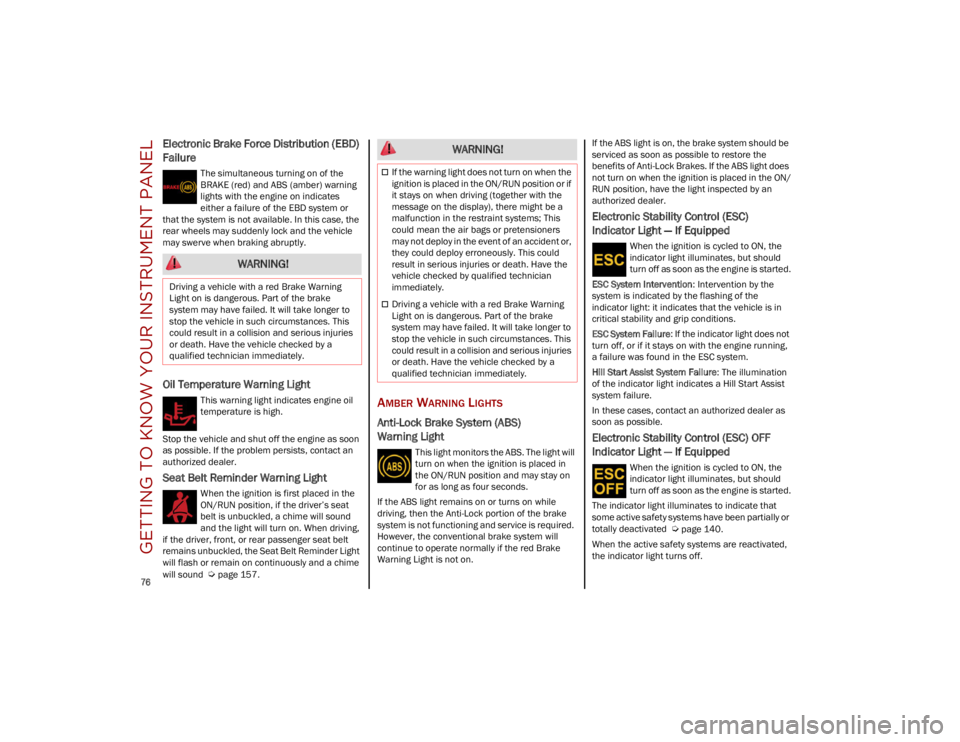
Electronic Brake Force Distribution (EBD)
Failure
The simultaneous turning on of the
BRAKE (red) and ABS (amber) warning
lights with the engine on indicates
either a failure of the EBD system or
that the system is not available. In this case, the
rear wheels may suddenly lock and the vehicle
may swerve when braking abruptly.
Oil Temperature Warning Light
This warning light indicates engine oil
temperature is high.
Stop the vehicle and shut off the engine as soon
as possible. If the problem persists, contact an
authorized dealer.
Seat Belt Reminder Warning Light
When the ignition is first placed in the
ON/RUN position, if the driver’s seat
belt is unbuckled, a chime will sound
and the light will turn on. When driving,
if the driver, front, or rear passenger seat belt
remains unbuckled, the Seat Belt Reminder Light
will flash or remain on continuously and a chime
will sound
Ú
page 157.
AMBER WARNING LIGHTS
Anti-Lock Brake System (ABS)
Warning Light
This light monitors the ABS. The light will
turn on when the ignition is placed in
the ON/RUN position and may stay on
for as long as four seconds.
If the ABS light remains on or turns on while
driving, then the Anti-Lock portion of the brake
system is not functioning and service is required.
However, the conventional brake system will
continue to operate normally if the red Brake
Warning Light is not on. If the ABS light is on, the brake system should be
serviced as soon as possible to restore the
benefits of Anti-Lock Brakes. If the ABS light does
not turn on when the ignition is placed in the ON/
RUN position, have the light inspected by an
authorized dealer.
Electronic Stability Control (ESC)
Indicator Light — If Equipped
When the ignition is cycled to ON, the
indicator light illuminates, but should
turn off as soon as the engine is started.
ESC System Intervention : Intervention by the
system is indicated by the flashing of the
indicator light: it indicates that the vehicle is in
critical stability and grip conditions.
ESC System Failure: If the indicator light does not
turn off, or if it stays on with the engine running,
a failure was found in the ESC system.
Hill Start Assist System Failure : The illumination
of the indicator light indicates a Hill Start Assist
system failure.
In these cases, contact an authorized dealer as
soon as possible.
Electronic Stability Control (ESC) OFF
Indicator Light — If Equipped
When the ignition is cycled to ON, the
indicator light illuminates, but should
turn off as soon as the engine is started.
The indicator light illuminates to indicate that
some active safety systems have been partially or
totally deactivated
Ú
page 140.
When the active safety systems are reactivated,
the indicator light turns off.
WARNING!
Driving a vehicle with a red Brake Warning
Light on is dangerous. Part of the brake
system may have failed. It will take longer to
stop the vehicle in such circumstances. This
could result in a collision and serious injuries
or death. Have the vehicle checked by a
qualified technician immediately.
WARNING!
If the warning light does not turn on when the
ignition is placed in the ON/RUN position or if
it stays on when driving (together with the
message on the display), there might be a
malfunction in the restraint systems; This
could mean the air bags or pretensioners
may not deploy in the event of an accident or,
they could deploy erroneously. This could
result in serious injuries or death. Have the
vehicle checked by qualified technician
immediately.
Driving a vehicle with a red Brake Warning
Light on is dangerous. Part of the brake
system may have failed. It will take longer to
stop the vehicle in such circumstances. This
could result in a collision and serious injuries
or death. Have the vehicle checked by a
qualified technician immediately.
23_GU_OM_EN_USC_t.book Page 76
Page 97 of 268
95
Deactivation
To deactivate the sequential driving mode, bring
the gear selector back in position DRIVE (D)
("automatic" driving mode).
NOTE:
To select the correct gear for maximum
deceleration (engine brake), keep the gear
paddle pulled (–): the transmission goes to
an operating mode in which the vehicle can
slow down easily.
The vehicle will keep the gear selected by the
driver until the safety conditions allow it.
This means, for example, that the system will
try to prevent the engine from switching off,
automatically downshifting if the engine speed
is too low.
AUTOMATIC TRANSMISSION LIMP HOME
M
ODE
Transmission function is monitored electronically
for abnormal conditions. If a condition is detected
that could result in transmission damage,
Transmission Limp Home Mode is activated. In this condition, the transmission stays in
FOURTH gear, regardless of the selected gear.
Positions PARK (P), REVERSE (R) and
NEUTRAL (N) still work.
The symbol might light up in the instrument
cluster.
Temporary failure
In the event of a momentary problem, the
transmission can be reset to regain all forward
gears by performing the following steps:
1. Stop the vehicle.
2. Shift the transmission into PARK (P), if
possible. If not, shift the transmission to
NEUTRAL (N).
3. Push and hold the ignition until the engine turns off.
4. Wait for about 10 seconds, then restart the engine.
5. Shift into the desired gear range. If the problem is no longer detected, the transmis -
sion will return to normal operation.
NOTE:
Even if the transmission can be reset, we recom -
mend that you visit an authorized dealer at your
earliest possible convenience. An authorized
dealer has diagnostic equipment to determine if
the problem could reoccur. If the transmission
cannot be reset, service is required at an autho -
rized dealer.
BRAKE TRANSMISSION SHIFT INTERLOCK
(BTSI) S
YSTEM
This vehicle is equipped with a BTSI that holds the
gear selector in PARK (P) unless the brakes are
applied.
This system prevents you from moving the gear
selector from position PARK (P) unless the brakes
are applied.
To shift the transmission out of PARK (P), the
ignition must be cycled to the ON/RUN position
(engine running or not) and the brake pedal must
be pressed.
Brake Transmission Shift Interlock Disabling
Only if strictly necessary (e.g. pushing the vehicle,
conveyor vehicle washing systems), place the
vehicle in the NEUTRAL (N) position when
stopping the engine. See the following steps:
1. Bring the vehicle to a standstill.
2. Place the transmission in the NEUTRAL (N)
position.
3. Push the ignition button for at least three seconds.
The automatic activation of PARK (P) when the
engine is stopped can also be deactivated on the
Information and Entertainment system by
selecting the following functions on the main
menu: "Settings", "Driver Assistance" and
"Automatic Parking Brake".
WARNING!
Do not downshift for additional engine braking
on a slippery surface. The drive wheels could
lose their grip and the vehicle could skid,
causing a collision or personal injury.
23_GU_OM_EN_USC_t.book Page 95
Page 101 of 268
99
“RACE” Mode
Activation
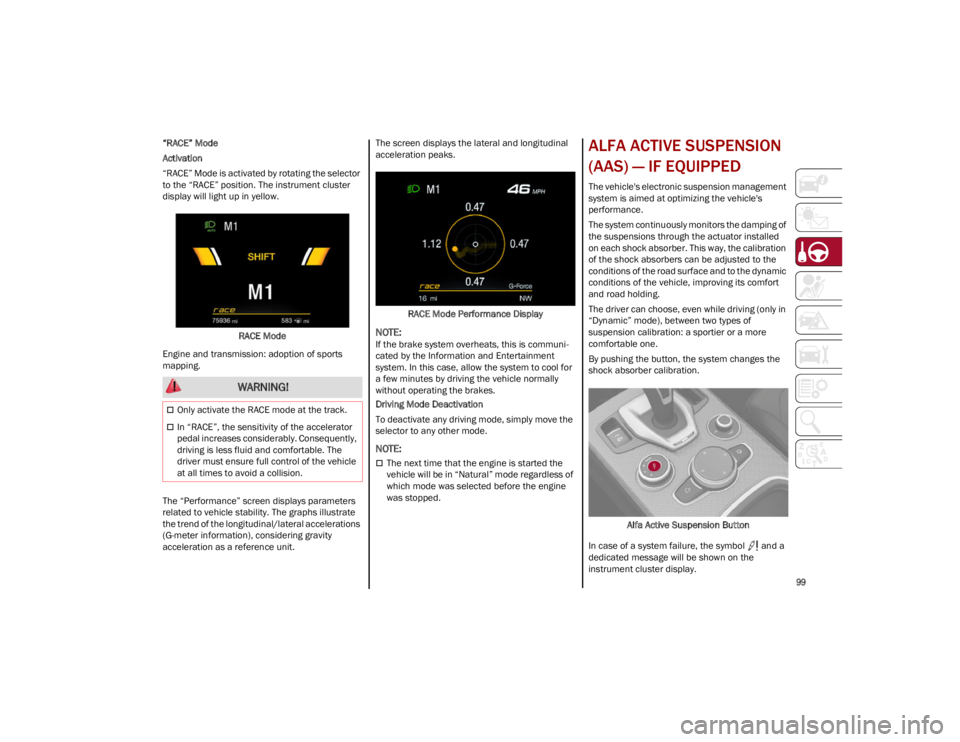
“RACE” Mode is activated by rotating the selector
to the “RACE” position. The instrument cluster
display will light up in yellow.RACE Mode
Engine and transmission: adoption of sports
mapping.
The “Performance” screen displays parameters
related to vehicle stability. The graphs illustrate
the trend of the longitudinal/lateral accelerations
(G-meter information), considering gravity
acceleration as a reference unit. The screen displays the lateral and longitudinal
acceleration peaks.
RACE Mode Performance Display
NOTE:
If the brake system overheats, this is communi -
cated by the Information and Entertainment
system. In this case, allow the system to cool for
a few minutes by driving the vehicle normally
without operating the brakes.
Driving Mode Deactivation
To deactivate any driving mode, simply move the
selector to any other mode.
NOTE:
The next time that the engine is started the
vehicle will be in “Natural” mode regardless of
which mode was selected before the engine
was stopped.
ALFA ACTIVE SUSPENSION
(AAS) — IF EQUIPPED
The vehicle's electronic suspension management
system is aimed at optimizing the vehicle's
performance.
The system continuously monitors the damping of
the suspensions through the actuator installed
on each shock absorber. This way, the calibration
of the shock absorbers can be adjusted to the
conditions of the road surface and to the dynamic
conditions of the vehicle, improving its comfort
and road holding.
The driver can choose, even while driving (only in
“Dynamic” mode), between two types of
suspension calibration: a sportier or a more
comfortable one.
By pushing the button, the system changes the
shock absorber calibration.
Alfa Active Suspension Button
In case of a system failure, the symbol and a
dedicated message will be shown on the
instrument cluster display.
WARNING!
Only activate the RACE mode at the track.
In “RACE”, the sensitivity of the accelerator
pedal increases considerably. Consequently,
driving is less fluid and comfortable. The
driver must ensure full control of the vehicle
at all times to avoid a collision.
23_GU_OM_EN_USC_t.book Page 99
Page 108 of 268
STARTING AND OPERATING
106
Activating Adaptive Cruise Control (ACC)
The minimum set speed for the ACC system is
19 mph (30 km/h) and the maximum is 110 mph
(180 km/h).
The system cannot be activated:
When pressing the brake pedal.
When the brakes are overheated.
When the Electric Park Brake has been
operated.
When either PARK, REVERSE or NEUTRAL is
engaged.
When the engine RPM is above a maximum
threshold.
When the vehicle speed is not within the
operational speed range.
When the Electronic Stability Control (ESC)
(or Anti-Lock Brake System (ABS) or other
stability control systems) are operating or
have just operated.
When the ESC system is off.
When the Forward Collision Warning system
(if equipped) is braking automatically.
In the event of a system failure.
When the engine is off.
In case of obstruction of the radar sensor (in
this case the bumper area where it is located
must be cleaned).
If the system is set, the conditions described
above also cause a cancellation or deactivation
of the system. These situations may vary
according to the conditions.
NOTE:
The system will not be deactivated when speeds
higher than those set are reached by pressing the
accelerator pedal above 110 mph (180 km/h). In
these situations, the system may not work
correctly and it is recommended to deactivate it.
The driver should always obey traffic laws and
speed limits. Never drive above applicable speed
limit restrictions.
To Activate/Deactivate
The system has four operating states:
Enabled (speed not set)
Activated (speed set)
Paused
Deactivated
To Activate
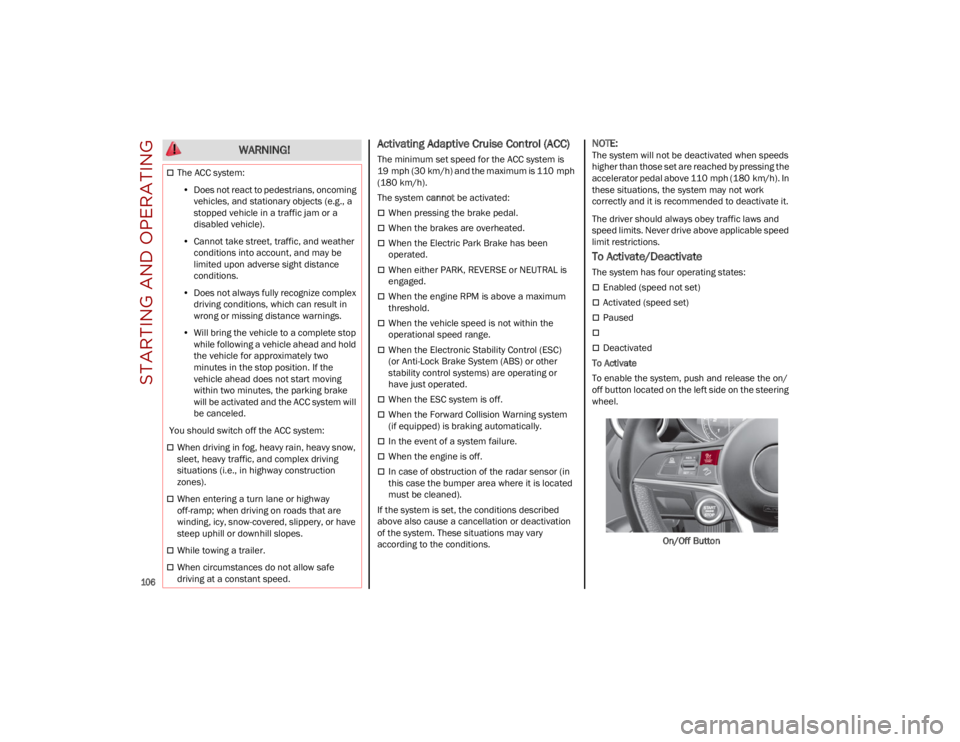
To enable the system, push and release the on/
off button located on the left side on the steering
wheel.
On/Off Button
The ACC system:• Does not react to pedestrians, oncoming
vehicles, and stationary objects (e.g., a stopped vehicle in a traffic jam or a disabled vehicle).
• Cannot take street, traffic, and weather
conditions into account, and may be limited upon adverse sight distance conditions.
• Does not always fully recognize complex
dri ving conditions, whi c
h can result in
wrong or missing distance warnings.
• Will bring the vehicle to a complete stop
while following a vehicle ahead and holdthe vehicle for approximately twominutes in the stop position. If thevehicle ahead does not start movingwithin two minutes, the parking brakewill be activated and the ACC system will be canceled.
You should switch off the ACC system:
When driving in fog, heavy rain, heavy snow,
sleet, heavy traffic, and complex driving
situations (i.e., in highway construction
zones).
When entering a turn lane or highway
off-ramp; when driving on roads that are
winding, icy, snow-covered, slippery, or have
steep uphill or downhill slopes.
While towing a trailer.
When circumstances do not allow safe
driving at a constant speed.
WARNING!
23_GU_OM_EN_USC_t.book Page 106
Page 109 of 268
107
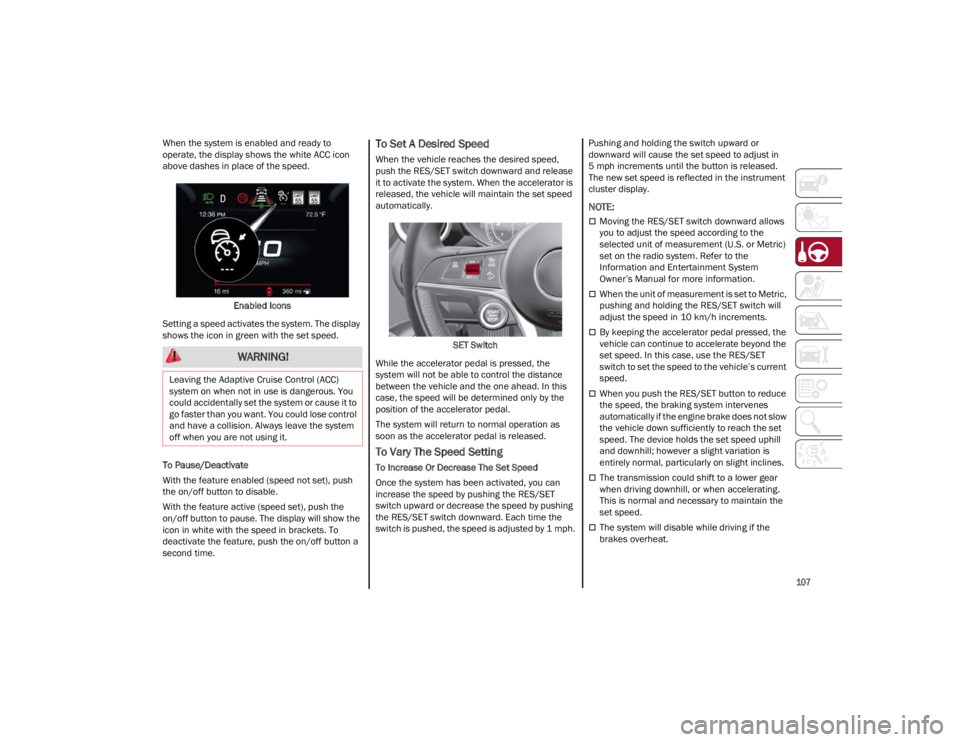
When the system is enabled and ready to
operate, the display shows the white ACC icon
above dashes in place of the speed.Enabled Icons
Setting a speed activates the system. The display
shows the icon in green with the set speed.
To Pause/Deactivate
With the feature enabled (speed not set), push
the on/off button to disable.
With the feature active (speed set), push the
on/off button to pause. The display will show the
icon in white with the speed in brackets. To
deactivate the feature, push the on/off button a
second time.To Set A Desired Speed
When the vehicle reaches the desired speed,
push the RES/SET switch downward and release
it to activate the system. When the accelerator is
released, the vehicle will maintain the set speed
automatically.
SET Switch
While the accelerator pedal is pressed, the
system will not be able to control the distance
between the vehicle and the one ahead. In this
case, the speed will be determined only by the
position of the accelerator pedal.
The system will return to normal operation as
soon as the accelerator pedal is released.
To Vary The Speed Setting
To Increase Or Decrease The Set Speed
Once the system has been activated, you can
increase the speed by pushing the RES/SET
switch upward or decrease the speed by pushing
the RES/SET switch downward. Each time the
switch is pushed, the speed is adjusted by 1 mph. Pushing and holding the switch upward or
downward will cause the set speed to adjust in
5 mph increments until the button is released.
The new set speed is reflected in the instrument
cluster display.
NOTE:
Moving the RES/SET switch downward allows
you to adjust the speed according to the
selected unit of measurement (U.S. or Metric)
set on the radio system. Refer to the
Information and Entertainment System
Owner’s Manual for more information.
When the unit of measurement is set to Metric,
pushing and holding the RES/SET switch will
adjust the speed in 10 km/h increments.
By keeping the accelerator pedal pressed, the
vehicle can continue to accelerate beyond the
set speed. In this case, use the RES/SET
switch to set the speed to the vehicle’s current
speed.
When you push the RES/SET button to reduce
the speed, the braking system intervenes
automatically if the engine brake does not slow
the vehicle down sufficiently to reach the set
speed. The device holds the set speed uphill
and downhill; however a slight variation is
entirely normal, particularly on slight inclines.
The transmission could shift to a lower gear
when driving downhill, or when accelerating.
This is normal and necessary to maintain the
set speed.
The system will disable while driving if the
brakes overheat.
WARNING!
Leaving the Adaptive Cruise Control (ACC)
system on when not in use is dangerous. You
could accidentally set the system or cause it to
go faster than you want. You could lose control
and have a collision. Always leave the system
off when you are not using it.
23_GU_OM_EN_USC_t.book Page 107
Page 110 of 268
STARTING AND OPERATING
108
(Continued)
To Resume
Once the system has been canceled but not
deactivated, to resume a previously set speed,
simply push the RES/SET switch upward and
remove your foot from the accelerator to recall it.
The system will be set to the last stored speed.
Setting The Distance Between Vehicles
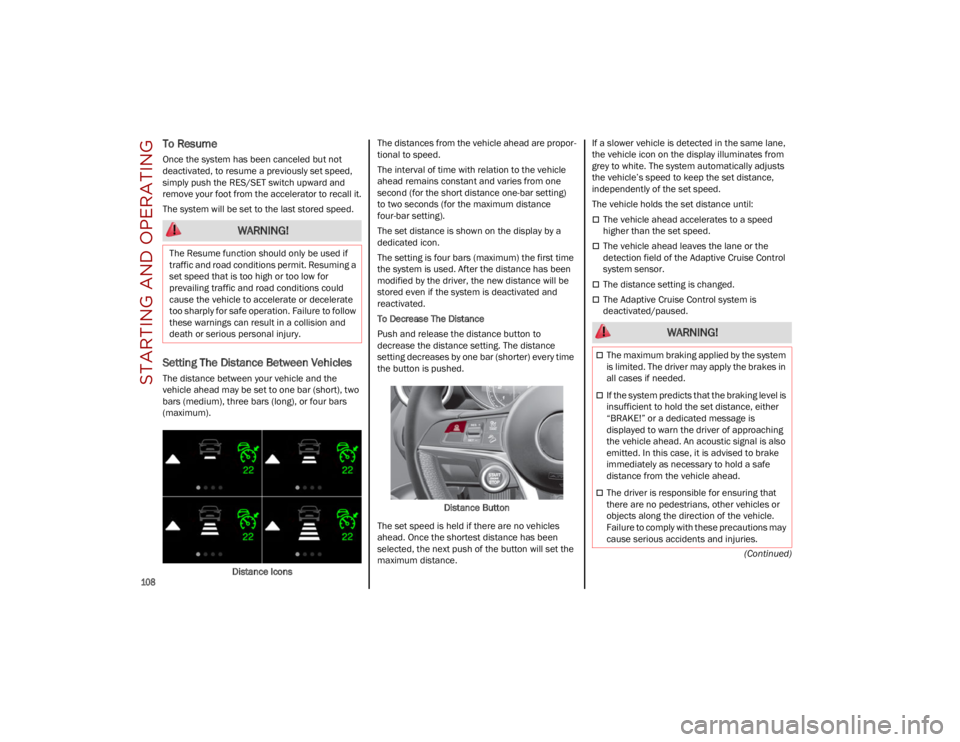
The distance between your vehicle and the
vehicle ahead may be set to one bar (short), two
bars (medium), three bars (long), or four bars
(maximum).Distance Icons The distances from the vehicle ahead are propor
-
tional to speed.
The interval of time with relation to the vehicle
ahead remains constant and varies from one
second (for the short distance one-bar setting)
to two seconds (for the maximum distance
four-bar setting).
The set distance is shown on the display by a
dedicated icon.
The setting is four bars (maximum) the first time
the system is used. After the distance has been
modified by the driver, the new distance will be
stored even if the system is deactivated and
reactivated.
To Decrease The Distance
Push and release the distance button to
decrease the distance setting. The distance
setting decreases by one bar (shorter) every time
the button is pushed.
Distance Button
The set speed is held if there are no vehicles
ahead. Once the shortest distance has been
selected, the next push of the button will set the
maximum distance. If a slower vehicle is detected in the same lane,
the vehicle icon on the display illuminates from
grey to white. The system automatically adjusts
the vehicle’s speed to keep the set distance,
independently of the set speed.
The vehicle holds the set distance until:
The vehicle ahead accelerates to a speed
higher than the set speed.
The vehicle ahead leaves the lane or the
detection field of the Adaptive Cruise Control
system sensor.
The distance setting is changed.
The Adaptive Cruise Control system is
deactivated/paused.
WARNING!
The Resume function should only be used if
traffic and road conditions permit. Resuming a
set speed that is too high or too low for
prevailing traffic and road conditions could
cause the vehicle to accelerate or decelerate
too sharply for safe operation. Failure to follow
these warnings can result in a collision and
death or serious personal injury.
WARNING!
The maximum braking applied by the system
is limited. The driver may apply the brakes in
all cases if needed.
If the system predicts that the braking level is
insufficient to hold the set distance, either
“BRAKE!” or a dedicated message is
displayed to warn the driver of approaching
the vehicle ahead. An acoustic signal is also
emitted. In this case, it is advised to brake
immediately as necessary to hold a safe
distance from the vehicle ahead.
The driver is responsible for ensuring that
there are no pedestrians, other vehicles or
objects along the direction of the vehicle.
Failure to comply with these precautions may
cause serious accidents and injuries.
23_GU_OM_EN_USC_t.book Page 108
Page 112 of 268
STARTING AND OPERATING
110
Using ACC On Hills
ACC performance may be limited when driving on
hills. ACC may not detect a vehicle in your lane
depending on the speed, vehicle load, traffic
conditions, and the steepness of the hill.
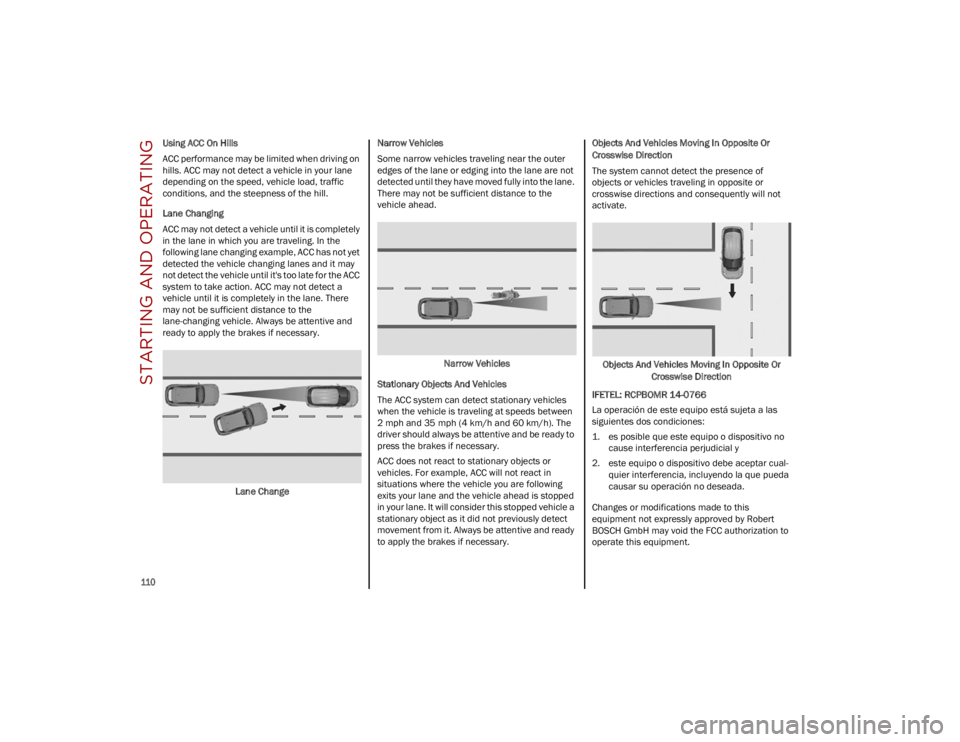
Lane Changing
ACC may not detect a vehicle until it is completely
in the lane in which you are traveling. In the
following lane changing example, ACC has not yet
detected the vehicle changing lanes and it may
not detect the vehicle until it's too late for the ACC
system to take action. ACC may not detect a
vehicle until it is completely in the lane. There
may not be sufficient distance to the
lane-changing vehicle. Always be attentive and
ready to apply the brakes if necessary.Lane Change Narrow Vehicles
Some narrow vehicles traveling near the outer
edges of the lane or edging into the lane are not
detected until they have moved fully into the lane.
There may not be sufficient distance to the
vehicle ahead.
Narrow Vehicles
Stationary Objects And Vehicles
The ACC system can detect stationary vehicles
when the vehicle is traveling at speeds between
2 mph and 35 mph (4 km/h and 60 km/h). The
driver should always be attentive and be ready to
press the brakes if necessary.
ACC does not react to stationary objects or
vehicles. For example, ACC will not react in
situations where the vehicle you are following
exits your lane and the vehicle ahead is stopped
in your lane. It will consider this stopped vehicle a
stationary object as it did not previously detect
movement from it. Always be attentive and ready
to apply the brakes if necessary. Objects And Vehicles Moving In Opposite Or
Crosswise Direction
The system cannot detect the presence of
objects or vehicles traveling in opposite or
crosswise directions and consequently will not
activate.
Objects And Vehicles Moving In Opposite Or Crosswise Direction
IFETEL: RCPBOMR 14-0766
La operación de este equipo está sujeta a las
siguientes dos condiciones:
1. es posible que este equipo o dispositivo no cause interferencia perjudicial y
2. este equipo o dispositivo debe aceptar cual -
quier interferencia, incluyendo la que pueda
causar su operación no deseada.
Changes or modifications made to this
equipment not expressly approved by Robert
BOSCH GmbH may void the FCC authorization to
operate this equipment.
23_GU_OM_EN_USC_t.book Page 110