wheel ALFA ROMEO STELVIO 2023 Owners Manual
[x] Cancel search | Manufacturer: ALFA ROMEO, Model Year: 2023, Model line: STELVIO, Model: ALFA ROMEO STELVIO 2023Pages: 268, PDF Size: 10.36 MB
Page 6 of 268
4
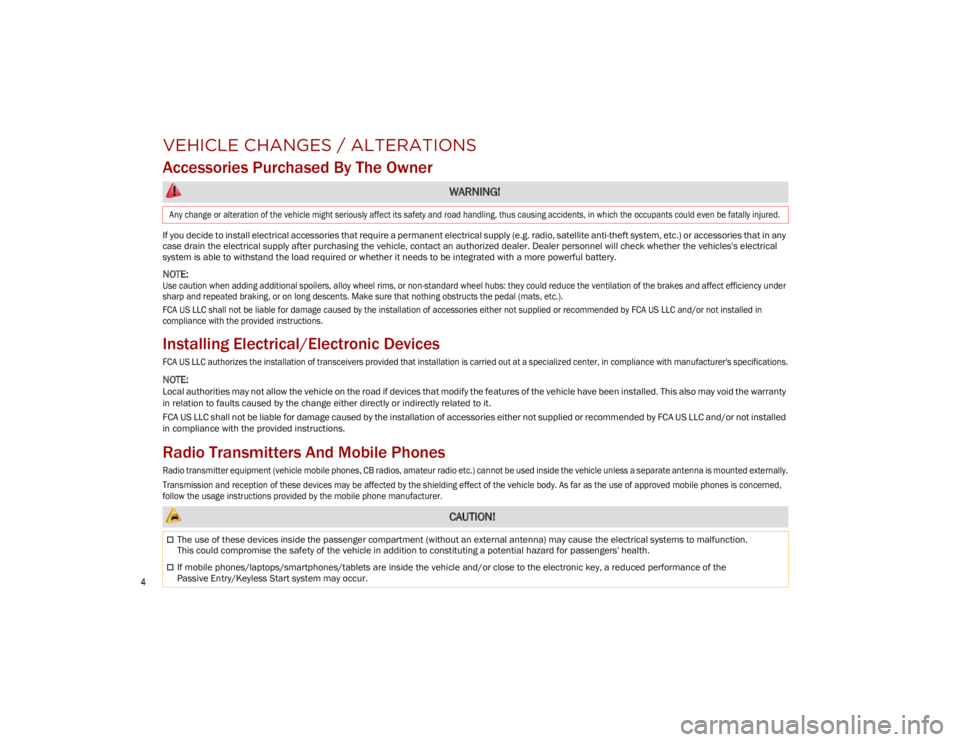
VEHICLE CHANGES / ALTERATIONS
Accessories Purchased By The Owner
If you decide to install electrical accessories that require a permanent electrical supply (e.g. radio, satellite anti-theft system, etc.) or accessories that in any
case drain the electrical supply after purchasing the vehicle, contact an authorized dealer. Dealer personnel will check whether the vehicles's electrical
system is able to withstand the load required or whether it needs to be integrated with a more powerful battery.
NOTE:
Use caution when adding additional spoilers, alloy wheel rims, or non-standard wheel hubs: they could reduce the ventilation of the brakes and affect efficiency under
sharp and repeated braking, or on long descents. Make sure that nothing obstructs the pedal (mats, etc.).
FCA US LLC shall not be liable for damage caused by the installation of accessories either not supplied or recommended by FCA US LLC and/or not installed in
compliance with the provided instructions.
Installing Electrical/Electronic Devices
FCA US LLC authorizes the installation of transceivers provided that installation is carried out at a specialized center, in compliance with manufacturer's specifications.
NOTE:
Local authorities may not allow the vehicle on the road if devices that modify the features of the vehicle have been installed. This also may void the warranty
in relation to faults caused by the change either directly or indirectly related to it.
FCA US LLC shall not be liable for damage caused by the installation of accessories either not supplied or recommended by FCA US LLC and/or not installed
in compliance with the provided instructions.
Radio Transmitters And Mobile Phones
Radio transmitter equipment (vehicle mobile phones, CB radios, amateur radio etc.) cannot be used inside the vehicle unless a separate antenna is mounted externally.
Transmission and reception of these devices may be affected by the shielding effect of the vehicle body. As far as the use of approved mobile phones is concerned,
follow the usage instructions provided by the mobile phone manufacturer.
WARNING!
Any change or alteration of the vehicle might seriously affect its safety and road handling, thus causing accidents, in which the occupants could even be fatally injured.
CAUTION!
The use of these devices inside the passenger compartment (without an external antenna) may cause the electrical systems to malfunction.
This could compromise the safety of the vehicle in addition to constituting a potential hazard for passengers' health.
If mobile phones/laptops/smartphones/tablets are inside the vehicle and/or close to the electronic key, a reduced performance of the
Passive Entry/Keyless Start system may occur.
23_GU_OM_EN_USC_t.book Page 4
Page 10 of 268
8
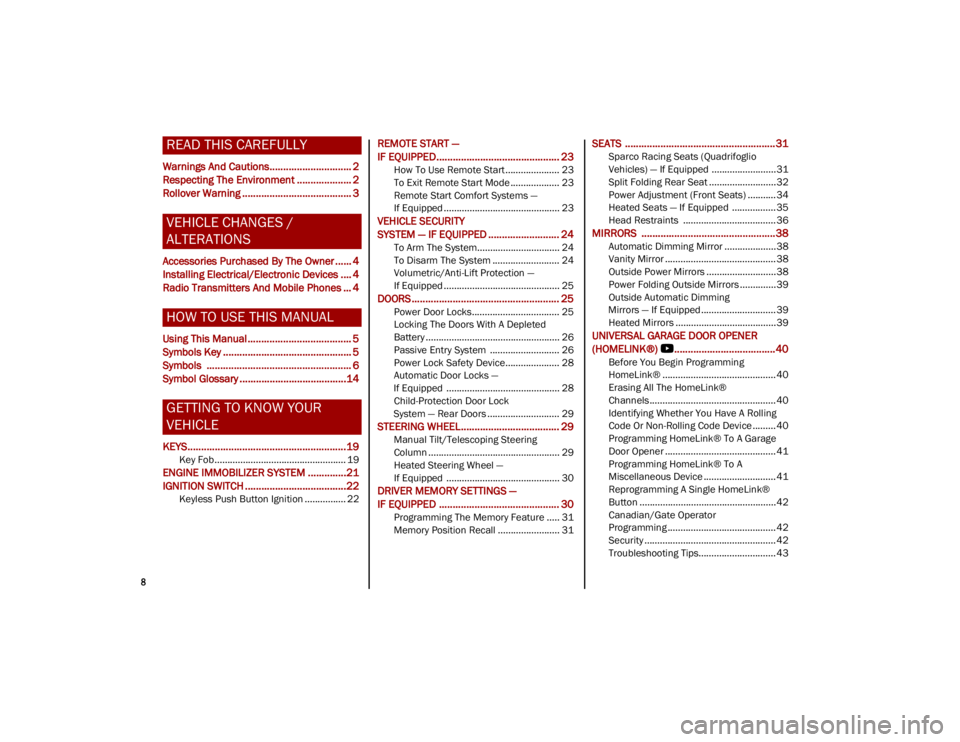
READ THIS CAREFULLY
Warnings And Cautions.............................. 2
Respecting The Environment .................... 2
Rollover Warning ........................................ 3
VEHICLE CHANGES /
ALTERATIONS
Accessories Purchased By The Owner ...... 4
Installing Electrical/Electronic Devices .... 4
Radio Transmitters And Mobile Phones ... 4
HOW TO USE THIS MANUAL
Using This Manual ...................................... 5
Symbols Key ............................................... 5
Symbols ..................................................... 6
Symbol Glossary .......................................14
GETTING TO KNOW YOUR
VEHICLE
KEYS..........................................................19
Key Fob................................................... 19
ENGINE IMMOBILIZER SYSTEM ..............21
IGNITION SWITCH .....................................22
Keyless Push Button Ignition ................ 22
REMOTE START —
IF EQUIPPED............................................. 23
How To Use Remote Start ..................... 23
To Exit Remote Start Mode ................... 23
Remote Start Comfort Systems —
If Equipped ............................................. 23
VEHICLE SECURITY
SYSTEM — IF EQUIPPED .......................... 24
To Arm The System................................ 24
To Disarm The System .......................... 24
Volumetric/Anti-Lift Protection —
If Equipped ............................................. 25
DOORS ...................................................... 25
Power Door Locks.................................. 25
Locking The Doors With A Depleted
Battery .................................................... 26 Passive Entry System ........................... 26
Power Lock Safety Device..................... 28
Automatic Door Locks —
If Equipped ............................................ 28 Child-Protection Door Lock
System — Rear Doors ............................ 29
STEERING WHEEL.................................... 29
Manual Tilt/Telescoping Steering
Column ................................................... 29 Heated Steering Wheel —
If Equipped ............................................ 30
DRIVER MEMORY SETTINGS —
IF EQUIPPED ............................................ 30
Programming The Memory Feature ..... 31
Memory Position Recall ........................ 31
SEATS .......................................................31
Sparco Racing Seats (Quadrifoglio
Vehicles) — If Equipped .........................31 Split Folding Rear Seat ..........................32
Power Adjustment (Front Seats) ...........34
Heated Seats — If Equipped .................35
Head Restraints .................................... 36
MIRRORS .................................................38
Automatic Dimming Mirror ....................38
Vanity Mirror ...........................................38
Outside Power Mirrors ...........................38
Power Folding Outside Mirrors ..............39
Outside Automatic Dimming
Mirrors — If Equipped............................. 39 Heated Mirrors .......................................39
UNIVERSAL GARAGE DOOR OPENER
(HOMELINK®)
b.....................................40
Before You Begin Programming
HomeLink® ............................................40 Erasing All The HomeLink®
Channels ................................................. 40 Identifying Whether You Have A Rolling
Code Or Non-Rolling Code Device .........40 Programming HomeLink® To A Garage
Door Opener ...........................................41 Programming HomeLink® To A
Miscellaneous Device ............................ 41 Reprogramming A Single HomeLink®
Button .....................................................42 Canadian/Gate Operator
Programming .......................................... 42 Security ...................................................42
Troubleshooting Tips..............................43
23_GU_OM_EN_USC_t.book Page 8
Page 14 of 268
12
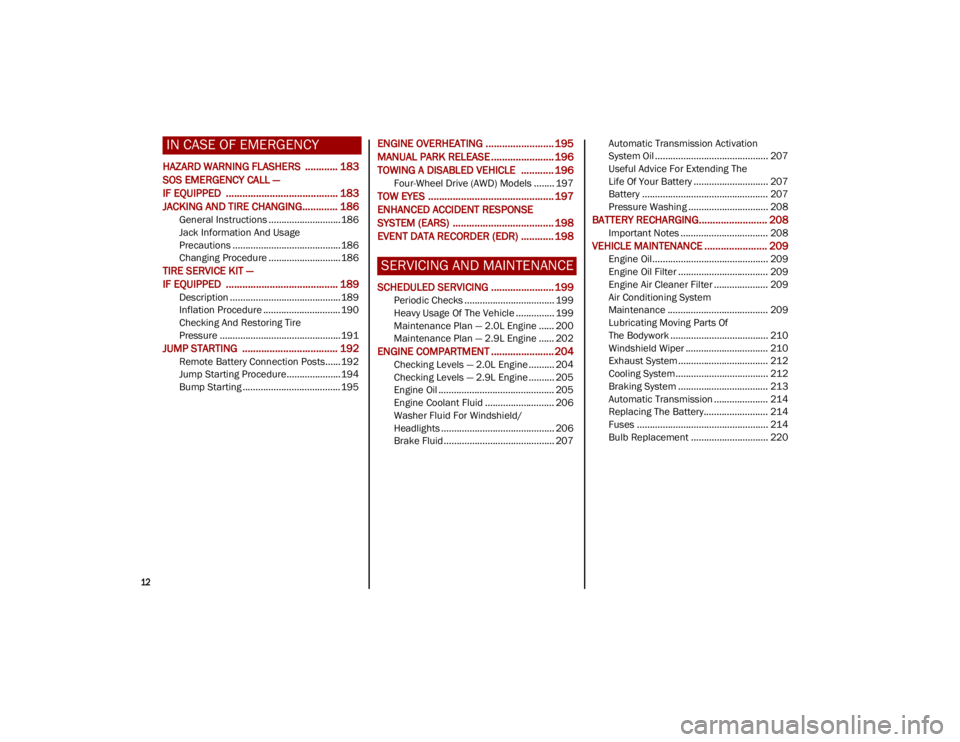
IN CASE OF EMERGENCY
HAZARD WARNING FLASHERS ............ 183
SOS EMERGENCY CALL —
IF EQUIPPED ......................................... 183
JACKING AND TIRE CHANGING............. 186
General Instructions ............................186
Jack Information And Usage
Precautions ..........................................186 Changing Procedure ............................186
TIRE SERVICE KIT —
IF EQUIPPED ......................................... 189
Description ...........................................189
Inflation Procedure .............................. 190
Checking And Restoring Tire
Pressure ...............................................191
JUMP STARTING ................................... 192
Remote Battery Connection Posts......192
Jump Starting Procedure.....................194
Bump Starting ...................................... 195
ENGINE OVERHEATING ......................... 195
MANUAL PARK RELEASE ....................... 196
TOWING A DISABLED VEHICLE ............ 196
Four-Wheel Drive (AWD) Models ........ 197
TOW EYES .............................................. 197
ENHANCED ACCIDENT RESPONSE
SYSTEM (EARS) ..................................... 198
EVENT DATA RECORDER (EDR) ............ 198
SERVICING AND MAINTENANCE
SCHEDULED SERVICING ....................... 199
Periodic Checks ................................... 199
Heavy Usage Of The Vehicle ............... 199
Maintenance Plan — 2.0L Engine ...... 200
Maintenance Plan — 2.9L Engine ...... 202
ENGINE COMPARTMENT ....................... 204
Checking Levels — 2.0L Engine .......... 204
Checking Levels — 2.9L Engine .......... 205
Engine Oil ............................................. 205
Engine Coolant Fluid ........................... 206
Washer Fluid For Windshield/
Headlights ............................................ 206 Brake Fluid ........................................... 207 Automatic Transmission Activation
System Oil ............................................ 207 Useful Advice For Extending The
Life Of Your Battery ............................. 207 Battery ................................................. 207
Pressure Washing ............................... 208
BATTERY RECHARGING......................... 208
Important Notes .................................. 208
VEHICLE MAINTENANCE ....................... 209
Engine Oil............................................. 209
Engine Oil Filter ................................... 209
Engine Air Cleaner Filter ..................... 209
Air Conditioning System
Maintenance ....................................... 209 Lubricating Moving Parts Of
The Bodywork ...................................... 210 Windshield Wiper ................................ 210
Exhaust System ................................... 212
Cooling System.................................... 212
Braking System ................................... 213
Automatic Transmission ..................... 214
Replacing The Battery......................... 214
Fuses ................................................... 214
Bulb Replacement .............................. 220
23_GU_OM_EN_USC_t.book Page 12
Page 15 of 268

13
TIRES ..................................................... 224
Tire Safety Information ....................... 224
Tires — General Information................ 230
Spare Tires — If Equipped ...................234
Wheel And Wheel Trim Care ..............235
Tire Types ............................................. 236
Tire Chains and Traction Devices .......236
Tire Rotation Recommendations ........237
DEPARTMENT OF TRANSPORTATION
UNIFORM TIRE QUALITY GRADES ....... 238
Treadwear ............................................ 238
Traction Grades ...................................238
Temperature Grades ...........................238
STORING THE VEHICLE ........................ 238
BODYWORK ........................................... 239
Protection Against Atmospheric
Agents ................................................... 239 Corrosion Warranty .............................. 239
Preserving The Bodywork ....................239
INTERIORS ............................................. 240
Seats And Fabric Parts ........................ 240
Leather Seats....................................... 241
Plastic And Coated Parts .....................241
Alcantara Parts — If Equipped.............241
Genuine Leather Parts ........................ 241
Carbon Fiber Parts ............................... 241
TECHNICAL SPECIFICATIONS
VEHICLE IDENTIFICATION
NUMBER (VIN) ....................................... 242
Vehicle Identification Number (VIN)
Plate ..................................................... 242
ENGINE .................................................. 242 POWER SUPPLY ..................................... 243
TRANSMISSION ..................................... 244
BRAKES .................................................. 244SUSPENSION ......................................... 245
STEERING .............................................. 245
DIMENSIONS ......................................... 246
Luggage Compartment Volume ......... 247
WEIGHTS ................................................ 248FUEL REQUIREMENTS........................... 249
Reformulated Gasoline ...................... 249
Gasoline/Oxygenate Blends ............... 249
CNG And LP Fuel System
Modifications ....................................... 250 MMT In Gasoline ................................. 250
Materials Added To Fuel ..................... 250
Fuel System Cautions ......................... 250
FLUID CAPACITIES ................................ 251
ENGINE FLUIDS AND LUBRICANTS ...... 252
CHASSIS FLUIDS AND LUBRICANTS ..... 253 PERFORMANCE ..................................... 254
CUSTOMER ASSISTANCE
SUGGESTIONS FOR OBTAINING
SERVICE FOR YOUR VEHICLE .............. 255
Prepare For The Appointment ............ 255
Prepare A List ...................................... 255
Be Reasonable With Requests ........... 255
IF YOU NEED ASSISTANCE .................... 255
Roadside Assistance ........................... 255
Alfa Romeo Customer Center ............. 256
Alfa Romeo Customer
Care (Canada) ...................................... 256 Customer Assistance For
The Hearing Or
Speech Impaired (TDD/TTY) ............... 256 Service Contract ................................. 257
WARRANTY INFORMATION ................... 257REPORTING SAFETY DEFECTS .............. 258
In The 50 United States And
Washington, D.C. ................................. 258 In Canada ............................................. 258
PUBLICATION ORDER FORMS .............. 258
GENERAL INFORMATION....................... 259
23_GU_OM_EN_USC_t.book Page 13
Page 18 of 268
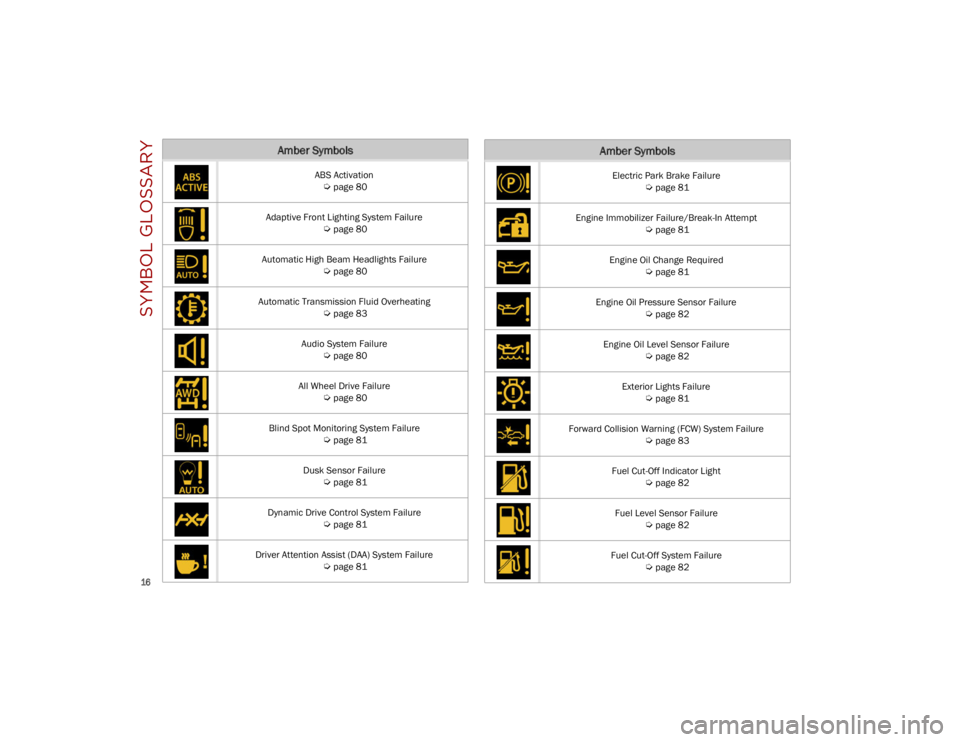
SYMBOL GLOSSARY
16
Amber Symbols
ABS Activation
Ú
page 80
Adaptive Front Lighting System Failure
Ú
page 80
Automatic High Beam Headlights Failure
Ú
page 80
Automatic Transmission Fluid Overheating
Ú
page 83
Audio System Failure
Ú
page 80
All Wheel Drive Failure
Ú
page 80
Blind Spot Monitoring System Failure
Ú
page 81
Dusk Sensor Failure
Ú
page 81
Dynamic Drive Control System Failure
Ú
page 81
Driver Attention Assist (DAA) System Failure
Ú
page 81
Electric Park Brake Failure
Ú
page 81
Engine Immobilizer Failure/Break-In Attempt
Ú
page 81
Engine Oil Change Required
Ú
page 81
Engine Oil Pressure Sensor Failure
Ú
page 82
Engine Oil Level Sensor Failure
Ú
page 82
Exterior Lights Failure
Ú
page 81
Forward Collision Warning (FCW) System Failure
Ú
page 83
Fuel Cut-Off Indicator Light
Ú
page 82
Fuel Level Sensor Failure
Ú
page 82
Fuel Cut-Off System Failure
Ú
page 82
Amber Symbols
23_GU_OM_EN_USC_t.book Page 16
Page 19 of 268

17
Generic Indication
Ú
page 82
Highway Assist System (HAS)/Traffic Jam Assist (TJA) System Failure
Ú
page 82
Keyless System Failure
Ú
page 82
Lane Departure Warning (LDW) System Failure
Ú
page 82
Loose Fuel Filler Cap
Ú
page 82
Low Coolant Level
Ú
page 82
Park Sensors System Failure
Ú
page 82
Rain Sensor Failure
Ú
page 82
Stop/Start System Failure
Ú
page 83
Amber Symbols
Speed Limiter System Failure
Ú
page 83
Service Adaptive Cruise Control (ACC) System
Ú
page 82
Soft Suspension Calibration Insertion
Ú
page 83
Shock Absorbers Failure
Ú
page 83
Temporary All Wheel Drive Failure
Ú
page 83
Wear On Brake Pads
Ú
page 83
Windshield Wiper Failure
Ú
page 83
Windshield Washer Liquid Level
Ú
page 82
Amber Symbols
23_GU_OM_EN_USC_t.book Page 17
Page 25 of 268
23
REMOTE START —
IF EQUIPPED
This system uses the key fob to start the
engine conveniently from outside the
vehicle while still maintaining security.
NOTE:
Obstructions between the vehicle and key fob
may reduce this range
Ú
page 259.
HOW TO USE REMOTE START
Push the Remote Start button on the key fob
twice within five seconds. The vehicle doors will
lock, the turn signals will flash twice, and the horn
will chirp twice. Pushing the Remote Start button
a third time shuts the engine off.
NOTE:
With Remote Start, the engine will only run for
15 minutes.
Remote Start can only be used twice.
If an engine fault is present or fuel level is low,
the vehicle will start and then shut down in
10 seconds.
The parking lights will turn on and remain on
during Remote Start mode.
For security, power window and power sunroof
(if equipped) operation is disabled when the
vehicle is in the Remote Start mode.
The ignition must be placed in the ACC position
before the Remote Start sequence can be
repeated for a third cycle.
All of the following conditions must be met before
the engine will remote start:
Gear selector in PARK
Doors closed
Hood closed
Liftgate closed
Hazard switch off
Brake switch inactive (brake pedal not
pressed)
Battery at an acceptable charge level
Panic button not pushed
System not disabled from previous Remote
Start event
Vehicle Security system indicator flashing
Ignition in OFF position
Fuel level meets minimum requirement
Vehicle Security system is not signaling an
intrusion
Malfunction Indicator Light (MIL) is not
illuminated
TO EXIT REMOTE START MODE
To drive the vehicle after starting the Remote
Start system, either push and release the unlock
button on the key fob to unlock the doors, or
unlock the vehicle using Passive Entry via the
door handles, and disarm the Vehicle Security
system (if equipped). Then, prior to the end of the
15 minute cycle, push and release the START/
STOP ignition button while pressing the brake
pedal.
The Remote Start system will turn the engine off
if the Remote Start button is pushed again, or if
the engine is allowed to run for the entire
15 minute cycle.
REMOTE START COMFORT SYSTEMS —
I
F EQUIPPED
When Remote Start is activated, the heated
steering wheel and front heated seat features will
automatically activate when ambient
temperature is less than 39°F (4°C). These
features will stay on through the duration of
Remote Start.
NOTE:
This feature can be activated through the radio
system. Refer to the Information and Entertain -
ment System Owner’s Manual Supplement for
further information.
WARNING!
Do not start or run an engine in a closed
garage or confined area. Exhaust gas
contains Carbon Monoxide (CO) which is
odorless and colorless. Carbon Monoxide is
poisonous and can cause serious injury or
death when inhaled.
Keep key fobs away from children. Operation
of the Remote Start system, windows, door
locks or other controls could cause serious
injury or death.
23_GU_OM_EN_USC_t.book Page 23
Page 31 of 268
29
CHILD-PROTECTION DOOR LOCK
S
YSTEM — REAR DOORS
To provide a safer environment for small children
riding in the rear seats, the rear doors are
equipped with a Child-Protection Door Lock
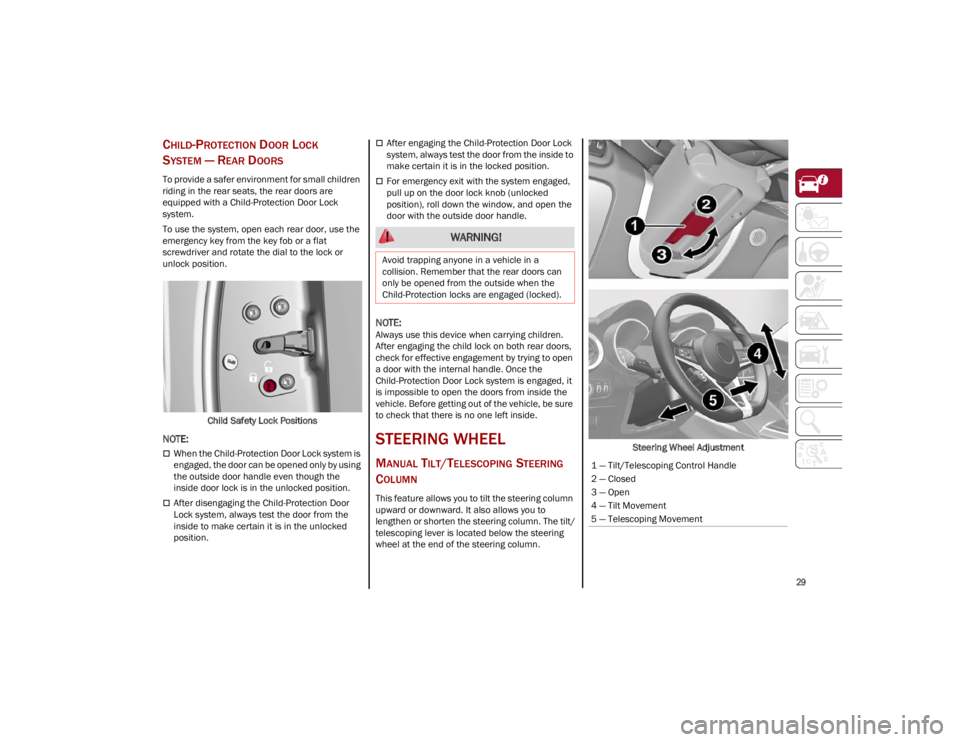
system.
To use the system, open each rear door, use the
emergency key from the key fob or a flat
screwdriver and rotate the dial to the lock or
unlock position.
Child Safety Lock Positions
NOTE:
When the Child-Protection Door Lock system is
engaged, the door can be opened only by using
the outside door handle even though the
inside door lock is in the unlocked position.
After disengaging the Child-Protection Door
Lock system, always test the door from the
inside to make certain it is in the unlocked
position.
After engaging the Child-Protection Door Lock
system, always test the door from the inside to
make certain it is in the locked position.
For emergency exit with the system engaged,
pull up on the door lock knob (unlocked
position), roll down the window, and open the
door with the outside door handle.
NOTE:
Always use this device when carrying children.
After engaging the child lock on both rear doors,
check for effective engagement by trying to open
a door with the internal handle. Once the
Child-Protection Door Lock system is engaged, it
is impossible to open the doors from inside the
vehicle. Before getting out of the vehicle, be sure
to check that there is no one left inside.
STEERING WHEEL
MANUAL TILT/TELESCOPING STEERING
C
OLUMN
This feature allows you to tilt the steering column
upward or downward. It also allows you to
lengthen or shorten the steering column. The tilt/
telescoping lever is located below the steering
wheel at the end of the steering column. Steering Wheel Adjustment
WARNING!
Avoid trapping anyone in a vehicle in a
collision. Remember that the rear doors can
only be opened from the outside when the
Child-Protection locks are engaged (locked).
1 — Tilt/Telescoping Control Handle
2 — Closed
3 — Open
4 — Tilt Movement
5 — Telescoping Movement
23_GU_OM_EN_USC_t.book Page 29
Page 32 of 268
GETTING TO KNOW YOUR VEHICLE
30
To unlock the steering column, push the tilt/
telescoping control handle down to the open
position. To tilt the steering column, move the
steering wheel upward or downward as desired.
To lengthen or shorten the steering column, pull
the steering wheel outward or push it inward as
desired. To lock the steering column in position,
push the tilt/telescoping control handle to the
closed position.
HEATED STEERING WHEEL —
I
F EQUIPPED
The steering wheel contains a heating
element that helps warm your hands in
cold weather. The heated steering
wheel has only one temperature setting.
The heated steering wheel may not turn on when
it is already warm.
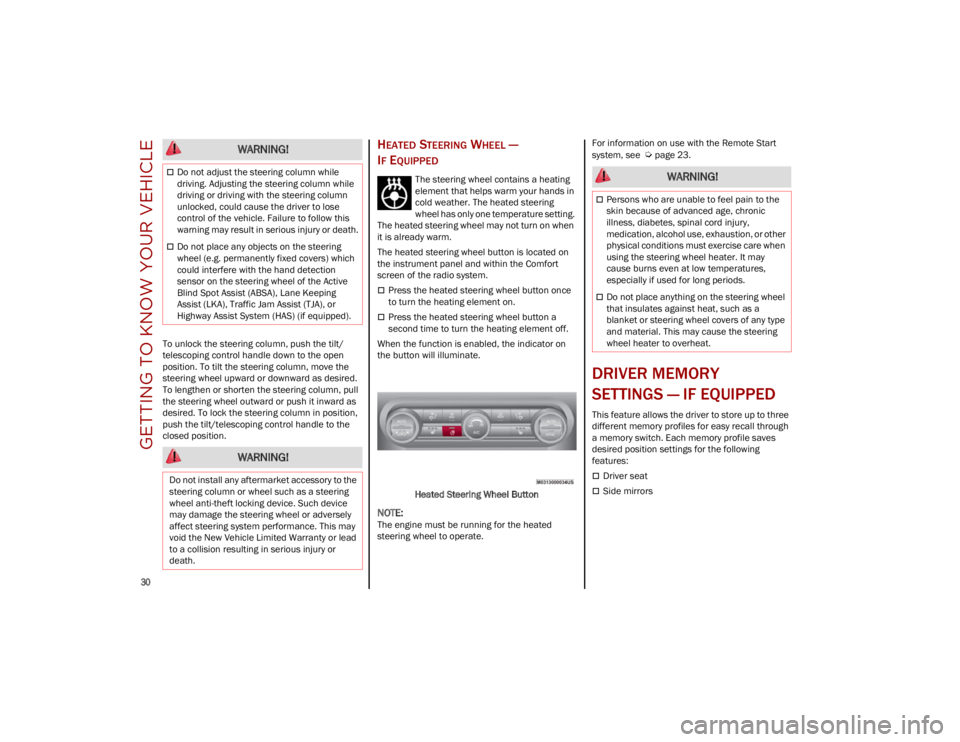
The heated steering wheel button is located on
the instrument panel and within the Comfort
screen of the radio system.
Press the heated steering wheel button once
to turn the heating element on.
Press the heated steering wheel button a
second time to turn the heating element off.
When the function is enabled, the indicator on
the button will illuminate.
Heated Steering Wheel Button
NOTE:
The engine must be running for the heated
steering wheel to operate. For information on use with the Remote Start
system, see
Ú
page 23.
DRIVER MEMORY
SETTINGS — IF EQUIPPED
This feature allows the driver to store up to three
different memory profiles for easy recall through
a memory switch. Each memory profile saves
desired position settings for the following
features:
Driver seat
Side mirrors
WARNING!
Do not adjust the steering column while
driving. Adjusting the steering column while
driving or driving with the steering column
unlocked, could cause the driver to lose
control of the vehicle. Failure to follow this
warning may result in serious injury or death.
Do not place any objects on the steering
wheel (e.g. permanently fixed covers) which
could interfere with the hand detection
sensor on the steering wheel of the Active
Blind Spot Assist (ABSA), Lane Keeping
Assist (LKA), Traffic Jam Assist (TJA), or
Highway Assist System (HAS) (if equipped).
WARNING!
Do not install any aftermarket accessory to the
steering column or wheel such as a steering
wheel anti-theft locking device. Such device
may damage the steering wheel or adversely
affect steering system performance. This may
void the New Vehicle Limited Warranty or lead
to a collision resulting in serious injury or
death.
WARNING!
Persons who are unable to feel pain to the
skin because of advanced age, chronic
illness, diabetes, spinal cord injury,
medication, alcohol use, exhaustion, or other
physical conditions must exercise care when
using the steering wheel heater. It may
cause burns even at low temperatures,
especially if used for long periods.
Do not place anything on the steering wheel
that insulates against heat, such as a
blanket or steering wheel covers of any type
and material. This may cause the steering
wheel heater to overheat.
23_GU_OM_EN_USC_t.book Page 30
Page 45 of 268
43
TROUBLESHOOTING TIPS
If you are having trouble programming
HomeLink®, here are some of the most common
solutions:
Replace the battery in the garage door opener
hand-held transmitter.
Push the LEARN button on the garage door
opener to complete the training for a rolling
code.
Did you unplug the device for programming
and remember to plug it back in?
If you have any problems, or require assistance,
please call toll-free 1-800-355-3515 or on the
Internet at
HomeLink.com
for information or
assistance.
EXTERIOR LIGHTS
HEADLIGHT SWITCH
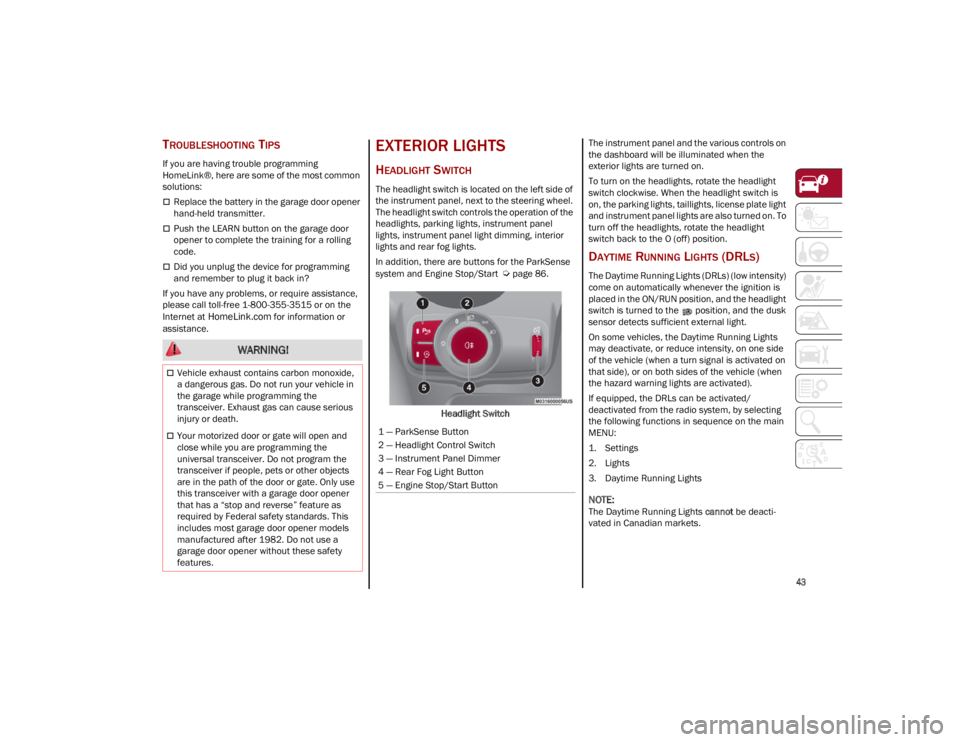
The headlight switch is located on the left side of
the instrument panel, next to the steering wheel.
The headlight switch controls the operation of the
headlights, parking lights, instrument panel
lights, instrument panel light dimming, interior
lights and rear fog lights.
In addition, there are buttons for the ParkSense
system and Engine Stop/Start
Ú
page 86.
Headlight Switch The instrument panel and the various controls on
the dashboard will be illuminated when the
exterior lights are turned on.
To turn on the headlights, rotate the headlight
switch clockwise. When the headlight switch is
on, the parking lights, taillights, license plate light
and instrument panel lights are also turned on. To
turn off the headlights, rotate the headlight
switch back to the O (off) position.
DAYTIME RUNNING LIGHTS (DRLS)
The Daytime Running Lights (DRLs) (low intensity)
come on automatically whenever the ignition is
placed in the ON/RUN position, and the headlight
switch is turned to the position, and the dusk
sensor detects sufficient external light.
On some vehicles, the Daytime Running Lights
may deactivate, or reduce intensity, on one side
of the vehicle (when a turn signal is activated on
that side), or on both sides of the vehicle (when
the hazard warning lights are activated).
If equipped, the DRLs can be activated/
deactivated from the radio system, by selecting
the following functions in sequence on the main
MENU:
1. Settings
2. Lights
3. Daytime Running Lights
NOTE:
The Daytime Running Lights
cannot be deacti -
vated in Canadian markets.
WARNING!
Vehicle exhaust contains carbon monoxide,
a dangerous gas. Do not run your vehicle in
the garage while programming the
transceiver. Exhaust gas can cause serious
injury or death.
Your motorized door or gate will open and
close while you are programming the
universal transceiver. Do not program the
transceiver if people, pets or other objects
are in the path of the door or gate. Only use
this transceiver with a garage door opener
that has a “stop and reverse” feature as
required by Federal safety standards. This
includes most garage door opener models
manufactured after 1982. Do not use a
garage door opener without these safety
features.1 — ParkSense Button
2 — Headlight Control Switch
3 — Instrument Panel Dimmer
4 — Rear Fog Light Button
5 — Engine Stop/Start Button
23_GU_OM_EN_USC_t.book Page 43