sound AUDI A3 2011 Owner´s Manual
[x] Cancel search | Manufacturer: AUDI, Model Year: 2011, Model line: A3, Model: AUDI A3 2011Pages: 320, PDF Size: 75.79 MB
Page 59 of 320
brightness increases again, the low beams are turned off again auto
matically =>& .
In the
AUTO position the low beams are switched off automatically
when the ignition is turned off.
Light Sensor Malfunction*
In the event of a light sensor ma lfunct ion, the driver is notified in the
instrument cluster display:
Automatic headlights/automatic wipers defective
For safety reasons the low beams are turned on permanently with t he
switch in
AUTO*. H owever, you can continue to turn the lights on and
off using the light switch. Have the light sensor checked as soon as
possible at a dealership.
Coming home/leaving home function*
The function is sw itched on when the sw itch is in the AUTO* position
and the function is shown as active in the driver information system.
The
coming home funct ion illuminates the area around the vehicle
when the ign it ion is switched
off and the driver's door is opened. The
length of time the lights rema in on can be set in the menu display
( Illumination > Exterior lights > coming home ).
The leaving home function illuminates the area around the vehicl e
when u nlocking it .
& WARNING
• Never use daytime running lights to see where you are going.
They are not bright enough and will not let you see far enough
ahead for safety, especially at dusk or when it is dark. Always
switch on the low beams at dusk or when it is dark.
• Automatic headlights are only intended to assist the driver .
They do not relieve the driver of his respon sibility to check the
headlights and to turn them on manually according to the current
light and visibility conditions. For example, fog and rain cannot be
Controls and equip
ment Safety first
Clear vision
& WARNING
(continued )
detected by the light sensors. So always switch on the headlights
under these weather conditions and when driving
in the dark io.
• Crashes can happen when you cannot see the road ahead and
when you cannot be seen by other motorists.
- Always turn on the headlights so that you can see ahead and
so that others can see your car from the back.
(I) Tips
• With the switch in AUTO front fog lights cannot be turned on in
addition.
• Th e light senso r for headlight control is located in the rear view
mirror mount . Do not apply any stickers to the windshield in this area
to prevent malfunctions or fail ures .
• Some exterior lighting functions can be adjusted in the driver
information system => page 22 ,
• If you remove the ignition from t he ignition lock whi le the head
lights are still on, a buzzer will sound as long as the driver's door is
open to remind you to turn off the lights .
• Always observe the specific local regulat ions for your area as to
when to use your lights.
• With automatic headlights, the high-beam funct ion is also avail
able, but with one restr iction:
If you have not switched the high
beams back to low beams during automatic headlig ht operation (for
example, after driving through a tunnel), only the low beams come
on the next time automatic headlights are switched on . To use the
high beams, you first have to pull the high beam lever back and then
push the lever forwa rd again .
• In cool or damp weather, the inside of the headlights, turn signa ls
and ta il lights can fog over due to the temperature difference
between the inside and outside. They will clear shortly after switching
them on. This does not affect the serv ice life of the light ing . _,,
Vehicle care Technical data
Page 109 of 320
_________________________________________________ O_ n_ t_ h_ e_ r _o_ a_d _ __.fflll
Starting and stopping the engine
Starting the engine
The engine can only be started with your original Audi
key.
N ... q
i
Vehicles with a gasoline engine:
Fig . 10 8 Ignition key
p osit ion s
- Move the selector lever to the neutra l position (automatic
transmission): selector lev er in P or N) =>
& .
- On vehicles with manual transmission, fully depress the
clutch pedal.
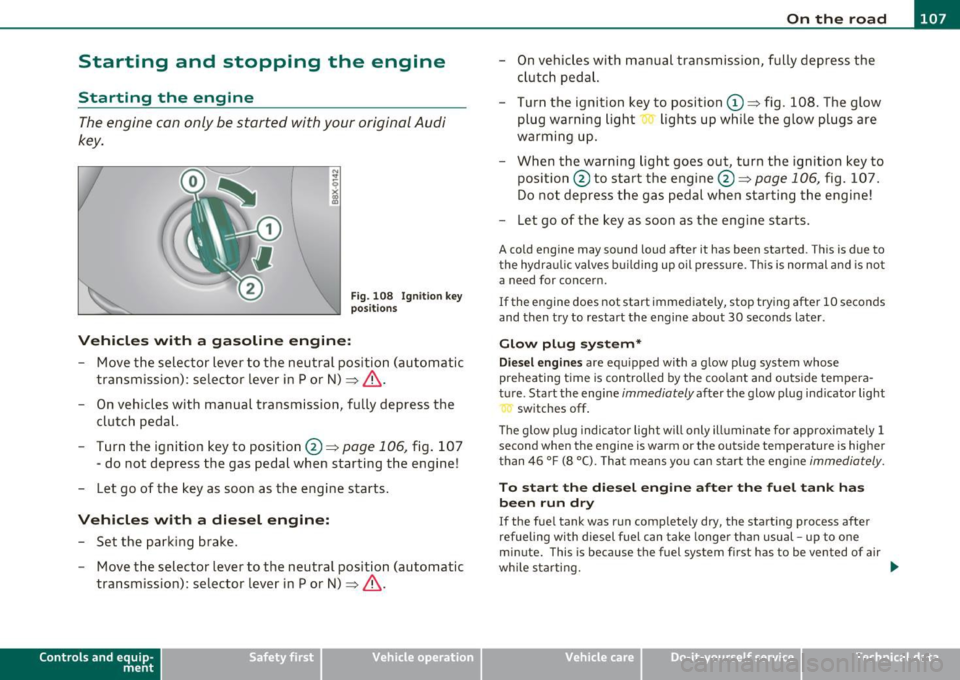
- Turn the ignition key to position@ =>
page 106, fig. 10 7
- do not depress the gas pedal when star ting t he engine!
- Let go of the key as soon as the engine starts .
Vehicles with a diesel engine:
- Set the park ing b rake .
- Move the selector lever to the neutral position (automatic
transmission): selector lever in P or N) =>
& .
Con tro ls a nd e quip
m en t Vehicle
OP-eration
- On vehicles with manual transmission , fu lly depress the
cl utch peda l.
- Turn the ignition key to posi tion
(D => fig . 108. The g low
plug warning light lights up whi le the glow plugs are
warming u p.
- When the warning light goes out, turn the ig nition key to
posi tion @to start the engine @ =>
page 106, fig. 107 .
Do not depress t he gas pedal when starting t he engine!
- Let go o f the key as soon as the engi ne starts.
A cold engine may sound loud after it has been started . Th is is due to
t he hydra ulic valves buil ding up oil p ress ure. This is normal and is not
a need for concern.
If the engine does not start immediately, stop try ing after 10 seconds
and then try to restart the engine about 30 seconds later .
Glow plug system*
Diesel engines are equipped with a glow p lug system whose
preheating t ime is con trolled by the coo la nt and outs ide tempera
t u re . Start the engine
immediately af ter the glow p lug ind icator light
sw itches off .
Th e g low pl ug indica tor light w ill only ill uminate fo r approximately 1
second when the engine is warm or the outs ide temperature is higher
than 46 °F (8 °C). Tha t means yo u ca n sta rt the engi ne
immediately.
To start the diesel engine after the fuel tank has
been run dry
If the fue l tank was run complete ly dry, the start ing process after
refueling with diesel fuel can take longe r than usual -up to one
minute. This is because the fuel system first has to be vented of air
wh ile starting. _,.
Vehicle care Do-it-yourselt service Technical data
Page 190 of 320
Intelligent technology
'-----------------------------------------------
Intelligent technology
Notice about data recorded by
vehicle control modules
Your vehicle is not equipped with an Event Data Recorder (EDR),
installed by some manufacturers for the express purpose of
capturing data for retrieva l after an accident or crash event. ED R's are
sometimes called "crash recorders".
Some state laws restrict the retrieval or downloading of data stored
by ED R's that were installed in a vehicle for the express purpose of
retrieving data after an accident or crash event without the owner's
consent.
Although your vehicle is not equipped with an EDR, it is equipped w ith
a number of electronic control modu les for various vehicle systems
such as, for example, engine function, emission control, as well as for
the airbags and safety belts.
T hese electronic contro l modules also record vehicle-re lated data
during normal vehicle operation for diagnostic and repair purposes .
Th e recording capacity of the e lectronic control modu les is limited to
data (no sound is recorded) and only a sma ll amount of data is actu
ally recorded over a very limited period of time and stored when a
system fault or other condition is sensed by a control unit. Some of
the data then stored may relate to vehicle speed, direction, braking
as well as restraint system use and performance in the event of a
crash or other condition. Stored data can only be read and down
loaded with special equipment.
Electronic Stabilization Program
(ESP)
General
The Electronic Stability Program increases driving
stability .
With ESP, contro l over the vehicle is increased in situations when the
vehicle is close to the limits of grip, such as dur ing accelerat ion and in
curves. ESP reduces the risk of sk idding and improves vehicle stability
unde r all road conditions.
It operates at all speeds.
The Anti-Lock Brake System (ABS), Electronic Differential Lock (EDS) and Anti-Slip Regulation System (ASR) are integrated in the Elec
tronic Stability Program .
How ESP works
The ESP control unit processes the following data from high-sensitive
sensors: the rotationa l speed of the vehicle about its vertical axis,
fore-and -aft and lateral acceleration forces, brake pressure and
steering angle .
Us ing stee ring ang le and vehicle speed, the direction the driver
wishes to travel is determined and continuously compared with
actual vehicle behavior. If the two do not match, for example when
the vehicle beg ins to skid, ESP brakes the appropriate whee l auto
matically.
The vehicle is stabilized aga in by the forces act ing on the whee l
during braking. With an oversteering veh icle (tendency for the rear
end to skid out of the curve), the brake app lication is mainly at the
front wheel on the outside of the curve, with an understeering vehicle
(tendency to run wide in the curve) at the rear wheel on the insid e of
the curve or additionally at the other wheels as needed. This brake
application is accompanied by noises. _,
Page 204 of 320
Trailer towing
"---------------------------------------------------
Trailer towing
Driving with a trailer
General information
Your Audi was designed primarily for passenger transpor
tation .
If you p lan to tow a t railer, p lease remember that the additional load
w ill affect durability, economy and performance.
Tr ailer towing not on ly p laces mo re s tress on the vehicle, it also calls
for more concentration from the driver.
For this reasons, a lways fo llow the operating and driv ing instr uctions
prov ided and use common sense .•
Technical requirements
Trailer hitch
Use a we ight-carrying hitch conforming to the gross trai ler weight .
Th e h itch mus t be suit able for your veh icle and t railer and mus t be
mounted securely on the vehicle's chassis at a
technically sound l oca
t ion. Use on ly a tra ile r hi tch w ith removable b all moun t. Alw ays check
w ith the trailer hitch manufacturer to make sure that you are using
t he correc t hitch.
Do not use a bumper hitch .
The hitch must be installed in such a way t hat it does not interfere
w ith the impact -ab sorb ing bumper system. No mod ifi cations s houl d
be made to the vehicle exhaust and brake systems . From t ime to
t ime, che ck t hat all hitch mou nting bolts rema in securely faste ned.
W hen you are no t tow ing a trai ler, remove the trailer hitch ball
mount. This prevents the hitch from ca using damage should your
veh icle be s truck from behind=>&.
Tire pressure
When towing a tra iler, inflate the tires of you r vehicle to the cold tire
pressu re listed under "Full lo ad"on t he st ick er o n the r ight doo rjamb.
I n flate trailer t ires to trai ler and tire manufacturers' specifications .
Lights
The headlight settings should be checked with the tra iler attached
befo re d riving o ff. Have the headlights adjusted as necess ary s o that
you can see the road ahead but not b lind oncoming t raffic.
Check to make s ure bo th vehicle and t railer lights a re wor king prop
er ly.
Engine cooling system
Towing a trailer ma kes t he engin e work harder. It is important t hat
t he cooling sys tem' s per formance stands up to the add ition al stra in.
M ake sure that the coo ling sys tem has eno ugh fluid .
Trailer brakes
If your trai ler is equipped with a braking system, check to be su re that
it confo rms to all regula tions .
Th e tra ile r hydrau lic brake system must not be directly con nected to
the vehicle's hydraulic b rake system.
Safety chains
Be sure trailer safety cha ins are p roper ly connected from the t rai ler
to the hitch on the vehicle. Leave enough s lac k in t he chai ns to permit
t u rni ng corners. When you insta ll safety chains, ma ke s ure t hey will
not d rag on t he road when yo u are d riving .
The chai ns should cross under the trailer tongue to prevent it from
drop ping in ca se of separat io n from t he hitch.
Trailer lights
Trailer lights must meet all regulat ions. Be su re to chec k w ith your
author ized A udi dealer for correct wiring, switches and relays. _.
Page 210 of 320
-~_C_ le_ a_n_ i_ n_ g=- a_ n_d___. p_ ro_ t_e _c_ t_ i_o _n ___________________________________________ _
in. WARNING
• Do not clean th e undersid e of th e chassis, fend ers, wheel
c over s, or other hard to reach part s without protecting your hand s
and arms. You may cut yourself on sharp -edged m etal p art s.
• Always read and heed all WARNINGS and other information
~page 206.
0 Note
• Never try to remove dirt, mud or d ust if the surface of the vehicle
is d ry. Never use a d ry cloth or s ponge, since this could scratch your
vehicle's paint or windows.
• N ever was h your car in br ight sunlight. D rops of wa ter a ct as
magnifying lenses and may damage your pa int.
• When you was h yo ur c ar in the winter: i f you rinse your vehicle w ith
a hose, be careful not to a im the stream of water direct ly at locks, or
a t doo r o r hatch open ings -they can free ze s hut.
• Never use sponges des igned to remove insects, or any kitchen
s co ur ing sponges o r similar pro ducts. They can damage yo ur paint
fi ni sh .
• Never use a dr y clo th o r sp on ge to clean t he he adlights . Only use
wet cloths or sponges to prevent scratches.
It is best to use soapy
w ate r.
c£> For the sake of the environment
In the in terest of the envi ronme nt, the ve hicl e should o nly be washed
in special wash bays. •
Washing your vehicle with a power washer
Cleaning the ex terior of your c ar with a high-pressure
po wer washer is safe as long as y ou observe a few sim ple
rules.
- Before using the power washer, make su re you have read
and unders tood the WA RNINGS=>
& in "General info r
ma tion" on
page 206.
- Always fo llow t he operat ing inst ructions fo r the powe r
washer.
- Make sure t hat the jet o n the spray hose produces a "fa n
shaped spray".
- Do
not hold the spr ay nozz le too close t o soft ma ter ials .
When cleani ng the vehicle wi th a p owe r w ashe r always follow the
operat ing instruct ions . T his applies part icu larly to the operating
pressure
and the spraying distance. M ain tain a suffic ien t distan ce to
so ft mater ia ls such as rubber hoses and sound/v ibration deaden ing
materials (particularly on the unde rside o f the engine hood). Do not
use a jet wh ic h sprays water in a
direct stream or o ne that has a
rotating jet.
W ate r temperatu re s hou ld not ex ceed 140
°F (60 °().
& WARNING
Never wash tires with a jet that sprays water in a direct stream .
This could cause in visible damage to the tires and weaken them ,
even if the spray i s from a relatively long distance and for a short
time . Damaged and weakened tires can fail and c ause accidents
and personal injur y.
~
Page 211 of 320
____________________________________________ C_l_e _a_ n_ i n--= g,___ a_n_ d----' p,___ r_o _t_ e_ c_ t_ i _o_ n __ _
0 Note
To avo id damaging your vehicle, a lways make sure that there i s suffi
cient distance between the spray head and soft materia ls like r ubber
hoses, plastic part s and sound-de adening mate ria ls. Never aim the
spray head at the same point for a long time . This a lso applies to
cleaning headl ights and painted bumpers. Remembe r: the closer t he
nozzle is to the surface of the mater ia l, the greater the stress on the
mate rial. •
Wa xing
Wax protects the vehicle's paint.
- U se a manua lly applied car wax occas ionally to pro tect t he
pa int.
A good wax coat ing protects the vehicle paint to a la rge extent
agai nst the env ironmen ta l fa ctors liste d un der~
page 20 6,
"Washing" and even against slight scratches.
You can use a liquid car wax to protect yo ur paint as soon as one wee k
after your ve hicle has been delivered .
Even if you regula rly use a
wa xing process in automatic car washes,
we recomme nd that you m anually apply a co at of wax to give the
paint extra protection, part icularly if water no longer beads on t he
cl ean pa int .
Protec t plast ic body parts with car wax in t he same way as the vehicle
body .
Dur ing warm wea ther de ad insec ts te nd t o collec t on t he fron t
bumper and on the forward area of the hood. They a re much easier to
remove from p aint th at is waxed
often.
Safety first
& WARNING
Always read and heed all WARNINGS and other information
:=> page 206 .
0 Note
Do not use car wax on
• matte o r anodized metal trim
• rub ber or rubbe r-like trim .•
Polishing
P olishing restores the gloss to the paint.
P olis h your ve hicl e only if t he pa int has lost its shine and the gloss
cannot be brought back with wax.
If the polish used does not contain preservative compounds, the
paint must be waxed afterwards=> page 209, "Wax ing".
& WARNING
Always read and heed all WARNINGS and other information
:=> page 206 .
0 Note
Do no t trea t matte a nodize d meta l trim, p lastic o r ru bber p arts wi th
polish or wax . •
Trim strips
fv1 etal tri m needs s pec ial care .
For env ironmental reasons, Aud i fabr icates the brig ht trim strips and
trim p ieces from pure chrom ium -free a lum inum. ._
Vehicle care Technical data
Page 304 of 320
___ C_ o_n_ s _ u_m_ e_ r_ I_ n_ f_o _r_ m_ a_ t_io _ n _____________________________________________ _
0 Note
• If items o ther t han gen uine A udi sp are parts, add-on eq uipment
and accessory items are used or if repair work is not performed
ac cording to specified methods, this can result in severe damage to
your vehicle's engine and body (such as corrosion) and adversely
affect your vehicle's wa rranty.
• If emergency repairs must be performed elsewhere, have the
vehicle exam ined by an authorized Audi dealership as soon as
possible.
• T he manufacturer cannot be held liable for damage which occurs
due to fai lure to comply with these stipulations .•
Installing /replacing a sound system
If you wish to install a radio or replace the factory installed radio,
please note the following:
The factory installed radio connectors are designed for genuine Audi
rad ios. When installing a different radio, difficulties could arise such
as:
- the radio may not f it into the space provided
- the e lectr ica l connections may not be compat ible
- different connector term inals may be needed .
T herefore, we recommend that you have your authorized Audi dealer
install or replace the radio.
They are the most familiar with the technical features of your vehicle.
T hey also offer Genuine Audi Rad ios with the necessary installation
components and instructions.
& WARNING
Improperly installing a radio could cause a short circuit and an
electrical fire.•
Technical Modifications
Our guidelines must be complied with when technical
modifications are made.
Always consu lt an authorized Audi dealer before starting work on any
mod ificat ions.
Th is w ill help ensure that veh icle function, performance and safety
are not impaired =>& .
Attempting to work on e lectron ic components and the software used
with them can cause malfunctions. Because of the way electronic
components are interconne cted with each other, such malfunct ions
can also have an adverse affect on other systems that are not direct ly
involved. This means that yo u risk both a substanti al r eduction in the
operat ional safety of your vehicle and an increased wear of vehicle
pa rts=> & .
Author ized Audi dealers will perform th is work in a profess ional and
competent manner or, in specia l cases, refer you to a professional
company that specializes in such modifications.
& WARNING
Improper repairs and modifications can change the way vehicle
systems work and cause serious personal injury.
0 Note
If emergency repairs must be performed elsewhere, have the vehicle
examined by an autho rized Audi dea lership as soon as possible .•
Page 309 of 320

------------------------------------------~A~ LE P '.!:h ~a~ b~e~ t~ic ~a~ l~ in~ d ~ e~x ~ _lffl'II
Coolant system ....... ... .. .. .. .. .. . 234
Cooling System
Expansion tank .................. 235
Cru ise control .............. ... ..... 110
Changing speed ................. . 111
Presetting your speed .......... .. . 111
Switching off ............. .. .... . 112
Switching on ........... ......... 110
Warning/indicator lights ... .... .... 14
Cup holder ............ ...... .. .. .. .. 89
Cup holders front ........ ...... .. .. .. .. .. .. .. 89
Current fuel mileage ................ .. 21
D
Damp ing
See Audi magnetic ride ......... ... 112
Data ....... .... ...... .. .... .. .. .. . 296
Data recorder ................. .. ... 188
Date display .. .. .. ............... .... . 9
Daytime running lights ............... . S6
Daytime running lights (Canada) ........ 56
Declaration of compliance Cell phone package ............ .. . 303
Electronic immobilizer ... .. .. .. .. . 303
Homel ink® un iversal remote control . 303
Remote control key ............... 303
Ti re pressure monitoring system ... . 303
def What does this mean when it appears in
the trip odometer display? ......... 10
Defective light bulb warn ing . .. .. .. .. .. 36
Controls and equip
ment Safety first
Defogg
ing the windows ....... .... ... . 98
Defrosting the windows ............... 98
Defrosting/defogging w indows ..... ... 101
Determining correct load limit . ...... .. 254
Diesel engine Add ing engine oil .. .... .. ......... 233
Changing engine oil .. .. ........... 233
Engine oil . ... .... .... ........... 233
Diesel fuel .. .................... ... 220
Diesel particulate filter. . . . . . . . . . . 34, 199
Digital clock . .. ............. .. .... .... 9
Setting the time ............ ....... 9
Digital compass . ................ ... . 71
Dimensions ..... .... ............... 295
Dipstick Reading the dipstick p roperly ..... .. 231
Direct Shift Gearbox Emergency release ............... 121
Distance .... .... .. .... .............. 22
Doors, power locks .... ... .. .. ........ 43
Driver information ................... 31
Driver Information System Menu display ............ ......... 22
Driver information system
Gearshift indicator ............. .. . 19
Menu button . ....... .... .. .. .. .. . 24
Open door or front lid wa rning .. .. .. . 18
Outside temperature display ........ 18
Red symbols ................... ... 30
Service interval display ............. 27
Setting . ................ .. .. .. ... 2s
Sound system display .. .. .......... 18 Trip computer
... ... ..... ... . ... .. 21
yellow symbols .. ................ . 30
Driver seat
See Seating position ...... ..... ... 126
Driving safely .. .. .. .. ............. . 124
Driving through water .... .... .. .. .. . 198
Duplicate key ...... . .. ............... 38
E
Efficiency program . ... .. .. ........... 25
Fuel economy messages ............ 26
Other equipment ... ............... 26
Elapsed time ... ...... ............. .. 21
Electrically heated front seats .. .... .. . 103
Electro-mechanical power assist ... 17, 193
Electronic differential lock (EDL) How the system works .. .... ...... 189
Warning/indicator lights ... .. ... ... 16
Electronic immobilizer . . . . . . . . . . . . 10, 40
Electronic power control
EPC warning/indicator light ......... 13
Electronic speed limiter ........ ...... . 20
Electronic Stability Program ... .... .. . 188
Electronic stabilization program (ESP)
Warning/indicator lights ..... .. .. .. 14
Emergency flasher Warning/indicator lights ... .. ... ... 14
Emergency flashers ... .. .. .... ....... 59
Emergency operation panoramic sliding sunroof ........ .. 53
Rear lid .......................... 46
Vehicle operation Vehicle care Do-it-yourself service Technical data
Page 315 of 320
___________________________________________ A_ l!;:p ...:...h .:..: a:.:.. b.::....:: e..:t ..:..ic ::.. a:.:. l :....:..: in....:.-=: d..:e :.:.x..:.__ __
Replacing a sound system .... ... .. .. . 302
Replacing light bu lbs ... .. ... ... ..... 285
Replacing tires and wheels ............ 258
Replacing windshield wiper blades ...... 69
Reporting Safety Defects ......... .... 133
Reset button ........................ 10
Resetting remote control ....... .. ..... 43
Retractor ..... ...... .. .. .. .... ..... 139
Reverse
Automatic transmission .... .. .....
115
Rims
Cast alloy ...................... .
212
Replacing ....................... 257
Steel rims .................... .. . 212
Roof rack
Attachment points w ith separate roof rack
system ................ .........
87
Loading .. .. .. ... .... ... .. .. ..... 88
Mounting locations ........... .... . 88
Safe mounting ............... ..... 86
Roof weight .... .. .. ............. .... 88
s
S tronic ........ ...... .. ... ........ 115
Driving Notes .................... 117
Emergency program ........... ... 121
Kick-down .. ............ ........ 120
T i ptronic ... .. ... ... ...... ....... 119
Tipt ronic controls on the steering wheel .
120
SAFE ............................... 10
Safe driving habits ..... .. .. .. .. ..... 124
Safety belt position .... .... ......... 140
Safety belt height adjustment .. .. .. 142
Safety belts worn by pregnant women ...
141
Safety belt pretensioner ........... ... 143
Service and disposal .............. 144
Safety belt warning light ......... 15, 135
Safety belts . ...... .............. ... 139
cleaning ..................... ... 217
Danger to passengers who do not wear a
safety belt .................. ...
13 7
Fastening .. .. .......... ......... 139
height adjustment ....... ...... .. .
142
Improperly worn ................. 143
Not worn ....................... 137
Safety belt position ............... 140
Safety instructions .. .. ... ..... .. . 138
Securing child safety seats ......... 177
Spe cial considerat ions fo r pregnant
women ................ .... .. ..
141
Unfastening .. ................. .. 142
Warning/indicator light ........... 135
Why YOU MUST wear them .... 135, 136
Worn properly ................... 138
Launch Control Program .......... . 120 S f
S l
t l
l
k
11
a ety compliance sticker ............. 294
e ec or ever oc . . . . . . . . . . . . . . . . 6
Safety equipment .... ............. ..
124 Selector lever positions ........ ... . 115
Safety features for occupant restraint and
protection .................. ...
124
Safety guidelines
Seat adjustment ................. .
73
Safety instructions
Engine compartment ..... ..... .. .
226
for side curtain airbags ............ 166
for using child safety seats ......... 170
for using safety belts ............. 138
Monitoring the Advanced Airbag System .
158
Safety lock
Ignition key, automatic transmission
106
Seat adjustment
Driver's seat ................ .... ..
73
Front passenger's seat ............. 7 4
Front seats ... ..... ...... ...... ...
73
Head restraints .................. 128
Head restraints, front seat .......... 77
Lumbar support .. .. ............... 77
Manual controls .. .. .... ...... ..... 7 4
Manual seats ....... .......... .. ..
74
Power seat .. ..... ................ 75
Seat be lts
Why YOU MUST wear them . . . .
135, 136
See also Safety belts ...... .. ... .. . 135
Seating capacity ....... ...... ... . .. . 135
Seating pos it ion
Driver .............. ... .. .... ...
126
Front passenger ................ .. 127
How to adjust the front seats ....... 12 7
Incorrect seat position .. ..........
129
Occupants .. ................... . 126
Rear passengers ................ . 128
Controls and equip
ment Safety first Vehicle operation
Vehicle care Do-it-yourself service Technical data
Page 316 of 320
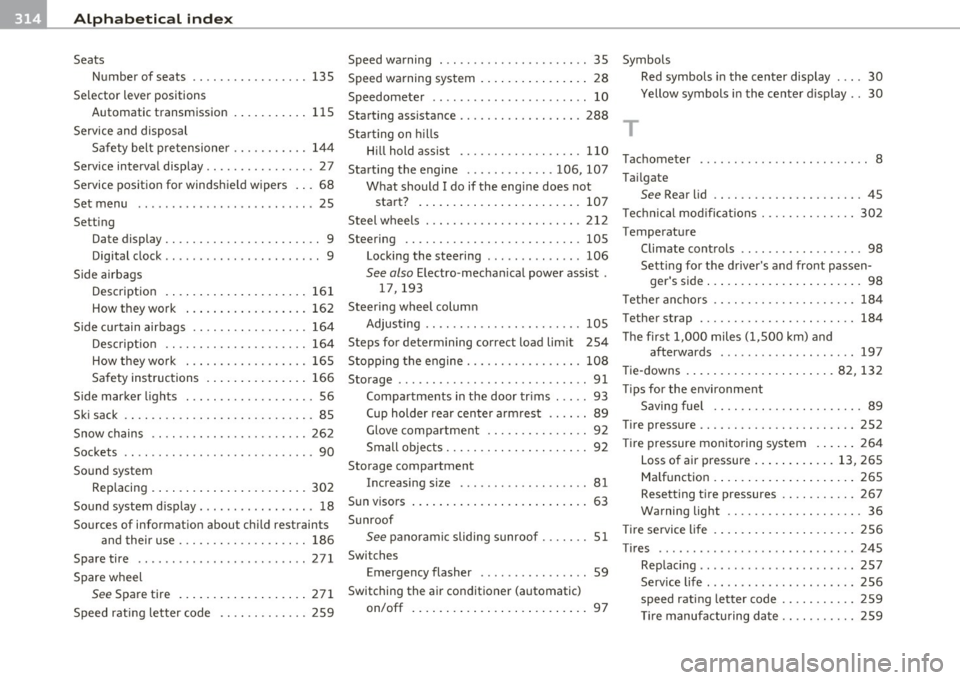
-Alphabetical inde x -~ =-.::..::..:.==.:.....:.:...:.=.=.:.: ___________________ _
Seats
Number of seats
135
Selector lever positions
Automatic transmission . . . . . . . . . . .
115
Service and disposal
Safety belt pretensioner .. .........
144
Service interval display .. .............. 27
Service position fo r windshield wipers ... 68
Set menu .................. ... .. .. . 25
Setting
Date display ................. .. .. ..
9
Digital clock .............. ... .. .. .. 9
Side airbags
Description . ....................
161
How they work .................. 162
Side curtain airbags .... .. .. .. .. ..... 164
Description .. .. ................. 164
How they work . .. ...... ......... 165
Safety instructions ............ ... 166
S ide marker lights ..... .............. 56
Ski sack .. .. .... .. .. ................ 85
Snow chains 262
90
Sockets .. .. .. .. .. .. .. .... .. .. .. ... .
Sound system Rep lacing . ... ..... ..............
302
Sound system display . .. ... ........ .. . 18
Sources of information about child restraints
and their use ........... ...... ..
186
Spare tire .. .................... ... 271
Spare wheel
See Spare tire ............ .... ... 271
Speed rating letter code .... .. ... .... 259
Speed warning ... .. ..... ..... ..... .. 35
Speed wa rning system ......... ... .. .. 28
Speedometer . . . . . . . . . . . . . . . . . . . . . . . 10
Starting assistance ........... .. .. ... 288
Starting on hills
H ill hold assist ........... .. .. .. .
110
Starting the engine .......... .. . 106, 107
What should I do if the engine does not
start? ....... .... .. .... .......
107
Steel wheels ................ .. .... . 212
Steering ................... .. .... . 105
Locking the steeringi ........ ...... 106
See also Electro-mechanical power assist .
17,193
Steering wheel column
Ad'
t' JUS rng .... .... .. .. .. .... .... .
Steps for determining correct load limit
Stopping the engine ... ............. .
Storage ............. ... ... . ... ... . .
105
254
108
91
Compartments in the door trims ..... 93
Cup holder rear center armrest .... .. 89
Glove compartment ....... .. .... .. 92
Small objects ......... .... .. .... .. 92
Storage compartment
Increasing size ..... .... .... .. .. ..
81
Sun visors .......................... 63
Sunroof
See panoramic sliding sunroof ..... .. 51
Switches
Emergency flasher ........ .. .. .. ..
59
Switching the air conditioner (automatic)
on/off ......... ... .. .... ........
97
Symbols
T
Red symbols in the center display 30
Yellow symbols in the center display .. 30
Tachometer . . . . . . . . . . . . . . . . . . . . . . . . . 8
Tailgate
See Rear lid .. .. .. .. .............. 45
Technical modificat ions . ....... .. .. .. 302
Temperature
Climate controls . . . . . . . . . . . . . . . . . .
98
Setting for the driver's and front passen-
' 'd ger s s1 e ..... ... ............... 98
Tether anchors .. .... .. ............. 184
Tether strap ........... .. .... .... .. 184
Th e first 1,000 miles (1,500 km) and
afterwards ... .......... ... . ...
197
Tie-downs .............. ........ 82, 132
Tips for the environment
Saving fuel ...... .. .. .. ......... .
89
Tire pressure .... ....... ...... .... .. 252
T ir e pressure monitoring system ..... . 264
Loss of air pressure ............ 13, 265
Malfunction ... .... ............. . 265
Resetting tire pressures .. ......... 267
Warning light ............. .. . ... . 36
Ti re service life .. .. .. .. .............
Tires .................. ... .. .. ' .. .
Replacing .. ............ .... .... .
Service life . .... .. .. .. .. ..... .. . .
speed rating letter code .......... .
Tir e manufacturing date .. ........ .
256
245
257
256
259
259