park assist AUDI A3 2015 Owners Manual
[x] Cancel search | Manufacturer: AUDI, Model Year: 2015, Model line: A3, Model: AUDI A3 2015Pages: 288, PDF Size: 71.46 MB
Page 4 of 288
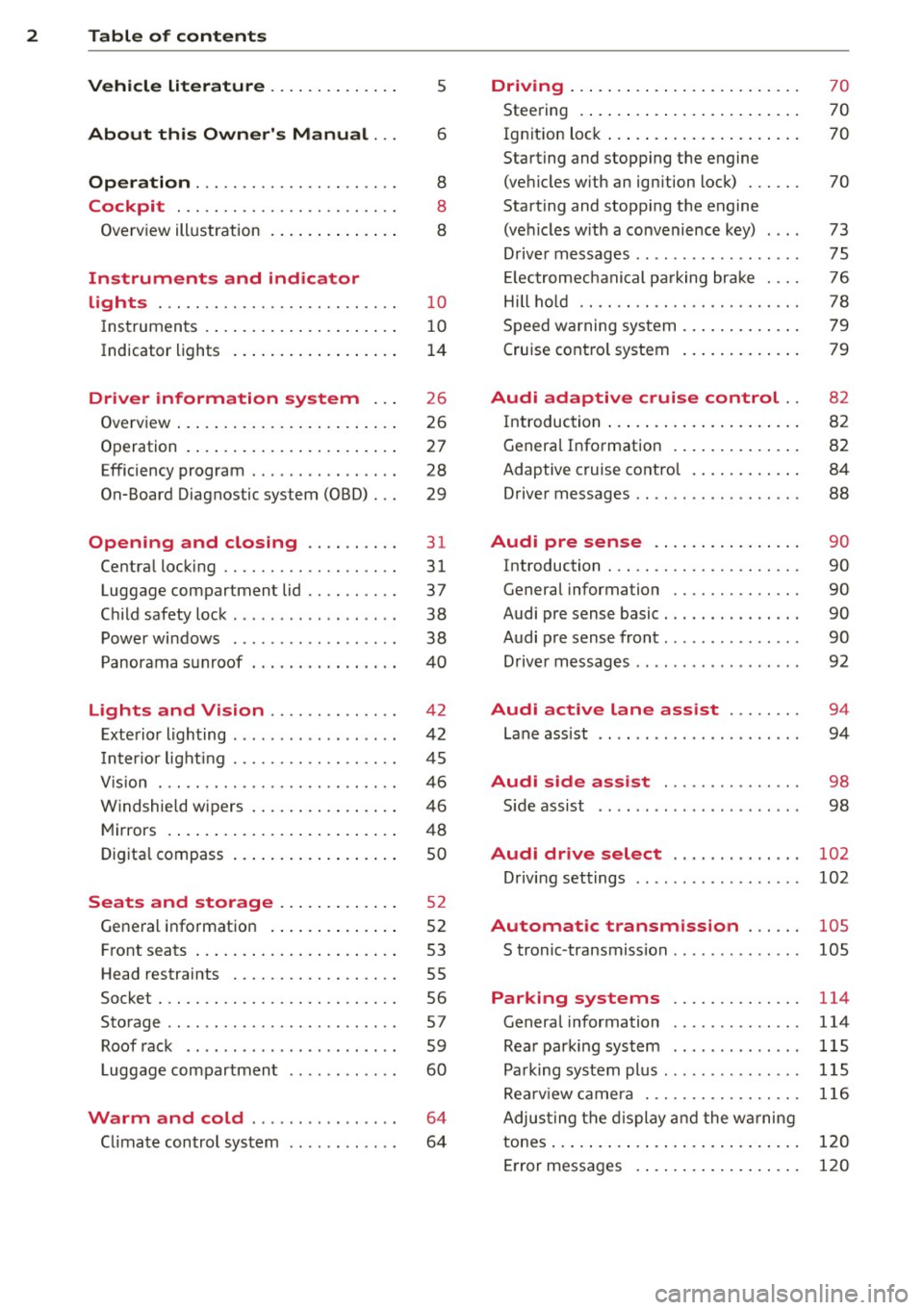
2 Table of contents Vehicle literature . . . . . . . . . . . . . .
5
About this Owner's Manual . . . 6
Operation . . . . . . . . . . . . . . . . . . . . . . 8
Cockpit . . . . . . . . . . . . . . . . . . . . . . . . 8
Overview illustration . . . . . . . . . . . . . . 8
Instruments and indicator
lights . . . . . . . . . . . . . . . . . . . . . . . . . .
1 0
Instruments . . . . . . . . . . . . . . . . . . . . . 10
Indicator lights . . . . . . . . . . . . . . . . . . 14
Driver information system . . . 26
Overview . . . . . . . . . . . . . . . . . . . . . . . . 26
Operation . . . . . . . . . . . . . . . . . . . . . . . 27
Efficiency program . . . . . . . . . . . . . . . . 28
On-Board Diagnostic system (OBD) . . . 29
Opening and closing . . . . . . . . . . 31
Central locking . . . . . . . . . . . . . . . . . . . 31
Luggage compartment lid . . . . . . . . . . 37
Child safety lock . . . . . . . . . . . . . . . . . . 38
Power windows . . . . . . . . . . . . . . . . . . 38
Panorama sunroof . . . . . . . . . . . . . . . .
40
Lights and Vision . . . . . . . . . . . . . . 4 2
Exterior lighting . . . . . . . . . . . . . . . . . . 42
Inter ior light ing . . . . . . . . . . . . . . . . . . 45
V1s 1on . .. ............... .. .. .. . .
Windshie ld wipers .......... .. ... .
Mirrors ......... ......... ... ... .
Digital compass ............ .. ... .
Seats and storage ....... .... . .
General information ....... ... ... .
Front seats ............... ... ... .
Head restraints ............ .. ... .
Socket . ................. .. .. ... .
Storage .............. ........ .. .
Roof rack .. ................ ... . .
Luggage compartment
Warm and cold ............... .
C limate control system .... .. .. .. . .
46
46
48
so
5 2
52
53
55
56
57
59
60
64
64
Driving ....... .. .......... ... ... 70
Steering . . . . . . . . . . . . . . . . . . . . . . . . 70
Ig nition lock . . . . . . . . . . . . . . . . . . . . . 70
Starting and stopping the engine
(vehicles with an ignition lock) . . . . . . 70
Starting and stopping the engine
(vehicles w ith a convenience key) . . . . 73
Driver messages . . . . . . . . . . . . . . . . . . 75
El ectromechani cal parking brake . . . . 76
Hill hold . . . . . . . . . . . . . . . . . . . . . . . . 78
Speed warning system . . . . . . . . . . . . . 79
Cruise control system . . . . . . . . . . . . . 79
Audi adaptive cruise control .. 82
Introduction . . . . . . . . . . . . . . . . . . . . . 82
General Information . . . . . . . . . . . . . . 82
Adaptive cruise control . . . . . . . . . . . . 84
Driver messages . . . . . . . . . . . . . . . . . . 88
Audi pre sense . . . . . . . . . . . . . . . . 90
Introduction . . . . . . . . . . . . . . . . . . . . . 90
General information . . . . . . . . . . . . . . 90
Audi pre sense basic . . . . . . . . . . . . . . . 90
Audi pre sense front . . . . . . . . . . . . . . . 90
Driver messages . . . . . . . . . . . . . . . . . . 92
Audi active lane assist . . . . . . . . 94
Lane assist . . . . . . . . . . . . . . . . . . . . . . 94
Audi side assist . . . . . . . . . . . . . . . 98
S ide assist . . . . . . . . . . . . . . . . . . . . . . 98
Audi drive select . . . . . . . . . . . . . . 102
Driving settings . . . . . . . . . . . . . . . . . . 102
Automatic transmission . . . . . . 105
S tronic -transmission . . . . . . . . . . . . . . 105
Parking systems . . . . . . . . . . . . . . 114
General information . . . . . . . . . . . . . . 114
Rear parking system . . . . . . . . . . . . . . 115
Parking system plus . . . . . . . . . . . . . . . 115
Rearviewcamera .............. .. . 116
Adjusting the display and the warning
tones.... ..... .. .. ..............
120
Error messages . . . . . . . . . . . . . . . . . . 120
Page 11 of 288
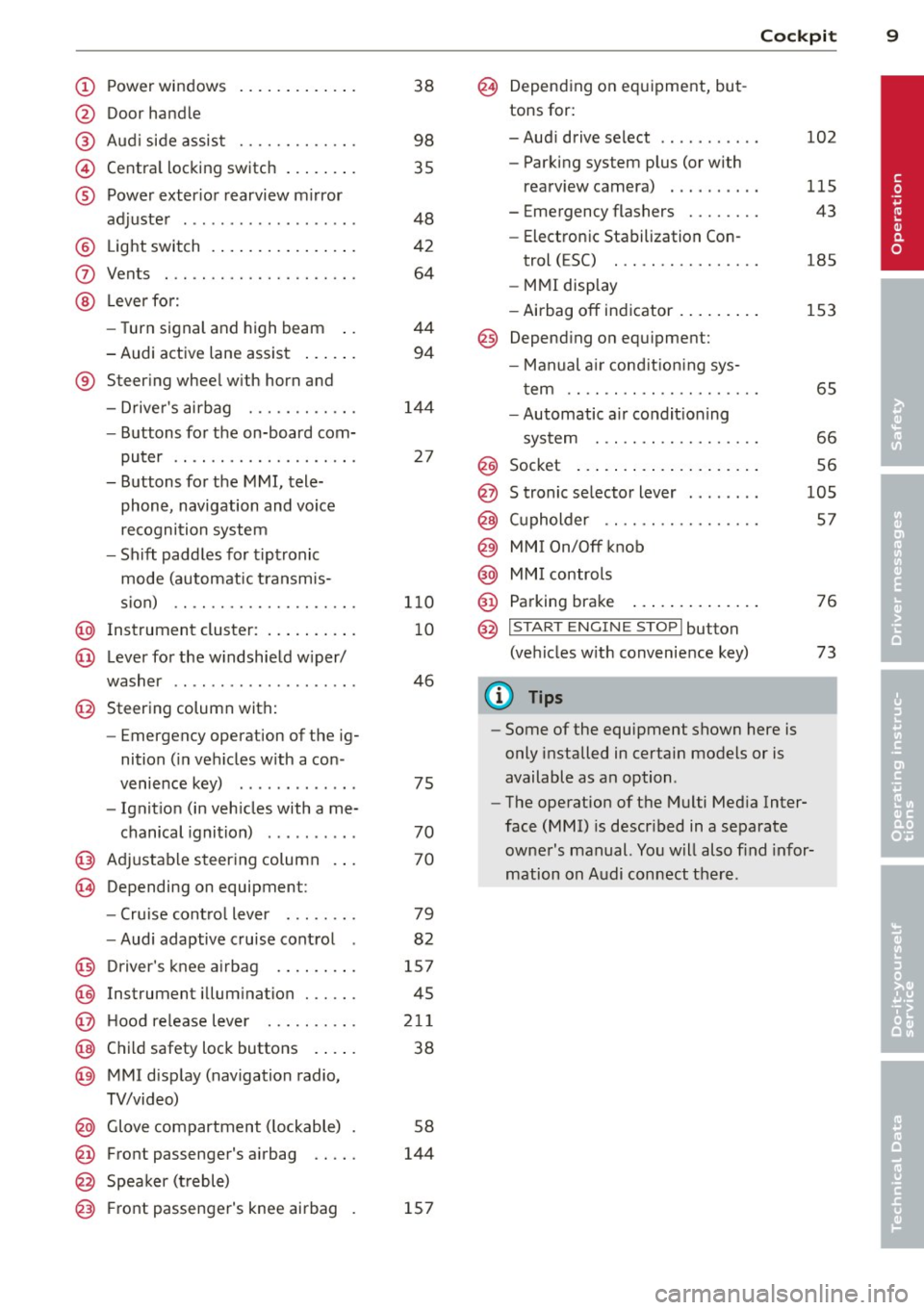
CD
@
®
©
®
Power windows
Door handle
Aud i side assist ........ .... .
Centra l locking switch ... .. .. .
Powe r exter ior rearview m irror
adjuster .................. .
@ Light switch .... .... ... .. .. .
(J) Vents
® Leve r fo r:
- Turn signal and high beam ..
- Audi act ive lane assist ... .. .
® Steer ing whee l w ith horn and
- Drive r's airbag ........... .
- Buttons for the on-board com-
puter .. ................. .
- Buttons for the MMI, tele
phone, navigation and voice
recognition system
- Sh ift padd les for t ipt ronic
mode (automatic t ransm is-
sion) .. .. .. ........... .. .
@ Instrument cluster : .. ... .. .. .
@ Leve r for the w indshield w iper/
washer
....................
@ Steering column with:
- Emergency operation of the ig
nition ( in ve hicles w ith a con -
venience key) ............ .
- Ignit io n (in veh icles with a me-
chanical ignition) ......... .
@ Adjustable s teer ing column
~ Depending on equipmen t: 38
98
35
48
42
64
44
94
1
4 4
27
1 10
10
46
75
70
70
- Cru ise cont ro l lever . . . . . . . . 79
- Audi adaptive cruise cont rol 82
@ D river's knee a irbag . . . . . . . . . 157
@ Instrument illum ination . . . . . . 45
@ Hood re lease leve r . . . . . . . . . . 211
@ Child safety lock buttons . . . . . 38
@ MMI disp lay (navigation radio,
TV/video)
@ Glove compartment ( lockable)
@ Front passenger's airbag .. .. .
@ Spea ker (t reble) 5
8
144
@) Front passenger's knee airbag 157
Cockpi t 9
@ Depending on equipment, but
tons for:
- Aud i drive select . . . . . . . . . . . 102
- Parking system plus (or with
rearv iew camera) . . . . . . . . . . 115
- Emergency flashers . . . . . . . . 43
- Elect ron ic Stabilization Con-
trol ( ESC) . . . . . . . . . . . . . . . . 185
- MMI display
- Airbag off in dicator . . . . . . . . . 153
@ Depend ing on equ ipment:
- Manual a ir cond it io ni ng sys-
t em . . . . . . . . . . . . . . . . . . . . . 65
- Automatic a ir condit ioning
sys tem . .. .. .... ........ .
66
Socket ... .... .. . .. .. ..... . 56 @
@
@
@
@
@
S tronic se lector lever ....... .
( upholder .. .. .. . ......... . 105
57
MMI On/Off knob
MM I controls
Parking brake
@ ,.., I s=T~ A~R~ T_ E _N_ G_I _N_ E_S_ T_ O_ P_ I button
(ve hicles w ith convenience key)
(D Tips
- Some of the equipment shown here is
only installed in certain models or is
available as an option .
- The operation of t he M ulti Med ia Inter
face
(MMI) i s descr ibed in a separate
owne r's manual. Yo u will also find infor
mation on A udi con nect t here .
76
73
•
Page 16 of 288
14 Instruments and indicator lights
> Service intervals > Reset oil change inter
val.
(D Note
- Only reset the oil change disp lay w hen
you have completed an o il change .
- Maintain ing the service intervals is of vi
ta l importance for the life and value of
you r vehicle espec ially the engine . Serv
ice interva ls shou ld not be exceeded,
even by a short distance .
- If the vehicle battery is disconnected,
the timing for the next oil change wi ll be
i nterrupted.
If the vehicle is stationary
for a long time, have all scheduled serv
ices performed.
- Even if the mileage driven is low, the
maximum period of one year from one
service to the next must not be exceed
ed.
{!) Tips
Do not reset the disp lay between oil
changes, otherwise the d isplay w ill be in
correct .
Indicator lights
Descript ion
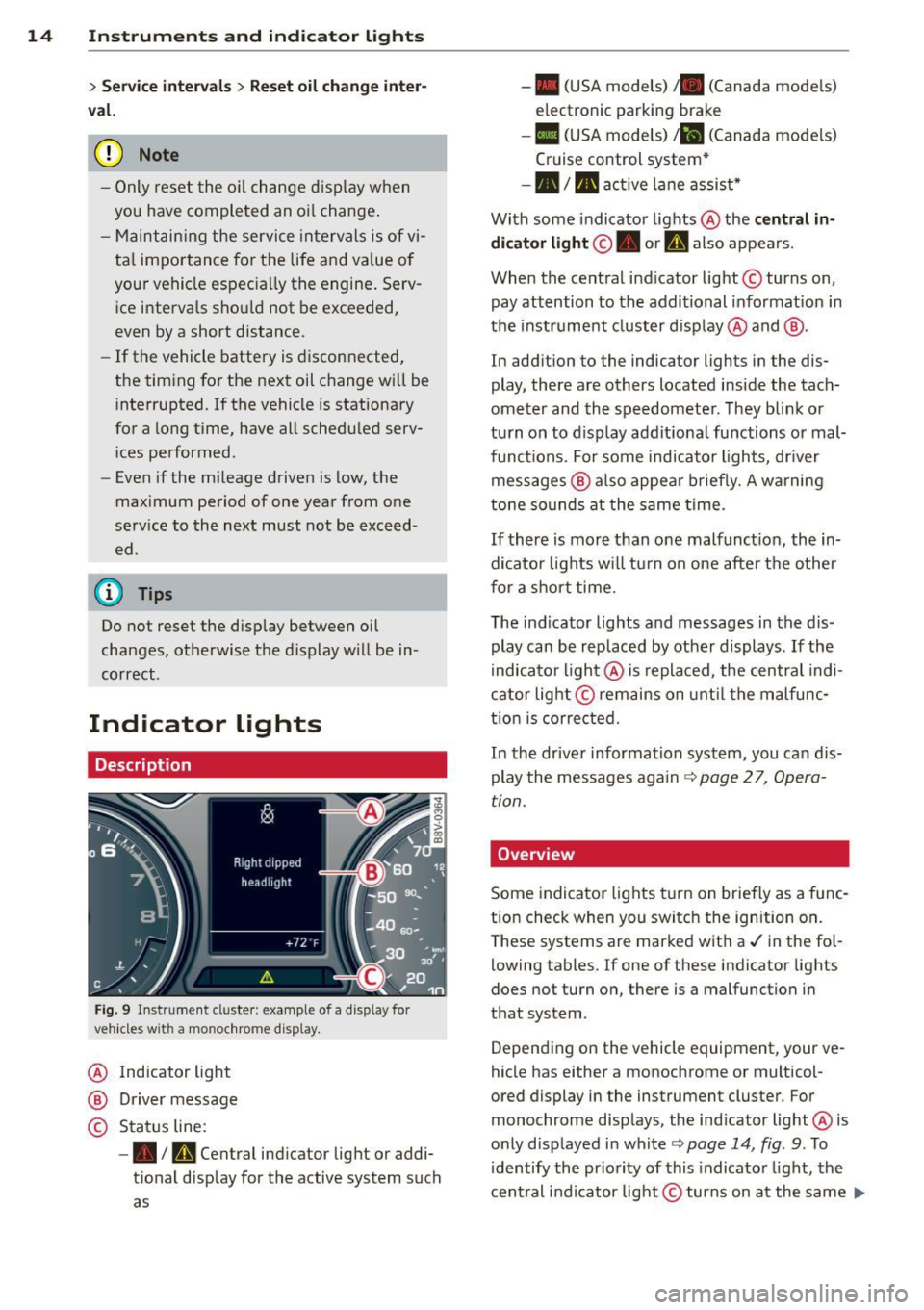
Fig. 9 Instrument cl uster : example of a display for
vehicles wit h a mo nochrome d isplay.
@ Indicator light
@ Driver message
© Status line:
-• Im, Central indicator light or addi
tional display for the active system such
as -
• (USA models) /. (Canada mode ls)
electronic parking brake
- II (USA models) Jil (Canada mode ls)
Cruise control system*
-•III active lane assist*
With some indicator lights @ the
central in
dicator light ©. or
U also appears.
When the central ind icator light © turns on,
pay attention to the additional informat ion in
the instrument cluster display @ and @.
In addition to the indicator lights in the dis
play, there are others located inside the tach
ometer and the speedometer. They blink or
turn on to display additional functions or mal
funct ions. For some indicator lights, dr iver
messages @ also appear briefly. A warning
tone sounds at the same time.
If there is more than one malfunct ion, the in
dicator lights will tu rn on one after the other
for a short time.
The indicator lights and messages in the dis
play can be rep laced by other displays .
If the
indicator light @ is replaced, the central indi
cator light@remains on until the malfunc
tion is corrected.
In the driver information system, you can dis
play the messages again
c:> page 2 7, Opera
tion.
Overv iew
Some indicator lights turn on briefly as a func
tion check when you switch the ignition on.
T hese systems are marked with a./ in the fol
lowing tables. If one of these indicator lights
does not turn on, there is a malfunction in
that system .
Depending on the vehicle equipment, your ve
hicle has either a monochrome or multicol-
ored display in the instrument cluster. For
monochrome displays, the ind icator light @ is
only displayed in white
c:> page 14, fig . 9 . To
identify the priority of this indicator light, the
central indicator light© turns on at the same ..,.
Page 20 of 288
18 Instruments and indicator lights
or
/:
or l
ig ht/ rain senso r*
c>page 25
Active lane assist"
c>p age 95
Transmission
c>page 111
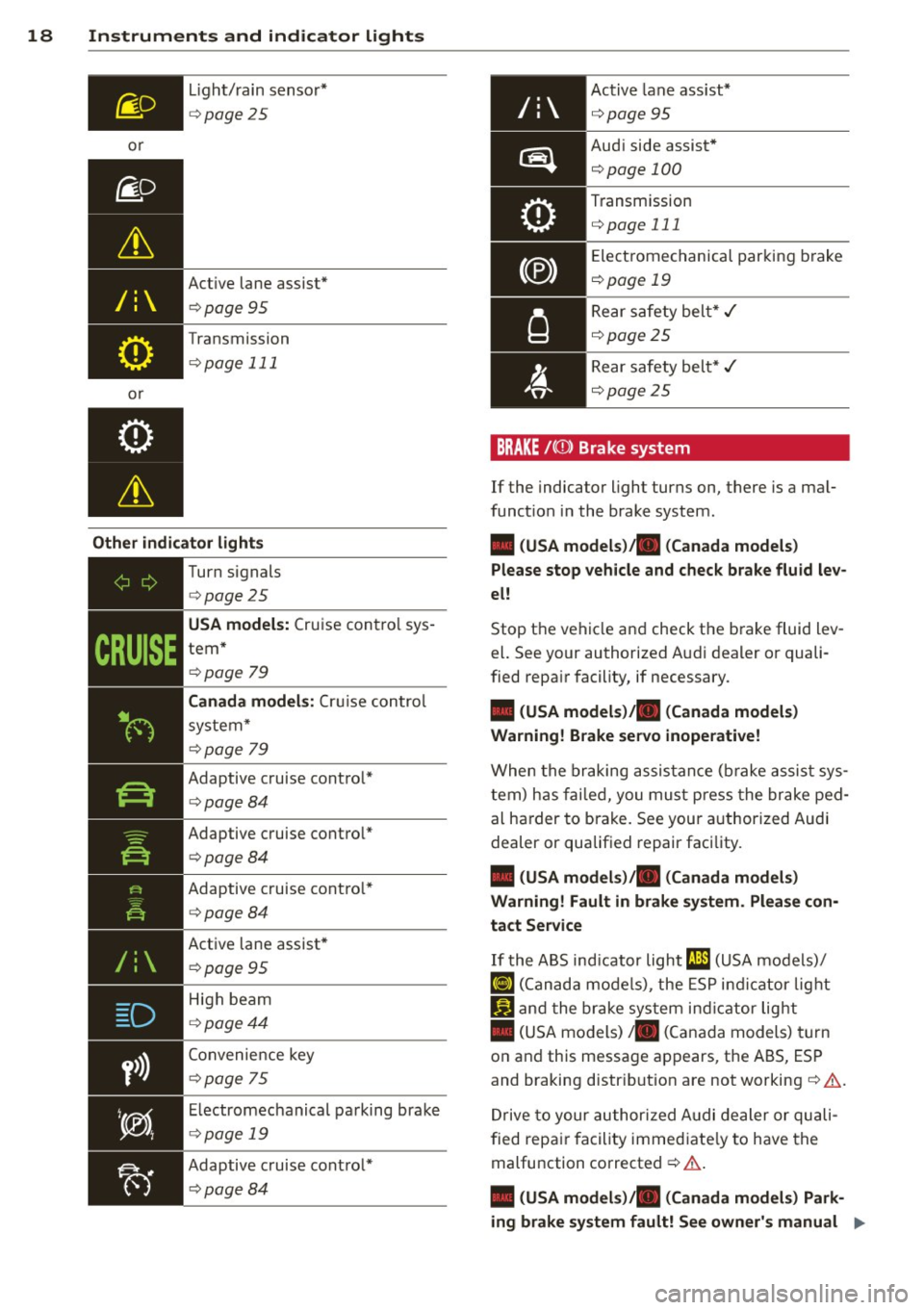
Other indicator lights
D
y>))
~------------
Turn s ignals
c> pag e 25
USA models: Cru ise con trol sys
tem *
c>page 79
Canada models: Cr uise co ntrol
sys te m*
c>p age 79
Adaptive cruise cont ro l*
c> pag e 84
Adaptive c ruise cont ro l*
c>pag e 84
Adaptive c ruise cont ro l*
c> page 84
Active lane assist*
c> page 95
High beam
c> page 44
Convenie nce key
c>page 75
Electrome chanical pa rking bra ke
c>page 19
Adaptive c ruise cont ro l*
c> page 84
Active lane ass ist*
c>page 95
Aud i side assist *
c>page 100
Transm ission
c>page 111
Elect rome chanical par king b rake
<::>page 19
Rear s afe ty bel t* ,/
c::>page2 5
Rear safety bel t* ,/
c::> p ag e 2 5
BRAKE /(0) Brake system
If the indicator light turns on, t here is a ma l
funct ion in the brake system .
• (USA models)/. (Canada models)
Please stop vehicle and check brake fluid lev
el!
Stop the ve hicle an d check t he b rake fluid lev
el. See your authorized A udi d ealer or quali
fied repair facility, if necessary.
• (USA models). (Canada models)
Warning! Brake servo inoperative!
W he n t he bra king assist anc e ( brak e ass ist s ys
t em) h as fa ile d, you mu st press the bra ke ped
al ha rder to bra ke . See your a uthorized Audi
dealer or qualif ied repair faci lity.
• (USA models)/. (Canada models)
Warning! Fault in brake system . Please con
tact Service
If t he A BS ind icator light rJ1l;1 (U SA mod els)/
¢oJ ( C an ad a mod els), the ESP in d ic ato r lig ht
Ii) an d t he bra ke sys tem in dicator lig ht
• (US A mo dels)/ . (Can ada models) turn
o n an d th is message ap pears, the ABS, ES P
and braking distr ibutio n are not working
c::> & .
Dr ive to your au thor ized A udi dea ler or qu ali
fi ed repa ir facility immed ia te ly to h ave the
malfunction corrected
c::> & .
• (USA models)/. (Canada models) Park
ing brake system fault! See owner's manual .,.
Page 21 of 288
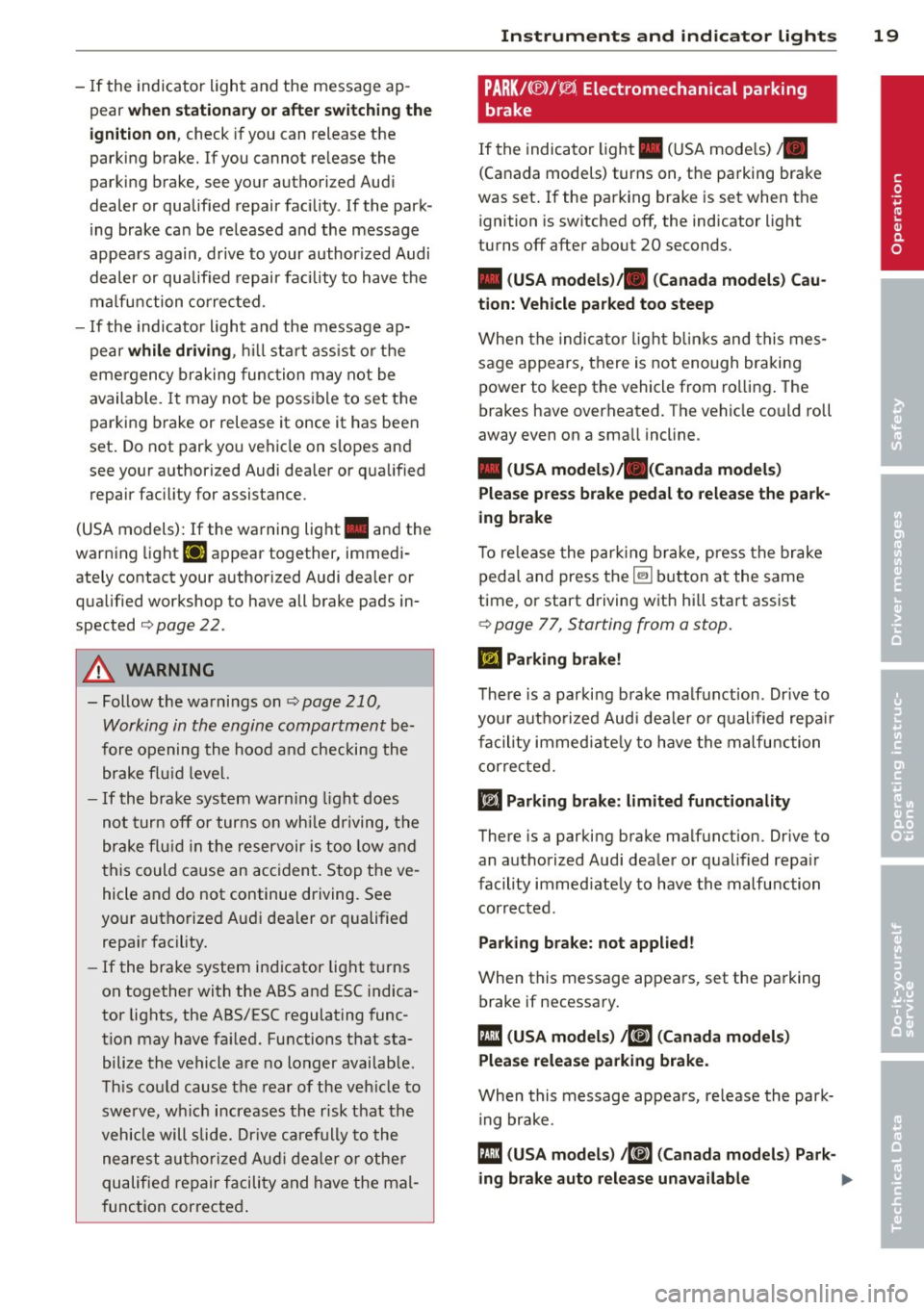
-If the indicator light and the message ap
pear
when stationar y or after swit ching the
ign it ion on ,
check if you can release the
parking brake. If you cannot re lease the
parking brake, see your authorized Aud i
dealer or qualified repair facility . If the park
i ng brake can be released and the message
appears again, drive to your author ized Audi
dealer or qualified repair facility to have the
ma lfu nction corrected.
- If the indicator light and the message ap
pear
whi le driving , hill start ass ist or the
eme rgency braking function may not be
available. It may not be possible to set the
parking b rake or release it once it has been
set . Do not park you vehicle on slopes and
see your authorized Audi dealer or qua lified
repair fac ility for assistance.
(USA models): If the warning light . and the
warning light
El appear together, immedi
ately contact your authorized Audi dealer or
qua lified workshop to have all brake pads in
spected
c:> page 22.
A WARNING
-Follow the warnings on c:> page 210,
Working in the engine compartment
be
fore opening the hood and checking the brake flu id leve l.
- If the brake system warn ing light does
not turn off or turns on wh ile driving, the
brake fl uid in the reservoir is too low and
this could cause an accident. Stop the ve
hicle and do not continue driving. See
yo ur autho rized Aud i dealer or qualified
repa ir facility.
- If the brake system indicator light t urns
on together with the ABS and ESC indica
tor lights, the ABS/ESC regulating func
t ion may have fa iled. Functions that sta
bilize the vehicle are no longer availab le .
Th is co uld cause the rear of the veh icle to
swerve, wh ich increases the risk that the
vehicle will slide. Dr ive carefully to the
nearest authorize d Aud i dealer o r othe r
qualified repair facility and have the mal
f unction corrected .
Instruments and indicator ligh ts 19
PARK/( ®)/~ Electromechanical parking
brake
If the indicator light . (U SA mode ls) •
(Canada models) turns on, the pa rking brake
was set .
If the parking brake is set when the
ignition is sw itched off, the indicator light
turns off after about 20 seconds.
• (USA model s)/. (Can ada model s) Cau
tion: Vehicle parked too steep
When the indica tor l igh t bli nks and this mes
sage appears, there is not enough braking
power to keep the vehicle from ro llin g . T he
brakes have overheated. The vehicle could roll
away even on a sma ll incline.
• (USA model s)/. (Canada model s)
Plea se pre ss brake pedal to release the pa rk
ing brake
T o re lease the par king brake, press the brake
pedal and press the~ button at the same
time, or start driving w ith hi ll start assist
¢ page 77, Starting from a stop.
ml Parking brake !
There is a parki ng b rake ma lfunction . Drive to
you r aut ho rized Aud i dea le r or qualified repa ir
facility immed iate ly to have the malfunction
correc ted.
liJ Parking bra ke: limited functionality
There is a parking brake ma lfunction. Drive to
an authorized Audi dea le r or qualified repa ir
facility immed iate ly to have the malfunction
corrected .
Parking bra ke: not applied !
When this message appea rs, set the pa rking
brake if necessary.
fll ( USA model s) 1mE (Can ada mod els)
Pl ea se relea se parking brake .
When this message appea rs, re lease the par k
i ng brake.
fll (USA models ) /K@» ( Canada mod els ) Park-
ing brake auto release una va ilable ..,. •
Page 78 of 288
76 Driving
removed from the vehicle when the engine
was running.
If the convenience key is no lon
ger in the veh icle, you cannot switch the igni
tion on or start the engine once you stop it.
You also cannot lock the vehicle from the out
side .
Press brake pedal
This message appears if you do not press t he
brake peda l to start the engine in a vehicle
with an automatic transmission .
Please engage N or P
This message appears whe n starting or stop
p ing the engine if t he selecto r lever is not in
the Nor P pos ition. The eng ine will not star t/
stop.
Shift to P, otherwis e vehicle can roll away.
Door s do not lock if lev er i s not in P
This message appears for safety reasons
along w ith a warning tone . It appears if the
selecto r lever for the automat ic transm iss io n
is not in the P position when switch ing the ig
ni tion off with the
!S TAR T ENGINE STOPI*
button . Sh ift the sele ctor leve r to t he P posi
tion. Otherwise, the vehicle could ro ll. You al
so cannot lock the vehicle using the locking
sensor on the door handle o r using the con
venience key .
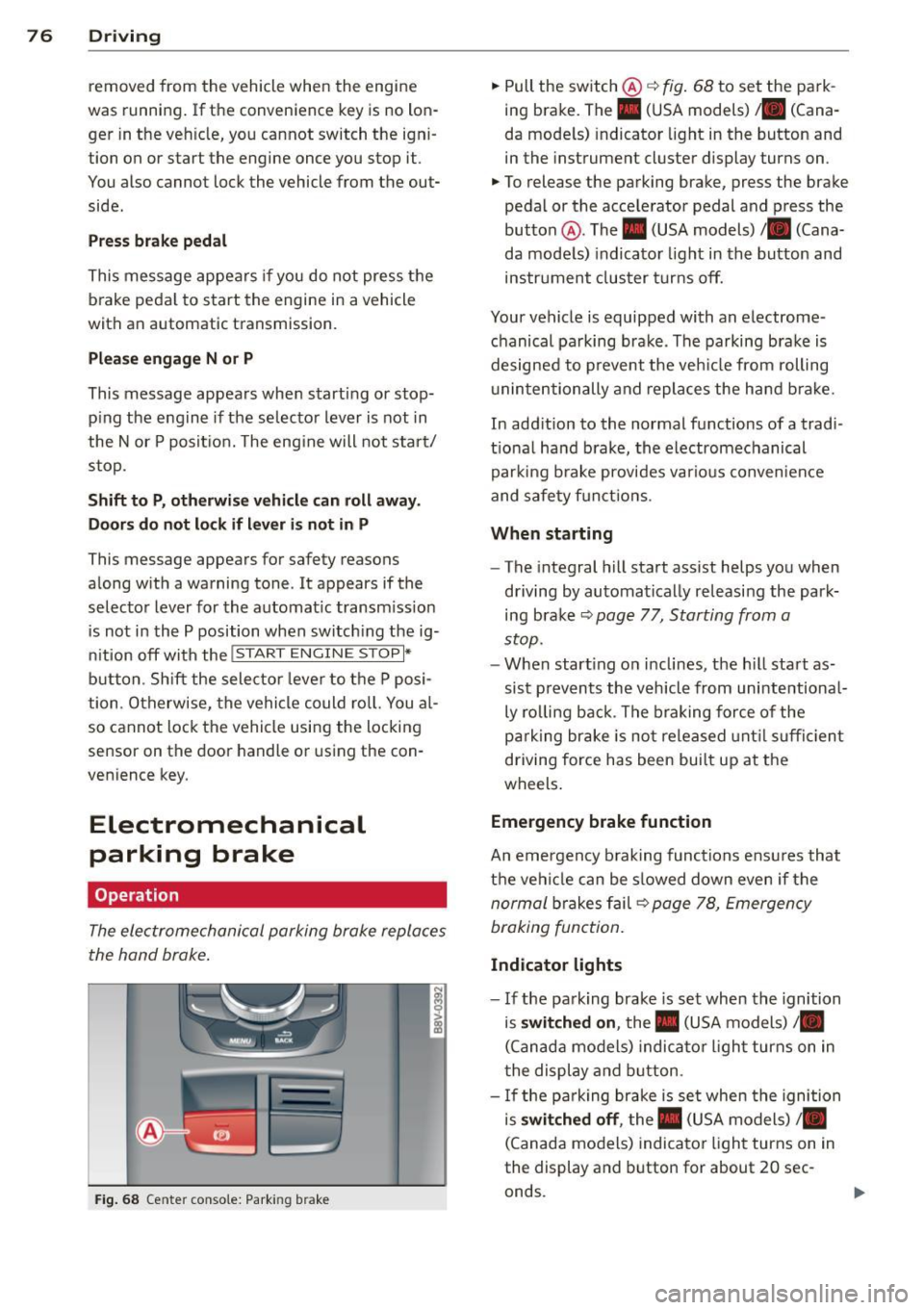
Electromechanical
parking brake
Operation
The electromechanical parking brake replaces
the hand brake .
Fig. 68 Center conso le: Park ing brake
.,. Pull the switch @¢ fig. 68 to set the pa rk
ing brake. The. (USA models) . (Cana
da mode ls) indicator light in the button and
in the instrument cluster display turns on .
.,. To release the parking brake, press the brake
pedal or the acce lerator pedal and press the
button @. The . (USA models) /. (Cana
da mode ls) indicato r light in th e button and
ins trument clus ter tur ns off.
Your vehicle is equipped with an electrome
chanical pa rking brak e. The parking bra ke is
designed to p revent the veh icle from rolling
u ninte ntionally and repla ce s the hand b rake.
In add ition to the normal functions of a tradi
tio na l ha nd b rake, the electromechanical
parki ng b rake provides va rious conven ien ce
and safe ty f unct ions .
When starting
-The integral hill start assist helps you when
d riving by au tomatical ly re leasi ng the park
ing bra ke ¢
page 77, Starting from a
stop.
- W hen start ing on i nclines, t he h ill sta rt as
si st preven ts the v ehicl e from unintentiona l
ly ro lling back . T he b raking force of the
p ar king br ake is no t released unt il su ffi cien t
driving force has been bui lt up at the
wheels .
Emergency brake function
An emergency b rak ing functions ensu res that
t h e vehi cle can be s lowed down even if the
n ormal brakes f ail¢ page 78, Emergen cy
braking fun ction.
Indicator lights
- I f the pa rk ing brake is set when the ignition
is
switched on , the. (USA models) /.
(Canad a models) indica to r li ght turns on in
t he display and b utton .
- If the pa rk ing brake is se t when the ignition
is
switched off , the. (USA models) /.
(Canada mo dels) indica tor ligh t turns on in
the display and button for about 20 sec
onds.
Page 79 of 288
& WARNING
-Do not press the accelerator pedal inad
vertently when the vehicle is stationary and the engine is running and a gear is
selected. Otherwise the vehicle will start
to move immediately and could result in
a crash.
- If the power supply fails, the released
parking brake can no longer engage. In
this case, park the vehicle on level ground and secure it by placing these
lector lever in the P position (automatic
transmission). See your authorized Audi dealer or qualified repair facility.
(D Note
If the symbol . in the display or the indi
cator light. (USA models)/ . (Canada
models) in the instrument cluster flashes,
there is a malfunction in the brake system.
Please refer to the detailed description of
the indicator lights¢
page 18.
-If the indicator light . (USA models)/
• (Canada models) or
Ill turns on,
there may be a malfunction in the park
ing brake ¢
page 19.
(D Tips
-You can set the parking brake at any time
-even with the ignition turned
off. To re-
lease the parking brake, the ignition
must be turned on and the brake pedal
must be pressed.
- If driver 's door is opened while the igni
tion is switched on, the parking brake
sets automatically. This prevents unin
tended rolling of the vehicle .
- Occasional noises when the parking
brake is set and released are normal and
are not a cause for concern.
- When the vehicle is parked, the parking
brake goes through a self -test cycle at
regular intervals. Any noises associated
with this are normal.
- If there is a power failure, the parking
brake will not set if it is released, and it
will not release if it is set ¢,&. . See your
Driving 77
authorized Audi dealer or qualified repair
facility.
· Parking
.. Press the brake ped al to stop the vehicle .
.. Pull the switch @ ¢
page 76 , fig . 68 to set
the parking brake.
.. Place the selector lever in the P position .
.. Turn the engine off¢.&_ .
.,. Turn the steering wheel when parking on in
clines so that the wheels will roll into the
curb if the vehicle starts moving.
& WARNING ~ -
-Always take the vehicle key with you
when leaving the vehicle, even for a short period of time. This applies partic
ularly when children remain in the vehi
cle. Otherwise children could start the
engine, release the parking brake or op
erate electrical equipment such as power
windows, which increases the risk of an
accident .
- No one should remain in the vehicle
when it is locked, especially children.
Locked doors make it more difficult for
emergency workers to get into the vehi
cle, which puts lives at risk.
Starting from a stop
The start assist function ensures that the
parking brake is released automatically upon starting.
Stopping and applying the parking brake
.. Pull the switch@¢ page 76, fig . 68 to set
the parking brake.
Starting and automatically releasing the
parking brake
Requirement: The driver's door must be
locked and the driver's safety belt must be
fastened.
.. When you press the accelerator pedal , the
parking brake is automatically released and
your vehicle begins to move.
•
Page 80 of 288
78 Driving
When stopping at a traffic signal or stopping in city traffic, the parking brake can be ap
plied. The vehicle does not have to be held
with the brake pedal. The parking brake elimi nates the tendency to creep when a selector
lever position is engaged . As soon as you
press the accelerator pedal, the parking brake
releases automatically and the vehicle starts
to move.
Starting on slopes
When starting on inclines, the hill start assist
prevents the vehicle from unintentionally roll
ing back. The braking force of the parking
brake is not released until sufficient driving
force has been built up at the wheels.
(D Tips
For safety reasons, the park ing brake is re
leased automatically only when the driv
er 's safety belt is fastened and the driver 's
door is locked.
Emergency braking function
This is used if the convention brake system
fails or locks up.
~ To brake your vehicle in an emergency, pull
the @switch
¢ page 76, fig. 68 and hold it
pulled.
~ As soon as you release the@ switch or ac-
celerate, the braking process stops.
Pulling and holding the @switch while driv
ing at a speed of about 2 mph (3 km/h) or
higher initiates the emergency braking func
tion. The vehicle is braked at all four wheels by activating the braking hydraulics. The brake
performance is similar to heavy braking.¢.&
To help prevent activating the emergency braking by mistake, an audible warning tone
(buzzer) sounds when the @switch is pulled.
E mergency braking stops as soon as the@
switch is released or the accelerator pedal is pressed.
A WARNING
Emergency braking should only be used in
an emergency, when the normal brake
pedal has failed or the brake pedal is ob
structed . During emergency braking, your
vehicle will brake similar to heavy braking .
ESC and the associated components (ABS,
ASR, EDL) cannot overcome the laws of
physics. In corners and when road or
weather conditions are bad, a full brake
application can cause the vehicle to skid or
the rear end to break away, which increas
es the risk of an accident.
Hill hold
Applies to vehicles: wit h Hill Hold
Hill hold makes it easier to start on hills.
Requirement: The driver door must be closed
and the engine must be running.
The system is activated when the brake pedal
is pressed while the vehicle is stationary.
To prevent the vehicle from rolling back when
starting, the brake power is held for a brief
moment after releasing the brake pedal. Dur
ing this time, you can easily begin to move
your vehicle.
A WARNING ......_
- The intelligent technology of Hill Hold
cannot overcome the limitations im
posed by natural physical laws. The in
creased comfort offered by Hill Hold
should not cause you to take safety risks .
- Hill Hold cannot hold the vehicle in all
hill start situations (for example, if the
ground is slippery or icy).
- If you do not begin moving immediately
after releasing the brake pedal, the vehi
cle could begin to roll backward under
certain circumstances. Press the brake
pedal or set the parking brake immedi
ately.
- If the engine "stalls", press the brake
pedal or set the parking brake immedi
ately.
-
Page 90 of 288
88 Audi adaptive cruise control
you can have the adaptive cruise control
me nu extende d I enabled from an autho r
ized re pair faci lity.
Setting the driving program
Applies to vehicles: with Audi adaptive cruise control
A adaptive cru ise control driving program is
adjustab le on vehicles without Aud i drive se
lect* .
.. Se lect in the MMI:
!MENUI button> Systems
or Car systems > Driver assistance > Adap·
tive cru ise control
> Driving program >
comfort /standard /dynamic .
Selecting the driving mode
App lies to vehicles: with Audi adaptive cruise control
The adaptive c ruise co ntro l dr iv ing prog ram is
ad justa ble for ve hicles w ith Au di drive se lect
usi ng the dr iv ing mode.
.. Se lect t he des ired driv ing mod e
comfort ,
auto , dynamic
or individual* with the knob
¢ page 10 2.
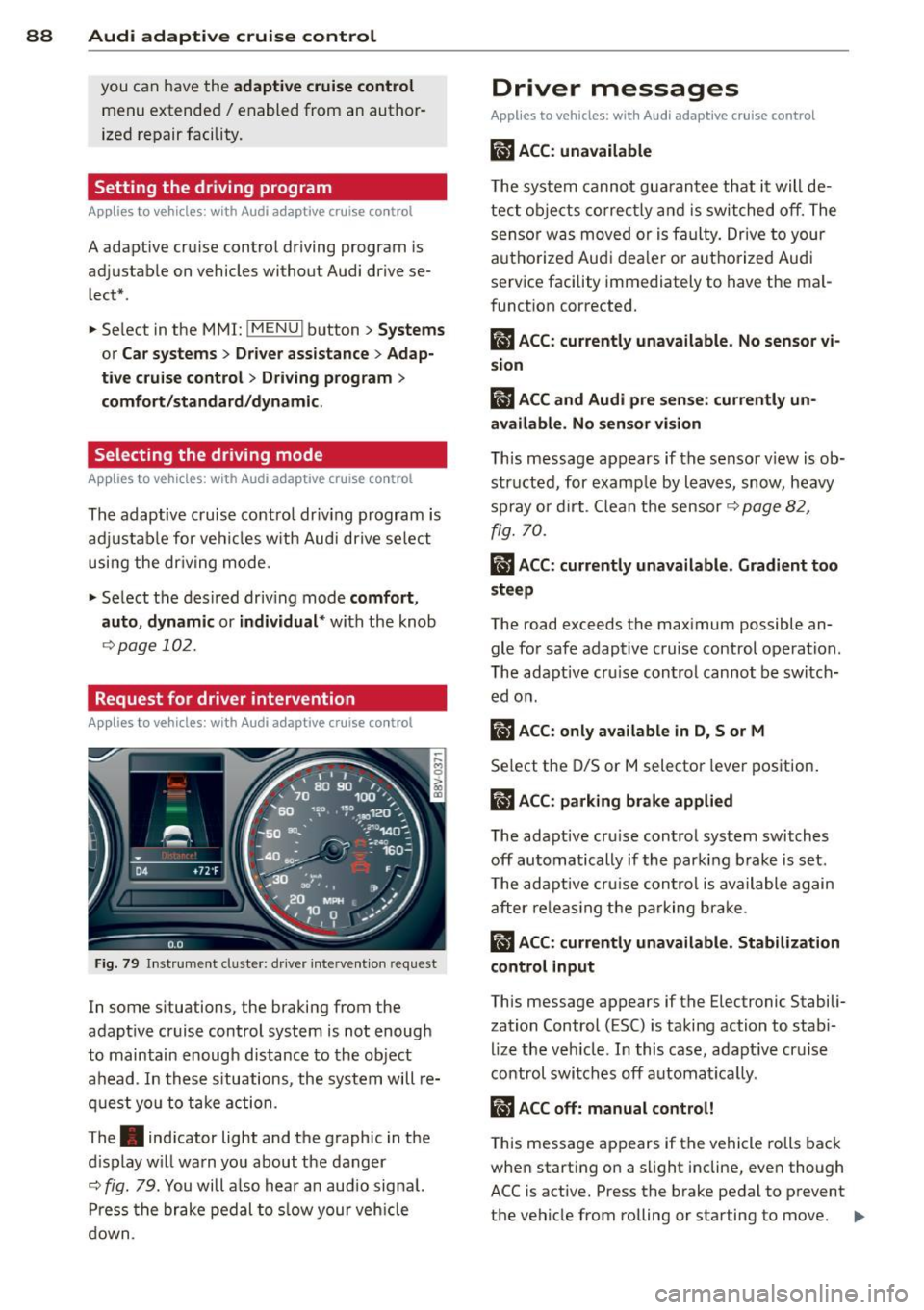
Request for driver intervention
App lies to vehicles: with Audi adaptive cruise control
Fig . 7 9 In st rum ent clus ter : d river interve ntio n re qu est
In some s ituations, the braki ng from the
adapt ive cr uise control system is not enoug h
to maintain enoug h distance to the object
a head . In these situations, the system will re
q ues t yo u to take action .
The . indicator light and the graphic in the
d isplay w ill wa rn you about the danger
¢
fig. 79. You will a lso hear a n aud io signa l.
P ress the br ake pedal to s low y our veh icle
do wn .
Driver messages
Applies to vehicles: wit h Aud i adapt ive c ru ise control
IIJ ACC : unavailable
The system cannot gu arantee that it will de
tect o bject s cor rectly and i s switched off. The
sens or was m ove d or is fa ulty. Drive to your
autho rize d Audi dea le r or a uth ori zed Audi
service facility immediately to have the ma l
f unct ion corrected .
Ill ACC: currently unavailable . No sensor vi·
sion
fl ACC and Audi pre sense : currently un
available. No sen sor vision
T h is message appears if the senso r view is ob·
structe d, for examp le by l eaves, snow, heavy
s pr ay or d irt . C lean t he sensor ¢
page 82,
fig. 70 .
ill ACC: currently unavailable. Gradient too
steep
The road exceeds t he max imum possible an
gle fo r safe adaptive cruise control operation.
T he adapt ive cr uise control cannot be switch
ed o n.
ill ACC: only available in D, Sor M
Se lect the D/S or M selector leve r position .
ill ACC: parking brake applied
The adapt ive cr uise control system switch es
off automa tically if th e parki ng br ake is set.
T he adapt ive cru ise con tro l is ava ilable again
aft er re leas ing t he pa rking br ake.
ill ACC: currently unavailable. Stabilization
control input
This message appears if the Electronic Stabili
zation Control (ESC) is taking action to stab i·
l ize the veh icle. I n this case, adapt ive cr uise
control switches off automat ica lly .
ill ACC off: manual control!
This message a ppears if t he vehicle ro lls back
whe n start ing on a s light incline, even though
ACC is active. Press the b rake pedal to prevent
the vehicle from rolling or starting to move. .,.
Page 111 of 288
the overload. The ml indicator light
turns on and a message appears
Q page 111 when the clutch is overload
ed .
-If the engine must remain running, never
have any driving position engaged when
checking under the hood . Make sure the
selector lever has securely engaged and
is locked in P with the parking brake set
Q page 210. Otherwise, any increase in
engine speed may set the vehicle in mo
tion, even with the parking brake set.
(y Note
- When stopping on an incline, do not try
to hold the vehicle in place by pressing
the accelerator pedal while a driving gear
is selected. This can cause the automatic
transmission to overheat and can dam
age it. Set the parking brake or press the
brake pedal to prevent the vehicle from
rolling.
- Allowing the vehicle to roll when the en
gine is stopped and th@ selector lever is
in the N position will damage the auto
matic transmission because it is not lu
bricated under those circumstances .
- The transmission can overheat and be
damaged under certain driving and traf
fic conditions such as frequent starts,
creeping for a long time , or stop-and-go
traffic. When the
ml or . indicator
light turns on, stop the vehicle at the
next opportunity and let the transmis
sion cool
r::!> page 111.
-Allowing the vehicle to roll when the en
gine is stopped will damage the S tronic
transmission because it is not lubricated
<=> page 261, Emergency towing with
commercial tow truck .
For safety reasons, the parking brake re
leases automatically only when the driver's
door is closed and driver's safety belt is
fastened.
Automatic transmission 109
Hill descent control
App lies to vehicles : wi th S tronic tra nsmi ssio n
Hill descent control assists the driver when
driving down inclines .
Hill descent control is activated when these
lector lever is in the D or S position and you
press the brake pedal. The transmission auto
matically selects a gear that is suitable for the
incline. Hill descent control tries to maintain
the speed achieved at the time of braking,
within physical and technical limitations. If
may still be necessary to adjust the speed
with the brakes . Because hill descent control
cannot sh ift down farther than 3rd gear, it
may be necessary to shift into tiptronic mode
in very steep areas. In this case, shift into 1st
or 2nd gear in tiptronic mode to use the en gine's braking force to relieve the brakes .
Hill descent control switches off once the in
cline levels out or you press the accelerator
pedal.
On vehicles with a cruise control system*
Q page 79, hill descent control is also activat
ed when the speed is set.
A WARNING
-
-
Hill descent control cannot overcome
physical limitations, so it may not be able
to maintain a constant speed under all
conditions. Always be ready to apply the brakes .
•