emergency AUDI A3 2016 Owner´s Manual
[x] Cancel search | Manufacturer: AUDI, Model Year: 2016, Model line: A3, Model: AUDI A3 2016Pages: 328, PDF Size: 81.78 MB
Page 4 of 328
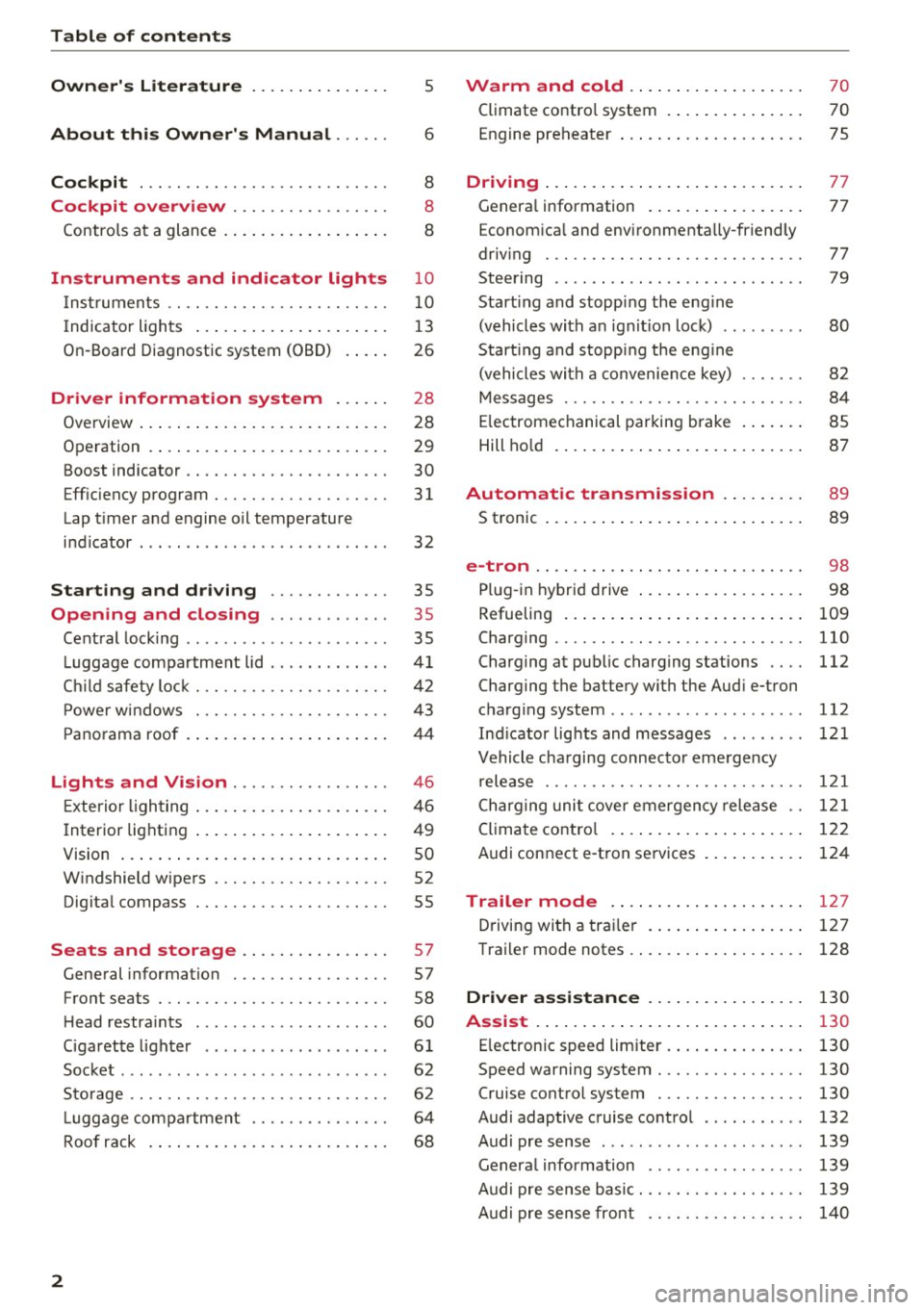
Table of content s
Owner' s Lit e rature
5
About this Own er's Manual . . . . . . 6
Cockpi t . . . . . . . . . . . . . . . . . . . . . . . . . . . 8
Cockpit overview . . . . . . . . . . . . . . . . . 8
Controls at a glance . . . . . . . . . . . . . . . . . . 8
Instruments and indicator lights 10
Instruments . . . . . . . . . . . . . . . . . . . . . . . . 10
Indicator lights . . . . . . . . . . . . . . . . . . . . . 13
On-Board Diagnostic system (OBD) . . . . . 26
Driver information system . . . . . . 28
Overview . . . . . . . . . . . . . . . . . . . . . . . . . . . 28
Operation . . . . . . . . . . . . . . . . . . . . . . . . . . 29
Boost indicator . . . . . . . . . . . . . . . . . . . . . . 30
Eff iciency program............ .... .. . 31
Lap t imer and engine oil temperature
indicator . . . . . . . . . . . . . . . . . . . . . . . . . . .
32
Starting and dr iving . . . . . . . . . . . . . 35
Opening and closing . . . . . . . . . . . . . 3 5
Central lock ing . . . . . . . . . . . . . . . . . . . . . . 35
L uggage compartment lid . . . . . . . . . . . . .
41
Ch ild safety lock . . . . . . . . . . . . . . . . . . . . . 4 2
Power w indows . . . . . . . . . . . . . . . . . . . . . 43
P ano rama roof . . . . . . . . . . . . . . . . . . . . . . 44
Lights and Vision . . . . . . . . . . . . . . . . . 46
E xterior lighting . . . . . . . . . . . . . . . . . . . . . 46
I nterior lighting . . . . . . . . . . . . . . . . . . . . . 49
V1s1on ... .... .. ... .. ..... ... .. .. .. .
W indshield wipers . ........... .. .. .. .
Dig ital compass . ................... .
Seats and storage ...... ... .. .. .. .
General information .............. .. .
so
52
55
57
57
Front seats . . . . . . . . . . . . . . . . . . . . . . . . . 58
H ead restra ints . . . . . . . . . . . . . . . . . . . . . 60
Cigarette lighter . . . . . . . . . . . . . . . . . . . .
6 1
Socket ... .. .. .. ... .... ...... .. .. .. . 62
S to rage . . . . . . . . . . . . . . . . . . . . . . . . . . . . 62
L ugg age compartment . . . . . . . . . . . . . . . 64
Roof rack . . . . . . . . . . . . . . . . . . . . . . . . . . 68
2
Warm and cold .. .. ... . .. .... ... . .
Climate contro l system . ... .. .... ... . . 70
70
Engine preheater . . . . . . . . . . . . . . . . . . . . 75
Driving ... .. .. .. .. .. ... . .. .... ... .. 77
Genera l information . . . . . . . . . . . . . . . . . 77
Econom ica l and environmenta lly-friendly
driv ing . . . . . . . . . . . . . . . . . . . . . . . . . . . . 77
Steering . . . . . . . . . . . . . . . . . . . . . . . . . . .
79
Start ing and stopp ing the eng ine
(vehicles with a n ignit io n loc k) . . . . . . . . . 80
Start ing and stopp ing the eng ine
(vehicles with a convenience key) . . . . . . .
82
Messages . . . . . . . . . . . . . . . . . . . . . . . . . . 84
E lectromechanical parking brake . . . . . . . 85
Hill ho ld . . . . . . . . . . . . . . . . . . . . . . . . . . . 87
Automatic transmission . . . . . . . . . 89
S tronic . . . . . . . . . . . . . . . . . . . . . . . . . . . . 89
e-tron .. .. .. .. .... .. .. .. .. .... .. ... 98
Pl ug-i n hybrid drive . . . . . . . . . . . . . . . . . . 98
Refueling . . . . . . . . . . . . . . . . . . . . . . . . . .
109
Charging . . . . . . . . . . . . . . . . . . . . . . . . . . . 110
Charging at public charging stations . . . . 112
Charging the battery with the Aud i e-tron
charg ing system .. ... ...... ....... ...
112
Ind icator lights and messages . . . . . . . . . 121
Vehicle cha rging connecto r eme rgency
r elease . . . . . . . . . . . . . . . . . . . . . . . . . . . .
121
Charging uni t cover emergency release . . 1 2 1
Climate contro l . . . . . . . . . . . . . . . . . . . . . 122
Audi connect e-tron services
Trailer mode .... .. .. . .. ..... ... . .
Driving with a trai le r .. ... .. ..... ... . .
Trailer mode notes . ... .. . ... .... ... . .
124
127
127
128
Driver a ssi stance . . . . . . . . . . . . . . . . . 130
Assist . . . . . . . . . . . . . . . . . . . . . . . . . . . . . 130
E lectronic speed limiter . . . . . . . . . . . . . . . 130
Speed warning system . . . . . . . . . . . . . . . . 130
Cruise control system . . . . . . . . . . . . . . . . 130
Audi adaptive cruise contro l . . . . . . . . . . . 132
Audi pre sense . . . . . . . . . . . . . . . . . . . . . . 139
Genera l information . . . . . . . . . . . . . . . . . 139
Audi pre sense basic. . . . . . . . . . . . . . . . . . 139
Audi pre sense front . . . . . . . . . . . . . . . . . 140
Page 5 of 328
,....,
N
0 > co ,....,
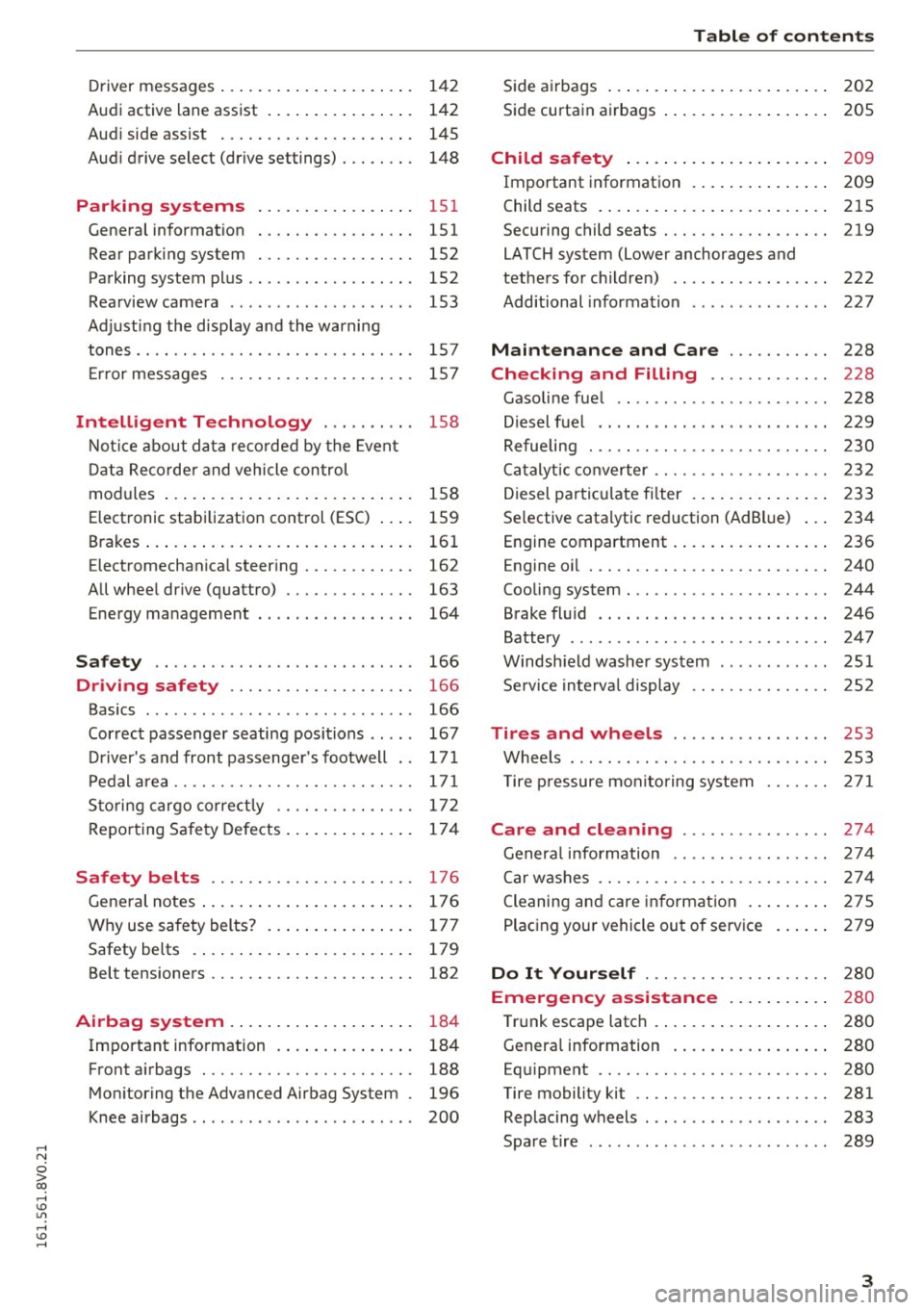
Audi active lane assist . . . . . . . . . . . . . . . . 142
Audi side assist . . . . . . . . . . . . . . . . . . . . . 145
Audi drive select (drive settings) . . . . . . . . 148
Parking systems
General information ............ .... .
Rear parking system .......... .. .... .
Parking system plus ...... ... .. .. .. .. . 151
151
152
152
Rearview camera . . . . . . . . . . . . . . . . . . . . 153
Adjusting the display and the warning
tones. . . . . . . . . . . . . . . . . . . . . . . . . . . . . . 157
Error messages . . . . . . . . . . . . . . . . . . . . . 157
Intelligent Technology . . . . . . . . . . 158
Notice about data recorded by the Event
Data Recorder and vehicle control
modules . . . . . . . . . . . . . . . . . . . . . . . . . . . 158
Electronic stabilization control (E5C) . . . . 159
Brakes . . . . . . . . . . . . . . . . . . . . . . . . . . . . . 161
Electromechanical steering . . . . . . . . . . . . 162
All wheel drive (quattro) . . . . . . . . . . . . . . 163
Energy management 164
Safety ... . .. .. ............. .. .. .. . 166
Driving safety . . . . . . . . . . . . . . . . . . . . 166
Basics . . . . . . . . . . . . . . . . . . . . . . . . . . . . . 166
Correct passenger seating positions . . . . . 167
Driver's and front passenger's footwell . . 171
Pedal area . . . . . . . . . . . . . . . . . . . . . . . . . . 171
Storing cargo correctly . . . . . . . . . . . . . . . 172
Reporting Safety Defects . . . . . . . . . . . . . . 17 4
Safety belts . . . . . . . . . . . . . . . . . . . . . . 176
General notes . . . . . . . . . . . . . . . . . . . . . . . 176
Why use safety belts? . . . . . . . . . . . . . . . . 177
Safety belts . . . . . . . . . . . . . . . . . . . . . . . . 179
Belt tensioners . . . . . . . . . . . . . . . . . . . . . . 182
Airbag system . . . . . . . . . . . . . . . . . . . . 184
Important information . . . . . . . . . . . . . . . 184
Front airbags . . . . . . . . . . . . . . . . . . . . . . . 188
Monitoring the Advanced Airbag System . 196
Knee airbags . . . . . . . . . . . . . . . . . . . . . . . . 200
Table of contents
Side airbags . . . . . . . . . . . . . . . . . . . . . . . . 202
Side curtain airbags . . . . . . . . . . . . . . . . . . 205
Child safety . . . . . . . . . . . . . . . . . . . . . . 209
Important information . . . . . . . . . . . . . . . 209
Child seats . . . . . . . . . . . . . . . . . . . . . . . . . 215
Securing child seats. ............... .. 219
LATCH system (Lower anchorages and
tethers for children) . . . . . . . . . . . . . . . . . 222
Additional information . . . . . . . . . . . . . . . 227
Maintenance and Care . . . . . . . . . . . 228
Checking and Filling . . . . . . . . . . . . . 228
Gasoline fuel . . . . . . . . . . . . . . . . . . . . . . . 228
Diesel fuel . . . . . . . . . . . . . . . . . . . . . . . . . 229
Refueling . . . . . . . . . . . . . . . . . . . . . . . . . . 230
Catalytic converter . . . . . . . . . . . . . . . . . . . 232
Diesel particulate filter . . . . . . . . . . . . . . . 233
Selective catalytic reduction (AdBlue) . . . 234
Engine compartment . . . . . . . . . . . . . . . . . 236
Engine oil . . . . . . . . . . . . . . . . . . . . . . . . . . 240
Cooling system . . . . . . . . . . . . . . . . . . . . . . 244
Brake fluid . . . . . . . . . . . . . . . . . . . . . . . . . 246
Battery . . . . . . . . . . . . . . . . . . . . . . . . . . . . 247
Windshield washer system . . . . . . . . . . . . 251
Service interval display 252
Tires and wheels . . . . . . . . . . . . . . . . . 253
Wheels ... .. .. .. .. ... ... .... ..... .. 253
T ire pressure monitoring system 271
Care and cleaning ......... ... .. .. 274
General information . . . . . . . . . . . . . . . . . 274
Car washes . . . . . . . . . . . . . . . . . . . . . . . . . 2 7 4
Cleaning and care information . . . . . . . . . 275
Placing your vehicle out of service . . . . . . 279
Do It Yourself . . . . . . . . . . . . . . . . . . . . 280
Emergency a ssistance . . . . . . . . . . . 280
Trunk escape latch . . . . . . . . . . . . . . . . . . . 280
Genera l information . . . . . . . . . . . . . . . . . 280
Equipment . . . . . . . . . . . . . . . . . . . . . . . . . 280
Tire mobility kit . . . . . . . . . . . . . . . . . . . . . 281
Replacing wheels . . . . . . . . . . . . . . . . . . . . 283
Spare tire . . . . . . . . . . . . . . . . . . . . . . . . . . 289
3
Page 6 of 328
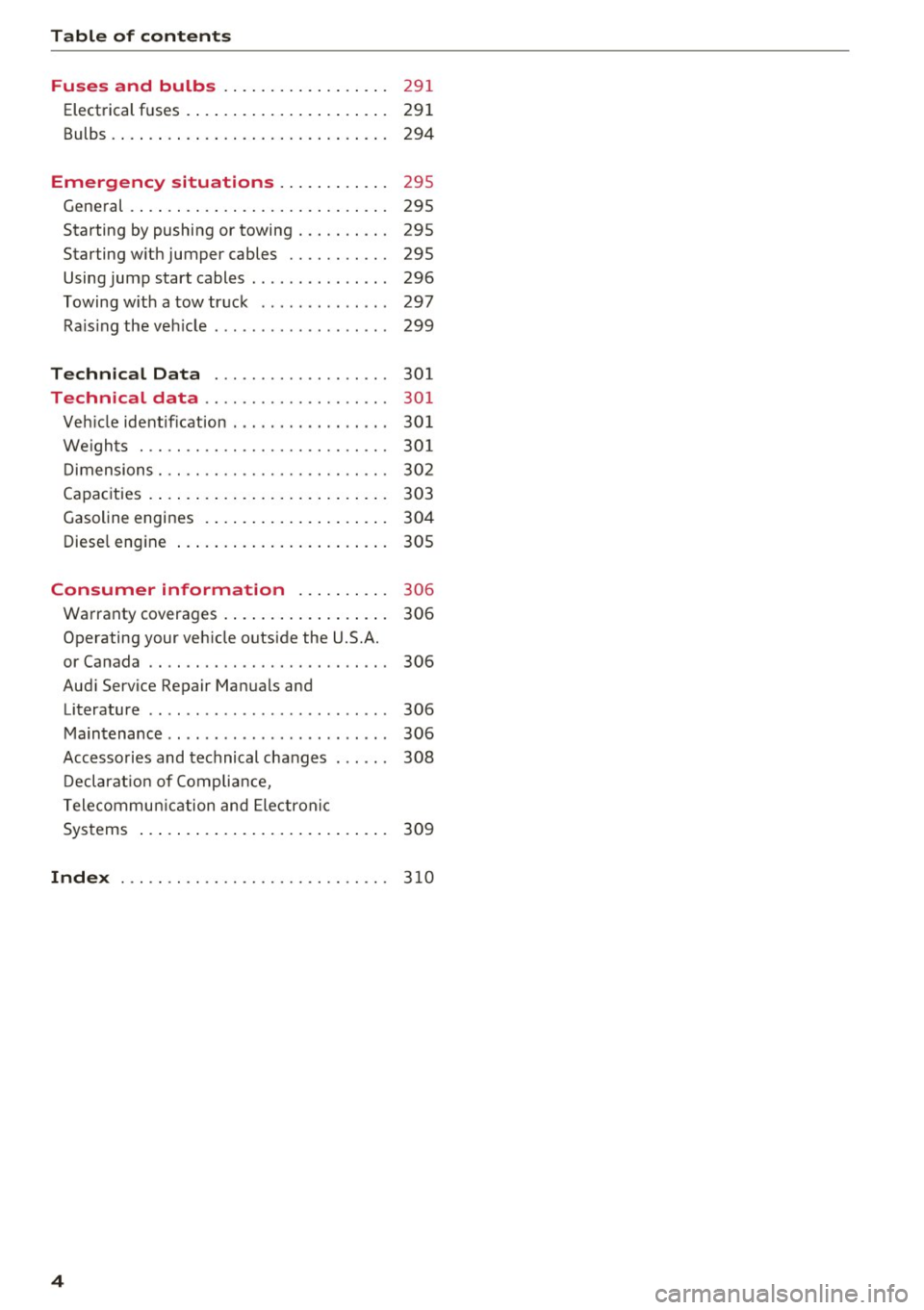
Table of content s
Fuses and bulbs . . . . . . . . . . . . . . . . . .
291
Electrical fuses . . . . . . . . . . . . . . . . . . . . . . 291
Bulbs. ... .. .. .. ... ... .... ... .. .. .. . 294
Emergency situations . . . . . . . . . . . . 295
Gene ral . . . . . . . . . . . . . . . . . . . . . . . . . . . . 295
Starting by pushing or towing . . . . . . . . . . 295
Starting w ith jumper cables . . . . . . . . . . . 295
Using jump start cables . . . . . . . . . . . . . . . 296
Towing w ith a tow truck . . . . . . . . . . . . . . 297
Ra is ing the veh icle . . . . . . . . . . . . . . . . . . . 299
Technical Data . . . . . . . . . . . . . . . . . . . 301
Technical data . . . . . . . . . . . . . . . . . . . . 301
Veh icle ident ificat ion . . . . . . . . . . . . . . . . . 30 1
We ights . . . . . . . . . . . . . . . . . . . . . . . . . . . 30 1
D imensions . . . . . . . . . . . . . . . . . . . . . . . . . 302
Capac ities . . . . . . . . . . . . . . . . . . . . . . . . . . 303
Gasoline engines . . . . . . . . . . . . . . . . . . . . 304
Diese l engine . . . . . . . . . . . . . . . . . . . . . . . 305
Consumer information ... .. .. ... 306
Warranty coverages . . . . . . . . . . . . . . . . . . 306
Operating your veh icle outside the U.S.A.
or Canada . . . . . . . . . . . . . . . . . . . . . . . . . . 306
Aud i Service Repair Manuals and
Literature . . . . . . . . . . . . . . . . . . . . . . . . . . 306
Maintenance . . . . . . . . . . . . . . . . . . . . . . . . 306
Accesso ries and technical changes . . . . . . 308
D eclarat ion of Comp lia nce,
Telecommun ic a tion and Electron ic
Systems . . . . . . . . . . . . . . . . . . . . . . . . . . . 309
Index . . . . . . . . . . . . . . . . . . . . . . . . . . . . . 3 10
4
Page 11 of 328
,....,
N
0 > co ,....,
@
®
©
®
®
(J)
®
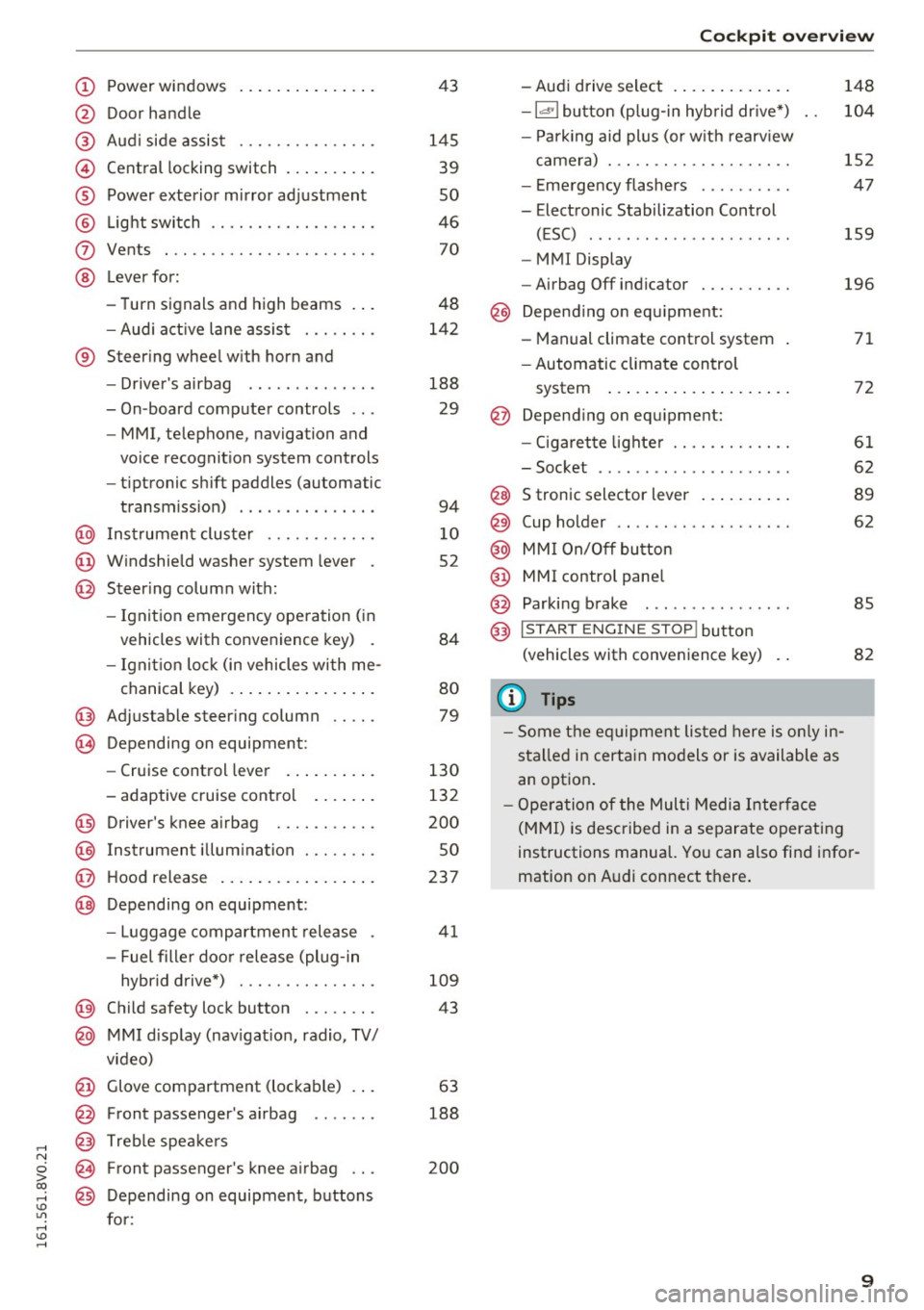
Power windows
Door handle
Aud i side assist ............ .. .
Central locking switch .. ... .. .. .
Power exterior mirror ad justment
L ig ht swit ch ............... .. .
Vents
L ever fo r:
- Turn signals and high beams . . .
- Audi a ct ive lane assis t ..... .. .
® Steer ing whee l w ith horn and
- Drive r's airbag ...... ..... .. .
- On-board compute r controls .. .
- MMI, telephone, navigation and
vo ice recognit ion system cont rols
- tiptronic sh ift paddles (automatic
transm iss ion) . .. .... ... .. .. .
@ Ins trumen t cluste r ....... .. .. .
@ W indshield washer system lever .
@ Steering column with:
- Ignit ion emergency operation ( in
vehicles with convenience key) .
- Ignit io n lock (in vehicles wi th me -
chanical key) . .. ..... ... .. .. .
@ Adjustable steer ing column .. .. .
(B) D epending on equipment:
- Cruise control leve r ..... .. .. .
- adaptive cruise contro l .. .. .. .
@ Driver's knee a irbag ........ .. .
@ Ins trumen t illum ination ..... .. .
@ Hood release ... .. .... ... .. .. .
@ Depending on equipment: 43
145 39
so
46 70
48
142
188 29
94
1 0
52
84
80
79
130
132
200
so
237
- Luggage compartment release . 41
- Fuel fille r doo r release (plug-in
hybrid drive*) . . . . . . . . . . . . . . . 109
@ Child safety lock button . . . . . . . . 43
@ MMI d isp lay (nav igat ion, radio, TV/
v ideo)
@ Glove compartment (lockable) . . . 63
@ Front passenger 's airbag . . . . . . . 188
@ Treb le spe akers
@ Front passenger's knee a irbag . . . 200
@ Depending on equipment, b uttons
for:
Coc kpit o ve rv iew
- Aud i drive select . .. .. ..... .. .
- la •I bu tton (p lug-in hyb rid dr ive *)
- P ark ing aid plus (or w it h rearv iew
came ra) . .. .. .............. .
- E me rgency flashers ......... .
- Electronic Stabilization Control (ESC) ....... .. ............ .
- MMI Display
- Airbag Off indicator ......... .
@ Depend ing o n eq uipment:
- Manual climate control system
- Automatic climate con trol
system ..... .. ... .. ..... .. .
@ Depend ing o n equ ipment:
- Ciga ret te lighte r ............ .
- Soc ket .. .. .. .. ............ .
@ S tronic selector lever .. ..... .. .
@) Cup holder .. .. .. ............ .
@ MM I On/Off bu tton
@ MMI contro l pane l
@ Parking brake . .. ............ .
@ I STAR T ENGINE ST OP ! button
(vehicle s with conve nience key)
(1) Tips
- Some t he e quipment listed here is o nly in
sta lled in certai n mo del s or is available as
an opt ion . 148
10
4
152
47
159
196
71
72
61
62
8 9
62
85
82
- Ope ra tio n of the Mul ti M edia Inte rface
(M MI) is described in a separate operatin g
instructions manual. Yo u can also fi nd info r
mation on A udi connect t here .
9
Page 21 of 328

,....,
N
0 > co ,....,
when the vehicle is stationary or after switch
ing the ignition on,
check if you can release the
parking brake .
If you cannot release the park
ing brake, see your authorized Audi dealer or
authorized Audi Service Facility . If you can re
lease the parking brake and the message still
appears , see an authorized Audi dealer or au
thorized Audi Service Facility immediately to
have the malfunction corrected.
- If the indicator light and message appear
while
driving ,
the hill start assist or emergency brak
ing function may be malfunctioning. It may not
be possible to set the parking brake or release
it once it has been set. Do not park your vehicle
on hills and see an authorized Audi dealer or
authorized Audi Service Facility for assistance.
(USA models): If the
1111 and EiJ warning lights
turn on together, take your vehicle to an author
ized Audi dealer or authorized Audi Service Facili
ty immediately to have the brake pads inspected
¢page 22.
There is also a warning tone when the lights turn
on.
A WARNING
- Read and follow the warnings in
¢ page 236, Working in the engine com
partment before opening the hood and
checking the brake fluid level.
- If the brake system indicator light does not
turn off or it turns on while driving, the
brake fluid level in the reservoir is too low,
and this increases the risk of an accident.
Stop the vehicle and do not continue driv
ing. See an authorized Audi dealer or au
thorized Audi Service Facility for assistance.
- If the brake system indicator light turns on
together with the ABS and ESC indicator
lights, the ABS/ESC regulating function may
be malfunctioning. Functions that stabilize
the vehicle are no longer available. This
could cause the rear of the vehicle to
swerve, which increases the risk that the ve
hicle will slide. Do not continue driving. See
an authorized Audi dealer or authorized
Audi Service Facility for assistance.
Instruments and indicator lights
PARK!<®>/~ Electromechanical parking
brake
If the - (USA models) I. (Canada models)
indicator light turns on, the parking brake was
set.
- (USA models) /. (Canada models) Cau
tion: Vehicle parked too steep
If the indicator light blinks and the message ap
pears, there is not enough braking power to se
cure the vehicle. The brakes have overheated. The
vehicle could roll away even on a small incline.
-(USA models) /. (Canada models)
Please press brake pedal to release parking
brake
To release the parking brake, press the brake
pedal and press the~ button at the same time,
or start driving with hill start assist
¢page 87,
Starting from a stop.
Iii Parking brake!
There is a malfunction in the parking brake. Drive
to an authorized Audi dealer or authorized Audi
Service Facility immediately to have the malfunc
tion corrected.
Iii Parking brake: Limited functionality!
There is a malfunction in the parking brake. Drive
to an authorized Audi dealer or authorized Audi
Service Facility immediately to have the malfunc
tion corrected.
!it]:jJ:j:J:13~ (USA models) / [§'J (Canada models)
Please release parking brake.
Release the parking brake if this message ap
pears.
lt1:j:t:j:J;1:0 (USA models) / [§] (Canada models)
Parking brake auto release unavailable
If this message appears, press the brake pedal
first and then release the parking brake.
IZ1:j:t:j:(;13~ (USA models) I [§'J (Canada models)
Caution: Vehicle parked too steep
IIJ,,
19
Page 28 of 328
Instrumen ts and ind icator ligh ts
still control all wiper functions that are
independent of the rain sensor.
Drive to an a uthorized Aud i dea ler or authorized
Aud i Serv ice Facility immediately to have the
malfunction corrected .
; Adaptive dampers
Applies to vehicles: with Audi drive select
R Suspen sion : sys tem f ault!
There is an adaptive damper ma lf u nction.
Drive to an authorized Aud i dealer or authorized
Aud i Serv ice Facility immediately to have the
malfunct io n corrected.
¢¢ Turn signals
I f the . or
DI indicator ligh t bl inks, a turn s ig
na l is turned on. If both i ndicator lights are blink
i n g, the emergency flashers are on .
I n an indicato r light blinks twice as fast as usua l
then a blinker bulb has failed. Care fully drive to
an author ized Audi dealer or authorized Audi
Serv ice Facility immediately to have the malfunc
tion corrected.
(D Tips
For more information on the turn signals, re
fe r to~
page 48.
On-Board Diagnostic
system (OBD)
System indicator light (MIL)
The system indicator light (M IL)
¢4 in the instru
ment cluster is part of the On Board Diagnostic
System (080 II).
The warning/indicator light turns on when the ig nition is switched on and turns off once the en
gine is started and is running in id le at a stable
speed. This indicates that the MIL is functioning
correctly.
If the light doe s not turn off after starting th e
engine or turns on whi le driving, this may indi
cate there is a malfunct ion in the engine. If the
26
indicator tu rns on, the cata lytic conve rter may be
damaged.
D rive with reduced engine performan ce (avoid
high speeds for extended per iods of t ime and/o r
fast acceleration) and have the ma lfunction cor
rected. See an authorized Audi dealer or author
i zed Audi Service Facility .
The ind icator may turn on if the e lectro nic speed
li miter is faulty . For add itiona l information, refer
to
c::> page 130, Electronic speed limiter.
The MIL may a lso turn on if the fuel filler cap is
not clo sed corre ctly
c::> page 230.
On-Board Diagnostics
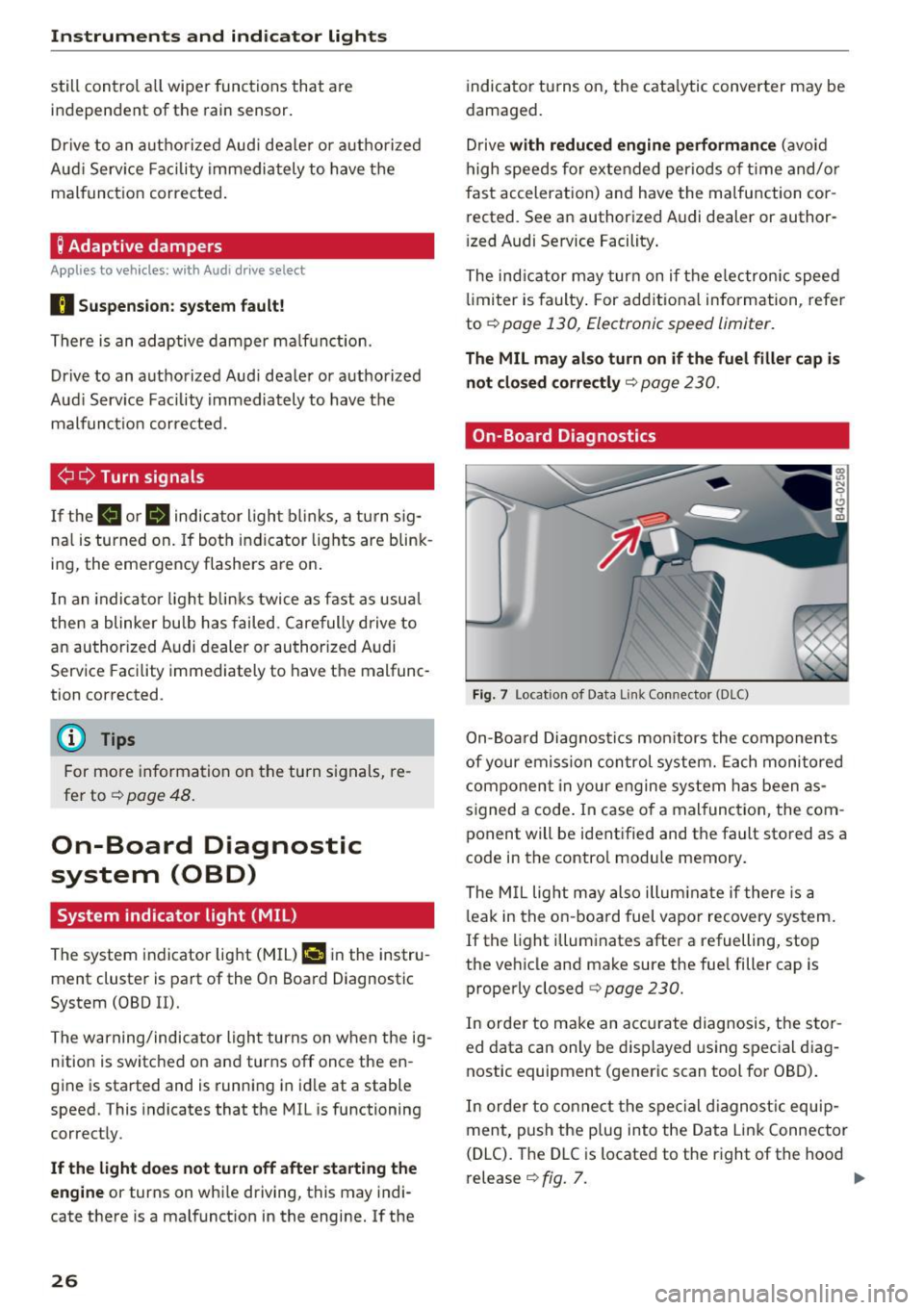
F ig. 7 Locat ion of Data Link Connector (DLC)
On-Board Diagnostics mon itors the components
of your emission con trol system. Each monitored
component in your engine system has been as
s igned a code . In case o f a malfunction, the com
ponent will be identified and the fault stored as a
code in the contro l module memory.
The M IL light m ay also illum inate if there is a
l eak in the on -boa rd fuel vapor recovery sys tem .
If the light illuminates after a refuelling, stop
the veh icle and make sure the fuel filler cap is
properly closed
c::> page 230.
In orde r to make an accu rate diagnosis, the s to r
ed data can only be d isplayed using special d iag
nostic equipment (generic scan tool for 080) .
In orde r to co nnect the special d iagnost ic equ ip
ment, push the plug into the Data Link Connector
(DLC). The DLC is located to the r ight of the hood
release
c::> fig. 7. II>
Page 39 of 328
..... N
0 > CX)
..... I.Cl U"I
..... I.Cl .....
.. The LED blinks several times when you press a
button longer (convenience opening*) .
.. If the LED does not blink, the remote control
key battery is dead. The message
1:1 Please
change key battery
may also appear in the in
strument cluster display . Replace the battery .
Replacing the remote control key battery
.. Pry the cover @off of the key (Dusing a coin
c::>fig . 20 .
.,. Insert the new battery with the "+" facing up .
.. Press the cover back onto the key until it clicks
into place .
We recommend having the battery replaced by
an authorized Audi dealer or authorized Audi
Service Facility .
@ For the sake of the environment
Dead batteries must be disposed of using
methods that will not harm the env ironment.
Do not dispose of them in household trash .
@ Tips
The replacement battery must meet the same
specifications as the orig inal battery.
Remote control key synchronization
The remote control key must be synchronized if
the vehicle does not lock and unlock with the re
mote control.
.. Press the remote control key button~-
.. Insert the key in the driver's door lock within 30
seconds .
.,. Press the~ button or~ button .
Open ing and closing
Unlocking/locking by remote control
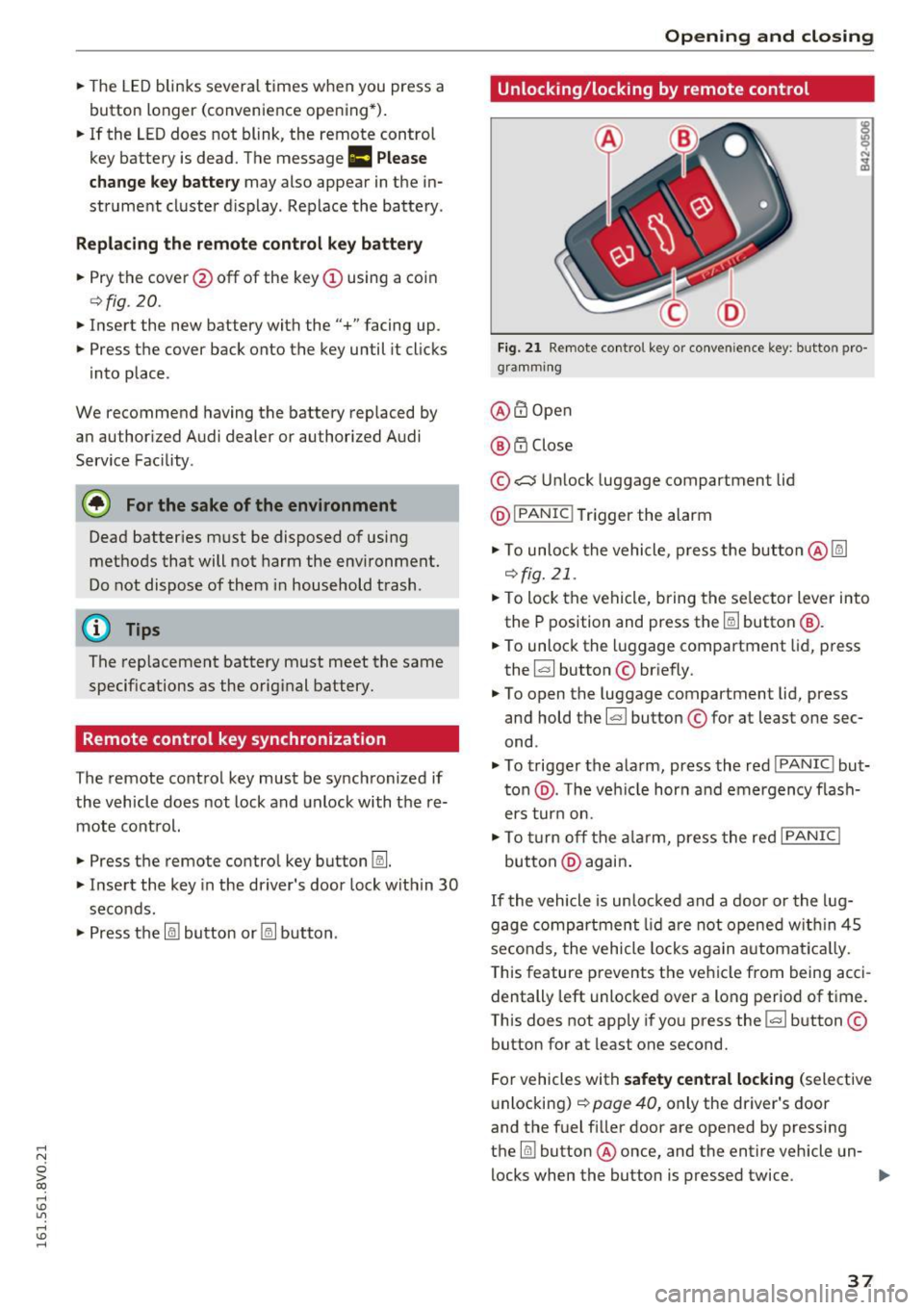
Fig. 21 Remote control key or conve nien ce key : button pro
gramm ing
@ m Open
@ i'.D Close
© .:::::$Unlock luggage compartment lid
@ IPANIC !T rigger the alarm
... To unloc k the vehicle, press the button@~
c::>fig. 21 .
.. To lock the vehicle, bring the selector lever into
the P position and press the~ button
@.
.. To unlock the luggage compartment lid, press
the ~ button © briefly.
.,. To open the luggage compartment lid, press
and hold the~ button © for at least one sec
ond .
... To trigger the alarm, press the red I PANIC ! but
ton @. T he veh icle horn and emergency flash
ers turn on.
.. To turn off the alarm, press the red I PANIC !
button @again .
If the vehicle is unlocked and a door or the lug
gage compartment lid are not opened w ithin 45
seconds, the vehicle locks again automat ically.
This feature prevents the vehicle from being acci
dentally left unlocked over a long period of time.
This does not apply if you press the~ button ©
button for at least one second.
For vehicles with
safety central locking (selective
unlocking)
c::> page 40, only the driver's door
and the fuel f iller door are opened by pressing
the ~ button @ once, and the entire vehicle un-
locks when the button is pressed twice .
Ill>
37
Page 41 of 328
.... N
0 > CX)
.... I.Cl U"I
.... I.Cl ....
Unlocking/locking w ith the key
In the event that the power locking system fails,
the driver's door can locked and unlocked using
the door lock.
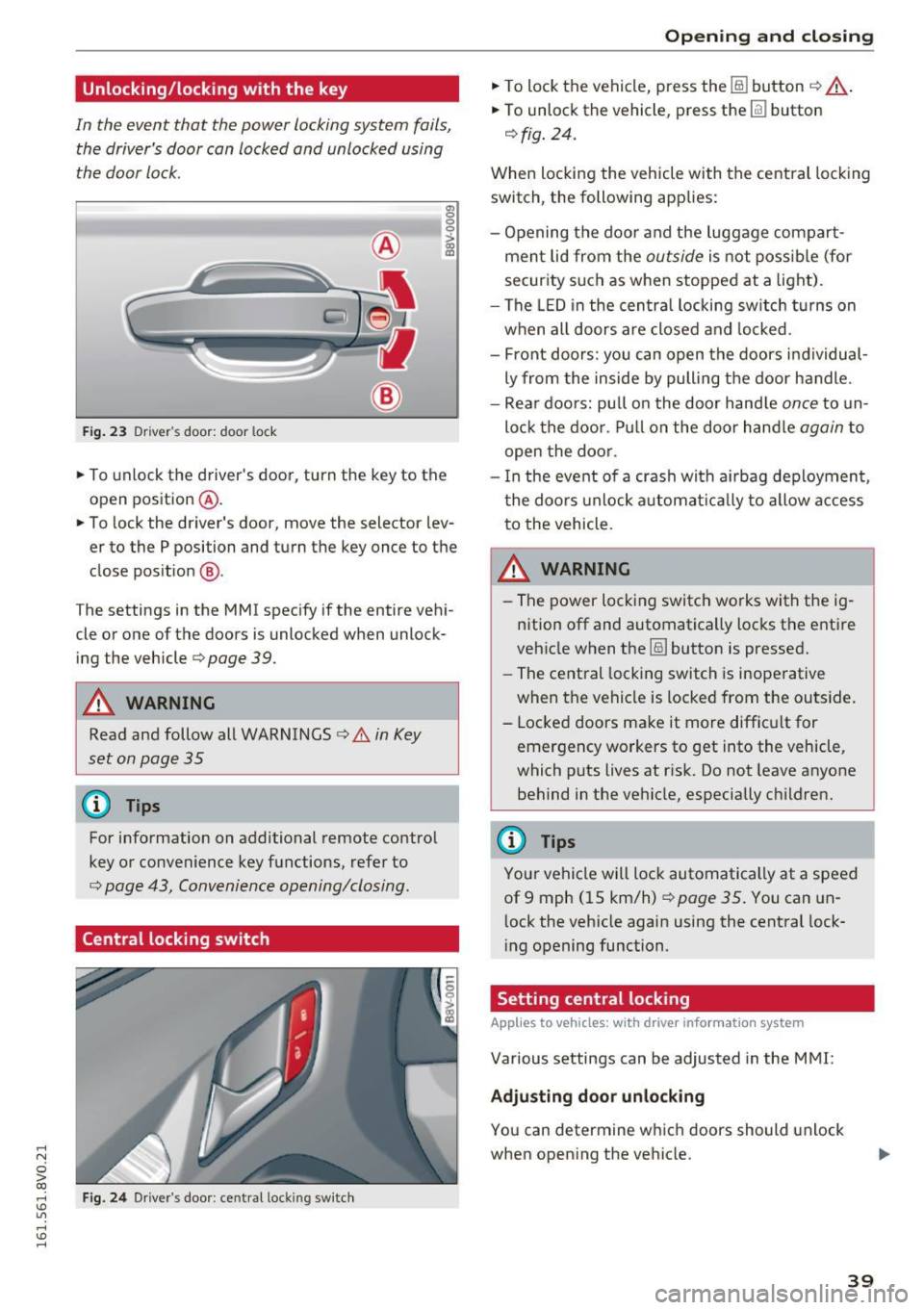
F ig . 23 Driver 's door: door lock
a, 0 0 0 :> Q) a,
• To unlock the driver's door, turn the key to the
open position
® ·
• To lock the driver's door, move the selector lev
er to the P position and turn the key once to the
close posit ion
@ .
The settings in the MMI specify if the entire vehi
cle or one of the doors is unlocked when unlock ing the vehicle
c:::> page 39.
A WARNING
Read and follow all WARNINGS c:::> .& in Key
set on page 35
(D Tips
For information on additional remote control
key or convenience key functions, refer to
c:::> page 43, Convenience opening/closing .
Central locking switch
Fig. 24 Driver's door : central lock ing switch
Open ing and closing
• To lock the vehicle, press the @] button c:::> _&..
• To unlock the vehicle, press the [fil button
c:::> fig. 24.
When locking the vehicle with the central locking
switch, the following applies:
- Opening the door and the luggage compart
ment lid from the
outside is not possible (for
security such as when stopped at a light).
- The LED in the central locking switch turns on
when all doors are closed and locked .
- Front doors: you can open the doors individual
ly from the inside by pulling the door handle.
- Rear doors: pu ll on the door hand le
once to un
lock the door. Pull on the door handle
again to
open the door .
- In the event of a crash with a irbag deployment ,
the doors unlock automat ically to allow access
to the vehicle.
_&. WARNING
-The power locking switch works with the ig
nition off and automatically locks the entire
vehicle when the
1§) button is pressed.
- The central locking switch is inoperative
when the vehicle is locked from the outside.
- Locked doors make it more difficult for
emergency workers to get into the vehicle,
which puts lives at risk. Do not leave anyone
behind in the vehicle, especially children.
(D Tips
Your vehicle will lock automatically at a speed
of 9 mph (15 km/h)
c:::> page 35. You can un
l ock the vehicle again using the central lock
ing opening function.
Setting central locking
App lies to vehicles: wit h drive r info rmatio n system
Various settings can be adjusted in the MMI:
Adjusting door unlocking
You can determine which doors should unlock
when opening the vehicle.
39
Page 43 of 328
.... N
0 > CX)
rl I.Cl U"I
rl I.Cl ....
Front passenger's door and rear doors
emergency locking
All doors must be locked separately if the power
locking system fails .
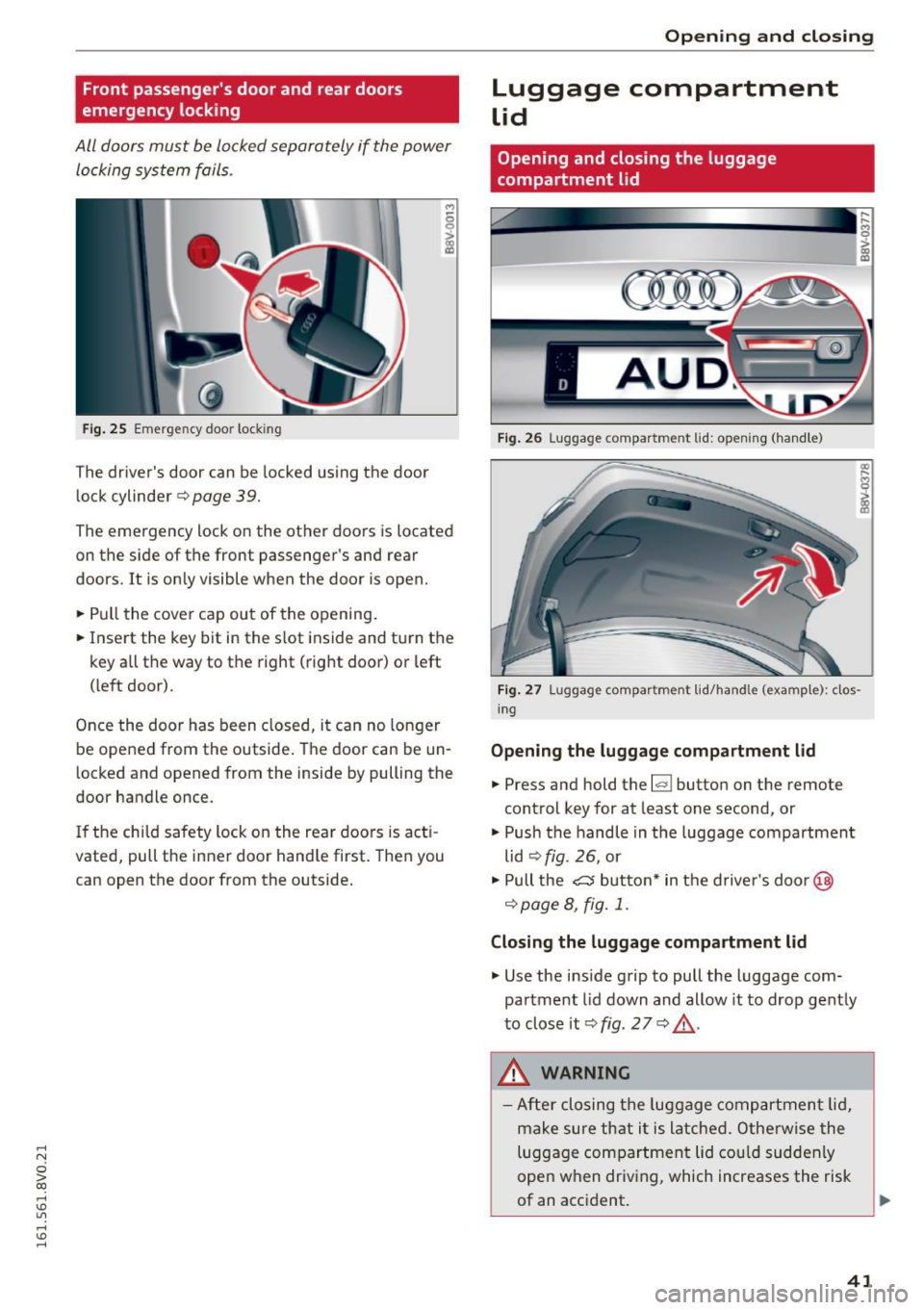
Fig. 25 Em erge ncy doo r loc kin g
The driver's door can be locked using the door
lock cylinder
c:> page 39.
,.,
6
i
The emergency lock on the other doors is located
on the side of the front passenger's and rear
doors. It is only visible when the door is open.
~ Pull the cover cap out of the opening .
~ Insert the key bit in the slot inside and turn the
key all the way to the right (right door) or left
(left door).
Once the door has been closed, it can no longer
be opened from the outside. The door can be un
locked and opened from the inside by pulling the
door handle once.
If the child safety lock on the rear doors is act i
vated, pull the inner door handle first. Then you
can open the door from the outside.
Open ing and closing
Luggage compartment
lid
Opening and closing the luggage
compartment lid
Fig. 26 Luggage compar tme nt lid: opening (hand le)
Fig. 27 Luggage compar tme nt lid/hand le (example): clos
ing
Opening the luggage compartment lid
~ Press and hold the l.:::1 1 button on the remote
control key for at least one second, or
~ Push the handle in the luggage compartment
lid
c:> fig . 26, or
~ Pull the ~ button* in the driver's door@
r=!)page 8, fig . 1.
Closing the luggage compartment lid
~ Use the inside grip to pull the luggage com
partment lid down and allow it to drop gently
to close it
c:> fig . 2 7 c:> £ .
.&_ WARNING
-After closing the luggage compartment lid,
make sure that it is latched. Otherwise the
luggage compartment lid could suddenly
open when driv ing, which increases the risk
of an accident.
.
41
Page 44 of 328
Opening and clo sin g
- Never drive with the luggage compartment
lid ajar or open, because poisonous gases
can enter the vehicle interior and create the
risk of asphyxiation .
- Never leave your vehicle unattended when
the luggage compartment lid is open. A
child could climb into the vehicle thro ugh
the luggage compartment. If the luggage
compartment lid was then closed, the child
would be trapped in the vehicle and unable
to es cape. To reduce the risk of inju ry, do
not allow ch ildre n to p lay in or around the
vehicle. A lways keep the luggage compart
ment lid and the doors closed when the ve
hicle is not in use.
- Always make sure no one is in the luggage
compartment lid's range of motion when it
is closing, especially near the h inges. Fin
gers or hands could be pinched .
(D Tips
-When the vehicle is locked, the luggage
compartment lid can be unlocked separately by p ressing the
l.::s l button on the remote
control key. The luggage compartment lid l ocks automatically when it is closed again .
- In case of an emergency or a faulty handle,
the luggage compartment lid can be opened
from the inside
o page 42 .
luggage compartment lid emergency
release
The luggage compartment lid can be released in
an emergency from the inside.
-
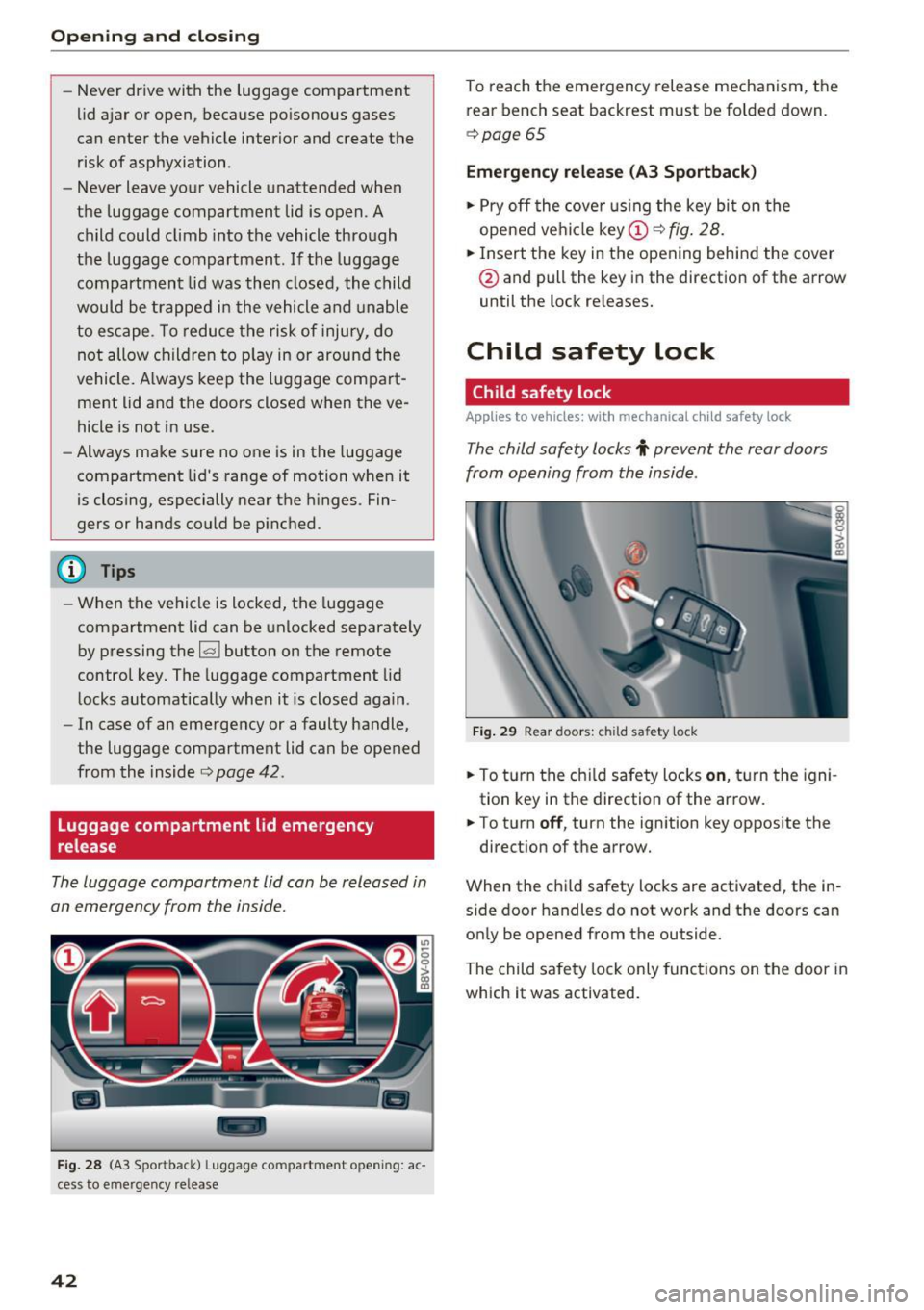
F ig. 28 (A3 Spor tback) L uggage co mpa rtment open ing: ac
cess to emergency re lease
42
To reach the emergency release mechanism, the
rear bench seat backrest must be folded down.
o page 65
Emergency release (A3 Sportback )
.. Pry off the cove r using the key bi t on the
opened ve hicl e
key
@ and pull the key in the direction of the arrow
until the lock re leases.
Child safety lock
Child safety lock
Applies to vehicles: with mechanical child safety lock
The child safety locks t prevent the rear doors
from opening from the inside.
Fi g. 29 Rea r doo rs : ch ild sa fety lock
.. To t urn the ch ild safety locks on , tu rn the igni
tion key in the direction of the ar row.
.. To turn
off , turn the ignition key opposite the
direct ion of t he arrow.
When the child safety locks are activated, the in
s ide door handles do not work and the doors can
on ly be opened from the outside.
The child sa fety lock only func tions on the door in
which it was activated.