service indicator AUDI A3 SEDAN 2017 User Guide
[x] Cancel search | Manufacturer: AUDI, Model Year: 2017, Model line: A3 SEDAN, Model: AUDI A3 SEDAN 2017Pages: 400, PDF Size: 67.32 MB
Page 93 of 400
CXl CXl .... N ,.__
N
Requirement: the engine must be at operating
temperature and the steering whee l must not be
turned.
.,. Deact ivate ll the Start/Stop system*
¢ page 83. The LED in the ~ button turns on.
.,. With the engine running, press the l.t, O FFj but
ton briefly one time .
.,. Pull the selector lever back out of the D/S posi
t ion briefly to select the S posit ion, or press it
toward the right into the tiptronic pos ition or
select the
D ynamic driving mode in drive se
lect*
¢ page 143 .
.,. Press the b rake peda l firmly with you r left foot
and hold it all the way down for at least one
second .
.,. At the same time, press the gas pedal all the
way down with your right foot unti l the engine
reaches and stays at a high RPM level.
.,. Remove your left foot from the brake.
A WARNING
- Always adapt yo ur driv ing to the traffic flow .
- Only use Launch Control when road and traf-
fic cond itions allow it and other dr ivers will
not be endangered or impacted by your driv
ing and the vehicle's acceleration .
- Please note that the drive whee ls can sp in
and the vehicle can break away when sport
mode is switched on, especially when the
road is s lippery.
- Once the vehicle has started moving, press
the
I ~ OFF j button briefly to tu rn the sport
mode off.
@ Tips
-The transmiss ion temperature may increase
s ignificantly after us ing the launch cont rol
program.
If that happens, the program may
not be available for a few m inutes. It w ill be
available again after a cool-down pe riod.
-When accelerating using the la unch control
program, all veh icle parts are subject to
heavy loads. Th is can lead to increased
wear .
8 1
> It is not pos sib le to deact iv a te t he system w it h all vers io n s N iii of th e tran sm is s ion.
D riv ing
Emergency mode
Applies to: vehicles with automatic transmissions
In the event of a system malfunction, there is an
emergency program .
If all of the selector lever positions are highlight
ed with a light background in the instrument
cluster display, there is a system malfunct ion and
the transmission is running i n the emergency
program. The veh icle can sti ll be driven in emer
gency mode, but only with red uced speed and
not in all gears . In some cases, the vehicle
can
not d riv e in revers e .
([) Note
If the transm ission runs in eme rgency mode,
drive to a n author ized A udi dealer or author
i zed Audi Se rvice Facility immed iate ly to have
the malfunction corrected .
Transmission malfunction
Applies to: vehicles with automatic transmissions
• Tran smission: malfunction! Please stop ve
hicle and shift t o P
There is a ma lfunction in the transm ission. Park
the vehicle secure ly and do not continue driving.
See an author ized Audi dealer or authorized Audi
Service Facility for assistance .
• Transmis sion overheat ing! Plea se stop the
ve hicle!
The tra nsmission is too hot and can become dam
aged. Stop and le t the transmiss ion cool w ith the
engine r unning (at idle) in the P se lector lever po
sition . Then the indicator light and the message
turn off, drive to an authorized A udi dealer or au
thori zed Audi Serv ice Facility immediately to have
the malfunction corrected. If the indicator light
and the driver message do not turn off, do not
continue driving . See an authorized Aud i dealer
or authorized Audi Serv ice Facility for ass istance.
[!l Tran smiss ion malfunction : you can continu e
driving
.,,.
91
Page 94 of 400
Driving
Drive to an a uth o rized Audi dea ler or authorized
Audi Service Facility immediately to have the
malfunct ion corrected .
rm Transmis sion malfunction : no reverse ge ar
( you can continue driving )
Drive to an a uthorized Aud i dea le r or aut horized
Aud i Serv ice Facility immediately to have the
malfunct io n corrected.
[O] Tran smis sion malfunction: You can continue
driving in D until engine off
Drive the vehicle away from moving traffic and
park. See an authorized Audi dealer or autho rized
Aud i Serv ice Facility for assistance .
rm Transmission : too hot. Pleas e adapt d riving
style
Continue driving mode rately. When the indicator
light turns off , you can continue driving normal
ly .
rm Transmis sion : please p ress brake pedal and
select gear ag ain
If the transmission malfu nctions be ca u se the
temperature is too high, a message appears
when the transmission is cooled.
Selector lever emergency release
Applies to: vehicles with automatic transmissions
If the vehicle's power supply fails, the selector
lever can be released in an emergency .
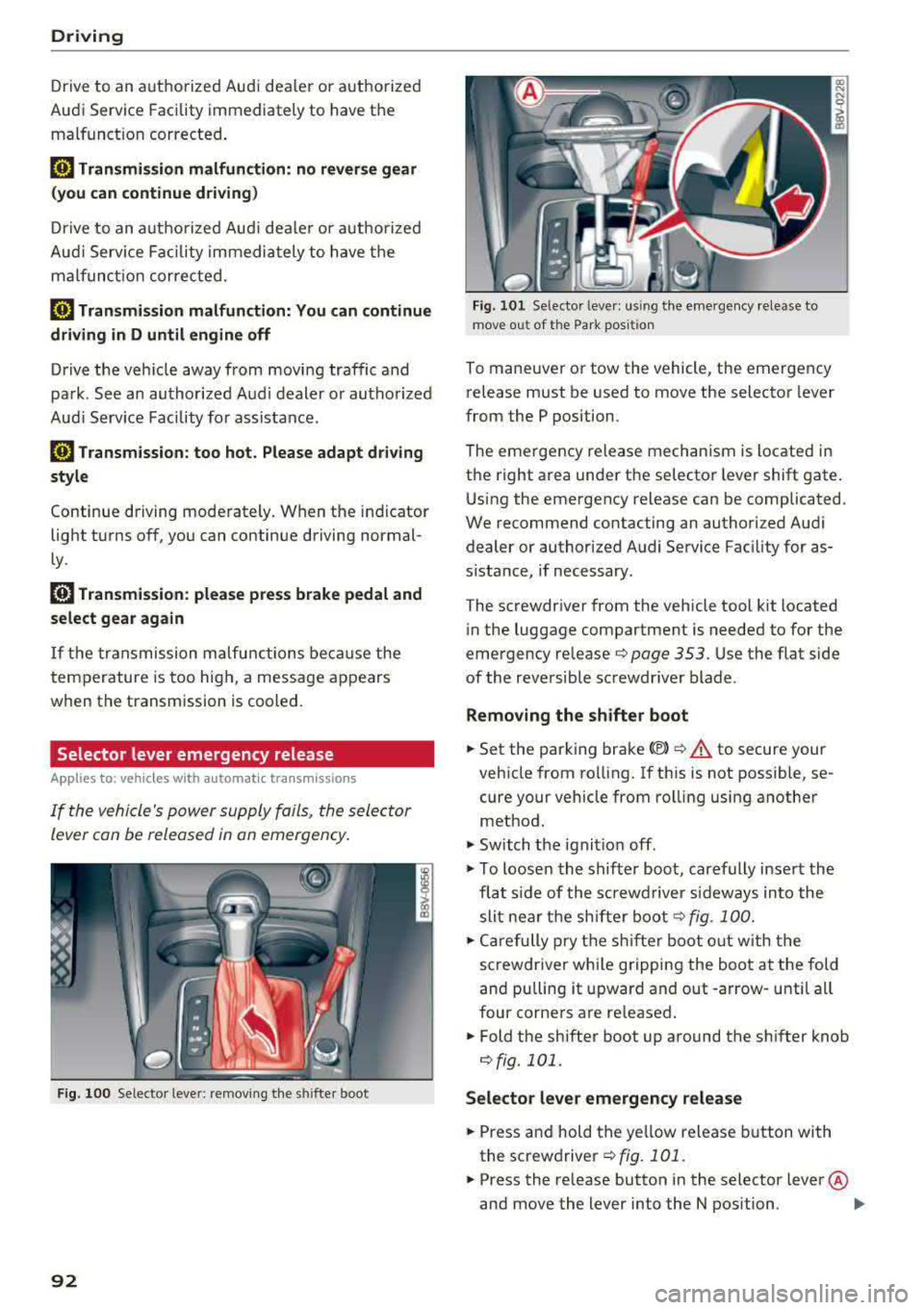
Fig. 100 Selecto r leve r: remov ing the s hifter boot
92
Fig . 101 Se lector leve r: u si ng the eme rgency release to
mov e out of the Park pos iti on
To maneuver or tow the vehicle, the emergency
release must be used to
move the selector lever
from the P position.
The emergency release mechanism is located in
the right area unde r the selector lever shift gate .
Using the emergency release can be complicated .
We recommend contacting an authorized Audi
dealer or author ized Audi Service Fac ility for as
s ista nce, if necessary .
The screwdr iver from the vehicle tool kit located
i n the luggage compartment is needed to for the
emergency re lease
r::;, page 353 . Use the flat side
of the reversible sc rewdriver blade .
Removing the shifter boot
.. Set the park ing brake <®> r::;, .&. to secure your
vehicle from ro lling. If th is is not possible, se
cure your vehicle from rolling using another
method.
.,. Sw itch the ignit ion off .
.,. To loosen the shifter boot, carefully inse rt the
fla t side of the s crewd river si deways in to the
slit nea r the sh ifte r boot
r::;, fig. 100 .
.,. Care fully p ry t he sh ifter boot o ut w ith t he
screwdriver wh ile gripping the boot at the fold
and pulling it upward and out -arrow -unti l all
four corne rs are re leased .
.. Fold the shifter boot up around the sh ifter knob
¢fig. 101.
Selector lever emergency release
.. Press and hold the ye llow release b utton with
the screwdriver
¢ fig. 101 .
.. Press the release button in the selector lever @
and move the lever into the N position .
II>
Page 101 of 400
a, a, .... N
" N .... 0 N > 00
If the i ndicator lig ht t urns on and th is message
ap pears, there may be an en gine contro l ma l
function.
The ~* indicator light in t he instr u
ment cluster also turns on. The engine output is
reduced. Drive to an author ized Audi dealer or
author ized Audi Se rvice Facility immed iate ly to
h ave the ma lf u nct ion co rrected .
Ill e-tron mode: EV currently unavailable
This message appears when the 141 button is
p ressed and the cond itions for elect ric drive
mode a re not met .
@vehicle sound: malfunction! Pedestrians
cannot hear vehicle. Please contact Service
The vehicle sou nd is no longe r fu nct io nin g. Drive
ex tremely c are fully, sin ce o thers m ay no t hea r
your ve hicle. Dr ive to an au th orized Audi de aler
or author ized Audi Se rvice Facility immed iate ly to
have the ma lf u nction co rrecte d.
Range display
Applies to: vehicles with plug-in hybrid drive
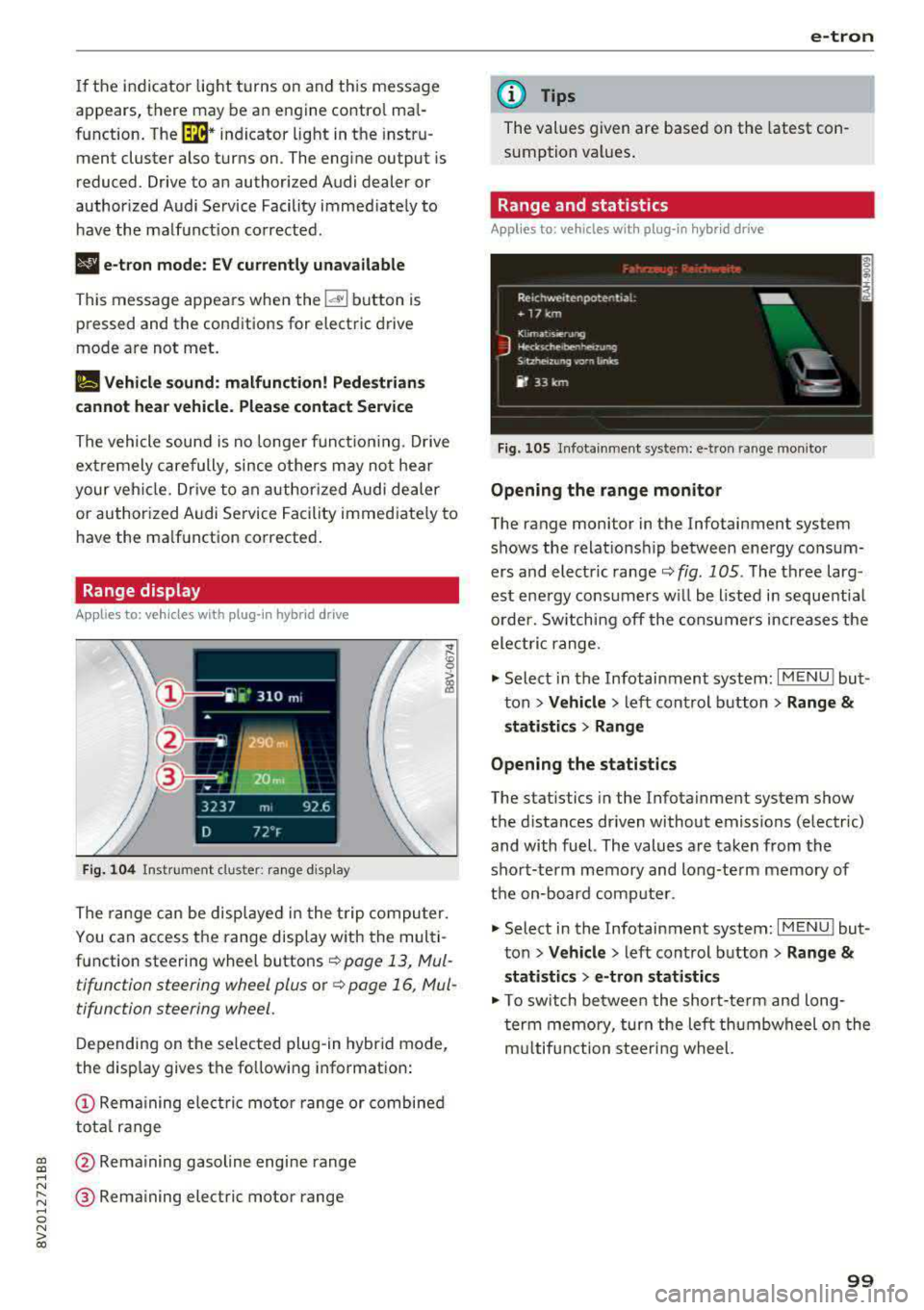
Fig. 104 Inst rument cl uster: ra nge d is p lay
The range c an be displ aye d in t he t rip co mputer.
You can access the range disp lay with the mul ti
function steering wheel buttons
r::!') page 13, Mul
tifunction steering wheel plus o r
r::!') page 16, Mul
tifunction steering wheel.
D epen ding on t he se lected plug -in hybrid mode,
the display gives t he fo llowing informat ion:
(D Re mai ning ele ctric mo tor range or combined
to tal range
@ Rema ining gasol ine engine rang e
® Remaining electric motor range
e-tron
(D Tips
The values given are base d on the latest con
sumption val ues .
Range and statistics
Applies to: vehicles with plug-in hybrid drive
Fig. 105 In fotainme nt system: e-tro n range mo nito r
Opening the range monitor
The range monitor in the Infotainment system
s h ows the relat ions hip between ene rgy co nsu m
ers and elect ric ranger::!')
fig. 105 . The three larg
est ene rgy cons umers w ill be listed i n se que ntial
o rder. Sw itching off the co nsu mers increases the
ele ctri c range .
.,. Select i n the Infotainment system: I MENU ! but
t on
> Vehicle > left con trol button > Range &
statistics > Range
Opening the statistics
The stat istics in the Infota inment system show
t h e d istances dr iven without emiss ions (electric)
and with fuel. The values a re ta ken from the
sho rt-term memory and long-te rm memory of
t h e on-bo ard com puter.
.,. Select in the Infotainment system: I MENU! but
t on
> Vehicle > left control b utton > Range &
statistics > e-tron statistics
.,. To switch be twee n the short-te rm an d long
t er m memo ry, tur n the left th umbwheel o n the
m ultifun ction steeri ng wheel.
99
Page 119 of 400
CXl CXl .... N r--N .... 0 N > 00
unavailable because of this. Contact an au
thorized Audi dealer or authorized Audi
Service Fac ility for more in format ion .
- Charg ing may take longe r when tempera
tures a re extremely high or low .
- The char ging t ime at pu blic char ging sta
tions may vary from the times given in the
ta ble
¢ table on page 116 .
Audi e-tron charging system PIN
Applies to: ve hicles with p lug- in hybrid drive
The contro l unit can be locked by entering a 4-
d igit PIN of yo ur cho ice. If a PIN is activated, the
selected PIN must be ente red before every use .
We recommend locking yo ur contro l unit to pro
tect it against unautho riz ed access by a third pa r
ty .
Activating the PIN
~ Press t he IOK I@ ¢ page 111, fig . 121 bu tton
on the cont ro l unit.
POWER and SET PIN ap
pear in the display field .
~ Select SET PIN using t he arrow button ©-
~ Press the IOKI b utton @. ENTER PIN appears i n
t h e d isplay field .
~ Select t he des ired value by pressing the arrow
bu ttons © up or dow n.
~ U se the right ar row bu tto n© to go t o th e nex t
digi t.
~ Press t he left ar row bu tto n © to go to the pre -
vio us menu.
~ Ente r all of the d igits .
~ Press t he IOKI b utton @after the last d igit .
~ REPEAT PIN appears in the display field .
~ Enter the PIN again using the arrow buttons
© -
~ Press t he IOKI button @.
~ PIN OK appears in t he di sp lay fie ld if bo th en-
t ries ma tch.
~ Th e P IN is now a ct ivate d.
Deactivating the PIN
Requ irement: The control unit mus t be un locked .
~ Enter the numer ica l code 0000 . Proceed as if
you were act ivat ing the
PIN¢ page 117 .
~ The PIN is deact ivated .
e-tron
Locking the control unit
Requiremen t: T he PIN m ust be activated.
~ Press t he~ button @¢ page 111, fig . 121 o n
t he co ntrol unit.
Unlocking the control unit
Requirement: The PIN m ust be act ivated.
~ Press any button on the contro l unit .
~ PIN? appears in the display field.
~ Enter the P IN .
~ Press the I OK I button @.
(D Tips
-The PIN is deactivated in the factory defa ult
sett ings.
- If you do not remember yo ur PIN, contact
an authorized A udi dealer or autho rized
Audi Service Facility.
- If the first PIN entry differs from the second
entry, the first PIN entry is d isplayed .
- If nothin g is entered within
20 seconds of
this , the set va lue is not changed.
Indicator Lights and
messages
Applies to : vehicles with plug-in hybr id drive
If the . indicator light tu rns o n, the high -volt
age ba tte ry is charging or is already completely
c h arged .
If
the . indicator light stays on, the re is a ma l
funct ion in the charg ing system. Have t he p rob
l em corrected immediately by an a uthor ized Audi
d eal er or authori zed A udi Se rvice Fa cility.
!I Charging connector still attached . Driving
not possible
This message appears w hen the charging system
is still connected to the vehicle. Remove the con
nector
c:> page 114, After charging.
Applies to: vehicles with A udi v irtual cockpit : ii
Incompatible charging system. Please check
charging system
Applies to: vehicles wi th analog instr ument clus -
te r:
ii AC charging: currently not possible IJ,-
117
Page 329 of 400
CXl CXl .... N ,.__
N .... 0 N > 00
Windshield washer system
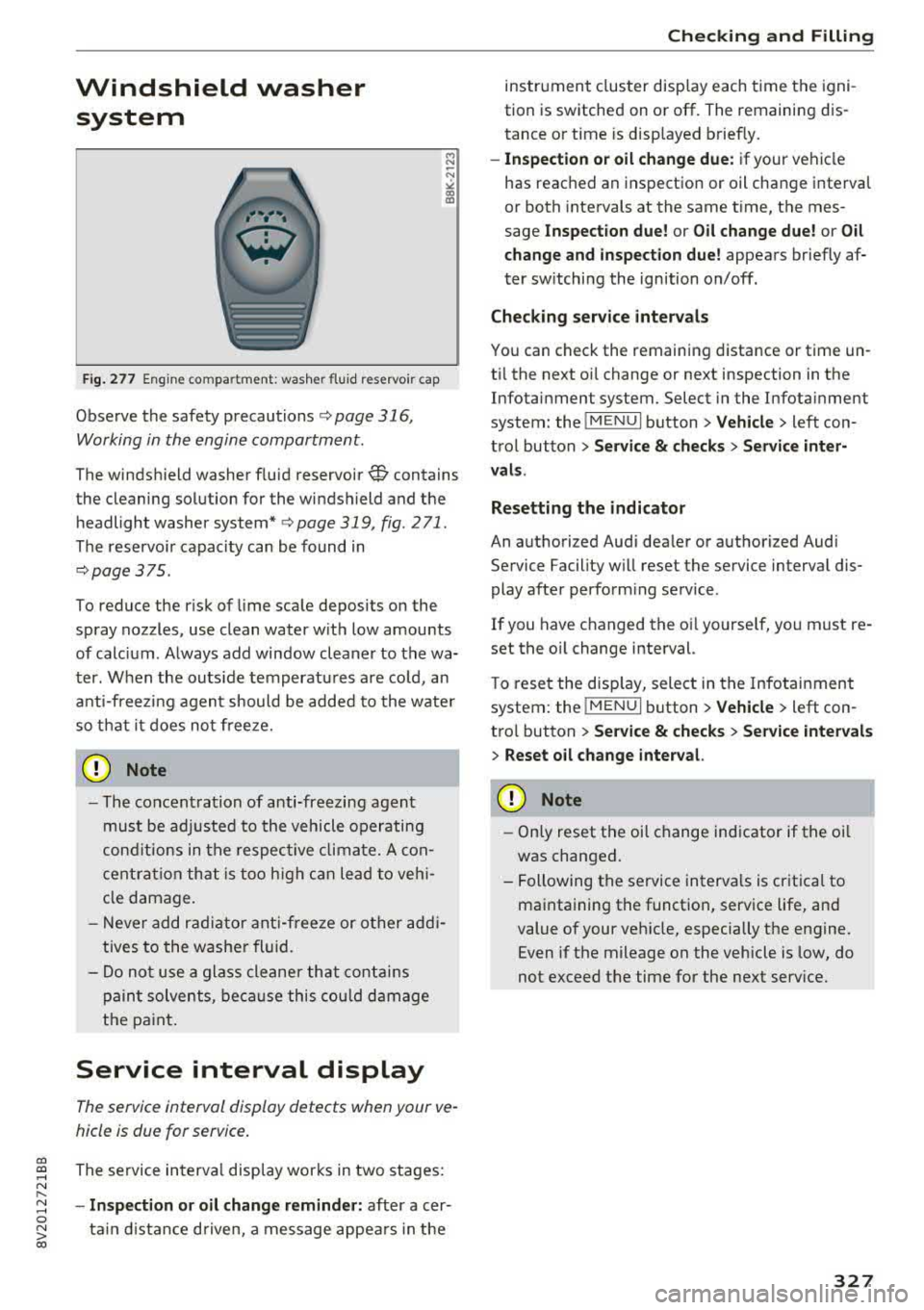
Fig. 277 Engine co mpa rtment: washer fluid reservoir cap
Observe the safety precautions ¢ page 316,
Working in the engine compartment.
M N
-N ~
"' a,
The windshield washer f luid reservoir~ contains
the cleaning solution for the windshield and the
headlight washer
system* ¢ page 319, fig. 2 71 .
The reservoir capacity can be found in
¢page 375 .
To reduce the risk of lime scale deposits on the
spray nozzles, use clean water with low amounts
of calc ium . Always add window cleaner to the wa
ter. When the outside temperatures are co ld, an
anti-freezing agent should be added to the water
so that it does not freeze.
CD Note
-The concentration of anti-freezing agent
must be adjusted to the vehicle operating
conditions in the respective climate. A con
centration that is too high can lead to veh i
cle damage.
- Never add radiator anti-freeze or other addi
tives to the washer fluid.
- Do not use a glass cleaner that contains
paint solvents, because this could damage
the paint .
Service interval display
The service interval display detects when your ve
hicle is due for service .
The service interva l display works in two stages:
- Inspection or oil change reminder: after a cer-
ta in distance driven, a message appea rs in the
Checking and Filling
instrument cluster display each time the igni
tion is switched on or off. The remaining dis
tance or time is disp layed briefly.
- Inspection or oil change due: if your vehicle
has reached an inspection or oil change interval
or both intervals at the same time, the mes
sage
Inspection due! or Oil change due! or Oil
change and inspection due!
appears briefly af
ter sw itching the ignition on/off.
Checking service intervals
You can check the remaining distance or time un
til the next oi l change or next inspection in the
Infotainment system. Select in the Infotainment
system: the
! MENUI button> Vehicle> left con
trol button
> Service & checks > Service inter
vals.
Resetting the indicator
An authorized Audi dealer or authorized Audi Service Facility will reset the service interval dis
play after performing service .
If you have changed the oi l yourself, you must re
set the oil change interval.
T o reset the disp lay, select in the Infotainment
system: the
! MENUI button> Vehicle> left con
tro l button
> Service & checks > Service intervals
> Reset oil change interval.
CD Note
-Only reset the oil change indicator if the oi l
was changed.
- Following the service intervals is critical to
maintaining the function, service life, and
value of your vehicle, especially the engine.
Even if the mileage on the vehicle is low, do
not exceed the time for the next service.
327
Page 338 of 400
Wheels
-Inflation pressure that is too low or high can in
crease tire wear considerab ly.
-Driving quickly through curves, rap id accelera
tion and heavy b raking increase tire wear .
-Have an authorized A udi dealer or au thorized
Audi Se rvice Facility check the wheel alignment
if there is unusual wear.
-Have the whee ls rebalanced i f an imbalance is
causing noticeab le vib ration in the steering
whee l. If you do not, the tires and other veh icle
components could wear more quickly.
Treadwear indicator
O rigina l equ ipment t ires conta in treadwe ar indi
cators in the tread pattern, which are b ars that
are 1/16 in. (1.6 mm) h igh and are spaced evenly
aro und the tire perpendic ular to the runn ing d i
rection¢ fig. 279. The letters "TWI" or triangles
on the tire sidewall indicate the locat ion of the
treadwear indicators.
The tires have reached the mi nimum tread
dept h
ll when they have worn down to the tread
wear ind icators. Replace the tires with new ones
¢ .&, .
Tire rotation
Rotating t he tires regular ly is recommended to
ensure the tires wear even ly. To rotate the tires,
install the tires from the rear ax le on the front
axle and v ice versa. This will allow the tires to
have approx imately the same length of service
life.
For unidirectional tires, make sure the tires are
installed according to the running direction indi
cated on the tire
sidewall¢ page 361 .
Hidden damage
Damage to tires and r ims can often occur i n loca
tions that are hidden . Unus ua l vibrations in the
veh icle or pulling to one s ide may indicate that
there is tire damage. Reduce your speed immedi
ately. Check the t ires for damage .
If no damage
is visible from the outside, drive s lowly and care
fully to the nearest authorized Aud i dealer or au-
l) Obey any applicable reg ulations in you r country.
336
thorized Audi Service Facility to have t he ve hicle
inspected.
A WARNING
Tread that has worn too low or different tread depths on the tires can reduce driving safety.
This can increase the risk of an accident be
cause it has a negative effect on handling,
d riving through curves, and b raking, and be
cause it increases the r isk of hydroplaning
when dr iving th rough dee p puddles.
Tire pressure
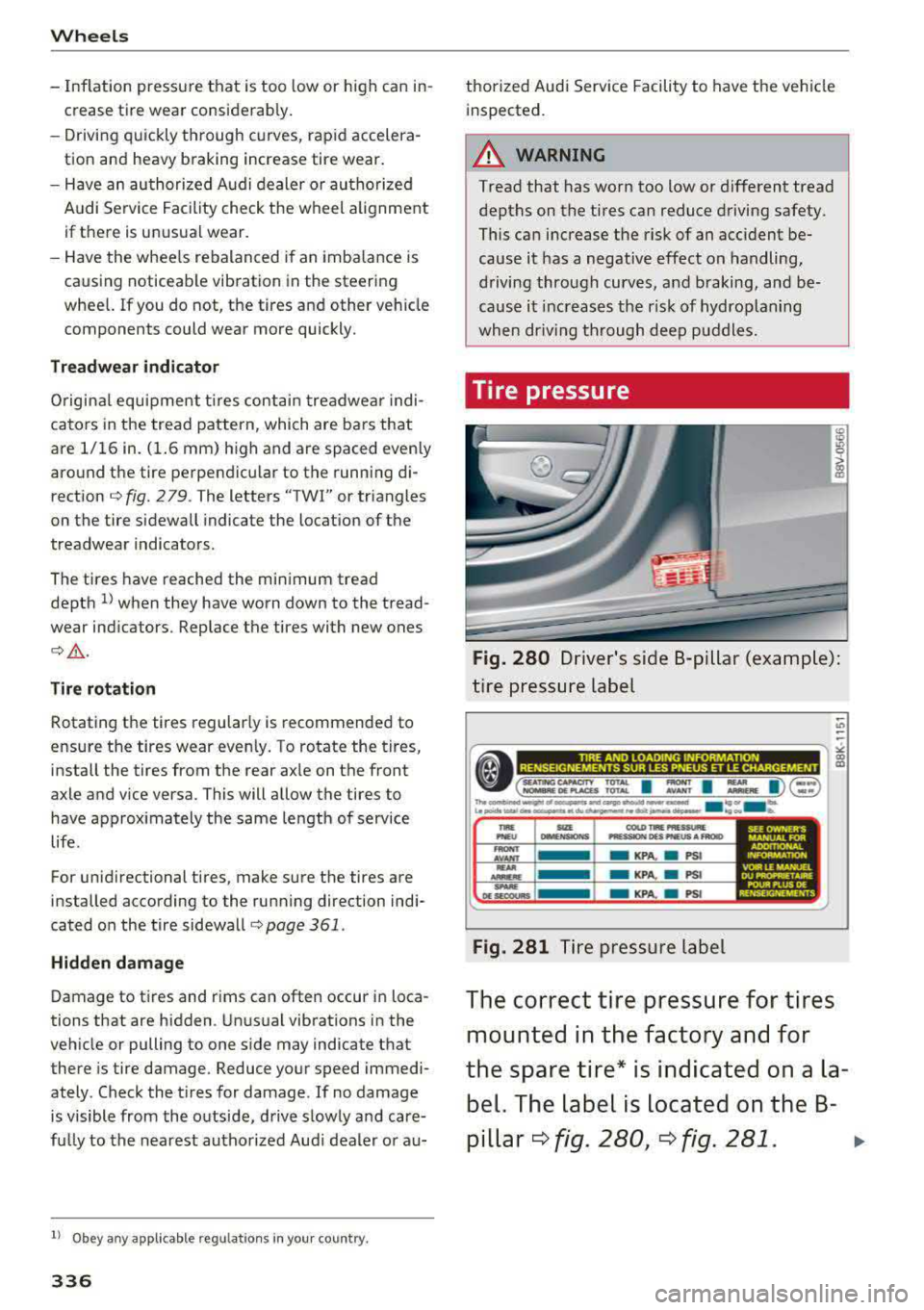
Fig. 280 Driver's side B-pi llar (e xamp le) :
t ire p ress ure label
;; ~ ~ ~-----------------,:,
• (=~ ~~I: I:. I)@ ::g
»-OOIMING...-ol~..SAflO.....,....,--.d . ... _k Le«-h,...a .. ~etdudw,.uWl>l!tdollil,.._~ 'eou lb.
tw: SIU COI.O TR PRESSURE PNE U lailEHSl0HS "'lSSION OU PNEUS AFRQID
-AVANT -KPA. • PS I
Fig. 281 Tire pressure label
SEE OWNER"S MANUAL FOR ADOrTlONAL INFORMATK>N
VOIR L£ MANUa DU PROPRIETAIRE POUR PLUS DE RENSEIGNEMENTS
The correct tire pr essure for tires
mounted in the fa ctory and for
th e s pare tire * is ind icated on a la
bel. The label i s located on th e B-
pillar
¢ f ig . 280, ¢ fig. 2 81 . ..,
Page 348 of 400
Wheels
after switching the ignition on or while driving
and the
[tlJ indicator light in the instrument clus
ter blinks for approximately one minute and then
stays on, there is system malfunction. Check/cor rect the pressures on all four tires and store the
pressures
Q page 346 . If the indicator light does
turn off or turns on again after a short period of
time, drive to an authorized Audi dealer or au
thorized Audi Service Facility immediately to have
the malfunction corrected.
A WARNING
- If the tire pressure indicator appears in the
instrument cluster display, reduce your
speed immediately and avoid any hard
steering or braking maneuvers. Stop as soon
as possible and check the tires and their
pressures.
- The driver is responsible for maintaining the correct tire pressures. You must check the
tire pressures regularly.
- Under certain conditions (such as a sporty
driving style, winter conditions or unpaved
roads), the pressure monitor indicator may
be delayed.
- Do not use run-flat tires on your vehicle. Us
ing them when not permitted can lead to
vehicle damage or accidents.
@ Tips
- The tire pressure monitoring system can al
so stop working when there is an ESC/ABS
malfunction.
- Using snow chains may result in a system
malfunction.
- The tire pressure monitoring system in your
Audi was calibrated with "Audi Original
Tires"
¢ page 335. Using these tires is rec
ommended .
- The tire pressure monitoring system can on
ly monitor the tire pressure of the driving
tires. Check the tire pressure of the spare
wheel in the luggage compartment so that
if necessary it is ready for use.
346
· Storing tire pressures
Applies to: vehicles with Tire P ressure Monitoring System in
dicator
A change in tire pressure or a change in tires
must be stored in the system.
Before storing the tire pressures, make sure the
tire pressures of all four tires meet the specified
values and are adapted to the load¢
page 335.
.,. Select in the Infotainment system: IMENU ! but
ton
> Vehicle > Service & checks > Tire pres
sure monitoring
> Store tire pressure > Yes,
store now.
(D Tips
Do not store the tire pressures if snow chains
are installed.
Page 384 of 400
Index
A
A/C (automatic climate control system) . . . . 71
Accessories . . . . . . . . . . . . . . . . . . . . . . . 64, 380
Active lane assist
refer to Audi active lane assist . . . . . . . . . 136
Active rollover protection system . . . . . . . . 256
Retracting rollover protection.......... 257
Adaptive cruise control
refer to Audi adaptive cruise control . . . . 126
Adaptive light
refer to Audi adaptive light . . . . . . . . . . . . . 51
Adjusting the air distribution Automatic climate control system . . . . . . . 72
Adjusting the air vents . . . . . . . . . . . . . . . . . . 73 Automatic climate control system . . . . . . . 72
Adjusting the sound . . . . . . . . . . . . . . . . . . . 245
Advanced key
refer to Convenience key . . . . . . . . . . . . . . . 78
Airbag .... .. .. ............... .... ... 267
Airbag system .. .... .............. 267,287
Advanced Airbag System components . . . 274
Care . . . . . . . . . . . . . . . . . . . . . . . . . . . . . . 282
Ch ildren . . . . . . . . . . . . . . . . . . . . . . . . . . . 294
Ch ild restraints . . . . . . . . . . . . . . . . . . . . . 295
Components (front airbags) . . . . . . . . . . . 274
Danger of fitting a child safety seat on the
front passenger seat . . . . . . . . . . . . . . . . . 268
Disposal . . . . . . . . . . . . . . . . . . . . . . . . . . . 282
Front airbags . . . . . . . . . . . . . . . . . . . . . . . 272
How do the front airbags work? . . . . . . . . 277
How many airbags does my vehicle have? 274
How the Advanced Airbag System compo -
nents work together . . . . . . . . . . . . . . . . . 276
Important safety instructions on the knee
airbag system . . . . . . . . . . . . . . . . . . . . . . . 285
Knee airbags . . . . . . . . . . . . . . . . . . . . . . . . 283
Monitoring . . . . . . . . . . . . . . . . . . . . . . . . . 279
PASSENGER AIR BAG OFF light . . . . . . . . . 279
Repairs . . . . . . . . . . . . . . . . . . . . . . . . . . . . 282
Safety instructions . . . . . . . . . . . . . . . . . . . 281
Side airbags . . . . . . . . . . . . . . . . . . . . . . . . 285
Warning/Indicator lights . . . . . . . . . . . . . 279
When must the system be inspected? . . . 279
Air pressure (tires) . . . . . . . . . . . . . . . . 336, 345
A lignment pin (tire change) . . . . . . . . . . . . . 353
All-weather lights..... ......... .... .. .. 51
382
All season tires
All wheel drive 342
refer to quattro (all wheel drive) . . . . .
. . 154
AMI
refer to Audi music interface . . . . . . . 228, 229
Android Auto
refer to Audi smartphone interface . . . . . 239
Ant i-freeze
Windshield washer system . . . . . . . . . . . . 327
Anti -Lock Braking System (ABS) . . . . . . . . . 151
Anti-Slip Regulation (ASR) . . . . . . . . . . . . . . 151
Apple CarP lay
refer to Aud i smartphone interface . . . . . 239
Audi active lane assist . . . . . . . . . . . . . . . . . 136
Cleaning the camera area . . . . . . . . . . . . . 348
Messages . .. .. .. ... .... ....... .... .
Audi adaptive cruise control ........... . .
Cleaning the sensor . .. .. ........... . . 138
126
348
Distance display, distance warning ..... . 132
Messages . . . . . . . . . . . . . . . . . . . . . . . . . . 133
Audi adaptive light . . . . . . . . . . . . . . . . . 51, 143
Audi connect e-tron services . . . . . . . . . . . . 198
Doors and lights .. .. .. .. ........... .. 198
Audi connect (Infotainment) ........ 190,195
Data protection . . . . . . . . . . . . . . . . . . . . . 196
Services overview . . . . . . . . . . . . . . . . . . . . 191
Start ing . . . . . . . . . . . . . . . . . . . . . . . . . . . 191
Audi drive select . . . . . . . . . . . . . . . . . . . . . . 143
Audi magnetic ride
refer to Suspension control . . . . . . . . . . . . 143
Audi music interface . . . . . . . . . . . . . . . . . . . 228
Audi music stream
refer to Wi-Fi . . . . . . . . . . . . . . . . . . . . . . . 226
Audio files . . . . . . . . . . . . . . . . . . . . . . . . . . . 230
Audio player Bluetooth audio player . . . . . . . . . . . . . . . 225
Wi-Fi audio player . . . . . . . . . . . . . . . . . . . 226
Audio track . . . . . . . . . . . . . . . . . . . . . . . . . . 233
Audi pre sense . . . . . . . . . . . . . . . . . . . . . . . 133
Messages . . . . . . . . . . . . . . . . . . . . . . 133, 136
Settings . . . . . . . . . . . . . . . . . . . . . . . . . . . 136
Audi Service Repair Manuals and Literature 378
Audi side assist . . . . . . . . . . . . . . . . . . . . . . . 139
Cleaning the sensors . . . . . . . . . . . . . . . . . 348
Messages . ....... ... ..... .........
.
Rear cross-traffic assist ... ........... . 143
142
Page 387 of 400
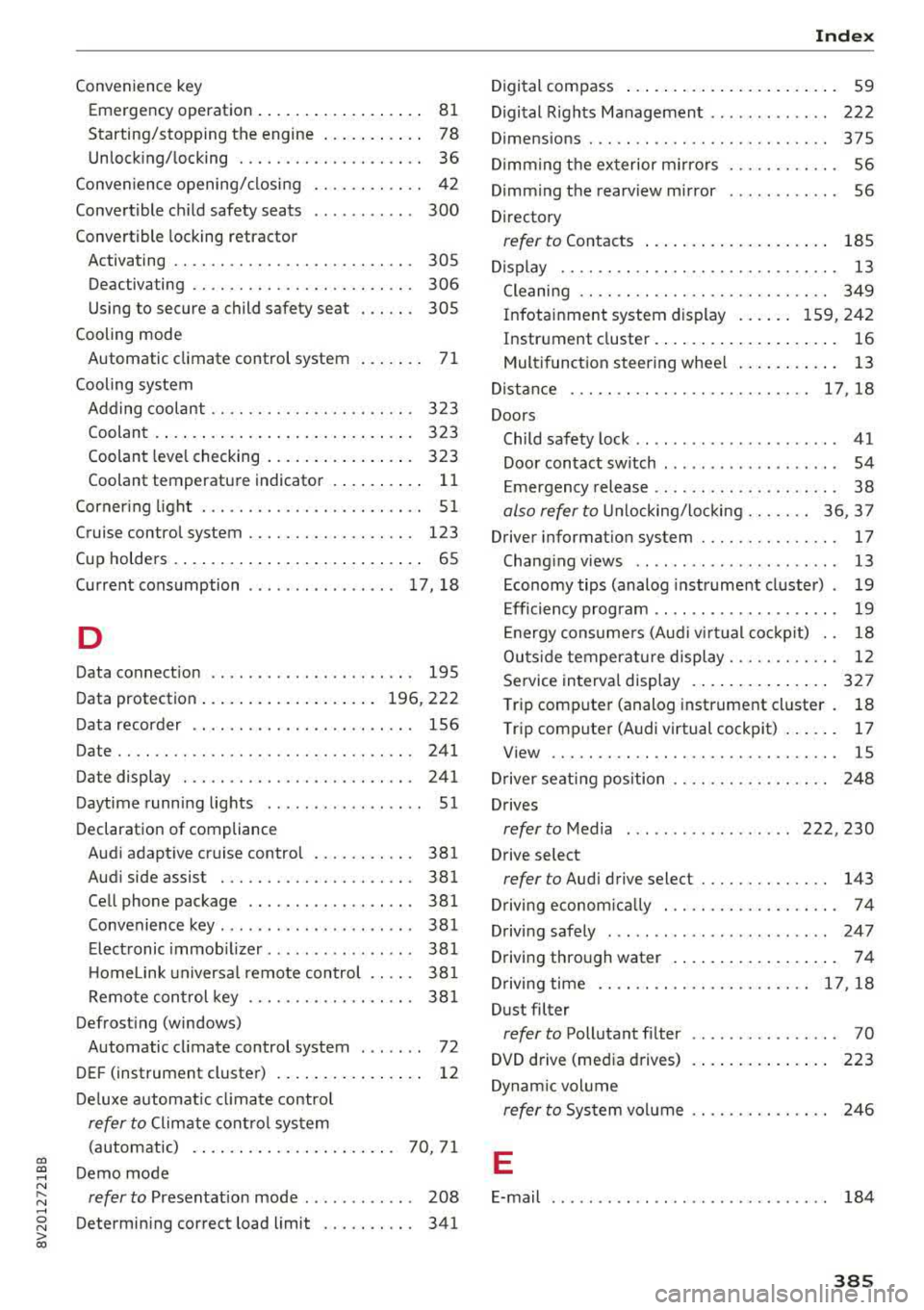
CXl CXl .... N r--N .... 0 N > 00
Convenience key Em ergency operation . . . . . . . . . . . . . . . . . . 81
Starting/stopping the engine . . . . . . . . . . . 78
Unlocking/locking . . . . . . . . . . . . . . . . . . . . 36
Convenience opening/closing . . . . . . . . . . . . 42
Convertible child safety seats . . . . . . . . . . . 300
Convertible locking retracto r
Activating . . . . . . . . . . . . . . . . . . . . . . . . . . 305
Deactiva ting . . . . . . . . . . . . . . . . . . . . . . . . 306
Using to secure a child safety seat . . . . . . 305
Cooling mode Automatic climate control system . . . . . . . 71
Cooling system Adding coolant . . . . . . . . . . . . . . . . . . . . . . 323
Coolant . . . . . . . . . . . . . . . . . . . . . . . . . . . . 323
Coolant level checking . . . . . . . . . . . . . . . . 323
Coolant temperature indicator . . . . . . . . . . 11
Corner ing light . . . . . . . . . . . . . . . . . . . . . . . . 51
Cruise control system . . . . . . . . . . . . . . . . . . 123
Cup holders . . . . . . . . . . . . . . . . . . . . . . . . . . . 65
Current consumption . . . . . . . . . . . . . . . . 17, 18
D
Data connection . . . . . . . . . . . . . . . . . . . . . . 195
Data protection . . . . . . . . . . . . . . . . . . . 196, 222
Data recorder . . . . . . . . . . . . . . . . . . . . . . . . 156
Date .. .. .. .. .. ............... .. .. .. . 241
Date display . . . . . . . . . . . . . . . . . . . . . . . . . 241
Daytime running lights . . . . . . . . . . . . . . . . . 51
Declaration of compliance Audi adaptive cruise control . . . . . . . . . . . 381
Audi side assist . . . . . . . . . . . . . . . . . . . . . 381
Cell phone package . . . . . . . . . . . . . . . . . . 381
Convenience key . . . . . . . . . . . . . . . . . . . . . 381
Electronic immobilizer. . . . . . . . . . . . . . . . 381
H omelink universal remote control . . . . . 381
Remote control key . . . . . . . . . . . . . . . . . . 381
Defrosting (windows) Automatic climate control system . . . . . . . 72
DEF (instrument cluster) . . . . . . . . . . . . . . . . 12
Deluxe automatic climate control
refer to Climate control system
(automatic) . . . . . . . . . . . . . . . . . . . . . . 70, 71
Demo mode
refer to Presentation mode . . . . . . . . . . . . 208
Determining correct load limit . . . . . . . . . . 341
Index
Digital compass . . . . . . . . . . . . . . . . . . . . . . . 59
Digital Rights Management . . . . . . . . . . . . . 222
Dimensions . . . . . . . . . . . . . . . . . . . . . . . . . . 375
Dimming the exterior mirrors . . . . . . . . . . . . 56
Dimming the rearview mirror . . . . . . . . . . . . 56
Directory
refer to Contacts . . . . . . . . . . . . . . . . . . . . 185
Display . . . . . . . . . . . . . . . . . . . . . . . . . . . . . . 13
Cleaning . . . . . . . . . . . . . . . . . . . . . . . . . . . 349
Infotainment system display . . . . . . 159, 242
Instrument cluster. . . . . . . . . . . . . . . . . . . . 16
Multifunction steering wheel . . . . . . . . . . . 13
Distance ... ....................... 17,18
Doors Child safety lock . . . . . . . . . . . . . . . . . . . . . . 41
Door contact switch . . . . . . . . . . . . . . . . . . . 54
Emergency release . . . . . . . . . . . . . . . . . . . . 38
also refer to Unlocking/locking ....... 36, 37
Driver information system . . . . . . . . . . . . . . . 17
Changing views . . . . . . . . . . . . . . . . . . . . . . 13
Economy tips (analog instrument cluster) . 19
Efficiency program . . . . . . . . . . . . . . . . . . . . 19
Energy consumers (Audi virtual cockp it) . . 18
Outs ide temperature display. . . . . . . . . . . . 12
Service interval display . . . . . . . . . . . . . . . 327
Trip computer (analog instrument cluster . 18
Trip computer (Audi virtual cockpit) . . . . . . 17
View . . . . . . . . . . . . . . . . . . . . . . . . . . . . . . . 15
Driver seating position . . . . . . . . . . . . . . . . . 248
Drives
refer to Media . . . . . . . . . . . . . . . . . . 222, 230
Drive select
refer to Audi drive select . . . . . . . . . . . . . . 143
Driving econom ically . . . . . . . . . . . . . . . . . . . 74
Driving safely . . . . . . . . . . . . . . . . . . . . . . . . 247
Driving through water . . . . . . . . . . . . . . . . . . 74
Driving time . . . . . . . . . . . . . . . . . . . . . . . 17, 18
Dust filter
refer to Pollutant filter . . . . . . . . . . . . . . . . 70
DVD drive (media drives)
223
Dynamic volume
refer to System volume . . . . . . . . . . . . . . . 246
E
E-mail . . . . . . . . . . . . . . . . . . . . . . . . . . . . . . 184
385
Page 391 of 400
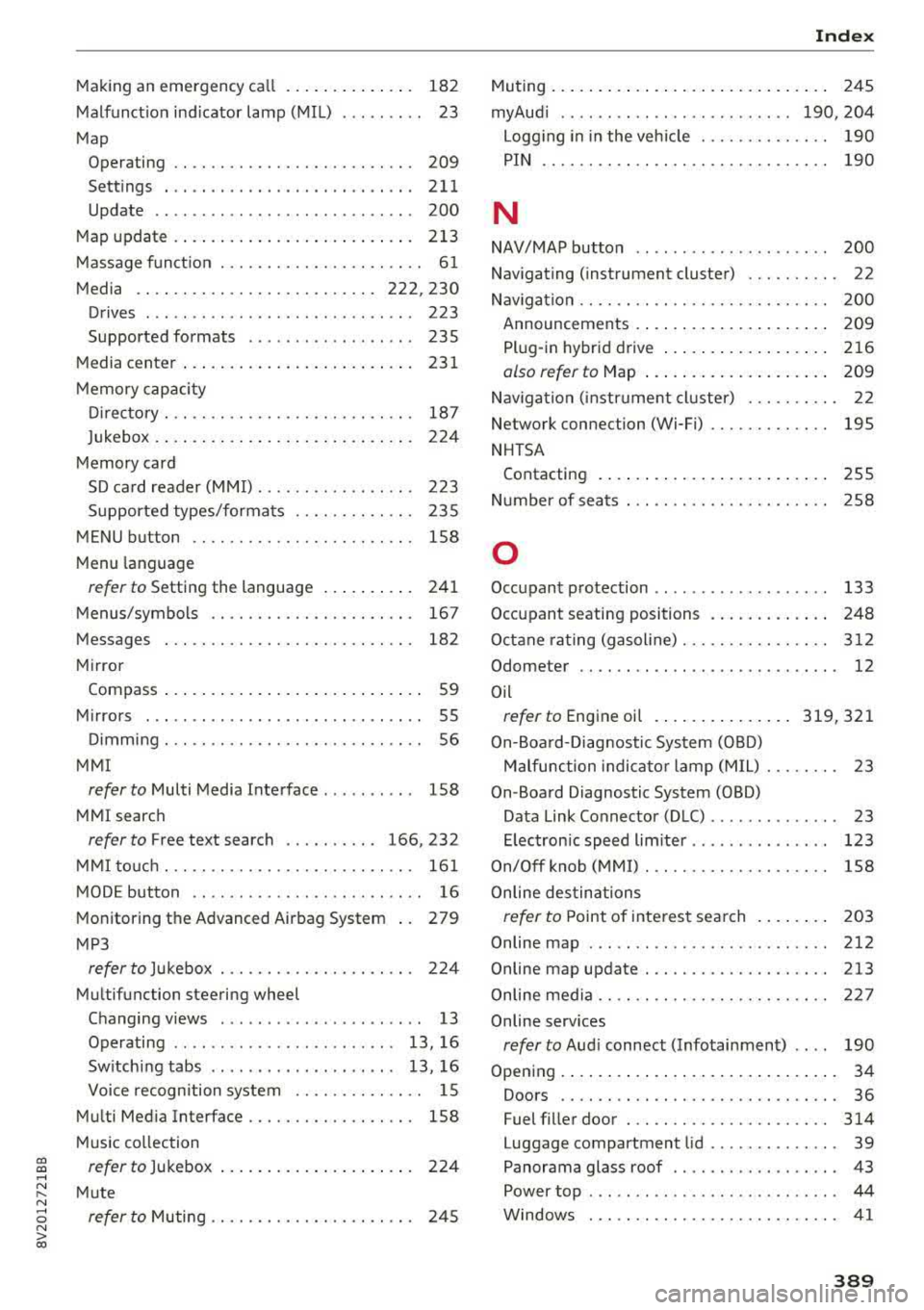
CXl CXl .... N ,.__
N .... 0 N > 00
Making an emergency ca ll . . . . . . . . . . . . . . 182
Malfunction indicator lamp (MIL) . . . . . . . . . 23
Map Operating . . . . . . . . . . . . . . . . . . . . . . . . . . 209
Sett ings . ...................... ... . 211
Update .. ... ..................... .. 200
Map updat e . . . . . . . . . . . . . . . . . . . . . . . . . . 213
Massage function . . . . . . . . . . . . . . . . . . . . . . 61
Media . . . . . . . . . . . . . . . . . . . . . . . . . . 222, 230
Drives . . . . . . . . . . . . . . . . . . . . . . . . . . . . . 223
Supported formats . . . . . . . . . . . . . . . . . . 235
M edia center . . . . . . . . . . . . . . . . . . . . . . . . . 231
Memory capacity
Directory . . . . . . . . . . . . . . . . . . . . . . . . . . . 187
Jukebox . . . . . . . . . . . . . . . . . . . . . . . . . . . . 224
Memory card SD card reader (MMI). . . . . . . . . . . . . . . . . 223
Supported types/formats . . . . . . . . . . . . . 235
MENU button . . . . . . . . . . . . . . . . . . . . . . . . 158
M enu languag e
refer to Setting the language . . . . . . . . . . 241
Menus/symbols . . . . . . . . . . . . . . . . . . . . . . 167
Messages . . . . . . . . . . . . . . . . . . . . . . . . . . . 182
Mirror Compass ... .. ....................... 59
Mirrors . . . . . . . . . . . . . . . . . . . . . . . . . . . . . . 55
Dimming ... .. ............. .. .. .... .. 56
MMI
refer to Multi Media Interface . . . . . . . . . . 158
MMI search
refer to Free text search . . . . . . . . . . 166, 232
MMI touch . . . . . . . . . . . . . . . . . . . . . . . . . . . 161
MODE button . . . . . . . . . . . . . . . . . . . . . . . . . 16
Monitoring the Advanced Airbag System 279
MP3
refer to Jukebox . . . . . . . . . . . . . . . . . . . . . 224
Multifunction steering wheel
Changing views . . . . . . . . . . . . . . . . . . . . . . 13
Operating . . . . . . . . . . . . . . . . . . . . . . . . 13, 16
Switching tabs . . . . . . . . . . . . . . . . . . . . 13, 16
Voice recognition system . . . . . . . . . . . . . . 15
Multi Media Interface . . . . . . . . . . . . . . . . . . 158
Music collect ion
refer to Jukebox . . . . . . . . . . . . . . . . . . . . . 224
Mute
refer to Muting . . . . . . . . . . . . . . . . . . . . . . 245
Index
Muting..... .. .. .. .................. . 245
myAud i . . . . . . . . . . . . . . . . . . . . . . . . . 190, 204
Logging in in the vehicle . . . . . . . . . . . . . . 190
PIN . . . . . . . . . . . . . . . . . . . . . . . . . . . . . . . 190
N
NAV/MAP button . . . . . . . . . . . . . . . . . . . . . 200
Navigating (instrument cluster) . . . . . . . . . . 22
Nav igation . . . . . . . . . . . . . . . . . . . . . . . . . . . 200
Announcements . . . . . . . . . . . . . . . . . . . . . 209
Plug-in hybrid drive . . . . . . . . . . . . . . . . . . 216
also refer to Map . . . . . . . . . . . . . . . . . . . . 209
Nav igation (instrument cluster) . . . . . . . . . . 22
Network connection (Wi-Fi) . . . . . . . . . . . . . 195
NHTSA Contacting . . . . . . . . . . . . . . . . . . . . . . . . . 255
Number of seats . . . . . . . . . . . . . . . . . . . . . . 258
0
Occupant protection . . . . . . . . . . . . . . . . . . . 133
Occupant seating positions . . . . . . . . . . . . . 248
Octane rating (gasoline).............. .. 312
Odometer . . . . . . . . . . . . . . . . . . . . . . . . . . . . 12
Oil
refer to Engine oil ............... 319,321
On-Board-Diagnostic System (OBD)
Malfunction indicator lamp (MIL) . . . . . . . . 23
On-Board Diagnostic System (OBD) Data Link Connector (D LC) . . . . . . . . . . . . . . 23
E lectron ic speed lim iter . . . . . . . . . . . . . . . 123
On/Off knob (MMI) . . . . . . . . . . . . . . . . . . . . 158
Online destinations
refer to Point of interest search . . . . . . . . 203
Online map . . . . . . . . . . . . . . . . . . . . . . . . . . 212
Online map update. ................. .. 213
Online media . . . . . . . . . . . . . . . . . . . . . . . . . 227
Online services
refer to Aud i connect (Infotainment) . . . . 190
Opening..... ..... .. ................ .. 34
Doors . . . . . . . . . . . . . . . . . . . . . . . . . . . . . . 36
Fuel filler door . . . . . . . . . . . . . . . . . . . . . . 314
Luggage compartment lid . . . . . . . . . . . . . . 39
Panorama glass roof . . . . . . . . . . . . . . . . . . 43
Power top . . . . . . . . . . . . . . . . . . . . . . . . . . . 44
Windows . .. .. .. ............... .. .. . 41
389