brake light AUDI A4 2008 B8 / 4.G User Guide
[x] Cancel search | Manufacturer: AUDI, Model Year: 2008, Model line: A4, Model: AUDI A4 2008 B8 / 4.GPages: 342, PDF Size: 13.14 MB
Page 39 of 342
Driver information system37
Controls
Safety
Driving tips
General maintenance
Self-help
Technical data
Light sensor / rain sensor defective
Automatic headlights / automatic wipers defective
If the symbol appears, this means that the light sensor / rain
sensor is not functioning.For safety reasons, the dipped beam head-
lights will then be switched on permanently when the light switch
is set to the AUTO position. However, you can still switch the lights
on and off in the normal way with the light switch. If the rain sensor
is defective, the functions operated via the windscreen wiper lever
will still be available. You should have the light sensor / rain sensor
checked by a qualified workshop as soon as possible.
Brake pads worn
Brake pads!
If the symbol lights up, have the front brake pads (and, for
safety's sake the rear pads as well) inspected by a qualified
workshop.
Applies to vehicles: with bulb monitorBulb monitor
The bulb monitor checks whether the lights on the vehicle
are working.The bulb monitor checks whether the lights on the vehicle are
working. If it detects a defective bulb on the vehicle it will show a
yellow warning symbol together with a message indicating which
light is not working.
Bulb failure
If the symbol
lights up, this means that one of the turn signals
(front or rear), headlights, brake lights, rear lights, fog lights or the
rear fog light is not working.
WARNING
•
Bulbs are sensitive to pressure. The glass can break when you
touch the bulb, causing injury.
•
Incorrect handling of the high-voltage element of xenon gas-
discharge bulbs* can have potentially fatal consequences.Note
Have the components repaired or replaced by a qualified
workshop.Applies to vehicles: with washer fluid warning systemWasher fluid level low
Please top up washer fluid
If the symbol lights up, top up the fluid for the windscreen
washer and headlight washer system* ⇒page 267.
Fuel level low
Please refuel
When this symbol
comes on for the first time, there are about
8 litres of fuel left in the tank. You should fill up as soon as possible
⇒page 252.
If this warning symbol lights up although the fuel tank is sufficiently
filled, there is a malfunction in the fuel tank system. The display will
also show the driver message Tank system malfunction ! Contact
workshop. Please contact a qualified workshop.
document_0900452a81b1b9de.book Seite 37 Donnerstag, 26. Juli 2007 9:16 09
Page 63 of 342
Lights and vision61
Controls
Safety
Driving tips
General maintenance
Self-help
Technical data
Applies to vehicles: with xenon headlight bulbsDynamic headlight range controlHeadlights with xenon gas-discharge bulbs automatically adapt to
suit the load being carried when the engine is switched on. The
headlights are also automatically adjusted when the vehicle is in
motion (e.g. when accelerating and braking).Applies to vehicles: with adaptive lightadaptive light
This feature provides better illumination when you drive
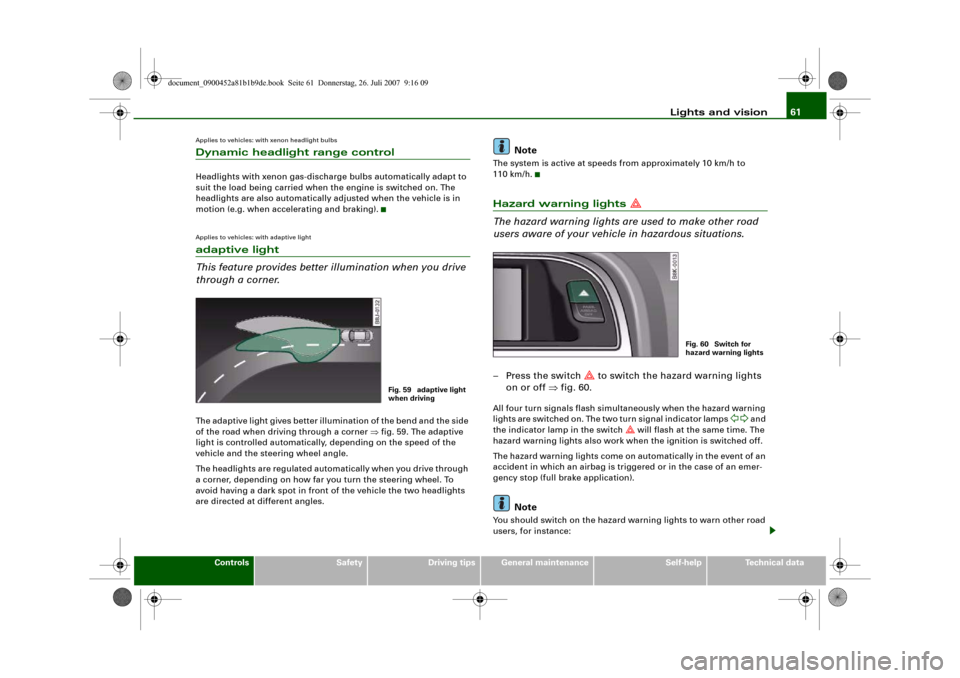
through a corner.The adaptive light gives better illumination of the bend and the side
of the road when driving through a corner ⇒fig. 59. The adaptive
light is controlled automatically, depending on the speed of the
vehicle and the steering wheel angle.
The headlights are regulated automatically when you drive through
a corner, depending on how far you turn the steering wheel. To
avoid having a dark spot in front of the vehicle the two headlights
are directed at different angles.
Note
The system is active at speeds from approximately 10 km/h to
110 km/h.Hazard warning lights
The hazard warning lights are used to make other road
users aware of your vehicle in hazardous situations.– Press the switch
to switch the hazard warning lights
on or off ⇒fig. 60.
All four turn signals flash simultaneously when the hazard warning
lights are switched on. The two turn signal indicator lamps
and
the indicator lamp in the switch
will flash at the same time. The
hazard warning lights also work when the ignition is switched off.
The hazard warning lights come on automatically in the event of an
accident in which an airbag is triggered or in the case of an emer-
gency stop (full brake application).
Note
You should switch on the hazard warning lights to warn other road
users, for instance:
Fig. 59 adaptive light
when driving
Fig. 60 Switch for
hazard warning lights
document_0900452a81b1b9de.book Seite 61 Donnerstag, 26. Juli 2007 9:16 09
Page 84 of 342
Seats and storage 82
CautionWhen returning the backrest to an upright position, make sure that
the seat belts for the outer rear seats are in their guides so that they
cannot be caught up and damaged in the catches for the backrest.Storage shelf
The storage shelf behind the rear backrest should only be
used to store light articles of clothing.
WARNING
Do not store any heavy or hard objects on the storage shelf. They
could cause injury if the brakes are applied suddenly.
Caution
Please note that hard objects could chafe against the wires of the
heating element in the rear window and cause damage.
Note
Make sure that the slots between the rear window and the storage
shelf are kept clear to ensure unimpaired ventilation.
Applies to vehicles: with load-through hatchLoad-through hatch with transport bag
You can use the load-through hatch and the removable
ski bag to transport skis or other extra-long objects safely
inside the vehicle without soiling or damaging the uphol-
stery.Loading
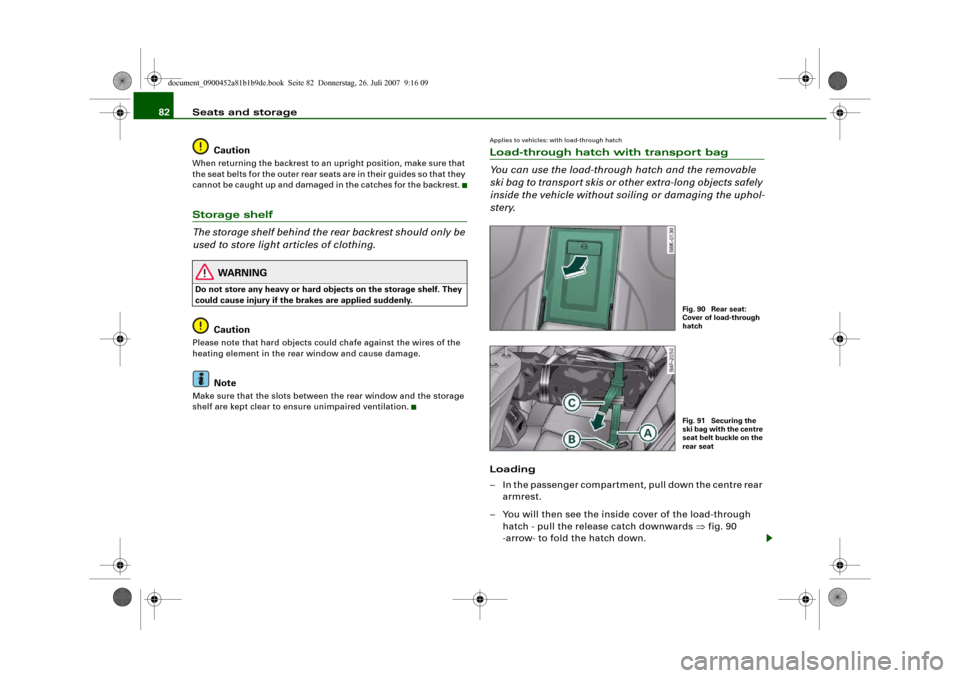
– In the passenger compartment, pull down the centre rear
armrest.
– You will then see the inside cover of the load-through
hatch - pull the release catch downwards ⇒fig. 90
-arrow- to fold the hatch down.
Fig. 90 Rear seat:
Cover of load-through
hatchFig. 91 Securing the
ski bag with the centre
seat belt buckle on the
rear seat
document_0900452a81b1b9de.book Seite 82 Donnerstag, 26. Juli 2007 9:16 09
Page 118 of 342
Driving 116DrivingSteeringApplies to vehicles: with manually adjustable steering columnAdjusting the steering wheel position
The height and reach of the steering wheel can be
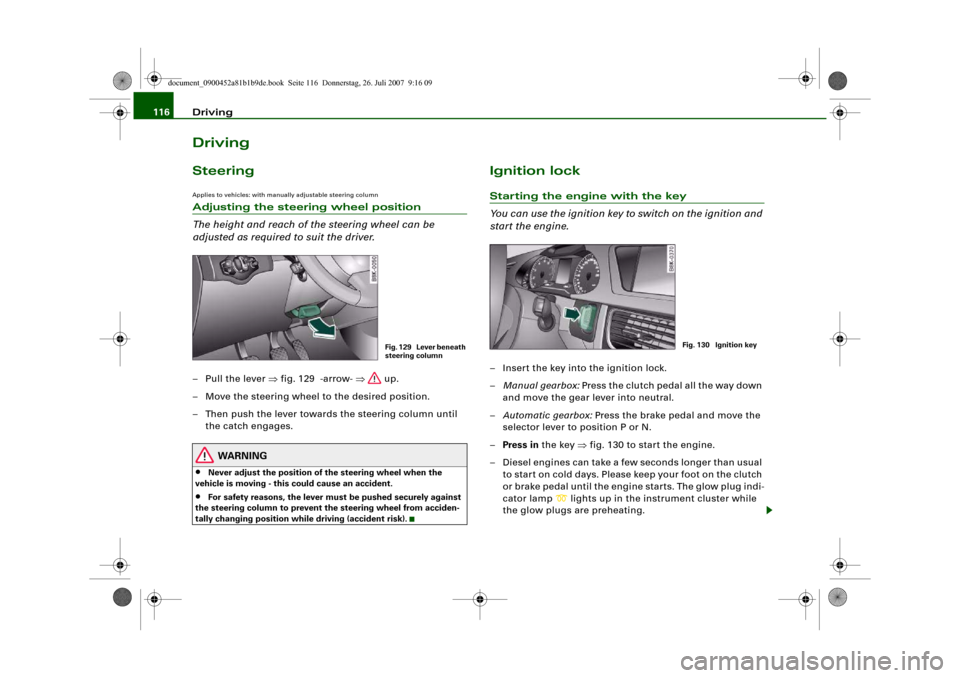
adjusted as required to suit the driver.– Pull the lever ⇒fig. 129 -arrow- ⇒ up.
– Move the steering wheel to the desired position.
– Then push the lever towards the steering column until
the catch engages.
WARNING
•
Never adjust the position of the steering wheel when the
vehicle is moving - this could cause an accident.
•
For safety reasons, the lever must be pushed securely against
the steering column to prevent the steering wheel from acciden-
tally changing position while driving (accident risk).
Ignition lockStarting the engine with the key
You can use the ignition key to switch on the ignition and
start the engine.– Insert the key into the ignition lock.
–Manual gearbox: Press the clutch pedal all the way down
and move the gear lever into neutral.
–Automatic gearbox: Press the brake pedal and move the
selector lever to position P or N.
–Press in the key ⇒fig. 130 to start the engine.
– Diesel engines can take a few seconds longer than usual
to star t on cold days. Please keep your foot on the clutch
or brake pedal until the engine starts. The glow plug indi-
cator lamp
lights up in the instrument cluster while
the glow plugs are preheating.
Fig. 129 Lever beneath
steering column
Fig. 130 Ignition key
document_0900452a81b1b9de.book Seite 116 Donnerstag, 26. Juli 2007 9:16 09
Page 120 of 342
Driving 118
Note•
If the key should become stuck in the ignition lock, remove the
top part of the key and use it to lock the vehicle.
•
If you open the driver's door while the ignition is switched on, a
warning buzzer will sound, and the message Ignition is on will
appear in the display. In this case, please switch off the ignition.
Switching off the engine– Stop the vehicle.
– Automatic gearbox: Move the selector lever to position P
or N.
–Press in the ignition key to switch off the engine.Emergency Off function
If necessary in an emergency, the engine can be switched off while
the vehicle is still moving. The engine will be switched off if you
press and hold the ignition key.
WARNING
•
Never switch off the engine until the vehicle is stationary.
•
The brake servo and the power steering system work only
when the engine is running. You need more strength to steer and
brake the vehicle when the engine is switched off. This would
mean a greater risk of accidents and serious injury, because you
cannot steer and brake in the normal manner.Caution
If the engine has been working hard for a long time, there is a risk
of heat building up in the engine compartment after the engine has
been switched off; this could cause engine damage. For this reason, you should leave the engine idling for about 2 minutes before
switching it off.
Note
After the engine is stopped the radiator fan may run on for up to
10 minutes, even if the ignition is switched off. The fan may also
start running again after some time if the coolant temperature rises
due to a build-up of heat, or if the engine is hot and the engine
compartment is heated up further by direct sunlight.Starting and stopping the engine
with the advanced keyApplies to vehicles: with advanced keyStarting the engine with the Start/Stop button
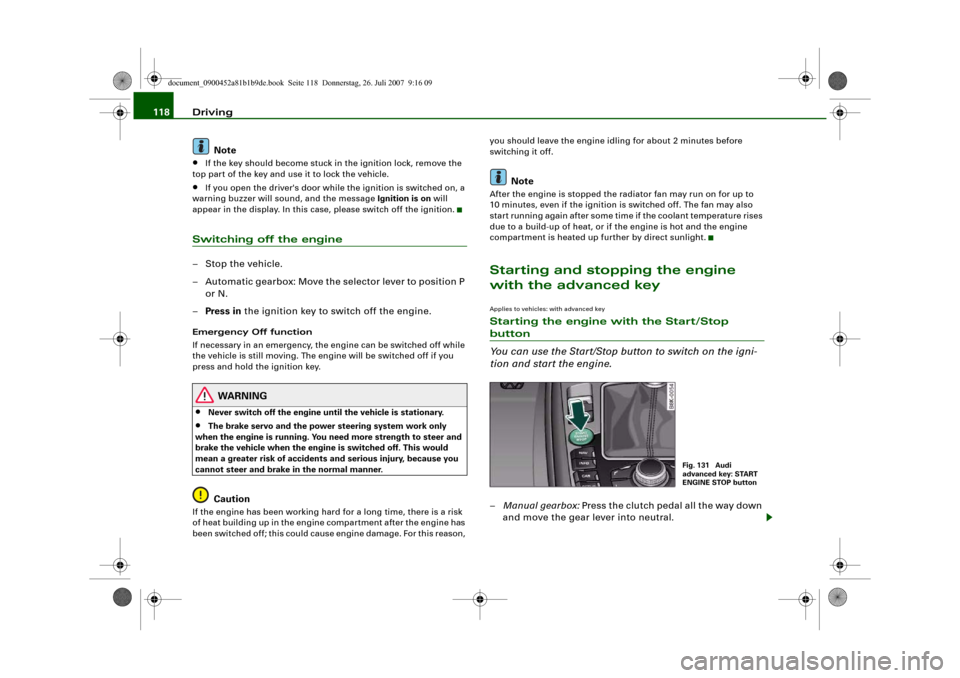
You can use the Start/Stop button to switch on the igni-
tion and start the engine.–Manual gearbox: Press the clutch pedal all the way down
and move the gear lever into neutral.
Fig. 131 Audi
advanced key: START
ENGINE STOP button
document_0900452a81b1b9de.book Seite 118 Donnerstag, 26. Juli 2007 9:16 09
Page 121 of 342
Driving119
Controls
Safety
Driving tips
General maintenance
Self-help
Technical data
–Automatic gearbox: Press the brake pedal and move the
selector lever to position P or N ⇒.
–Press the Start/Stop button ⇒page 118, fig. 131 to start
the engine.
– Diesel engines can take a few seconds longer than usual
to star t on cold days. Please keep your foot on the clutch
or brake pedal until the engine starts. The glow plug indi-
cator lamp
lights up in the instrument cluster while
the glow plugs are preheating.
If you press the Start/Stop button without pressing the clutch or
brake pedal, the ignition will be switched on (and will be switched
off if you press the button again). Diesel engines are preheated
when the ignition is switched on.
If the engine fails to start straight-away, switch off the starter after
about 10 seconds and try again after about half a minute.
When starting from cold the engine may be a little noisy for the first
few seconds until oil pressure has built up in the hydraulic tappets.
This is quite normal and no cause for concern.
Driver message in the instrument cluster display
No key identified
This message appears when you press the Start/Stop button if there
is no remote control key inside the vehicle or if the system cannot
detect or identify the key. This can happen, for example, if the radio
signal from the key is obstructed by a metal briefcase or similar.
Electronic equipment, such as mobile phones, can also interfere
with the radio signal from the key.
Press brake pedal to start engine
This message appears on automatic vehicles if you press the
Start/Stop button to start the engine without first pressing the
brake pedal. The engine will only start if you press the brake pedal.Press clutch pedal to start engine
This message appears on manual vehicles if you press the
Start/Stop button to start the engine without first pressing the
clutch pedal. The engine will only star t if you press the clutch pedal.
Engage N or P to start engine
This message will appear if you try to start the engine when the
selector lever of the automatic gearbox is not in P or N. The engine
can only be started if the selector lever is in one of these positions.
Key not in vehicle
This message will appear together with the symbol
if the remote
control key is removed from the vehicle while the engine is running.
This is to remind you not to continue driving without the key (for
example if you change drivers).
If the remote control key is not in the vehicle you will not be able to
switch on the ignition or restart the engine after it has been
switched off. Without the key, you will also not be able to lock the
vehicle from the outside.
Shift to P, otherwise vehicle can roll away. Doors do not lock if lever
is not in P. or Please move selector lever to position P. Vehicle
cannot be locked.
For safety reasons, this message will appear and a warning buzzer
will sound if the selector lever of the automatic gearbox is not in
position P when you switch off the ignition with the Start/Stop
button. Put the selector lever in position P; otherwise the vehicle
can roll away. If the lever is not in position P you will not be able to
lock the vehicle using the exterior locking switch on the door handle
or the remote control key.
Advanced key defective! Use ignition lock
This message appears if the vehicle has to be started with the igni-
tion key instead of the Start/Stop button.
document_0900452a81b1b9de.book Seite 119 Donnerstag, 26. Juli 2007 9:16 09
Page 123 of 342
Driving121
Controls
Safety
Driving tips
General maintenance
Self-help
Technical data start running again after some time if the coolant temperature rises
due to a build-up of heat, or if the engine is hot and the engine
compartment is heated up further by direct sunlight.
Electro-mechanical parking brakeOperation
The electro-mechanical parking brake replaces the hand-
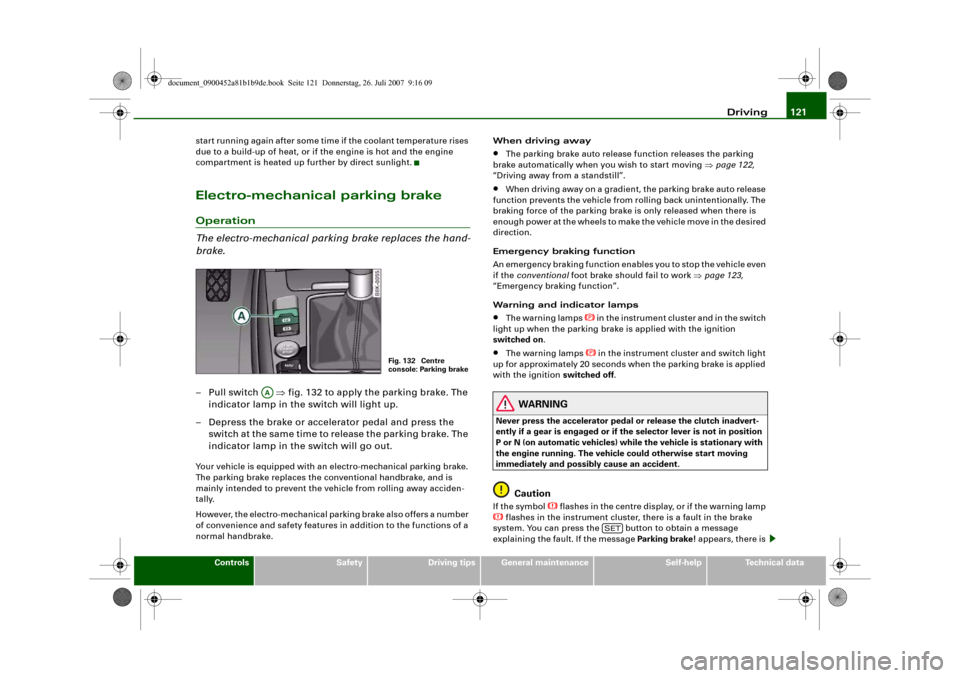
brake.– Pull switch ⇒fig. 132 to apply the parking brake. The
indicator lamp in the switch will light up.
– Depress the brake or accelerator pedal and press the
switch at the same time to release the parking brake. The
indicator lamp in the switch will go out.Your vehicle is equipped with an electro-mechanical parking brake.
The parking brake replaces the conventional handbrake, and is
mainly intended to prevent the vehicle from rolling away acciden-
tally.
However, the electro-mechanical parking brake also offers a number
of convenience and safety features in addition to the functions of a
normal handbrake.When driving away
•
The parking brake auto release function releases the parking
brake automatically when you wish to start moving ⇒page 122,
“Driving away from a standstill”.
•
When driving away on a gradient, the parking brake auto release
function prevents the vehicle from rolling back unintentionally. The
braking force of the parking brake is only released when there is
enough power at the wheels to make the vehicle move in the desired
direction.
Emergency braking function
An emergency braking function enables you to stop the vehicle even
if the conventional foot brake should fail to work ⇒page 123,
“Emergency braking function”.
Warning and indicator lamps
•
The warning lamps
in the instrument cluster and in the switch
light up when the parking brake is applied with the ignition
switched on.
•
The warning lamps
in the instrument cluster and switch light
up for approximately 20 seconds when the parking brake is applied
with the ignition switched off.
WARNING
Never press the accelerator pedal or release the clutch inadvert-
ently if a gear is engaged or if the selector lever is not in position
P or N (on automatic vehicles) while the vehicle is stationary with
the engine running. The vehicle could otherwise start moving
immediately and possibly cause an accident.
Caution
If the symbol
flashes in the centre display, or if the warning lamp
flashes in the instrument cluster, there is a fault in the brake
system. You can press the button to obtain a message
explaining the fault. If the message Parking brake ! appears, there is
Fig. 132 Centre
console: Parking brake
AA
SET
document_0900452a81b1b9de.book Seite 121 Donnerstag, 26. Juli 2007 9:16 09
Page 124 of 342
Driving 122a fault in the parking brake. Have the fault repaired by a qualified
workshop without delay ⇒page 32.
Note
•
The parking brake can be applied at any time - even when the
ignition is switched off. However, the ignition must be switched on
before the parking brake can be released.
•
Any slight noise which may be heard when the parking brake is
applied or released is quite normal and no cause for concern.
•
The parking brake runs an automatic test cycle at regular inter-
vals when the vehicle is parked. This may also cause a slight noise,
which is normal.
Parking
Please note the following points to ensure there is no risk
of the car rolling away accidentally after it is parked.Parking t he c ar
– Use the foot brake to stop the vehicle.
– Pull the switch to apply the parking brake.
– Automatic gearbox: Move the selector lever to P.
– Switch off the engine ⇒.
– Manual gearbox: Engage the first gear.
When parking on slopes
– Turn the steering wheel so that the vehicle would roll into
the kerb if it did start to move accidentally.
WARNING
•
Always take the key with you when leaving the vehicle – even
if you only intend to be gone for a short time. This is especially
important if children are left in the car. They might otherwise be
able to start the engine, release the parking brake or use power-
operated equipment such as the electric windows - this could lead
to injuries.
•
Do not leave anyone (especially children) in the vehicle when it
is locked. Locked doors could delay assistance in an emergency,
potentially putting lives at risk.
Driving away from a standstill
The parking brake auto release function releases the
parking brake automatically when you wish to start
moving.Applying the parking brake when stopping
– Pull the switch to apply the parking brake.
Releasing the parking brake when driving away
– Drive off in the normal way: the parking brake will be
released automatically and the vehicle will start moving.On vehicles with automatic gearbox, you can apply the parking
brake when stopping at traffic lights, etc. Then you do not have to
hold the car with the footbrake, as the parking brake will stop it
creeping forward while a gear is engaged in the automatic transmis-
sion. When you drive off in the normal way, the parking brake will be
released automatically and the vehicle will start moving.
Driving away on a slope
When driving away on a gradient, the parking brake auto release
function prevents the vehicle from rolling back unintentionally. The
document_0900452a81b1b9de.book Seite 122 Donnerstag, 26. Juli 2007 9:16 09
Page 126 of 342
Driving 124Press brake pedal to release parking brake
This message may appear when you press the switch to release the
parking brake. The parking brake can only be released, if you
depress the brake pedal and simultaneously press the switch or if
you use the parking brake auto release function ⇒page 122. Parking brake malfunction !
This message will appear together with the yellow symbol
if a
malfunction should occur in the parking brake.
Fault in parking brake auto release
This driver message will appear in the event of a malfunction of the
parking brake auto release. The automatic release of the parking
brake when moving off from a standstill is not functioning correctly.
The parking brake must be released manually by pressing the
switch. Have the fault rectified by a qualified workshop.
Applies to vehicles: with Audi hold assistAudi hold assist
Audi hold assist helps the driver when the vehicle is
stationary and automatically prevents the vehicle from
rolling away when driving off.
When the Audi hold assist function is on, the vehicle is auto-
matically prevented from rolling away and you no longer
have to keep your foot on the brake pedal.
Conditions for switching on Audi hold assist
– The driver's door must be closed.
– The driver's seat belt must be buckled.
– The engine must be running.
Switching on Audi hold assist
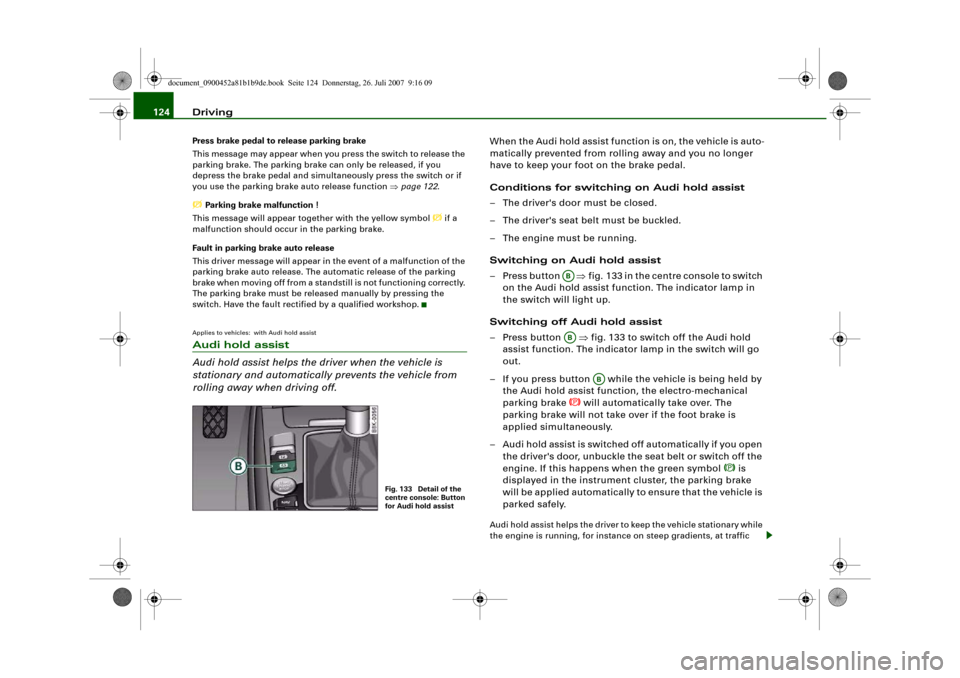
– Press button ⇒fig. 133 in the centre console to switch
on the Audi hold assist function. The indicator lamp in
the switch will light up.
Switching off Audi hold assist
– Press button ⇒fig. 133 to switch off the Audi hold
assist function. The indicator lamp in the switch will go
out.
– If you press button while the vehicle is being held by
the Audi hold assist function, the electro-mechanical
parking brake
will automatically take over. The
parking brake will not take over if the foot brake is
applied simultaneously.
– Audi hold assist is switched off automatically if you open
the driver's door, unbuckle the seat belt or switch off the
engine. If this happens when the green symbol
is
displayed in the instrument cluster, the parking brake
will be applied automatically to ensure that the vehicle is
parked safely.
Audi hold assist helps the driver to keep the vehicle stationary while
the engine is running, for instance on steep gradients, at traffic
Fig. 133 Detail of the
centre console: Button
for Audi hold assist
ABAB
AB
document_0900452a81b1b9de.book Seite 124 Donnerstag, 26. Juli 2007 9:16 09
Page 127 of 342
Driving125
Controls
Safety
Driving tips
General maintenance
Self-help
Technical data lights or in stop-and-go traffic. When the Audi hold assist function
is on, you don't have to keep your foot on the brake to prevent the
vehicle from accidentally rolling away. Once it detects that the
vehicle is stopped, Audi hold assist keeps the vehicle stationary. The
green symbol
in the instrument cluster indicates that the func-
tion is activated. You can now take your foot off the brake pedal.
As soon as you drive off in the normal way, the parking brake will
automatically be released and the vehicle will start moving.
If the conditions for Audi hold assist change and the function is
switched off as a result, the parking brake will be applied automati-
cally to ensure that the vehicle is parked safely. The diode in the
button will go out when the Audi hold assist function is switched
off.
WARNING
The intelligent technology in Audi hold assist cannot defy the laws
of physics. Do not let the extra convenience provided by Audi hold
assist tempt you into taking a safety risk.•
Audi hold assist cannot keep the vehicle stationary in all condi-
tions on a gradient (e.g. if the road is slippery or icy).
•
Audi hold assist must be switched on again each time the
engine is started – Risk of accident!
•
Never get out of the vehicle when the engine is running and
Audi hold assist is switched on – Risk of accident!
•
Always ensure that the vehicle is stopped properly and safely
to avoid injury to yourself and others.Caution
Switch off the Audi hold assist function before driving the vehicle
into a car wash.
Note
•
Audi hold assist can be switched on only when the driver's door
is closed, the driver's seat belt is buckled and the engine is running.
•
Audi hold assist prevents automatic vehicles from creeping
forwards when the brake pedal is released with the car in gear.
•
When the vehicle has been stationary for an extended period,
Audi hold assist will automatically apply the parking brake. In this
case, the green symbol
in the instrument cluster display will
change to red
.
Cruise control systemApplies to vehicles: with cruise control systemSwitching on
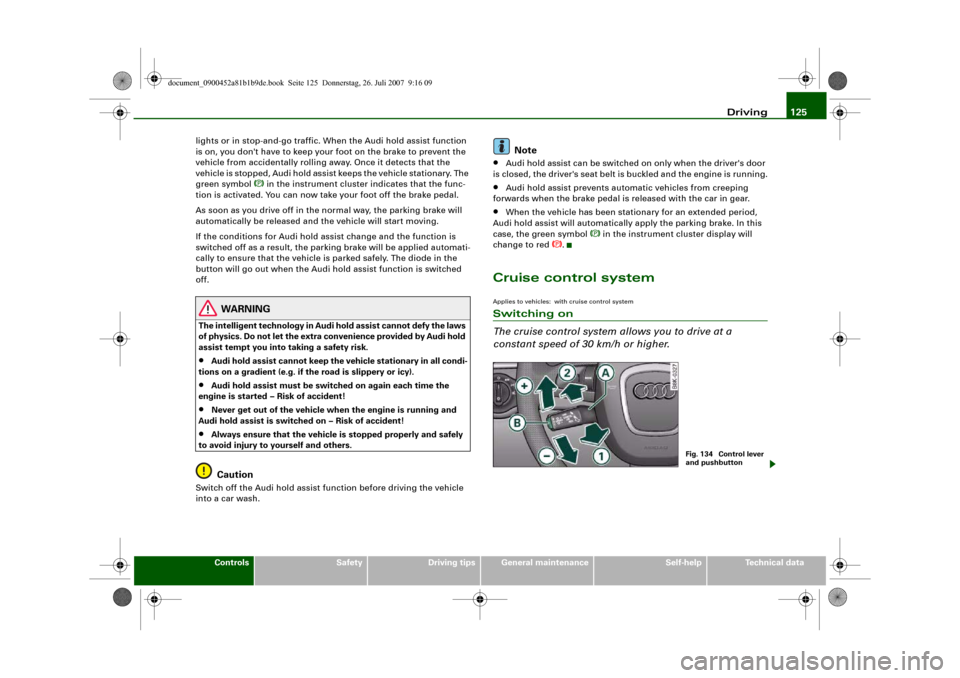
The cruise control system allows you to drive at a
constant speed of 30 km/h or higher.
Fig. 134 Control lever
and pushbutton
document_0900452a81b1b9de.book Seite 125 Donnerstag, 26. Juli 2007 9:16 09