warning light AUDI A4 2015 User Guide
[x] Cancel search | Manufacturer: AUDI, Model Year: 2015, Model line: A4, Model: AUDI A4 2015Pages: 304, PDF Size: 74.86 MB
Page 21 of 304
'"" N
0 ::.,: co ,...., \!) 1.1"1 ,...., 1.1"1 ,....,
Instrument s and warnin g/indic ator ligh ts 19
A WARNING ,~ ~
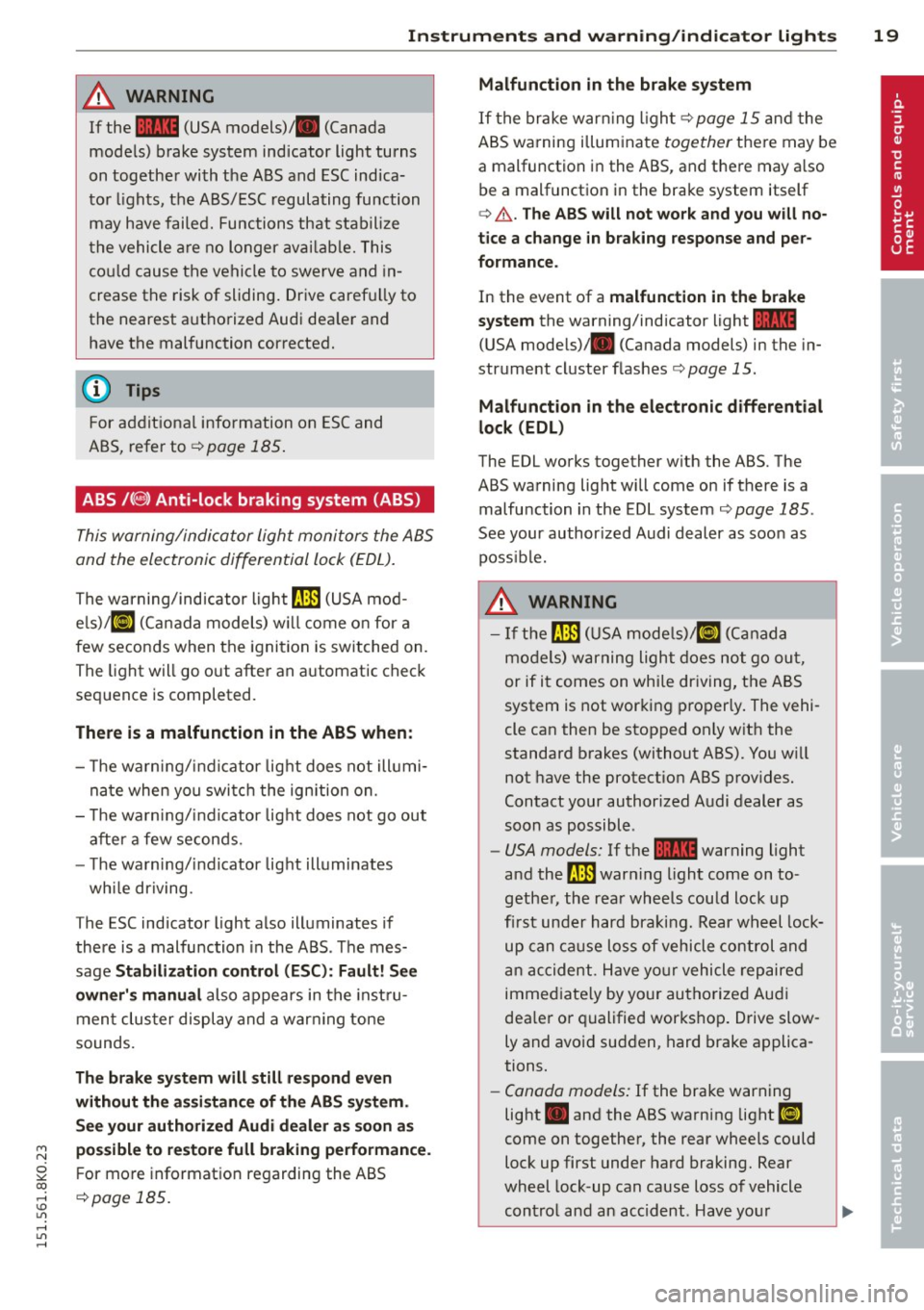
If the ~ (USA models)/ . (Canada
models) brake system indicator light turns
on together with the ABS and ESC indica
tor lights, the ABS/ESC regulating function
may have failed. Functions that stabilize
t he vehicle are no longer avai lab le. This
cou ld cause the vehicle to swerve and in
crease the risk of sliding . Drive caref ully to
the nearest a uthorized Audi dea ler and
have the malfunction corrected.
(D Tips
For addit ional information on ESC and
ABS, refer to
c::> page 185 .
ABS/(@!) Anti-lock braking system (ABS)
This warning/indicator light monitors the ABS
and the electronic differential lock (EDL).
The warning/indicator light rII:1 (USA mod
els)/ [I] (Ca nada models) w ill come o n for a
few seconds when the ignition is switched on.
The light will go out after an a utomatic chec k
sequence is completed.
There is a malfunction in the ABS when :
- The warning/ indicator lig ht does not illumi
na te when you swi tc h t he ignition on.
- T he warning/i ndicator lig ht does not go out
after a few seconds .
- T he warn ing/ind icator lig ht illuminates
wh ile driving.
T he ESC indicator light also illuminates if
there is a malfunction in the ABS . The mes
sage
Stabilization contro l (ESC) : Fault! See
owner 's manual
also appears in the inst ru
men t clus ter display and a war ning tone
sounds.
Th e brake sy ste m will still respond even
without th e assi stan ce of the ABS sy ste m .
See y our authoriz ed Audi dealer a s soon a s
po ssibl e to re store full braking performan ce .
For more informat ion regarding the ABS
c::> page 185.
Malfunction in the brake system
If the brake war ning l igh t c::> page 15 and the
ABS wa rning illuminate
together there may be
a malfunct ion in the ABS , and there may a lso
be a malfunction in the brake system itself
c::> A . The AB S will not wo rk and you w ill no
tice a change in b raking response and per
formance .
In the event of a malfunction in the brake
s y stem
the warning/indicator light~
(USA mode ls)/ . (Can ada models) in the in
strument cluster flas hes
c::> page 15.
Malfunction in th e electronic diff erential
lock (EDL)
The EDL works together w ith the ABS. The
ABS warning light will come on if there is a malfunction in the EDL system
c::> page 185 .
See your author ized Audi dealer as soon as
poss ible.
A WARNING
- I f the trm (USA mode ls)/ [I] (Canad a
models) warning light does not go ou t,
-
or if it comes on while dr iving, the ABS
system is not wor king p roperly. The vehi
cle can then be stopped only w it h the
standard brakes (without ABS). You w ill
not have the protect ion ABS prov ides.
Contact your authorized Audi dealer as
soon as possible .
-USA models: If the ~ warning light
a nd the
trm warning light come on to
gethe r, the rear wheels could lock up
f ir st under hard bra king. R ear wh eel lock
up can ca use loss of vehicle control and
a n ac cident . H ave yo ur vehicle repaire d
immed iate ly by yo ur authorize d Aud i
dea le r o r qualified works hop. Drive slow
ly and avo id sudden, hard brake applica
tions.
- Canada models: If the brake warning
light . and the ABS warning light
[I]
come on together, the rear wheels could
lock up first under hard braking. Rear
wheel lock-up can cause loss of vehicle
con tro l and an accident. Have your
Page 22 of 304
20 Instruments and warning /indicator lights
vehicle repaired immediately by your au
thorized Audi dealer or qualified work
shop. Drive slowly and avo id sudden,
hard brake applications.
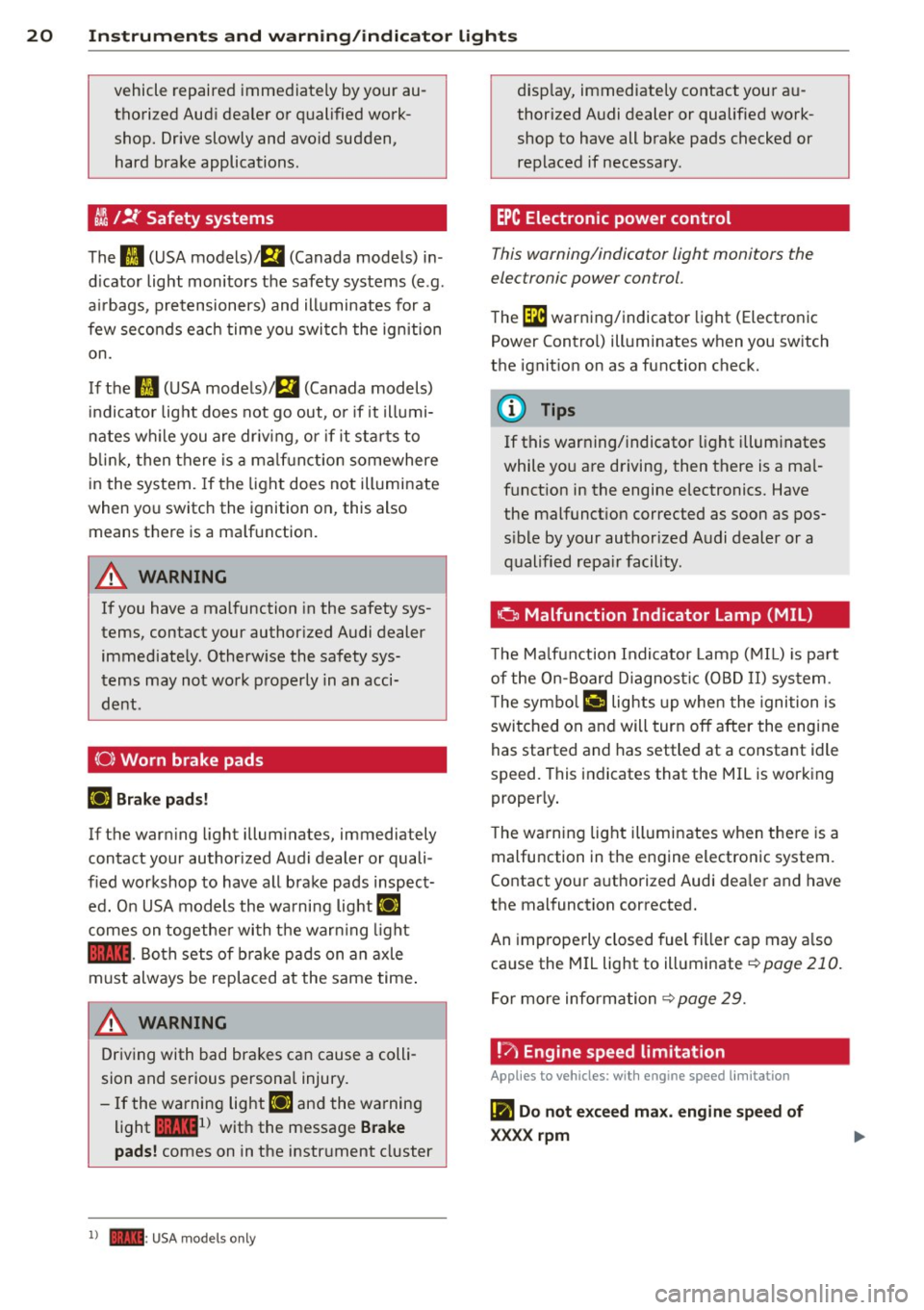
~ J!f Safety systems
The
II (USA models)/ m (Canada models) in
d icator light monitors the safety systems (e .g .
a ir bags, pretensioners) and illuminates for a
few seconds each time you switch the ignition
on.
If the
ffl (USA models)/ EI (Canada models)
indicator light does not go out, or if it illumi
nates whil e you are driv ing, or if it sta rts to
b link , then there is a malf unction somewhere
in the system. If the light does not illuminate
when you switch the ignition on, this also
means there is a ma lfunction.
A WARNING
If you have a malfunction in the safety sys
tems, contact your authorized Audi dealer
immediately . Otherwise the safety sys
tems may not work properly in an acci
dent .
(0) Worn brake pads
Ell Brake pads!
If the warning light illumina tes, immediately
contact your authorized Audi dealer or quali
fied workshop to have all brake pads inspect
ed. On USA models the warning light
Ei'I
comes on together with the warn ing light
1111 -Both sets of b rake pads on an axle
must always be replaced at the same time .
A WARNING
Driving with bad brakes can cause a colli
sion and serious personal injury.
- If the warning light
Ell and the warning
light
11111 ) with the message Brake
pads! comes on in the instrument cluster
l) - : USA mod els only
-
display, immediately contact your au
thorized Audi dealer or qualified work
shop to have all brake pads checked or replaced if necessary.
EPC Electronic power control
This warning/indicator light monitors the
electronic power control.
The ~ warning/indicator light (Electronic
Power Control) illuminates when you switch
the ignition on as a function check.
(D Tips
If this warning/indicator light illuminates
while you are driving, then there is a mal
function in the engine electronics. Have
the malfunct ion corrected as soon as pos
sible by your authorized Audi dealer or a
qualified repair facility.
0 Malfunction Indicator Lamp (MIL)
Th e Ma lfunction Indicator Lamp (MIL) is part
of the On-Board Diagnostic (OBD II) system.
T he symbo l¢• lights up when the ignition is
switched on and will turn off after the engine
has started and has settled at a constant idle
speed. This indicates that the MIL is working
properly.
T he warning light illuminates when there is a
malfunction in the engine electronic system .
Contact your authorized Audi dea ler and have
the malfunction corrected.
An improperly closed fuel filler cap may a lso
cause the MIL light to illuminate
~ page 210.
For more information ~page 29.
!?; Engine speed limitation
Applies to vehicles: with engine speed limitation
(II Do not exceed max. engine speed of
XX.XX rpm
Page 23 of 304
'"" N
0 ::.,: co ,...., \!) ..,.,
,...., ..,., ,....,
Instruments and warning/indicator lights 21
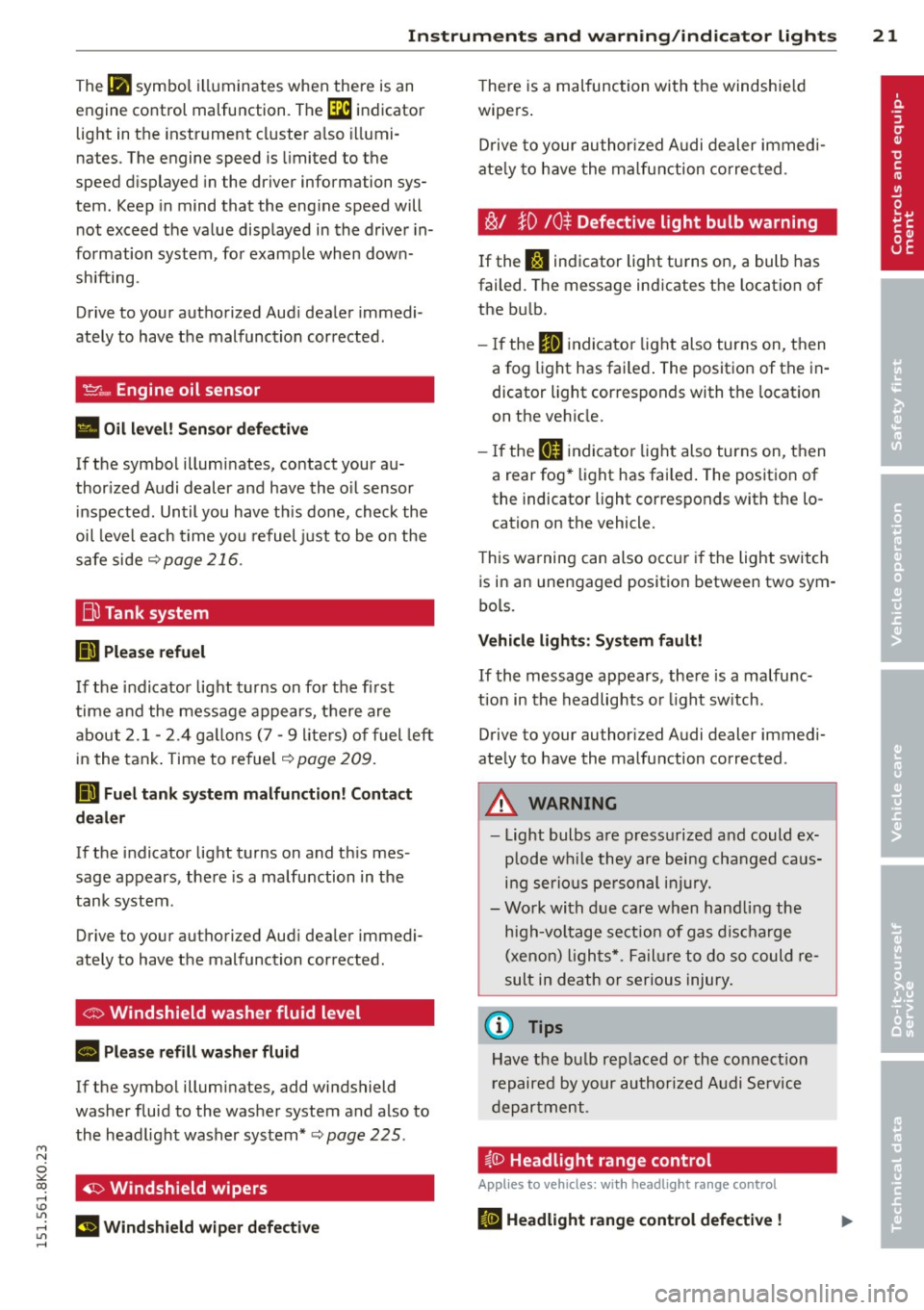
The IJI symbol illuminates when there is an
engine control malfunction. The
[3i indicator
light in the instrument cluster also illumi
nates . The engine speed is limited to the
speed d isplayed in the driver information sys
tem . Keep in mind that the eng ine speed will
not exceed the value displayed in the drive r in
formation system , for example when down
shifting.
Drive to your authorized Aud i dealer immedi
ately to have the malfunct ion corrected.
'l=cr .., Engine oil sensor
• Oil level! Sen sor defective
If the symbol illuminates, contact your au
thor ized Audi dealer and have the o il sensor
i nspected . Until you have th is done, check the
oil level each time you refuel just to be on the
safe side
c::> page 216.
Bil Tank system
mJ Please refuel
If the indicator light turns on for the first
time and the message appears, there are
about 2.1- 2.4 gallons (7 -9 liters) of fuel left
in the tank. Time to refuel
c::> page 209 .
DD Fuel tank system malfunction! Contact
dealer
If the indicator light turns on and th is mes
sage appears, there is a malfunction in the
tank system .
Drive to your authori zed Aud i dealer immedi
ately to have the malfunction corrected.
<:o Windshield washer fluid level
B Please refill washer fluid
If the symbol illumina tes, add windshield
washer fluid to the washer system and also to the headlight washer system *
c::> page 225.
~ Windshield wipers
m Windshield wiper defective
There is a malfunction with the windshie ld
wipers .
Drive to your authorized Audi dealer immed i
ate ly to have the malfunction corrected .
~/ }D 10$ Defective light bulb warning
If the f:I indicator light turns on, a bulb has
failed. Th e message indicates the location of
the bu lb .
- If the
II indicator light also turns on, then
a fog light has failed . The position of the in
dicator light corresponds with the location
on the vehicle .
- If the
IJ indicator light also turns on, then
a rear fog* light has failed . The position of
the indicator light corresponds with the lo
cation on the vehicle.
T his warning can also occ ur if the light switch
is in an unengaged position between two sym
bols.
Vehicle lights : System fault!
If the message appears, there is a malfunc
tion in the headlights or light sw itch.
Drive to your au thorized Audi dealer immedi
ately to have the malfunction corrected .
A WARNING
-Light bulbs a re p ressurized and could ex
plode wh ile they are being changed caus
ing serious personal injury.
- Work with due care when hand ling the
high-voltage section of gas discharge
(xenon) lights*. Failure to do so could re
sult in death or serious injury .
(D Tips
Have the bu lb replaced or the connection
r epaired by your authorized Audi Service
department .
i,0 Headlight range control
Applies to veh icles : w ith headli ght ra nge control
liJ Headlight range control defective !
Page 24 of 304
22 Instruments and warning/indicator lights
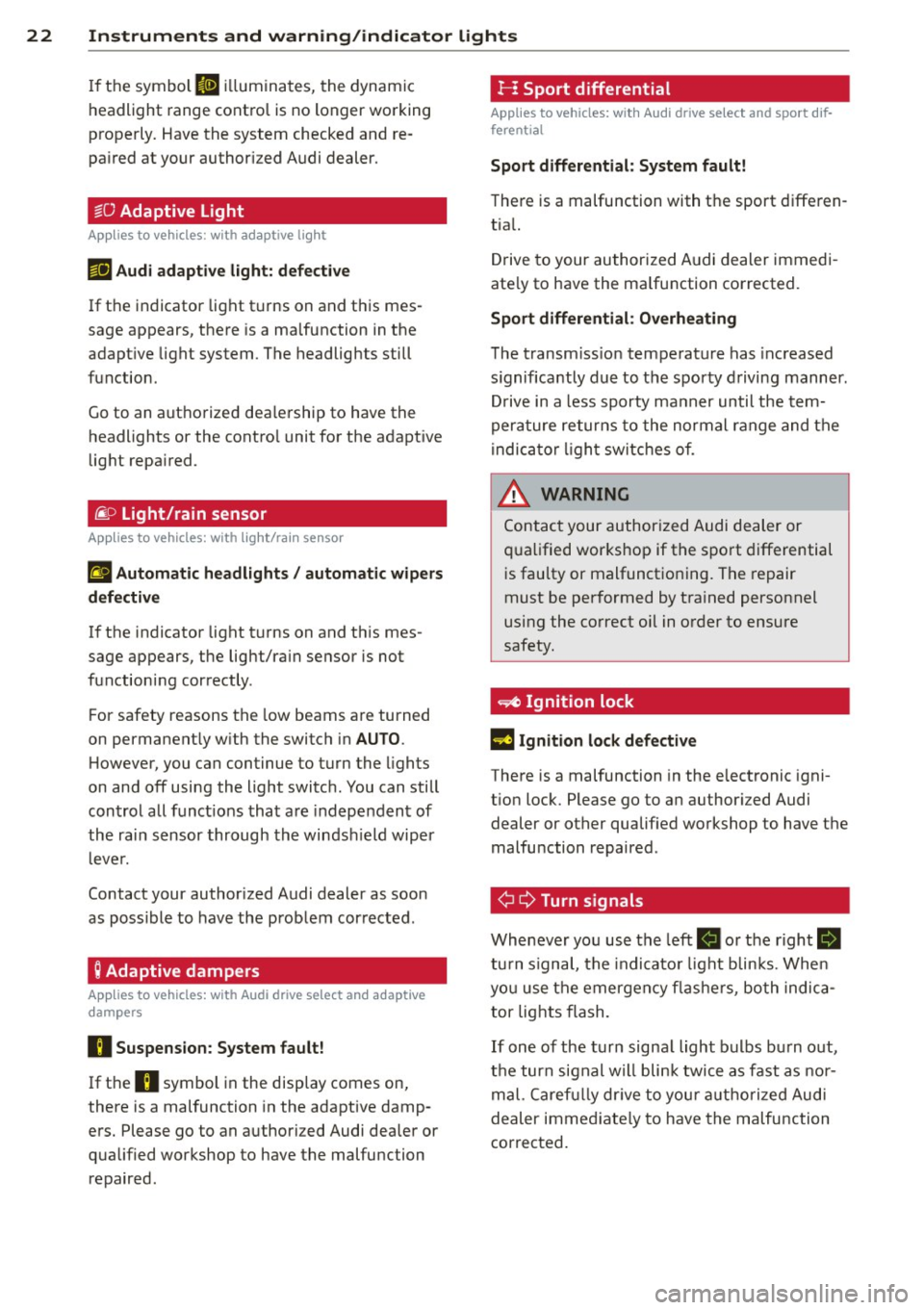
If the symbol II illuminates, the dynam ic
headlight range cont rol is no longer wo rking
properly. Have the system checked and re
pa ired at your author iz ed Audi dealer.
~O Adaptive Light
Applies to vehicles: with adaptive light
111 Aud i adaptive l ight: defective
If t he indicator lig ht t urns on a nd th is mes
sage appears, t he re is a ma lfunction in the
adapt ive light system. The headlig hts still
function.
Go to an a uth o rized dea le rship to have the
headlights or the contro l unit for the adapt ive
light repa ired.
~ o Light/rain sensor
Applies to vehicles: with light/rain sensor
£I Automatic headlights/ automatic wipers
defectiv e
If the indicator light t urns on and th is mes
sage appears, the lig ht/ra in sensor is n ot
f u nctioning cor rectly .
For safety reasons the low beams are turned
on permanent ly w ith the switch in AUTO .
H owever, you can c ontinue to turn the lights
on and off using the light switc h. You can still
con trol a ll funct ions tha t are in depe nden t of
the rai n sensor through the wi ndshi eld wipe r
l eve r.
Contact your author ized Audi dealer as soon
as possible to have the prob lem cor rected .
Q Adaptive dampers
Applies to vehicles: with Audi drive select and adaptive
dampers
H Suspension: System fault!
If t he
H symbol in the disp lay comes on,
there is a malfunction in the adaptive damp
e rs . Please go to an authorized Audi dea ler or
qua lified workshop to have the malfu nction
repaired.
I-: Sport differential
Applies to vehicles: with Audi drive select and sport dif
ferential
Sport differential : System fault!
There is a malfunction with t he sport d iffe ren
tia l.
D rive to your au thorized A udi dealer immedi
ate ly to have the ma lfunction corrected.
Sport differential : Overheating
T he trans missio n tempera ture has inc reased
s ignifica ntly due to t he spor ty d riving manner .
Dr ive in a less sporty ma nner until the tem
p era ture re tur ns to the normal range and t he
in dica to r li ght switc he s of.
_& WARNING ... -
Co ntac t your author ized Audi dealer or
qu alified wor kshop if the s port differential
i s faulty or malfunct io ning. T he repair
must be perf ormed by t rained personnel
usi ng the co rrect oil in o rder to ensure
safety.
~ Ignition lock
l3 Ignition lock defective
There is a malfunction in the e lectronic igni
t ion loc k. Please go to a n author ized Audi
dealer or other qualified worksh op to have t he
malfu nction repa ired .
¢ Q Turn signals
Wh eneve r yo u use the left
Ill o r th e r ight 8]
tu rn s ignal, the in dicato r li ght blin ks. W he n
yo u use t he emerge ncy fla she rs, bo th indic a
tor lights flash.
If one of the turn s igna l light bulbs bu rn o ut,
t h e tur n sig nal w ill bli nk twi ce as fast as no r
m al. Ca ref ully dr ive to you r a utho rized Aud i
dealer imme diate ly to have the m alfunction
cor rected.
Page 25 of 304
M N
~ co
rl I.O
"' rl
"' rl
Driver information
display
Introduction
The Driver information display inside the in
strument cluster provides you, the driver ,
with important information .
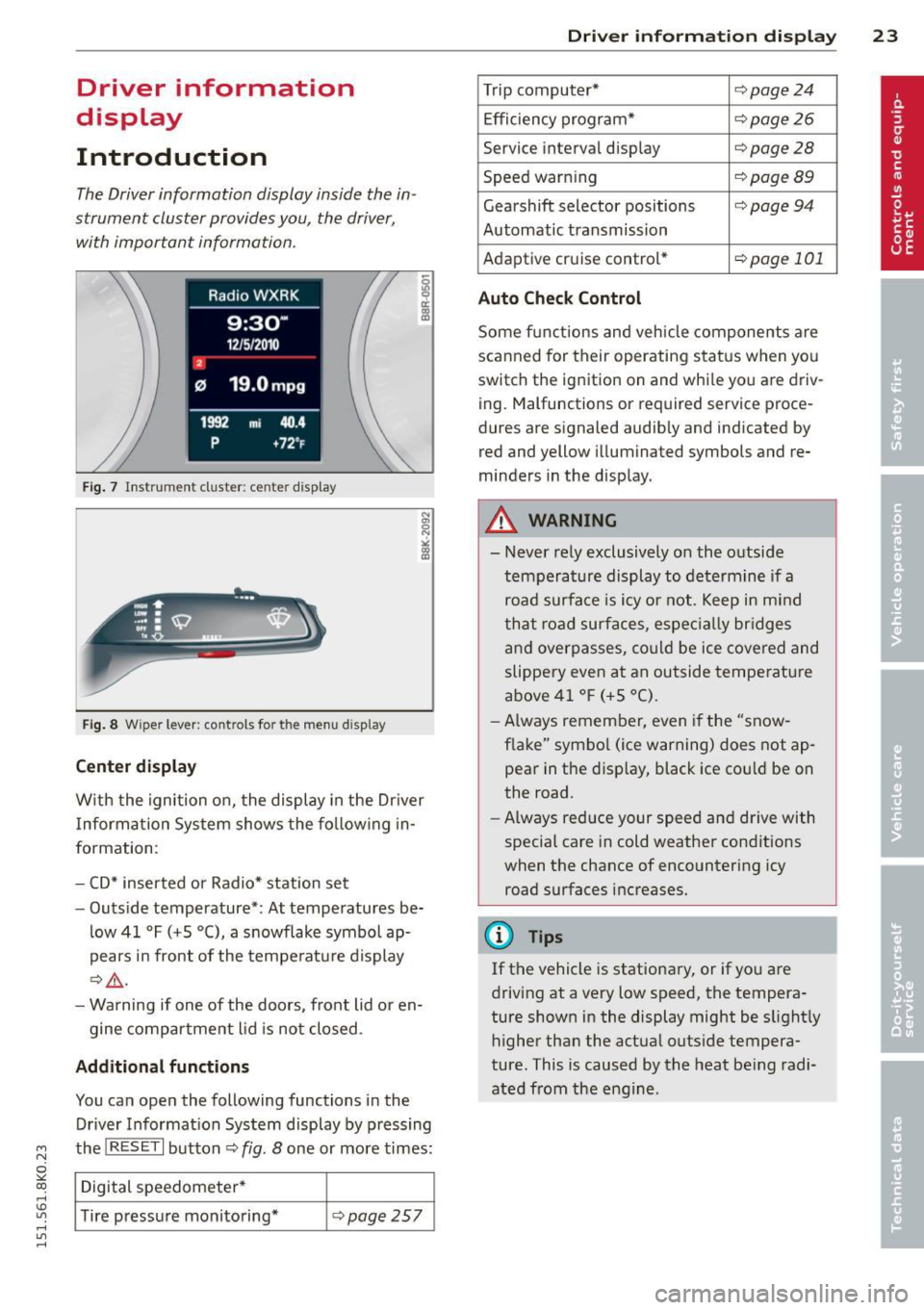
Fig. 7 In strum en t cl ust er: center displa y
Fi g. 8 Wi per lever: con trols fo r the menu display
Cent er d ispla y
With the ignition on, the display in the Dr iver
I nforma tion System shows the fo llowing in
formation :
- CD* inserted or Radio* station set
- Outs ide temperature* : At temperatures be-
low 41 °F (+S
0 (), a snowflake symbol ap
pears in front of the temperature display
c::> &_ .
- Warning if one of the doors, front lid or en-
gine compartment lid is not closed .
Additional function s
You can open the following functions in the
Driver Informat ion System display by pressing
the
! R ES ET I button c::> fig . 8 one or more times:
Digital speedometer *
Tire pressure monitoring*
c::> page 257
Dri ver inform ation di spl ay 23
Trip computer* c::> page24
Effi ciency program* c::> page 26
Service in terval display c::> page 28
Speed war ning c::> page 89
Gearshift selector positions <=> page94
Automatic transmission
Adaptive cr uise control *
c::> page 101
Auto Check C ontrol
Some f unctions and vehicle components are
scanned for their operating sta tus when yo u
switch the ign ition on and wh ile you are driv
ing . Malfunctions or required s ervice proce
dures are signaled audib ly and indicated by
red and yellow illuminated symbols and re
minders in the display .
A WARNING
-
- Never rely exclusively on the outside
temperature display to determine if a
road surface is icy o r not . Keep in m ind
th at r oad surfaces, espec ia lly br idges
and overpasses, co uld be ice covered and
slippery even at an outside tempe ratu re
above 41 ° F (+S °C).
- Always remember , even if the "snow
f lake" symbo l (ice warning) does not ap
pear in the d isp lay, black ice cou ld be on
the road .
- Always reduce your speed and drive with
special care in cold weather conditions
when the chance of encountering icy
road surfaces increases.
{I) Tips
If the vehicle is stationary, or if yo u a re
driving at a very lo w speed, the tempera
ture shown in the display might be s light ly
higher than the actua l outs ide tempera
ture. This is caused by the heat be ing radi
ated from the engine .
Page 31 of 304
M N
~ co
rl I.O
"' rl
"' rl
Resetting the service interval display
Your authorized Audi dealer w ill rese t the cor
responding service schedule after performing
the appropriate service on your vehicle. Yo u
also have the possibility to reset the oil
change schedule after having performed an
oil change according to Audi specifications.
Select
I CAR I function button > Service interval
display > Reset oil change interval
or !CARI
function button > Car systems* control but
ton
> Servicing & checks > Reset oil change
interval.
0 Note
- Only reset the oil change d isplay when
you have completed an oil change.
-If you disconnect the battery terminals,
no calculat ions can be made for the serv
ic e interval display during this tim e and
no service rem inder will appear. Remem
ber that observing the proper service in
terva ls is vitally important to extending
the life of your vehicle, particularly the
engine, and maintaining its va lue. Even if
the mileage dr iven is low, the max imum
period of one year from one serv ice to
the next must not be exceeded .
(D Tips
The informat ion in the Service Reminder
remains stored even when the vehicle bat
tery is disconnected.
On-Board Diagnostic
system (OBD)
Malfunction Indicator Lamp (MIL)
The Malfunction Indicator Lamp (MIL) ¢..ift in
the instrument cluster is part of the On-Board
Diagnostic (OBD II) system.
The warning/indicator light illuminates when
the ignition is switched on and goes out after
the engine starts and the idle has stabilized .
This indicates that the MIL is work ing proper
l y.
Driver information display 29
If the light does not go out after the engine
is started, or illuminates while you are driv
ing , a malfunction may exist in the engine sys
tem.
If the light illuminates, the catalytic con
verter could be damaged.
Continue d rivin g
with reduced power (avoid
ing su sta ined high speeds and/or rapid accel
erations) and have the cond ition corrected.
Contact your authorized Audi dealer.
If the light illuminates, the electronic speed
li miter may also be malfunct ioning. For more
information
c;,page 30, Electronic speed
limiter.
An improperly closed fuel filler cap may also
cause the MIL light to illuminate
c:;, page 210.
On-Board Diagnostics
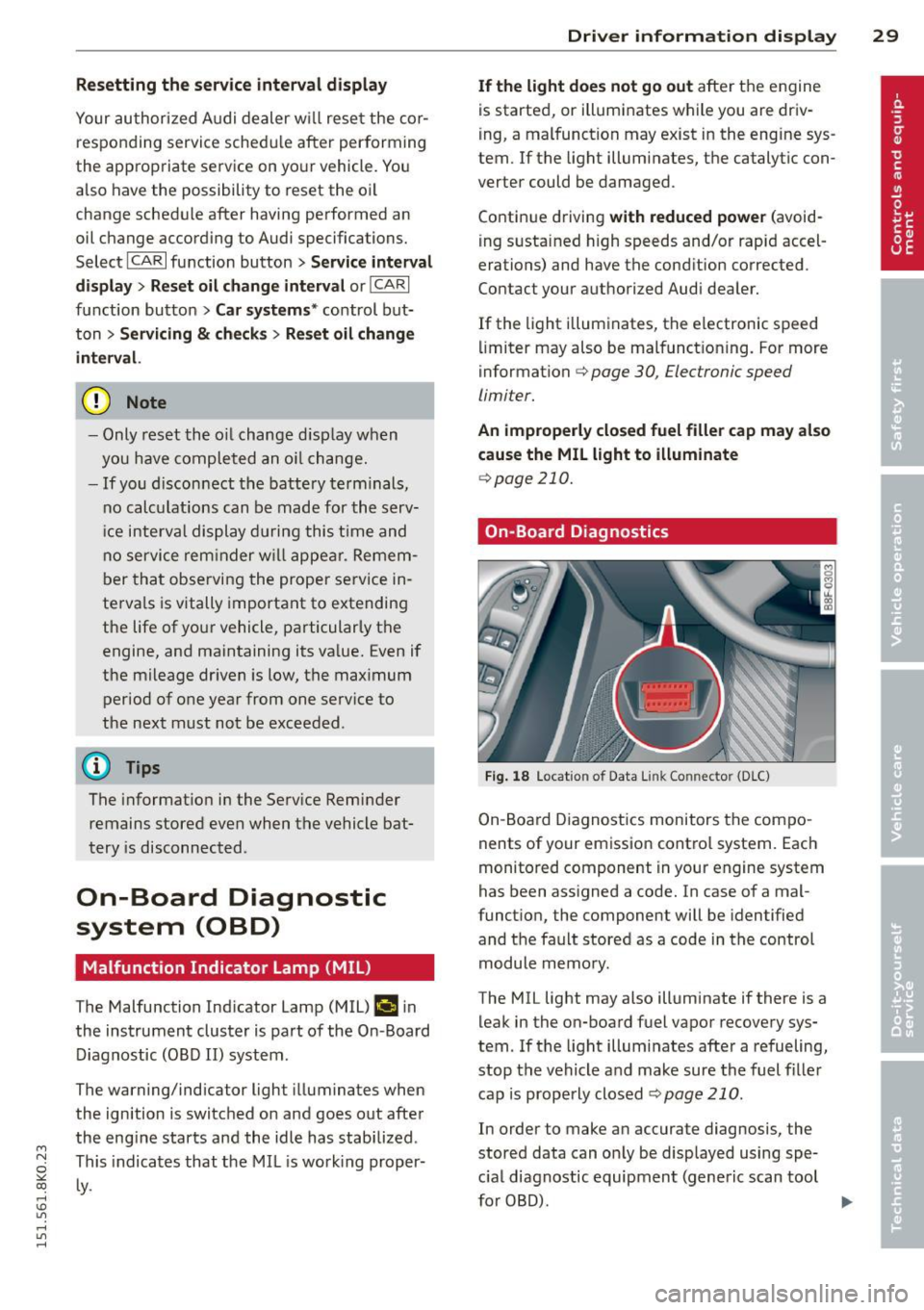
Fig. 18 Location of Data Link Connector (D LC)
On-Board Diagnostics monitors the compo
nents of your emission contro l system . Each
monitored component in your engine system
has been assigned a code. In case of a mal
function, the component will be identified
and the fault stored as a code in the control
module memo ry .
The MIL light may also illuminate if there is a
leak in the on-board fuel vapor recovery sys
tem. If the light illumi nates afte r a refueling,
stop the vehicle and make sure the fuel filler
cap is properly closed
¢ page 210.
In order to make an accurate diagnosis, the
stored data can on ly be displayed using spe
c ial diagnostic equipment (generic scan tool
for 080). .,.
Page 32 of 304
30 Driver in formation d isplay
In o rder to connect the special diagnostic
equipment, push the plug i nto the Data Link
Connector (DLC) . The DLC is located to the
right of the hood release¢
fig. 18.
Your authorized A udi dealer or qualified work
shop can interpret the code and perform the necessary repa ir .
.&_ WARNING
Do not use the diagnostic connector for
personal use. Incorrect usage can cause
ma lfunctions, which can increase the risk
of a coll is ion!
Electronic speed limiter -
Your veh
icle may be factory equipped with
tires that are rated for a maximum speed of 130 mph (210 km/h) . Thi s is m ay be less than
the maxim um speed of your ve hicle. To red uce
the r isk of sudden tire fail ure and loss of con
trol if the vehicle is operated at excessive
speeds, yo ur vehicle has an e lectronic speed
limiter. The electronic speed limiter prevents
your ve hicle from going faster than the tire
speed rat ing. For more information
c::> page
248 .
If the engine control unit rece ives fa ulty vehi
cle roadspeed signa ls, the Ma lfunction Indica
tor Light (MIL)
¢4 will illuminate . If this oc
curs, co ntact the nearest author ized Audi
dealer for assistance .
.&_ WARNING
-
Always observe the pos ted speed limits
a n d adj ust yo ur speed to sui t prevailing
road, traffic and wea ther conditions . Never
drive you r vehicle faster than the maxi
m um speed rating of the tires insta lled .
Page 38 of 304
36 Openin g and clo sing
- You cannot open the doors or the rear lid
from the
outside (increased security, for ex
amp le when you are stopped at a red light).
- The diodes in the power locking switch illu
minate when all the doors are closed and
locked.
- Front doors: you can un lock and open the
doors from the inside by pu lling on the door
hand le.
- Rear doors: pu ll the door handle
once to re
lease the lock. Pull the hand le
again to open
the door.
- If you hav e a crash and the airbag is activat
ed, the doors automatically un lock.
A WARNING
- The power locking sw itch works w ith the
ignition off and automatically locks the
entire vehicle when it is actuated .
- On a vehicle locked from the outs ide the
power locking system switch is inopera
t ive .
- Locked doors make it more difficult for
emergency workers to get into the vehi
cle, which puts lives at risk . Do not leave
anyone beh ind in the vehicle, especially
children.
(D Tips
Your vehicle is locked automatically at a speed of
9 mph (15 km/h) (Auto Lock)
r:::;, page 31. You can un lock the veh icle
aga in using the opening f unction in the
power locking sys tem switch
@I .
Setting power locking
In the radio/MM!* , you can set which doors
t he central locking system will unlock.
~ Select : I CAR! funct ion button > Central lock
ing .
Or
~ Select : ~I C-A-R~ ! fu nct ion but ton > Car sys tem s*
control b utton > Vehicle setting s > (Central
loc king )*.
Single door un locking/Unl ock door s* -
you
can specify which doo rs un lock when you open
the veh icle. -
Selecting
off /All and pressing the Iii button
on the remote control key unlocks the entire
veh icle.
- Selecting
on/Dri ver and pressing the Iii but
ton on the remote control key once un locks
only the driver's door. In vehicles with a con
ven ience key*, only the door whose handle
you pull w ill unlock. I f you press the
Iii but
ton tw ice, the entire vehicle will unlock . If
you press the [@] button, the enti re vehicle
w ill always lock .
Luggage com p. loc k/Lock ext erior tr unk han
dl e -
If you select On , you can no longer open
the luggage compartment using the rear lid
hand le
r:::;, page 38, fig. 2 7. In this case, the
r ear lid can be opened with the
l=I bu tton on
the master key
r:::;, page 34, fig. 22 or w ith the
l= I* button in the driver 's doo r r:::;,page 39,
fig .
29.
Fold mirrors * if you selec t On , the outs ide
mirrors will fo ld in au tomati cally when yo u
press the
Iii button on the remote cont ro l key
r:::;, page 52.
To ne when lo cking -if you selec t On, a tone
will sound when yo u lock t he vehicle.
Auto Lo ck /Loc k when dri ving -if you select
On, the enti re vehicle w ill lock automatically
whe n the speed reaches
9 mph (1 5 km/h).
Page 40 of 304
38 Openin g and clo sing
& WARNING
Always take the key with you when you
leave the vehicle . The key can disarm the
electronic engine immobilizer and perm it
an unauthor ized person to start the engine
and enable ope rat ion of the vehi cle sys
tems such as powe r window or power sun
roof leading to ser ious personal in jury .
- The vehicle cannot be started if an unau
thorized key is used. The vehi cle may not
star t if another radio device such as a key
for another vehicle o r a tra nsponder is
l ocated on the key ring.
- For De clarat ion of Compli ance to Uni ted
States FCC and Indus try Canada regu la
tions¢
page 286.
Rear lid
Opening/closing rear lid
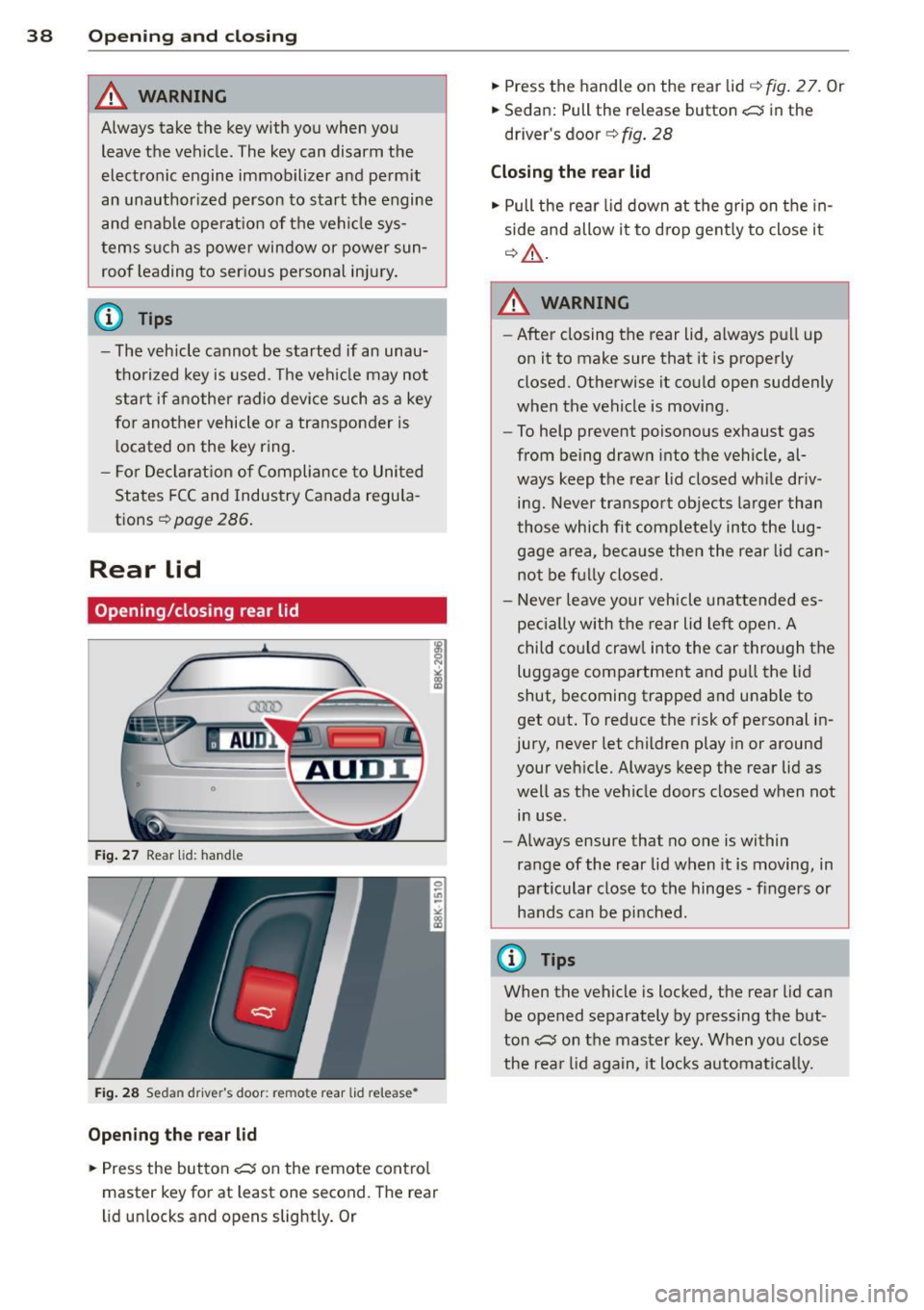
Fig . 27 Rear lid : hand le
F ig. 2 8 Sedan drive r's door: remote rear lid release •
Opening the rear lid
.,. Press the but ton c:s on the remote cont ro l
master key for at least one second. The rear
l id unlocks and opens slightly. Or .,.
Press the handle on the rear lid
q fig . 2 7. Or
.,. Sedan: Pull the release button
c:s in the
driver's door ¢
fig. 28
Closing the rear lid
.,. Pull the rear lid down at the grip on t he in
side and allow it to drop gent ly to close it
q _&. .
A WARNING
-After closing the rear lid, a lways p ull up
on it to make sure that it is properly
closed. Otherwise it could open suddenly
when the vehicle is moving.
- To help prevent poisono us exhaust gas
from being drawn into t he vehicle, al
ways keep t he rear lid closed wh ile driv
ing. Never transport objects la rger than
those which fit complete ly into the lug
gage a rea, beca use then the rear lid can
no t be f ully closed.
- Never leave your vehicle unattended es
peci ally with the rear lid left open. A
chi ld cou ld craw l into the car through the
luggage compartment and p ull the lid
shut, becoming trapped a nd u nable to
get o ut. To reduce the risk of personal in
jury, never let c hildren play in or around
your veh icle. Always keep the rear lid as
well as the vehicle doors closed when not
in use.
- Always ensure that no one is within
range of the rear lid when it is moving, in
particular close to th e hinges -fingers or
hands can be pi nched.
@ Tips
When the vehicle is locked, the rear lid can
be opened separately by pressing the but
ton
c:s on the master key. When yo u close
the rea r lid again, it locks automatica lly.
Page 47 of 304
M N
~ co
rl I.O
"' rl
"' rl
Valet parking
Applies to vehicles: with fold ing and lockable rear seat
backs
The valet parking feature protects the lug
gage comportment from unauthorized ac
cess.
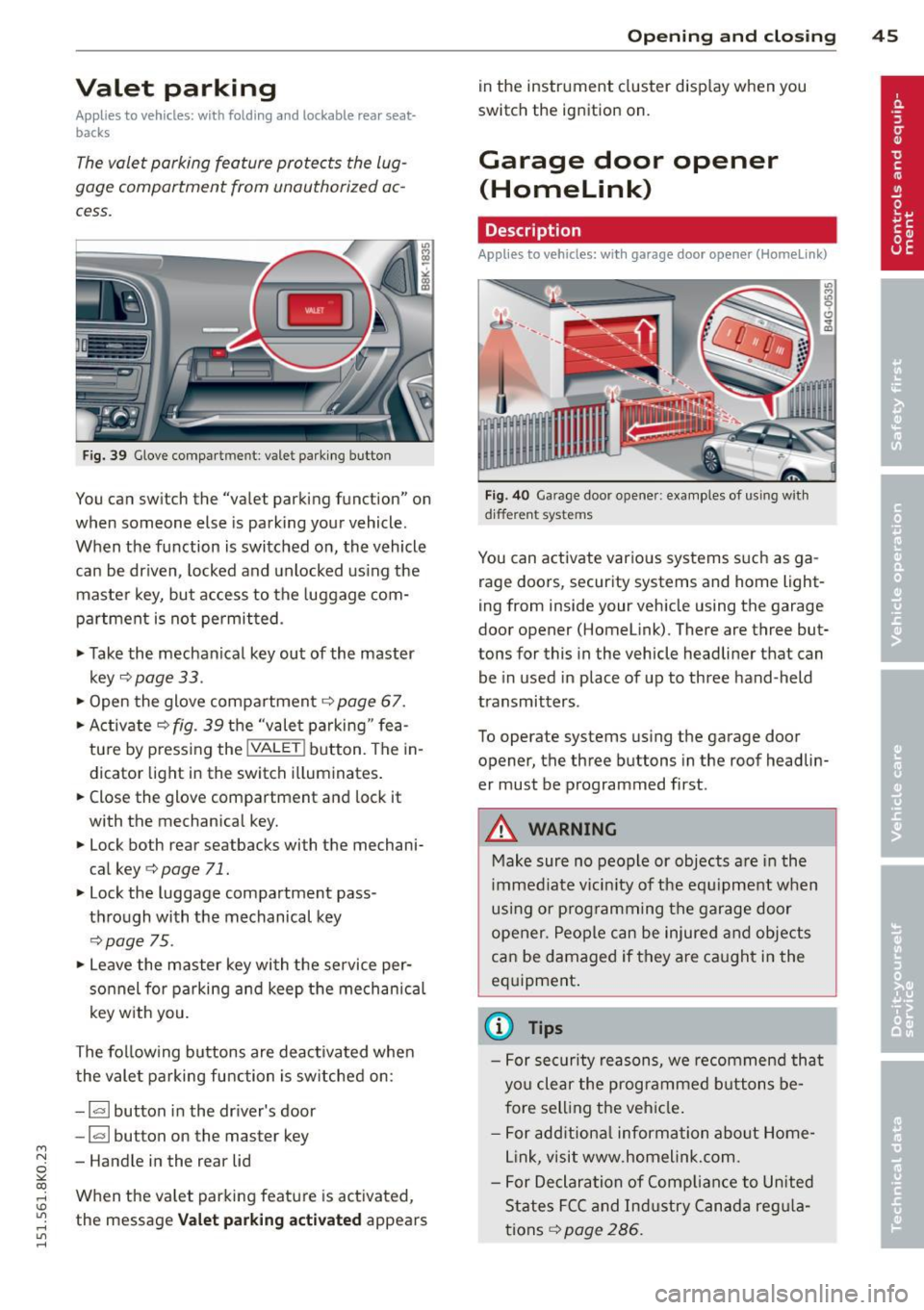
Fig. 39 Glove compa rtment: valet parking button
You can switch the "valet parking function" on
when someone else is parking your vehicle.
When the function is switched on, the vehicle
can be driven, locked and unlocked us ing the
maste r key, but access to the luggage com
partment is not permitted .
• Take the mechanical key out of the master
key
c;, page 33 .
• Open the glove compartment c;, page 67.
• Activate
c;, fig. 39 the "valet parking " fea
tu re by press ing the
! VALET ! button. The in
dicator light in the switch i lluminates.
• Close the glove compartment and lock it
with the mechanical key.
• Lock both rear seatbacks with the mechani
cal key
c;, page 71.
• Lock the luggage compartment pass
through with the mechanical key
c;, poge 75.
• Leave the master key with the service per
sonnel for parking and keep the mechanica l
key w ith you.
The fol low ing buttons are deac tivated when
the valet parking function is sw itched on:
- I a I button in the driver's door
-la l button on the master key
- Handle in the rear lid
When the va let parking feature is activated ,
the message
Vale t p arking act ivat ed appears
Op enin g an d clos ing 45
in the instrument cluster display when you
switch the ignition on.
Garage door opener
(Homelink)
Description
App lies to vehicles: wit h garage door opener (Homelink)
Fig. 40 Garage door opener: examples of using with
d ifferent systems
You can activate various systems s uch as ga
rage doors, security systems and home light
ing from inside your vehicle using the garage
door opener (Homelink). There are three but
tons for this in the vehicle headliner that can
be in used in place of up to three hand-held
transmitters .
To operate systems using the garage door
opener, the three buttons in the roof headlin
er must be programmed first.
A WARNING
Make sure no people or objects are in the
i mmediate vicin ity of the equ ipment when
using or p rogramming the garage door
opener. People can be injured and objects
can be damaged if they are ca ught in the
eq uipment .
(D Tips
-For security reasons, we recommend that
you clear the programmed b uttons be
fore sell ing the vehicle .
- For add itiona l information about Home
L ink, visit www.homelink.com.
- For Declaration of Comp lian ce to United
States FCC and Ind ustry Canada reg ula
tions
c;, page 286.