Luggage AUDI A4 2017 User Guide
[x] Cancel search | Manufacturer: AUDI, Model Year: 2017, Model line: A4, Model: AUDI A4 2017Pages: 386, PDF Size: 96.32 MB
Page 50 of 386
Opening and clo sin g
You can switch the valet parking function on l )
when someone else is parking you r veh icle . When
the function is sw itched on, the vehicle can be
driven, locked and unlocked us ing the master
key, but access to the luggage compartment is not permitted .
.. Remove the mechan ica l key from the remote
control key¢
page 39 .
.. Open the glove compartment¢ page 64 .
.. Press the I VA LET I button to switch the valet
parking function on . The LED in t he button
turns on .
.,. lock the glove compartmen t with the mechani
ca l key .
.. For vehicles with lockable pass-thro ugh and
lockable rear seat backrests : to secure the lug
gage compartment from the veh icle interior as
well, lock the pass-through and the rear seat
backrest s using the mechanical key
¢
page 66 or¢ page 65.
.. Give your maste r key to the personnel who are
parking your ve hicle and keep the mecha nical
key.
The follow ing buttons are deactivated when the
valet parking funct ion is switched on:
- C::J button in the dr iver 's door
- C::J button on the remote control key
- Handle in the rear lid
When the valet parki ng f unction is swi tched on,
the message Valet parking a cti va te d appears in
the instrument cluster display when you switch
the ignition on .
(l) Tips
Please note that the luggage compartment
c a n sti ll be accessed from t he vehi cle interior
in vehicles with fixed rear seat backres ts or
ones t hat cannot be locked, even when the
valet parking function is switched on .
l) This fun ctio n is not a vailab le in a ll coun tries.
48
Garage door opener
(Homelink)
Description
Applies to: vehicles with garage door opene r (Horne Link)
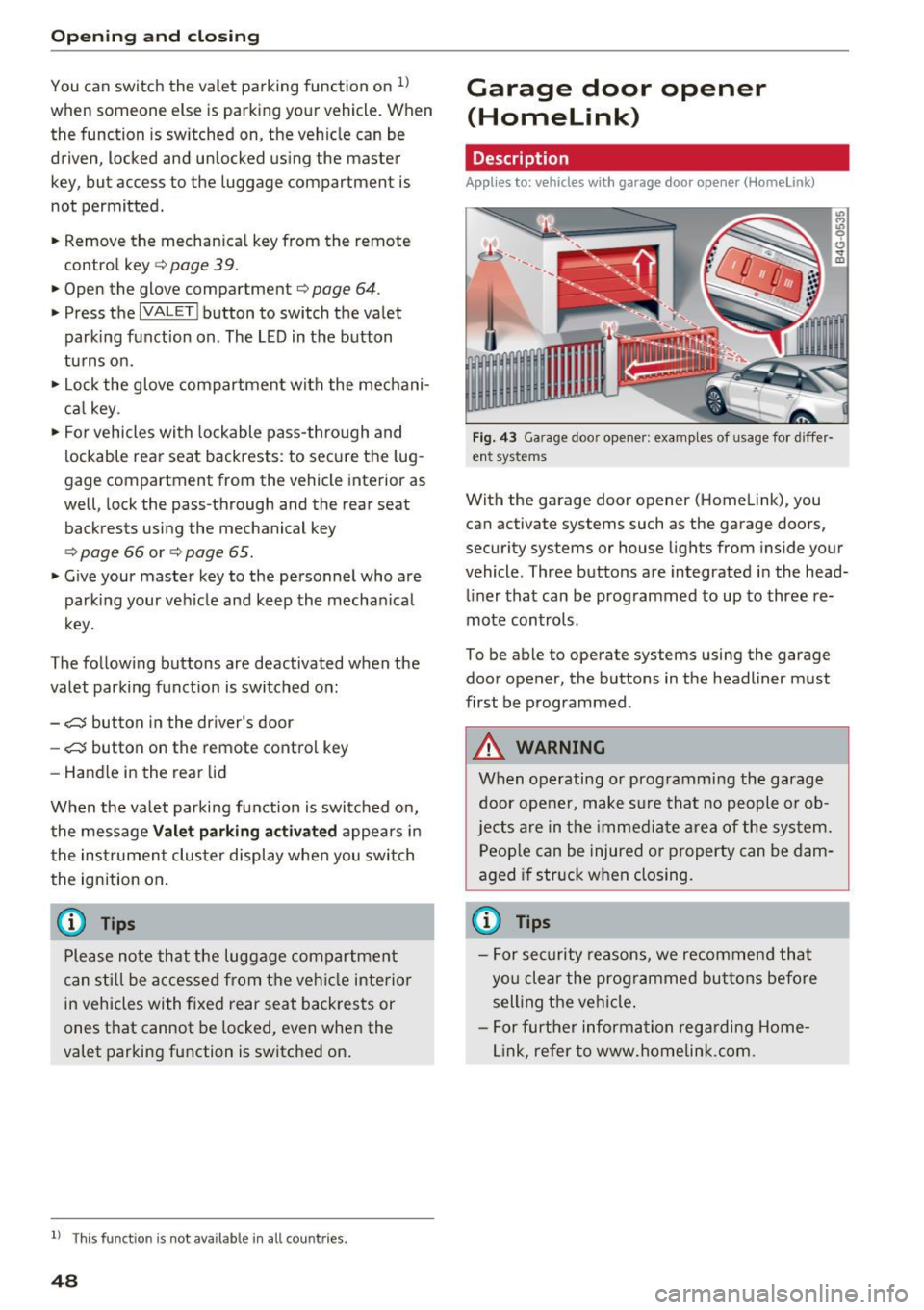
F ig. 43 Ga rage doo r opene r: exa mples of usage fo r di ffer·
en t syste ms
With the garage door op ener (Homelink) , you
can activate systems such as the garage doors,
security systems or house lights from inside your
vehicle. Three buttons are integrated i n the head
liner that can be programmed to up to three re
mote controls .
To be able to operate systems using the garage door opener, the buttons in the headliner must
first be programmed .
A WARNING
When operating or programming the garage
door opener, make sure that no people o r o b
jects a re in the immediate area of the sys tem.
P eop le can be injured or property can be dam
aged i f str uck when closing.
(D Tips
- For sec urity reasons, we recommend that
yo u clear the prog rammed but tons before
sell ing t he ve hicl e.
- For furthe r information rega rding Home
link, refer to www.homelink .com.
Page 66 of 386
Sea ts and stor age
button or the buttons @or@ <* page 61,
fig. 59.
Sockets
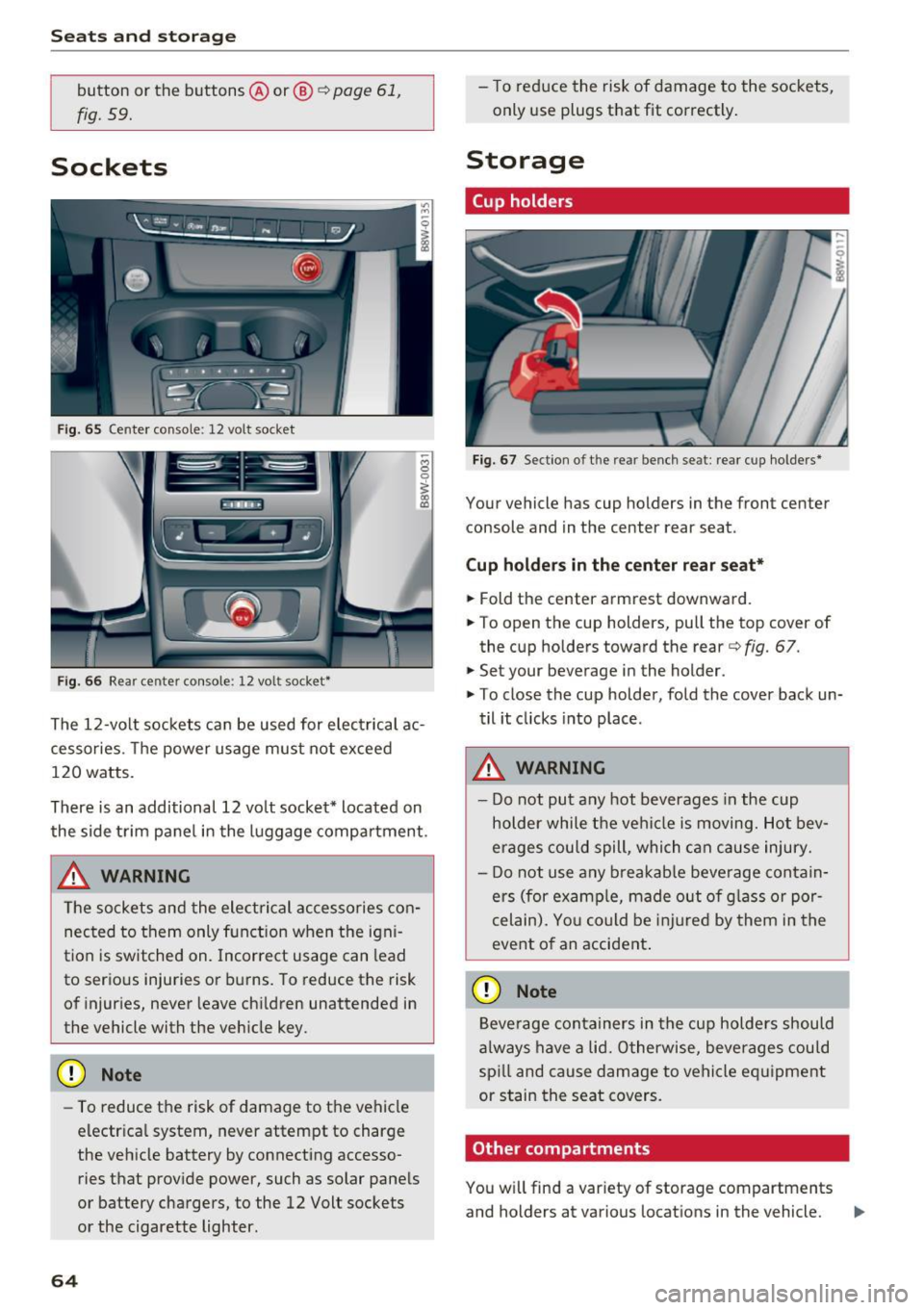
Fig. 65 Center console: 12 volt socket
Fig. 66 Rear center console: 12 volt socket*
The 12 -volt sockets can be used for electrical ac
cessories. The power usage must not exceed
120 watts.
There is an additional 12 vo lt socket* located on
the side trim panel in the luggage compartment .
_& WARNING
The sockets and the electrical accessories con
nected to them only function when the igni
tion is switched on. Incorrect usage can lead
to serious injuries or burns. To reduce the risk
of injuries, never leave ch ildren unattended in
the vehicle with the veh icle key.
(D Note
- To reduce the risk of damage to the vehicle
electr ica l system, never attempt to charge
the vehicle battery by connecting accesso ries that provide power, such as solar pane ls
or battery chargers, to the 12 Volt sockets
or the cigarette lighter.
64
- To reduce the risk of damage to the sockets,
only use plugs that fit correctly .
Storage
Cup holders
Fig. 67 Section o f th e rear bench seat: rear cup holde rs *
Your vehicle has cup holders in the front center
console and in the center rear seat .
Cup ho ld ers in the cent er rear seat*
.,. Fold the center armrest downward .
.,. To open the cup holders, pull the top cover of
the cup holders toward the rear<=>
fig. 67 .
.,. Set your beverage in the holder.
.,. To close the cup holder, fold the cover back un
til it clicks into place .
_& WARNING
-
-Do not put any hot beverages in the cup
holder while the vehi cle is moving. Hot bev
erages could spill, which c an cause injury.
- Do not use any b reakab le beve rage contain
ers (for examp le, made out of g lass or por
celain). Yo u co uld be injured by them in the
event o f an accident .
(D Note
Beverage containers in the cup holders should
a lways have a lid. Otherwise, beve rages could
sp ill and cause damage to vehicle eq uipment
or stain the seat covers.
Other compartments
You will find a var iety of storage compartments
and holders at various locations in the vehicle. ..,.
Page 67 of 386

- Glove compartment: the glove compartment can be locked using the mechanical key
¢ page 38, Key set.
-In the door trim panels
- Storage compartment under the front center
armrest
- Storage compartment* in the rear center arm-
rest
- Storage compartment* under the light switch
- Garment hooks above the rear doors
- Nets* on the backrests of the front seats
- Nets* on the left/right luggage compartment
trim panel
A WARNING
-Always leave the lid on the glove compart
ment cover closed while driving to reduce
the risk of injury.
- Make sure that the view to the rear is not
obstructed by hanging garments.
- Hang only lightweight cloth ing and be sure
that there are no heavy or sharp-edged ob
jects in the pockets.
- Do not use clothes hangers to hang gar
ments, because this could reduce the effec
tiveness of the side curtain airbags*.
- Only use the storage compartments in the
door trim panels to store small objects that
will not stick out of the compartment and
impair the range of the side airbags.
Luggage compartment
General information
A WARNING
Read and follow the important safety precau
tions in ¢
page 242, Storing cargo correctly.
-
Seats and storage
Increasing the size of the luggage
compartment
Applies to : vehicles wit h folding backrests
The rear seat backrests can be folded forward ei
ther separately" or together.
Fig. 68 Backrest: release lever, securing knob an d lock*
Fig. 69 Backrest: fold ing in the center backrest
Folding the outer rear backrests forward and
backward
.,. Pull the release lever @in the direction of the
arrow and fold the backrest forward .
.,. Fold the backrest back up again until it latches
and the red marking @ is no longer visible
¢&, .
Folding the center rear backrest forward and
backward
.,. Pull on the upper release lever© and fold the
backrest forward@¢
fig. 69 .
.,. Fold the backrest backward until it locks into
place.
The engaged backrest can be locked © using the
mechanical key¢
page 39. This would block ac
cess into the luggage compartment from the ve
hicle interior. You can only enlarge the luggage
compartment if the backrest is not locked. .,..
65
Page 68 of 386
Sea ts and stor age
_&. WARNING
- The backrest must be securely latched to
ensure th e safety belt is protect ing the rear
seat positions .
- The backrest must be latched secu re ly so
objects cannot slide forward out of the lug
gag e compartment dur ing sudden braki ng .
(D Note
- Make sure the seat belt is not pinched or
damaged when folding the backrest .
- If you move the front seat back when the
rear seat backrest is folded forward, you
could damage the head restraints on the
rear seat .
- To reduce the risk of damage, move the rear
head restra ints down before folding the
rear backrests forward
c:, page 62 .
-If the Rear Seat Entertainment (RSE) * is in
stalled, move the rear head restraints down
before folding the seat backrests forward
c:> page 62 to reduce the risk of damage .
Tie-downs
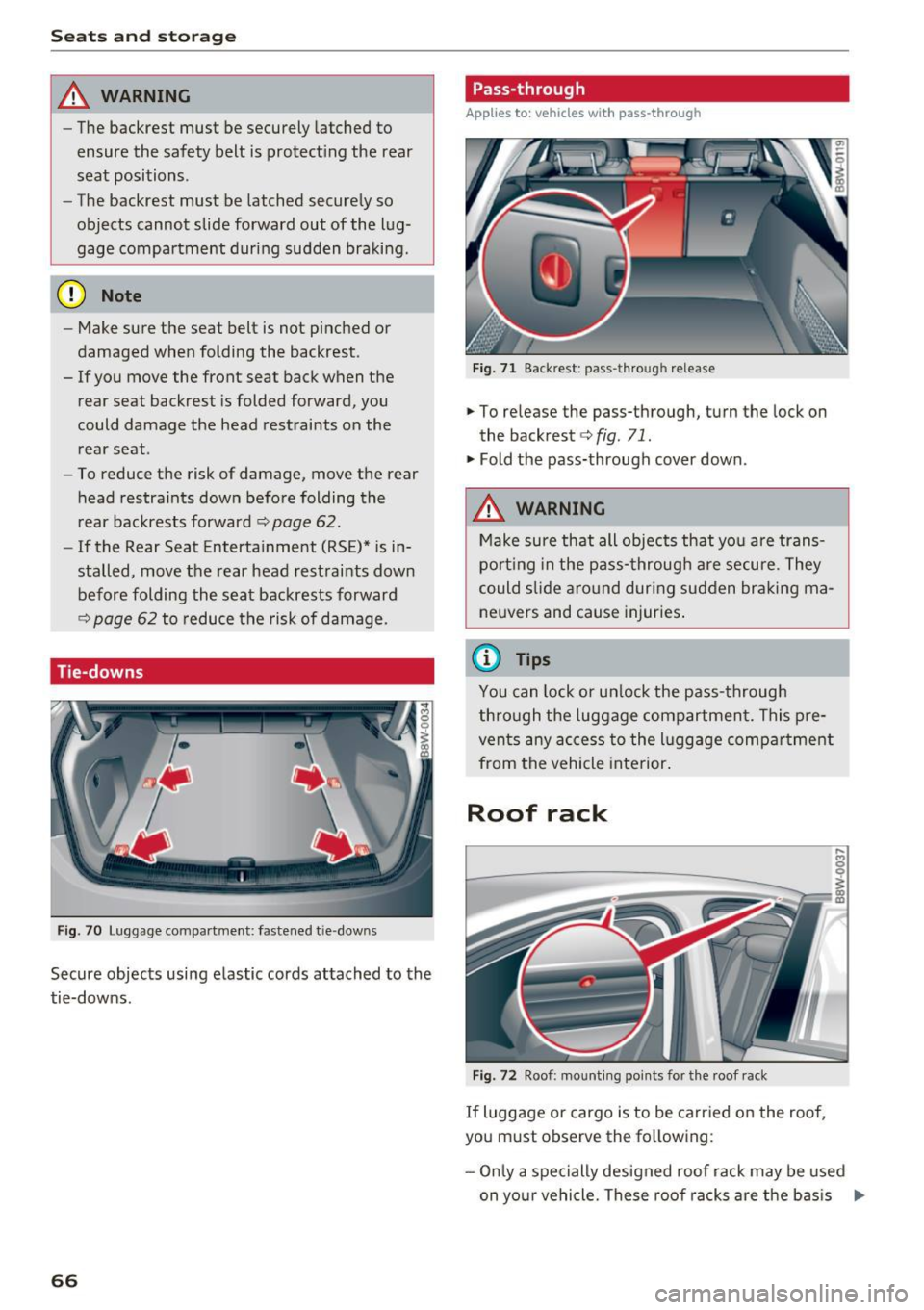
Fig . 70 Luggage co mpartme nt: fa stene d tie -dow ns
Secure objects using elastic cords attached to the
tie-downs .
66
Pass-through
Applies to: vehicles with pass -through
Fig. 71 Backr est : p ass-thro ugh release
.,. To release the pass-through, turn the lock on
the backrest
c:> fig . 71.
.,. Fold the pass-through cover down .
_&. WARNING
Make sure th at all objects that yo u are trans
por ting in the pass- through are secure. They
could s lide around dur ing su dden br aking ma
ne uvers and cause injuries .
(D Tips
You can lock or un lock the pass-through
thro ugh the luggage comp artmen t. This p re
ven ts any ac cess to the l uggage compa rtment
from the vehicle interior .
Roof rack
Fig . 72 Roof : mo untin g poin ts fo r the roof rack
If luggage or cargo is to be carr ied on the roof,
you must observe the fo llowing :
- Onl y a spe cially designed roof rack may be used
on yo ur vehicle. These roo f racks are the bas is
Iii>
Page 69 of 386

<( a, .... N ,....
N .... 0 0
3 a,
for a complete roof rack system. Additional at
tachments/carrier systems are necessary to
transport luggage and sports equipment. We recommend roof racks and attachments from
the Audi Genu ine Accessories program.
- When installing the roof rack, make sure that it is mounted only at the designated points on
the roof¢
fig. 72.
- The permissible roof load for your vehicle is 200 lbs (90 kg). The roof load is the total of the
weight of the roof rack, the attachments and
the cargo you are carrying. However, you must also note the permitted load of the carr ier sys
tem being used. For the permitted axle load
and the permitted tota l veh icle we ight, refer to
¢page 361 .
A WARNING
-
- Follow the installation instructions provided
with the roof rack system. If you do not se
cure the roof rack system and objects on the
roof correctly, they cou ld come loose from
the vehicle and cause an acc ident.
- Using a roof rack system increases the risk of an accident, because it changes the dr iv
ing characteristics by shifting the center of
grav ity and/or the increasing the surface
area exposed to wind. Adapt your driving
and speed to the cu rrent conditions .
(D Note
-If you use other roof luggage rack systems
or do not install the racks as intended, any
damage to the veh icle is not covered by the
war ranty . Carefully follow the assembly and
i nstallation instruct ions included with the
roof rack carrier system.
- Make su re that the open luggage compart
ment l id and the tilt ing/slid ing sun roof* do
not come into contact with objects on the
roof.
@) For the sake of the environment
Your veh icle will requ ire more fuel due to the
increased wind resistance . So remove the roof
rack after using it.
Seat s and sto rage
67
Page 93 of 386

label is located on the driver's side B-pillar. In
f late trai ler tires to trailer and tire manufactur
ers' specifications.
Lights
The headlight settings should be checked with
the trailer attached before driving off. Check to
make sure both vehicle and trailer lights are
working properly.
Safety chains
Be sure trailer safety chains are properly connect
ed from the tra iler to the hitch on the vehicle.
L eave enough slack in the chains to permit turn
ing corners. When you install safety chains, make
sure they wi ll not drag on the road when you are
driving.
The chains shou ld cross under the trailer tongue
to prevent it from dropping in case of separation
from the hitch.
Driver messages
Driving with a trailer requires extra caution .
Weight distribution
Towing a loaded trailer w ith an empty car results
in a high ly unstable dist ribution of weight . If this
cannot be avo ided, drive at very low speeds only
to avoid the risk of losing steering control.
A "balanced" rig is easier to operate and cont rol.
This means that the tow vehicle should be loaded
to the extent possible and permissible, while
keeping th e trailer as light as possib le under the
circumstances . Whenever possib le, transfer
some cargo to the luggage compartment of the
tow vehicle whi le observing tong ue load require
ments and vehicle loading considerations.
Speed
The higher the speed, the more difficult it be
comes for the driver to contro l the rig. Do not
drive at the maximum permissible speed. Reduce
your speed even more if load, weather or wind
<( conditions are unfavorable -particularly when a,
;::; going downhill. ,....
N .... 0 0
3 a,
Trailer towing
Reduce vehicle speed immediately if the trailer
shows the slightest sign of swaying.
Do not try
to stop the swaying by accelerating.
Observe speed limits. In some areas, speeds for
vehicles towing trailers are lower than for regular
vehicles .
Always apply brakes early. When driving down
hill, shift into a lower gear to use the eng ine
braking effect to slow the vehicle . Use of the
brakes alone can cause them to overheat and fail.
Coolant temperature
T he coolant temperature gauge~ page 11 must
be obse rved carefully. The coolant temperature
can increase if you drive on long inclines in a low
gear at high engine speeds . Reduce your speed
immediately if the LEDs in the top part of the dis
play turn on.
For more information about indicator lights, re
fer to.
~ page 31 .
A WARNING
= -
Anyone not properly restrained in a moving
vehicle is at a much greater risk in an acci
dent. Never let anyone ride in your car who is
not properly wearing the restraints provided
by Aud i.
Trailer towing
information
Important to know
Your vehicle handles differently when towing a
trailer because of the addit ional weight and dif
ferent weight distribution . Safety, performance
and economy will greatly depend on how careful
ly you load your trailer and operate you r rig.
Before you actually tow your trailer, pract ice
turning, stopping and backing up in an area away
from traffic . Keep pract ic ing until you have be
come complete ly familiar w ith the way your vehi
cle-trailer combination behaves and responds.
91
Page 128 of 386
Parking systems
Switching on/off
Applies to: ve hicles w ith park ing system p lus
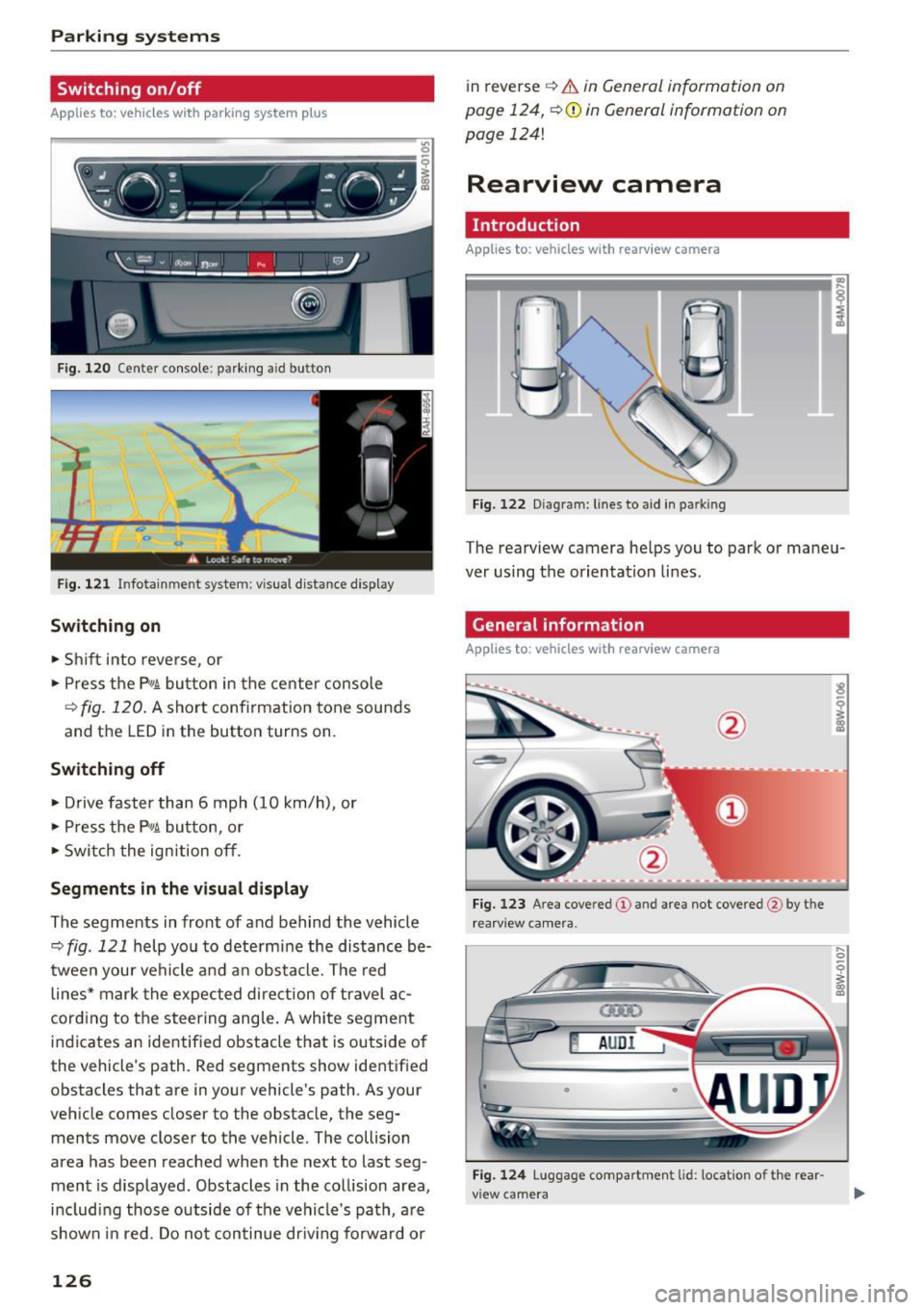
F ig. 120 Center console: pa rking a id b utto n
Fig. 121 Infotainment system: visual distance displa y
Switching on
• Shift in to reverse, or
• Press the P"1~ button in the center console
¢
fig. 120 . A short confirmation tone sounds
and the LED in the button turns on .
Switching off
• Drive faster than 6 mph (10 km/h) , or
• Press the P"1~ button, or
• Switch the ignition off .
Segments in the visual display
The segments in front of and behind the vehicle
¢
fig . 121 help you to determine the distance be
tween your vehicle and an obstacle. The red
lines* mark the expected direction of travel ac
cord ing to the steering angle. A white segment
indicates an identified obstacle that is outside of
the vehicle's path. Red segments show identified
obstacles that are in your vehicle's path. As your
veh icle comes closer to the obstacle, the seg
ments move closer to the vehicle. The collision
area has been reached when the next to last seg
ment is displayed. Obstacles in the collision area,
includ ing those outs ide of the vehicle's path, a re
shown in red. Do not continue dr iv in g forward or
126 in reverse
¢
& in General information on
page 124,
~ 0 in General information on
page
1241
Rearview camera
Introduction
App lies to: vehicles with rearv iew camera
Fig. 122 Dia gram: lines to aid in parking
The rearview camera he lps you to park or maneu
ver using the orientation lines.
General information
Applies to: vehicles with rearv iew camera
Fig. 123 A rea cove red (!) and area not covered @by t he
rear view camera.
~ AUDI
0
Fig. 124 Luggage comp artmen t lid: location of the rear
view camera
... 0
i
Page 129 of 386
<( a, .... N ,....
N .... 0 0
3 a,
The rearview camera is located above the rear li
cense plate bracket. Mak e sure that the lens for
the rearview camera
c::> fig. 124 is not covered by
deposits or any other obstructions because this
can impair the function of the rearview camera .
For information on cleaning, refer to
c::> page 337 .
The rearview camera coverage area includes (D
c::> fig. 123. Only this a rea is shown in the Info
tainment display . Objects that are outside of this
area @are not displayed.
A WARNING
-Always read and follow the applicable warn
ings
c::> .&. in General information on
page 124.
- If the position and the installation angle of
the rearview camera was changed, for ex
ample after a collision, do not continue to
use the system for safety reasons. Have it
checked by an authorized Audi dealer or au
thorized Audi Service Facility.
- Only use the rearview camera to assist you if
it shows a good, clear picture. For example,
the image may be affected by the sun shin
ing into the lens, dirt on the lens or if there
is a malfunction.
- Use the rearview camera only if the luggage
compartment lid is completely closed. Make
sure any objects you may have mounted on
the luggage compartment lid do not block
the rearview camera .
- The camera lens enlarges and distorts the field of vision . The object appears both al
tered and inexact on the screen .
- In certain situations , people or objects in
the display appear closer or farther away:
- For objects that do not touch the ground,
such as the bumper of a parked vehicle, a
trailer hitch or the rear of a truck. Do not use the orientation lines in this case.
- If driven from a level surface onto an in
cline, or a downward slope.
- If driven toward protruding objects.
- If the vehicle is carrying too much load in
the rear.
Parking systems
(D Note
-Always read and follow the applicable warn
ings
c::> (D in General information on
page 124.
- The orange colored orientation lines in the
Infotainment display show the vehicle path
based on the steering wheel angle. The
front of the vehicle swings out more than
the rear of the vehicle . Maintain plenty of
distance so that an exterior mirror or a cor
ner of the vehicle does not collide with any
obstacles.
Switching on/off
Appl ies to: vehicles wi th rearv iew camera
Switching on
.,. Shift into reverse, or
.,. Press the
PwA button in the center console
c::> page 126, fig. 120. A short confirmation
tone sounds and the LED in the button turns
on.
Switching off
.,. Drive faster than 6 mph (10 km/h), or
.,. Press the
p,qA button , or
.,. Switch the ignition off.
@ Tips
- The visual display in the right part of the
display should help you detect the critical
vehicle area.
- You can change the volume of the signals
and the display
<=:>page 131.
127
Page 131 of 386

General information
Applies to: vehicles with peripheral cameras
Fig. 128 Loca tion of peripheral c amera s
The four periphe ral cameras are located in the ra
diator grille, in the luggage compartment lid and
on both exterior mirrors
q fig . 128 . Make sure
that the lenses are not covered by deposits or any
other obstructions as this may impair the system.
For information on cleaning, refer to
¢page 337.
Black corners are shown in the vehicle silhouette
when in
Surrounding mode. Objects in these
areas are outside of the camera's field of view
and are not detected .
A WARNING
-Always read and follow the applicable warn
ings
~ &. in General information on
page 124.
- If the position or the installation angle of a
camera was changed, for example after a
collision, do not continue to use the system
for safety reasons . Have it checked by an au
thorized Audi dealer or authorized Audi
Service Facility .
- Keep in mind that the image in the display is
incorrect if the exterior mirror housing has
been manually adjusted .
- Use the
Rear mode and the corner view
(rear)
mode only when the luggage com
partment lid is fully closed. Otherwise the
image in the display will be incorrect.
- The vehicle surroundings are shown using
the camera images . The vehicle image is
shown by the system. Objects and obstacles
above the camera are not displayed.
Parking systems
-Camera lenses enlarge and distort the field
of vision. The objects appear both altered
and inexact on the screen .
(D Note
-Always read and follow the applicable warn
ings
~ CD in General information on
page 124.
- The Infotainment display shows the direc
tion in which the rear of the vehicle is travel ing based on the steering wheel angle. The
front of the vehicle swings out more than
the rear of the vehicle . Maintain plenty of
distance so that an exterior mirror or a cor
ner of the vehicle does not collide with any
obstacles.
(D Tips
If the 8/fl;!J/c::5 symbol appears in the dis
play and the respective display area is grayed
out, then the power exterior mirrors were
folded in or the driver's door/front passeng
er's door/luggage compartment lid was
opened.
Switching on/off
Applies to: vehicles with peripheral cameras
-----------
' :_~ '.!! _:-,~~
~ !i'! .. ' !J -,1~ ===:.===. ,
Fig. 129 Center console: button P.a
Fig. 130 In fo tai nment syste m: select the mode
129
Page 238 of 386
Driving sa fe ty
Driving safety
General notes
Safe driving habits
Please remember -safety first!
This chapter contains important information,
tips, instruct ions and warn ings that you need to
read and observe for your own safety, the safety
of your passengers and others. We have summar
ized here what you need to know about safety
be lts, a irbags, child restra ints as well as child
safety. Your safety is for us
priority number 1 . Al
ways observe t he i nfo rmation and wa rn ings in
this section - for your own safety as well as tha t
of yo ur passengers.
The information i n this section applies to all
model ve rsions of your vehicle . Some of the fea
tures descr ibed in t his sec tions may be s tanda rd
eq uipment on some models, or may be optional
equipment on others. If yo u are not sure, ask
your author ized Audi dealer.
A WARNING
-Always make sure that you follow the in
structions and heed the WARNINGS in th is
manual. It is in your inte rest and in the in
te rest of your passengers .
- Always keep all of the Owner's Lite rature
manuals in your Audi when you lend o r sell
yo ur vehicle so that this important informa
t ion w ill always be availab le to the dr iver
and passenge rs.
- Always keep the Owner 's Lite rature handy
so that you can find i t easi ly if yo u have
ques tions.
Safety equipment
The safety features are part of the occupant re
straint system and work together to help reduce
the risk of injury in a wide variety of occident si t
uations.
Your safety and the safety of yo ur passenge rs
should not be left to chan ce. Advan ces in tech
nology have made a var iety of features av ail ab le
to help reduce t he risk of injury in an accident .
236
The following is a list of just a few of the sa fety
features in your Audi :
- sophis tic ated safety be lts fo r dr ive r and all pas-
senge r seat ing pos itions,
- safety belt p re tensioners,
- be lt height adjustment for the front seats,
- head restraints for each seating position,
- front airbags,
- knee airbags fo r the front seats,
- side airbags in the front seats and outboard
rear seats *,
- side curtain airbags,
- special LA TC H anchorages for the outboard rear
seats and top tether anchorages for chi ld re
straints for all of the rear seats,
- adjustab le steering col umn.
These ind iv idual safety features, can work to
gether as a system to he lp protect you and your
pa ssengers in a wide range of a cciden ts. These
fea tures canno t wo rk as a sys tem if they a re not
a lways cor rec tly ad juste d and cor rect ly used.
Safety is everybod y's responsibilit y!
Important things to do before driving
Safety is everybody's job! Vehicle and occupant
safety always depends on the informed and care
ful driver .
For your safety a nd the safety of your passen
gers,
before driving alway s:
.,. Make sure that all lights and signals are operat
ing correctly .
.,. Make sure that the tire pressure is correct .
.,. Make sure that a ll windows a re clean and afford
good v is ibility to the outs ide.
.,. Se cur e all luggage and othe r items ca refully
q page 242.
.,. Make sure that noth ing can i nter fere with the
peda ls .
.,. Adjust front seat, head restraint and mirrors
correctly for yo ur height.
.,. Instruct passengers to adjust the head re
straints according to their he ight .
.,. Make sure to use the rig ht child restraint co r
rectly to protect chi ldren
q page 2 77 , Child
safety. ..,.