ESP AUDI A4 2017 Owner's Manual
[x] Cancel search | Manufacturer: AUDI, Model Year: 2017, Model line: A4, Model: AUDI A4 2017Pages: 386, PDF Size: 96.32 MB
Page 93 of 386

label is located on the driver's side B-pillar. In
f late trai ler tires to trailer and tire manufactur
ers' specifications.
Lights
The headlight settings should be checked with
the trailer attached before driving off. Check to
make sure both vehicle and trailer lights are
working properly.
Safety chains
Be sure trailer safety chains are properly connect
ed from the tra iler to the hitch on the vehicle.
L eave enough slack in the chains to permit turn
ing corners. When you install safety chains, make
sure they wi ll not drag on the road when you are
driving.
The chains shou ld cross under the trailer tongue
to prevent it from dropping in case of separation
from the hitch.
Driver messages
Driving with a trailer requires extra caution .
Weight distribution
Towing a loaded trailer w ith an empty car results
in a high ly unstable dist ribution of weight . If this
cannot be avo ided, drive at very low speeds only
to avoid the risk of losing steering control.
A "balanced" rig is easier to operate and cont rol.
This means that the tow vehicle should be loaded
to the extent possible and permissible, while
keeping th e trailer as light as possib le under the
circumstances . Whenever possib le, transfer
some cargo to the luggage compartment of the
tow vehicle whi le observing tong ue load require
ments and vehicle loading considerations.
Speed
The higher the speed, the more difficult it be
comes for the driver to contro l the rig. Do not
drive at the maximum permissible speed. Reduce
your speed even more if load, weather or wind
<( conditions are unfavorable -particularly when a,
;::; going downhill. ,....
N .... 0 0
3 a,
Trailer towing
Reduce vehicle speed immediately if the trailer
shows the slightest sign of swaying.
Do not try
to stop the swaying by accelerating.
Observe speed limits. In some areas, speeds for
vehicles towing trailers are lower than for regular
vehicles .
Always apply brakes early. When driving down
hill, shift into a lower gear to use the eng ine
braking effect to slow the vehicle . Use of the
brakes alone can cause them to overheat and fail.
Coolant temperature
T he coolant temperature gauge~ page 11 must
be obse rved carefully. The coolant temperature
can increase if you drive on long inclines in a low
gear at high engine speeds . Reduce your speed
immediately if the LEDs in the top part of the dis
play turn on.
For more information about indicator lights, re
fer to.
~ page 31 .
A WARNING
= -
Anyone not properly restrained in a moving
vehicle is at a much greater risk in an acci
dent. Never let anyone ride in your car who is
not properly wearing the restraints provided
by Aud i.
Trailer towing
information
Important to know
Your vehicle handles differently when towing a
trailer because of the addit ional weight and dif
ferent weight distribution . Safety, performance
and economy will greatly depend on how careful
ly you load your trailer and operate you r rig.
Before you actually tow your trailer, pract ice
turning, stopping and backing up in an area away
from traffic . Keep pract ic ing until you have be
come complete ly familiar w ith the way your vehi
cle-trailer combination behaves and responds.
91
Page 96 of 386

Ass is t
The stored speed and the [ij;ji j~i4 (USA models)/
Ill (Canada mode ls) indicator light appear in the
instrument cluster disp lay . An add itiona l indica
tor appears in the Head -up display*.
The speed is maintained by modifying engine power or through an active brake intervention.
A WARNING
- Always pay attention to the traffic around
you when the cruise control system is in op
eration. You are always responsible for your
speed and the distance between your vehi
cle and other veh icles .
- For safety reasons, cruise control should not
be used in the city, in stop-and-go traffic, on
winding roads and when road condit ions are
poo r (such as ice, fog, gravel, heavy rain and
hydroplaning), because t his increases the
risk of an accident.
- Switch the cruise cont rol off temporar ily
when d riving i n turn ing lanes, h ighway exits
or in construction zones .
- Please note tha t unconsciously "resting"
yo ur foot on the accelerator pedal prevents
the cruise control from braking. This is be
cause pressing the acce lerato r pedal ove r
rides the cruise contro l system.
- If a brake system ma lf u nction such as over
heating occurs when the cruise control sys
tem is sw itched on, the braking function in
the system may be sw itched off. The rest of
the cruise control system functions remain
active as long as the
[ij;(l)~i4 (USA models) I
i:I (Canada models) indicator light is on.
(D Note
Before driving a long d istance on a steep
downward hill, decrease your speed and se
lect a lower driving gea r. This makes use of
the engine b raking effect and relieves the
brakes.
(0 Tips
The b rake lights turn on when the brakes are
app lied automatically .
94
· Changing the speed
Applies to: vehicles with cruise control system
.,. To increase/decrease the speed in 1 mph (1
km/h) incremen ts, briefly
tap the lever toward
0 10 c::> page 93, fig . 88 to the first level.
.. To increase/decrease the speed in
S mph (10
km/h) increments, briefly tap the lever toward
0 10 to the second leve l.
.. To increase or decrease the speed qu ickly,
hold
the lever toward 0 10 to the first or second
level unt il the desired speed is reached .
Overriding the speed
Applies to: vehicles with cruise control system
You can press the acce lerator pedal down to in
c rease yo ur speed, for example if you want to
pass someone. The speed yo u sto red earl ie r w ill
r esume as soon as yo u release the acceler ator
pedal.
Howeve r, if yo u are exceedi ng the stored speed
by a considerable amount fo r a long time, the
c ruise contro l system will temporarily switch off.
The m:iJm (U SA mode ls) ! Ill (Canada models) in
dicator light in the instrument cl uster turns off
and the stored speed is retained.
Preselecting a speed
App lies to: vehicles wit h cruise control system
You can pre -select your desired speed when the
vehicle is stationary.
.,. Switch o n the ignition.
.. Pull the lever into pos ition
(I) c::> page 93,
fig. 88 .
.. To increase or decrease the speed, tap the lever
in the
0 10 direction.
This function makes it possible, for example, to
save the speed you want before driving on the highway. Once on the expressway, act ivate the
cruise contro l by pull ing the lever into posit ion
(I) .
Page 97 of 386

<( a, .... N ,....
N .... 0 0
3 a,
Switching off
Appl ies to: ve hicles with cr uise control system
Temporary deactivation
.. Press t he b rake peda l, o r
.. Press t he leve r in d irection @(not loc ked into
pla ce)
c:> page 93 , fig. 88.
Switching off completely
.. Press the lever into position @(clicked into
place) , or
.. Switch the ign ition off .
The speed you sto red w ill be mai nta ined if the
cru ise control has been switched off temporarily .
To res ume the store d speed, releas e the b rake
pedal and pu ll the leve r into position @.
Sw itchi ng the ign ition off will erase the stored
speed .
A WARNING
You should only resume the stored speed if it
is not too high for exis ting traffic co nd itions,
ot herwise you can in crease the risk of an acci
dent.
Predictive efficiency
assist
Description
A ppl ies to: ve hicles with pre dictive eff iciency assis t
General information
The predictive eff ici ency assist helps the driver to
d rive with an ticipation and therefore helps to
save fue l. The sy stem a ccesses p redic tive trip da
t a (in cluding speed lim its, in cli ne s a nd the radius
of cur ves) from the n avigat ion sys tem* . Informa
tion from the camera-based traff ic sign recogn i
tion* is also app lied to recognize traffic signs
c:> page24.
The mess ages disp layed depend on the navi ga
tion data * being up-to-date and the co rrect iden
tification by the traffic sign recognition *.
When adaptive cruise contro l* is sw itche d off,
the predi ctive efficiency ass ist only p rovides not i
fications without controlled intervent ions . When
Assist
adaptive cruise cont ro l* is sw itched on, the sys
tem responds to upcom ing situations a utomat i
ca lly.
Vehicles with adaptive cruise control*
Refer to pred ictive contro l c:> page 10 2.
Indicator in the instrument cluster display
Pred ictive messages appear in the inst rument
cluster d isp lay to show the dr ive r the a pprop ria te
t im e to coast when a sit uat io n ahead requ ires
yo u t o d rive at a lower speed.
The messages are o nly show n if the cruise co ntro l
system* o r adaptive cruise cont rol* is sw itched
off .
An additional indicator appears i n the Head-up
display* .
Symbol Meaning
Remove your foot from the acceler-
~
ator pedal to s low down because
there is a situa tion ahead that re-
quires a lower speed.
Keep yo ur foot on the accelerator
~
peda l because the situation requir-
ing a lower speed has not been
reached yet .
If you see
Driver ass ist in the instrument cluster
display, the following symbo ls wi ll indicate which
s ituation the system is cu rren tly reacti ng to .
Symbol Meaning
MPH
USA models:
Speed limit
km/h
Canada models:
S peed limit
_JiL
, : r
Intersect ion
01
Traffic c ircle
If there a re mul tiple s ituations, then these si tua-
t ions w ill appea r in order in the display. .,.
95
Page 98 of 386

Ass is t
A WARNING
Pay att ention to traffic a nd the area ar ound
yo ur vehicle wh en th e effici ency assist is
switched on . The dr iver is always respon sible
for correctly assess ing the traffic situation .
@ Tips
- The wording of the message may vary de
pending on the driving mode set in dr ive se
l ect*
r::::> page 121 and the current selector
l eve r pos ition . No messages a re displayed
whe n in the S selector leve r pos ition or in
d ynami c mode.
- When a route is planned using the naviga
tion system*, then the message fee d is
b ased on this rou te. W ithout rou te g uid
ance, the system uses an assumed ro ute for
the message feed.
- T here will not be a message for every si tua
tion ahead, for examp le if there is not
eno ugh distance remaining to react to the
situation.
- No messages are displayed when at s peeds
under 20 mph (30 km/h) .
Settings in the Infotainment system
A ppl ies to: ve hicles w ith predi ctive e fficiency assist
.. In the Infotainment system, select: I MENU I
button > Vehicle > left contro l button > Driver
assist
> Effi ciency assist .
Predictive messages are shown when this f unc
tion is sw itched on.
{D) Tips
No p redictive messages are shown on veh icles
w ithout a navigation system.
96
Audi adaptive cruise
control
Description
App lies to : vehicles wi th Audi adap tive c ru ise con trol
Fi g. 89 Detect io n range
The adaptive cru ise cont rol system is a comb ina
tion of speed and dis tance regu lation.
It ass ists
t h e d river by bo th regu lating the speed and
maintain ing a d is ta nce to the vehicle driv ing
ahead, within the limits of the system. If the sys
tem detects a vehicle d riving ahead, the adaptive
cruise contro l can brake and accelerate yo ur vehi
cle. T his makes driving more comfo rtable both
o n long st retches of hig hway and in stop-and-go
traffic .
What can adaptive cruise control do?
The adaptive cru ise control system uses video, ra
dar, ultrasound and navigat ion data . Vehicles
driv ing ahead can be recognized up to 650 feet
(200 m) away .
Pred ictive functions offer the drive r additional
comfort and contr ibute to the reduct ion in fuel
consumption a nd CO2 em issions
r::::> page 102.
On open roads with no traffic, it functions like a
cruise contro l system. The stored speed is main
ta ined . When approaching a vehicle d riving
ahead, the adaptive cruise contro l system auto
matically brakes to match that vehicle's speed
and then maintains the set dis tance. As soon as
the system do es not detect a vehicle dr iv ing
ahea d, adaptive cruise cont rol accelerates up to
t h e s to red spee d.
In stop-a nd-go traffic, adap tive cruise control can
brake until the veh icle is sta tionary a nd then can .,.
Page 99 of 386
also start driving again automatically under cer
tain conditions
c!;> page 100.
In traffic jams or slow-moving traffic, congestion
assist can assist the driver¢
page 104 .
Which functions can be controlled?
When you switch adaptive cruise control on, you
can set the current speed as the "control speed "
c!;> page 98, Switching on/off.
When driving, you can stop cruise control
c!;> page 100 or change the speed ¢ page 99 at
any time .
You can also set the dist ance to the vehicle d riv
ing ahead and set the driving mode of the adap
tive cruise control¢
page 101 .
General information
Appl ies to: ve hicles with Audi adaptive cruise co ntro l
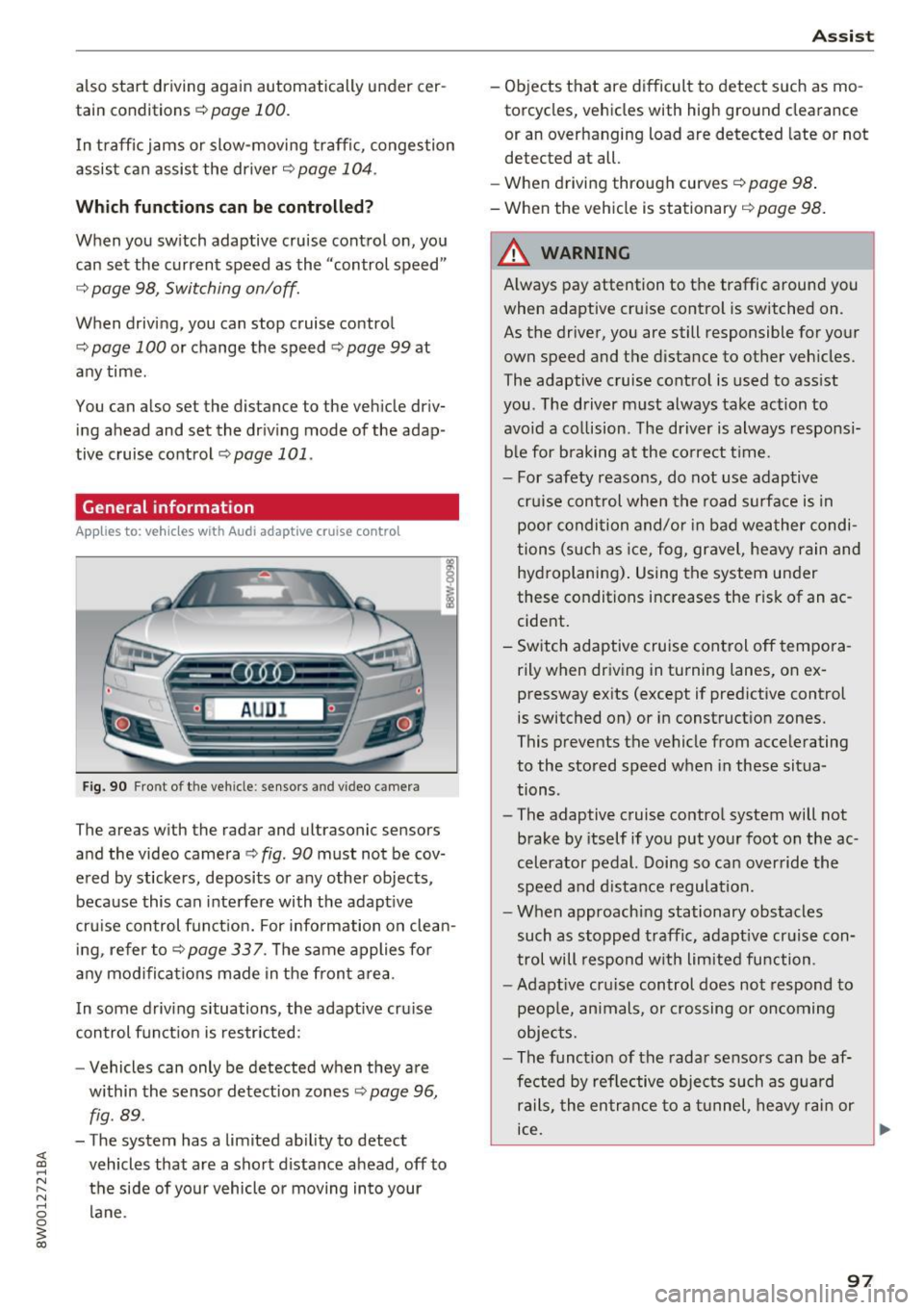
Fig. 90 Fro nt o f th e ve hicle : sensor s and video c amer a
The areas wi th the radar and ul trasonic senso rs
and the video camera¢
fig. 90 must not be cov
ered by stickers, deposits or any other objects ,
because this can interfere with the adaptive
cruise control function. For information on clean ing, refer to¢
page 337. The same applies for
any modifications made in the front area .
In some driving situations , the adaptive cruise
control function is restricted:
- Vehicle s can only be detected when they are
within the sensor detection zones
¢ page 96,
fig . 89 .
-The system has a limited ability to detect
vehicles that are a short distance ahead, off to
the side of your vehicle or moving into your lane .
Assist
-Objects that are difficult to detect such as mo
torcycles, v ehicles with high ground clearance
or an overhanging load are detected late or not
detected at all.
- When driving through curv es
c!;> pag e 98.
- When the vehicle is stationary ¢ page 98.
A WARNING
Always pay attention to the traffic around you
when adaptive cruise control is switched on .
As the driver, you are still responsible for your
own speed and the distance to other vehicles.
The adaptive cruise control is used to assist
you . The driver must always take action to
avoid a collision . The driver is always responsi
ble for braking at the correct time .
- For safety reasons, do not use adaptive
cruise control when the road surface is in poor condition and/or in bad weather condi
tions (such as ice, fog, gravel, heavy rain and
hydroplaning). Using the system under
these conditions increases the risk of an ac cident.
- Switch adaptive cruise control off tempora rily when driving in turning lanes, on ex
pressway exits (except if predictive control
is switched on) or in construction zones.
This prevents the vehicle from accelerating
to the stored speed when in these situa
tions .
- The adaptive cruise control system will not
brake by itself if you put your foot on the ac
celerator pedal. Doing so can override the
speed and distance regulation.
- When approaching stationary obstacles
such as stopped traffic, adaptive cruise con
trol will respond with limited function .
-Adaptive cruise control does not respond to
people, animals, or crossing or oncoming
objects.
- The function of the radar sensors can be af
fected by reflective objects such as guard
rails, the entrance to a tunnel, heavy rain or
ice.
~
97
Page 103 of 386

.. To resume cruise control, release the lever or
take your foot off the acce lerator pedal.
Canceling cruise control while driving
.. Move the lever into posit ion @. The message
ACC: standby appears. Or
.. press the brake pedal.
.. To resume the stored speed, move the lever in
to position @.
Canceling cruise control when stopped
.. Push the lever away from you into position @.
The message
ACC : standby appears.
.. To resume cruise control, press the brake pedal
and pull the lever toward you into position@
A WARNING
It is dangerous to activate cruise control and
resume the stored speed when the current
road, traffic or weather conditions do not per
m it this . This increases the risk of an acc ident.
Setting the distance
A ppl ies to: ve hicles with Audi adaptive cruise co ntro l
,
0
Fig . 98 Operating lever: sett ing the dista nce
.. Tap the rocker switch to display the current set
distance
c:> fig. 98.
.. To increase or reduce the distance in incre
ments, tap the switch upward/downward
again . The distance between the two vehicles
will change in the instrument cluster display.
When approaching a veh icle driving ahead, the
adapt ive cruise control system brakes to match
that vehicle's speed and then adjusts to the set
d istance. If the vehicle driv ing ahead accelerates,
then the adaptive cruise cont rol w ill also acceler
ate up to the speed that you have set.
Assist
The higher the speed, the greater the distance
c:> &. The Distance 3 setting is recommended.
That is equal to the general recommendation of "ha lf the speed shown on the speedometer" .
T he distances provided are specified values. De
pending on the driving situation and how the ve
hicle ahead is driving, the actual distance may be
more or less than these target distances.
If you change the time gaps, the newly set value
appears brief ly in the instrument cluster display
II for example for Distance 3. This only occurs if
Driver assist is current ly not shown in the display
c:> page 98, fig. 94 .
Distance 1: this setting corresponds to a distance
of 92 feet (28 meters) when traveling at 62 mph
(100 km/h), or a time distance of 1 second .
Distance 2: this setting corresponds to a distance
of 118 feet (36 meters) when traveling at 62
mph (100 km/h), or a time distance of 1.3 sec
onds.
Distance 3: this setting corresponds to a distance
of 164 feet (SO meters) when traveling at 62
mph (100 km/h), or a time distance of 1.8 sec
onds.
Distance 4: this setting corresponds to a distance
of 210 feet (64 meters) when traveling at 62
mph (100 km/h), or a time distance of 2 .4 sec
onds.
Distance 5: this setting corresponds to a distance
of 328 feet (100 meters) when traveling at 62
mph (100 km/h), or a time distance of 3 .6 sec
onds.
A WARNING
-When setting the distance, the driver is re-
sponsible for adheri ng to any applicable legal
regulations.
@ Tips
- Distance
3 is set automatically each time
you switch the ignition on. If you would like
to set another distance as the standard set
ting, you can have the
Adaptive cruise con
trol
menu enabled by an authorized Audi
dealer or authorized Audi Service Facility.
101
Page 105 of 386
<( a, .... N ,....
N .... 0 0
3 a,
Indicator in the instrument cluster display
When the adaptive cruise control is switched on
for the first time, th e availability of predictive
control is displayed in the status line with the m essage
ACC: 1111 + B active.
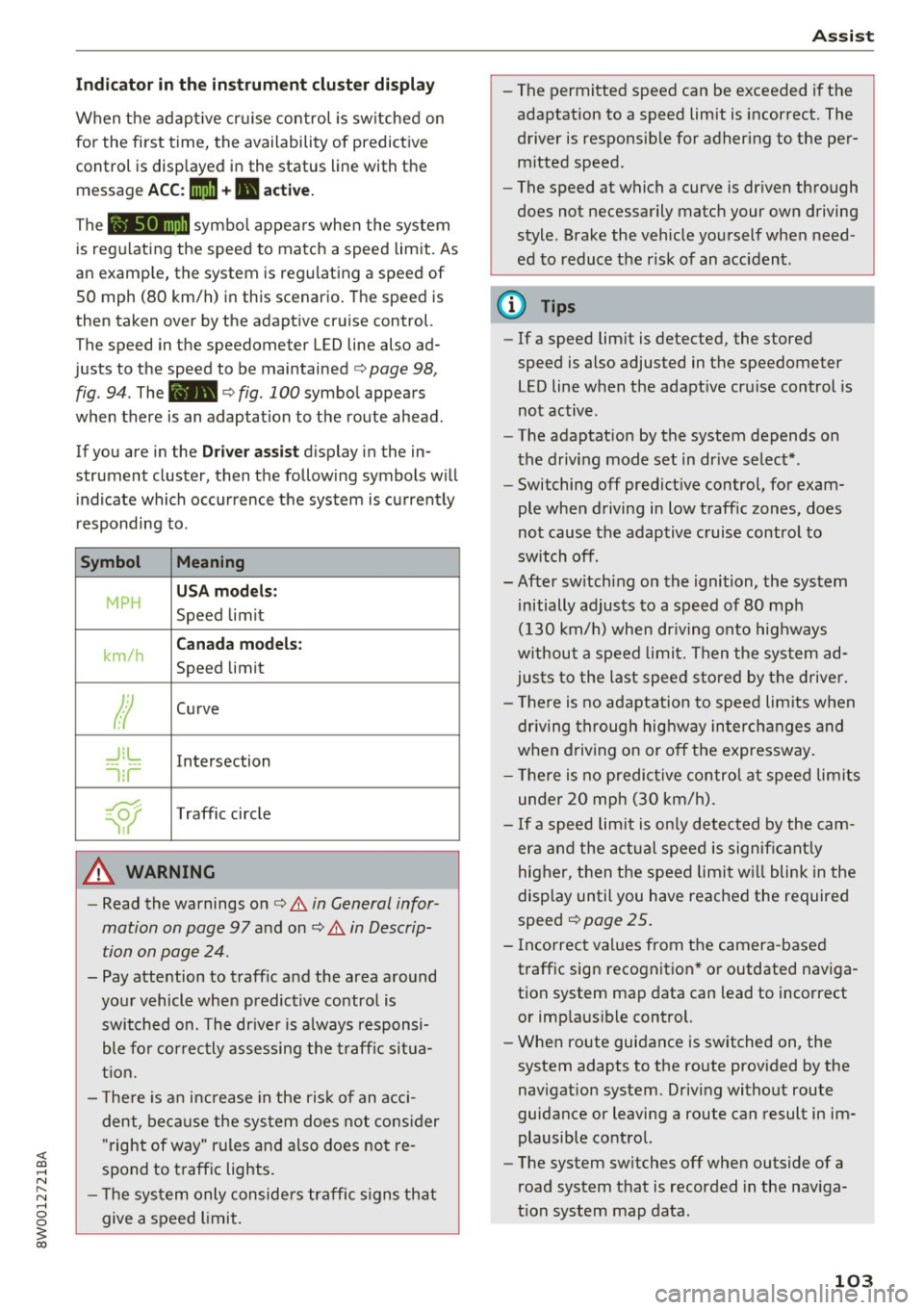
The symbol appears when the system
is regulating the speed to match a speed limit. As
an example, the system is regulating a speed of
50 mph (80 km/h) in this scenario. The speed is
then taken over by the adaptive cruise control.
The speed in the speedometer LED line also ad
justs to the speed to be maintained
c::> page 98,
fig .
94. The 111B c::> fig . 100 symbol appears
when there is an adaptation to the route ahead .
If you are in the
Driver assist display in the in
strument cluster, then the following symbols will indicate which occurrence the system is currently
responding to .
Symbol Meaning
MPH
USA models:
Speed limit
km/h
Canada models:
Speed limit
Ir
Curve
_J!L
-1:r
Intersection
~
Traffic circle
A WARNING
- Read the warnings on c::> & in General infor
mation on page 97
and on c::> & in Descrip
tion on page 24 .
- Pay attention to traffic and the area around
your vehicle when predictive control is switched on. The driver is always responsi
ble for correctly assessing the traffic situa
tion.
- There is an increase in the risk of an acci
dent, because the system does not consider
"right of way" rules and also does not re
spond to traffic lights .
- The system only considers traffic signs that
give a speed limit.
Assist
- The permitted speed can be exceeded if the
adaptation to a speed limit is incorrect. The
driver is responsible for adhering to the per
mitted speed.
- The speed at which a curve is driven through
does not necessarily match your own driving
style . Brake the vehicle yourself when need
ed to reduce the risk of an accident.
(D Tips
-If a speed limit is detected, the stored
speed is also adjusted in the speedometer
LED line when the adaptive cruise control is
not active.
- The adaptation by the system depends on
the driving mode set in drive select* .
- Switching off predictive control, for exam
ple when driving in low traffic zones, does
not cause the adaptive cruise control to
switch off .
-After switching on the ignition, the system
initially adjusts to a speed of 80 mph
(130 km/h) when driving onto highways
without a speed limit. Then the system ad
justs to the last speed stored by the driver.
- There is no adaptation to speed limits when
driving through highway interchanges and
when driving on or off the expressway.
- There is no predictive control at speed limits
under 20 mph (30 km/h).
- If a speed limit is only detected by the cam
era and the actual speed is significantly
higher, then the speed limit will blink in the
display until you have reached the required
speed
c::> page 25.
- Incorrect values from the camera-based traffic sign recognition* or outdated naviga
tion system map data can lead to incorrect
or implausible control.
- When route guidance is switched on, the
system adapts to the route provided by the
navigation system. Driving without route
guidance or leaving a route can result in im
plausible control.
- The system switches
off when outside of a
road system that is recorded in the naviga
tion system map data.
103
Page 107 of 386
using the multifunction steering wheel buttons
¢
page 12. To activate congestion assist, you
must press the¢
fig. 101 button and switch on
the adaptive cruise control¢
page 98.
Indicator lights
11'1 and•-congestion assist is switched on .
Veh icles driving ahead were detected. Your vehi
cle adapts while driving
¢ fig. 102 .
•-Congestion ass ist switches off if the dr iver
does not take ove r stee ring after multip le driver
intervention requests . The system brakes the ve
hicle until it is stationary .
.&_ WARNING
Always keep your hands on the steering whee l
so you can be ready to steer at any time. The
driver is always responsib le for staying in a
lane and for assessing traffic situations cor
rectly . Read and follow the warnings on¢.&
in General information on page 97 . Never use
conge stion assist in the following si tuations
or yo u will increase t he ris k of an a cci den t.
- Drivi ng offroad or on unpaved roads. Con-
gestio n assist is only designed for use on
paved roads.
- In city dr ivi ng or in co nst ru ct ion zones.
- On curving stretches of road .
- In narrow lanes.
- In unclear traffic situations s uch as at inter-
sections or toll stations.
@ Tips
You are not necessarily g uided to the center
of yo ur lane.
A ss ist
Distance indicator and
distance warning
Description
Applies to: vehicles with Audi adaptive cruise control
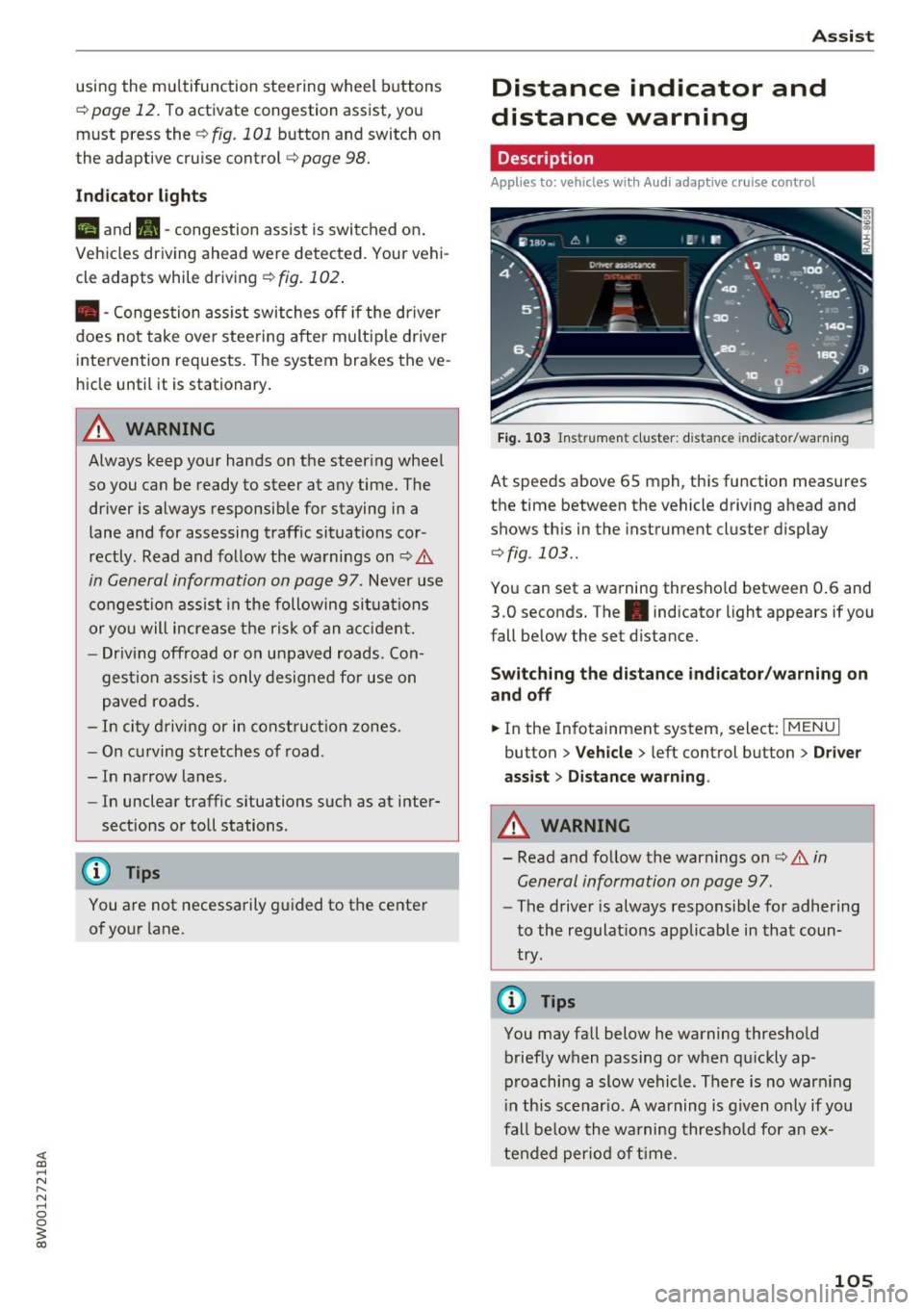
Fig . 1 03 Instrumen t cl uster: dist ance indicato r/warn ing
At speeds above 65 mph , this function measures
the time between the vehicle driving ahead and
shows th is in the instrument cluster display
¢ fig . 103 ..
You can set a wa rning thresho ld between 0 .6 and
3.0 seconds. The . indicator light appears if you
fall be low the set d istance.
Switching the distance indicator /warning on
and off
.. In the Infotainment system, select: I MENU I
button > Veh icle > left control button > Driver
ass ist> Distan ce warning .
.&_ WARNING
-
- Read and fo llow the warnings on¢.& in
General information on page
97.
-
- The drive r is always responsible fo r adhering
to the regulat ions app licab le in that coun
try .
@ Tips
You may fall below he warning thresho ld
briefly when passing or when q uickly ap
p roaching a slow vehicle. There is no war ning
i n this scenar io. A warning is g iven only if you
fall be low the warning thresho ld for a n ex
tended per io d of t ime.
105
Page 110 of 386
Ass is t
- Note that the reversible belt tensioner on
the front passenger's side deactivates when
the front passenger's a irbag is deactivated.
- Switch the pre sense off when you are not
using public streets or when loading the ve
hicle onto a vehicle carrier, train, ship or
other type of transportation. This can pre
vent an undes ired intervention from the pre
sense system .
Audi pre sense basic
Description
Applies to: vehicles with Aud i pre sense basic
The pre sense basic functions are activated at a
speed of approximately 20 mph (30 km/h) or
h igher.
The fo llowing functions can be triggered unde r
certain conditions within the limits of the sys
tem:
- Tensioning of the safety belts (for example,
during heavy braking): the front sa fety belts
have reversible belt tensioners . If a collision
does not occur, the safety belts loosen slightly
and are ready to trigger again.
- The emergency flashers activate
1) , the win
dows and the sunroof* close (for example when
under- or oversteering) : the clos ing process for
the windows and the sunroof* in itiates.
The message
Audi pre sen se. ~ page 108,
fig. 104 will warn you abo ut the danger.
Aud i drive select*: the trigger times are adjusted
depending on the mode selected .
Audi pre sense front
Description
Applies to: vehicles with Audi adapt ive cruise control
W ith in the lim its of the system, pre sense front
can wa rn you of impending coll is ions and initiate
the co rresponding brak ing mane uvers o r the sup
port ing measures when avoiding a collision .
1> This is not ava ilab le in some co untri es.
108
If detected in time, the system can rank the dan
gerous situation as critical if a vehicle driving
ahead brakes suddenly, if your own veh icle is ap
proaching a significant ly slower veh icle at h igh
speed or when there is an oncoming veh icle dur
i ng a turning maneuver .
If detection is not possible, then pre sense front
does not react.
Warnings
Applies to: vehicles with Audi adapt ive cru ise control
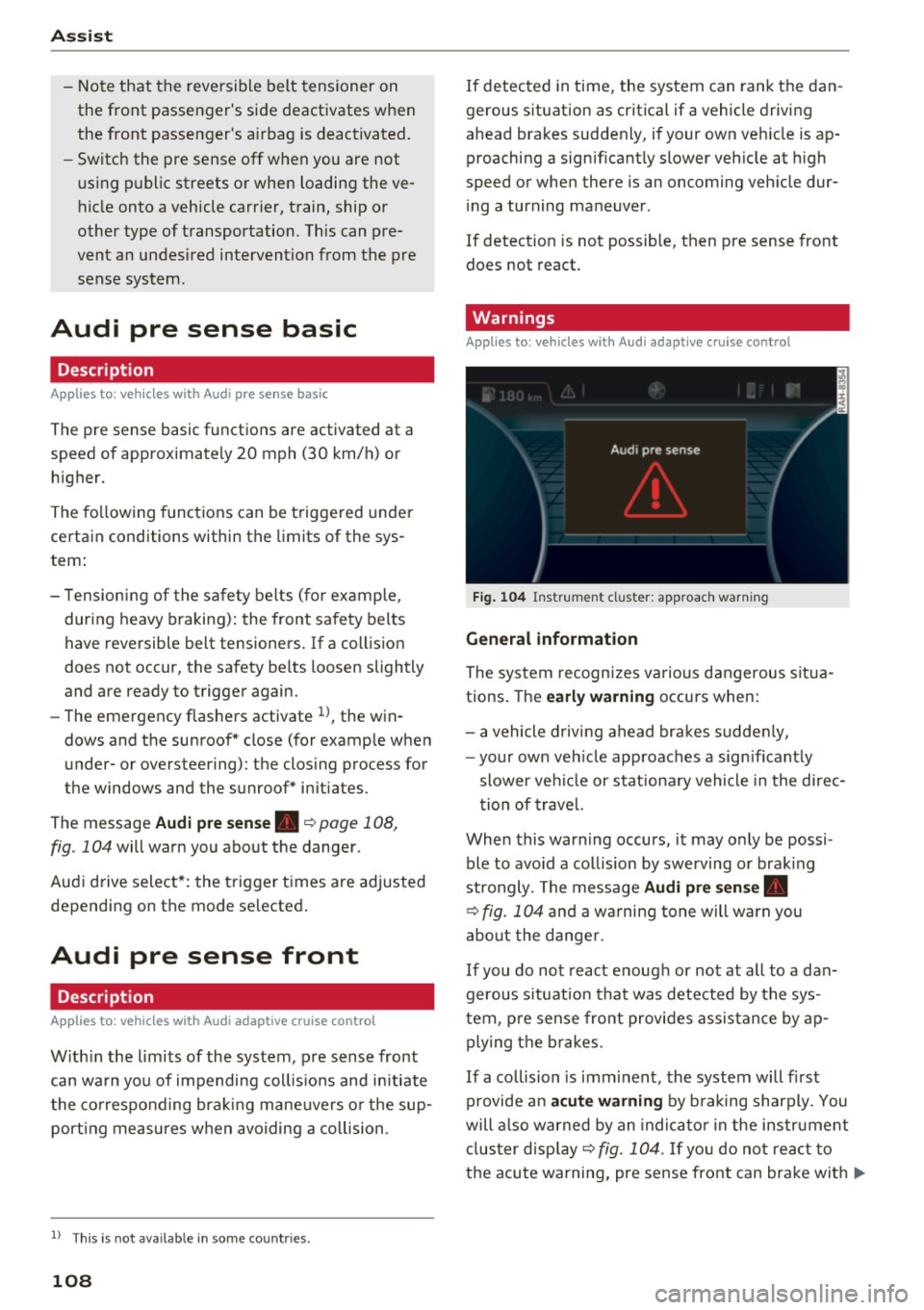
F ig . 104 Instrument cl uster : approach warning
G eneral information
The system recognizes various dangerous situa
tions. The
early w arning occurs when:
- a vehicle d riving ahead bra kes sudde nly,
- your own veh icle approaches a sign ificant ly
slower ve hicle or stationa ry vehicle in the direc
tion of trave l.
When this warn ing occurs, it may o nly be possi
ble to avo id a collision by swerving or braking
strongly. The message
Audi pre sen se.
~ fig. 104 and a wa rning tone will warn you
abo ut the dange r.
If you do not react enough or no t at all to a dan
gerous s ituation that was detected by the sys
tem, p re sense front provides assis tance by ap
ply ing the b rakes .
If a collision is imminent, the system will fi rst
provide an
a cute warning by b raking sharply. You
will a lso warned by an indica to r in the instrument
cl us ter disp lay ~
fig. 104. If yo u do not react to
the acute warning, pre sense front can brake with
IJ>-
Page 111 of 386
<( a, .... N ,....
N .... 0 0
3 a,
increasing force within the limits of the
system
l)_ This reduces the vehicle speed in the
event of a collision. At low vehicle speeds, pre
sense front can initiate a complete deceleration
shortly before a collision with a vehicle driving
ahead
1>. If pre sense front determines that you
are not braking strongly enough when a collision
is imminent, it can increase the braking force .
The following functions trigger in conjunction
with pre sense basic/rear at corresponding vehi
cle speeds :
- Reversible tensioning of the front safety belts.
- Closing the windows and sunroof*.
- Inflating the side bolsters* in the seat backrest
and seat surface.
Audi drive select*: the reversible belt tensioner,
the closing of the windows and sunroof* as well
as the inflating of the side bolste rs* on the seat
backrest and seat surface are not active depend
ing on the mode selected .
Collision avoidance assist
Collision avoidance assist helps you to steer the
vehicle around an obstacle in a critical situation.
If you avoid an obstacle after the acute warning,
then the collision avoidance supports you by ap plying slight steering adjustment to correct your
steering wheel angle as long as you are actively
steering. Collision avoidance assist is available at
speeds between approximately 20 mph (30 km/
h) and 90 mph (150 km/h).
Turn assist
When starting to drive and up to speeds of maxi
mum 6 mph (10 km/h), the turn assist uses a
braking intervention to prevent your vehicle from
colliding with an oncoming vehicle when turning left or right (available in certain countries) . The
braking intervention causes your vehicle to stay
in its lane.
.8, WARNING
-Pre sense front cannot overcome the laws of
physics.
It is a system designed to assist and
1) This is not availa ble in some co untries.
Assist
it cannot prevent a collision in every circum
stance. The driver must always intervene.
The driver is always responsible for braking
at the correct time. Do not let the increased
safety provided tempt you into taking risks .
This could increase your risk of a collis ion.
- The system can deploy incorrectly due to
system-specific limits.
- Please note that the sensors and the camera
do not always detect all objects or lane
markings . This increases the risk of an acci
dent.
- Pre sense front does not react to people, an
imals or objects that are crossing the vehi
cle 's path or that are difficult to detect
c> &..
in General information on page 97.
-Reflective objects such as guard rails or the
entrance to a tunnel, heavy rain and ice can
affect the function of the radar sensors and
the system's ability to detect a collision risk.
(D Note
The sensors can be displaced by impacts or
damage to the bumper, wheel housing and
underbody. Pre sense front can be impaired
by this. Have an authorized Audi dealer or au
thorized Audi Service Facility check their func
tion.
(D Tips
- You can cancel the braking with increasing
force that is initiated by the system by brak
ing yourself, by accelerating noticeably or
by swerving.
- Keep in mind that pre sense front can brake
unexpectedly. Always secure any cargo or
objects that you are transporting to reduce
the risk of damage or injury.
- Certain pre sense front functions are switch
ed off when the ESC is limited or switched
off
c> page 135 .
109