power steering AUDI A4 2020 User Guide
[x] Cancel search | Manufacturer: AUDI, Model Year: 2020, Model line: A4, Model: AUDI A4 2020Pages: 296, PDF Size: 80.45 MB
Page 111 of 296
8W1012721BB
Driving dynamic
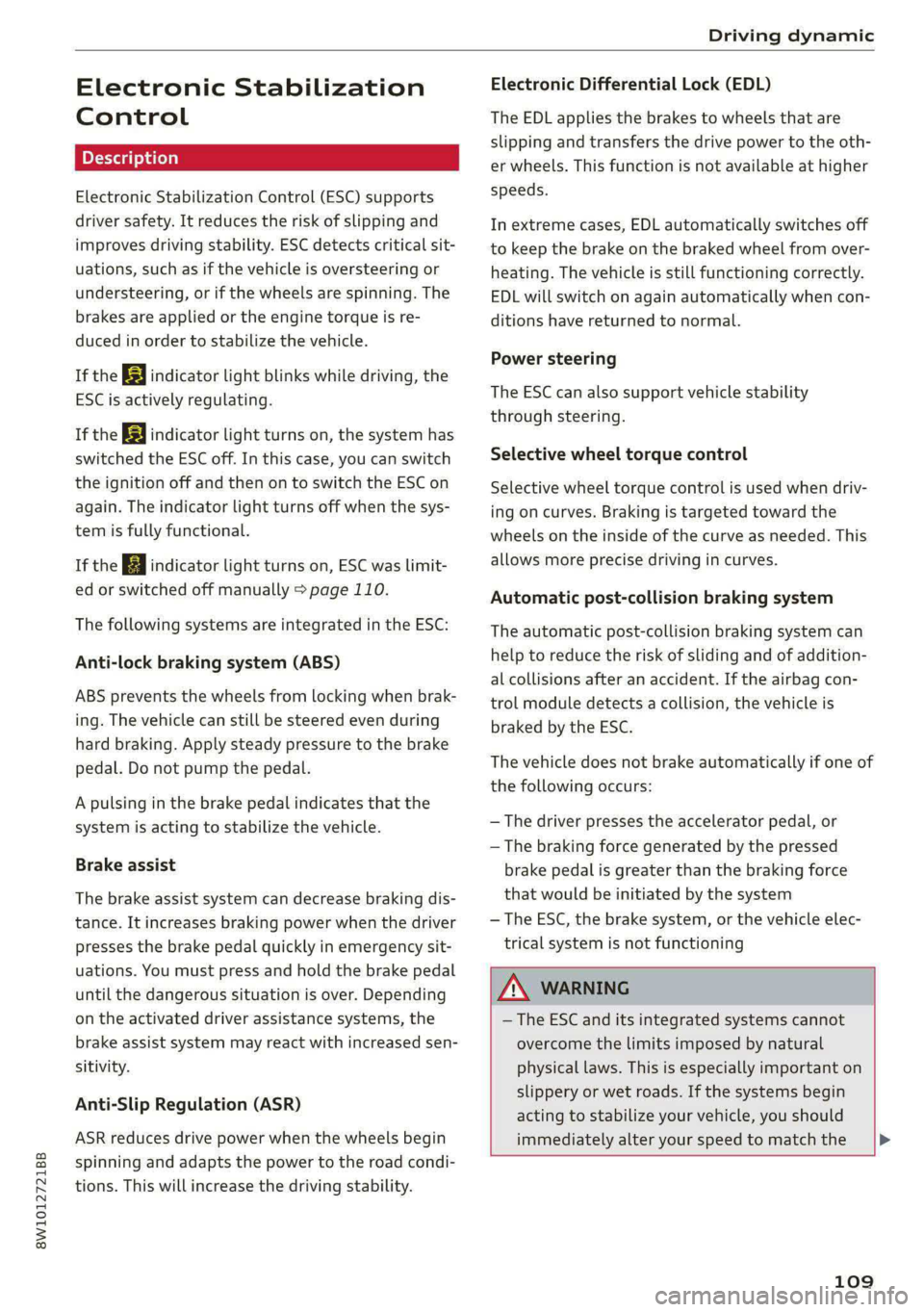
Electronic Stabilization
Control
Electronic Stabilization Control (ESC) supports
driver safety. It reduces the risk of slipping and
improves driving stability. ESC detects critical sit-
uations, such as if the vehicle is oversteering or
understeering, or if the wheels are spinning. The
brakes are applied or the engine torque is re-
duced in order to stabilize the vehicle.
If the BB indicator light blinks while driving, the
ESC is actively regulating.
If the BB indicator light turns on, the system has
switched the ESC off. In this case, you can switch
the ignition off and then on to switch the ESC on
again. The indicator light turns off when the sys-
tem is fully functional.
If the B indicator light turns on, ESC was limit-
ed or switched off manually > page 110.
The following systems are integrated in the ESC:
Anti-lock braking system (ABS)
ABS prevents the wheels from locking when brak-
ing. The vehicle can still be steered even during
hard braking. Apply steady pressure to the brake
pedal. Do not pump the pedal.
A pulsing in the brake pedal indicates that the
system is acting to stabilize the vehicle.
Brake assist
The brake assist system can decrease braking dis-
tance. It increases braking power when the driver
presses the brake pedal quickly in emergency sit-
uations. You must press and hold the brake pedal
until the dangerous situation is over. Depending
on the activated driver assistance systems, the
brake assist system may react with increased sen-
sitivity.
Anti-Slip Regulation (ASR)
ASR reduces drive power when the wheels begin
spinning and adapts the power to the road condi-
tions. This will increase the driving stability.
Electronic Differential Lock (EDL)
The EDL applies the brakes to wheels that are
slipping and transfers the drive power to the oth-
er wheels. This function is not available at higher
speeds.
In extreme cases, EDL automatically switches off
to keep the brake on the braked wheel from over-
heating. The vehicle is still functioning correctly.
EDL will switch on again automatically when con-
ditions have returned to normal.
Power steering
The ESC can also support vehicle stability
through steering.
Selective wheel torque control
Selective wheel torque control is used when driv-
ing on curves. Braking is targeted toward the
wheels on the inside of the curve as needed. This
allows more precise driving in curves.
Automatic post-collision braking system
The automatic post-collision braking system can
help to reduce the risk of sliding and of addition-
al collisions after an accident. If the airbag con-
trol module detects a collision, the vehicle is
braked by the ESC.
The vehicle does not brake automatically if one of
the following occurs:
— The driver presses the accelerator pedal, or
— The braking force generated by the pressed
brake pedal is greater than the braking force
that would be initiated by the system
— The ESC, the brake system, or the vehicle elec-
trical system is not functioning
Z\ WARNING
— The ESC and its integrated systems cannot
overcome the limits imposed by natural
physical laws. This is especially important on
slippery or wet roads. If the systems begin
acting to stabilize your vehicle, you should
immediately alter your speed to match the
109
Page 137 of 296

8W1012721BB
Driver assistance
B - Traffic jam assist switches off if the driver
does not take over steering after multiple driver
intervention requests. The system brakes the ve-
hicle until it is stationary.
Steering intervention request
If no steering activity is detected or the steering
power from the system is not sufficient, the driv-
er steering intervention request will alert the
driver using audio and visual signals. Take over
the steering and keep your hands on the steering
wheel so that you will be ready to steer at any
time.
If the driver does not take over steering, adaptive
cruise control (with traffic jam assist) will be
switched off. The system brakes the vehicle until
it is stationary.*
ZA WARNING
— Follow the safety precautions and note the
limits of the assist systems, sensors, and
cameras © page 114.
— The activated traffic jam assist is only an as-
sist system, and the driver is still responsi-
ble for controlling the vehicle. The driver is
especially responsible for braking, steering,
starting to drive, and controlling the speed
and the distance from other vehicles.
— Turn on the traffic jam assist only if the sur-
rounding conditions permit it. Always adapt
your driving style to the current visual,
weather, road, and traffic conditions.
— Switch the traffic jam assist off temporarily
when driving in turning lanes or highway ex-
its. This prevents the vehicle from accelerat-
ing to the stored speed when in these situa-
tions.
G) Tips
— Always keep your hands on the steering
wheel. The driver is always responsible for
adhering to the regulations applicable in
the country where the vehicle is being oper-
ated.
— Pay attention to applicable local regulations
relating to driving tasks, leaving space for
emergency vehicles, etc. The driver is always
responsible for following the laws that are
applicable in the location where the vehicle
is being operated.
— If traffic jam assist was deactivated through
the MMI, you can continue operating the
Audi active lane assist using the > fig. 121
button > page 137. The traffic jam assist
functions are no longer available.
— You are not necessarily guided to the center
of your lane.
Messages
Applies to: vehicles with traffic jam assist
If or |i is displayed when there is a mal-
function, the traffic jam assist functions may be
unavailable or may be limited.
A message that indicates the cause and possible
solution may appear with some displays. The
weather conditions may be too poor or a sensor
may be covered. Clean the area in front of the
sensors > page 116, fig. 106 and try to turn on
the systems again later.
If the malfunction remains, drive to an author-
ized Audi dealer or authorized Audi Service Facili-
ty immediately to have the malfunction correct-
ed.
135
Page 140 of 296

Driver assistance
Steering intervention request
If no steering activity is detected or the steering
power from the system is not sufficient, the driv-
er steering intervention request will alert the
driver using audio and visual signals. Take over
the steering and keep your hands on the steering
wheel so that you will be ready to steer at any
time. The system may no longer be ready to pro-
vide warnings after a short time, and it will only
become active again later.
If the driver takes over steering, active lane assist
will be switched off.
Behavior when a turn signal is active
Applies to: vehicles with side assist: The system
will not warn you if you activate a turn signal be-
fore crossing the lane marker line. In this case, it
assumes that you are changing lanes intentional-
ly.
Applies to: vehicles with side assist: If the side
assist system classifies a lane change as critical
due to other vehicles traveling with your vehicle
or approaching your vehicle when your turn sig-
nal is activated, there will be a noticeable steer-
ing correction shortly before your vehicle leaves
the lane. This will attempt to keep your vehicle in
the lane.
ZX WARNING
— Follow the safety precautions and note the
limits of the assist systems, sensors, and
cameras > page 114.
— The system warns the driver that the vehicle
is leaving the lane using corrective steering.
The driver is always responsible for keeping
the vehicle within the lane.
— Corrective steering may not occur at all in
certain situations, such as during heavy
braking. Always be ready to intervene.
G) Tips
— Always keep your hands on the steering
wheel so you can be ready to steer at any
time. The driver is always responsible for
YD In certain countries
138
adhering to the regulations applicable in
the country where the vehicle is being oper-
ated.
— The system does not provide any corrective
steering or steering wheel vibrations if it de-
tects that you are passing another vehicle.
— The image in the Driver assistance display
only appears if it was opened in the on-
board computer = page 15.
Scare Le melal
Applies to: vehicles with Audi active lane assist
B8V-0692
Fig. 125 Turn signal lever: switching Audi active lane assist
on and off
Active lane assist switches on automatically as
soon as the ignition is switched on )).
> To switch the system on or off, press the button
=> fig. 125. The respective indicator light in the
instrument cluster will turn off or on.
ZA\ WARNING
Follow the safety precautions and note the
limits of the assist systems, sensors, and
cameras > page 114.
Adjusting Audi active lane assist
Applies to: vehicles with Audi active lane assist
You can adjust active lane assist individually. The
settings depend on the vehicle equipment.
> Applies to: MMI: Select on the home screen:
VEHICLE > Driver assistance > Audi active lane
assist
Possible settings:
Page 199 of 296
Media
8W1012721BB
— Extremely high or low temperatures that Playi ng media
can occur inside vehicles can damage mobile
devices and/or impair their performance. SES
Never leave mobile devices in the vehicle in
extremely high or low temperatures. The following sources can be selected depending
on the vehicle equipment:
G) Tips — USB device > page 196.
— Always follow the information found in — Connect external device: you can connect ex-
> page 78. ternal devices via Bluetooth and use the Blue-
— When you switch the ignition off, the USB tooth audio player > page 195, or you can con-
nect an external device directly to the Audi mu- ports are still supplied with power until the
sic interface > page 196. energy management intervenes.
— Do not use an additional adapter cable or
USB extension cable to connect mobile devi-
ces to the Audi music interface that already Playi igs .
have a cable or that must be connected with axing rediadilesidsing/tieihanat
a USB adapter cable (> page 196, fig. 153). » Applies to: MMI: Select on the home screen:
Using an additional adapter or US extension MEDIA > Source > a source. Depending on the
cable may impair functionality. connected device, the symbol for a source may
—Functionality is not guaranteed for mobile change. The device name may be displayed (for
devices that do not conform to the USB 2.0 example: myPhone).
specification. > Select a track from the categories in the media
— USB hubs are not supported. center > page 198.
— Video playback through the Audi music in- Playing media files through the
terface is not supported on Apple and MTP multifunction steering wheel
devices (such as smartphones). . . |
Requirement: a media source must contain me-
— iPod touch or iPhone malfunctions also af- hs
dia files > page 197.
fect the operation of the MMI. Reset your
mobile device in these situations. > Select the radio/media tab in the instrument
— Audi recommends updating the iPod touch cluster.
or iPhone software to the latest version. Re- > Turn the left thumbwheel to display the play-
fer to your mobile device owner's manual list.
for more information. > To switch to a different source, press the
— The USB adapter on the Audi music inter- button.
face will support iPod touch or iPhone devi- > To select a media file or a source, turn and
ces from the 5th generation or newer with press the left thumbwheel.
the lightning connector. » To switch between radio and media, select in
— For more information about the Audi music the instrument cluster: the =] button > Switch
interface and supported devices, check the to radio/Switch to media.
Audi database for mobile devices at www. -
audi.com/mp3 or contact an authorized @ Tips
Audi dealer or authorized Audi Service Fa- — For safety reasons, the video image is only
displayed when the vehicle is stationary. On-
ly the sound from the video plays while driv-
ing. >
cility.
197
Page 264 of 296

Emergency assistance
the special considerations when towing, especial-
ly when using a towing cable.
Always make sure the traction force does not ex-
ceed the permitted level and there are no shock
loading conditions. There is always the risk of the
coupling becoming overloaded when driving off-
road.
For the most safety and security, drive with a tow
bar. You should use a towing cable only if a tow
bar is not available. Use a towing cable made of
synthetic elastic cable similar elastic material.
Z\ WARNING
— Towing highly increases the risk of an acci-
dent, for example from colliding with the
towing vehicle.
—To reduce the risk of an accident, do not al-
low anyone to remain inside the vehicle
when it is being transported by a tow truck
or a special transporter.
@) Note
— If normal towing is not possible, for exam-
ple if the transmission is faulty or if the
towing distance is greater than 30 miles
(50 km), then transport the vehicle on a
special carrier.
— If the vehicle is towed by a tow truck at the
axle that is not permitted, this can cause se-
vere damage to the transmission.
— The vehicle must not be tow started for
technical reasons.
@ Tips
— If the power supply is interrupted, then it
will not be possible to move the selector
lever out of the "P" position. The parking
lock must be released using the emergency
release before towing the vehicle
=> page 97.
— Follow the local legal regulations for tow-
ing.
Read and follow the important information under
=> page 261.
262
Preparations
> Only secure the towing cable or tow bar at the
designated towing loop > page 262.
> Make sure the towing cable is not twisted. Oth-
erwise it could disconnect from the towing loop
while towing.
> Switch the emergency flashers on in both
vehicles > page 50. However, do not do this if it
prohibited by law.
Towing vehicle (front)
> Only start to drive when the towing cable is
taut.
> Press the brake pedal very carefully.
> Avoid sudden braking or driving maneuvers.
Vehicle being towed (rear)
> Make sure the ignition is switched on so that
the steering wheel is not locked and so that you
can use the turn signals, the horn, and the
windshield wipers if needed > A\.
> Switching it off before the vehicle has stopped
may impair the function of the brake booster
and power steering. You would then need to
use more force to steer and brake the vehicle.
> Release the parking brake > page 102.
> Select the “N” selector lever position.
» Make sure the towing cable is always taut.
ZA WARNING
Never tow a vehicle using a tow bar or towing
cable if the vehicle does not have electrical
power.
Rear towing loop
Fig. 184 Rear bumper: installing the towing loop
Page 269 of 296

8W1012721BB
Fuses and bulbs
Fuse assignment - Left side of the luggage
compartment
Fuse assignment - Driver's side of the
(ole 4o}ig
Fig. 189 Driver side cockpit: fuse panel with plastic bracket
Fuse panel
No. | Equipment
1 |Vehicle opening/start (NFC)
2 | Telephone, mobile device charger
4 |Head-up display
5 |Audi music interface, USB charging port
6 Front climate control panel, instrument
Fig. 190 Left side of the luggage compartment: fuse panel
n panel
with plastic clip
7 |Steering column lock
Infotainment system display Fuse panel @) (black)
9 |Instrument cluster No. | Equipment
Windshield defroster
Windshield defroster
10 | Infotainment unit
11 | Light switch, switch module
12 | Steering column electronics Suspension control
Particulate matter sensor for climate con-
trol system
13 Automatic transmission
Rear window defogger
14 | Infotainment system Rear seat heating
Left tail lights
10 | Airbag control module
WOl/OINID|M|)WInN 16 | Steering wheel heating
Luggage compartment lid central locking,
11 | fuel filler door, luggage compartment cov-
er
12 | Luggage compartment lid control module
Fuse panel (®) (red)
No. | Equipment
6 | Battery power interrupt
267
Page 287 of 296
8W1012721BB
Index
Lighting
Exterior... 0... kee eee eee eee 48
TNteriOfess « « way = i ewe © & eee oe ER Ee 51
LIGHES scx < © qaou s 5 HiswR xB SGUDY FE Sande Fo x 48
Listening to music
referto Media.............-.+++- 195,197
LOSG seae 2 ¢ care ¢ o Hem 2 Yee = VeEE Es New 278
LOCal USERS: « 5 ies cs eaae « AeA s sae G3 Be 27:
Lockable glove compartment............. 78
Locking and unlocking
By remote coritrol,. ssc ¢ s eee ee pee sp ee 35
Using the lockicylinder’. sis. is 3 sasens a 6 sonsene 32
With the convenience key............... 35
Low beam headlights.................00. 48
LTE
refer to Exterior antenna.............. 160
Luggage compartment.................. 72
Cover (Manual) s sass +s eeae 5 ¢ sees ss ees 81
Cover (POWEN) « seine xo wove 2 9 swede vo asd oo 81
PaSS-tHKOUGH . » serein « 0 eevee « eaten @ » aiesnee ws 84
Power SOUrCeES .... 1. ee eee eee eee 78
Ti@*dOWNSisa < s ese 2 o eens v Pews + cow a a 84
Valet parking...... 2... cece eee ee eee 44
also refer to Luggage compartment...... 79
Luggage compartment lid................ 4l
Glosinig DUEON : s = ecies 5 & cass & e ewe < ¥ Hee 38
General informationys-is: «sso 6 6 seas ww one 36
Mechanically unlocking..............0.. 40
Opening and closing................... 37
Opening and closing with foot motion..... 39
Opening from the inside in an emergency... 41
Power opening and closing.............. 38
Luggage compartment net............... 84
Lumbar support.............-.000 2-0 eee 60
M
Maintenance ......... 0.0 eee eee 272
Maintenance intervals................05 226
Malfunction Indicator Lamp (MIL)........ 213
Manualshifting!s « vccax 2 2 mses «2 wae os ewe 96
Map
Changing the scale.................0. 179
Display. ... 2... eee eee eee eee 181
Operating « « sews so een 3 e coon s perme ss oe 180
Setting the destination................ 179
MAP
refer to Message Access Profile......... 166
Map preview...............0 0.0.00 0008 179
Map update...............0 02.0000 184
Online... 6. eee eee eee 184
USB CONN CtION e.3 » seems se eewe ee eyes 184
Massage function
PROMGS 2 2 sovsese oa awien © 2 omen 2 2 ME YAU a 61
Mechanical keyeo: «3 sec so wenn 2 wan av amo 34
Media seve « = sumse = 9 ee 2 2 ae & 2 ees 195; 197
Supported formats............ee ee eee 201
Media. center. « o sess av somes © a mame © mere @ 198
Memory fUNCHOR css x 5 xen o 2 mew & & aoies 4s 67
Menu language
refer to Setting the language........... 206
Message Access Profile.............0005 166
Messages’: ss xerg « = moras 5 & wesey 3 ¥ seems oes 166
Mirror Compass’: < sexs « ¢ says 5 x seis 5 & eRe 57
Mirrors
Adjusting exterior mirrors............... 52
Dimming................. 0000000 53
NATIEVTVIETORs sissy s & even ¢ u SereR % 5 SGTER A 54
MMI Navigation plus
refer to Multi Media Interface........... 18
MMI radio
refer to Multi Media Interface........... 18
MMI Radio plus
refer to Multi Media Interface........... 18
Mobile device
refer to Telephone..............---00. 158
Mobile device reminder signal............ 161
Mobile phone
refer to Telephone.............0 eee eee 158
Mobile phone compartment
refer to Audi phone box............... 160
Mountain pass@Ss « ces se eases eases e was 104
Mountain roads................0000005 104
Multifunction steering wheel
BULtONS is ¢ sqm x s seme ¢ s seae ¢ 2 ee eg 12,26
Operating’. « s sense v ccwone wo smecens a ¥ ate oo os 12
Programming buttons.................- 26
Voice recognition system............... 24
Multi Media Interface................... 18
Menus and symbols..............22-00- 19
Operating. « a sseen « oenos o « sceses @ & prem 16, 19
Switching on or off................0005 18
285
Page 293 of 296

8W1012721BB
Index
De frosting « cscs x x aevece 2 v emacs 2 0 exes a 2 oe 89
Opening and closing.................0. 42
POWErWINdOWS's « + was 3 x was & a ews so we 42
Windshield
GleaNiNG « « wees vo sae ao eee oo ernie eo oe 55
Defrosting.. 0.0... cece eee eee ees 89
also refer to Windshield................ 55
Windshield washer system........... 55,225
Windshield wipers............0..000e eee 55
Winter operation
Battery. ........ 0. eee eee 223,
Gap WaSNES sayes x x news & 2 canoe x 2 ewe x 2 oe 247
Cooling systeM............ 0... eee eee 220
Defrosting the windows................ 89
Rear window defogger...............+-- 90
Removing ice from windows............ 249
Seat heating............ 0... eee eee eee 89
SNOW ChainSiecs s & seas s x ee go Haws st He 243
Steering wheel heating ............-.005 90
TireS
2 eee eee 242
Windshield washer system............. 225
WIRtEICIRES cc s : cerns 5 2 eeu & § aetas £ # HeRE 242
Wireless CarPlay
refer to Audi smartphone interface...... 204
Wireless charging we. s «mes ss cee se cee 160
291