instrument cluster AUDI A4 CABRIOLET 2009 User Guide
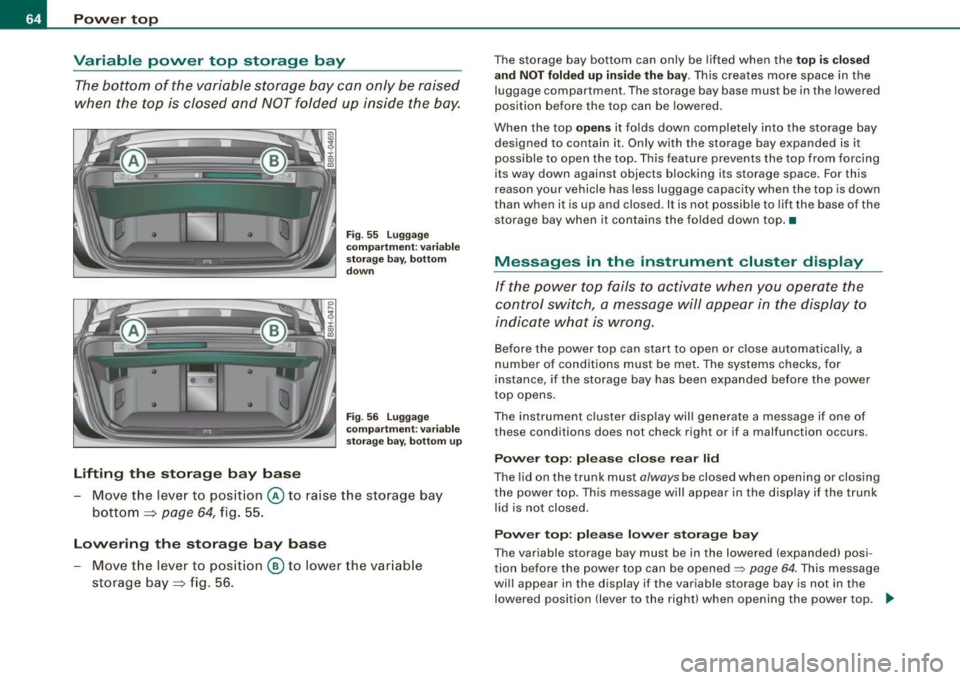
[x] Cancel search | Manufacturer: AUDI, Model Year: 2009, Model line: A4 CABRIOLET, Model: AUDI A4 CABRIOLET 2009Pages: 340, PDF Size: 77.32 MB
Page 30 of 340
Driver information display
On-Board Diagnosti cs
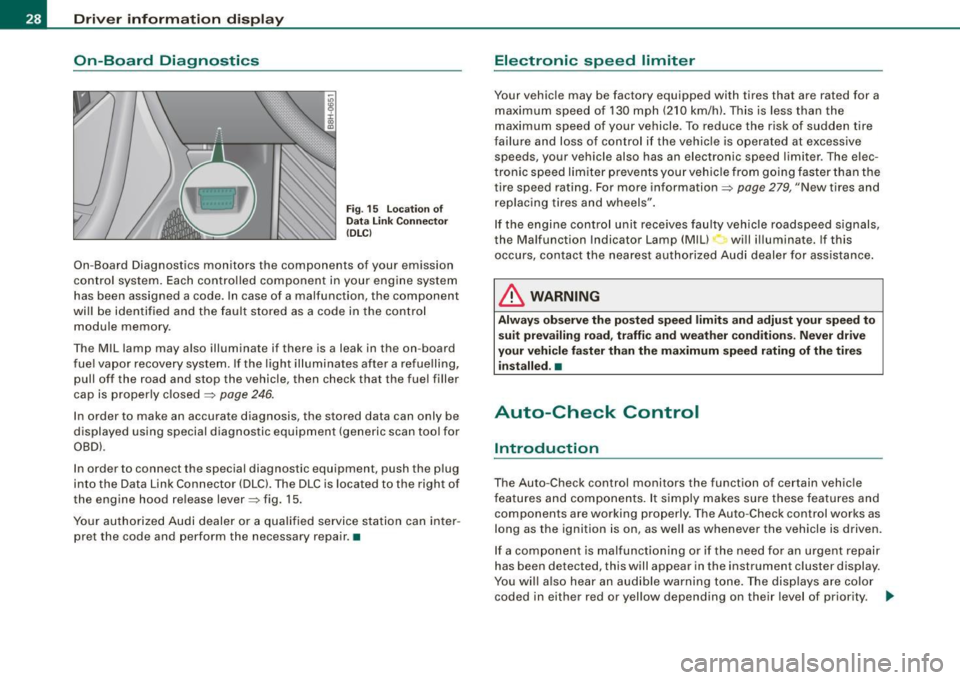
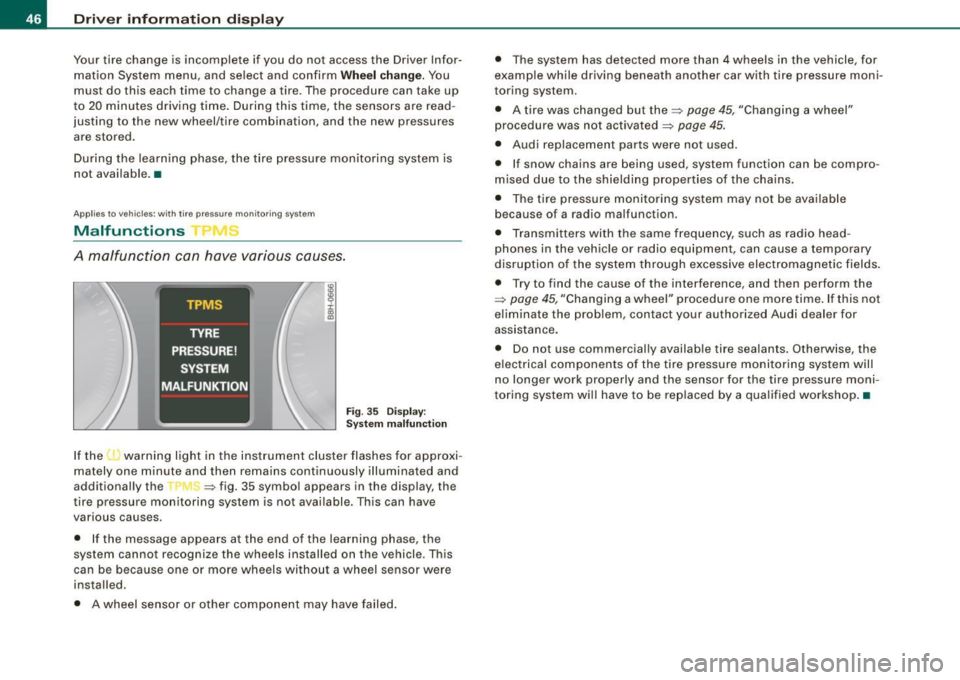
Fig . 15 Location of
Data Link Connector
(DLC)
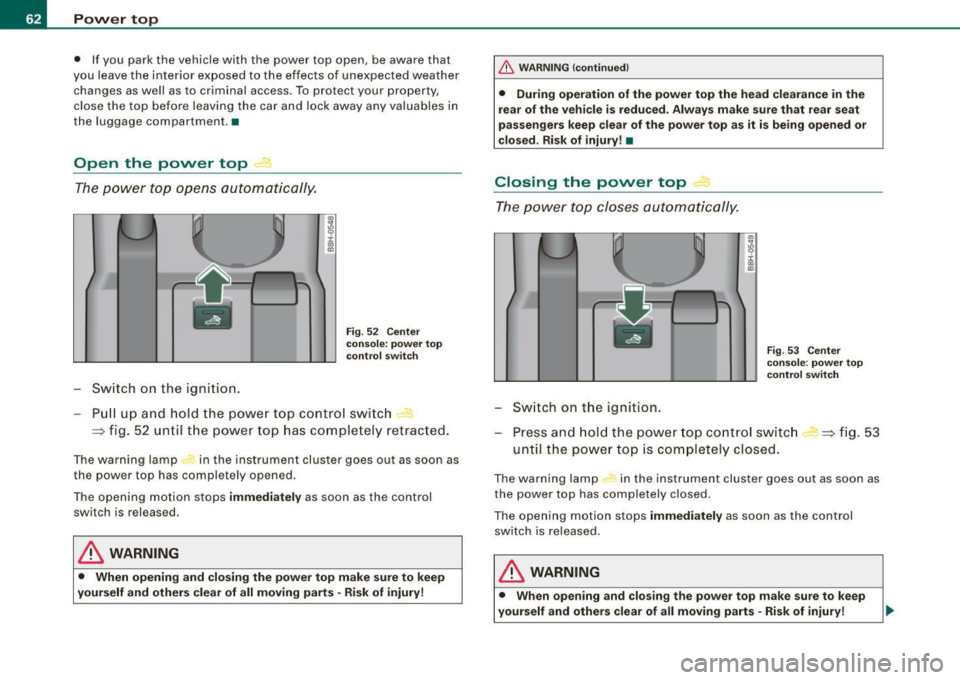
On-Board Diagnostics monitors the components of your emission
control system. Each controlled component in your engine system
has been assigned a code. In case of a malfunction, the component
will be identified and the fault stored as a code in the control module memory .
Th e MIL lamp may also illuminate if there is a leak in the on -board
fuel vapor recovery system. If the light illuminates after a refuelling,
pull off the road and stop the vehicle, then check that the fuel filler
cap is properly closed
=> page 246.
In order to make an accurate diagnosis, the stored data can only be
displayed using special diagnostic equipment (generic scan tool for
OBDl.
In order to connect the special diagnostic equipment, push the plug
into the Data Link Connector (DLC). The DLC is located to the right of
the engine hood release lever=> fig. 15.
Your authorized Audi dealer or a qualified service station can inter
pret the code and perform the necessary repair. •
Electronic speed limiter
Your vehicle may be factory equipped with tires that are rated for a
maximum speed of 130 mph (210 km/h). This is less than the
maximum speed of your vehicle . To reduce the risk of sudden tire
failure and loss of control if the vehicle is operated at excessive
speeds, your vehicle also has an electronic speed limiter . The elec
tronic speed limiter prevents your vehicle from going faster than the
tire speed rating. For more information=>
page 279, "New tires and
replacing tires and wheels".
If the engine control unit receives faulty vehicle roadspeed signals,
the Malfunction Indicator Lamp (Mill will illuminate. If this
occurs, contact the nearest authorized Audi dealer for assistance.
& WARNING
Always observe the posted speed limits and adjust your speed to
suit prevailing road, traffic and weather conditions. Never drive
your vehicle faster than the maximum speed rating of the tires installed. •
Auto-Check Control
Introduction
The Auto-Check control monitors the function of certain vehicle
features and components. It simply makes sure these features and
components are working properly. The Auto-Check control works as
long as the ignition is on, as well as whenever the vehicle is driven.
If a component is malfunctioning or if the need for an urgent repair
has been detected, this will appear in the instrument cluster display.
You will also hear an audible warning tone. The displays are color
coded in either red or yellow depending on their level of priority. .,_
Page 31 of 340
A red symbol means Danger, a yellow symbol indicates Warning. In
certain situations, information message for the driver appear in
addition to the red and yellow symbols.
Function test: automatic transmission
Th e Auto -Check Control will automatically perform a test each time
you switch on the ignition. With the selector lever in
P or N, the
following message appears in the display:
When stationary apply footbrake while selecting gear.
When you a select a different gear (for example: R, D, etc.), the
message will disappear and the Auto -Check function is displayed.
If there is a malfunction, then the malfunction message will appear
about 15 seconds after the you start the vehicle. At the same time
you will hear a warning tone. •
Driver information messages
Driver information messages are shown in the instrument
cluster display in addition to the red and yellow symbols.
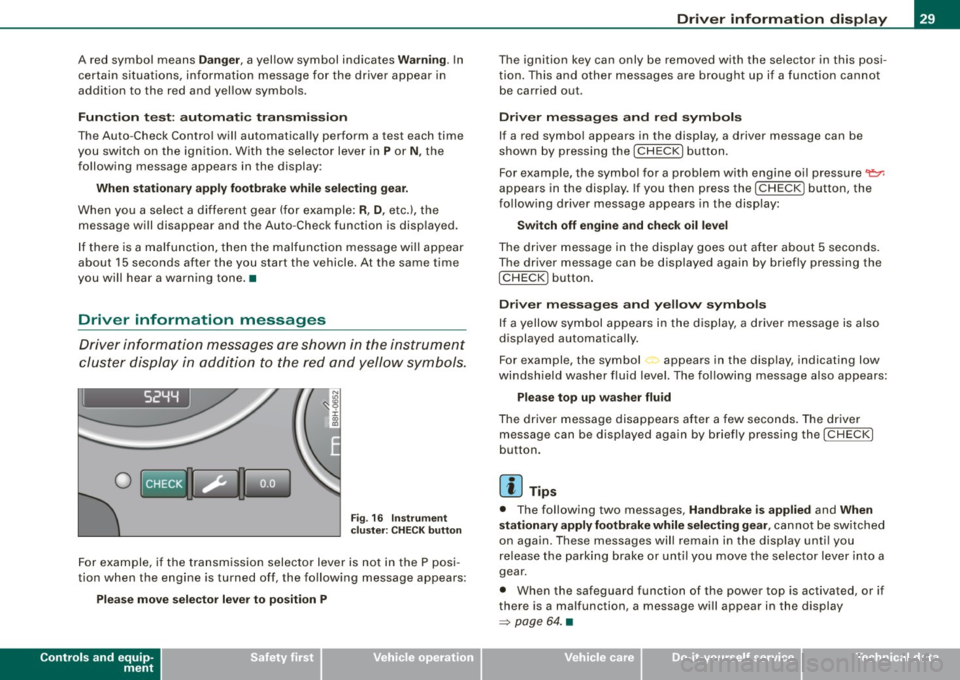
I S2YY
0
Fig. 16 Instrument
cluster: CHECK button
For example, if the transmission selector lever is not in the P posi
tion when the engine is turned off, the following message appears:
Please move selector lever to position P
Controls and equip
ment
Driver information display
The ignition key can only be removed with the selector in this posi
tion. This and other messages are brought up if a function cannot
be carried out.
Driver messages and red symbols
If a red symbol appears in the display, a driver message can be
shown by pressing the
I CHECK] button.
For example, the symbol for a problem with engine oil pressure~
appears in the display. If you then press the
I CHECK] button, the
following driver message appears in the display:
Switch off engine and check oil level
The driver message in the display goes out after about 5 seconds.
The driver message can be displayed again by briefly pressing the
!CH ECK) button.
Driver messages and yellow symbols
If a yellow symbol appears in the display, a driver message is also
displayed automatically.
For example, the symbol appears in the display, indicating low
windshield washer fluid level. The following message also appears:
Please top up washer fluid
The driver message disappears after a few seconds. The driver
message can be displayed again by briefly pressing the
I CHECK]
button.
[ i] Tips
• The following two messages, Handbrake is applied and When
stationary apply footbrake while selecting gear,
cannot be switched
on again. These messages will remain in the display until you
release the parking brake or until you move the selector lever into a
gear.
• When the safeguard function of the power top is activated, or if
there is a malfunction, a message will appear in the display
=> page 64. •
Page 36 of 340
Driver information display
If the warning light illuminates, immediately contact your autho
rized Audi dealer or qualified workshop to have all brake pads
inspected. On USA models the warning light
O comes on together
with the warning light
BRAKE. Both sets of brake pads on an axle must
always be replaced at the same time .
& WARNING
Driving with bad brakes can cause a collision and serious personal
injury.
• If the warning light , and the warning light
BRAKE11 with the
message Brake pads! comes on in the instrument cluster display,
immediately contact your authorized Audi dealer or qualified
workshop to have all brake pads checked or replaced if necessary .•
Speed warning 1 ~ (USA models)/
models) (Canada
If
the symbol illuminates, this means you are driving faster than
the set vehicle speed . Slow down! =>
page 35. •
Applies to vehicles : wit h dynami c h ea d light ran ge ad ju stment
Headlight range control defective C.1
If the symbol illuminates, the dynamic headlight range control is
no longer working properly. Have the system checked and repaired
a t your Audi dealer. •
11 BRAKE : USA models only
App lies to vehicles: w it h ada ptive li gh t
Adaptive Light defective ~ ,
When this symbol I illuminates, it means that Adaptive Light is
defective . Go to an authorized dealership to have the headlights or
the control unit for the Adaptive Light repaired. •
Windshield washer fluid level too low ¢;>
If the-;... symbol illuminates, add windshield washer fluid to the
washer system and also for the headlight washer
system *=>
page 266. •
Speed warning 2
models) (USA models)
/
(Canada
If the symbol illuminates, this means you have driven faster than
the second set vehicle speed. Slow down! =>
page 35. •
Battery voltage low ....J
If the C:::-symbol illuminates, contact your authorized Audi dealer
and have the following components inspected:
• drive belt
• generator
• battery charge
Also see if the generator warning/indicator light illuminates
=>
page 22. •
Page 39 of 340
Saving a maximum sp eed
- Turn off the ignition .
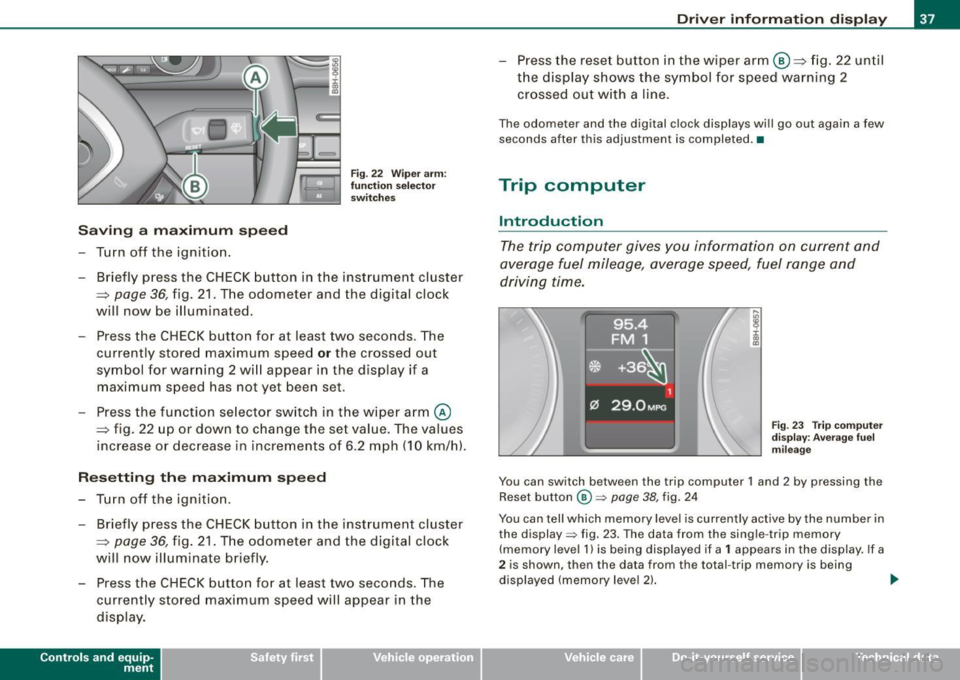
Fig. 22 Wiper arm :
fu nc tio n se lec to r
switches
- Briefly press the CHECK button in the instrument cluster
=> page
36, fig. 21 . The odometer and the digital clock
will now be illuminated.
Press the CHECK button for at least two seconds. The
currently stored maximum speed
o r the crossed out
symbol for warning 2 wi ll appear in the display if a
maximum speed has not yet been set.
Press the function se lector switch in the wiper arm@
=> fig. 22 up or down to change the set value . The values
increase or decrease in increments of 6 .2 mph (10 km/h).
R ese tting th e m aximum sp eed
- Turn off the ignition .
- Briefly p ress the CHECK button in the instrument cluster
=> page 36, fig. 21. The odometer and the digital clock
will now illuminate briefly .
- Press the CHECK button for at least two seconds. The
cu rrently stored maximum speed will appear in the
disp lay.
Contro ls and eq uip
ment
Dri ver informa tio n di spl ay
- Press the rese t button in the wiper arm@=> fig. 22 until
t h e d isplay shows the symbol for spe ed warning 2
crossed out w ith a line .
The odometer and the digital clock disp lays wi ll go out again a few
seconds after this adjustment is completed .•
Trip computer
Introduction
The trip computer gives you information on current and
average fuel mileage, average speed, fuel range and
driving time.
F ig . 23 Tr ip co mput er
d is pl ay : Ave ra ge f uel
mi leage
You can switch between the trip computer 1 and 2 by pressing the
Reset button
@ => page 38, fig. 24
You can tell which memory level is currently active by the number in
the display => fig. 23. The data from the single -trip memory
(memory level 1 l is being displayed if a
1 appears in the display. If a
2 is shown, then the data from the total -trip memory is being
displayed (memory leve l 2) . ..,_
~ehicle care Technical data
Page 44 of 340
Driver information display
symbols appear in the instrument cluster display to alert the driver.
The warning light in the instrument cluster comes on when the
tire is significantly underinflated .
The warning light _, also lights up during a system failure.
When the wheel is turning, the system receives radio signals from
sensors located inside each tire .
A factory spare wheel is delivered with sensor. However, the spare
wheel is not checked by the tire pressure monitoring system. Such monitoring can only occur after the spare wheel has been installed
and initialized ~
page 45.
Be aware that tire pressure is also dependent on the temperature of
the tire. For every 18 °F (10 °C) increase in tire temperature, tire pres
sure increases by about 1.5 psi (0.1 bar). The tire warms up while the
vehicle is moving and tire pressure rises. So you should adjust tire
pressure only when they are
cold, when tire temperature is roughly
the same as ambient air temperature.
In order to keep the tire pressure monitoring system properly cali
brated, tire pressure on all four tires should be checked at regular
intervals, adjusted if necessary and saved in the proper setting
(recommended pressure)~
page 43.
The tire pressure is shown on the tire pressure label. On USA vehi
cles, the tire pressure label is located on the driver's side B-pillar. On
Canada vehicles, the tire pressure label is located either on the
driver's side B-pillar or inside the fuel filler flap. The tire pressure
label lists the recommended cold tire inflation pressures for the
vehicle at its maximum capacity weight and the tires that were on
your vehicle at the time it was manufactured . For recommended tire
pressures for normal load conditions, please see chapter
~ page 277.
& WARNING
• When the tire pressure monitoring system warning light is lit,
one or more of your tires is significantly under -inflated. You should
stop and check your tires as soon as possible, and inflate them to
& WARNING (continued)
the proper pressure as indicated on the vehicle's tire pressure
label
~ page 271. Driving on a significantly under-inflated tire
causes the tire to overheat and can lead to tire failure. Under-infla
tion also is likely to impair the vehicle's handling and stopping ability .
• Do not adjust tire pressure when tire temperature is excessive.
This could lead to serious tire damage and even cause the tire to
burst, with the additional danger of an accident.
For the sake of the environment
Driving with under-inflated tires reduces fuel efficiency and tire
tread life.
[ i] Tips
• Each tire should be checked monthly when cold and set to the
recommended inflation pressure as specified on the tire pressure
table~
page 277 .
• The tire pressure monitoring system helps the driver to keep
track of the tire pressures . But the driver still has the responsibility
for maintaining the correct tire pressure.
• Tire pressure must only be adjusted when the temperature of the
tires is about the same as ambient air temperature.
• When tires are replaced, the sensors and valves must not be
detached or exchanged. Only the valve core needs to be replaced
and, if necessary, the valve and the wheel electronics replaced.
• If you should put different wheels and tires on your vehicle (e.g.
winter wheels and tires), you must be certain that the wheels and
tires are compatible with the tire pressure monitoring system.
Otherwise the system will register a malfunction and a fault
message will be displayed. For more information, contact your Audi
dealer. .,
Page 48 of 340
Driver inf orma tion d ispl ay
Your tire change is incomplete if you do not access the Driver Infor
mation System menu, and select and confirm
Wh eel ch ange. You
must do this each time to change a tire . The procedure can take up
to 20 minutes driving time. During this time, the sensors are read
justing to the new wheel/tire combination, and the new pressures are stored.
During the learning phase, the tire pressure monitoring system is
not available. •
Applies to vehic les: with tire pressure monitor ing system
Malfunctions
A malfunction can have various causes.
Fig . 35 Dis pl ay:
Syst em m alfu nct ion
If the 'warning light in the instrument cluster flashes for approxi
mately one minute and then remains continuously illuminated and
additional ly the --, -=> fig. 35 symbol appears in the display, the
tire pressure monitoring system is not available. This can have
various causes.
• If the message appears a t the end of the learning phase, the
system cannot recognize the wheels installed on the vehicle . This
can be because one or more wheels without a wheel sensor were
installed.
• A wheel sensor or other component may have failed. •
The system has detected more than 4 wheels in the vehicle, for
example while driving beneath another car with tire pressure moni
toring system.
• A tire was changed but the=>
page 45, "Changing a wheel"
procedure was not activated =>
page 45.
• Audi replacement parts were not used.
• If snow chains are being used, system function can be compro
m ised due to the shielding properties of the chains.
• The tire pressure monitoring system may not be ava ilable
because of a radio malfunction.
• Transmi tters with the same frequency, such as radio head
phones in the vehicle or radio equipment, can cause a temporary
disruption of the system through excessive electromagnetic fields.
• Try to find the cause of the interference, and then perform the
=>
page 45 , "Changing a wheel" procedure one more time . If this not
e liminate the prob lem, contact your authorized Audi dealer for
assistance .
• Do not use commercial ly availab le tire sealants . Otherwise, the
e lec trical components of the tire pressure monitoring system will
no longer work properly and the sensor for the tire pressure moni
toring system wi ll have to be rep laced by a qua lified workshop .•
Page 64 of 340
Power top
• If you park the vehicle with the power top open, be aware that
you leave the interior exposed to the effects of unexpected weather
changes as well as to criminal access. To protect your property,
close the top before leaving the car and lock away any valuables in
the luggage compartment. •
Open the power top
The power top opens automatically.
Switch on the ignition.
Fig. 52 Center
console: power top
control switch
Pull up and hold the power top control switch -
=:> fig. 52 until the power top has completely retracted.
The warning lamp in the instrument cluster goes out as soon as
the power top has completely opened.
The opening motion stops immediately as soon as the control
switch is released.
& WARNING
• When opening and closing the power top make sure to keep
yourself and others clear of all moving parts · Risk of injury!
_& WARNING (continued)
• During operation of the power top the head clearance in the
rear of the vehicle is reduced . Always make sure that rear seat
passengers keep clear of the power top as it is being opened or
closed . Risk of injury! •
Closing the power top 4
The power top closes automatically.
Switch on the ignition.
"'
I
Fig. 53 Center
console: power top
control switch
Press and hold the power top control switch
until the power top is completely closed. =:> fig. 53
The warning lamp #, in the instrument cluster goes out as soon as
the power top has completely closed .
The opening motion stops immediately as soon as the control
switch is released.
& WARNING
• When opening and closing the power top make sure to keep
yourself and others clear of all moving parts -Risk of injury!
Page 66 of 340
Pow er t op
Variable power top storage bay
The bottom of the variable storage bay can only be raised
when the top is closed and NOT folded up inside the bay.
Lifting th e stor ag e bay bas e
Fig. 55 Lug gage
co mp artm ent: va riab le
st orage bay, bottom
d ow n
F ig . 5 6 Lu ggage
co mp artm en t: varia ble
s tora ge b ay, bo ttom u p
Move the lever to position @ to raise the storage bay
bottom =>
page 64, fig. 55.
Lowering the storag e bay bas e
-Move the lever to pos ition @ to lower the var iab le
storage bay=> fig. 56 .
The storage bay bottom can only be lifted when the top i s clos ed
and NOT folded up in side the ba y.
This creates more space in the
luggage compartment . The storage bay base must be in the lowered
position before the top can be lowered.
When the top
o pe ns it folds down completely into the storage bay
des igned to contain it. Only with the storage bay expanded is it
poss ible to open the top . This feature prevents the top from forcing
i t s way down agains t objects blocking its storage space . For this
reason your vehicle has less luggage capacity when the top is down
than when it is up and closed . It is not possible to lift the base of the
storage bay when it contains the folded down top .•
Messages in the instrument cluster display
If the power top fails to activa te when you operate the
control switch, a message will appear in the display to
indicate what is wrong.
Before the power top can start to open or close automatically, a
number of conditions must be met . The systems checks, for
instance, if the storage bay has been expanded before the power
top opens.
The instrument c luster disp lay will generate a message if one of
these condi tions does not check right or if a malfunction occurs .
Power top: ple ase clo se rear lid
The lid on the trunk must always be closed when opening or closing
t he power top . This message will appear in the display if the trunk
lid is not closed .
Power top: pl ease low er stor age ba y
The variable storage bay must be in the lowered (expanded) posi
tion before the power top can be opened=> page 64 . This message
will appear in the display if the variable storage bay is not in the lowered position (lever to the right) when opening the power top. ..,
Page 67 of 340

Power top: ca nnot b e use d
Power top not operating
This message wi ll appear in the display if the power top has been
deactivated for safety reasons or if there is a malfunction. Possible
causes are:
• vehicle speed t oo high: the power top operation is deactivated
for safety reasons if the vehic le is mov ing at a speed above 3 mph
(5 km/hi.
• battery voltage too low: the power top wil l not operate if the
battery voltage is too low . This is a precautionary feature to make
s u re that the re is always enough battery power avai lable to start the
engine. The power top can be activated again once the engine has
been started and is running.
• ove rload cut -off: if the power top is operated repeatedly the
hydraulic actuator components will be severely stressed . In this
case the over load cut -off will safeguard the system against damage.
This safeguard deactiva tes the system fo r abou t 15 to 30 minutes.
After this time the power top can be operated again as usual=> & .
• Malfunction: One possible cause of a malfunction is the fai lure
of a system component. In this case the power top can a lso be
manual ly operated =>
page 68. Turning off the ignition during the
opening or closing process may cause a malfunction. You can
correct this yourself=>
page 65.
Pow er top no t sec ure
Power top not locked in place
If the top has not opened or closed completely and the vehicle
moves then at a speed above 3 mph (5 km/h), this
warning will
appear in the instrument cluster display. Stop the vehicle. Open or
close the power top completely. The warning should disappear .
& WARNING
Never drive the car with a power top that is not securely lock ed in
place . If it i s not fir mly engaged , the top can b e blown ope n by the
Contro ls and eq uip
ment
P o w er top
& W ARN ING (conti nued )
airstre am and ca u se injur ies and damage to the vehicle . - Risk of
crash !•
Correcting a malfunction
Turning off the ignition durin g the opening or closing
process may cause a malfunction.
F ig. 57 Power top
cov er in end p osition
App ly the hand b rake.
Sw it c h t he igniti on off .
Fold the powe r top cove r upward un til it engages.
Stow the power top in the powe r top compa rtment.
T ur n on the igni tion.
Press or pull the swi tch f or p ow er top operatio n
~ page 62, fig . 52 un til the powe r top is f ully clos ed o r
open .a
~ehicle care Technical data
Page 83 of 340

[ i J Tip s
• Do not attach any stickers to the windshield in front of the two
light sensors, as this would interfere with both the automatic oper
ation of the head ligh ts and the automatic dimming of the inside
mirror(s).
• If the veh icle is remotely un locked and locked
three times in
succession,
leaving home will not turn on the lights a fourth time to
safeguard the battery and lights.
• If you wish to use the coming home/leaving home function regu
larly, you can leave it activated at all times wi thout risking perma
nent strain on the electrical system. As the system is contro lled by
light sensors, i t wi ll only b e energi zed in darkness.
• Frequent use of the coming home/leaving home function for
approac hin g and departing a vehicle parked in the dark wi ll strain
the batte ry. This applies particularly if only short distances are
driven between stops . Occasiona lly drive longer distances to make
sure the battery is recharged sufficient ly.
• If the fo g lights have been switched on by the coming
home/leaving home function, they will always be switched off when
you switch on the ig nition. •
Contro ls and eq uip
ment
Cle ar v ision
Instrument panel illumination
The ill umina tion of the ins trume nts, dis pla ys and the
cente r consol e can be adjusted.
9:3 6
02.11.2008
Fig . 9 2 Instru men t
pane l illum in a ti on
Press the"+" button to increase the brigh tness .
Press the" -" b utton to reduce the br ig htness.
Igniti on ON , light swit ch at @ .
With the ignition switched ON, the glow of instrument needles can
be adjusted to appear brighter or dimmer.
Ignition ON , light switch at :oo: or gD.
With the lights switched on, the brightness of instrument cluster
(i .e. needles, gauges and displays) and center c onsole il luminat io n
can be adjusted .
0 Note
The instrument c luster and center console i llumination ( gauges and
needles) comes on when you swi tch on the ignition and the
vehicle
headlights are off .
Be aware of the following difference between
models built to US or Canadian specifications:
• USA model s: illumination of the in strument cluster (gauge s and
needles ), dash and center conso le around the gearshift lever is
controlled
by a light sen sor located in the instrument panel. The .,
~ehicle care Technical data