remote control AUDI A4 CABRIOLET 2009 User Guide
[x] Cancel search | Manufacturer: AUDI, Model Year: 2009, Model line: A4 CABRIOLET, Model: AUDI A4 CABRIOLET 2009Pages: 340, PDF Size: 77.32 MB
Page 65 of 340
& WARNING (continued)
• During operation of the power top the head clearance in the
rear of the vehicle is reduced . Always make sure that rear seat
passengers keep clear of the power top as it is being opened or
closed. Risk of injury! •
Convenience opening and closing of power
top
The power top can alternatively be opened and closed by
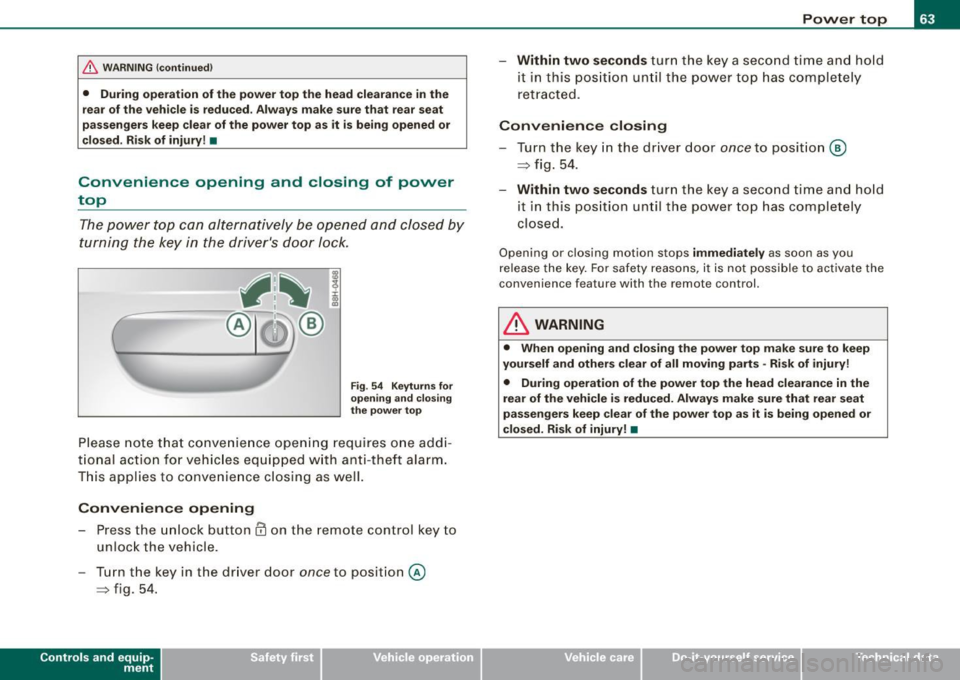
turning the key in the driver's door lock.
Fig . 54 Keyturns for
opening and closing
the power top
Please note that convenience opening requi res one addi
tional action for vehicles e quipped with anti-theft alarm.
This applies to convenience closing as well.
Convenience opening
- Press the unlock button @ on the remote control key to
unlock the vehicle.
- Turn the key in the driver door
once to position @
~ fig. 54.
Controls and eq uip
ment
Power top
- Within two seconds turn the key a second time and hold
it in this position until the power top has completely
retracted.
Convenience closing
-Turn the key in the driver door once to position @
~ fig. 54.
- Within two seconds turn the key a second time and hold
i t in this position until the power top has completely
closed.
Opening o r closing motion stops immediately as soon as you
release the key. For safety reasons , it is not possible to activate the
c onven ience feature wi th th e re mote control.
& WARNING
• When opening and closing the power top make sure to keep
yourself and others clear of all moving parts -Risk of injury!
• During operation of the power top the head clearance in the
rear of the vehicle is reduced. Always make sure that rear seat
passengers keep clear of the power top as it is being opened or
closed. Risk of injury! •
~ehicle care irechnical data
Page 82 of 340
Clear vision
Applies to vehi cles : equip ped wit h Ligh t se nso r pa ckag e
Coming home /leaving home function gr!}
The coming home/leaving home function switches on the
external lights on a vehicle parked in the dark to illumi
nate the surroundings.
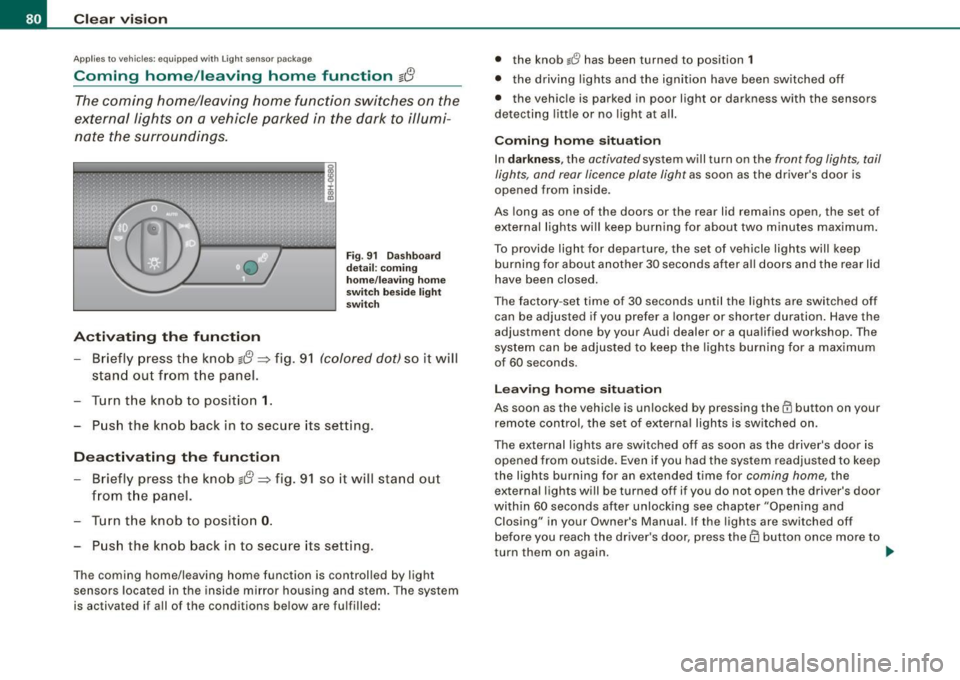
Activating the function
Fig . 91 Dashboard
detail: coming
home/leaving home
switch beside light
switch
- Briefly press the knob g{!} => fig. 91 (colored dot) so it will
stand out from the panel.
Turn the knob to position
1.
Push the knob back in to secure its setting.
Deactivating the function
- Briefly press the knob g{!} => fig. 91 so it will stand out
from the panel.
- Turn the knob to position
0.
Push the knob back in to secure its setting.
The coming home/leaving home function is controlled by light
sensors located in the inside mirror housing and stem. The system
is activated if all of the conditions below are fulfilled: •
the knob
lJ has been turned to position 1
• the driving lights and the ignition have been switched off
• the vehicle is parked in poor light or darkness with the sensors
detecting little or no light at all.
Coming home situation
In darkness , the activated system will turn on the front fog lights, tail
lights, and rear licence plate light as soon as the driver's door is
opened from inside.
As long as one of the doors or the rear lid remains open, the set of
external lights will keep burning for about two minutes maximum.
To provide ligh t for departure, the set of vehicle lights will keep
burning for about another 30 seconds after all doors and the rear lid
have been closed.
The factory -set time of 30 seconds until the lights are switched off
can be adjusted if you prefer a longer or shorter duration. Have the
adjustment done by your Audi dealer or a qualified workshop . The
system can be adjusted to keep the lights burning for a maximum
of 60 seconds.
Leaving home situation
As soon as the vehicle is unlocked by pressing the@ button on your
remote control, the set of external lights is switched on .
The external lights are switched off as soon as the driver's door is opened from outside. Even if you had the system readjusted to keep
the lights burning for an extended time for coming home, the
external lights will be turned off if you do not open the driver's door
within 60 seconds after unlocking see chapter "Opening and Closing" in your Owner's Manual. If the lights are switched off
before you reach the driver's door, press them button once more to
turn them on again. .,_
Page 83 of 340

[ i J Tip s
• Do not attach any stickers to the windshield in front of the two
light sensors, as this would interfere with both the automatic oper
ation of the head ligh ts and the automatic dimming of the inside
mirror(s).
• If the veh icle is remotely un locked and locked
three times in
succession,
leaving home will not turn on the lights a fourth time to
safeguard the battery and lights.
• If you wish to use the coming home/leaving home function regu
larly, you can leave it activated at all times wi thout risking perma
nent strain on the electrical system. As the system is contro lled by
light sensors, i t wi ll only b e energi zed in darkness.
• Frequent use of the coming home/leaving home function for
approac hin g and departing a vehicle parked in the dark wi ll strain
the batte ry. This applies particularly if only short distances are
driven between stops . Occasiona lly drive longer distances to make
sure the battery is recharged sufficient ly.
• If the fo g lights have been switched on by the coming
home/leaving home function, they will always be switched off when
you switch on the ig nition. •
Contro ls and eq uip
ment
Cle ar v ision
Instrument panel illumination
The ill umina tion of the ins trume nts, dis pla ys and the
cente r consol e can be adjusted.
9:3 6
02.11.2008
Fig . 9 2 Instru men t
pane l illum in a ti on
Press the"+" button to increase the brigh tness .
Press the" -" b utton to reduce the br ig htness.
Igniti on ON , light swit ch at @ .
With the ignition switched ON, the glow of instrument needles can
be adjusted to appear brighter or dimmer.
Ignition ON , light switch at :oo: or gD.
With the lights switched on, the brightness of instrument cluster
(i .e. needles, gauges and displays) and center c onsole il luminat io n
can be adjusted .
0 Note
The instrument c luster and center console i llumination ( gauges and
needles) comes on when you swi tch on the ignition and the
vehicle
headlights are off .
Be aware of the following difference between
models built to US or Canadian specifications:
• USA model s: illumination of the in strument cluster (gauge s and
needles ), dash and center conso le around the gearshift lever is
controlled
by a light sen sor located in the instrument panel. The .,
~ehicle care Technical data
Page 93 of 340
[ i J Tips
To avoid inaccurate directions, do not allow any remote controls,
electrical systems, or metal parts close to the mirror.•
Applies to vehicles: wi th digita l compass
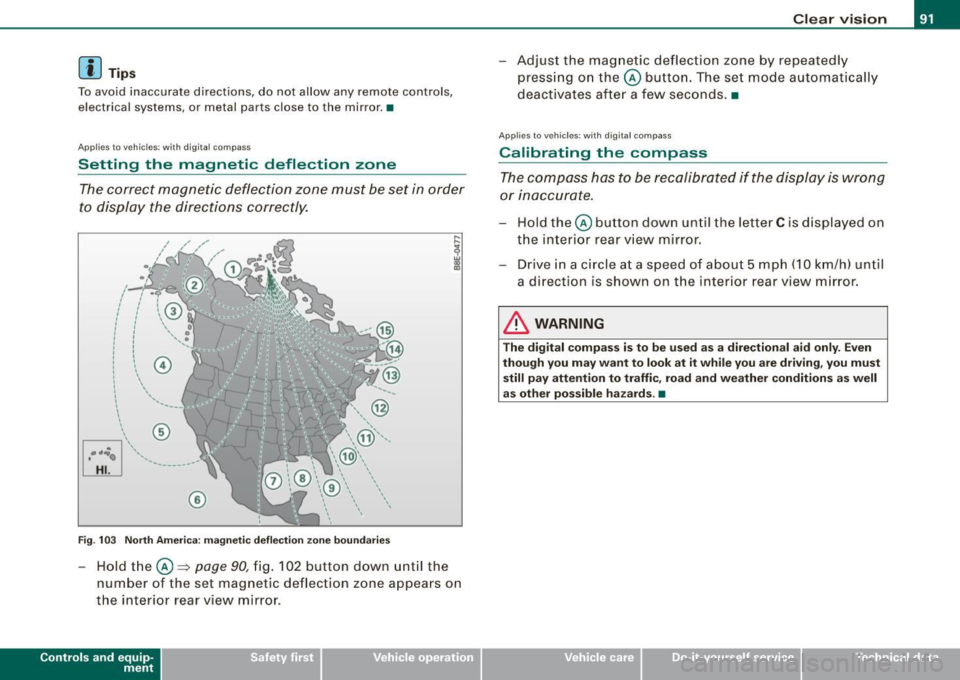
Setting the magnetic deflection zone
The correct magnetic deflection zone must be set in order
to display the directions correctly.
@
©
Fig . 103 North America: magnetic deflection zone boundaries
-Hold the © ~ page 90, fig. 102 button down until the
number of the set magnetic deflection zone appears on
the interior rear view mirror .
Controls and eq uip
ment
Clear vision
Adjust the magnetic deflection zone by repeatedly
pressing on the© button. The set mode automatically
deactivates after a few seconds. •
Applies to veh icles: with digi tal co mpass
Calibrating the compass
The compass has to be recalibrated if the display is wrong
or inaccurate.
Hold the© button down until the letter C is displayed on
the interior rear view mirror.
Drive in a circle at a speed of about 5 mph (10 km/h) until
a direction is shown on the interior rear view mirror.
& WARNING
The digital compass is to be used as a directional aid only. Even
though you may want to look at it while you are driving, you must
still pay attention to traffic, road and weather conditions as well
as other possible hazards . •
~ehicle care irechnical data
Page 103 of 340
__________________________________________________ S_ e_ a_t _s _ a_n _ d_ s_ t _ o_ r_a ...;:g ::.. e _ ___,_
[ i J Tip s
The storage area in the center armrest may be equipped with a te le
phone base plate to house a phone crad le . Ask your authorized Audi
dealer if you have questions .•
Rear seats
General information
Safe transportation of passengers on the rear seats
requires proper safety precautions.
All passengers on the rea r seats must be seated in comp liance with
the safety guidelines explained in=>
page 159 and=> page 168 . The
correct seat ing pos ition is critical for the sa fety of front
and rear
seat passengers alike =>
page 150.
& WARNING
• Occ upants in the front and rear seats must a lways be properly
restrained .
• Do not let anyone r ide in the vehi cle w ithout the head re str aints
provided . Head re str aint s help to reduce injurie s.
• Loo se item s in side the p assenger compartm ent , c an fly
forward in a crash or sudden m aneuve r an d injure occupants.
Alw ays store articl es in the luggag e comp artment and use the
fa stening eye s, especi ally wh en the r ear seat back s have been
fold ed d ow n.
• Read and h eed all WARNIN GS::::>
page 150, "Proper seating
p ositi ons f or p assengers in re ar seats ". •
Contro ls and eq uip
ment
Rear head restraints
The rear head restraints a re set at the optimum height at the factory.
This height setting cannot be changed . This preset height protects
both short and tall persons effective ly. •
Seat memory
App lies to vehicles: with seat memory
Driver 's seat memory
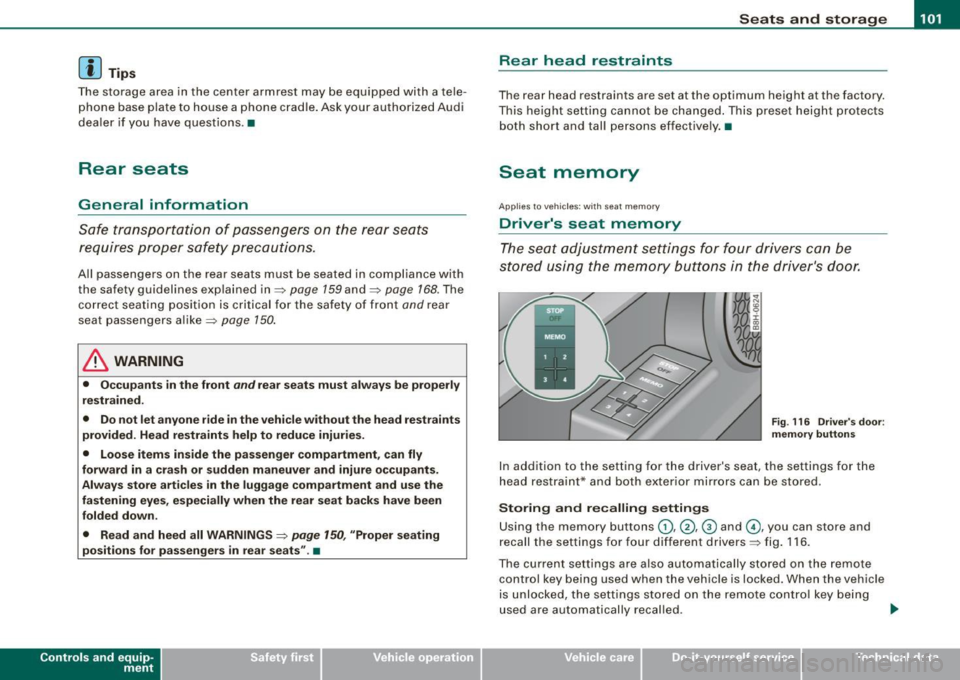
The seat adjustment settings for four drivers can be
stored using the memory buttons in the driver's door.
F ig . 116 Driver's doo r:
m emory button s
In addition to the setting for the driver's seat, the settings for the
head restraint* and both exter ior mirrors can be stored .
Storing and recalling setting s
Using the memory buttons G), @ , @ and G), you can store and
recall the settings for four different drivers=> fig . 116 .
The current settings are also automatically stored on the remote
control key being used when the vehicle is locked. When the vehicle
is unlocked, the settings stored on the remote contro l key being
used are automatically recal led . .,..
~ehicle care irechnical data
Page 104 of 340
• .___s_ e_a_ t_ s_ a_ n_ d_ s_t _o _ r_ a_ g =- e ________________________________________________ _
Turning seat memory on and off
If the I STOP I switch is depressed, the seat memory is inoperative.
The word OFF next to the
!S TOP] switch illuminates .
All the stored settings are retained . We recommend using the
I S TO PI switch and deactivating the seat memory if the vehicle is
only going to be used
temporarily by a driver whose settings are not
going to be stored.
[ i] Tips
Seat position settings cannot be recalled if the seatback is folded
forward. •
Applies to veh icles: with se at memory
Storing and recalling a seat position
Before you can store or recall your seat position, the [ STOP]
button must be engaged (down).
Storing settings
- Adjust the driver's seat=> page 96.
Adjust the head restraint => page 98
- Adjust both outside mirrors ::::> page 89. In the tilt-down
position, the passenger mirror can be adjusted to the
preferred position and saved in the seat memory.
- Press the [MEMO] button and hold it down. At the same time, press one of the memory buttons for at least one
second.
- Release the buttons. The settings are now stored under
the corresponding memory button.
Recalling settings
-Driver's door open -press the desired memory button .
- Driver's door closed -press the corresponding memory
button until the stored position is reached.
When the vehicle is locked, the current settings are stored and
assigned to the remote control key. But the settings stored on
memory buttons (1) through (4) are not deleted . They can be
recalled at any time. When the vehicle is unlocked, the settings
stored on the remote control key are restored.
If your vehicle is driven by other persons using your remote control
key, you should save your individual seat position on one of the
memory buttons. You can recall your settings again simply and
conveniently by pressing the corresponding memory button . When
the vehicle is locked, these settings are automatically re -assigned to
the remote control key and stored.
& WARNING
• For safety reasons, the seat setting can only be recalled when
the vehicle is stationary -otherwise you risk having an accident.
• In an emergency, the recall operation can be stopped by
pressing the
I STOP] button or by briefly pressing any given
memory button .
[ i] Tips
Seat position settings cannot be recalled if the seatback is folded
forward. •
Page 110 of 340
• .___S_ e_a _ t_ s_ a_ n_ d_ s_t _o _r_ a...; g==- e ________________________________________________ _
CD chan ger*
The CD changer for the Sound System is located on the lef t side in
the glove compartmen t.
& WARNING
T o redu ce the ris k of per so na l injur y in an acci dent or sudd en stop ,
a lways keep the g love compartment clo sed while driv ing .
[ i ] Tips
As soon as you lock your vehicle from the outside via remote control
o r the d river's doo r lock , the glove compartment is also locked. •
App lies to veh icles : with Air ve ntilat ion in the glove compa rtm ent
Air ventilation in the glove compartment
Cooled air is vented into the glove compartment when
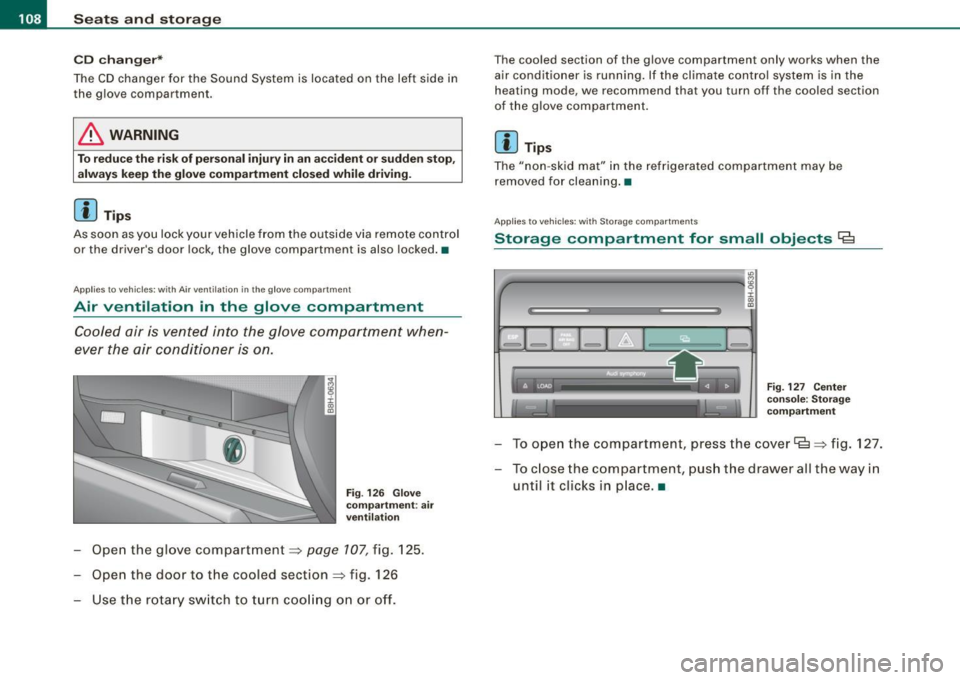
ever the air conditioner is on.
Fi g. 126 G love
com partm ent : air
v ent ilati on
Open the glove compartment=> page 107, fig. 125.
Open the door to the cooled section
=> fig . 126
Use the r otary sw itch to turn coo ling on or off.
The coo led section of the g love compartment only works when the
air conditioner is running. If the climate contro l system is in the
heating mode , we recommend that you turn off the coo led section
of the g love compartment.
[ i ] Tips
The "non -skid mat" in the refrigerated compartment may be
removed for cleaning. •
App lies to vehicles : wi th St ora ge c om part m ents
Storage compartment for small objects Ca
"'
4'--------------- -a!g :i: .,
"'
F ig. 127 Ce nter
console: S to ra g e
co mpartm ent
To ope n the compartment, press the cover Ce=> fig . 127.
- To c lose the compartment, push the drawer all the way in
until it c licks in p lace .•
Page 141 of 340

___________________________________________________ H_ o_m_ e_ L_ i_ n _ k_ ® ____ l'III
HomeLink®
Universal remote control
Ap plies to vehicles : with Home link ® unive rsa l remote cont ro l
General information
The Homelink® fea ture c an le arn u p to thr ee r ad io
frequency codes for mos t cu rrent transmi tters used for
operating gar age doors, es tate gates, home or ou tdoor
ligh tin g sy stems, an d other de vices .
You m ust first pr ogra m the Hom eLin k® trans mitte r befo re y ou can
use the system=> page 140, "Programm ing the HomeLink® tra ns
mi tter".
I n ord er to program the HomeLink® tra nsmitter fo r devices uti lizing
ro lling code, a second person on a ladder who can safe ly reach the
gara ge doo r ope ner moto r is r eco mmended. It is also necessa ry to
locate the "learn" button on your garage door opener motor . Refer
t o th e ope rati ng in stru ction s f or the opener, as the loca tion and
color of th is button may vary b y manufacturer.
Yo u ca n st ill u se the origina l re mote cont ro l f or the device a t any
tim e.
& WARNING
• Never use the Homelink'"' transmitter with any garage door
opener that does have not the safety stop and reverse feature as
required by federal safety standards . This includes any garage
door opener model manufactured before April 1 , 1982 .
• A garage door opener whi ch cannot detect an object , signaling
the door to stop and reverse does not meet current federal safety standards . Using a garage door opener without these features
increases risk of serious injury or death .
Controls and equip
ment
& WARNING (continued)
• For safety reasons never release the parking brake or start the
engine while anyone is standing in front of the vehicle .
• A garage door or an estate gate may sometimes be set
in
motion when the Homelink ® remote control is being
programmed . If the device is repeatedly activated , this can over
strain motor and damage its electrical components -an over
heated motor is a fire hazard!
• To avoid possible injuries or property damage , please always
make absolutely certain that no persons or objects are located in
the range of motion of any equipment being operated.
[ i ] Tips
• If you wou ld lik e m ore informa tion on H om eli nk®, wh ere to
purchase the HomeLink ® compatib le products, or would lik e to
p urc h ase the H omeLink® Hom e Ligh ting Package , p lease ca ll to ll
fre e: 1- 80 0-355 -3515.
• Fo r D ec lara tion of Co mplian ce to Unite d S tate s FCC and I ndustry
C anada regulat ions => page
320 . •
Page 142 of 340

• .___H_ o_m _ e_ L_ i_ n _k_ ®_R __________________________________________________ _
App lies to vehicles: w ith Homelin k® un ive rsal remote contro l
Programmi ng th e Hom eLink ® transmitt er
The transmitter is programmed in two phases. For rolling
code transmitters, a third phase is also necessary .
Fig. 151 Overhead
console : Homelink®
keypad
Fig.152 Frontbumper,
driver side: location of
transmitter unit
Phase 1: programming the overhead keypad
1. Make sure your vehicle is w ithin operat ing range o f the
remote controlled garage door opener .
2. Set the parking brake=>
& in "General information" on
page 139.
3. Turn the ignit ion on. Do not sta rt the engine! 4. Press and ho
ld the two outside Homelink® buttons
(D
and @for app roximately 20 seconds until indicator
light ©=:> fig.
151 beg ins to flash. Then release both
buttons . Do not hold the buttons for longer than
30
seconds.
This procedure only needs to be performed
once. It
erases the factory-set default codes and does not have to
be repeated to program additional remote controls.
5. Press and hold the Homelink ® button (D, ® or @ until
the indicator light © starts flashing
slowly. Release the
button.
- The system will remain in programming mode for 5
minutes.
Go to the front of the v ehicle and proceed w ith
phase 2.
Phase 2:
programming the bumper mounted transmitter
6. Hold the original remote control at a distance between 0-
6 in. (0-15 cm) from the b umper below the appropriate
headlight for your vehicle => fig.
152 (use the shortest
distance possible) .
7. Aim the remote control just below the
driver side head
lig ht.
8. Press and hold the act ivation button on the remote
control.
- May be different in Canada . If so, press and re-press
(cycle) the activation button on your remote control every
two seconds. -.,
Page 143 of 340
______________________________________________________ H_o_ m __ e_L _i_n _k _@_R _ __,_
9. The emergency flashers will flash three times (after
about 15-60 seconds) when the programming is
successful. Release the button on the remote control.
- To program more devices, repeat steps 4 to 9 .
10. Press and hold the trained Homelink® button and observe the ind icator light@=> page 140, fig. 151.
- If the indicator light is solid/continuous, programming is complete and your device should activate when you press and release the trained Homelink® button.
- If the indicator light blinks rapidly for 2 seconds and is
then a solid/continuous light , proceed with phase 3 to
program a rolling code device.
Phase 3: rolling code programming
- A second person on a ladder who can safely reach the
garage door opener motor is recommended.
11. Locate the "learn" button on the garage door opener
motor (refer to the operating instructions for the opener,
as the location of this button may vary by manufacturer).
12. Press and release the learn button on the garage door
opener motor.
- Note: once the button is pressed, there are 30 seconds in
which to initiate the next step.
13. On the Homelink® keypad inside the vehicle, firmly
press and hold the Homelink® button previously
programmed in phases 1 and 2 for two seconds and
release. Repeat this sequence
twice.
Contro ls and eq uip
ment
- Some vehicles may require the press/hold/release
sequence up to three times to complete the training
process.
- HomeLink ® should now activate your rolling code
equipped device.
If the 5 minute time limit is exceeded , the emergency flashers will
flash one time to indicate that the proc ess has been terminated . In
this case, repeat steps 4 through 9 .
If the em erg ency flashers do not flash
three tim es (after about 15-
60 seconds), programming was not successful. In this case, repeat
s teps 4 through 9.
Remote control units for garage door openers in Canada are set to
stop transmitting radio frequency signals after two seconds. This
t ime may no t be sufficient for the HomeLink® system to l earn th e
radio frequency signal. Perform all other steps as described
above. •
Applies to vehicles: with H omel ink® un iversal re m ote cont ro l
Operating the HomeLink ® transmitter
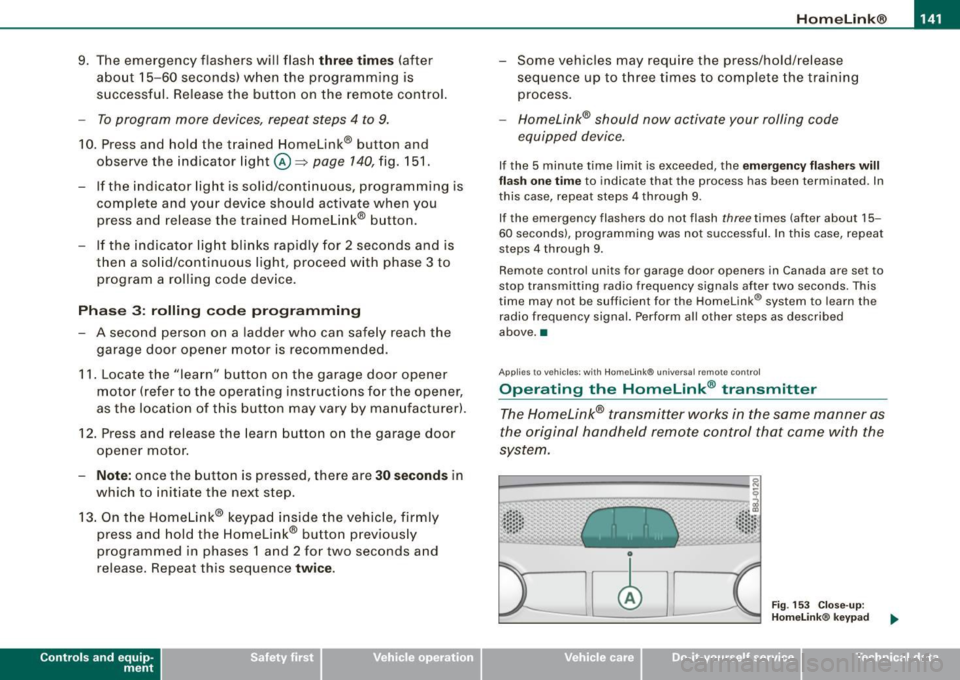
The Homelink® transmitter works in the same manner as
the original hand held remote control that came with the
system.
· ·· ·· ····· · ~::: ::; .• ... .. , '~· ·" ..
Fig . 153 Close-up:
Homelink® keypad
~ehicle care irechnical data