reset AUDI A4 SEDAN 2013 User Guide
[x] Cancel search | Manufacturer: AUDI, Model Year: 2013, Model line: A4 SEDAN, Model: AUDI A4 SEDAN 2013Pages: 294, PDF Size: 73.71 MB
Page 82 of 294
80 On the road
vehicle speed exceeds the set speed by about
3 mph (3 km/h). At the same time, a warning
symbol appears in the d isp lay . The symbol's
appeara nce m ight be d ifferent in some mod
els.
The speed warning system has one or two*
warn ing thresholds that f unct ion independ
ently of each other and that have somewhat
d ifferent purposes:
Speed warn ing 1
You can use speed warning 1 to set the maxi
m um speed w hile you are driv ing. T his setting
will remain in effect until you turn off the igni
tion, assuming that you have not changed or
reset the setting.
The . (USA
models) ;a (Canada models)
speed warning symbol in the warning 1 dis
p lay appears whe n you exceed the maximum
speed. It goes out when the speed fa lls below
the stored max imum speed .
The speed warning symbo l w ill also go out if
the speed exceeds the stored max imum speed
by more than about 25 mph (40 km/h) for at
least 10 seconds. The stored maximum speed
is deleted .
Sett ing speed warning 1
c::> page 80.
Speed warning 2*
Sto ring warning 2 is recommended if you al
ways want to be reminded of a certain speed,
for example when yo u are traveling in a coun
try that has a general maximum speed limit,
or if you do not want to exceed a specified
speed for winter tires.
The . (USA mode ls)/ . (Canada models)
speed warning 2 symbo l appears in the dis
play when you exceed the stored speed lim it.
Unlike warning 1, it will not go out until the
vehicle speed drops below the stored speed
lim it.
Sett ing speed warning 2
c::> page 80.
(D Tips
Even tho ugh your vehicle is equipped with
a speed warning system, you should st ill watch the speedome
ter to ma ke s ure you
are not dr iving faster than the speed limit .
Speed warning 1: setting a speed limit
Warning threshold 1 is set by the ISETI but
ton.
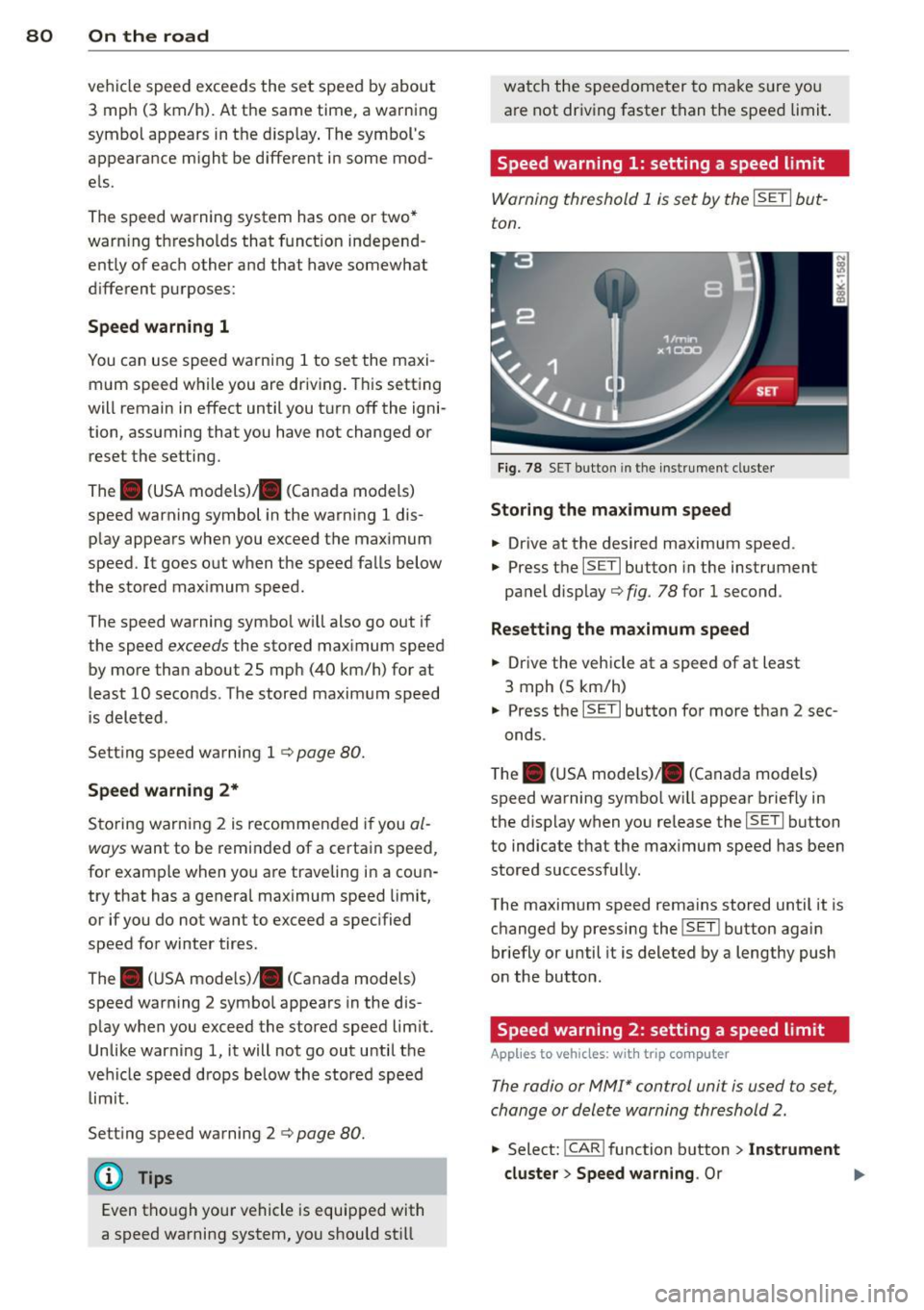
F ig . 78 SET bu tton in the instr ume nt cluste r
Storing the max imum speed
.. Drive at the desired maximum speed .
.,. Press t he
ISE TI button in the instrument
panel disp lay c::>fig .
78 for 1 second .
Resetting the maximum speed
.. Drive the vehicle at a speed of at least
3 mph (5 km/h)
.. Press the
ISET I button for more than 2 sec-
onds.
T he . (USA mode ls)/ . (Canada mode ls)
speed warning symbo l w ill appear briefly in
the display when you release the
I SE TI button
to indicate that the maximum speed has been
stored successfully.
The maximum speed remains stored until it is changed by pressing the
I SET ! button again
briefly or until it is deleted by a lengthy push
on the button.
Speed warning 2: setting a speed limit
App lies to vehicles: wi th trip co mp uter
The radio or MMI* control unit is used to set,
change or delete warning threshold 2.
.. Select:
!CAR ! function b utton > In st rument
cluster > Speed warning .
Or
Page 84 of 294
82 On the road
• To increase/dec rease the speed qu ickly,
hold the lever in the
G) !Q direction unti l
the des ired speed is d isplayed.
You can a lso press the accelerator pedal down
to increase your speed , e .g. if you want to
pass someone . The speed yo u saved earlier
will resume as soon as you let off of the accel
erator pedal.
If , however, you exceed your saved speed by
6 mph (10 km/h) for longer than 5 minutes ,
the cruise contro l will be turned off tempora
rily. The green symbol in the display turns
white . The saved speed remains the same .
Presetting your speed
You con preset your desired speed while the
vehicle is not moving.
• Switch on the ignition.
• Pu ll lever into pos ition
CD c:> page 81 ,
fig. 79.
• Press the lever in the 0 or O direction to
incr ease or decrease yo ur speed .
• Re lease the lever to save that speed .
This funct ion makes it possible, for example,
to save the speed you want before driving on
the hig hway . Once o n the hig hway, activate
the cruise contro l by pulling the lever towa rd
(D .
Switching off
Temporary deactivation
• Pres s the bra ke peda l, or
• Manual transmission : Keep the clutch pedal
pressed down
longer , or
• Press the lever into position @ (not clicked
into p lace)
¢ page 81, fig . 79, or
• Drive for longer than 5 minutes at more
t h an 6 mph (10 km/h) above the stored
speed .
Switching off completely
• Press lever into position @(clicked into
place), or
• Switch the ignition off. The speed you saved will be retained if the
cruise control has been switched off tempora
rily . To resume the saved speed, let up on the
brake or clutch pedal and pu ll the lever to po
s ition (!).
Switching the ignition off erases the saved
speed.
_& WARNING
You shou ld only return to the saved speed
if it is not too fast for the current traffic
conditions -risk of an accident!
Page 102 of 294
100 Audi adaptive cruise control and braking guard
Switching on and off
Applies to vehicles: with Audi adaptive cruise co ntrol
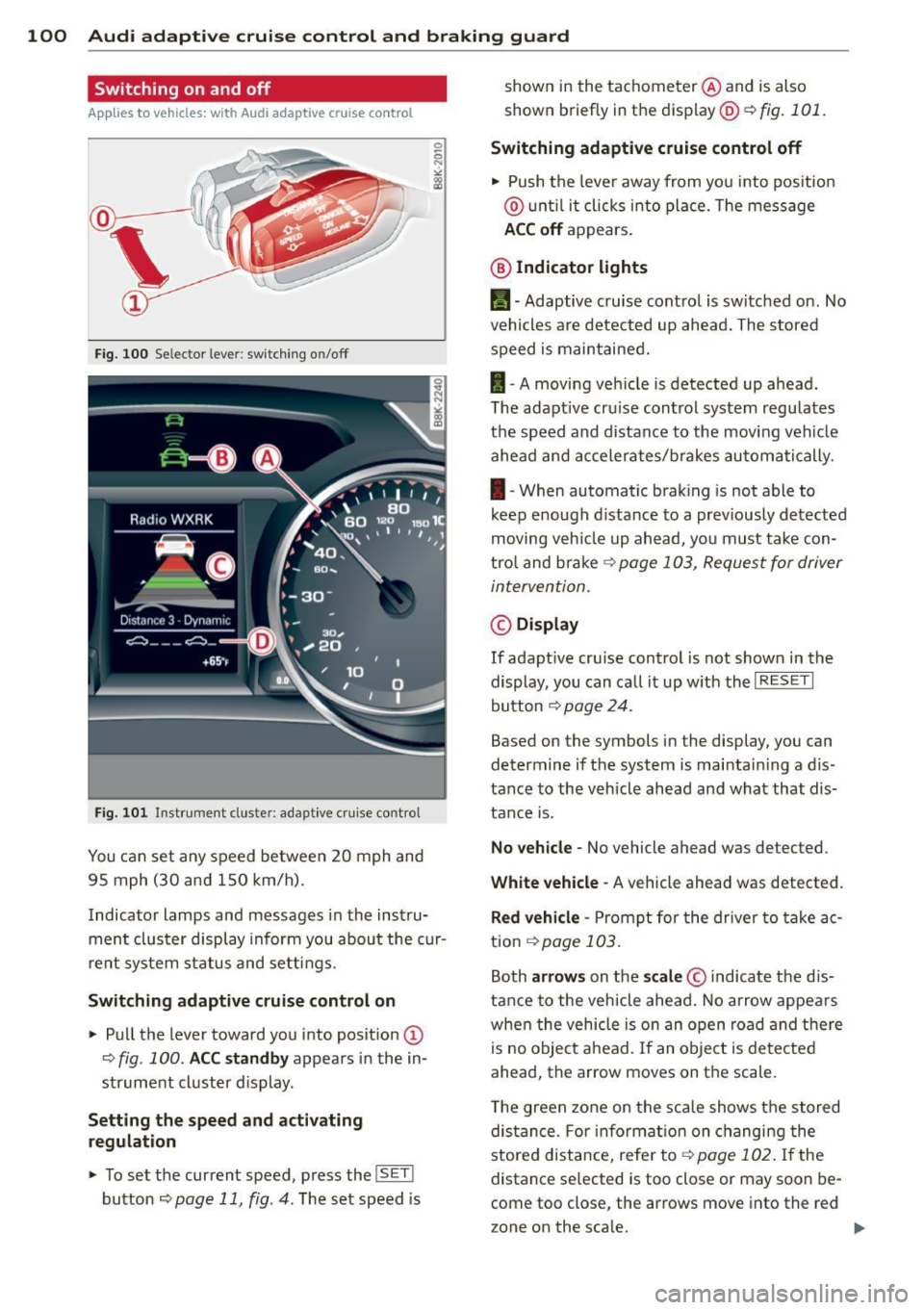
Fig. 100 Selec tor lever: switching o n/off
Fig. 101 Instrument clus te r: adap tive cru ise control
You can set any speed between 20 mph and
95 mph (30 and 150 km/h).
Indicator lamps and messages in the instru
ment cluster display inform you about the cur
r ent system status and settings.
Switching adaptive cruise control on
.. Pull the lever toward you into posit ion @
-:>fig . 100 . ACC standby appears in the in
strument cluster d isplay .
Setting the speed and activating
regulation
.. To set the current speed , press the ISET !
button ¢ page 11 , fig. 4. The set speed is shown in the tachometer
@and is also
shown briefly in the display@r:::>fig.
101.
Switching adaptive cruise control off
.. Push the lever away from you into positio n
@ until it clicks into place. The message
ACC off appears.
@ Indicator lights
II-Adaptive cruise control is switched on. No
vehicles are detected up ahead. The stored
speed is maintained.
I -A moving vehicle is detected up ahead .
T he adaptive cru ise control system regulates
the speed and distance to the moving vehicle
ahead and accelerates/brakes automatically.
I -When automatic braking is not able to
keep e nough d istance to a prev iously detected
moving veh icle up ahead, you must take con
trol and brake ~
page 103, Request for driver
intervention.
© Display
If adapt ive cru ise control is not shown in the
display, you can call it up w ith the
I RESET I
button ¢ page 24.
Based on the symbols in the display, you can
determine if the system is maintain ing a d is
tance to the vehicle ahead and what that dis
tance is.
No vehicle -No vehicle ahead was de tected .
White vehicle -A vehicle ahead was detected .
Red vehicle -Prompt for the driver to take ac
tion
~ page 103.
Both arrows on the scale© indicate the dis
tance to the vehicle ahead. No arrow appears
when the vehicle is on an open road and there
is no object ahead. If an object is detected
ahead, the arrow moves on the scale .
T he green zone on the scale shows the stored
distance. For information on changing the
stored distance, refer to~
page 102 . If the
distance se lected is too close or may soon be
com e too close , the arrows move into the re d
z one on the sca le.
Page 251 of 294
When the malfunction indicator is illuminat
ed, the system may not be able to detect or
signal low tire pressure as intended. TPMS
malfunctions may occur for a variety of rea
sons, including the installation of replace
ment or alternate tires or whee ls on the veh i
cle that prevent the TPMS from funct io ni ng
p roperly . Always check the T PMS malfunct ion
tellta le afte r replacing one or more t ires or
wheels on your veh icle to ensure that the re
p lacement or a lternate tires and wheels allow
the TPMS to continue to function properly .
Tire pressure indicator appears
Applies to vehicles: with tire pressure monitoring system
The tire pressure indicator in the instrument
cluster informs you if the tire pressure is too
low or if there is a system malfunction.
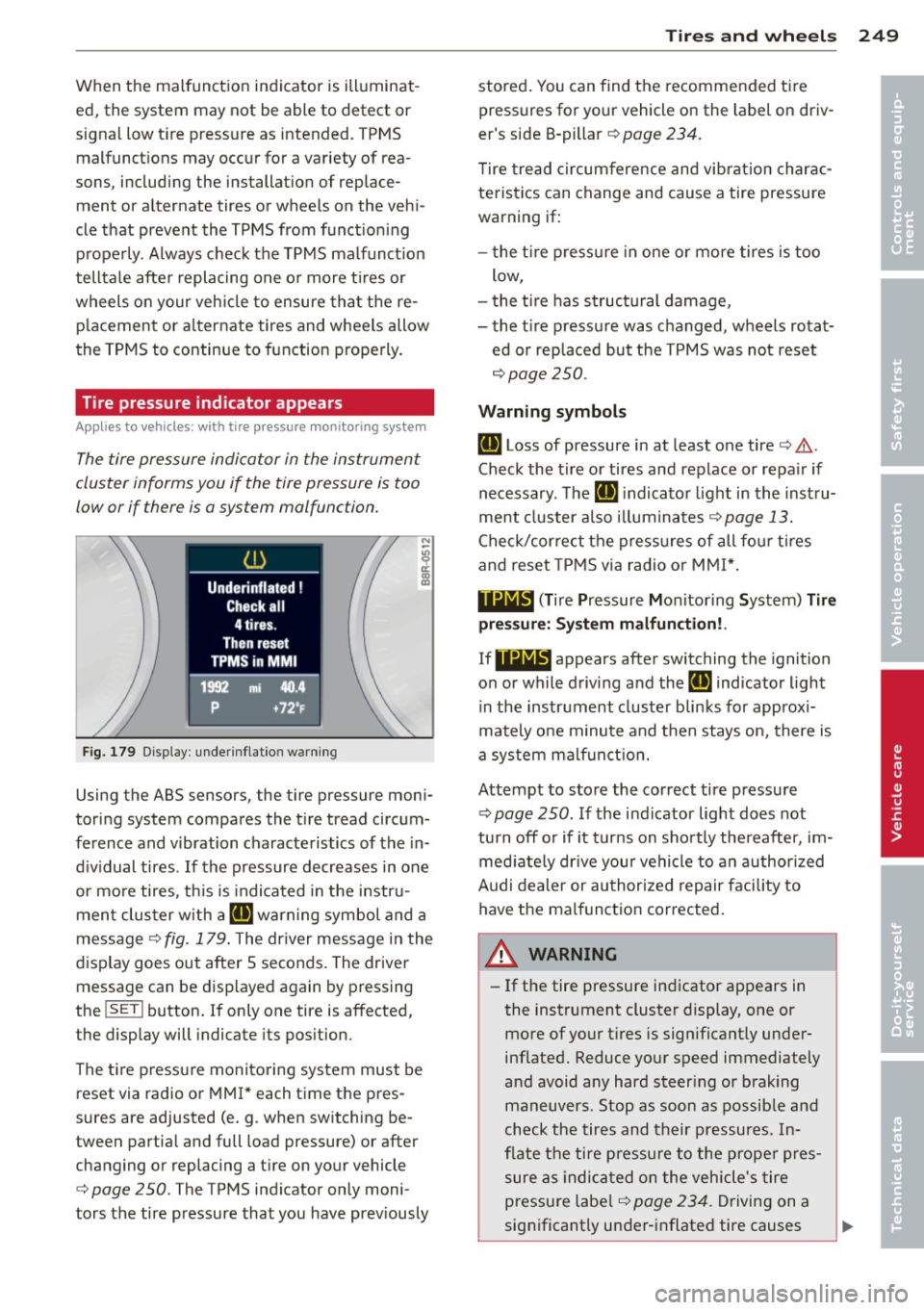
Fig. 179 Display : underinflatio n warning
Using the ABS sensors, the tire pressure moni
toring system compares the t ire tread circum
ference and vibration characteristics of the in
d iv idual tires . If the pressure decreases in one
or mo re tires, th is is indicated in the instru
ment clus ter with a
IE warning symbol and a
message ¢
fig. 179. The driver message in the
display goes out after 5 seconds. The driver message can be displayed again by pressing
the
! SET ! button. If only one tire is affected,
the display will indicate its pos ition.
The tire pressure monitoring system must be reset via radio or MMI* each time the pres
sures are adjusted (e.g . when switching be
tween partia l and full load pressure) or after
changing or replacing a t ire on your vehicle
¢
page 250. The TPMS indicator only moni
tors the tire pressure that you have prev iously
Tire s an d wheel s 249
stored . You can find the recommended t ire
pressures for yo ur vehicle on the label on driv
er's side B-pillar ¢
page 234.
Tire tread circum ference and vibration charac
teristics can change and cause a tire pressure
warning if:
- the t ire p ress ure in one or more tires is too
low,
- t he t ire has structural damage,
- the t ire pressure was changed, wheels rotat-
ed or replaced but the TPMS was not reset
¢ page 250.
Warning symbo ls
IE Loss of pressure in at least one tire¢.&,.
Check the tire or tires and replace or repa ir if
necessary. The
IE indicato r light in the inst ru
ment cluster a lso illuminates
c::!;> page 13.
Check/correct the press ures of all fou r tires
and reset TPMS via radio o r MMI*.
119;~, (T ir e Pressure Mon itoring System) Tire
pre ssure: Syst em malfun ction!.
If 11Nlf:1 appears afte r switching the ignition
on or while driving and the
IE indicator light
i n the instrument cluster blinks fo r approx i
mately one minute and then stays on, there is
a system malf unct ion.
Attempt to store the correct tire pressure
¢ page 250 . If the ind icator light does not
tu rn off o r if it turns on sho rtly the reafter, im
med iate ly dr ive your vehicle to a n author ized
Audi dealer or au thorized repair faci lity to
have the malfunc tion corrected .
A WARNING
-=
-If the tire pressure indicator appears in
the instrument cluster display, one or
more of your t ires is significant ly under
inflated. Reduce your speed immediately
and avoid any hard steer ing or braking
maneuvers. Stop as soon as possible and
check the tires and their pressures. In
flate the tire p ressure to the prope r pres
sure as indica ted on the vehicle's tire
pressu re labe l
¢page 234. Driving on a
significantly under-i nflated tire causes
•
•
Page 252 of 294
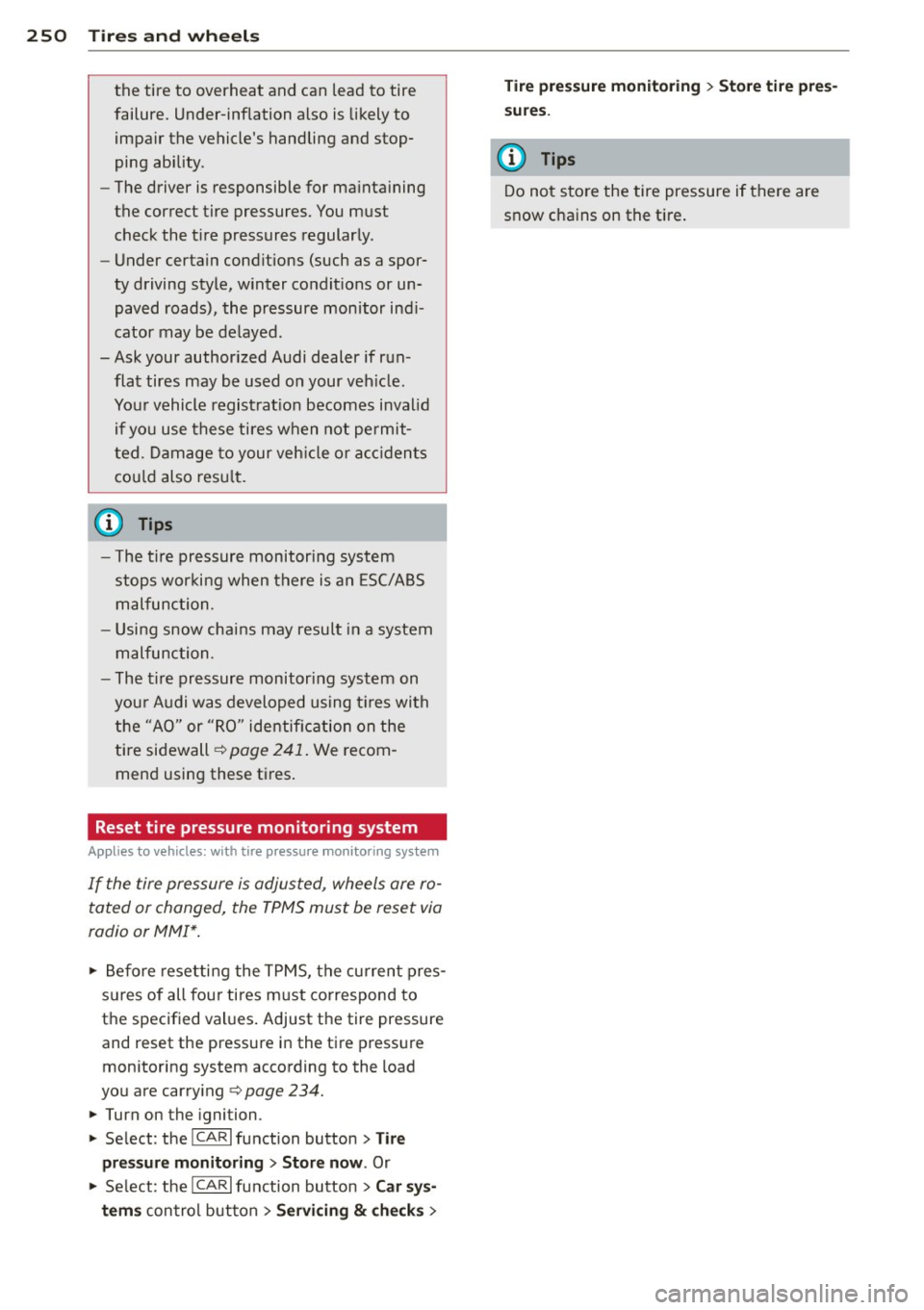
250 Tires and wheels
the tire to overheat and can lead to tire
failure. Under-inflation also is likely to
impair the vehicle's handling and stop
ping ability .
- The driver is responsible for maintaining
the correct tire pressures. You must
check the tire pressures regularly .
- Under certain conditions (such as a spor
ty driving style, winter conditions or un paved roads), the pressure monitor indi
cator may be delayed .
-Ask your authorized Audi dealer if run flat tires may be used on your vehicle.
Your vehicle registration becomes invalid
if you use these tires when not permit
ted. Damage to your vehicle or accidents
could also result.
@ Tips
- The tire pressure monitoring system
stops working when there is an ESC/ABS
malfunction.
- Using snow chains may result in a system
malfunction.
- The tire pressure monitoring system on
your Audi was developed using tires with the "AO" or "RO" identification on the
tire sidewall ¢
page 241. We recom
mend using these tires.
Reset tire pressure monitoring system
Applies to vehicles: with tire pressure monitoring system
If the tire pressure is adjusted, wheels are ro
tated or changed, the TPMS must be reset via
radio or MMI*.
11> Before resetting the TPMS, the current pres
sures of all four tires must correspond to
the specified values. Adjust the tire pressure and reset the pressure in the tire pressure
monitoring system according to the load
you are carrying
¢ page 234.
11> Turn on the ignition.
11> Select : the ICARI function button > Tire
pressure monitoring > Store now .
Or
i,. Select: the ICARI function button > Car sys·
terns
control button > Servicing & checks> Tire pressure monitoring
> Store tire pres
sures.
@ Tips
Do not store the tire pressure if there are
snow chains on the tire.
Page 282 of 294
280 Index
Cornering light ................ .... .. 44
Cruise control Changing speed .......... .... .... .. 81
Presetting your speed . . . . . . . . . . . . . . . 82
Sw itching off ............ .. .. .... .. 82
Switching on . .. . ...... ... .. .. .... .. 81
Cruising range . . . . . . . . . . . . . . . . . . . . . . . 25
(upho lder ..... ........... ........ .. 61
D
Data .. .... .. .............. ... .... .
Data recorder
Date display 270
184
12
Daytime ru nning lights . . . . . . . . . . . . 44, 45
Declaration of compl iance
Adaptive cruise control ...... .. .. ... 275
Audi side assist .......... .. .. .. .. . 275
Cell phone package ........... .... . 275
Conven ience key .......... .... .. .. . 275
Electronic immobilize r ............. . 275
Homelink ® universal remote control .. 275
Remote control key ....... .... .... . 275
Tire pressure monitoring system ..... 275
Defective light bulb warning . . . . . . . . . . . 21
Defrosting (w indows) ......... .. .. .... 70
Determining correct load limit .... ... . 239
Digital clock ... ........... .... .... .. 12
Digital compass ............. .. .... .. 52
Dimensions .. ... .... ......... ..... . 269
Dimming the rearview mirror .. .... .. .. 48
Doors Ch ild safety locks ......... .... ...... 40
emergency lock ing ... ... .. .... .. .. . . 37
Driver information system
Enhanced sh ift indicator ....... .... . . 28
Open door or front lid warning . . . . . . . . 24
Outside temperature display .. .. .. .. . . 24
Sound system display . . . . . . . . . . . . . . . 24
Driver seat
refer to Seating position ....... .. .. . 127
D . . f l riving sa e y .. ........... .. .. .. .. . 126
Driving through water ...... .... .... . 192
Driving time ............. .... ..... .. 25
D . t . ynam1c s eermg . . . . . . . . . . . . . . 111, 188
E
E85 (Fuel)
Efficiency program ........ ........ .. . 211
27
Fuel economy messages . . . . . . . . . . . . . 29
Memo ry levels ................ .. .. . 25
Other equipment .... .......... .. ... 28
Shift indicator . . . . . . . . . . . . . . . . . . . . . 28
Electro-mechanical power assist . .. .. .. 188
E lectromechanical parking brake
Emergency braking ............ .... . 79
Indicator light .................... . 77
Parking ....... .. .. ... ....... ... .. . 78
Releas ing and closing . ...... ... .. .. . 77
Starting assist . . . . . . . . . . . . . . . . . . . . . 78
Starting from rest ............. .. .. . 78
Starting off with a tra iler . . . . . . . . . . . . . 79
Warning/indicator lights ............. 16
Electronic differential lock (EDL) . .. .. .. 184
Warning/indicator lights ........ .. .. . 19
E lectronic immobilizer . . . . . . . . . . . . 12, 38
El ectronic power control
(EPC) warning/indicator ligh t . . . . . . . . . 20
Electronic speed limiter .... ........ .. . 31
E lectronic Stabilization Contro l (ESC) ... 184
Warning/ind icator lights ........ .... . 19
Emergency actuation
Doors .. .. .... .. .. .......... ..... . 37
Ignition key ..... ... .......... ..... 35
Rear lid . . . . . . . . . . . . . . . . . . . . . . . . . . . 39
Slid ing/tilting sunroof .......... ..... 42
Emergency braking .............. .... . 79
Emergency flasher .... ........... ... . 46
Warning/indicator lights ..... ..... .. . 23
Emergency key .. .. ............. .... . 33
Starting engine .. ... .......... ..... 74
Emergency operation
Emergency braking function (parking
brake) ........ .. .. ......... .... .. . 79
Emergency re lease
Selector lever .. .. ............. .... . 89
Emergency starting ....... ........ .. 262
Emergency towing .... .......... .. .. 264
En ergy management .............. .. 190
Battery power . . . . . . . . . . . . . . . . . . . . . 17
Driver notification . . . . . . . . . . . . . . . . . . 17
Page 287 of 294
-----------------------------~I~ n~d~ e~x 285
Parking system (rear, with rea r view cam
era) Park ing mode 1 ......... ... .. .. .. . 1 18
Park ing mode 2 .......... .... .. ... 119
Safety precautions ........ .. .. .. .. . 116
Sw itching on/off .............. .... 117
Sw itching rear view camera on/off ... . 120
Parts rep lacement . ..... ... .. .. .. .. . 274
P ass-t hrough . . . . . . . . . . . . . . . . . . . . . . . . 66
PASSENGER AIR BAG OFF light . . . . . . . . 155
P assive safety system .... ... .. .. .. .. . 126
P eda ls .. .. ... ...... ............. .. 13 1
Phys ica l pr inc iples of a frontal coll is ion . 137
P olishing .. .. ............. .. .. .. .. . 20 1
Pollutant filter (automatic AC system) . .. 68
Powe r
seat adjustment . . . . . . . . . . . . . . . . . . . . 56
P ower locking sys tem ....... .. .. .. .. .. 3 2
E mergency locking . . . . . . . . . . . . . . . . . . 3 7
Power windows ... .... ... .. .. .. .... 41
Rear lid .... .... .. .... ... .. .. .. .... 39
Selective unlock feat ure ... .. .. .. .. .. 37
Sett ings . .. ............. .... .. .... 37
Sliding/tilting sunroof ..... .. .. .. .. .. 41
P owe r steering
refer to Electro-mechanical power as
sist
. .. ... . .... ............. .. .. .
Powe r window 188
Conven ien ce opening/ closing . .. .. .. .. 41
Powe r windows ......... ...... .... ... 40
C hi ld safety locks ............ .... ... 40
M alf unct io ns ............ .... .. .. .. 42
Pregnant women Special cons iderations when weari ng a
safety belt . . . . . . . . . . . . . . . . . . . . . . . 141
Proper occupa nt seating positions .. .. . 127
P rope r safe ty belt pos it ion ... .. .. .. .. . 14 0
Proper seat ing pos ition
Front passenger . ............. ... .. 128
Occupa nts ..... ........... ... ... .. 127
Rear passengers ............... .... 129
Q
Quartz clock ............... ... ... ... 12
quattro ®
refer to all-whee l dr ive
189 Question
What happens to unbe lted occupants? 137
Why safety belts? . . . . . . . . . . . . . . . . . 136
R
Radiator fan 224
Rain/ light sensor
H ead ligh ts .. .. .. ................. . 44
Inte rmit ten t (w indshie ld w ipers) . .. .. . SO
Senso r defec tive . . . . . . . . . . . . . . . . . . . . 22
Read ing lights . .. .... ... ....... ...... 47
Rear door su n shade . .. ... .... ... .. .. . 49
Rea r fog lights .. .. ................. . 44
Rear lid
Emergency re lease .. .............. .. 39
E scape handle ... .. . .. .. .. ... ... .. . 40
Open ing and closing ... ..... ... .... . 39
Rear light
Defective . . . . . . . . . . . . . . . . . . . . . . . . . 21
Rea r view came ra
118
119
Pa
rking mode 1
Parking mode 2
Rea r view m irror
· · · · · .. ......... .. .. . 48
Rear window heat ing 70
Rear window sun shade .. ..... ... .. .. . 49
Recircu lation mode (automat ic cl imat e
control) . . . . . . . . . . . . . . . . . . . . . . . . . . . . 69
Refuel ling .. .. .. .. ................. 212
Re lease lever for hood
Remote control 215
Homel in k ... .. .. ................. 121
Remote contro l key. . . . . . . . . . . . . . . . . . . 33
Pe rsonalizing .. .. .. . .. .. ..... ... .. . 33
unlocking/locking .. .............. .. 35
Remote rear lid re lease .. ..... ... .. .. . 39
Repair ma nuals .. .. ... ............ .. 272
Repairs Airbag system ... .. . .. .. .. ... ... .. 157
Rep lacement key .... . .. ..... ... .. .. . 33
Rep lac ing
Windsh ie ld wiper b lades ........ ..... 51
Rep lacing bu lbs . .. ................. 261
Rep lacing tires and wheels ..... ... .. . .
Repo rting Saf ety Defects ............ .
Reset button
. ... .. .. . ...............
Retr actor ... .. .. .. .. .. ........... ..
242
134
12
139
•
•
Page 289 of 294
Side curtain airbags ..... ... .. .. .. .. . 162
Descr iption ..... .. .... ... .. .. .. ... 162
H ow they work . ....... ... .. .. .. .. . 163
Safety instructions ........ .. .. .. .. . 1 64
Side ma rker ligh ts ......... .. .. .. .. .. 44
Ski sack ... ... ............. ...... ... 66
Sliding/tilti ng sun roof
Conven ience opening/closing . .. .. .. .. 41
Emergency closing ........ .. .. .. .. .. 42
Opening and clos ing ...... .. .. .. .. .. 42
Sunshade .................. .... ... 42
Snow chains ..... ...... ... .. .. .. ... 246
Soc ket
12-vo lt .. .. ............. .... .. .... 60
Sound system display .............. ... 24
Sources of information about chi ld re-
straints and t heir use . . . . . . . . . . . . . . . . 183
Sp are tire .. .. ............. .... .. .. . 2S l
Speedometer ............. .... .. .. .. 12
Speed rating letter code .. ... .. .. .. .. . 2 42
Speed warn ing system ........... .... . 79
Sport different ia l .......... .... .. .. . 111
Indicator lamp . . . . . . . . . . . . . . . . . . . . . 22
S T ART ENGIN E STOP b utton (convenience
key) . ..... .. .. ... .. ..... ... .. .. .... 76
S TART ENGIN E STOP button (Conven ience
key) .. .. .. .. .. ............. .. .. .... 75
Starting from rest . . . . . . . . . . . . . . . . . . . . 78
Starting off with a trai ler . ... .. .. .. .. .. 79
Start ing the eng ine . . . . . . . . . . . . . . 72, 75
Steer ing
Lock ing the steer ing ...... .. .. .. .. .. 72
also refer to Electro-mechanical power
assist . .. ... ...... ............. .. 188
Steer ing whee l
Ad justing steering column . .. .. .. .. .. 72
Indicator light . . . . . . . . . . . . . . . . 18, 188
S teps fo r determ ining co rrect load lim it . 239
Stopping the engine . . . . . . . . . . . . . . 74, 76
Storage ..... .. .. ........... .. .. .... 60
S to rage compar tments . . . . . . . . . . . 6 2, 67
S tron ic . .. .. .... ... .. ... ... .. .. .. .. 89
S tronic transmission Driving information .... ... .. .. .. .. .. 91
Emergency program . . . . . . . . . . . . . . . . 95
Emergency release . . . . . . . . . . . . . . . . . . 95
Inde x 287
Hill descent contro l .... ..... ... .. .. . 93
Kick-down . . . . . . . . . . . . . . . . . . . . . . . . . 94
•
Launc h Control Prog ram ..... ... .. .. . 94 •
Se lector lever lock ................. . 91
Se lector lever position . . . . . . . . . . . . . . . 90
tiptron ic ..... ... .. ................ 93
Sun roof . ... .. .... ... .. .. ..... ... .. . 42
also refer to Slid ing/ti lting s unroof 42
Su n shades
Re ar doo rs .. .. .. .. . .............. . 49
Rea r window ..... .. . .. .. ..... ... .. . 49
Su n visors ........ .. ..... ........... 49
Symbols
refer to Warn ing/ indicator lights ... .. . 13
T
Tachometer ....... .. . .. .. ..... ... .. . 11
T echnical modifications .......... .... 275
Tether anchors . . . . . . . . . . . . . . . . . . . . . 181
T ether strap ...... .. . .. .. ..... ... .. 181
The first 1,000 miles (1,SOO km) and after-
wards ...... .. .. .. .. .. ........... .. 192
Tie-down s . . . . . . . . . . . . . . . . . . . . . 65, 133
tiptron ic ... .. .... .. . .. .. ..... ... .. . 83
Automatic Shift Lock (ASL) . . . . . . . . . . . 86
Driving ... .. .. .... . ... ...... ... .. . 84
Dynam ic shift program ......... .... . 87
Emergency mode . ................. . 88
Manua l shift program . ...... ... .. .. . 88
Se lector lever . . . . . . . . . . . . . . . . . . . . . . 85
S tronic transmission ... .. .. ... ... .. . 93
Tire pressure .. .. .. .. ............... 236
T ire pressure mo nitoring system
L oss of air press ure ... ...... ... .. .. 249
Malfunction ....... . .. .. ..... ... .. 249
Resetting tire pressures . ..... ... .. .. 250
T ires ....... .. .. .. .. .. ........... .. 230
L ow aspect ratio tires ........... .... 247
Serv ice life . . . . . . . . . . . . . . . . . . . . . . . 240
Speed ra ting letter code ..... ... .. .. 242
Tire manufacturing date ..... ... .. .. 242
Tire pressure monitoring system ... .. 248
Tire specifications ................. 242
Tread depth . . . . . . . . . . . . . . . . . . . . . . 240
U niform tire quality gradi ng . ... ... .. 244
Winter tires ...... ...... .......... 245