reset AUDI A5 CABRIOLET 2011 User Guide
[x] Cancel search | Manufacturer: AUDI, Model Year: 2011, Model line: A5 CABRIOLET, Model: AUDI A5 CABRIOLET 2011Pages: 364, PDF Size: 86.48 MB
Page 93 of 364
Applies to veh icles : w ith del uxe au toma tic climate cont ro l
Setting the temperature
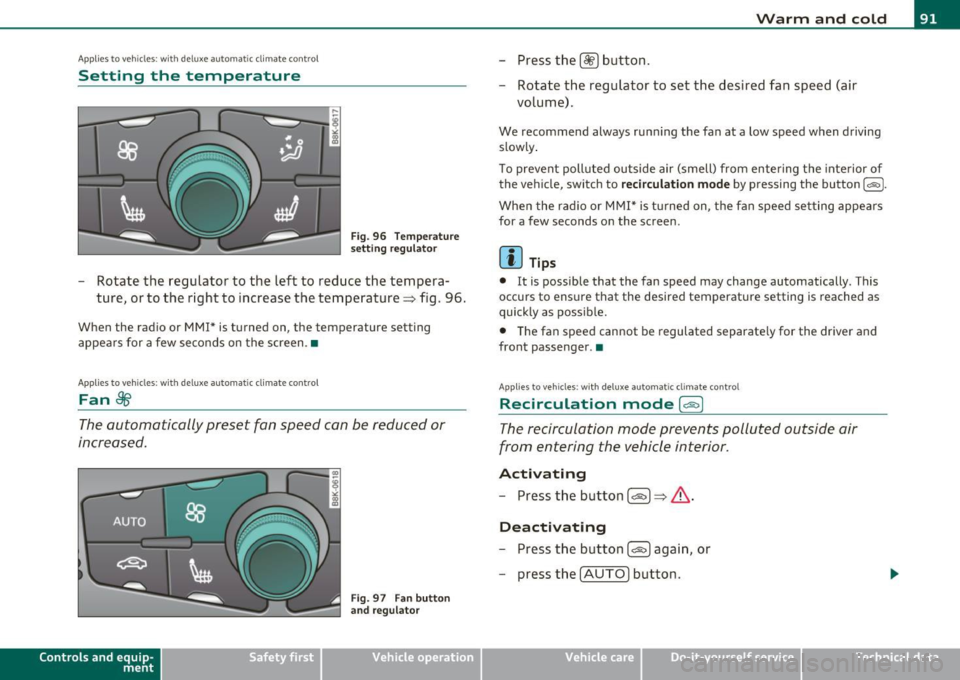
Fig . 96 Temperature
setting regulato r
-Rotate the regulator to the left to reduce the tempera
ture, or to the right to increase the temperature => fig . 96.
When the radio or MMI* is turned on , the temperature setting
appears for a few seconds on the screen .•
Ap plies to vehicl es: wit h deluxe automat ic climat e con tro l
Fan ~
The automatically preset fan speed can be reduced or
increased.
Con tro ls a nd e quip
m en t
Fig. 97 Fan button
and regulator
Vehicle OP-eration
Warm and cold
-Press the l~I button.
- Rotate the regulator to set the desired fan speed (air
volume) .
We recommend always runn ing the fan at a low speed when driving
slowly .
T o prevent polluted outside air (smell) from entering the interior of
the vehicle, switch to
recirculation mode by pressing the button 1 = 1-
When the rad io or MMI* is turned on , the fan speed setting appears
for a few seconds on the screen .
(I] Tips
• It is possible that the fan speed may change automatically . This
occurs to ensure that the desired temperature setting is reached as
quickly as possib le.
• The fan speed cannot be regulated separate ly for the driver and
front passenger .•
A pp lies to v ehicl es: w it h d eluxe a utomatic clim ate contro l
Recircul ation mode [6'::> j
The recirculation mode prevents polluted outside air
from entering the vehicle interior .
Activating
-Press the button I~ I=> & -
Deactivating
- Press the button l<::E::>) again, or
- press the
I AUTO] button .
Vehicle care Do-it-yourselt service iTechnical data
Page 94 of 364
Warm and cold
In recirculat ion mode, air is drawn from the vehicle interior, filtered
and recirculated. We recommend selecting recirculation mode under
the following conditions:
When driving through a tunnel or in a traffic jam so that exhaust
fumes and odors cannot enter the vehicle interior .
& WARNING
You should not use the recirculation mode for an extended period
since no fresh air is drawn in. With the air-conditioning switched
off, the windows can fog up, which increases the risk of an
accident! •
Applies to veh icles : w ith deluxe automat ic cl imate contro l
Air distribution .JJ
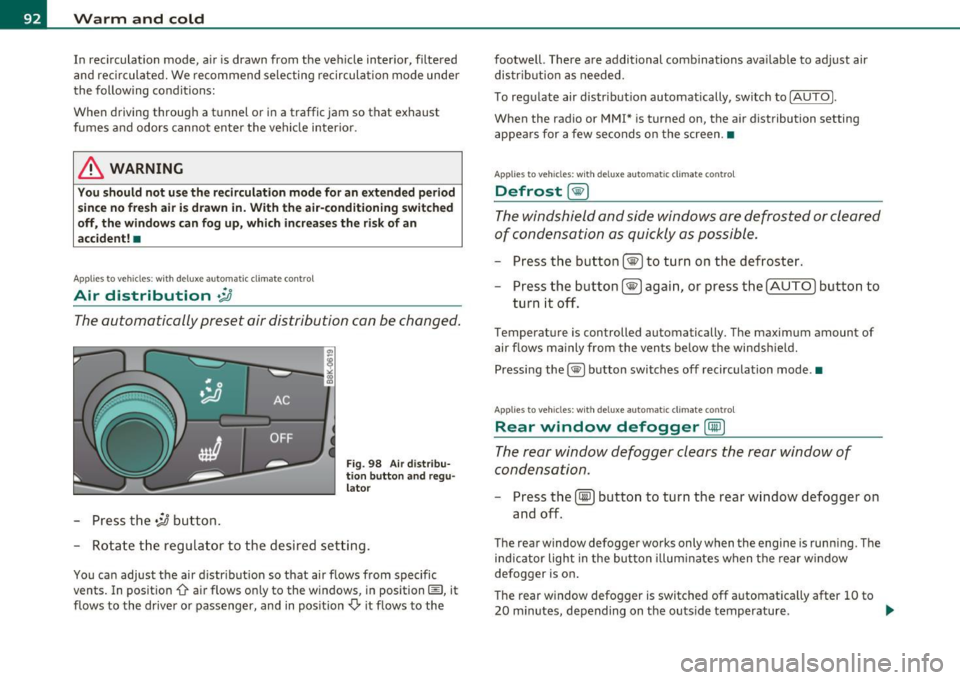
The automatically preset air distribution can be changed.
-Press the .;J button.
Fig. 98 Air distribu
tion button and regu
lator
- Rotate the regulator to the desired setting.
You can adjust the air distribution so that air flows from specific
vents. In position
0-air flows only to the windows, in position@, it
flows to the driver or passenger, and in position
,0. it flows to the footwell.
There are additional combinations available to adjust air
distribution as needed.
To regulate air distribution automatically, switch to
!AUTO).
When the radio or MMI* is turned on, the air distribution setting
appears for a few seconds on the screen .•
Applies to veh icles: wit h deluxe automat ic cl imate control
Defrost [@)
The windshield and side windows are defrosted or cleared
of condensation as quickly as possible.
- Press the button !@)to turn on the defroster.
- Press the button[@) again, or press the [
AUTO I button to
turn it off.
Temperature is controlled automatically. The maximum amount of
air flows mainly from the vents below the windshield.
Pressing the
I@ ) button switches off recirculation mode .•
Applies to veh icles: w ith d eluxe automat ic cl imate contro l
Rear window defogger [CiID)
The rear window defogger clears the rear window of
condensation.
- Press the (!iiPJ button to turn the rear window defogger on
and off.
The rear window defogger works only when the engine is running. The
ind icator light in the button illuminates when the rear window
defogger is on.
Th e rear window defogger is switched off automatically after 10 to
20 minutes, depending on the outside temperature . ...
Page 100 of 364
Warm and cold
Applie s to vehi cles : w ith del uxe automat ic cl imate contro l p lu s
Setting the temperature
The temperature can be set separately for the driver's
side and front passenger's side.
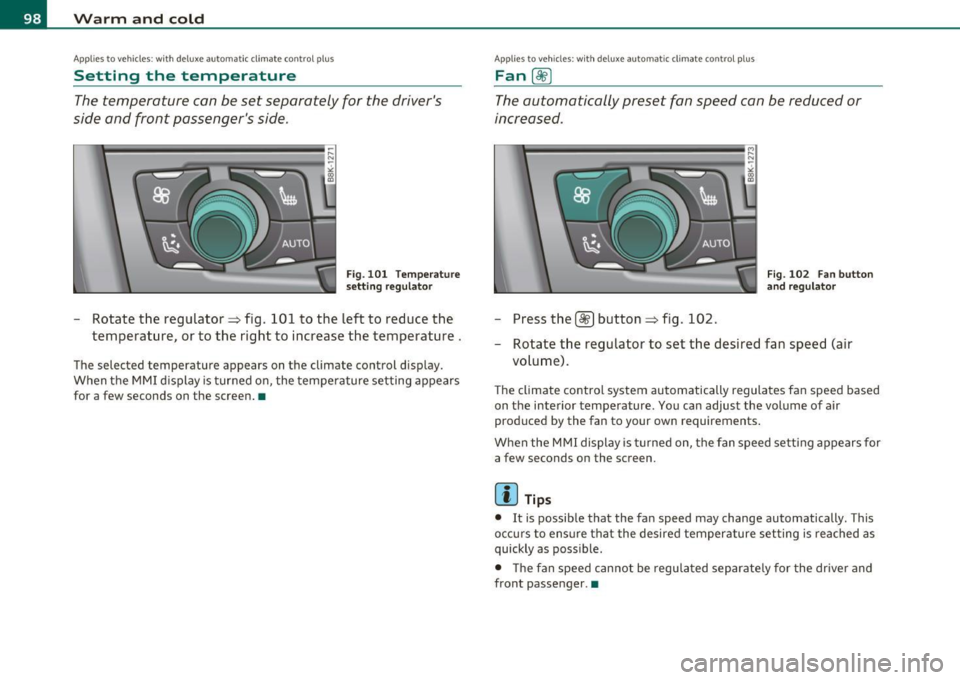
Fig. 101 Temperature
setti ng regula tor
- Rotate the regulator=> fig. 101 to the left to reduce the
temperature, or to the right to increase the temperature.
The selected temperature appears on the climate control display.
When the MMI d isplay is turned on, the temperature setting appears
for a few seconds on the screen. •
Appli es to veh icles : wi th d elux e a utomatic clim ate contro l p lu s
Fan OO
The automa6cally preset fan speed can be reduced or
increased .
-Pressthelst?]button =>fig .102 .
Fig. 102 Fan button
and regulator
- Rotate the regulator to set the desired fan speed (air
volume).
The climate control system automatically regulates fan speed based
on the interior temperature . You can adjust the volume of air
produced by the fan to your own requirements.
When the MMI display is turned on, the fan speed setting appears for a few seconds on the screen.
[ i ] Tips
• It is possible that the fan speed may change automatically. This
occurs to ensure that the desired temperature set ting is reached as
quickly as possible.
• T he fan speed cannot be regulated separate ly for the driver and
front passenger. •
Page 101 of 364
Applies to vehicles : w ith deluxe automatic cl ima te contro l p lus
Recirculation mode (~ I
The recirculation mode prevents polluted outside air
from entering the vehicle interior.
Turning on recirculation mode
- Press the [o'b] => & button.
Turning off recirculation mode
-Press the~ button again, or
- press the
[AUTO] button.
In recirculation mode, air is drawn from the vehicle interior, filtered
and recirculated . We recommend selecting recirculation mode under
th e following conditions:
When driving through a tunnel or in a traffic jam so that exhaust
fumes and odors cannot enter the vehicle interior.
& WARNING
You should not use the recirculation mode for an extended period
since no fresh air is drawn in. With the air-conditioning switched
off, the windows can fog up, which increases the risk of an
accident! •
Con tro ls a nd e quip
m en t Vehicle
OP-eration
Warm and cold
Applies to vehicles : w ith deluxe a utomatic climate control plus
Air distribution [~ ]
The automatically preset air distribution can be changed.
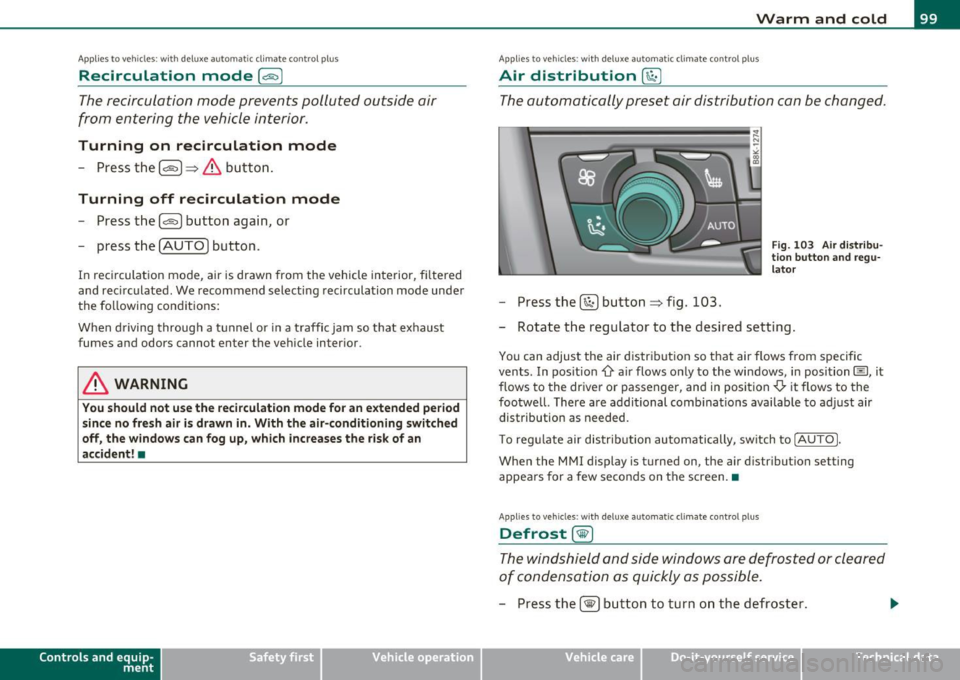
Fig. 103 Air distribu
tion button and regu
lator
- Press the [~I button => fig. 103.
- Rotate the regulator to the desired setting.
You can adjust the air distribution so that air flows from specific
vents. In position
-0-air flows only to the windows, in position(§], it
flows to the driver or passenger, and in position
-0-it flows to the
footwell. There are additional combinations available to adjust air
distribution as needed .
To regulate air distribution automatically, switch to
!AUTO J.
When the MMI display is turned on, the a ir distribution setting
appears for a few seconds on the screen. •
Applies to veh icles: w ith deluxe automa tic clim ate control p lus
Defrost [®]
The windshield and side windows are defrosted or cleared
of condensation as quickly as possible.
-Press the [®j button to turn on the defroster.
Vehicle care Do-it-yourselt service iTechnical data
Page 124 of 364
-Adaptive cruise control .Ml..___,___ _____________ _
Driving pro
gram
Dis tance 1
Distance 2
Distance 3
& WARNING
dynamic
1
2
2
3
standard
2
3
3
4
comfort
3
4
4
5
-
When setting the distance, the dri ver is responsible for adhering
to the respect ive national and country -specific regulations .
• Following other vehicles too closely increase s the risk of colli
sions and serious personal injury.
• Setting short distance s to the traffic ahead reduce s the time
and d istanc e av ailable to bring your vehicle to a safe stop and
makes it even more neces sary to pay clo se attention to traffi c.
• Always use good judgment and select a safe following distance
for the traffic , road and weather condition s.
(I] Tips
The d istance setting is reset to the factory default DISTANCE 3 the
next time the ignition is t urned on .•
Driver information
Ap plies to veh icles: w it h ad aptiv e c ru is e co ntro l
Displays in the instrument cluster
Depending on the driving situation, driver information is
displayed in the instrument cluster.
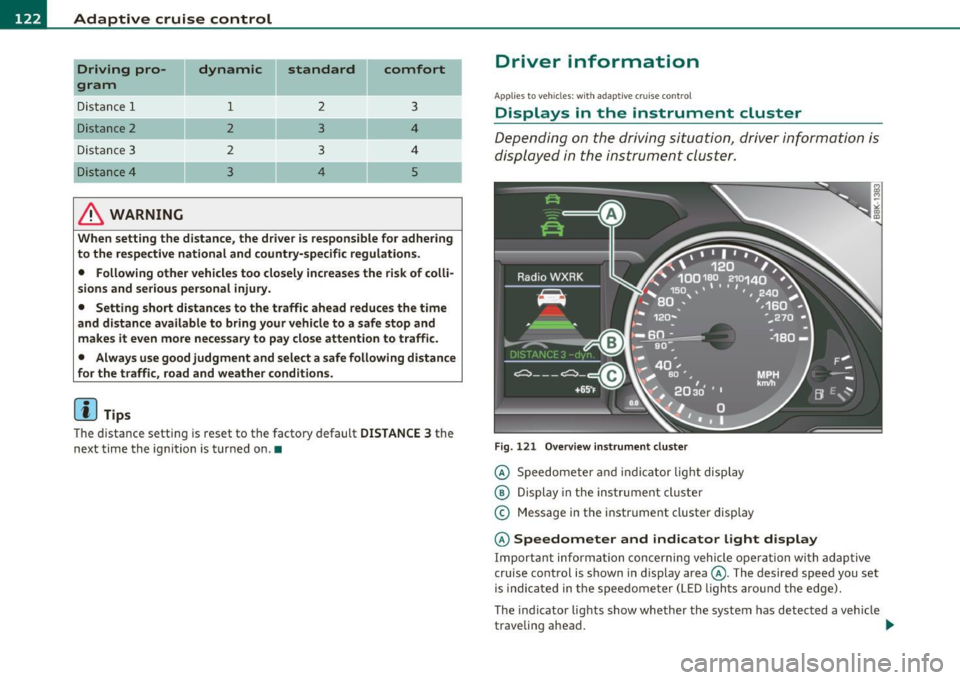
Fig. 1 21 O verv iew i nstrum ent clu ste r
© Speedomete r and indicator light disp lay
@ Display in the ins trument cluste r
© Message in the instr ument cluster disp lay
© Speedometer and indicator light d isplay
Important informa tion concerning vehicle ope ration wi th adap tive
cruise control is shown in display area@. The desired speed you set
is indica ted in the speedome ter (L ED ligh ts aro und the edge).
T he indicator lights show whether the system has detected a veh icle
traveling ahead . .,,.
Page 125 of 364
Adaptive cruise control -____________ __._ __ _
@ Display in the instrument cluster
In disp lay area @ information from the navi gation system * and the
tr ip computer is displayed in add it ion to informa tion about adaptive
c ruise contro l.
You can sele ct among the differe nt info rmatio n by repeated b rief
taps on the
I RESET! button on the winds hield w iper lever => page 23,
"Operat io n".
© Status indicator
Th e info rmation i n area © is no t disp layed per manently. Infor mat ion
is d isplayed o nly if yo u set or c hange the speed setting, change the
ti me in terva l, when messages a re displayed or if the ad apt ive cru ise
cont rol is turned off for safety reasons. •
Appli es to vehicles : w ith a daptive cruise c on tro l
Speedometer and indicator light display
----
- -
- -
@ ®
Desired speed
- -
--
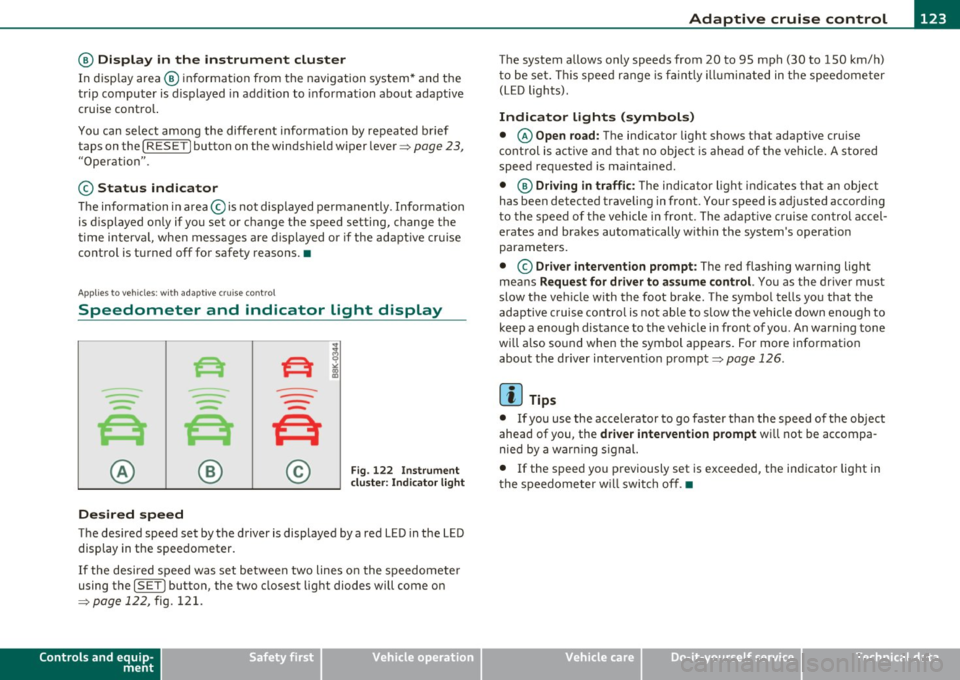
Fig . 122 I nstru ment
cl uste r: Indicator light
T he desired speed set by the driver is displayed by a red LED in the LED
disp lay in the spee dometer.
If the desi red s peed was set be twee n two lines o n the speedo mete r
using the
[ SET J button, the two closest light diodes will come on
=>
page 122, fig. 121.
Controls and equip
ment Safety first
T
he system allows only speeds from 20 to 95 mph (30 to 150 km/ h)
t o be se t. T his spee d range is f aint ly ill um inat ed in t he s pee dome ter
(LED lights) .
Indicator lights (symbols)
• © Open road: The indicator light shows t hat adaptive cruise
co ntrol is a ctive and t hat no objec t is ahe ad of the vehi cle. A sto red
speed req uested is maintained.
• @
Driving in traffic : The indicator l igh t ind icates th at an object
has been detected traveling in front . Your speed is ad justed according
t o the spee d of t he vehicle in front. The adaptive c ruise con trol accel
erates and bra kes au tomatically w it hin the system's operat io n
parame ters.
• ©
Driver intervention prompt : The red flashing warning light
me ans
Request for driver to as sume control. You as the drive r m ust
slow t he ve hicle w ith the foot brake . The symbo l tells yo u that the
adaptive cruise contro l is not able to s low the vehicle down enough to
keep a enough distance to the vehicle in front o f you. An war ning tone
wi ll also so und when the symbol ap pears. Fo r more informat ion
abou t the driver intervent ion prompt=>
page 126 .
W Tips
• If you use the ac cele rator to go fa ster than the speed of the object
ahead of you, the
driver intervention prompt will not be accompa
nied by a war ning signal.
• If the speed you p reviously set is exceeded, the ind icator light in
t he s peedometer w ill swit ch off .•
Vehicle care Technical data
Page 136 of 364
1111....__A_ u_ d_i_ l_ a_ n_ e_ a_s_ s_ is_t _________________________________________________ _
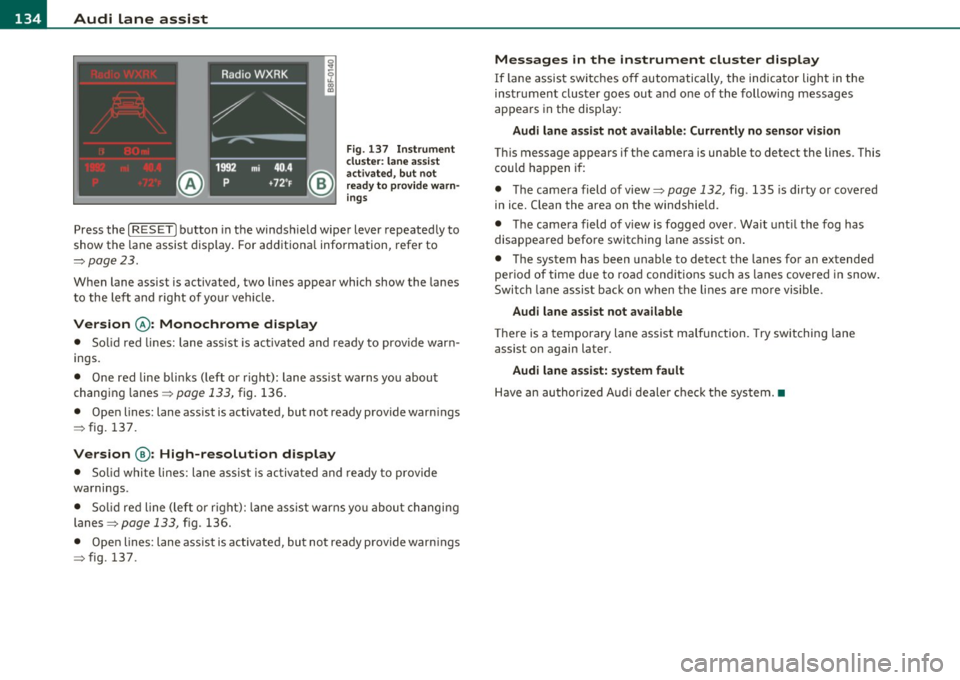
Fig. 137 Ins trume nt
clu ster : lane assis t
ac tiv ated , bu t n ot
ready to provid e warn
ing s
Press the [ RESET] button in the winds hield wipe r lever repeated ly to
show the lane assist display . For ad ditiona l information, refer to
:::>pag e 23.
When lane assist is activated, two lines appear which show the lanes
t o the le ft and right of yo ur vehi cle.
Version @ : Monochrome display
• Solid red lines: lane ass ist is activa ted and ready to prov ide war n
ings.
• One red line bli nks (left or r ight) : lane ass ist warns you abou t
changin g lanes =>
page 133, fig. 136 .
• Open lines: lane assist is activated, but not ready provide warn ings
=> fig. 137 .
Version @: High-resolution display
• Solid whi te lines: lane ass is t i s activa ted and ready to p rovide
wa rnings.
• Solid red line (left o r rig ht): lane ass ist w arns you about changi ng
lanes=>
page 133, fig. 136.
• Ope n lines: lane assist is activated, but no t ready p rovide warn ings
=> fig. 137.
Messages in the instrument cluster display
If lane assis t sw itches o ff automatically, the indicator light in the
ins tru men t cluste r goes ou t and one of the following messages
appears in the disp lay:
Audi lane as sist not available: Currently no sensor vi sion
T hi s message appears if t he camera is unab le to detect the lines. This
c o uld h appen i f:
• Th e came ra field of view=>
page 132, fig. 135 is dirty or covered
in ice. Clean the area on the windshie ld.
• Th e came ra field of vi ew is fogged over . Wait unt il the fog has
disappea red befo re switching lane assist on .
• The system has been unable to detect the lanes for an extended
period of time due to road cond it ions s uch as lanes covere d in snow .
Switch la ne assist back on when the li nes are mo re vis ible.
Audi lane assist not available
Th ere is a temporary lane assist malfunction. Try switching lane
assist on again later.
Audi lane assist: system fault
H ave an au thor ized A udi deale r check the syste m.•
Page 160 of 364
1111 ...... __ T _r_ a_ n _ s_ m __ is_ s_io _ n _____________________________________________________ _
warning appears in the instrument cluster display when the selector
is in
P and N:
When stationary apply footbrake while selecting gear
A time delay element prevents the selector lever from locking when
it is moved through the
N position (going from R to D). The locking
element will lock the selector lever if the lever is left in N (Neutral) for
more than approximately 1 second, without the brake pedal be ing
pressed .
At speeds above about 3 mph (5 km/h) the Automatic Shift Lock is
automatically deactivated in the
N position.
Interlock button
The lock button on the selector lever prevents the lever from being
accidentally shifted into certain positions. Pressing this button deac
tivates the selector lever lock. Depending on the direction of the
shift, the selector lever locks at different positions. The positions are
high light ed in the illustrat ion~
page 157 , fig. 161.
Ignition key safety interlock
The key can not be removed from the ignition unless the selector lever
is in the
P park position. When the ignition key is removed, the
selector lever w ill be locked in the
P pos it ion .•
Ap plies to v ehicles : w ith mult itronic ® Contin uously Var iable Transm issio n (C VT)
Kick-down
The kick-down feature allows the vehicle to generate
maximum acceleration.
When you press the accelerator pedal beyond the resistance point
that is reached at full throttle, the transmission will select a lower
gear ratio based on vehicle speed and engine RPM . The engine RPM
w ill be co ntro lled to produce maximum vehicle acceleration as long
as you continue to press the accelerato r pedal beyond th is resistance
point .
& WARNING
Be careful when using the kick-down feature on slippery roads.
Rapid acceleration may cause the vehicle to skid. •
Applies to veh icl es: w it h mul tit ro nic® Con tin uous ly Va ria bl e Tran smis s io n ( CVT)
Dynamic shift program (DSP)
The multitronic ® transmission is electronically
controlled .
The transmission selects the appropriate gear ratio (upshifts and
downshifts) automatically based on preset d riving programs.
The transmission will select one of the
economy programs when you
drive at a steady speed or a gradua lly changing speeds without heavy
acceleration . Th is gives best fuel eff iciency, with early upshifting and
delayed downshifting.
Th e transmission will automatically select the
sporty shift programs
when you dr ive at higher speeds, or w ith heavy acceleration and
frequently changing speeds. Upshifts are delayed to make full use of
eng ine power . Downshifting takes place at higher engine speeds than
in the economy programs.
Th e selection of the most suitab le shift program is a continuous,
automatic process. The driver can a lso make the transmission switc h
to a sporty program by
quickly pressing down the gas pedal.
This causes the transmiss ion to sh ift down into a lower gear ratio and
makes quick acceleration possible (to pass another vehicle) You do
not need to press the gas pedal into the kickdown range. After the
transmission has upshifted, the original program is selected
according to your driving style.
An additional shift prog ram allows the automatic t ransmission to
select the proper gear for uph ill and downh ill grad ients.
This prevents the transmiss ion from shifting up and down unneces
sari ly on hills. The transmission will shift down to a lower gear ratio _,,,
Page 318 of 364

IIIIL-_T.:..:..: ir:....:e~ s=---= a~ n:..:..: d:......: w..:....:.. h:....:e~ e= ls=--------------------------------------------------
The tire pressure monitor ing must be reset via rad io or MMI* each
t ime t he press ures are adjusted (e.g. w hen sw itching be tween p artial
and full load pressure) o r after changing or replac ing a tire on yo ur
vehicle => page
316. You ca n find t he recommen ded tire pressures
for your veh icle on the labe l on driver's s ide B-pilla r => page
300.
Tire tread circ umference and vibrat ion characteristics can change and
c a u se a tir e pressure war ning if:
• the t ire pressure in one or more tires is too low,
• t he tire ha s structur al dam age,
• the tire press ure was changed, wheels rotated or rep laced but the
TPM S was no t reset=> page
316.
Warning symbols
1..1' Loss of press ure in at least one tire=> &. Check the tire or tires
and replace or repair if necessary. The indicator light (• in the instru
me nt cluste r a lso illuminates=> page
12. Check/correct the p res
sures o f all four tires and reset TPMS via rad io or MMI *.
rr :; (T ire Pressu re M on itor ing System) Tire pres sure! System
malfunction.
If T ,.;> appears after switching the ignition on or w hile
dr iv ing => page
315, fig. 23 3 and the indica to r lig ht 'in th e instr u
me nt clus ter b links for approx ima tely one m inute and the n stays on,
there is a system ma lf u nct io n. See your authorized Audi dealer as
soon as poss ible.
& WARNING
• If the tir e pres sure indicator appears in the instrument cluster
display, one or more of your tires i s significantly under-inflated.
Reduce your speed immediately and avoid any hard steering or
braking maneuvers. Stop as soon a s possible and check the tires
and their pressures . Inflate the tire pressure to the proper pres
sure as indicated on the vehicle 's tire pressure label=>
page 300.
Driving on a significantly under -inflated tire causes the tire to
overheat and can lead to tire failure. Under -inflation also is likely
to impair the vehicle's handling and stopping ability.
& WARNING (co ntinued )
• The driver is re sponsible for maintaining the correct tire pres
sures . You must check the tire pres sures regularly .
• Under certain conditions (such as a sporty driving style , winter
conditions or unpaved roads) , the pressure monitor indicator may
be delayed.
• Ask your authorized Audi dealer if run-flat tires may be used on
your vehicle . Your vehicle registration becomes invalid if you u se
the se tires when not permitted. Damage to your vehicle or acci
dents could also result.
[ i ] Tips
• T he tire pressure monito ring system stops working when there is
an ES P/ABS malf u nctio n.
• Using snow cha ins may res ult in a system ma lf u n ct ion .
• The tire pressure mon itor ing system on your Au di was calibrated
using t ires with the "AO" or "RO " id ent ificat ion . We re comme nd
using these tires. •
Applies to vehicles: with tire p ressure monito ring sys tem
Reset tire pressure monitoring system
I f the tire pressure is adjus ted, wheels are rotated or
changed, th e TPfvf S must b e re set via radio or fv1fv1 I*.
- Turn on the ign it ion .
- Sele ct: Fu nct ion bu tton
[C AR]> Tire pressure monitoring
> Store now.
[ i ] Tips
Before resett ing the TPMS, the current pressures of all four t ires
mus t co rrespo nd to the specifie d val ues. A djust the tire pre ssure and
~
Page 319 of 364
________________________________________________ T_i_re _ s_ a _ n_d_ w_ h_ e_ e_l_s __ nn
reset the pressure in the tire pressure mon itoring system accord ing
t o the loa d you are car rying ~
page 300 . •
Safety first Vehicle care Technical data