power steering AUDI A5 CABRIOLET 2015 Owners Manual
[x] Cancel search | Manufacturer: AUDI, Model Year: 2015, Model line: A5 CABRIOLET, Model: AUDI A5 CABRIOLET 2015Pages: 268, PDF Size: 66.88 MB
Page 4 of 268
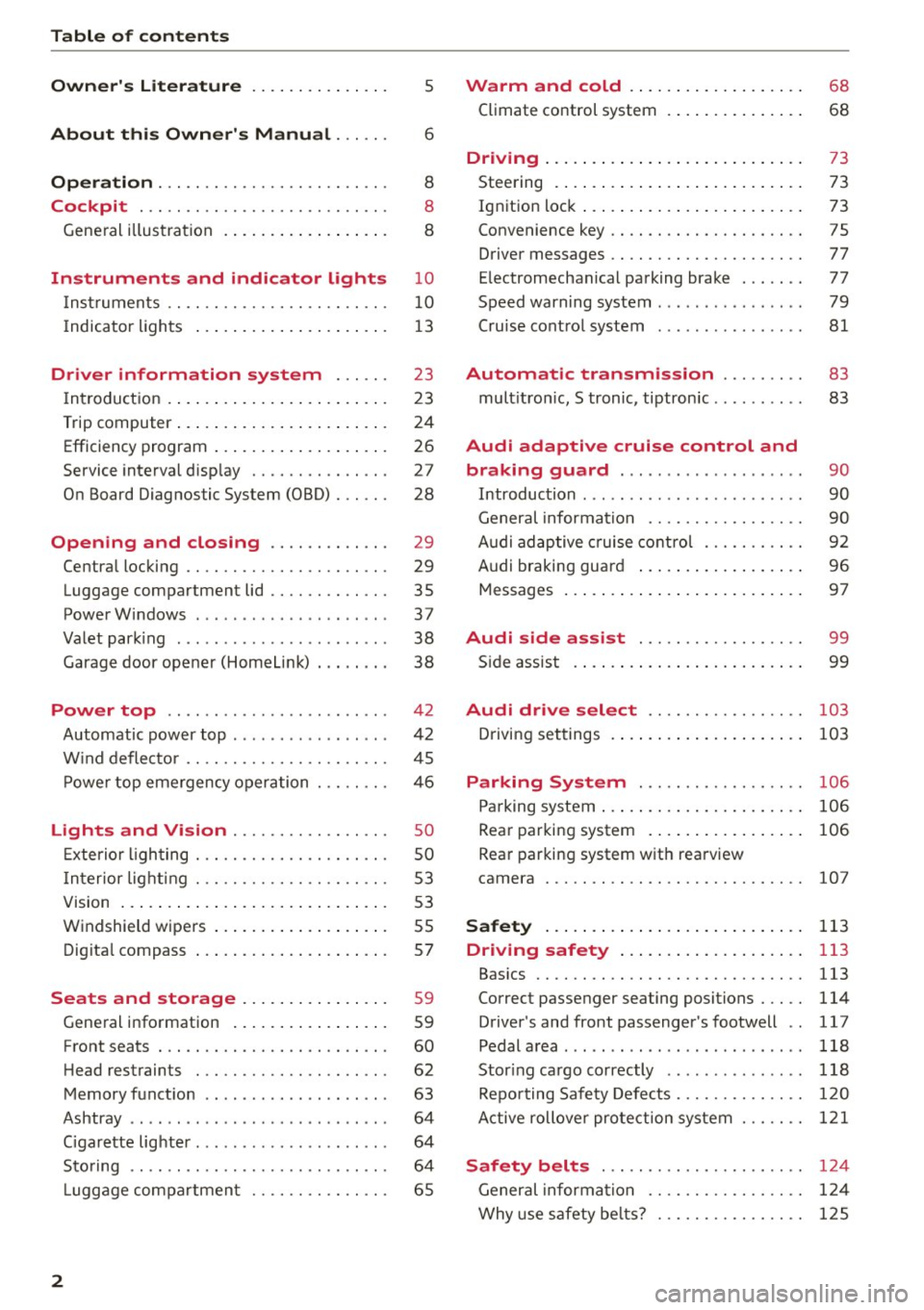
Table of contents
Owner's Literature
5
About this Owner's Manual . . . . . . 6
Operation . . . . . . . . . . . . . . . . . . . . . . . . . 8
Cockpit . . . . . . . . . . . . . . . . . . . . . . . . . . . 8
Gene ral illus tra tion . . . . . . . . . . . . . . . . . . 8
Instrument s and indicator lights 10
I nstruments . . . . . . . . . . . . . . . . . . . . . . . . 10
I ndicator ligh ts . . . . . . . . . . . . . . . . . . . . . 1 3
Driver information system . . . . . . 23
I n troduct ion . . . . . . . . . . . . . . . . . . . . . . . . 23
Trip computer . . . . . . . . . . . . . . . . . . . . . . . 24
Efficiency program . . . . . . . . . . . . . . . . . . . 26
Service interval disp lay . . . . . . . . . . . . . . . 2 7
On Board Diagnos tic System (OBD) . . . . . . 28
Opening and closing . . . . . . . . . . . . . 29
Centra l locking . . . . . . . . . . . . . . . . . . . . . . 29
Luggage compar tment lid . . . . . . . . . . . . . 35
PowerWindows . . . . . . . . . . . . . . . . . . . . . 37
Va let park ing . . . . . . . . . . . . . . . . . . . . . . . 38
Garage door opener (HomeLi nk) . . . . . . . . 38
Power top . . . . . . . . . . . . . . . . . . . . . . . . 4 2
Automatic power top . . . . . . . . . . . . . . . . . 42
W ind defle ctor . . . . . . . . . . . . . . . . . . . . . . 45
P owe r top eme rgency operation . .. .. .. .
Lights and Vision ............ .. .. .
Exterio r lighting .............. .. .. .. .
I n terior light ing ... ... .. .... .. .. .. .. . 4
6
so
so
5 3
V1s1on . . . . . . . . . . . . . . . . . . . . . . . . . . . . . 5 3
W indshield wipers . . . . . . . . . . . . . . . . . . . 5S
Dig ita l compass . . . . . . . . . . . . . . . . . . . . . 57
Seats and storage ....... .. .. ... . .
Gene ral info rmation ..... ... .. .. .. .. .
Front seats . .. .. ............. .. .. .. .
H ead restrain ts ... ... .. ...... .. .. .. .
Memory f unct io n ........ ... .. .. .. .. .
Ashtray ...... .. ................ ... .
C igarette lig hter .... .. ... ..... .. .. .. . 59
59
60
62
63
64
64
Sto ring . . . . . . . . . . . . . . . . . . . . . . . . . . . . 64
L uggage compa rtmen t . . . . . . . . . . . . . . . 65
2
Warm and cold .. .. ... . .... ... .. . .
Climate control system . ... .... ... .. . .
68
68
Dr1v1ng ... .. .... .. .. .. .. .. .... ... .. 73
Steering . . . . . . . . . . . . . . . . . . . . . . . . . . . 73
Ignition loc k . . . . . . . . . . . . . . . . . . . . . . . . 73
Convenience key . . . . . . . . . . . . . . . . . . . . . 75
Driver messages . . . . . . . . . . . . . . . . . . . . . 77
E lectromechanical pa rking brake . . . . . . . 77
Speed warning system . . . . . . . . . . . . . . . . 79
Cru ise cont ro l system . . . . . . . . . . . . . . . . 81
Automatic transmission . . . . . . . . . 83
mult itron ic, S tronic, tiptron ic . . . . . . . . . . 83
Audi adaptive cruise control and
braking guard . . . . . . . . . . . . . . . . . . . .
90
Introduction . . . . . . . . . . . . . . . . . . . . . . . . 90
General informa tio n . . . . . . . . . . . . . . . . . 90
Audi adaptive cruise cont rol . . . . . . . . . . . 92
Audi braking guard . . . . . . . . . . . . . . . . . . 96
Messages . . . . . . . . . . . . . . . . . . . . . . . . . . 97
Audi side assist . . . . . . . . . . . . . . . . . . 99
S ide assist . . . . . . . . . . . . . . . . . . . . . . . . . 99
Audi drive select . . . . . . . . . . . . . . . . . 103
Driving set tings . . . . . . . . . . . . . . . . . . . . . 10 3
Parking System ... ........... .. . .
Parking system ..... .... .. .... ... .. . .
Rear par king system . .... . .... ... .. . .
Rea r par king syst em with rea rview
came ra 106
106
106
10
7
Safety . . . . . . . . . . . . . . . . . . . . . . . . . . . . 113
Driving safety . . . . . . . . . . . . . . . . . . . . 113
Bas ics .... .. .. .. .. .. ............. . .
Correct p assenger seating positions . .. . .
D river's and front passenger's footwell ..
Pedal a rea ..... ... ................. .
Stor ing ca rgo correctly ... ... ... ... .. .
Repo rting Safety Defe cts .......... .. . .
A ctive rollove r pro tect ion system 113
114
1
17
118
118
120
1 2 1
Safety belts . . . . . . . . . . . . . . . . . . . . . . 124
General informa tion . . . . . . . . . . . . . . . . . 1 24
Why use safety be lts? . . . . . . . . . . . . . . . . 1 25
Page 5 of 268
M N
ci u.. co ,...., \!) 1.1'1
N 1.1'1 ,....,
Safety belts . . . . . . . . . . . . . . . . . . . . . . . . 12 7
Belt tensioners . . . . . . . . . . . . . . . . . . . . . . 130
Airbag system ............... .. ... 132
Important information . . . . . . . . . . . . . . . 132
Fr ont airbags . . . . . . . . . . . . . . . . . . . . . . . 136
Monitoring the Advanced Airbag System . 142
Knee airbags . . . . . . . . . . . . . . . . . . . . . . . . 146
Side airbags . . . . . . . . . . . . . . . . . . . . . . . . 148
Child safety . . . . . . . . . . . . . . . . . . . . . . 152
Important information . . . . . . . . . . . . . . . 152
Ch ild seats . . . . . . . . . . . . . . . . . . . . . . . . . 157
Securing child seats . . . . . . . . . . . . . . . . . . 16 1
L A TCH system (Lower anchorages and
tethers for children) . . . . . . . . . . . . . . . . . . 165
Additional information 168
Driver messages . . . . . . . . . . . . . . . . . 169
Smart Technology . . . . . . . . . . . . . . . 169
Notice about data recorded by the Event
Dat a Recorder and vehicle control
modules . . . . . . . . . . . . . . . . . . . . . . . . . . . 169
Electronic Stabili zation Control ( ESC) . . . . 170
Braking . . . . . . . . . . . . . . . . . . . . . . . . . . . . 172
Electro-mechanical power assist, dynamic
steering . . . . . . . . . . . . . . . . . . . . . . . . . . . 174
Driving with your quattro . . . . . . . . . . . . . 17 4
E ne rgy management . . . . . . . . . . . . . . . . . 175
Driving and the environment . . . . 177
Breaking in . . . . . . . . . . . . . . . . . . . . . . . . . 177
Avoid damaging the vehicle . . . . . . . . . . . . 177
Driving through water on roads . . . . . . . . 177
Catalytic converter................... 178
Shutting down vehicle . . . . . . . . . . . . . . . . 178
Economical and environmentally -friend ly
driving . . . . . . . . . . . . . . . . . . . . . . . . . . . . 179
Trailer mode . . . . . . . . . . . . . . . . . . . . . . 181
Driving with a t railer . . . . . . . . . . . . . . . . . 181
Trailer mode notes . . . . . . . . . . . . . . . . . . . 183
Operating instructions . . . . . . . . . . . 184
Care and cleaning . . . . . . . . . . . . . . . . 184
General information . . . . . . . . . . . . . . . . . 184
Car washes . . . . . . . . . . . . . . . . . . . . . . . . . 184
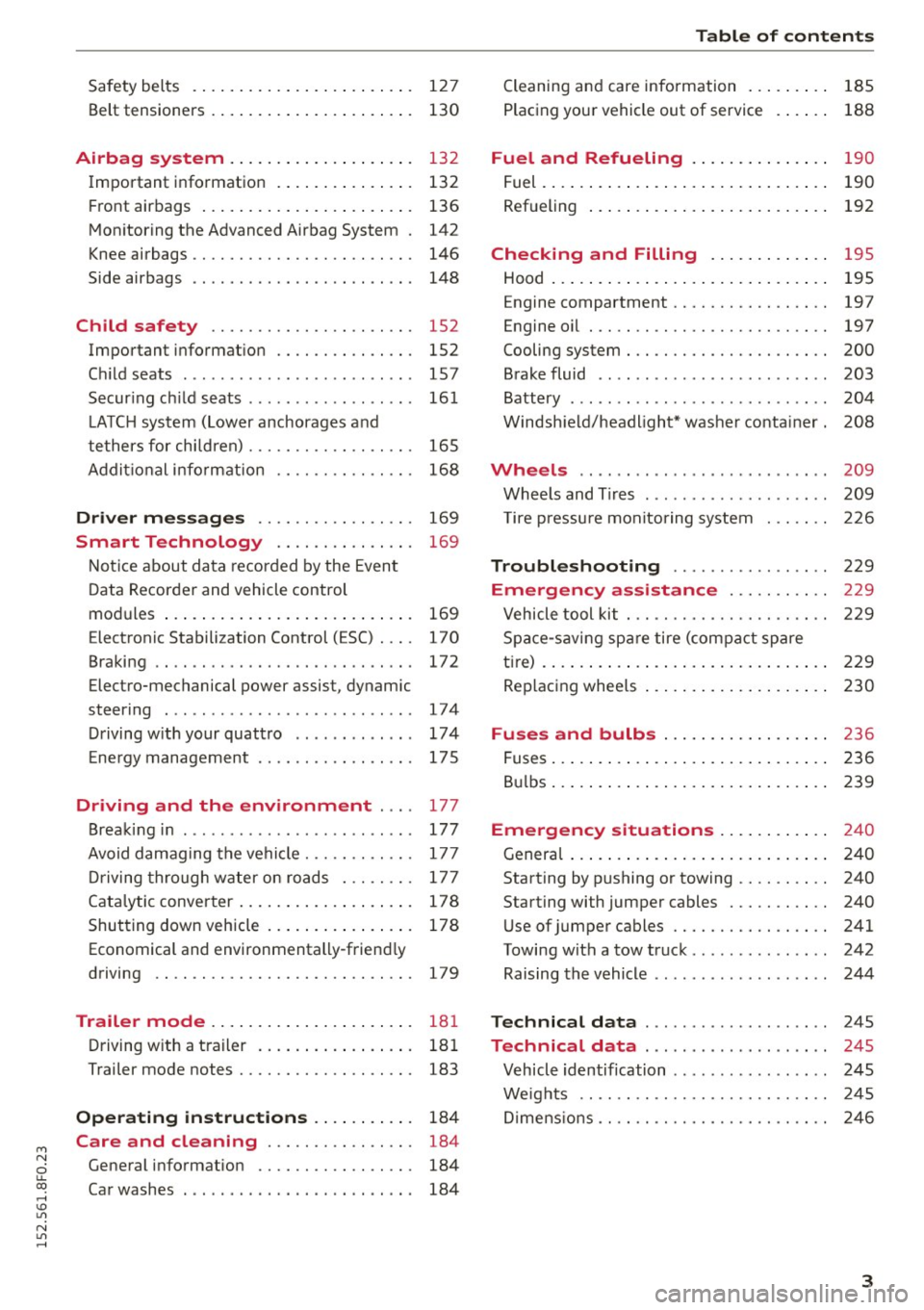
Table of contents
Cleaning and care information . . . . . . . . . 185
Placing your vehicle out of service . . . . . . 188
Fuel and Refueling . . . . . . . . . . . . . . . 190
Fuel . . . . . . . . . . . . . . . . . . . . . . . . . . . . . . . 190
Refueling . . . . . . . . . . . . . . . . . . . . . . . . . . 192
Checking and Filling . . . . . . . . . . . . . 195
Hood . . . . . . . . . . . . . . . . . . . . . . . . . . . . . . 195
Engine compartment . . . . . . . . . . . . . . . . . 197
Engine oil . . . . . . . . . . . . . . . . . . . . . . . . . . 197
Cooling system . . . . . . . . . . . . . . . . . . . . . . 200
Brake fluid . . . . . . . . . . . . . . . . . . . . . . . . . 203
Battery . . . . . . . . . . . . . . . . . . . . . . . . . . . . 204
Windshield/headlight* washer container. 208
Wheels ...... .. .. ........ ...... ... 209
Wheels and Tires . . . . . . . . . . . . . . . . . . . . 209
T ire pressure monitoring system 226
Troubleshooting . . . . . . . . . . . . . . . . . 229
Emergency assistance . . . . . . . . . . . 229
Vehicle tool kit . . . . . . . . . . . . . . . . . . . . . . 229
Space-saving spare tire (compact spare
tire) . . . . . . . . . . . . . . . . . . . . . . . . . . . . . . . 229
Replacing wheels . . . . . . . . . . . . . . . . . . . . 230
Fuses and bulbs . . . . . . . . . . . . . . . . . . 236
Fuses.............................. 236
Bulbs. . . . . . . . . . . . . . . . . . . . . . . . . . . . . . 239
Emergency situations . . . . . . . . . . . . 240
General . . . . . . . . . . . . . . . . . . . . . . . . . . . . 240
Starting by pushing or towing . . . . . . . . . . 240
Start ing with jumper cables . . . . . . . . . . . 240
Use of jumper cables . . . . . . . . . . . . . . . . . 241
Towing with a tow truck . . . . . . . . . . . . . . . 242
Raising the vehicle . . . . . . . . . . . . . . . . . . . 244
Technical data . . . . . . . . . . . . . . . . . . . . 245
Technical data . . . . . . . . . . . . . . . . . . . . 245
Vehicle identification . . . . . . . . . . . . . . . . . 245
Weights . . . . . . . . . . . . . . . . . . . . . . . . . . . 24S
Dimensions . . . . . . . . . . . . . . . . . . . . . . . . . 246
3
Page 11 of 268
M N
ci u.. co ,...., \!) ..,.,
N ..,., ,....,
CD
@
®
©
®
®
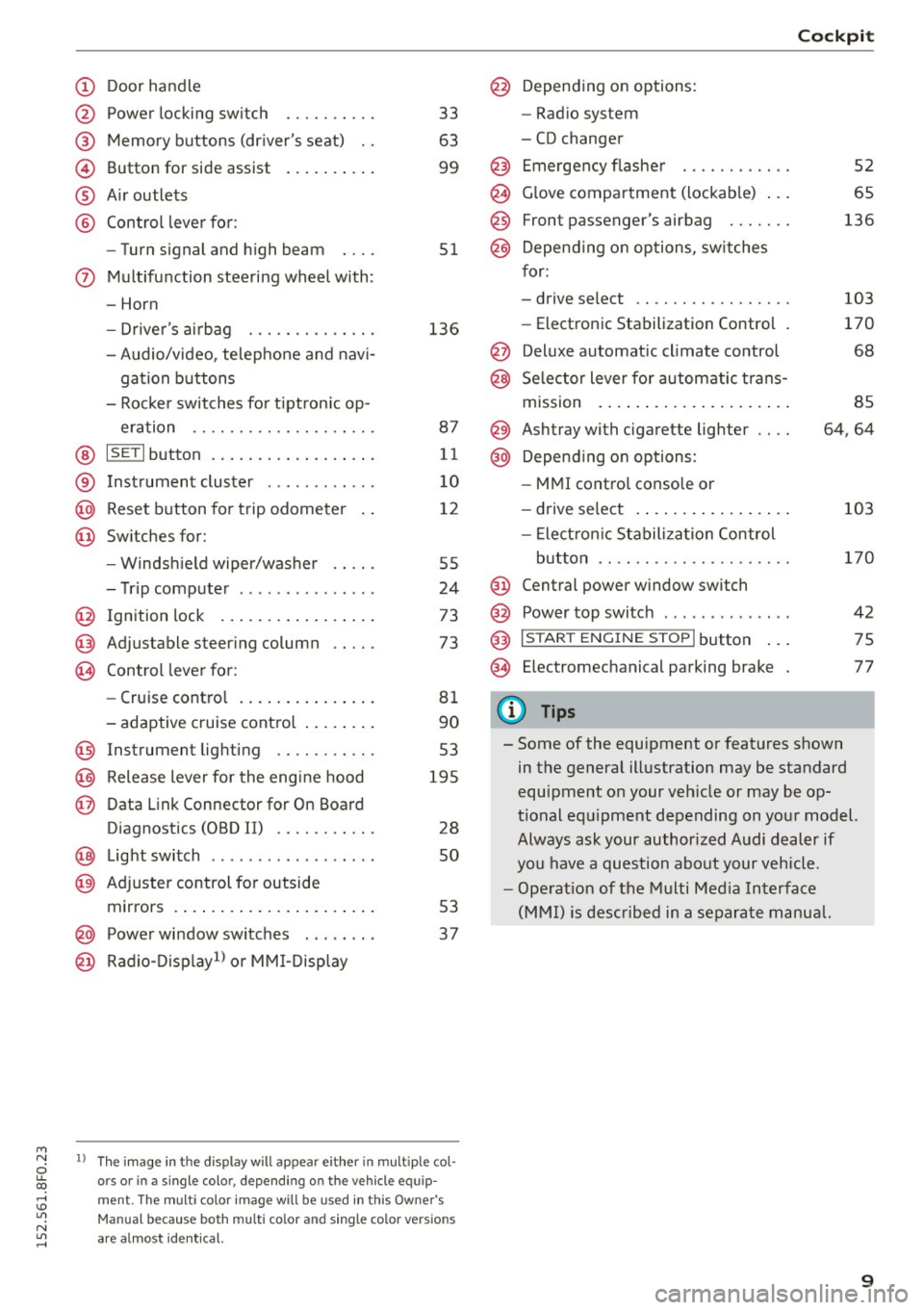
Door handle
Power locking switch
Memory buttons (driver's seat) . .
Button for side assist
A ir outlets
Control lever for :
- Turn signal and high beam
0 Multifunction steering wheel with :
- Horn
- Driver's airbag ....... .... .. .
- Audio/video, telephone and navi-
gation buttons
- Rocker switches for tiptronic op-
eration ................... .
@ ISETI button ................. .
® Instrument cluster ..... .. .. .. .
@
@ Reset button for trip odometer
Switches for:
- Windsh ield wiper/washer
- Trip computer . ....... .. .. .. .
I gnition lock ................ .
Adjustable steering column
Control lever for:
- Cruise control .............. .
- adaptive cruise control ....... .
@ Instrument lighting ........ .. .
@ Release lever for the engine hood
@ Data Link Connector for On Board
Diagnostics (OBD II) ........ .. .
@ Light switch ........ ... .. .. .. .
@ Adjuste r control for outside
mirrors . ... .............. ... .
@ Power window switches ... .... .
@ Radio-Disp lay1l or MMI-Display
33
63
99
51
136
87
11
10
12
55
24
73
73
81
90
53
195
28
so
53
37
l ) The image in t he d is pl ay w ill appear e ither in multiple col
o rs or in a single colo r, depending on the vehicle e quip
ment. The mult i color image will be u sed in this Owner 's
Manual because both multi co lo r an d single colo r ve rs io n s
are a lmost identical.
@
@
@
Depending on options:
- Radio system
- CD changer
Emergency flasher
Glove compartment (lockable) .. .
Front passenger's airbag ...... .
Depend ing on options, switches
for:
- drive select .. .............. .
- Electronic Stabilization Control .
Deluxe automatic climate control
Selector lever for automatic trans-
mission . ..... .............. .
@) Ashtray with cigarette lighter
@ Depending on options:
- MMI control console or
- drive select . ............... .
- Electron ic Stabilization Control
button ...... ... .......... . .
@ Central power window switch
@ Power top switch . ... ..... ... . .
@ I START ENGINE STOPI button .. .
@ Electromechanical parking brake
0) Tips
Cockpit
52
65
136
103
170
68
85
64,64
103
170
42
75
77
- Some of the equipment or features shown in the general illustration may be standard
equipment on your vehicle or may be op
tional equipment depending on your model.
Always ask your authorized Audi dealer if
you have a question about your vehicle.
- Operation of the Multi Media Interface
(MMI) is described in a separate manua l.
9
Page 15 of 268

M N
ci u.. co ,...., \!) 1.1"1
N 1.1"1 ,....,
Indicator lights
Description
The indicato r lights i n the inst rument cluste r
bli nk or tur n on. They i ndi cate functions o r mal
f u nctions¢ &.
M essages may appear with some i nd icator lights .
A wa rni ng sig nal w ill sound at the same time.
The messages disap pear aga in after a s ho rt time.
To display a message ag ain, press the
ISE TI but
t on ¢
page 11. If several malfunc tions occur,
each of t he i ndicator/warning lamps will be dis
p layed in success ion for about two seconds at a
time.
Some ind icators ligh ts in the disp lay can turn on
in severa l colors.
8_ WARNING
- Failure to heed warning lights and other im
portant vehicle information may res ult in
serious persona l injury o r vehicle damage .
- Whenever sta lled or stopped for repa ir,
move the vehicle a safe distance off the
road, stop the engine, and t urn on the emer
ge ncy flasher ¢
page 52.
-The engine compartment of any mot or vehi
cle is a potentia lly hazardous area. Before
yo u check any thing in the engine compar t
ment, stop th e engi ne a nd let it cool dow n.
Always exercise extreme ca utio n w hen wor k
ing unde r the hood ¢
page 195.
Overview
Some in dica tor lights tu rn on b riefly to che ck the
f u nction o f that system when you swi tch the ig ni
tion o n. These systems are marked w ith a./ in
the following tables .
If one of these indicator
lights does not turn on, there is a malfunction in
that system.
Red indicator light s
--------------
US A models:
Brake system./
¢ page 15
Instruments and indicator lights
Canada model s:
Br ake sy stem ./
¢page 15
USA models:
Electromechanica l pa rking bra ke
¢ page 16
Canad a models:
Elec tromech ani cal p arking brake
¢ page 16
Safety be lts
¢ page 16
Electromechan ical steer ing ./
¢page 174
Battery
¢page 16
En gine oi l pressure
¢ page 17
Engine o il level
¢ page 17
En gine cooling sys tem
¢ page 1 7
Steering co lumn lock
¢ page 18
Ignitio n lock
¢ page 18
USA models:
Speed warning system
¢ page 79
Canad a models:
Speed warning system
¢ page 79
Adap tive cruise cont ro l./
¢ page 9 2
Yellow indicator lights
--------------
Power top ope rat ion
¢ page4 2
Elec tronic Stabili zation Cont ro l
( E SC) ./
¢page 18
Electronic Stabilization Contro l
(ESC) ./
¢page 18
13
Page 16 of 268

Instruments and indicator lights
"O~ I I ~ .,
14
Electronic Stabilization Control
( E SC)
<=:> page 170
USA models :
Anti-lock braking system (ABS) de
fective./
c::> page 19
Canada models :
Anti-lock braking system (ABS) de
fective./
<=:> page 19
USA models :
Safety systems ./
<=:>page 19
Canada model s:
Safety systems ./
<=:>page 19
Worn brake pads
c::>page20
Electromechanical parking brake
<=:>page 16
Tire pressure monitoring
system./
c::> page 2 2 7
Tire pressure moni toring sys tem
c::> page 2 2 7
Elect ro nic power control./
c::>page20
Malfunct ion ind icator Lamp (MIL)
./
c::> page20
Engine speed limit ation
c::> page20
Engine oil level
<=:> page 17
Engine oil sensor
c::> page20
Batte ry
<=:> page 16
Ta nk sys tem
c::> page20
Warm up e ng ine*
c::> page 191
Windsh ie ld washer fluid level
<=:> page 21
Windshie ld wipers
<=:> page 21
Remote contro l key
<=:> page 75
Battery in remo te control key
<=:> page 31
Defec tive light bulb wa rning
<=:> page 21
Fog lights
<=:>page 21
Rear fog lig ht(s)*
<=:> page 21
Headlight range control*
<=:> page 21
Adaptive light*
<=>page 21
Light -/rain sensor*
<=> page 21
Adaptive dampers*
<=>pag e22
Spor t differen tial *
<=>page22
Ig nition loc k
<=>page2 2
Steering co lumn lock
<=> page 18
Electromechanica l steer ing,
dynam ic steer ing*
./ <=:> page 174
Transmission
- mu ltit ronic, tiptronic
<=> page 88
- S tronic c::> page 88
Transmission
- S tronic
<=> page 88
Other indicator light s
--------------
Turn signals
<=>page22
Page 76 of 268

Driving
Sw itching the ignition on /off
If you would like to switch the ignition o n wit h
out starting the engine, fo llow these steps:
• Inse rt the key into the ignition lock.
• Press the key brief ly
wi thout p ress ing the b rake
pedal.
• To sw itch the ignition off , press the key again.
When starting the engine, major e lectr ica l loads
are sw itched off temporar ily.
You ca n only remove the key with the ignition
sw itched off .
If the engine should not start immedia tely , the
starti ng process is automatically stopped after a
short time . Repeat sta rting procedure .
A WARNING
-Never allow the engine to run in confined
spaces - dange r of asp hyxiation.
- Never remove the ignition key from the ign i
t ion loo k while the vehicle is moving . Other
wise, the steering lock cou ld sudden ly en
gage and you would not be able to steer the
vehicle.
- Always ta ke the key with yo u wheneve r you
leave your vehi cle. Otherwise, the engine
could be started or electrical eq uipment
s uch as the power windows cou ld be operat
ed . T his can lead to ser ious injury.
- Never leave ch ildren or persons requiring as
sistance unattended in the vehicle. The
doors can be locked using the remote trans
mitter, preventing peop le from escap ing
from the vehicle on their own in the event of an emergency . Depending on the time of
year, people inside the vehicle can be ex posed to very high o r very low tempe ra
t ur es.
([) Note
Avoid high engine rpm, full throttle and heavy
eng ine loads until the eng ine has reached op
erati ng temperature - otherwise you risk en
gine dam age.
74
-
@) For the sake of the env ironment
Do not let the engine run while pa rked to
warm up. Begin dr iv ing immediately. Th is re
d uces unnecessary em iss ions .
@ Tips
-If the key cannot be removed from the igni
t ion lock, you have to pu ll the mechan ica l
key out of the master key in order to be able
to lock the vehicle
c::, page 32.
- After starting a co ld engine, there may be a
br ief per iod of increased noise because the
oil pressure must first build up in the hy
draulic valve adjusters. This is norma l and
not a cause fo r concern .
- If you leave the veh icle with the ignition
switched on, the ig nition w ill switch off af
ter a ce rtain period of t ime . Pleas e note tha t
ele ct rical eq uipme nt such as e xterior lights
w ill switch off a s well when that hap pens.
Starting the vehicle with the emergency
key
Applies to vehicles: with ignition lock
You can use the emergen cy key as an igni tion key
in an emergency.
F ig. 89 G love co mp art men t: Adapte r fo r em erge ncy key
Fi g. 9 0 Insert e merg ency key into t he ad ap ter
Page 77 of 268

M N
ci LL co
rl I.O
"' N
"' rl
.. Tak e the adapter for the emergency key out of
the glove compartment
r=:> fig. 89.
.. Push the emergency key r=:> fig. 90 fully into the
adapter. Make sure that the Audi rings are fac
ing up.
.. Press the emergency key in the adapter down
until it latches audibly.
.. Insert the adapter with the emergency key for
ward into the ignition switch . The engine can
now be started as usual.
Stopping the engine
Applies to vehicles: with ig ni tion lock
.. Bring the vehicle to a full stop.
.. Automatic transmission: Move the selector lev
er to the P or N position.
.. Press on the ignition key. The engine is turned
off .
.. You can now remove the key.
Steering lock
The steering locks when you remove the ignition
k ey. The locked steering helps prevent vehicle
theft.
Emergency off
If it is necessary in unusual circumstances, the
engine can be switched off while the vehicle is
moving. The engine will be switched off if you
press on the key for an extended period.
A WARNING
- Never turn off the engine before the vehicle
has come to a complete stop. The full func
tion of the brake booster and the power
steering is not guaranteed . You must use
more force to turn or brake if necessary. Be
cause you cannot steer and brake as you
usually would, this could lead to crashes
and serious injuries.
- For safety reasons, you should always park
your vehicle with the selector lever in P. Oth
erwise, the vehicle could inadvertently roll
away.
- The radiator fan can continue to run for up
to 10 minutes even after you have turned
off the engine and removed the ignition key.
Driving
The radiator fan can also turn on again if the
engine coolant heats up because of intense
sunlight or heat build-up in the engine com
partment.
- Always take the key with you whenever you
leave your vehicle. Otherwise, the engine
could be started or electrical equipment
such as the power windows could be operat
ed. This can lead to serious injury.
- Never leave children or persons requiring as
sistance unattended in the vehicle. The
doors can be locked using the remote trans
mitter, preventing people from escaping
from the veh icle on their own in the event of
an emergency. Depending on the time of
year, people inside the vehicle can be ex
posed to very high or very low tempera
tures.
(D Note
If the engine has been under heavy load for
an extended period, heat builds up in the en
gine compartment after the engine is switch
ed off -there is a risk of damaging the engine.
Allow the engine to run at idle for about two minutes before switching it off.
Convenience key
Starting the engine
Applies to vehicles: wi th convenience key
The !START E NGIN E STOPI button switches the
ignition on and starts the engine.
Fig. 91 Center console : START ENGINE STOP button
Starting the engine
.. Step on the brake pedal and move the selector
lever to P or N
¢ &_ . .,.
75
Page 78 of 268

Driving
"'Press on the I START ENGINE STOPI button
¢fig. 91 -the engine wi ll start.
Switching the ignition on /off
If you would like to sw itch the ignition on with
out start ing the e ng ine, fo llow these steps:
"' Press the
!START ENGINE STOPI button with -
out pressing the brake pedal.
"'T o sw itch the ignition off, press the but to n
again.
If the engine sho uld not start immed iately, the
starting p rocess is a utomat ically stopped after a
short time. Repeat sta rting procedure.
When starting the engine, major e lectr ica l loads
are sw itched off temporar ily .
After a cold engine is started, there may be a brief period of increased noise because oil pres
sure must first build up in the hydraulic valve ad
justers. This is normal and not a cause for con
cern.
_& WARNING
- Never allow t he engine to ru n in co nfine d
spaces -dange r of asp hyxiation.
- Never turn off the engine unti l the vehicle
h as come to a comp lete stop.
- Always ta ke t he key with yo u w heneve r you
leave your vehi cle. Otherw ise, the eng ine
c ou ld be started or ele ct rical eq uipment
s u ch as the power w indows co uld be operat
ed. This can lead to serious injury.
- Never leave ch ild ren o r persons requ iring as
sistance unattended in the vehicle. The doo rs can be locked using the remote trans
mitter, preventing peop le from escap ing
from the vehicle on their own in the event of
an emergency. Depending on the time of
year, people inside the vehicle can be ex
posed to very high o r ve ry low tempe ra-
tu res.
(D Note
- Avoid high eng ine rpm, fu ll throttle and
heavy engine loads until the engine has
r eached operating tempe rat ure - otherwise
you r isk eng ine damage.
76
-
@ For the sake of the environment
Do not let the engine run while pa rked to
warm up. Begin dr iv ing immediately. Th is re
d uces unnecessary em issions.
(!} Tips
- After starting a col d en gine, t here may be a
br ie f per iod of increased noise because the
oil pressure must first bui ld up in the hy
draulic valve adjusters. This is norma l and
not a cause for concern.
- If you leave the veh icle with the ignition
switched on, the ig nition w ill switch off af
ter a ce rtain period of time. Please note that
e lect rical equipment such as exte rior lights
wi ll switch off as well when that happens.
Switching engine off
App lies to vehicles: wi th convenience key
"' Br ing your vehi cle to a comple te stop.
"' Move the se lector lever to the P o r N pos ition.
"' Press the
I START ENGINE STOP ! button
r=>poge 75, fig. 91.
Steering lock
The steer ing lo cks w hen yo u tur n the eng ine off
u sing the
I START ENGINE STOP I button a nd open
the d river's doo r. The loc ked steering helps pre
vent ve hicle theft .
Emergency off
If necessary, the e ngine can be switched off with
the se lec to r lever in the R or D/S posi tions. The
engine s tops if you press a nd ho ld the
I START ENGI NE STOP I button at speeds below
6 mph (10 km/ h) and press the brake peda l.
_& WARNING
-Never turn off the engine before the vehicle
has come to a complete stop. The full func
tion of the brake booster and the power
steer ing is not guaranteed. You must use
more force to turn or b rake if necessary. Be
caus e you cannot stee r and brake as you
usually wo uld, this cou ld lead to crashes
a nd se rio us in juries.
~
Page 80 of 268
Driving
"'Pu ll on the switch @ ¢fig. 92 to apply the
parking brake . The indicator lights in the switch
and . (USA models)/ . (Canada mode ls) in
the inst ru ment cluste r il lum inate.
"' With the ign ition switched on, step on the
brake pedal or the accelerator pedal and press
the switch @ at the same t ime to release the
parking b rake . The indicator lights in the switch
and . (USA models)/ . (Canada mode ls) in
the instr ument cluster go o ut.
Your veh icle is equipped w ith an electromechan i
cal parking b rake. The par king b rake is designed
to p revent the veh icle from rolling unintentional
ly and replaces the hand brake.
In addition to the norma l funct ions of a tradit ion
a l hand bra ke, the e lectromechan ical pa rking
b rake provides var ious convenience and safety
f u nctions.
When start ing f rom rest
- The integral starting assist helps you when
driv ing by automat ically releasing the parking
brake ¢
page 78, Starting from rest.
-When sta rting on inclines , the starting assist
prevents the vehicle from un intent ionally roll
ing back. The bra kin g for ce of the par kin g b rake
is no t released until sufficien t driv ing fo rce has
been built up at the wheels .
Emergency brake function
An emergency brake ensures that the vehicle ca n
be slowed down even if the
normal brakes fa il
¢ page 79, Emergency braking.
A WARNING
If a drive range is eng age d with the vehicle
stationary and the engine running, you mus t
in no instance accelerate careless ly . Otherwise
the vehicle will start to move immed iate ly
r isk of an accident.
(D Tips
- If the parking brake is applied with the igni
tion switched off, the indicator lights in the
switch and -(USA models) . (Cana
da models) in t he instrument cl uster will go
out after a certa in period of time.
78
- Occasional noises when the pa rking brake is
applied an d released a re norma l and are not
a cause for concern .
- Whe n the vehicle is pa rked, the park ing
brake goes through a self-test cycle at regu
lar intervals. Any associated noises are nor
ma l.
Parking
"'Press the brake pedal to stop the veh icle .
"' Pull the sw itch @¢
page 77, fig. 92 to set the
parking brake .
"' Move the se lector lever to P.
"' Tur n the engine off ¢_& .
"' When on inclines or de clines, turn the steering
wheel so that the veh icle will roll into the curb
if it begins to move.
A WARNING
-
- When you leave your vehicle -even if only
briefly - always remove the ignition key. This
applies pa rticularly when children remain in
the vehicle . Otherwise the ch ild ren could
start t he engine, release the parking b rake
or operate elect rical equipment (e.g. power
w indows). There is the risk of an acc ident.
- When the veh icle is locked, no one -part icu
larly no t chi ld ren shou ld remain in the ve hi
cle. Lo cked doors m ake it more d ifficul t for
emergency workers to get into the veh icle -
putting lives at risk.
Starting from rest
The star ting assist function ensures that the
parking brake is released automatically upon
starting .
Stopping and applying parking brake
"' Pull the sw itch @¢ page 77, fig. 92 to apply
the par kin g b rake.
Starting and automatically releasing the
parking brake
"' When you sta rt to dr ive as usual, the park ing
bra ke is automatically released and yo ur vehicle
beg ins to move. .,_
Page 105 of 268
M N
ci u.. co ,...., \!) ..,.,
N ..,., ,....,
Audi drive select Driving settings
Introduction
App lies to vehicles: with Audi drive select
Drive select provides the possibi lity to experience
d ifferent types of vehicle settings in one vehicle.
F or instance, using the three
Comfort, Auto and
Dynamic modes, the driver can switch from a
sporty to a comfortable driving mode with the
press of a button.
Addit ionally, in vehicles with
MM I*, the vehicle
setup for
Individual* mode can be customized by
you. This makes it possib le to combine settings
such as a sporty engine tuning with comfortab le
steering .
A WARNING
-
Improper use of the Audi drive select can
cause collisions, other acc idents and serious
personal injury.
Description
App lies to vehicles: with Audi drive select
The vehicle setup in each mode depends on the
veh icle's featu res . However, the engine, automat
ic transmission and steering are always involved.
Engine and automatic transmission
Depending on the mode, the engine and the au
tomatic transmission respond quicker or in a
more balanced manner to accelerator pedal
movements. In the sporty dynamic mode, the au
tomatic transmission shifts at higher RPMs .
Steering
The steering adapts in terms of steering effort
and steering ratios. Ind irect steer ing that moves
eas ily, like the steering in comfort mode, is best
suited to long drives on a highway. In contrast,
dynamic mode provides sporty, direct stee ring.
The follow ing applies to vehicles with dynam ic
steer ing*: the steering ratio changes based on ve
hicle speed in order to maintain optimum steer
ing effort for the dr iver at all times. This sets the
steer ing to be less sensitive at higher speeds in
Audi drive select
order to provide improved vehicle control. At re
duced speeds, however, steering is more direct in
order to keep the steering effort as m inima l as
possib le when the driver is maneuvering the vehi
cle. At low and average speeds, dynamic steering
additionally provides more responsive steering performance.
Adaptive dampers*
The adaptive dampers* use sensors to record in
formation regarding steering movements, braking and acceleration operations by the driver,
road surface, driving speed, and load. This makes
i t possible to adapt damping to the driving situa
t ion virtually in real t ime . Drive select also makes
it possible to sat isfy the desire for sporty suspen
s ion (Dynamic) and comfortab le suspension
(Comfort) without giving up ba lanced tuning (Au
to) .
Sport differential*
As a component of the all whee l dr ive system
(quattro)
~ page 174, the sport differential* dis
tributes the driving power to the rear axle de
pending on the situation. The dist ribution of
power varies depending on the mode selected.
The goal is a high level of agility and ability to ac
ce lerate on curves. The vehicle is very responsive
to steering.
Audi adaptive cruise control*
T he behavior when accelerating can be adjusted
from comfortable to sporty, depending on the
drive select mode. Adaptive cruise control also
responds to the driving behavior of the vehicle
ahead in a more conservative or sporty manner.
Engine sound*
The sound of the engine is adapted to the select
ed mode and ranges from subtle to sporty.
(D Tips
- In some models, the maximum vehicle
speed can only be reached in the
Auto and
Dynamic modes.
- For vehicles with an automatic transmis-
sion, selecting the
Dynamic mode results in ..,.
103