radio AUDI A5 CABRIOLET 2017 Owners Manual
[x] Cancel search | Manufacturer: AUDI, Model Year: 2017, Model line: A5 CABRIOLET, Model: AUDI A5 CABRIOLET 2017Pages: 266, PDF Size: 66.64 MB
Page 9 of 266
a:,
a:,
...... N r--. N ...... 0
0
LL 00
CD
@
®
©
®
®
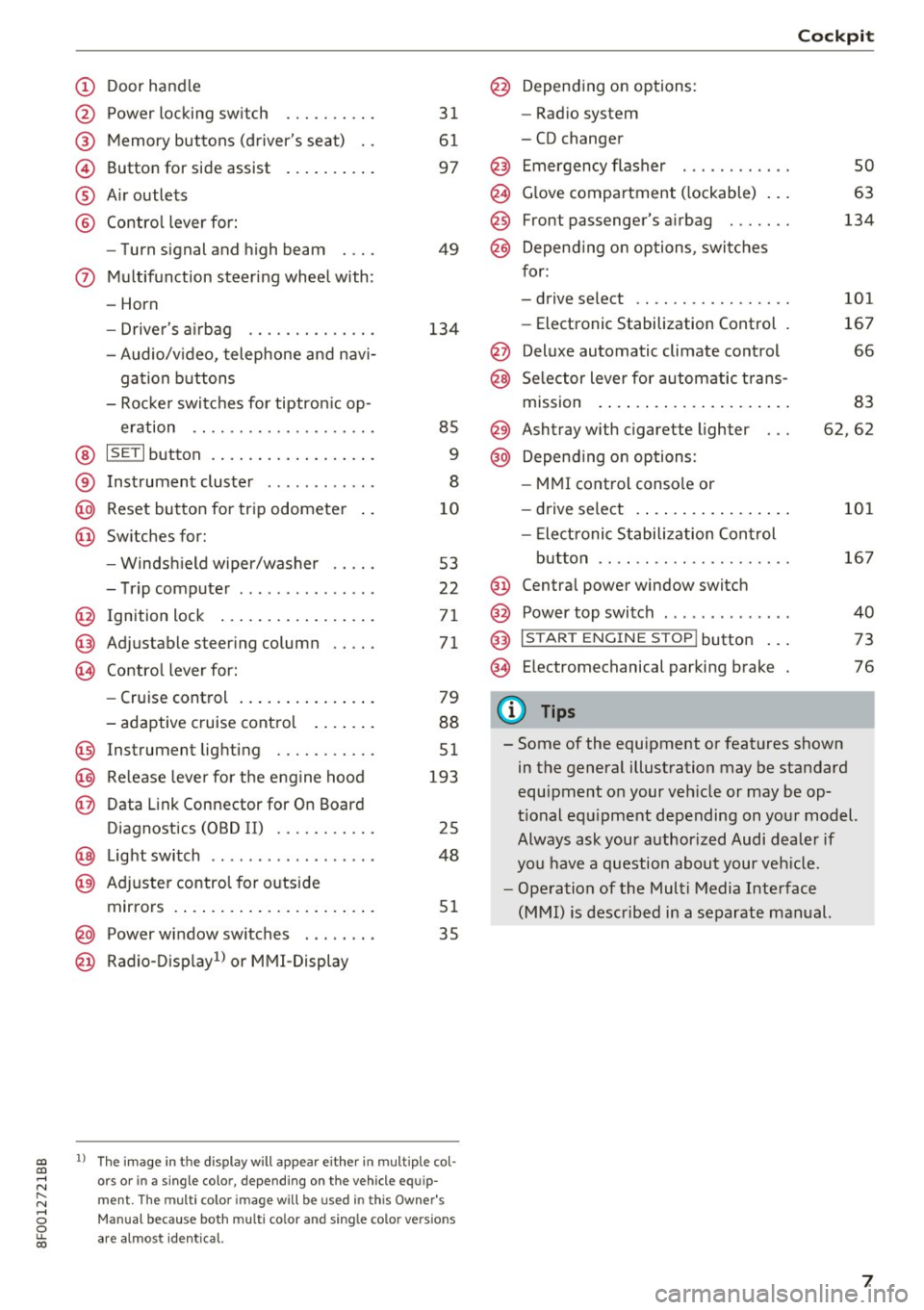
Door handle
Power locking switch
Memory buttons (driver's seat) . .
Button for side assist
A ir outlets
Contro l lever for:
- Turn signal and high beam
0 Multifunction steering wheel with:
- Horn
- Driver's airbag ........... .. .
- Audio/v ideo, telephone and nav i-
gation buttons
- Rocker switches for tiptron ic op -
eration .. ............. .. .. .
@ ISETI button ................ . .
® Instrument cluster ........... .
@
@ Reset button for trip odometer
Switches for:
- Windsh ield wiper/washer
- Trip computer .............. .
I gnition lock ................ .
Adjustable steering column
Contro l lever for:
- Cruise control .............. .
- adaptive cruise control ..... . .
@ Instrument lighting ........ .. .
@ Release lever for the engine hood
@ Data Link Connector for On Board
Diagnostics (OBD II) ........ .. .
@ Light switch ..... ....... ..... .
@ Adjuste r contro l for outside
mirrors . ... ................ . .
@ Power window switches . .. .... .
@ Radio-Display1l or MMI -Display
31
61
97
49
134
85
9
8
10
53
22
71
71
79
88
51
193
25
48
51
35
ll The image in t he d is pl ay wil l appear either in m ultiple col
o rs or in a single colo r, depending on the vehicle e quip
ment. The multi co lor im age will be used in this Owne r's
Man ual bec ause both multi co lor and single co lo r ve rsio ns
ar e almo st identica l.
@ Depending on options:
- Radio system
- CD changer
Emergency flasher
G love compartment ( lockable) .. .
Front passenger's airbag ...... .
Depend ing on options, switches
for:
- drive select .. .............. .
- Electronic Stabilization Control .
@ Deluxe automatic climate control
@ Selector lever for automatic trans-
mission . ... .. .. ............ .
@ Ashtray with cigarette lighter
@ Depending on options:
- MMI control console or
- drive select . ... ............ .
- Elect ronic Stabilization Control
button .. .. .. .. ............ .
@ Centra l power window switch
@ Power top switch . ............ .
@ I S TAR T ENGINE S TOP I button .. .
@ Electromechanical parking brake
0) Tips
Cockpit
so
63
134
101
167
66
83
62,62
101
167
40
73
76
- Some of the equipment or features shown in the general illustration may be standard
equipment on your veh icle or may be op
tional equ ipment depending on your model.
Always ask your authorized Audi dealer if
you have a question about your vehicle.
- Operation of the Multi Media Interface
(MMI) is described in a separate manual.
7
Page 12 of 266
Instrumen ts and ind icator ligh ts
the I SET! button, you de lete the warning thresh
old.
Digital clock with date display and
Odometer
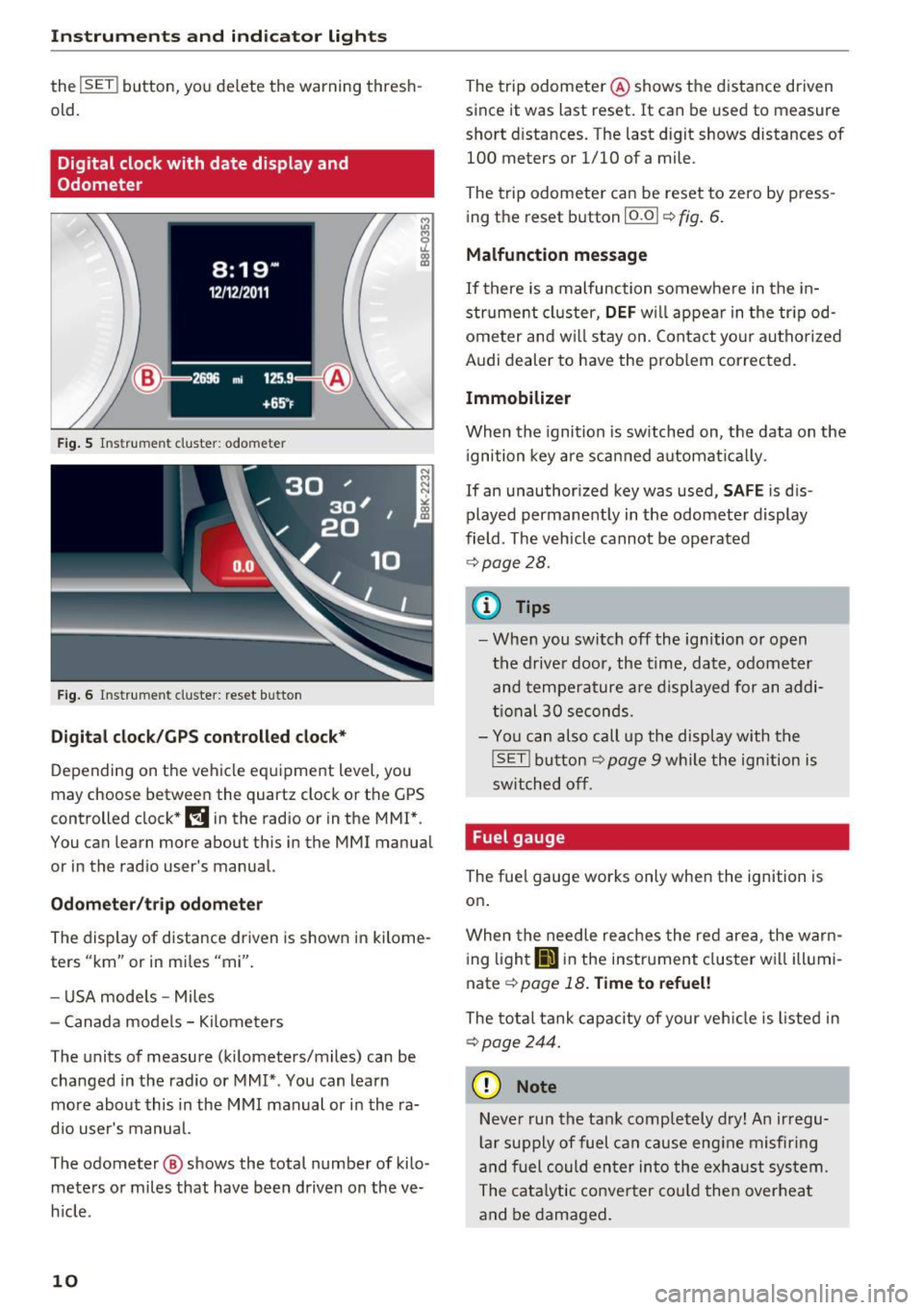
F ig . 5 Ins trum en t cluster: odo meter
Fig . 6 Instrument cluster: reset bu tton
Digi tal clock/GP S controll ed cl ock*
Depending on the vehicle equipment level, you
may choose between the quartz clock or the
GPS
controlled clock* l!j in the radio or in the MMI *.
You can learn more about this in the MMI manual
or in the rad io user 's manual.
Odometer /t ri p odomete r
The display of distance driven is shown in kilome
ters "km" or in miles "mi".
- USA mode ls - Miles
- Canada models - Kilometers
The units of measure (kilometers/miles) can be changed in the radio or MMI* . You can learn
mo re about this in the MMI manual or in the ra
d io user's manual.
The odometer @ shows the total number of kilo
meters or miles that have been driven on the ve
h icle .
10
The trip odometer @ shows the distance driven
since it was last reset.
It can be used to measure
short distances. The last digit shows distances of
100 meters or 1/10 of a mile .
The trip odometer can be reset to zero by press
ing the reset button
!O.O I ¢ fig. 6.
Malfunction message
If there is a malfunction somewhe re in the in
strume nt cluster,
DEF w ill appear in the tr ipod
ometer and w ill stay on. Contact yo ur authorized
Aud i dealer to have the prob lem corrected.
Immobilizer
When the ignition is switched on, the data on the
i gnition key are scan ned automat ica lly .
If an unauthor ized key was used,
SAFE is d is·
played permanently in the odomete r display
field . The vehicle cannot be operated
¢ page 28.
{i) Tips
- When you switch off the ignition or open
the driver door, the time, date, odometer
and tempe rature are displayed for an addi
tional
30 seconds.
- You can also call up the display with the
!SE T! button¢ page 9 w hile the ign ition is
switched off .
Fuel gauge
The fuel gauge works only when the ignition is
on.
When the needle re aches the red area, the warn
i ng l ight
li'J in the instrument cluster wi ll illumi
nate ¢
page 18. Time to refuel!
The tota l tank capacity of your ve hicle is listed in
¢ page 244.
(D Note
Neve r run the tan k comp letely dry! An ir regu
l a r supply of fuel can cause eng ine misfiring
and fuel could enter in to the exhaust system .
The cata lytic conver ter cou ld the n overheat
and be damaged.
Page 23 of 266
a:,
a:,
...... N
" N ...... 0
0
LL co
Driver information
system
Introduction
The Driver information display inside the instru
ment cluster provides you, the driver, with im
portant information.
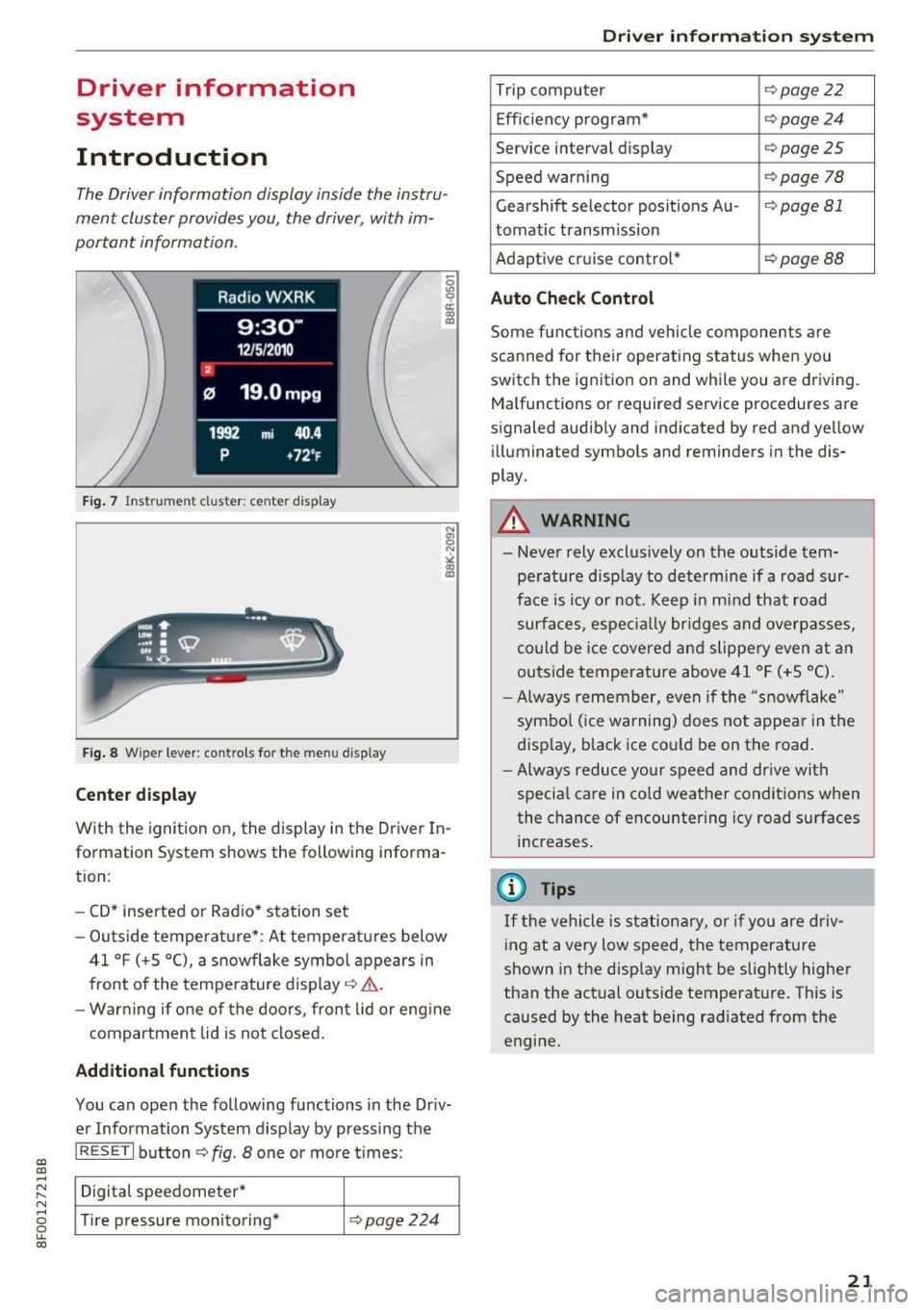
Fig. 7 Instrument cluster: ce nter display
Fig. 8 Wipe r lever: contro ls for the menu display
Center display
With the ignition on, the display in th e Driver In
formation System shows the following informa
tion :
- CD* inserted or Radio* station set
- Outs ide temperature*: At temperatures below
41 °f (+S
0
(), a snowflake symbol appears in
front of the temperature display¢ ,1,. .
- Warning if one of the doors, front lid or engine
compartment lid is not closed.
Additional functions
You can open the following functions in the Driv
er Information System display by pressing the
I RESETI button¢ fig. 8 one or more t imes :
Digital speedometer*
Tire pressure monitoring*
¢pag e224
Driver in forma tion system
Trip computer ¢page22
Efficiency program* ¢page24
Service interval display ¢page25
Speed warning ¢page 78
Gearshift selector posit ions Au -i=>page 81
tomatic transm ission
Adaptive cruise control*
¢ page 88
Auto Check Control
Some functions and vehicle components are
scanned for their operating status when you
switch the ignition on and while you are driving. Malfunctions or required service procedures are
signaled audibly and indicated by red and yellow
illum inated symbols and reminders in the dis
play.
A WARNING
--
- Never rely exclus ively on the outside tem
pe rature display to determine if a road sur
face is icy or not. Keep in m ind that road
surfaces, especially bridges and overpasses,
could be ice covered and slippery even at an
outside temperat ure above 41 °f (+S °C).
- Always remember, even if the "snowflake"
symbol (ice warning) does not appear in the
display, black ice could be on the road.
- Always reduce your speed and dr ive with
specia l care in cold weather conditions when
the chance of encountering icy road surfaces
increases.
(j) Tips
If the vehicle is stationary, or if you are driv
ing at a very low speed, the temperature
shown in the disp lay might be slightly higher
than the actual outside temperature. This is
caused by the heat being radiated from the
engine.
21
Page 25 of 266
a:,
a:,
.... N r--. N .... 0
0
LL 00
(memory level 2). The fuel pump nozzle iii
indicates the efficiency program*¢ page 24.
Single-trip memory (Trip computer 1)
The single-trip memo ry stores the trip informa
tion from the tim e the igni tion is turned on until
it is turned
off. If the tr ip is continued within 2
hours from the time the ignition was turned off,
the new data will be included in the calculation of
the current trip information.
If the trip is inter
rupted for
more than 2 hours the memory is re
set automat ically.
Total -trip memory (Trip computer 2)
Unlike the single-trip memory, the tota l-trip
memory is not reset automatically. This permits
you to evaluate your driving data for the entire
period between manual resets.
Efficiency program*
The efficiency program can help you to use less
fuel¢
page 24.
Operation
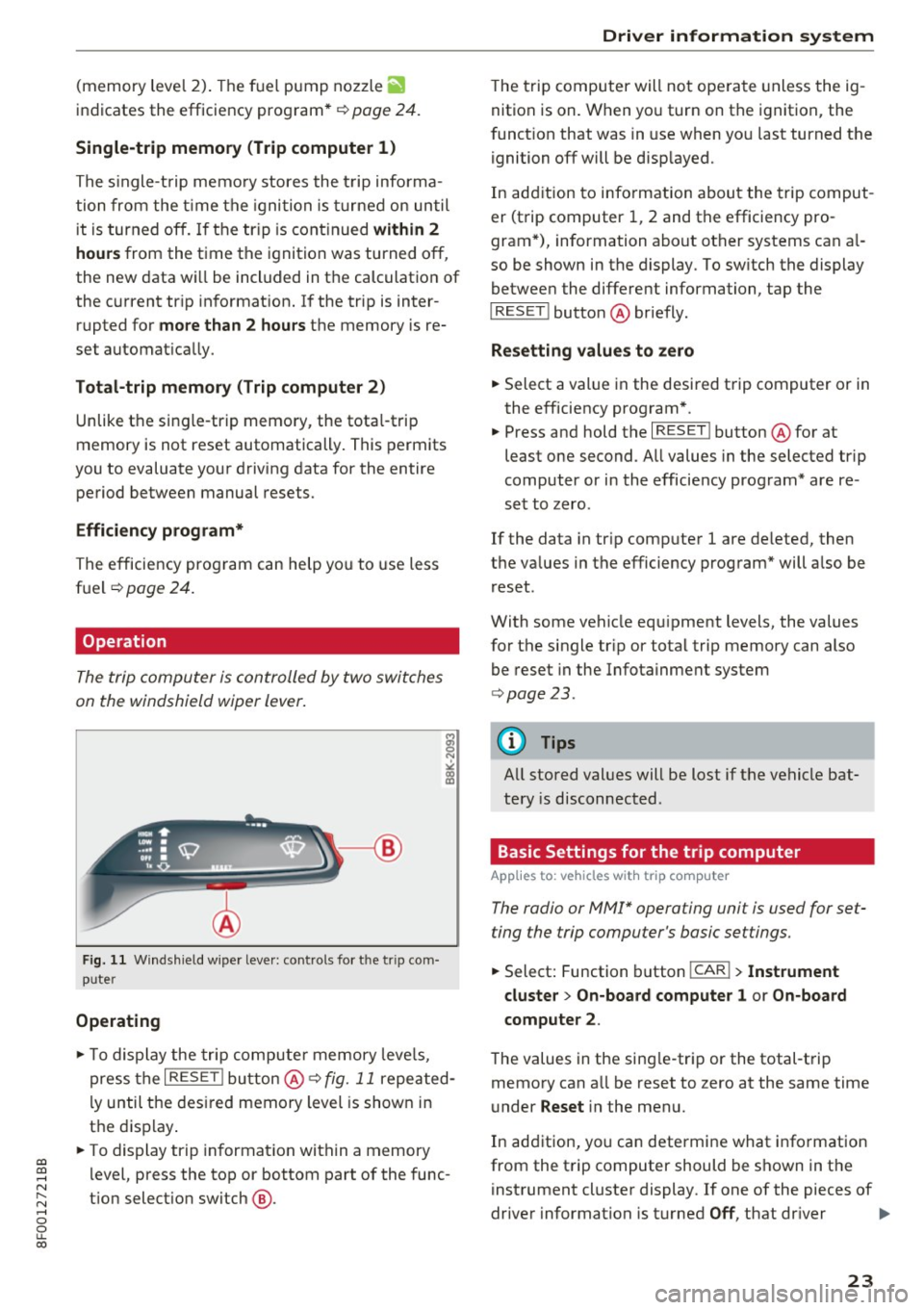
The trip computer is controlled by two switches
on the windshield wiper lever.
Fig. 11 Wind shield w iper leve r: controls fo r th e tr ip com
p u ter
Operating
"'To display the trip computer memory levels,
press the
I RESE T! button @¢ fig. 11 repeated
ly until the desired memory level is shown in
the display.
"' To display trip information within a memory
level, press the top or bottom part of the func
t ion selection switch @.
Driver information system
The trip computer will not operate unless the ig
nition is on. When you turn on the ignition, the
function that was in use when you last turned the
ignition off will be disp layed.
In addition to information about the trip comput
er (trip computer 1, 2 and the efficiency pro
gram*), information about other systems can al
so be shown in the display. To sw itch the display
between the different information, tap the
I RESET ! button@ briefly .
Resetting values to zero
.,. Select a value in the desired trip computer or in
the efficiency program* .
"' Press and hold the
I RESET ! button@ for at
least one second . All values in the selected trip
computer or in the efficiency program* are re
set to zero .
If the data in tr ip computer 1 are deleted, then
the values in the efficiency program* will also be
reset .
With some vehicle eq uipment levels, the values
for the single trip or total trip memory can also
be reset in the Infotainment system
¢page 23.
(D Tips
All stored values will be lost if the vehicle bat
tery is disconnected .
Basic Settings for the trip computer
Applies to: vehicles with trip computer
The radio or MM!* operating unit is used for set
ting the trip computer 's basic settings.
.,. Select: Function button !CAR !> Instrument
cluster
> On-board computer 1 or On-board
computer
2 .
The values in the sing le-trip or the total-trip
memory can all be reset to zero at the same time
under
Reset i n the menu.
In addition, you can determine what information
from the trip computer should be shown in the
instrument cluster display . If one of the pieces of
driver information is turned
Off , that dr iver 1111>
23
Page 27 of 266
messages appear automatically and are only dis
p layed in the efficiency program. The fuel econo
my messages turn off a utomat ically after acer
tain period of time.
.. To turn a fuel economy message off immedi
ately after it appears, press the I RESE T I button
¢ page 23, fig. 11 @, or
.. Press the function select ion switch ¢
page 23,
fig. 11
@ .
(D Tips
-Once you have turned a fuel economy mes
sage off, it will on ly appear again after you
turn the ignit ion on again.
- The fuel economy messages are not dis
played in every instance, but rather in inter
vals over a period of t ime .
Service interval display
The service interval display reminds you when
your next service is due .
The schedule for the next oil change or inspec
tion is calculated automatically and displayed ac
cord ingly . The display works in two stages :
Service rem inder
30 days before the next service is due, a service
reminder appears in the d isp lay when you turn on
the ignition.
After about 5 seconds the display switches back
to normal. The distance and time remain ing are
updated each time the ignition is turned on until
the date due for service is reached.
Se rvi ce due
When the due date for service is reached, the
m essage
Ser vice due! appears in the instrument
cluster immediately after you turn on the igni
tion . Additionally, a warning tone sounds. After
about 5 seconds the d isplay sw itches back to nor
mal.
Call ing up the servic e schedules
a:,
a:,
...... If or when an oil change or inspection is due, can N
~ be shown in the radio or MM!* d isplay by select-,.....
8 ing the serv ice interval d isplay in the car menu. LL 00
Dri ver informa tion system
Select I CAR I funct ion but ton > Se rvice i nterval
di spla y
or ICARI function button > Car systems *
control button > Ser vicing & checks.
Resetting the service int erval display
Yo ur autho rized Aud i dea le r will reset the co rre
sponding serv ice schedu le after performing the
appropriate service on your vehicle . You also have
the possibility to reset the oi l change schedule
after having performed an oil change accord ing
to Audi specifications. SelectlCAR lfunction but
ton
> Ser vice inter val display > Re set oil change
int erval
or ICARI function button > C ar systems *
control button > Se rvi cing & checks > Re set oil
change inter val.
(D Note
- Only reset the oil change display when you
have completed an o il change.
- If you disconnect the battery term inals, no
calcu lations can be made for the se rvice in
terva l display dur ing th is time and no serv
i c e rem inder will appear. Remembe r that
observ ing the proper serv ice i ntervals is vi
t ally impo rtan t to ex tending the life o f your
vehicle, particular ly the engine, and ma in
taining its va lue . Even if the mileage driven
is low, the maximum period o f one yea r
from one service to the next must not be ex
ceeded.
(D Tips
The information in the Serv ice Reminder re
mains stored even when the vehicle battery is
disconnected.
On Board Diagnostic
System (OBD)
Malfunction Indicator Lamp (MIL)
The Malfunction Indicator Lamp (MIL) ¢4 in the
instrument cluster is part of the On-Board Diag
nostic (OBD II) system .
The warning/indicator light ill uminates when the
ignition is sw itched on and goes out after the en
gine starts and the idle has stab ilized . This indi-
cates that the MIL is working properly . ..,.
25
Page 31 of 266
a:,
a:,
...... N
" N ...... 0
0
LL co
-Do not remove the key from the ignition
lock until the vehicle has come to a com
plete stop . Otherwise the steer ing column
lock could suddenly engage -causing the
risk of an accident .
(D Tips
-The operation of the remote control key can
be temporarily d isrupted by interference
from transmitters in the vicinity of the vehi
cle work ing in the same frequency range
(e .g. a cell phone, radio equipment).
- For security reasons, replacement keys are
only available from authorized Aud i dea ler .
- For Declaration of Compliance to Un ited
States FCC and Industry Canada regulations
<::;> page 2 49.
Removing the mechanical key
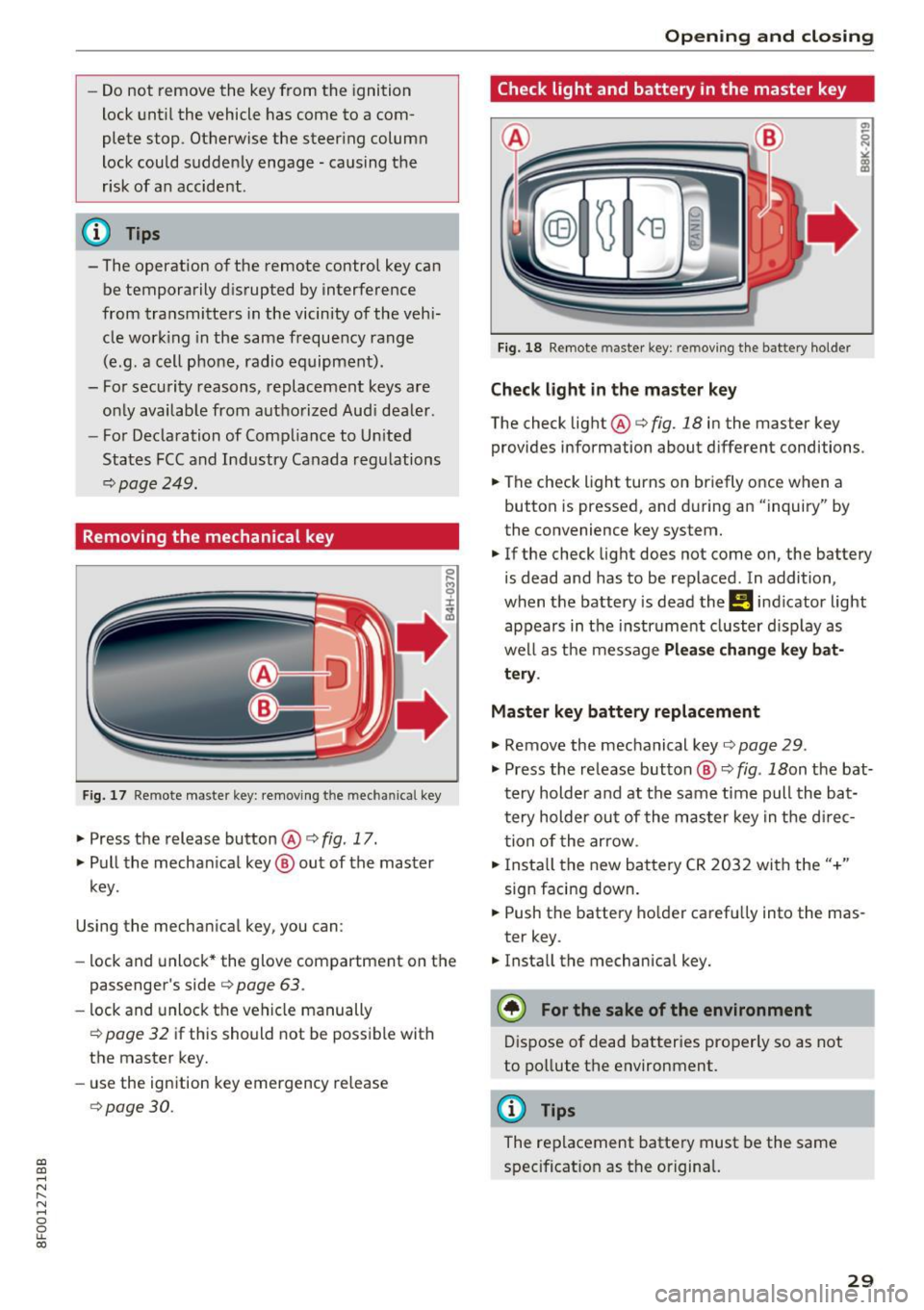
Fig. 17 Remote master key: removing t he m ec hani ca l key
.,. Press the release button @o fig. 17.
.,. Pull the mechan ical key ® out of the master
key.
Using the mechan ical key, you can :
- lock and unlock* the glove compartment on the
passenger's side
c> page 63 .
-lock and unlock the vehicle manually
opage 32 if this should not be poss ible with
the master key.
- use the ignition key emergency release
opage 30.
Open ing and closing
Check light and battery in the master key
Fig. 18 Remote master key: re moving the bat tery holder
Check light in the master key
The check light@o fig. 18 in the master key
provides information about d ifferent conditions .
.,. The check light turns on briefly once when a
button is pressed, and during an "inquiry" by
the convenience key system.
.,. If the check light does not come on, the battery
is dead and has to be replaced . In addition,
when the battery is dead the
Ill indicator light
appears in the instr ument cluster display as
well as the message
Please change key bat
tery .
Master key battery replacement
.,. Remove the mechanical key o page 29 .
.,. Press the re lease button ® o fig. 18on the bat
t ery holder and at the same time pull the ba t
tery holder out of the master key in the d irec
tion of the arrow .
.,. Insta ll the new battery CR 2032 with the"+"
sign facing down .
.,. Push the battery holder carefu lly into the mas
ter key .
.,. Install the mechanical key.
@) For the sake of the environment
Dispose of dead batteries properly so as not
to pollute the environment.
@ Tips
The replacement battery must be the same
specificat ion as the original.
29
Page 32 of 266
Opening and clo sin g
Emergency unlocking of the ignition key
In the event of malfunctions in the electrical sys
tem, it may happen that you cannot remove the
ignition key.
.,. Remove the mechanical key c::;,poge 29.
.,. Lock the vehicle using the mechanical key
c::;, page 3 2.
.,. Have the electrical system inspected by an au
thorized Aud i dea le rship.
Locking and unlocking the vehicle with the
remote control
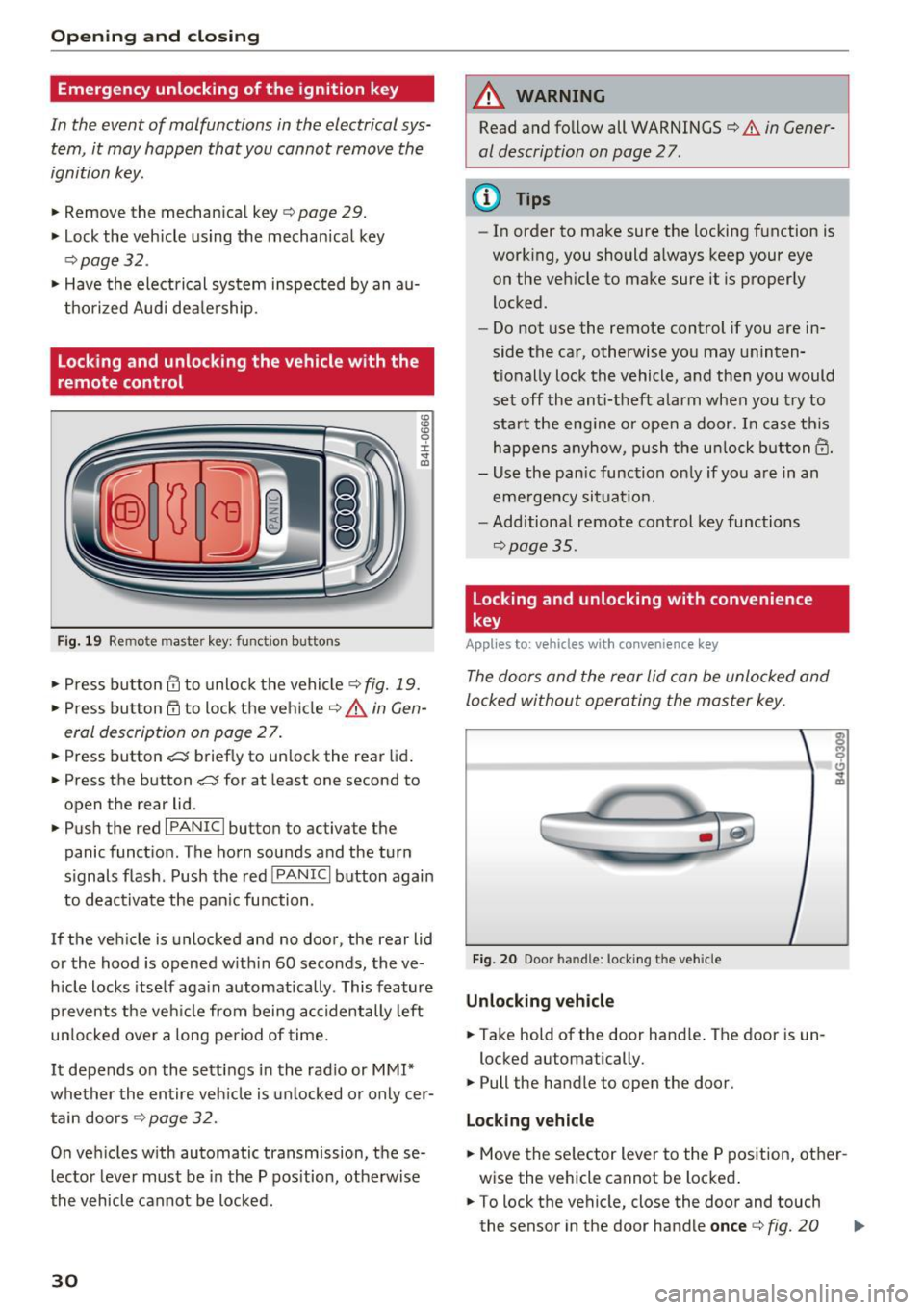
F ig. 19 Remote mas ter key: function buttons
:8
"' 0 ±
"' OJ
.,. Press bu tton III to unlo ck the vehicle ¢ fig. 19.
.,. Press button 6:'.i to lock the vehicle c:;, .&. in Gen
eral description on page 27 .
.,. Press button~ briefly to unlock the rear lid .
.,. Press the button
~ for at least one second to
open the rear lid .
.,. Push the red
I PANIC I button to activate the
panic function. The horn sounds and the turn
s ignals flash . Push the red
I PANIC I button again
to deactivate the pan ic fu nction .
If the vehicle is unlocked and no door, the rear lid
or the hood is opened w ith in 60 seconds, the ve
h icle locks itse lf aga in automatica lly . This feature
prevents the veh icle from being accidentally left
un locked ove r a long period of time.
It depends o n the settings in the radio or MM!*
whether the entire veh icle is unlocked or only cer
tain doo rs
c:;, page 32 .
On ve hicles with automatic transmission, these
lector lever must be in the P pos ition, otherwise
the vehicle cannot be locked.
30
A WARNING
Read and fo llow all WARNINGS c:;, & in Gener
al description on page 27.
(D Tips
- In order to make sure the locking function is
work ing, you should a lways keep your eye
on the vehicle to make sure it is properly
locked .
- Do not use the remote control if you are in
side the car, otherwise you may uninten
t ionally lock the vehicle, and then you would
set off the anti-theft a larm when you t ry to
sta rt the eng ine or open a door. I n case this
happens anyhow, push the un lock button@.
- Use the pan ic function on ly if you a re in an
emerge ncy sit uat io n.
- Additional remote cont rol key functions
c::;, page 35.
Locking and unlocking with convenience
key
App lies to : vehicles wi th conven ie nce key
The doors and the rear lid con be unlocked and
locked without operating the master key .
Fig. 20 Door hand le : locking th e veh icle
Unlocking vehicle
.,. Take hold of the door hand le . The door is un -
locked automatically.
.,. Pull the handle to open the door.
Locking vehicle
.,. Move the se lector lever to the P position, other
wise the vehicle cannot be locked .
.,. To lock the vehicle, close the door and touch
the sensor in the door handle
once c:;, fig. 20
Page 34 of 266
Opening and closing
using the opening function in the power lock
ing system switch
Iii .
Setting power locking
In the radio/MM!*, you can set which doors the
central locking system will unlock .
.,. Select : I C A RI funct ion button > Central locking .
Or
.,. Se lect : ICAR I functio n button> Car systems*
contro l button > Vehicle settings > (Central
locking)* .
Single door unlocking /Unlock doors* -
you can
specify which doors unlock when yo u open the ve
hicle.
- Selecting
off / All and pressing the~ button on
the remote control key unlocks the entire vehi
cle.
- Se lecting
on /Driver and press ing the ~ button
on the remote control key once unlocks only
the driver 's door. In vehicles w ith a convenienc e
key *, only the door whose hand le you pull will
unlock . If you press the @! button twice, the en
tire veh icle will unlock. If you press the
lm:I but
ton, the ent ire vehicle will a lways lock.
Luggage comp. lock/Lock exterior trunk handle
-If you se lect On , you can no longer open the
luggage compartment using the rear lid handle
<=>
page 33, fig . 24 . In this case , the rear lid can
be opened with the
1£1 button on the master key
¢ page 30, fig. 19 .
Tone when locking -if you select On , a tone will
sound when you lock the vehicle .
Auto Lock/Lock when driving -if you select On ,
the entire veh icle w ill lock automat ically when
the speed reaches 9 mph (15 km/h) .
32
Emergency locking
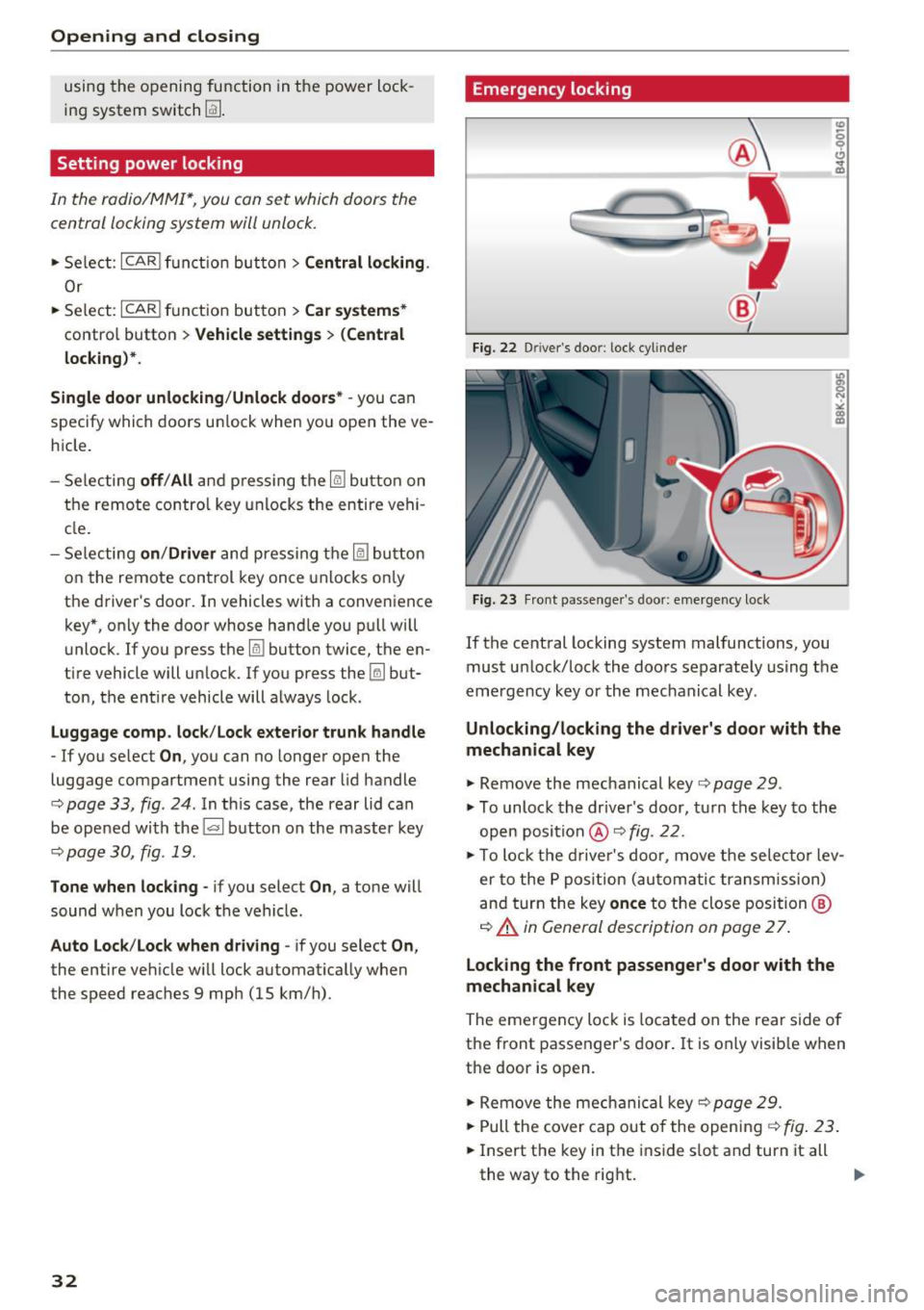
Fig. 22 Driver 's doo r: lock cylin der
Fig. 23 Fron t passenger's door: emergency lock
If the central locking system malfunctions, you
must unlock/lock the doors separately using the
emergency key or the mechanical key .
Unlocking/locking the driver's door with the
mechanical key
.,. Remove the mechanical key <=> page 29.
.,. To unlock the driver's door, turn the key to the
open position @<=>
fig. 22 .
.,. To lock the driver's door, move the selecto r lev
er to the P position (automatic transmission)
and turn the key
once to the close position @
¢ A in General description on page 2 7.
Locking the front passenger's door with the
mechanical key
The emergency lock is loca ted on the rear side of
the front passenger's door. It is only visible when
the door is op en .
.,. Remove the mechanical key¢
page 29.
""Pull the cover cap out of the opening¢ fig. 23 .
.,. Insert the key in the inside slot and turn it all
th e way to the right.
IJJ,-
Page 35 of 266
a:,
a:,
...... N
" N ...... 0
0
LL co
Once the front passenger's door has been closed,
you cannot open it again from the outside. The
door can be opened from the inside by pulling
the door hand le.
A WARNING
Read and follow all WARNINGS¢&. in Gener
al description on page 2
7 .
@ Tips
After the ignition is switched on, the power
locking system switch is enabled.
Electronic immobilizer
The immobilizer prevents your vehicle from being
started by unauthorized persons .
Inside the key there is a computer chip. This chip
automatically activates/deactivates the electron ic immobilizer.
Applies to vehicles with ignition lock:
The electronic immobilizer deact ivates automati
cally when you insert the remote control key into
the ignition lock . It activates again automatically
when you remove the remote control key from
the ignition lock .
Applies to vehicles with convenience key:
If the remote control key is located inside the ve
hicle and you press the
I START ENGINE STOPI
button , the electronic immobilizer deactivates
automatically. If you switch the ignition off and remove the remote control key from the vehicle,
the electronic immobilizer activates again auto
matically .
A WARNING
Always take the key with you when you leave
the vehicle. The key can disarm the electronic
eng ine immobi lizer and permit an unauthor
ized person to start the engine and enable op
erat ion of the vehicle systems such as power
window or power sunroof leading to serious
personal injury.
Open ing and closing
(D Tips
-The vehicle cannot be started if an unau
thorized key is used. The vehicle may not
start if another radio device such as a key
for another veh icle or a transponder is lo
cated on the key ring.
- For Declaration of Compliance to United
States FCC and Industry Canada regulations
¢ page 249.
Luggage compartment
Lid
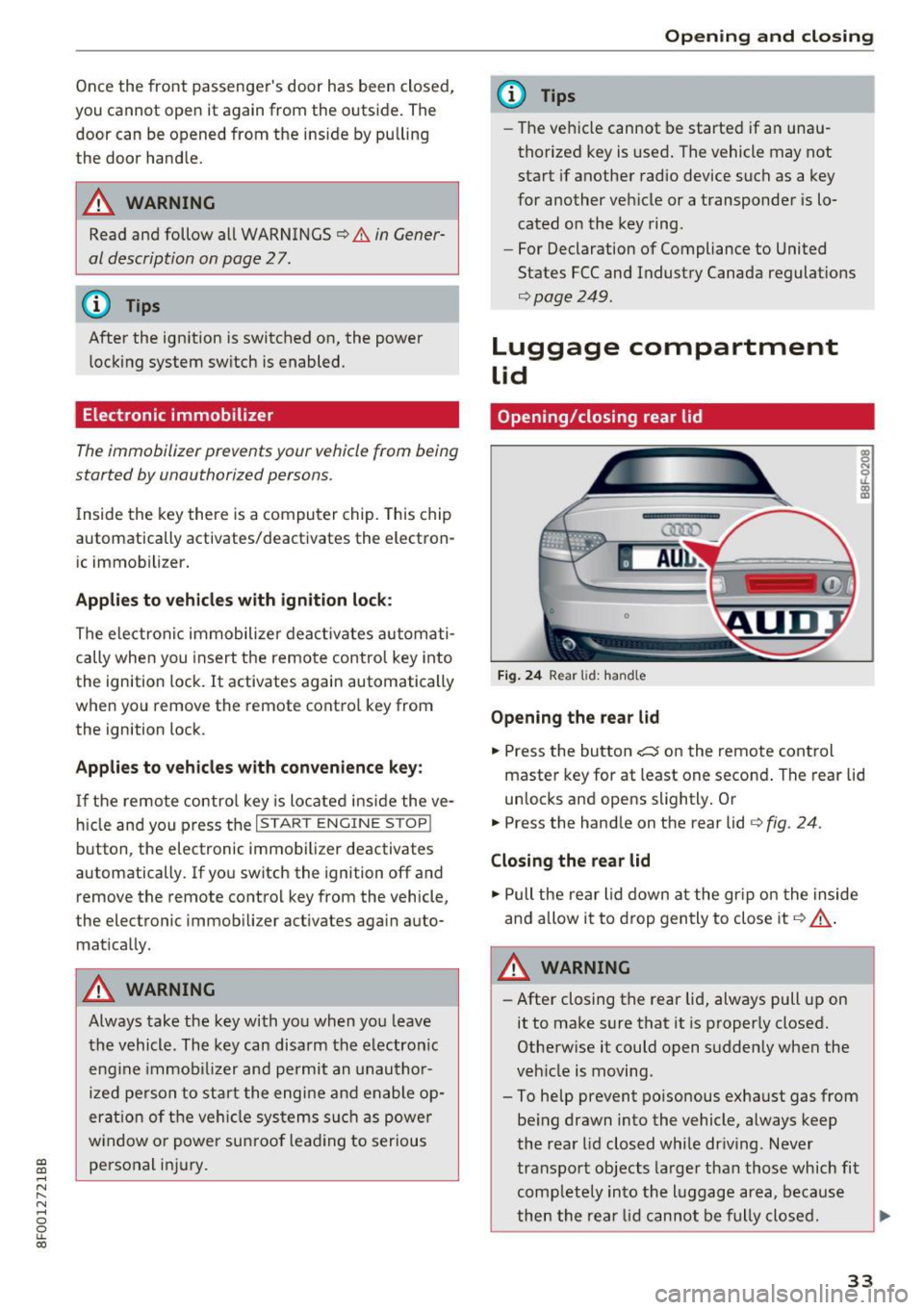
Opening /closing rear lid
Fig. 24 Rear lid: handle
Opening the rear lid
.. Press the button ~ on the remote control
master key for at least one second . The rear lid
unlocks and opens slightly. Or
.. Press the handle on the rear lid ¢
fig. 24.
Closing the rear lid
.. Pull the rear lid down at the gr ip on the inside
and allow it to drop gently to close it
Q &_.
A WARNING
-After closing the rear lid, always pull up on
it to make sure that it is properly closed.
Otherwise it could open suddenly when the
veh icle is moving.
- To help prevent po isonous exhaust gas from
being drawn into the vehicle, always keep
the rear lid closed while driving . Never
transport objects larger than those which fit
comp letely into the lu ggage area, because
then the rear lid cannot be fully closed. .,._
33
Page 51 of 266

a:,
a:,
...... N
" N ...... 0
0
LL co
the windshield in this area in order to
prevent malfunctions or failures .
- Some exterior lighting functions can be ad
justed
c:, page 49.
- When you remove your key from the igni
tion while the vehicle's lights are turned on,
a buzzer sounds as long as the driver's door
is open.
- In cool or damp weather, the inside of the
headlights, turn signals and tail lights can
fog over due to the temperature difference
between the inside and outside. They will
clear shortly after switching them on. This does not affect the serv ice life of the light
ing .
- In the event of a light sensor malfunction,
the driver is notified in the instrument clus
ter display
c:, page 19.
Turn signals and high beam lever
The lever operates the turn signals, the high
beams and the headlight flasher.
Fig . 54 Turn signal and high beam lever
Turn signals¢¢
g N
0
~ CD
The turn signals activate when you move the lev
er into a turn signal position when the ignition is
switched on.
@ -right turn signal
@-left turn signal
The turn signal blinks three times if you just tap
the lever.
High beams and headlight flasher ~D
Move the lever to the corresponding position:
@ -high beams on
Lights and Vision
@-high beams off or headlight flasher
The indicator light
II in the instrument cluster
turns on.
Notes on these features
-The turn signals only work with the ignition
turned on. The indicator lights . or
II in the
instrument cluster also blink.
- After you have turned a corner, the turn signal
switches off automatically.
- The
high beam works only when the headlights
are on. The indicator light
II in the instrument
cluster illuminates when the high beams are
on.
- The
headlight flasher works only as long as you
hold the lever -even if there are no lights
switched on . The indicator light
II in the in
strument cluster illuminates when you use the
headlight flasher.
WARNING
Do not use the high beam or headlight flasher
if you know that these could blind oncoming
traffic.
Adjusting exterior lighting
The functions are selected in the radio or MMI* .
.,. Select: !CAR I function button> Exterior light
ing .
Or
.,. Select: 1-C~A ~ R-.l function button > Car systems*
control button > Vehicle settings > Exterior
lighting .
Coming home (light when leaving car)*,
Leaving home (light when unlocking car)*
The coming home function illuminates the area
around the vehicle when the ignition is switched
off and the driver's door is opened. Depending on
vehicle equipment, the function can be switched on and off or the length of time the lights remain
on* can be adjusted .
The
leaving home function illuminates the area
around the vehicle when unlocking it. This func-
tion can be switched on and off.
ll>
49