ECO mode AUDI A5 COUPE 2008 User Guide
[x] Cancel search | Manufacturer: AUDI, Model Year: 2008, Model line: A5 COUPE, Model: AUDI A5 COUPE 2008Pages: 313, PDF Size: 13.86 MB
Page 106 of 313
Heating and cooling
104Applies to vehicles: with deluxe automatic air conditioner plusSwitching on and off Switching on air conditioner
– Press the button briefly, or
– Press the button.
Switching off air conditioner
– Press the button for at least 2 seconds to switch off
the air conditioner and cut off the supply of fresh air from
outside the vehicle. The display will show “OFF”.The air conditioner will switch on again if you operate the tempera-
ture control .
Note
You can press the button when the ignition is switched off to
activate the "residual heat" function. The system will then heat the
interior using the remaining heat in the engine coolant.Applies to vehicles: with deluxe automatic air conditioner plusAutomatic mode
The standard operating mode for all seasons.Switching on automatic mode
– Select a temperature between +16 °C (60 °F) and +28 °C
(84 °F).
– Press the button.The automatic mode maintains a constant temperature inside the
vehicle and dehumidifies the air. Air temperature, air delivery and
air distribution are regulated automatically to reach the desired interior temperature as quickly as possible, and then to maintain
this temperature. The system automatically compensates for any
variations in the outside temperature and for the effect of direct
sunlight.
The automatic temperature regulation
only operates at temperature
settings between +16 °C and +28 °C. If a temperature below +16 °C
is selected, LO appears on the display. If a temperature above +28 °C
is selected, the display will show HI. In the two extreme settings the
air conditioner operates continuously with maximum cooling or
heating output, and the temp erature is not regulated
automatically.
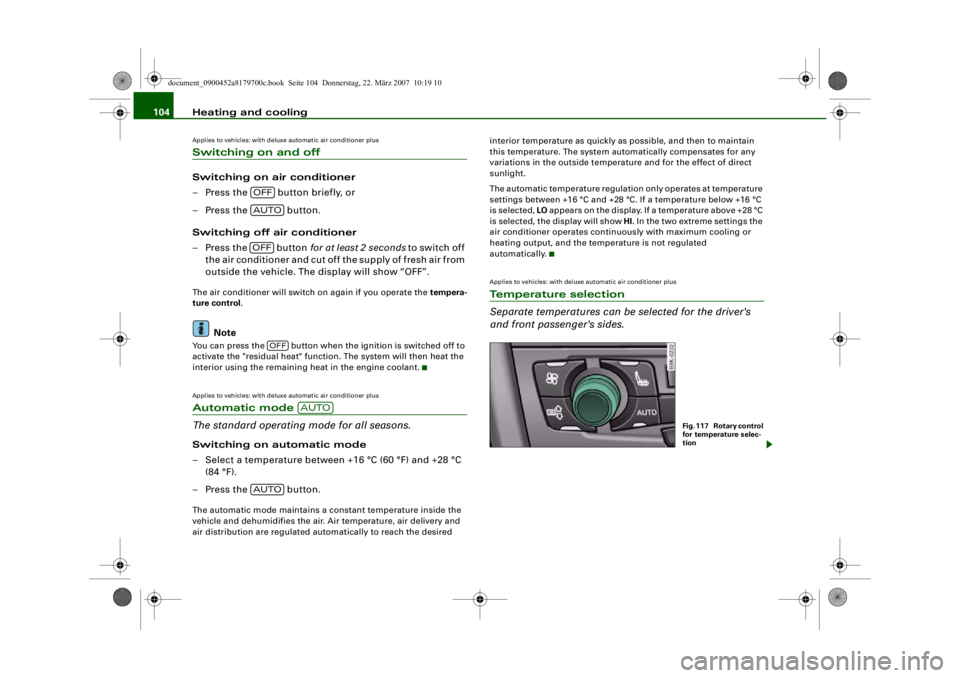
Applies to vehicles: with deluxe automatic air conditioner plusTe m p e r a t u r e s e l e c t i o n
Separate temperatures can be selected for the driver's
and front passenger's sides.
OFFAUTOOFF
OFF
AUTO
AUTO
Fig. 117 Rotary control
for temperature selec-
tion
document_0900452a8179700c.book Seite 104 Donnerstag, 22. März 2007 10:19 10
--4 -
-T
•
-+
•
+-
Page 108 of 313
Heating and cooling
106Applies to vehicles: with deluxe automatic air conditioner plusAir recirculation mode
The air recirculation setting prevents fumes etc. from
entering the interior.Switching on the air recirculation mode
– Press the button ⇒.
Switching off the air recirculation mode
– Press the button again, or
– Press the button, or
– Press the button.In this setting, the air is drawn from the interior of the vehicle,
filtered and continuously recirculated. We recommend using the air
recirculation mode in the following circumstances:
When driving through a tunnel or in queues of traffic, to prevent
fumes entering the inte rior of the vehicle.
WARNING
For reasons of safety you should not leave the air recirculation
switched on for too long. This mode prevents fresh air from
entering the vehicle, so the windows can mist over if the air
cooling is switched off. Bad visibility can cause an accident.
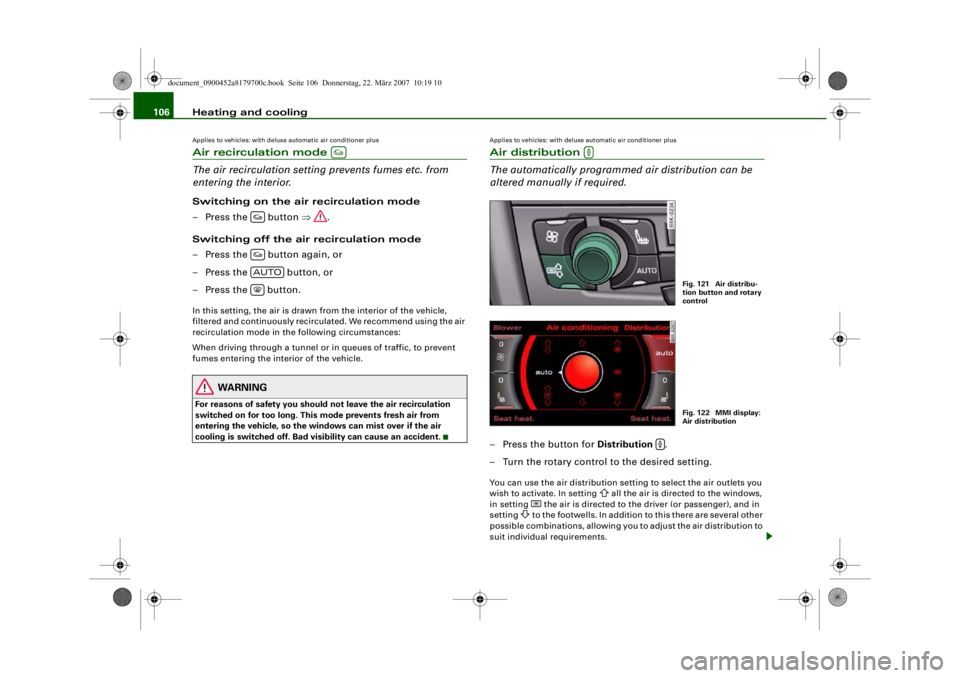
Applies to vehicles: with deluxe automatic air conditioner plusAir distribution
The automatically programmed air distribution can be
altered manually if required.– Press the button for Distribution .
– Turn the rotary control to the desired setting.You can use the air distribution setti ng to select the air outlets you
wish to activa te. In setting
all the air is directed to the windows,
in setting
the air is directed to the driver (or passenger), and in
setting
to the footwells. In addition to this there are several other
possible combinations, allowing you to adjust the air distribution to
suit individual requirements.
AUTO
Fig. 121 Air distribu-
tion button and rotary
controlFig. 122 MMI display:
Air distribution
document_0900452a8179700c.book Seite 106 Donnerstag, 22. März 2007 10:19 10
--4 -
-T
D __ O __ _
D
&
D C=:J D
-+ +-
. I
0
Page 109 of 313
Heating and cooling107
Controls
Safety
Driving tips
General maintenance
Self-help
Technical data
Switch to for automatic control of the air distribution.
The air distribution
setting will be show n on the MMI display
⇒ page 106, fig. 122 for a few seconds if the MMI is switched on.
Applies to vehicles: with deluxe automatic air conditioner plusDefrosting
The windscreen and side windows are defrosted or
demisted as quickly as possible.– To switch on, press the button.
– To switch off, press the button again, or press the
button.The temperature is regulated automatically. The air output is
increased to maximum and most of the air comes out of the outlets
below the windscreen.
The air recirculation mode is switched off when the button is
pressed.Applies to vehicles: with deluxe automatic air conditioner plusHeated rear window
The rear window heating helps to demist the rear window.– Press the
button to switch the rear window heating on
and off.
The rear window heating only works when the engine is running. An
indicator lamp in the button lights up when the rear window heater
is switched on.
Depending on the outside temperature, the rear window heating
switches off automatically after about 10 to 20 minutes.
The rear window heating can be switched on permanently by
pressing the
button for longer than tw o seconds. It will then remain on until the ignition is switched off. When the rear window
heating is switched on, this setting will remain activated for 15
minutes after switching off the ignition.
If the engine is started again during this period of 15 minutes, the
rear window heating will
be switched on for about 10 to 20 minutes,
depending on the exterior temperature. This means you do not have
to manually switch on the rear wi ndow heating again if the vehicle
has only been parked for a short time.
For the sake of the environment
Switch off the heated rear window manually as soon as the rear
window is clear. By saving electrical power you can also save fuel.Applies to vehicles: with deluxe automatic air conditioner plusAC mode Deactivating the AC mode
– Press the button.
Activating the AC mode
– Press the button again.In the AC mode, the air cooling system is switched on and the
heating and ventilation are regulated automatically.
Note
If the LED in the AC button should continue to light up when the AC
mode has been switched off (i.e. the air conditioner has been
switched off) this is due to a defect in one of the air conditioner
components. If a malfunction should occur, please contact a quali-
fied workshop.
AUTO
AUTO
ACACAC
document_0900452a8179700c.book Seite 107 Donnerstag, 22. März 2007 10:19 10
D
-+
•
D
D
D
•
D D
D
D
[I]
•
--4 -
-T
•
+-
Page 111 of 313

Heating and cooling109
Controls
Safety
Driving tips
General maintenance
Self-help
Technical data
Applies to vehicles: with deluxe automatic air conditioner plusEconomical operation of the air conditioner
Economical operation of the ai r conditioner will help to
save fuel.When the air conditioner is operating in the cooling mode it
reduces engine power and increases fuel consumption. To
ensure that the cooling mode is activated only when really
necessary, please note the following points:
– Switch off the cooling mode by pressing the AC button
(LED off) if you wish to save fuel.
– You should also switch off the cooling mode by pressing
the AC button (LED off) if you open the windows or the
tilting panorama roof* while driving.
– If the vehicle has heated up after standing in the sun, open the windows and doors for a short time to cool the
vehicle.
For the sake of the environmentBy saving fuel you also reduce th e amount of pollutants emitted
from your vehicle.
Deluxe automatic air conditioner plus
- basic settingsApplies to vehicles: with deluxe automatic air conditioner plusGeneral notes
You can change the basic setti ngs for the air conditioner
on the MMI* or on the so und system control console.– Press the function selector button marked .
– Press the control button for AC ⇒fig. 124
3).
3)The display for the MMI basic differs slightly.
Fig. 124 MMI display:
AC menu optionFig. 125 MMI display:
Setup AC
CAR
document_0900452a8179700c.book Seite 109 Donnerstag, 22. März 2007 10:19 10
--4 -
-T
-+ +-
•
Page 112 of 313

Heating and cooling
110
– Select the desired air conditioner settings using the rotary pushbutton ⇒page 109, fig. 125.The following functions are available:•
Automatic air recirculation ⇒page 110
•
Synchronisation ⇒page 110
•
Auxiliary heating* ⇒ page 111
•
Auxiliary ventilation* ⇒page 111
•
Running time* ⇒page 113
•
Timer status* ⇒page 112
•
Timer 1* ⇒ page 112
•
Timer 2* ⇒page 112
•
Timer 3* ⇒page 112
•
Supplementary heater* ⇒page 110
Applies to vehicles: with deluxe automatic air conditioner plusAutomatic recirculation
If the outside air is polluted, an air purity sensor in the
vehicle will automatically switch on the air recirculation.To prevent fumes, etc. in the outside air from entering the interior,
we recommend that the automatic air recirculation should be
switched on at all times.
If the air purity sensor in the air conditioner system detects a certain
concentration of fumes in the outside air, the control unit will either
pass the incoming air through the pollution filter or automatically
switch on the air recirc ulation. If there is a high concentration of
pollution in the outside air, the air conditioner automatically
switches to air recirculation and cuts off the supply of air from the
outside. As soon as the level of pollution decreases, air is fed into
the vehicle from the outside again.
If the windows mist up when the automatic air recirculation is on,
press the
button immediately. The automatic air recirculation can switch itself off in certain condi-
tions. If the outside temperature is
less than about +10 °C, the auto-
matic air recirculation will only operate for 30 seconds. If the air
conditioner is switched to the ECON mode, or if the outside temper-
ature is less than about -1 °C, the automatic air recirculation will
only operate for 15 seconds.
Applies to vehicles: with deluxe automatic air conditioner plusSynchronisation
The air conditioner settings can be synchronised for all
passengers.When the synchronisation function is on, the driver's settings are
also applied to the front passenge r or vice versa. Any subsequent
changes to the air conditioner setti ngs (except for the seat heating*)
are also applied to the other occupant.
You can still change the setting on the “synchronised” side (this will
deactivate the synchronisation function).Applies to vehicles: with diesel engineSupplementary heater– Set the Supplementary heater to auto or off .Models with a diesel engine are equipped with a supplementary
heater to help warm up the interior more quickly. At outside temper-
atures below about +5 °C the supp lementary heater is switched on
(and off) automatically when the engine is running, depending on
the coolant temperature, the temperat ure in the vehicle interior and
the temperature the heater is set to.
document_0900452a8179700c.book Seite 110 Donnerstag, 22. März 2007 10:19 10
--4 -
-T
•
-+
•
•
+-
•
Page 135 of 313
Automatic gearbox133
Controls
Safety
Driving tips
General maintenance
Self-help
Technical data
– Press the brake pedal and at the same time press in the
interlock button.Automatic selector lever lock
The selector lever is locked in the P and N positions when the igni-
tion is on. The brake pedal must be depressed before the lever can
be moved out of either of these positions. The following message
appears in the instrument display as a reminder for the driver when
the selector lever is in position P or N:
WHEN STATIONARY APPLY FOOTBRAKE WHILE SELECTING GEAR.
The selector lever lock only works if the vehicle is stationary or
driving at speeds up to 5 km/h. At higher speeds the selector lever
lock in the N position is disengaged automatically.
The selector lever lock is not engaged if the selector lever is moved
quickly through position N (e.g. when shifting from R to D). This
makes it possible, for instance, to “rock” the vehicle backwards and
forwards if it is stuck in snow or mud. The selector lever lock
engages automatically if the brake pedal is not depressed and the
lever is in position N for more than about a second.
Interlock button
The interlock button on the selector lever handle prevents the driver
from inadvertently engaging particul ar gears. Press the button in to
disengage the selector lever lock. Th e illustration shows the selector
lever positions in which the button has to be pressed, highlighted in
colour ⇒page 132, fig. 146.
Safety interlock for ignition key
The key can only be withdrawn with the ignition switched off and
the selector lever in position P. When the ignition key is removed,
the selector lever is locked in position P.
Applies to vehicles: with multitronic®Kick-down feature
The kick-down feature is designed to give maximum
acceleration.When the accelerator pedal is pressed right down past the point of
resistance at full throttle, the gearbox will select a lower gear,
depending on road speed and engine speed. While you keep the
accelerator depressed the engine speed is automatically controlled
to give your vehicle maximum acceleration.
WARNING
Please note that if the road surf ace is slippery or wet, the kick-
down feature could cause the driv ing wheels to spin, which could
result in skidding.Applies to vehicles: with multitronic®Dynamic gear control program (DCP)
The multitronic
® gearbox is controlled electronically.
The vehicle is equipped with an electronically controlled gearbox.
The gear ratios are selected automatically according to preset gear-
shift programmes.
When you drive at moderate speeds the gearbox will select the most
economical shift programme. It will then change up early and delay
the downshifts to give better fuel economy.
If you drive at higher speeds with heavy acceleration, if you open the
throttle quickly, or if you use the kick-down or the car's maximum
speed, the gearbox will automaticall y select the more “sporty” shift
programmes.
The gearbox is self-adapting, and continuously selects the most
suitable shift programme. At the same time, the driver can also
make the gearbox switch to a more "sporty" programme by pressing
document_0900452a8179700c.book Seite 133 Donnerstag, 22. März 2007 10:19 10
--4 -
-T
-+ +-
•
Page 150 of 313
Audi parking system
148parking aid are NO LONGER activated when reverse gear is engaged.
This results in the following restrictions:
parking system:
There is no distance warning.
parking system plus*:
There is no rear distance warning ⇒page 138 . However, the system
will still give a warning when obstacles are detected while driving
forwards. The graphic display ⇒page 138, fig. 153 will switch over
to towing mode.
parking system advanced*:
There is no rear distance warning ⇒page 140 . However, the system
will still give a warning when obstacles are detected while driving
forwards. The graphic display ⇒page 141, fig. 155 will switch over
to towing mode. The image of the reversing camera will then be
shown without orientation lines and blue area markings.
SettingsApplies to vehicles: with parking systemAdjusting warning beeps
The volume and frequency (pitch) of the beeps can be
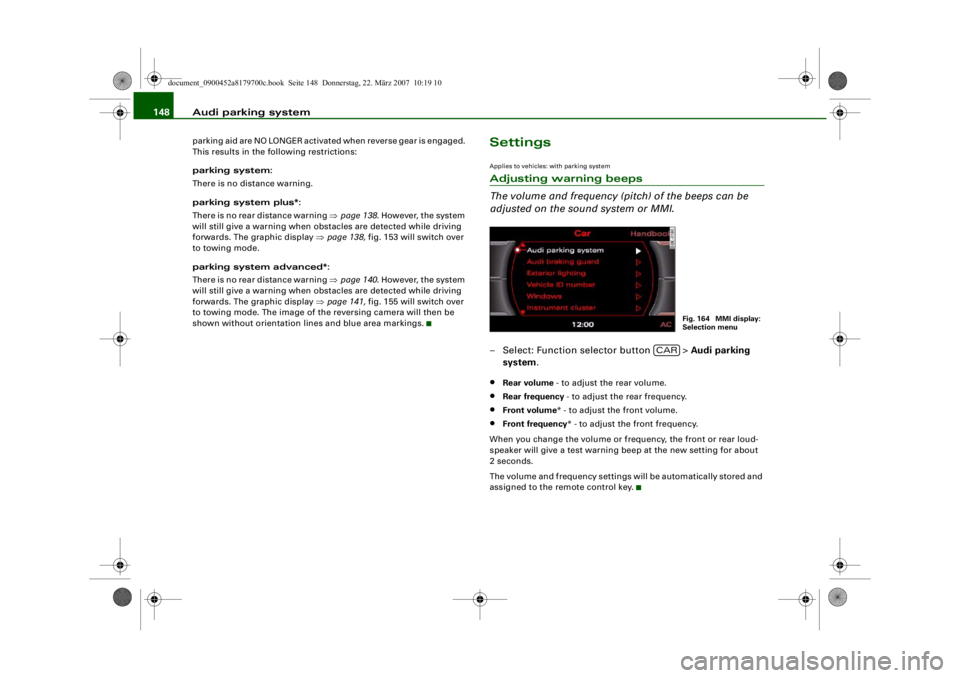
adjusted on the sound system or MMI.– Select: Function selector button > Audi parking
system .•
Rear volume - to adjust the rear volume.
•
Rear frequency - to adjust the rear frequency.
•
Front volume* - to adjust the front volume.
•
Front frequency * - to adjust the front frequency.
When you change the volume or frequency, the front or rear loud-
speaker will give a test warning beep at the new setting for about
2 seconds.
The volume and frequency settings will be automatically stored and
assigned to the remote control key.
Fig. 164 MMI display:
Selection menu
CAR
document_0900452a8179700c.book Seite 148 Donnerstag, 22. März 2007 10:19 10
--4 -
-T
-+
•
+-
•
Page 157 of 313
HomeLink155
Controls
Safety
Driving tips
General maintenance
Self-help
Technical data
At the operating unit
1. Switch on the ignition (do not start the engine).
2. Press and hold down the two outer HomeLink buttons
⇒page 154, fig. 171 until the indicator diode
⇒ page 154, fig. 171 begins to flash after about
20 seconds. This procedure will delete the standard
factory settings and does not need to be repeated when
programming the other buttons.
3. Press the particular Home Link button which you would
like to program.
4. Wait until the diode begins to flash. The HomeLink module now remains in training mode for 5 minutes.
5. Now step in front of your vehicle with the original hand-
held transmitter for the garage door opener or any other
device you wish to assign to the HomeLink control
button.
At the radiator grille
6. Hold the original hand-held transmitter at or near the
centre of your car's radiator grille ⇒ page 154, fig. 172.
7. Press the activator button on the original hand-held
transmitter .
8. As you do so, watch the tu rn signals on your vehicle.
HomeLink confirms successful programming by flashing
all four turn signals three times.
9. If the turn signals fail to flash three times, repeat the procedure with the transmitter held at a different
distance from the radiator grille.
The proper distance between the hand-held transmitter and the
HomeLink module at the radiator grille depends on the system you
want to train. It may re quire several attempts.
The turn signals will flash once if the time limit for the programming
mode has been exceeded. In this case the programming procedure
needs to be performed again. Repeat the sequence at the operating
unit starting with step 3.
The programming instructions above also apply to th e other control
buttons. Start with step 3 if yo u wish to proceed and program the
other two buttons.
If the garage door or other devices st ill fail to be activated with the
HomeLink control buttons after programming is completed, it is
possible that these systems might be working with a rolling code
instead of the normal fixed security code. If this is the case, a rolling
code programming is required in addition to the steps described
above. ⇒page 155Applies to vehicles: with HomeLinkRolling code programming
Some devices require rolling code programming of the
HomeLink universal transmitter.Identifying a rolling code
– Press the already programmed HomeLink button again
and hold it down.
–Watch HomeLink diode ⇒ page 154, fig. 171. If the
diode starts flashing rapidly and turns into a constant
light after about 2 seconds, this indicates that the device
you wish to operate (e.g. a garage door opener) is
equipped with a rolling code.
– Program the rolling code as follows:
AA
AA
AA
document_0900452a8179700c.book Seite 155 Donnerstag, 22. März 2007 10:19 10
--4 -
-T
-+
•
+-
Page 158 of 313
HomeLink
156
Activating the garage door opener drive unit
– Locate the programming button on the garage door drive. The exact location and colour of the button may
vary depending on the type of garage door opener.
– Press the programming button on the door drive unit (this will normally cause a “programming mode indicator
lamp” on the unit to light up). You now have about 30
seconds to start and complete the programming of the
HomeLink control button on the operating unit.
Programming at the operating unit in the
headliner
– Press and release the already programmed HomeLink button.
– Press the HomeLink button again to complete rolling code programming.After programming at the operating unit in the headliner, the
garage door opener should recognize the HomeLink signal and
respond when the HomeLink button is pressed. Now the other
control buttons can be programmed as required.
Note
•
Having a second person assist you makes programming of the
rolling code easier and faster. For some makes of garage door
openers the HomeLink button may have to be pressed a third time
to complete the training sequence.
•
If you encounter problems programming the rolling code you
may find helpful information in the operating instructions of the
garage door opener or other device you wish to operate.
Applies to vehicles: with HomeLinkOperating HomeLink
The programmed devices are activated by means of the
HomeLink control buttons in the headliner.– Make sure that the ignition is on.
– Press the programmed HomeLink button ⇒page 154,
fig. 171. The device assigned to that button (e.g. garage
door) will be activated.The HomeLink indicator diode ⇒page 154, fig. 171 will light up
when you press the button.Applies to vehicles: with HomeLinkErasing the button programming
You can erase the complete HomeLink programming by
pressing the two outer buttons.– Switch on the ignition (do not start the engine).
– Press and hold down the two outer buttons until the indi- cator diode starts to flash ⇒page 154, fig. 171.
– Then release the buttons.After the programming of the Home Link buttons has been erased,
the system will return to the training mode and is ready to be re-
programmed at any time.
Note
•
Programmed buttons cannot be erased individually.
•
For security reasons it is advisable to erase the programming of
the HomeLink buttons prior to selling your vehicle.
document_0900452a8179700c.book Seite 156 Donnerstag, 22. März 2007 10:19 10
--4 -
-T
•
-+ +-
[I]
[I]
•
•
Page 191 of 313
Child safety189
Controls
Safety
Driving tips
General maintenance
Self-help
Technical data
Fitting child safety seatsGeneral information
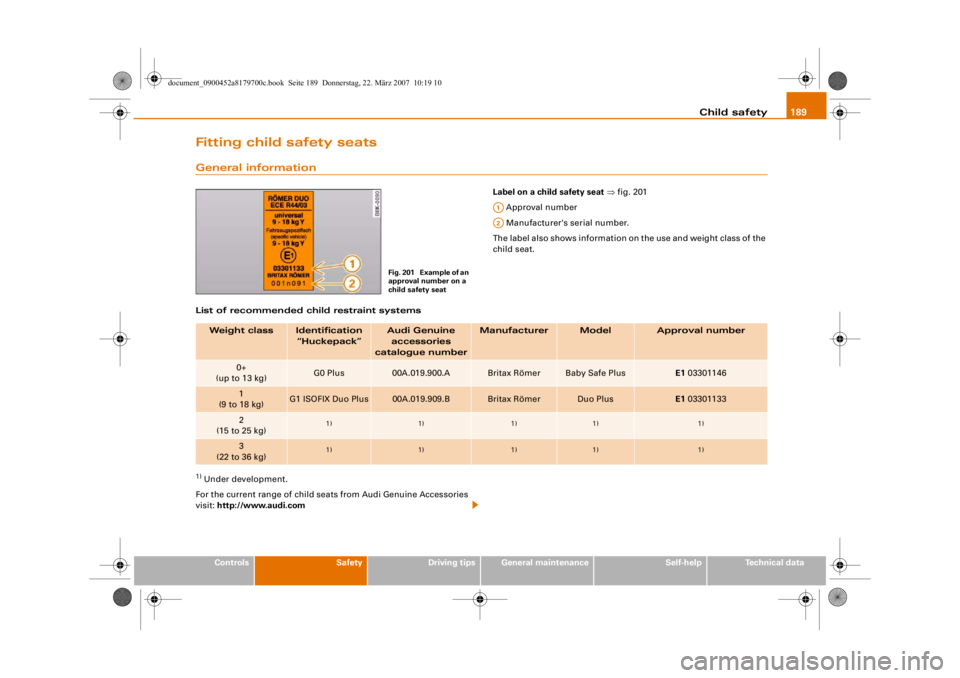
Label on a child safety seat ⇒ fig. 201
Approval number
Manufacturer's serial number.
The label also shows information on the use and weight class of the
child seat.
List of recommended child restraint systems
1) Under development.
For the current range of child seats from Audi Genuine Accessories
visit: http://www.audi.com
Fig. 201 Example of an
approval number on a
child safety seat
A1A2
Weight class
Identification
“Huckepack”
Audi Genuine accessories
catalogue number
Manufacturer
Model
Approval number
0+
(up to 13 kg)
G0 Plus
00A.019.900.A
Britax Römer
Baby Safe Plus
E1 03301146
1
(9 to 18 kg)
G1 ISOFIX Duo Plus
00A.019.909.B
Britax Römer
Duo Plus
E1 03301133
2
(15 to 25 kg)
1)
1)
1)
1)
1)
3
(22 to 36 kg)
1)
1)
1)
1)
1)
document_0900452a8179700c.book Seite 189 Donnerstag, 22. März 2007 10:19 10
--4 -
-T
-+ +-