brake AUDI A5 COUPE 2008 Owner's Manual
[x] Cancel search | Manufacturer: AUDI, Model Year: 2008, Model line: A5 COUPE, Model: AUDI A5 COUPE 2008Pages: 313, PDF Size: 13.86 MB
Page 125 of 313
Driving123
Controls
Safety
Driving tips
General maintenance
Self-help
Technical data
braking force of the parking brake is only released when there is
enough power at the wheels to make the vehicle move in the desired
direction.
Note
For safety reasons the parking brake will only release automatically
if the driver's seat belt
is engaged in its buckle.Driving away when towing a trailer
Please note the following po ints to prevent the vehicle
from rolling back unintentionally on a gradient.– Pull and hold the parking brake switch and press the
accelerator. The parking brake will remain engaged and
prevent any tendency to roll back down the slope.
– You can release the parking brake switch as soon as the engine is delivering enough power to the wheels.Depending on the weight of the vehicle and trailer and the steep-
ness of the slope, there may be a tendency to roll back downhill
when driving away from a standstill. You can prevent this by pulling
out the parking brake switch as you press the accelerator (in the
same way as with a conventional handbrake).Emergency braking function
This feature enables you to stop the vehicle if the main
brake system should fail or if the pedal is obstructed.– Pull out and hold the parkin g brake switch to stop the
vehicle with the parking brake in an emergency.
– The brakes will be released immediately if you release the switch or press down the accelerator.
If you pull out and hold the park ing brake switch at a road speed
above about 8 km/h, this will initiate an emergency brake applica-
tion. The brakes are then applied hy draulically at all four wheels.
The effect is the same as an emergency stop (full brake application)
⇒
To prevent the emergency braking function from being used acci-
dentally, a warning buzzer sounds when the switch is operated. The
brakes are released immediately when you release the switch or
press down the accelerator.
WARNING
You should only use the emergency braking function in a real
emergency, for example if the brake system should fail or if the
brake pedal is obstructed. If you use the emergency braking func-
tion by activating the parking brak e switch, the effect is similar to
a full brake application (emergenc y stop). Please remember that
the ESP (with its combined ABS, EDL and traction control func-
tions) is still subject to certain physical limits. In a corner or in bad
road or weather conditions an emergency stop can cause the
vehicle to skid or lose steering control.Driver messages in the instrument cluster displayCaution: Vehicle parked too steep
This message can appear when you apply the parking brake if the
car is parked on a gradient steeper than about 30%.
In this case the parking brake may not be strong enough to prevent
the vehicle from rolling back accidentally.
Please release parking brake
However, please remember that, for safety reasons, the parking
brake will only release automatically if the driver's seat belt is
buckled.
document_0900452a8179700c.book Seite 123 Donnerstag, 22. März 2007 10:19 10
--4 -
-T
[I]
•
-+
•
+-
•
Page 126 of 313
Driving
124Press brake pedal to release parking brake
This message may appear when you press the switch to release the
parking brake. The parking brake can only be released, if you
depress the brake pedal and simultaneously press the switch or if
you use the parking brake auto release function ⇒page 122 . Parking brake malfunction !
This message will appear toge ther with the yellow symbol
if a
malfunction should occur in the parking brake.
Fault in parking brake auto release
This driver message will appear in the event of a malfunction of the
parking brake auto release. The automatic release of the parking
brake when moving off from a standstill is not functioning correctly.
The parking brake must be released manually by pressing the
switch. Have the fault rectified by a qualified workshop.
Audi hold assist
Audi hold assist helps the driver when the vehicle is
stationary and automatically prevents the vehicle from
rolling away when driving off.
When the Audi hold assist functi on is on, the vehicle is auto-
matically prevented from rolling away and you no longer
have to keep your foot on the brake pedal.
Conditions for switching on Audi hold assist
– The driver's door must be closed.
– The driver's seat belt must be buckled.
– The engine must be running.
Switching on Audi hold assist
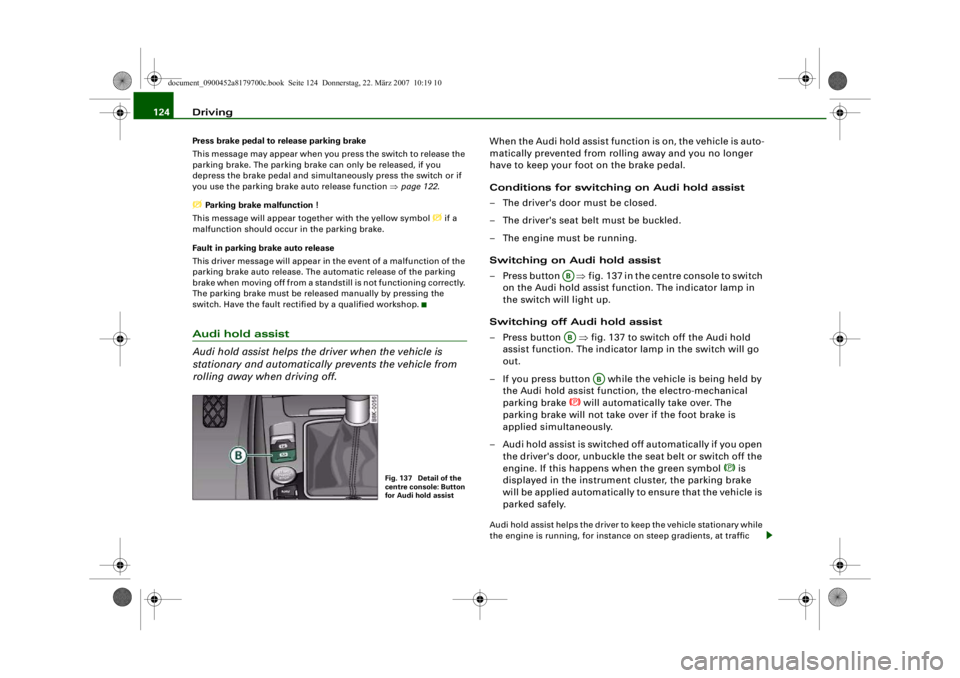
– Press button ⇒fig. 137 in the centre console to switch
on the Audi hold assist function. The indicator lamp in
the switch will light up.
Switching off Audi hold assist
– Press button ⇒fig. 137 to switch off the Audi hold
assist function. The indicator lamp in the switch will go
out.
– If you press button while the vehicle is being held by the Audi hold assist functi on, the electro-mechanical
parking brake
will automatically take over. The
parking brake will not take over if the foot brake is
applied simultaneously.
– Audi hold assist is switched off automatically if you open the driver's door, unbuckle the seat belt or switch off the
engine. If this happens when the green symbol
is
displayed in the instrument cluster, the parking brake
will be applied automatically to ensure that the vehicle is
parked safely.
Audi hold assist helps the driver to keep the vehicle stationary while
the engine is running, for instance on steep gradients, at traffic
Fig. 137 Detail of the
centre console: Button
for Audi hold assist
ABAB
AB
document_0900452a8179700c.book Seite 124 Donnerstag, 22. März 2007 10:19 10
--4 -
-T
•
-+ +-
Page 127 of 313
Driving125
Controls
Safety
Driving tips
General maintenance
Self-help
Technical data
lights or in stop-and-g
o traffic. When the Audi hold assist function
is on, you don't have to keep your foot on the brake to prevent the
vehicle from accidentally rolling away. Once it detects that the
vehicle is stopped, Audi hold assist keeps the vehicle stationary. The
green symbol
in the instrument cluste r indicates that the func-
tion is activated. You can now ta ke your foot off the brake pedal.
As soon as you drive off in the normal way, the parking brake will
automatically be released and the vehicle will start moving.
If the conditions for Audi hold assist change and the function is
switched off as a result, the parking brake will be applied automati-
cally to ensure that the vehicle is parked safely. The diode in the
button will go out when the Audi hold assist function is switched
off.
WARNING
The intelligent technology in Audi hold assist cannot defy the laws
of physics. Do not let the extra convenience provided by Audi hold
assist tempt you into taking a safety risk.•
Audi hold assist cannot keep the vehicle stationary in all condi-
tions on a gradient (e.g. if the road is slippery or icy).
•
Audi hold assist must be swit ched on again each time the
engine is started – Risk of accident!
•
Never get out of the vehicle wh en the engine is running and
Audi hold assist is switched on – Risk of accident!
•
Always ensure that the vehicle is stopped properly and safely
to avoid injury to yourself and others.Caution
Switch off the Audi hold assist function before driving the vehicle
into a car wash.
Note
•
Audi hold assist can be switched on only when the driver's door
is closed, the driver's seat belt is buckled and the engine is running.
•
Audi hold assist prevents auto matic vehicles from creeping
forwards when the brake pedal is released with the car in gear.
•
When the vehicle has been stationary for an extended period,
Audi hold assist will automatically apply the parking brake. In this
case, the green symbol
in the instrument cluster display will
change to red
.
Cruise control systemIntroduction
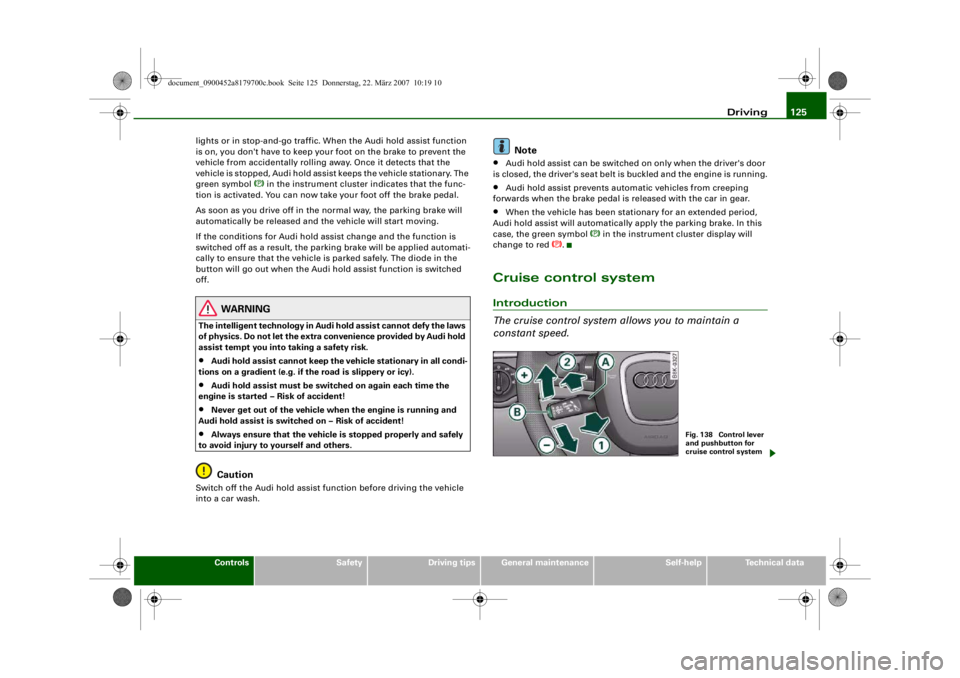
The cruise control system allows you to maintain a
constant speed.
Fig. 138 Control lever
and pushbutton for
cruise control system
document_0900452a8179700c.book Seite 125 Donnerstag, 22. März 2007 10:19 10
--4 -
-
[I]
T
•
-+ +-
(D
Page 128 of 313
Driving
126The cruise control system allows you to drive at a constant speed of
30 km/h or higher.
A constant speed is maintained by adjusting the engine power or
braking the vehicle accordingly (while in cruise mode).
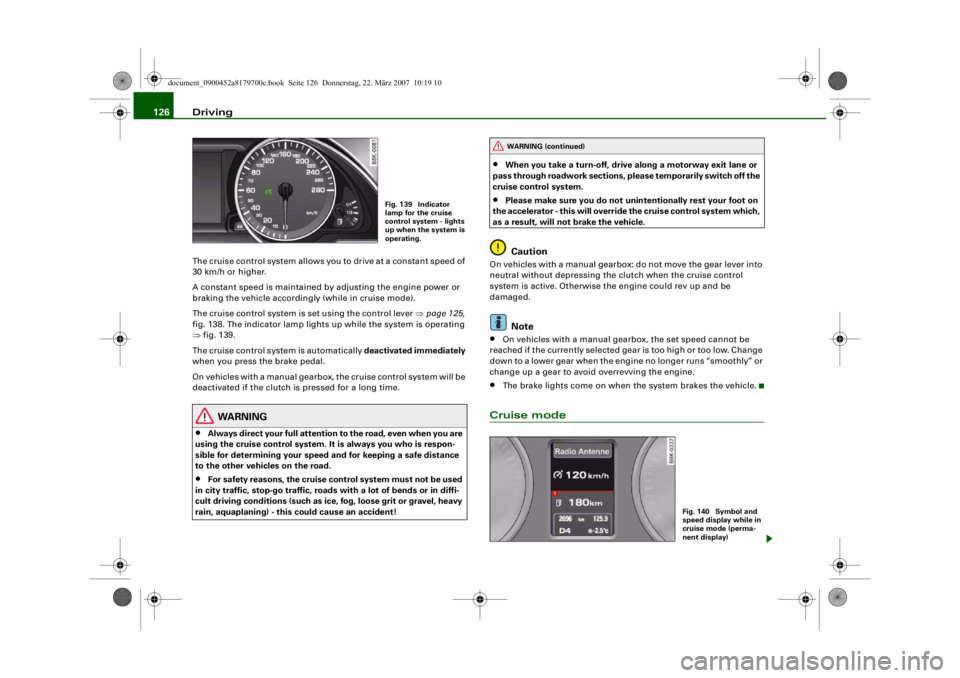
The cruise control system is set using the control lever ⇒page 125,
fig. 138. The indicator lamp lights up while the system is operating
⇒ fig. 139.
The cruise control system is automatically deactivated immediately
when you press the brake pedal.
On vehicles with a manual gearbox, the cruise control system will be
deactivated if the clutch is pressed for a long time.
WARNING
•
Always direct your full attention to the road, even when you are
using the cruise control system. It is always you who is respon-
sible for determining your speed and for keeping a safe distance
to the other vehicles on the road.
•
For safety reasons, the cruise control system must not be used
in city traffic, stop-go traffic, roads with a lot of bends or in diffi-
cult driving conditions (such as ice, fog, loose grit or gravel, heavy
rain, aquaplaning) - this could cause an accident!
•
When you take a turn-off, drive along a motorway exit lane or
pass through roadwork sections, please temporarily switch off the
cruise control system.
•
Please make sure you do not unintentionally rest your foot on
the accelerator - this will override the cruise control system which,
as a result, will not brake the vehicle.Caution
On vehicles with a manual gearbox: do not move the gear lever into
neutral without depressing the clutch when the cruise control
system is active. Otherwise the engine could rev up and be
damaged.
Note
•
On vehicles with a manual gearbox, the set speed cannot be
reached if the currently selected gear is too high or too low. Change
down to a lower gear when the engine no longer runs “smoothly” or
change up a gear to avoid overrevving the engine.
•
The brake lights come on when the system brakes the vehicle.
Cruise mode
Fig. 139 Indicator
lamp for the cruise
control system - lights
up when the system is
operating.
WARNING (continued)
Fig. 140 Symbol and
speed display while in
cruise mode (perma-
nent display)
document_0900452a8179700c.book Seite 126 Donnerstag, 22. März 2007 10:19 10
--4 -
-T
CD
-+
[I]
+-
•
Page 130 of 313
Driving
128Pressing lever briefly
You can increase the set speed in steps of 1 km/h by briefly pressing
the lever up towards ⇒page 125, fig. 138.
You can decrease the set speed in steps of about 1 km/h by briefly
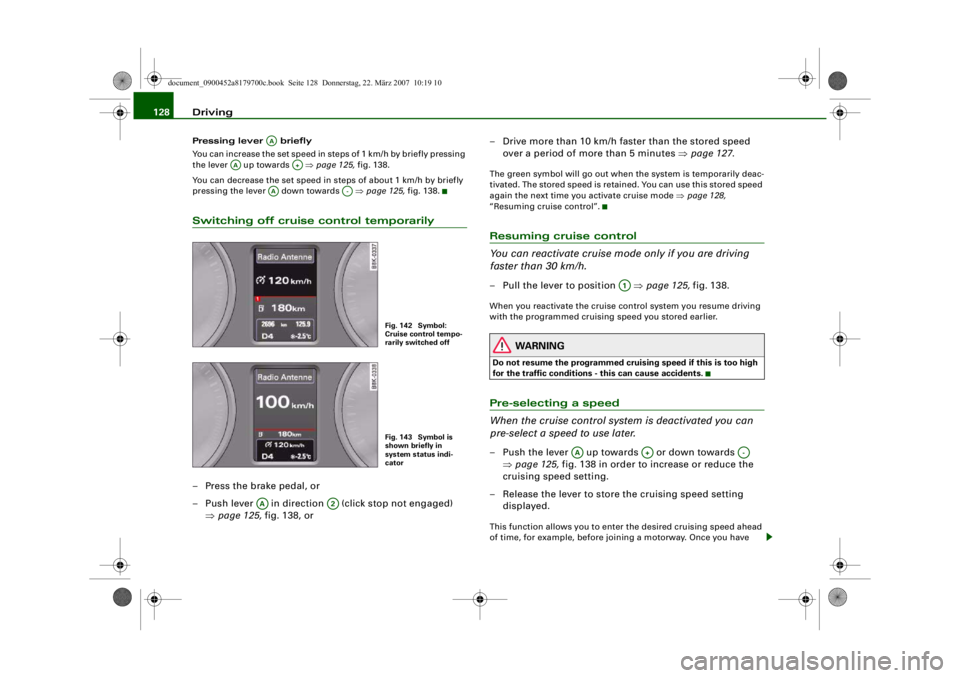
pressing the lever down towards ⇒page 125, fig. 138.Switching off cruise control temporarily– Press the brake pedal, or
– Push lever in direction (click stop not engaged)
⇒page 125, fig. 138, or – Drive more than 10 km/h faster than the stored speed
over a period of more than 5 minutes ⇒page 127 .
The green symbol will go out when the system is temporarily deac-
tivated. The stored speed is retained. You can use this stored speed
again the next time you activate cruise mode ⇒page 128,
“Resuming cruise control”.Resuming cruise control
You can reactivate cruise mode only if you are driving
faster than 30 km/h.– Pull the lever to position ⇒page 125, fig. 138.When you reactivate the cruise control system you resume driving
with the programmed cruising speed you stored earlier.
WARNING
Do not resume the programmed crui sing speed if this is too high
for the traffic conditions - this can cause accidents.Pre-selecting a speed
When the cruise control syst em is deactivated you can
pre-select a speed to use later.– Push the lever up towards or down towards
⇒page 125, fig. 138 in order to increase or reduce the
cruising speed setting.
– Release the lever to store the cruising speed setting displayed.This function allows you to enter the desired cruising speed ahead
of time, for example, before joining a motorway. Once you have
AA
AA
A+
AA
A-
Fig. 142 Symbol:
Cruise control tempo-
rarily switched offFig. 143 Symbol is
shown briefly in
system status indi-
cator
AA
A2
A1
AA
A+
A-
document_0900452a8179700c.book Seite 128 Donnerstag, 22. März 2007 10:19 10
--4 -
-T
•
•
-+ +-
•
Page 132 of 313
Automatic gearbox
130Automatic gearboxmultitronic
®
Applies to vehicles: with multitronic®IntroductionThe vehicle is equipped with an electronically controlled continu-
ously variable transmission (multitronic
®). Unlike conventional
automatics, the gear ratios are not shifted in fixed steps but contin-
uously variable. This gives smoother transmission and makes for
better fuel economy.
The gearbox selects the gear ratio and shifts up or down automati-
cally according to the gear change programmes stored in the
control unit ⇒page 133, “Dynamic gear control program (DCP)”.
The gearbox also has the tiptronic manual shift feature. This system
allows the driver to select gears manually if required ⇒ page 134.
Please note that on vehicles with a multitronic gearbox, torque is
transmitted via a multi- plate clutch, and not via a torque converter
as on conventional automatics. This means that the car will not
“creep” as much as conventional automatics when the engine is
idling if you stop temporarily with the selector lever in position D, S
or R.
Applies to vehicles: with multitronic®General notes on using multitronic
®
The transmission ratio is varied continuously.Driving away from a standstill
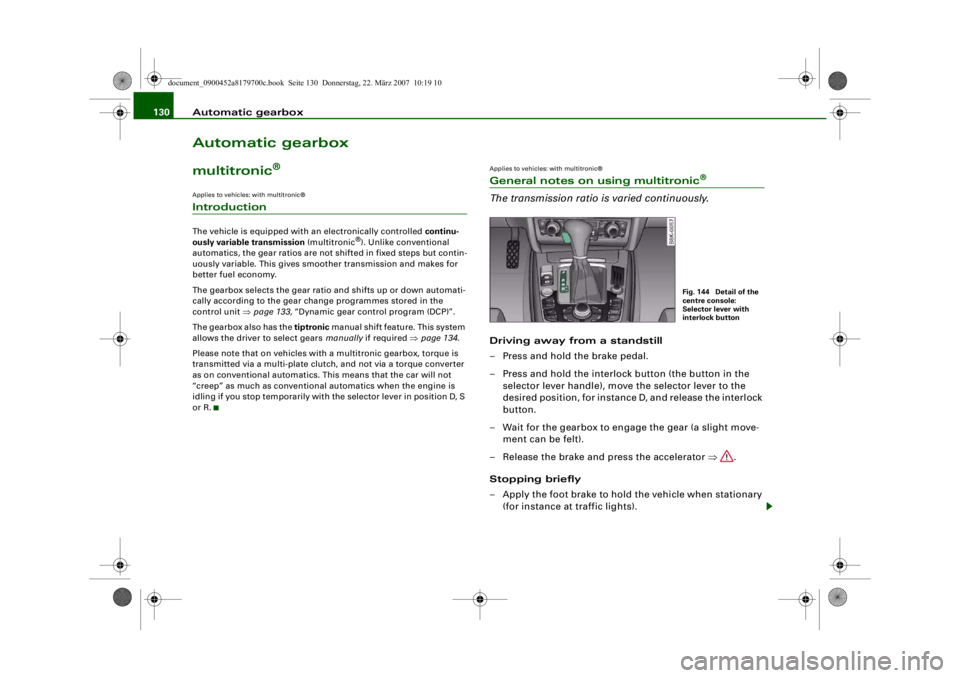
– Press and hold the brake pedal.
– Press and hold the interlock button (the button in the selector lever handle), move the selector lever to the
desired position, for instance D, and release the interlock
button.
– Wait for the gearbox to engage the gear (a slight move- ment can be felt).
– Release the brake and press the accelerator ⇒.
Stopping briefly
– Apply the foot brake to hold the vehicle when stationary (for instance at traffic lights).
Fig. 144 Detail of the
centre console:
Selector lever with
interlock button
document_0900452a8179700c.book Seite 130 Donnerstag, 22. März 2007 10:19 10
--4 -
-T
-+ +-
•
Page 133 of 313

Automatic gearbox131
Controls
Safety
Driving tips
General maintenance
Self-help
Technical data
– To prevent the vehicle from rolling away, apply the
parking brake before moving off on steep gradients
⇒ .
– As soon as you accelerate as normal, the parking brake will automatically be released and the vehicle will start
moving.
Pa rking the c ar
– Press and hold the brake pedal ⇒.
– Apply the parking brake.
– Press and hold the interlock button, move the selector lever to P and release the interlock button.Your vehicle is equipped with the hill hold assist function which
makes it easier to drive away on a slope. The system is activated
when you press and hold the brake pedal for a few seconds. When
you release the brake pedal the braking force will be maintained for
a moment in order to prevent the vehicle rolling back when you drive
away.
The engine c an only be started when the selector lever is at P or N.
On level ground it is sufficient to move the selector lever to P. On a
gradient the parking brake should be applied first and the selector
lever should be moved to P. This reduces the load on the locking
mechanism and makes it easier to move the selector lever out of
position P.
WARNING
•
Do not press the accelerator while selecting a gear with the
vehicle stationary and the engine running, as this could cause an
accident.
•
Please note that some power will still be transmitted when you
stop temporarily with the selector lever in position D, S or R. For this reason, to avoid ri
sking an accident, appl y the footbrake firmly
when stopping to prevent the vehicle rolling away.
•
Never move the selector lever to R or P when driving, as this
could cause an accident.
Applies to vehicles: with multitronic®Selector lever positions
This section covers all the selector lever positions.The current selector lever position is shown in the instrument
cluster display.
P - Parking lock
This locks the driving wheels mechanically. The parking lock must
only be engaged when the vehicle is stationary ⇒.
The interlock button (the button in the selector lever handle) must
be pressed in and the brake pedal must be depressed before
moving the selector lever either in or out of position P. The lever can
only be moved out of position P when the ignition is on.
R - Reverse gear
When reverse gear is engaged the gearbox automatically selects the
lowest gear ratio.
Fig. 145 Display:
Selector lever posi-
tions
document_0900452a8179700c.book Seite 131 Donnerstag, 22. März 2007 10:19 10
--4 -
-T
•
-+ +-
Page 134 of 313
Automatic gearbox
132Reverse gear must only be engaged when the vehicle is stationary
and the engine is idling ⇒.
To move the selector lever to position R, press in the interlock
button and at the same time press the brake pedal. Depending on
the model, one or two reversing lights will come on in selector lever
position R (when ignition is switched on).
N - Neutral
In this position the gearbox is in neutral ⇒.
D - Drive (forwards)
In this position the gearbox auto matically selects the best gear
ratio. This depends on the engine load, the road speed and the
dynamic gear control program (DCP).
Press the brake pedal when moving the selector lever from N to D if
the vehicle is stationary or at speeds below 5 km/h ⇒.
In some situations (such as on mountain roads or when towing a
trailer or caravan) it can be advantageous to switch temporarily to
tiptronic mode ⇒page 134 , so that the gear ratios can be selected
manually to suit the driving conditions.
S - Sport position
Select this position if you wish to take full advantage of the car's
performance. This setting makes use of the engine's maximum
power output. When accelerating the gear shifts will be noticeable.
Press the brake pedal when moving the selector lever from N to S if
the vehicle is stationary or at speeds below 5 km/h ⇒.
WARNING
•
Never move the selector lever to R or P when driving, as this
could cause an accident.
•
In selector position D or S the vehicle must always be held with
the foot brake when the engine is running. This is because an auto-
matic gearbox still tran smits power even at idling speed, and the vehicle tends to “creep”. The
throttle must on no account be
opened inadvertently (for instan ce by hand from the engine
compartment) when a ge ar is engaged with the vehicle stationary.
The vehicle could otherwise star t moving immediately (in some
cases even if the parking brake is engaged) and possibly cause an
accident.
•
To avoid accidents, apply th e parking brake and put the
selector lever in position P befor e opening the bonnet and working
on the vehicle with the engine running. Please observe the impor-
tant safety warnings ⇒page 231, “Working on components in the
engine compartment”.
Applies to vehicles: with multitronic®Selector lever lock
The selector lever lock prevents gears from being
engaged inadvertently, so that the vehicle is not set in
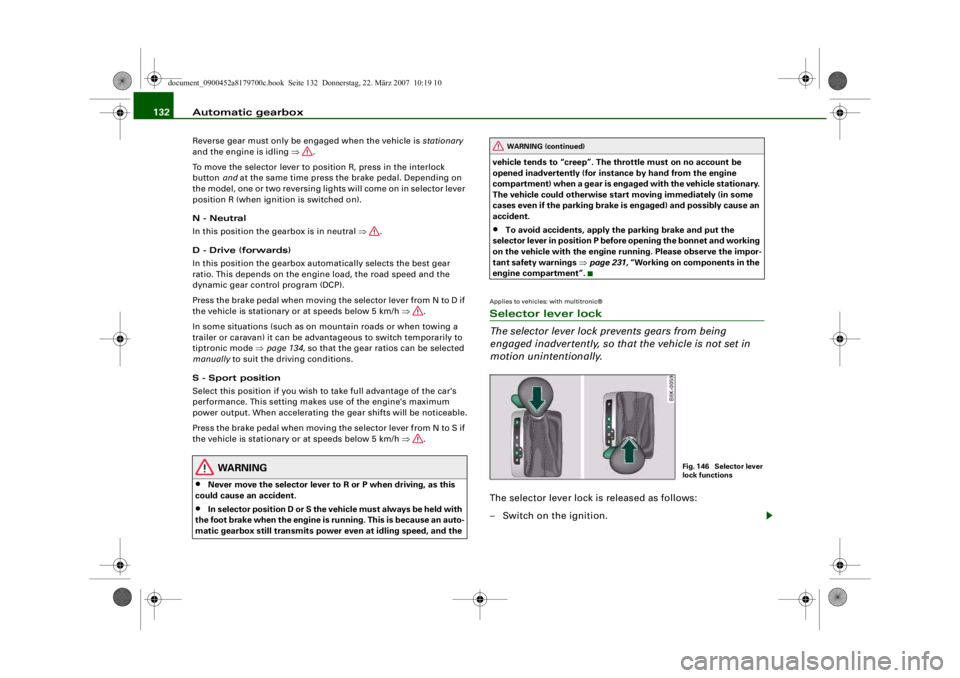
motion unintentionally.The selector lever lock is released as follows:
– Switch on the ignition.
WARNING (continued)
Fig. 146 Selector lever
lock functions
document_0900452a8179700c.book Seite 132 Donnerstag, 22. März 2007 10:19 10
--4 -
-T
•
-+ +-
Page 135 of 313
Automatic gearbox133
Controls
Safety
Driving tips
General maintenance
Self-help
Technical data
– Press the brake pedal and at the same time press in the
interlock button.Automatic selector lever lock
The selector lever is locked in the P and N positions when the igni-
tion is on. The brake pedal must be depressed before the lever can
be moved out of either of these positions. The following message
appears in the instrument display as a reminder for the driver when
the selector lever is in position P or N:
WHEN STATIONARY APPLY FOOTBRAKE WHILE SELECTING GEAR.
The selector lever lock only works if the vehicle is stationary or
driving at speeds up to 5 km/h. At higher speeds the selector lever
lock in the N position is disengaged automatically.
The selector lever lock is not engaged if the selector lever is moved
quickly through position N (e.g. when shifting from R to D). This
makes it possible, for instance, to “rock” the vehicle backwards and
forwards if it is stuck in snow or mud. The selector lever lock
engages automatically if the brake pedal is not depressed and the
lever is in position N for more than about a second.
Interlock button
The interlock button on the selector lever handle prevents the driver
from inadvertently engaging particul ar gears. Press the button in to
disengage the selector lever lock. Th e illustration shows the selector
lever positions in which the button has to be pressed, highlighted in
colour ⇒page 132, fig. 146.
Safety interlock for ignition key
The key can only be withdrawn with the ignition switched off and
the selector lever in position P. When the ignition key is removed,
the selector lever is locked in position P.
Applies to vehicles: with multitronic®Kick-down feature
The kick-down feature is designed to give maximum
acceleration.When the accelerator pedal is pressed right down past the point of
resistance at full throttle, the gearbox will select a lower gear,
depending on road speed and engine speed. While you keep the
accelerator depressed the engine speed is automatically controlled
to give your vehicle maximum acceleration.
WARNING
Please note that if the road surf ace is slippery or wet, the kick-
down feature could cause the driv ing wheels to spin, which could
result in skidding.Applies to vehicles: with multitronic®Dynamic gear control program (DCP)
The multitronic
® gearbox is controlled electronically.
The vehicle is equipped with an electronically controlled gearbox.
The gear ratios are selected automatically according to preset gear-
shift programmes.
When you drive at moderate speeds the gearbox will select the most
economical shift programme. It will then change up early and delay
the downshifts to give better fuel economy.
If you drive at higher speeds with heavy acceleration, if you open the
throttle quickly, or if you use the kick-down or the car's maximum
speed, the gearbox will automaticall y select the more “sporty” shift
programmes.
The gearbox is self-adapting, and continuously selects the most
suitable shift programme. At the same time, the driver can also
make the gearbox switch to a more "sporty" programme by pressing
document_0900452a8179700c.book Seite 133 Donnerstag, 22. März 2007 10:19 10
--4 -
-T
-+ +-
•
Page 136 of 313
Automatic gearbox
134the accelerator quickly. Depending on road speed, this makes the
gearbox shift down early into a lower gear ratio for more rapid accel-
eration (for instance to pass another vehicle), without having to
press the accelerator all the way down into the kick-down position.
After the gearbox has shifted back up it returns to the original
programme, depending on your style of driving.
The gearbox continuously adapts the gear ratios on uphill gradi-
ents. If the brake pedal is pressed on a downhill gradient the
gearbox automatically shifts to a lower gear ratio. This increases the
engine braking effect.Applies to vehicles: with multitronic®Manual gear selection (tiptronic mode)
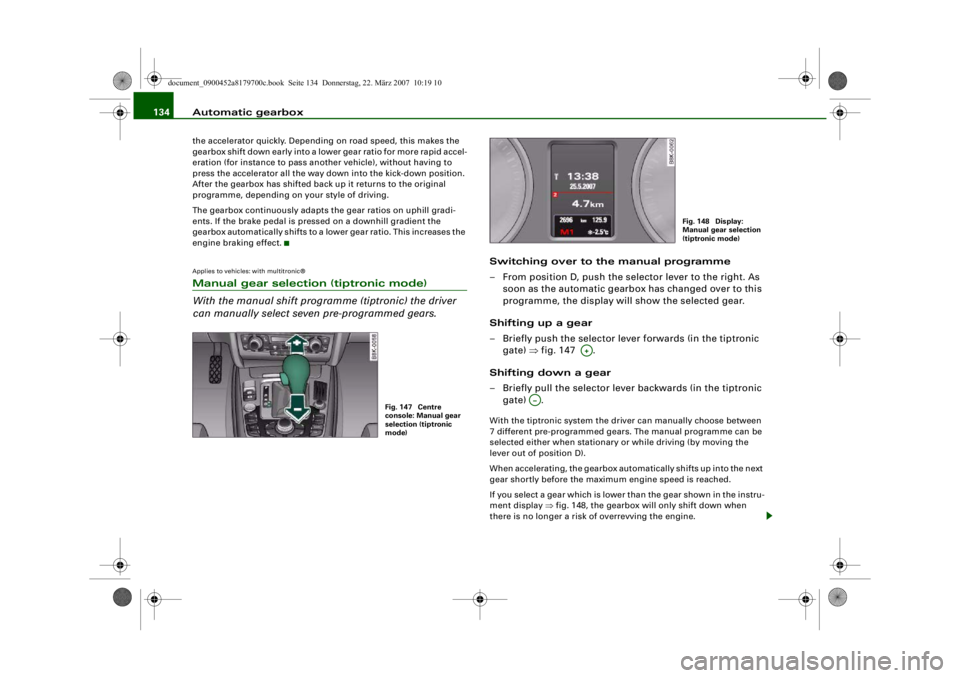
With the manual shift programme (tiptronic) the driver
can manually select seven pre-programmed gears.
Switching over to the manual programme
– From position D, push the selector lever to the right. As
soon as the automatic gearbox has changed over to this
programme, the display will show the selected gear.
Shifting up a gear
– Briefly push the selector lever forwards (in the tiptronic gate) ⇒fig. 147 .
Shifting down a gear
– Briefly pull the selector lever backwards (in the tiptronic gate) .With the tiptronic system the driver can manually choose between
7 different pre-programmed gears. The manual programme can be
selected either when stationary or while driving (by moving the
lever out of position D).
When accelerating, the gearbox automatically shifts up into the next
gear shortly before the maximum engine speed is reached.
If you select a gear which is lower than the gear shown in the instru-
ment display ⇒fig. 148, the gearbox will only shift down when
there is no longer a risk of overrevving the engine.
Fig. 147 Centre
console: Manual gear
selection (tiptronic
mode)
Fig. 148 Display:
Manual gear selection
(tiptronic mode)
A+
A…
document_0900452a8179700c.book Seite 134 Donnerstag, 22. März 2007 10:19 10
--4 -
-T
•
-+ +-