warning light AUDI A5 COUPE 2008 Owner's Guide
[x] Cancel search | Manufacturer: AUDI, Model Year: 2008, Model line: A5 COUPE, Model: AUDI A5 COUPE 2008Pages: 313, PDF Size: 13.86 MB
Page 61 of 313
Lights and vision59
Controls
Safety
Driving tips
General maintenance
Self-help
Technical data
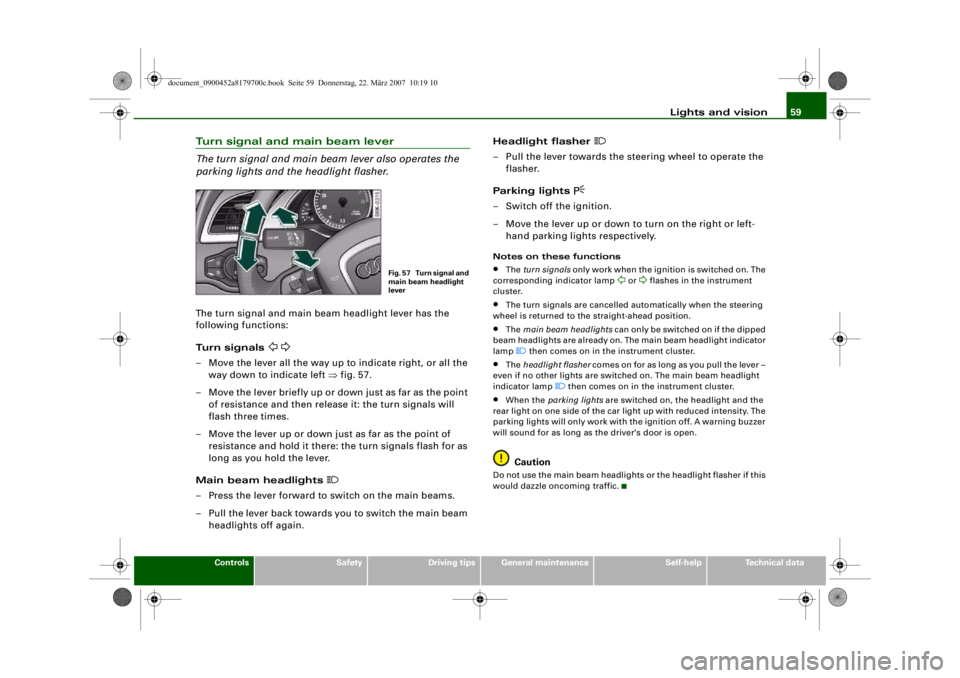
Turn signal and main beam lever
The turn signal and main beam lever also operates the
parking lights and the headlight flasher.The turn signal and main beam headlight lever has the
following functions:
Turn signals
– Move the lever all the way up to indicate right, or all the
way down to indicate left ⇒fig. 57.
– Move the lever briefly up or down just as far as the point of resistance and then rele ase it: the turn signals will
flash three times.
– Move the lever up or down just as far as the point of resistance and hold it there: the turn signals flash for as
long as you hold the lever.
Main beam headlights
– Press the lever forward to switch on the main beams.
– Pull the lever back towards you to switch the main beam headlights off again. Headlight flasher
– Pull the lever towards the steering wheel to operate the
flasher.
Parking lights
– Switch off the ignition.
– Move the lever up or down to turn on the right or left- hand parking lights respectively.Notes on these functions•
The turn signals only work when the ignition is switched on. The
corresponding indicator lamp
or
flashes in the instrument
cluster.
•
The turn signals are cancelled automatically when the steering
wheel is returned to the straight-ahead position.
•
The main beam headlights can only be switched on if the dipped
beam headlights are already on. The main beam headlight indicator
lamp then comes on in the instrument cluster.
•
The headlight flasher comes on for as long as you pull the lever –
even if no other lights are switched on. The main beam headlight
indicator lamp
then comes on in the instrument cluster.
•
When the parking lights are switched on, the headlight and the
rear light on one side of the car light up with reduced intensity. The
parking lights will only work with the ignition off. A warning buzzer
will sound for as long as the driver's door is open.Caution
Do not use the main beam headlights or the headlight flasher if this
would dazzle oncoming traffic.
Fig. 57 Turn signal and
main beam headlight
lever
document_0900452a8179700c.book Seite 59 Donnerstag, 22. März 2007 10:19 10
--4 -
-T
-+ +-
CD
•
Page 65 of 313
Lights and vision63
Controls
Safety
Driving tips
General maintenance
Self-help
Technical data
Automatic wash and wipe
– Pull the lever to position .
– Release the lever again. The washer will stop and the
wipers will keep running for approximately 4 seconds.
The number of wipe cycles varies according to the length
of time the lever is pulled.
Switching off the wipers
– Move the lever to the "off" position .General notes
The washers and wipers will only work when the ignition is switched
on.
If you stop briefly, e.g. at traffi c lights, the wiper speed will automat-
ically be reduced by one level.
The windscreen washer jets are heated when the ignition is
switched on if the outside temperature is low.
Dribble wipe
About 5 seconds after the wash and wipe cycle has finished, the
windscreen wiper system automatically gives the screen one extra
wipe to remove any dribbles of water.
If you want to deactivate the dribble wipe function while driving,
pull the lever to position again within 10 seconds.
The dribble wipe function will be re-activated the next time the igni-
tion is switched off and on.
Rain sensor*
The rain sensor will only function in the intermittent wipe position.
The intermittent wipe function is activated automatically when it
starts to rain.
Before you reach a road speed of 6 km/h you will have to activate the
rain sensor manually by switching it off and back on again. To reduce the sensitivity level of the rain sensor move control
⇒
page 62, fig. 64 to the left. To increase the sensitivity level of the
rain sensor move the control to the right.
If you have selected a high sensit ivity level for the rain sensor the
windscreen wipers will react sooner to any moisture on the wind-
screen. The wiper intervals in the intermittent wipe setting are also
varied automatically acco rding to the road speed (in addition to the
sensitivity setting).
WARNING
•
Poor visibility can cause accidents. Always ensure that the
wiper blades are in good condition ⇒page 65, “Changing wiper
blades”.
•
The rain sensor is only intended to assist the driver. The driver
is still obliged to manually o perate the windscreen wipers as
required depending on visibility.
•
Do not use water-repellent coatin gs on the windscreen. In bad
visibility conditions such as light rain, low sun or when driving at
night these coatings can cause increased dazzle, which is a
serious safety hazard. Such coatings can also cause the wiper
blades to judder.Caution
•
In icy conditions, always check that the wiper blades are not
frozen to the glass before using the wiper for the first time. If you
switch on the wipers when the wiper blades are frozen to the glass,
this could damage both the wiper blades and the wiper motor.
•
Make sure you switch off the windscreen wiper system (lever in
position "0") before you use an automatic car wash. This will avoid
inadvertent triggering of the wipers and possible damage to the
wiper system.
A5
A0
A5
AA
document_0900452a8179700c.book Seite 63 Donnerstag, 22. März 2007 10:19 10
--4 -
-T
-+ +-
CD
Page 67 of 313
Lights and vision65
Controls
Safety
Driving tips
General maintenance
Self-help
Technical data
when they are in the service posi
tion you will also avoid damaging
the paintwork on the bonnet.
•
off - the windscreen wipers will be moved back to their original
position.Caution
Never move the vehicle with the fr ont wiper arms in a raised posi-
tion as they are automatically moved back to their normal park posi-
tion above a speed of 6 km/h. The paintwork on the bonnet may be
damaged as a result.
Note
•
You can also use the service position, for example, if you want to
fix a cover over the windscreen in the winter to keep it clear of ice.
•
The service position is automatically set to off when you operate
the windscreen wiper lever or the road speed exceeds 6 km/h.
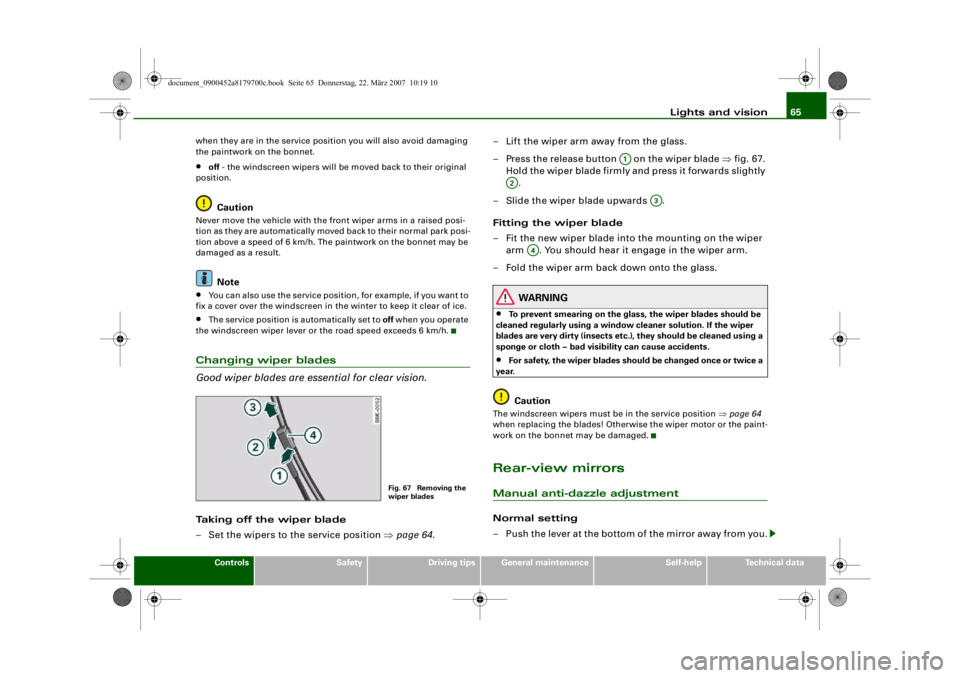
Changing wiper blades
Good wiper blades are es sential for clear vision.Taking off the wiper blade
– Set the wipers to the service position ⇒page 64 . – Lift the wiper arm away from the glass.
– Press the release button on the wiper blade
⇒fig. 67.
Hold the wiper blade firmly and press it forwards slightly .
– Slide the wiper blade upwards .
Fitting the wiper blade
– Fit the new wiper blade into the mounting on the wiper arm . You should hear it engage in the wiper arm.
– Fold the wiper arm back down onto the glass.
WARNING
•
To prevent smearing on the glas s, the wiper blades should be
cleaned regularly using a window cleaner solution. If the wiper
blades are very dirty (insects etc. ), they should be cleaned using a
sponge or cloth – bad visibility can cause accidents.
•
For safety, the wiper blades s hould be changed once or twice a
year.Caution
The windscreen wipers must be in the service position ⇒page 64
when replacing the blades! Otherwise the wiper motor or the paint-
work on the bonnet may be damaged.Rear-view mirrorsManual anti-dazzle adjustmentNormal setting
– Push the lever at the bottom of the mirror away from you.
Fig. 67 Removing the
wiper blades
A1
A2
A3
A4
document_0900452a8179700c.book Seite 65 Donnerstag, 22. März 2007 10:19 10
--4 -
-T
(D [I]
&
-+
•
+-
(D
•
Page 68 of 313
Lights and vision
66
Anti-dazzle setting
– Pull the lever at the bottom of the mirror towards you.Applies to vehicles: with automatic anti-dazzle adjustment for interior mirrorAutomatic anti-dazzle adjustment
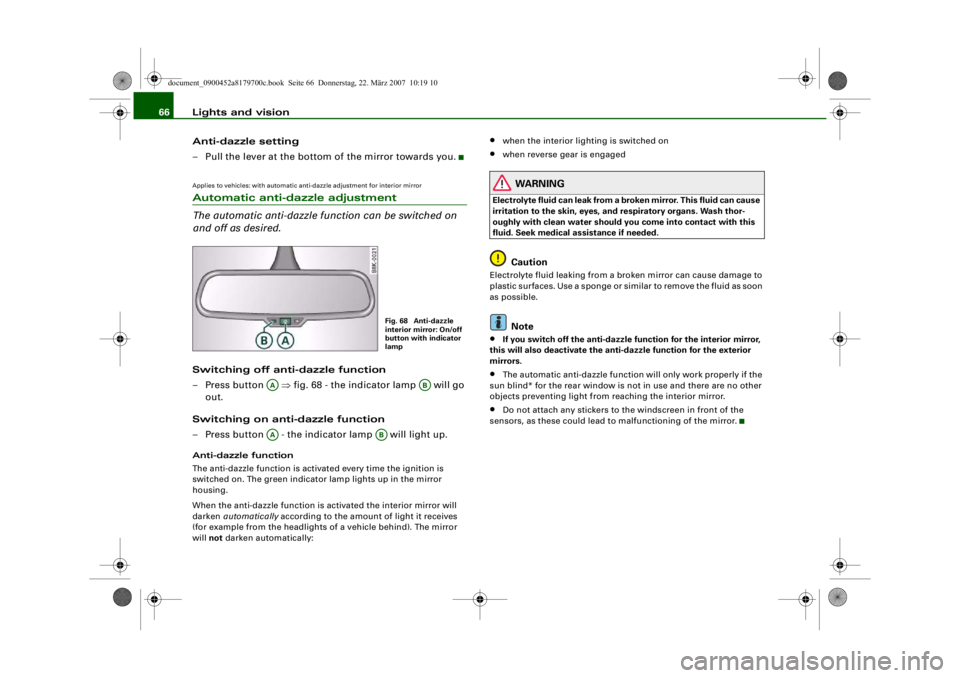
The automatic anti-dazzle function can be switched on
and off as desired.Switching off anti-dazzle function
– Press button ⇒ fig. 68 - the indicator lamp will go
out.
Switching on anti-dazzle function
– Press button - the indicator lamp will light up.Anti-dazzle function
The anti-dazzle function is activa ted every time the ignition is
switched on. The green indicator lamp lights up in the mirror
housing.
When the anti-dazzle function is ac tivated the interior mirror will
darken automatically according to the amount of light it receives
(for example from the headlights of a vehicle behind). The mirror
will not darken automatically:
•
when the interior ligh ting is switched on
•
when reverse gear is engaged
WARNING
Electrolyte fluid can leak from a br oken mirror. This fluid can cause
irritation to the skin, eyes, and respiratory organs. Wash thor-
oughly with clean water should you come into contact with this
fluid. Seek medical assistance if needed.
Caution
Electrolyte fluid leaking from a broken mirror can cause damage to
plastic surfaces. Use a sponge or similar to remove the fluid as soon
as possible.
Note
•
If you switch off the anti-dazzle fu nction for the interior mirror,
this will also deactivate the anti-dazzle function for the exterior
mirrors.
•
The automatic anti-dazzle function will only work properly if the
sun blind* for the rear window is not in use and there are no other
objects preventing light from reaching the interior mirror.
•
Do not attach any stickers to the windscreen in front of the
sensors, as these could lead to malfunctioning of the mirror.
Fig. 68 Anti-dazzle
interior mirror: On/off
button with indicator
lamp
AA
AB
AA
AB
document_0900452a8179700c.book Seite 66 Donnerstag, 22. März 2007 10:19 10
--4 -
-T
•
-- ._______I& --
CD
-+ +-
•
Page 70 of 313
Lights and vision
68Applies to vehicles: with automatic anti-dazzle adjustment for exterior mirrorsAutomatic anti-dazzle adjustment for exterior mirrorsThe exterior mirrors darken t ogether with the automatically
adjusting interior mirror. When the ignition is on, the mirrors will
darken automatically according to the amount of light received (for
example from the headlights of a vehicle behind).
When the interior lights are switch ed on, or when reverse gear is
engaged, the mirrors revert to their original (i.e. not darkened)
condition.
WARNING
Electrolyte fluid can leak from a br oken mirror. This fluid can cause
irritation to the skin, eyes, and respiratory organs. Wash thor-
oughly with clean water should you come into contact with this
fluid. Seek medical assistance if needed.
Caution
Electrolyte fluid leaking from a broken mirror can cause damage to
the paintwork or plastic surfaces. Use a sponge or similar to remove
the fluid as soon as possible.
Note
•
If you switch off the anti-dazzle function for the interior mirror,
this will also deacti vate the anti-dazzle function for the exterior
mirrors.
•
The automatic anti-dazzle function will only work properly if the
sun blind* for the rear window is not in use and there are no other
objects preventing light from reaching the interior mirror.
Digital compassApplies to vehicles: with digital compassActivating and deactivating the compass
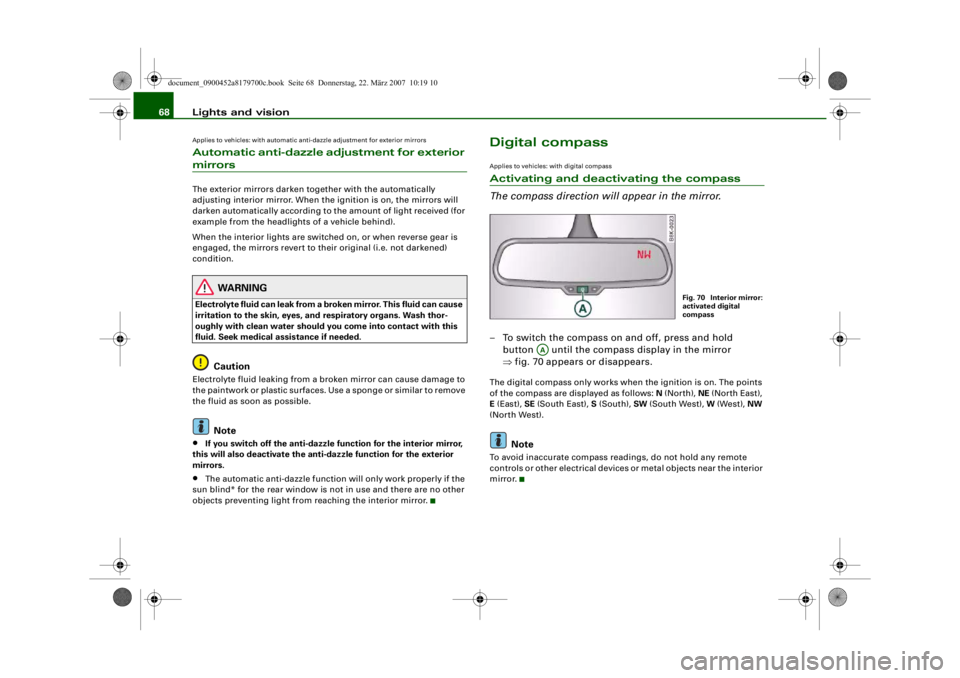
The compass direction will appear in the mirror.– To switch the compass on and off, press and hold button until the compass display in the mirror
⇒fig. 70 appears or disappears.The digital compass only works when the ignition is on. The points
of the compass are displayed as follows: N (North), NE (North East),
E (East), SE (South East), S (South), SW (South West), W (West), NW
(North West).
Note
To avoid inaccurate compass readings, do not hold any remote
controls or other electrical devices or metal objects near the interior
mirror.
Fig. 70 Interior mirror:
activated digital
compass
AA
document_0900452a8179700c.book Seite 68 Donnerstag, 22. März 2007 10:19 10
--4 -
-T
-+
0
+-
[I]
[I]
•
•
Page 71 of 313
Lights and vision69
Controls
Safety
Driving tips
General maintenance
Self-help
Technical data
Applies to vehicles: with digital compassSetting the correct compass calibration zone
The correct compass calibration zone must first be set
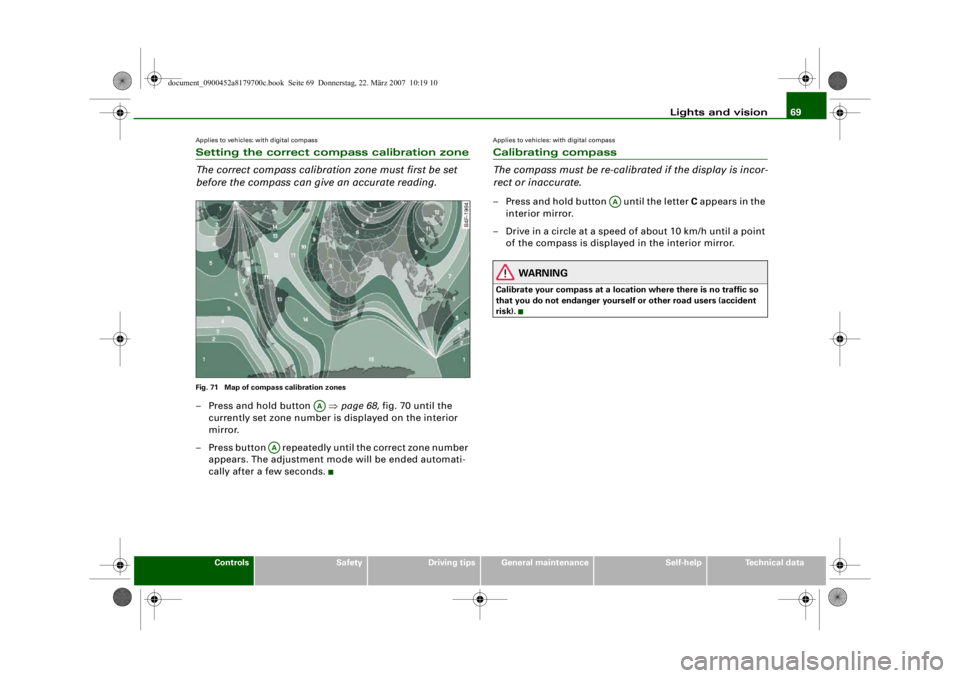
before the compass can give an accurate reading.Fig. 71 Map of compass calibration zones– Press and hold button ⇒page 68, fig. 70 until the
currently set zone number is displayed on the interior
mirror.
– Press button repeatedly until the correct zone number appears. The adjustment mo de will be ended automati-
cally after a few seconds.
Applies to vehicles: with digital compassCalibrating compass
The compass must be re-calibra ted if the display is incor-
rect or inaccurate.– Press and hold button until the letter C appears in the
interior mirror.
– Drive in a circle at a speed of about 10 km/h until a point of the compass is displayed in the interior mirror.
WARNING
Calibrate your compass at a loca tion where there is no traffic so
that you do not endanger yourself or other road users (accident
risk).
AA
AA
AA
document_0900452a8179700c.book Seite 69 Donnerstag, 22. März 2007 10:19 10
--4 -
-T
-+ +-
•
Page 77 of 313
Seats and storage75
Controls
Safety
Driving tips
General maintenance
Self-help
Technical data
Recalling settings
– If the driver's door is open, press the desired recall
button briefly.
– If the driver's door is clos ed, press and hold down the
desired recall button until the programmed settings are
reached.A tone will sound and the diode in the button ⇒page 74,
fig. 76 will light up to confirm th at the settings have been stored.
When you lock the vehicle the current settings are automatically
stored and assigned to the remote control key. However, the
settings assigned to the remote control key will not overwrite the
settings stored on recall buttons 1 and 2. The settings stored on the
recall buttons can be called up at any time. When you unlock the
vehicle, the settings assigned to the remote control key are recalled
automatically.
If your vehicle is also driven by other persons using your remote
control key, it is advisable to store your personal settings on one of
the recall buttons. You can then reca ll your own settings at any time
simply by pressing the corresponding recall button. When you lock
the vehicle these setti ngs are then stored automatically and
assigned once again to the remote control key.
WARNING
•
For safety reasons, never recall seat settings when the vehicle
is moving - this could lead to an accident.
•
In an emergency the recall fu nction can be stopped at any time
by pressing the switch, or by briefly pressing any of the
recall buttons.
Applies to vehicles: with seat memoryActivating memory for remote control key
The relevant function must be activated on the sound
system or MMI so that the se ttings stored in the memory
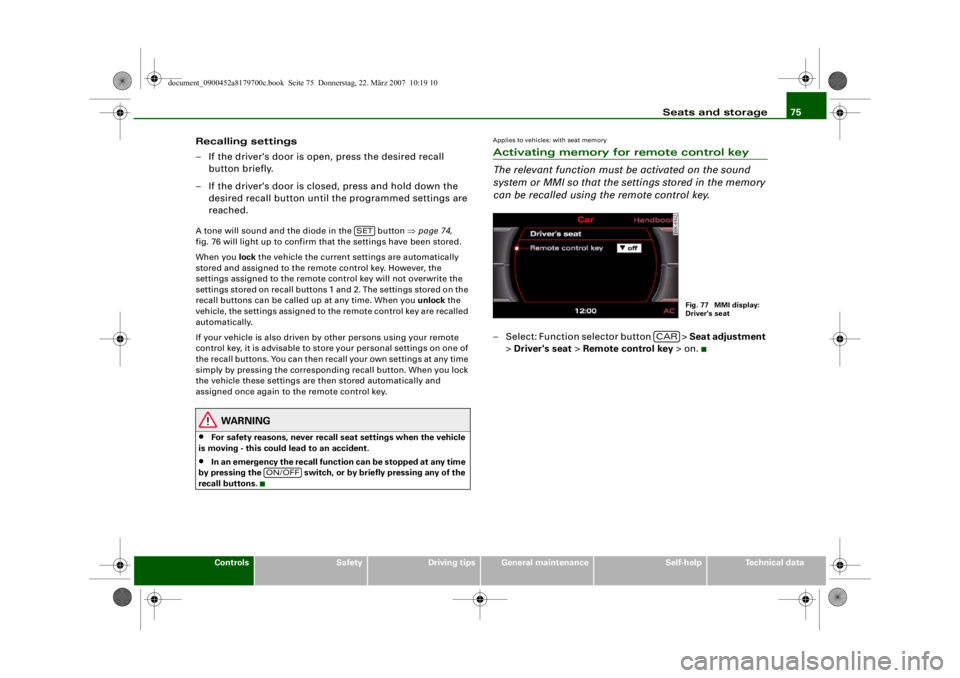
can be recalled using the remote control key.– Select: Function selector button > Seat adjustment
> Driver's seat > Remote control key > on.
SET
ON/OFF
Fig. 77 MMI display:
Driver's seat
CAR
document_0900452a8179700c.book Seite 75 Donnerstag, 22. März 2007 10:19 10
--4 -
-T
D
-+
•
+-
•
Page 81 of 313
Seats and storage79
Controls
Safety
Driving tips
General maintenance
Self-help
Technical data
Applies to vehicles: with stretch netStretch net / retaining net
The stretch net / retaining net can be used to secure light
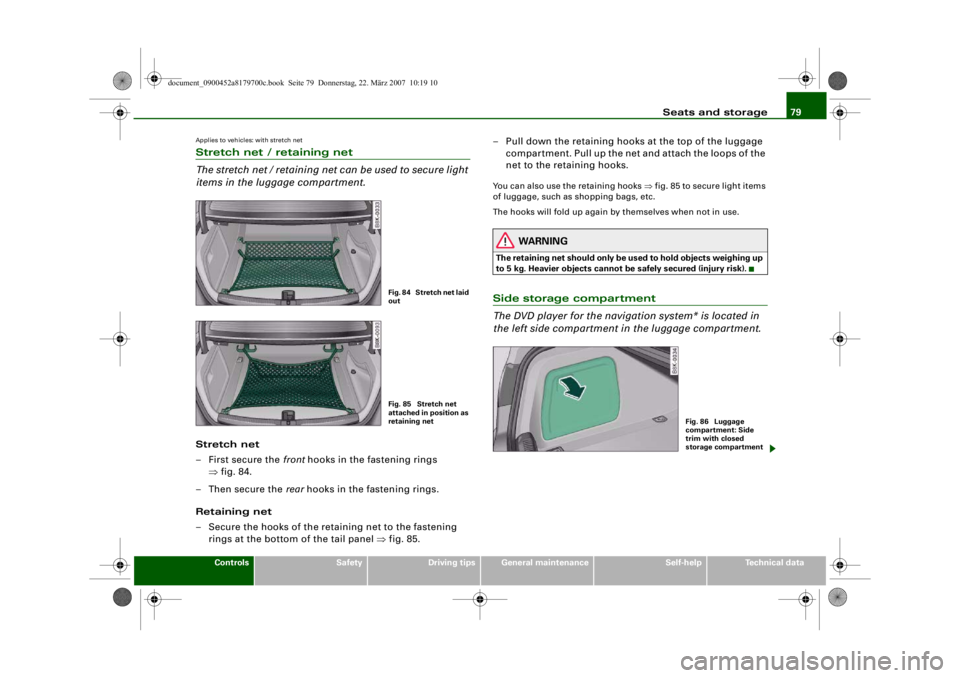
items in the luggage compartment.Stretch net
– First secure the front hooks in the fastening rings
⇒ fig. 84.
–Then secure the rear hooks in the fastening rings.
Retaining net
– Secure the hooks of the retaining net to the fastening rings at the bottom of the tail panel ⇒fig. 85. – Pull down the retaining hooks at the top of the luggage
compartment. Pull up the net and attach the loops of the
net to the retaining hooks.
You can also use the retaining hooks ⇒fig. 85 to secure light items
of luggage, such as shopping bags, etc.
The hooks will fold up again by themselves when not in use.
WARNING
The retaining net should only be us ed to hold objects weighing up
to 5 kg. Heavier objects cannot be safely secured (injury risk).Side storage compartment
The DVD player for the navigation system* is located in
the left side compartment in the luggage compartment.
Fig. 84 Stretch net laid
outFig. 85 Stretch net
attached in position as
retaining net
Fig. 86 Luggage
compartment: Side
trim with closed
storage compartment
document_0900452a8179700c.book Seite 79 Donnerstag, 22. März 2007 10:19 10
--4 -
-T
. I
-+ +-
Page 84 of 313
Seats and storage
82
WARNING
The rear backrest must always be securely latched so that objects
stored in the luggage compartment will not fly forward during
sudden braking.
Caution
When returning the backrest to an upright position, make sure that
the seat belts for the rear seats are in their guides so that they
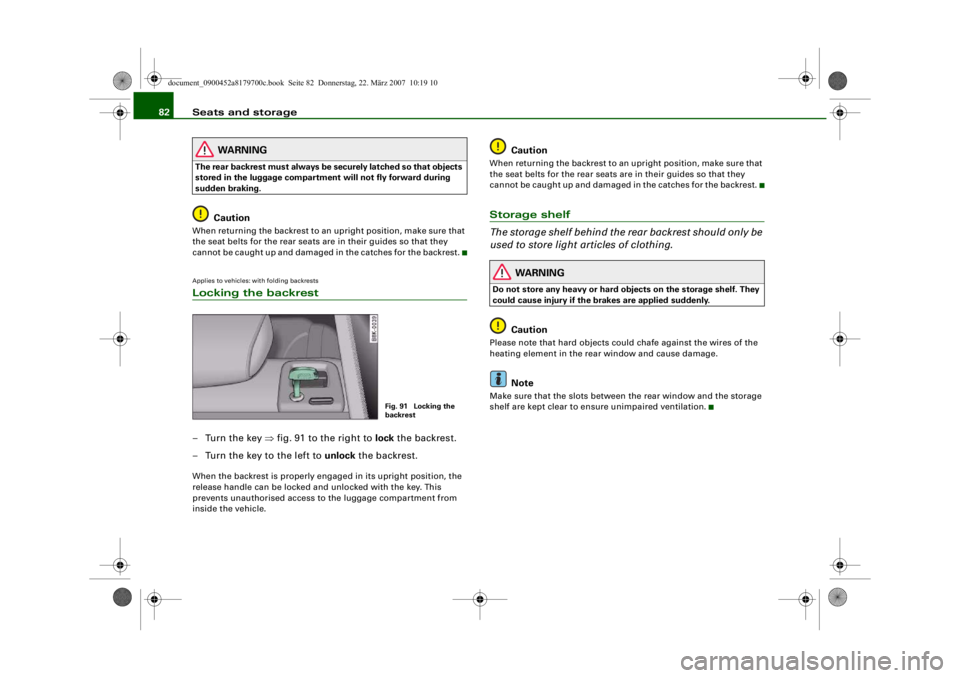
cannot be caught up and damaged in the catches for the backrest.Applies to vehicles: with folding backrestsLocking the backrest–Turn the key ⇒ fig. 91 to the right to lock the backrest.
– Turn the key to the left to unlock the backrest.When the backrest is properly en gaged in its upright position, the
release handle can be locked and unlocked with the key. This
prevents unauthorised access to the luggage compartment from
inside the vehicle.
Caution
When returning the backrest to an upright position, make sure that
the seat belts for the rear seats are in their guides so that they
cannot be caught up and damaged in the catches for the backrest.Storage shelf
The storage shelf behind the rear backrest should only be
used to store light articles of clothing.
WARNING
Do not store any heavy or hard objects on the storage shelf. They
could cause injury if the brakes are applied suddenly.
Caution
Please note that hard objects co uld chafe against the wires of the
heating element in the rear window and cause damage.
Note
Make sure that the slots between the rear window and the storage
shelf are kept clear to ensure unimpaired ventilation.
Fig. 91 Locking the
backrest
document_0900452a8179700c.book Seite 82 Donnerstag, 22. März 2007 10:19 10
--4 -
T
I&
I
CD
•
CD
•
I&
-+
CD
+-
rn
•
Page 88 of 313
Seats and storage
86
– Position the cup in the holder and let go of the arm. The arm will move back automatically to secure the cup.
Closing cup holder
– Press the middle piece between the two arms and push the cup holder back into the shaft as far as it will go.The retainer arm should be positi oned against the drinks container
so that it is held securely.
One or two drink containers can be held in the centre armrest.
WARNING
•
Do not put any hot drinks in the cup holders while the vehicle
is moving. You could be scalded if the hot liqu id is spilt.
•
Do not use hard china cups or glasses. These could cause injury
in the event of an accident.Caution
You should avoid putting open drinks containers in the cup holders.
The drinks could otherwise spill over and cause damage to e.g. the
electrical equipment or the seat covers.
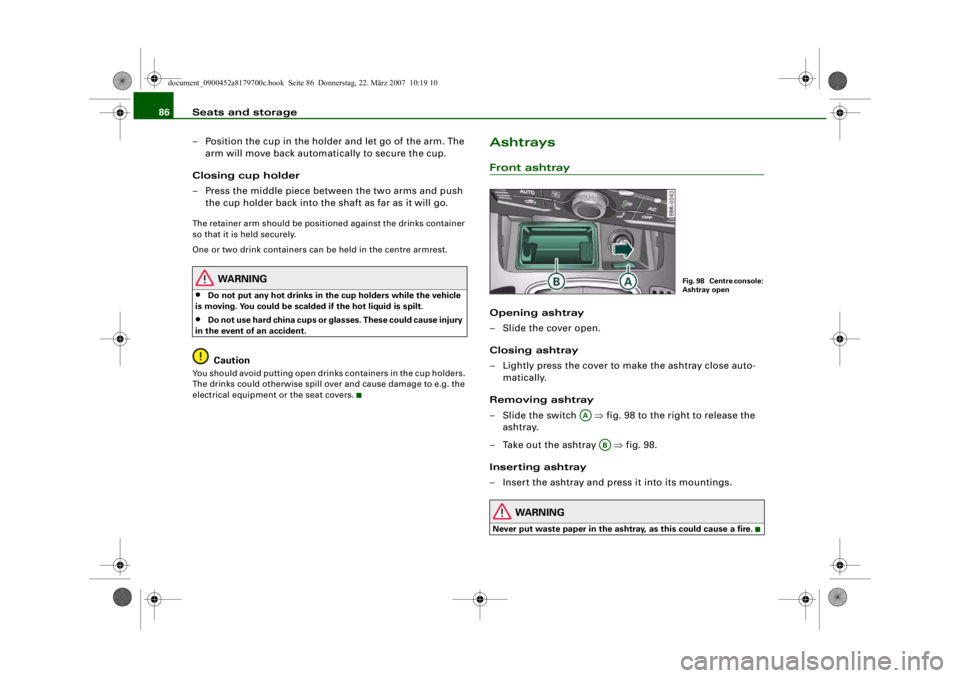
AshtraysFront ashtrayOpening ashtray
– Slide the cover open.
Closing ashtray
– Lightly press the cover to make the ashtray close auto- matically.
Removing ashtray
–Slide the switch ⇒ fig. 98 to the right to release the
ashtray.
– Take out the ashtray ⇒fig. 98.
Inserting ashtray
– Insert the ashtray and press it into its mountings.
WARNING
Never put waste paper in the asht ray, as this could cause a fire.
Fig. 98 Centre console:
Ashtray open
AA
AB
document_0900452a8179700c.book Seite 86 Donnerstag, 22. März 2007 10:19 10
--4 -
-T
-+
0
+-
•
•