park assist AUDI A5 COUPE 2012 User Guide
[x] Cancel search | Manufacturer: AUDI, Model Year: 2012, Model line: A5 COUPE, Model: AUDI A5 COUPE 2012Pages: 316, PDF Size: 78.59 MB
Page 138 of 316
136 Park assis t
- the rear view camera does not provide a reli
able image, for examp le, in poor visibility
condit ions or if the lens is dirty,
- the image on the screen is not visible due to
sun g lare and reflection .
Caring for th e rear view came ra l ens
The rear view camera is located above the rear
l icense pla te bracket . For the parking assist to
ope rate, the lens
r::!;> fig . 154 must be kept
clean:
- Dampen the lens with a househo ld alcohol
b ased glass cleaner , a nd clean the lens wi th
a dry cloth
¢ CD .
- Remove snow with a hand brush and ice
prefe rably wi th a de-icing sp ray
¢ (D .
_& WARNING
- The pa rking aid cannot replace the driv
er's attention. The driver a lone is respon
sible for parking and similar driving ma
neuvers.
- Always keep your eyes on the veh icle's
surround ings, using the rear view mirror
as well.
- Do not a llow yourse lf to be d istracted
from traffic by the rear view camera pic
tures.
- If the posit ion and the installat ion ang le
of the camera has changed, for example,
after a rea r end collision, do not continue
to use the system for safety reasons .
Have it checked by a qualified dealership.
{[) Note
-Low obstacles already signaled by a
warning can disappear from the system's
detection range as they are approached
and will not contin ue to be signaled . Ob
j ects such as bar rier cha ins, trailer draw
bars, thi n pa inted ve rtical poles or fen
ces may no t be detec ted by t he sys tem ,
pos ing risk of damage.
- Never use warm or hot water to remove
snow or ice from the came ra lens - dan
ger o f crack formation on the lens! - When cleaning the lens, never use prod
ucts that a re abrasive.
Switching on /off
Applies to vehicles: with parking system (rear, with rear
view camera)
The rear view camera switches on automati
cally together with the acoustic park assist when you put the vehicle in reverse.
Switching on
.,. Put the veh icle in reverse gear, the acoust ic
park ing system with rear view camera is ac
tivated automatica lly. Act ivat ion of the
acoust ic par king system is confirmed by a
b rief ac knowledgement sou nd.
Switching off
.,. Drive faster than 6 mph (10 km/h) , or
.,. take the vehicle out of reverse gear . The
acoust ic park ing system is immediate ly d e
ac tiva ted, and the rea r view came ra p icture
is deact ivated a utomat ic all y afte r a period
of about 1 5 seconds , or
.,. sw itch off the ignition.
T he de lay in deac tivat ing the came ra provides
an unin ter rup ted view behind the ve hicle es
pecially when maneuvering in tight par king
spaces and p revents the picture from t urning
off the every time you shift out of reve rse.
If the warning message appears in the display
but not the rear view came ra picture, read and
co nfirm the wa rning message. The acoustic
distance signal is always active.
If you press a function button on the M MI
control console, the rear view came ra p icture
disappea rs . The rear v iew camera picture reap
pears the next t ime yo u park.
F urther informa tion on the warning message
and the MMI control conso le can be fo und in
the MMI instruction boo klet.
(D Tips
- T he rear view camera picture is available
as soon as the M MI Display or the MMI is .,..
Page 141 of 316
(D Note
In the MMI display, the direction of travel
of the vehicle rear is represented depend
ing on the steering wheel angle. The vehi
cle front sw ings out more than the vehicle
rear. Maintain plenty of distance from an
obstacle so that you r outside m irror or a
corner of your veh icle does not co llide w ith
any obsta cles -danger of acc ident!
(D Tips
The left or r ight orientation li nes and sur
faces will be displayed, depend ing on the
tur n signa l be ing used.
Adjusting the display and warning tones
A ppl ies to vehicles: with pa rk in g system (rear, with rea r
view camera)
The display and warning tones are adjusted in
the radio or MM!*.
~ Select: ICARI > Pa rking system .
Display
-Off -when the pa rking system is switched
off, only aud ib le signals are given.
- On -when the parking system is switched
on, the pict ure from the rear view camera is
displayed.
Warning tones
- Rear volume -rear sensor volume
-Rear frequency -rear sensor frequency
-In -car entertainment fader -when the park-
ing system is sw itched on, the volume of the
active audio source is lowered .
The newly adjusted value is briefly heard from
the signal generator. The settings are auto
mat ically stored and assigned to the remote
control key.
A WARNING
- Always make sure that the volume and
frequency of t he warning tones is adjust
ed so that you can easily hea r th e acous
ti c dis tance s ign al even if the r adio is
playing, the a ir-conditioner b lower is on
-
P ark a ssis t 139
High o r there is a high level of outside
noise.
- Check the settings whenever someone
else has driven the vehicle before you.
(D Tips
- T he war ning tones can also be adjus ted
directly from t he rear view camera im
age. S imply press the
I Sett ings !* contro l
button.
- Changed settings are activated when
parking assist is switched on again .
' Error messages
Applies to vehicles: wit h parking system (rear, wit h rear
v iew camera)
If a warning tone is aud ible for about five sec
onds when yo u turn on the ignition, there is a
malfunction in the system. Have the problem
corrected by your author ized Audi dealer.
Keep the senso rs in the rea r bu mpe r clean and
free from ice so that the acoustic park assist
system can function properly .
Page 211 of 316
This automatic adjustment process will cause
a
slight vib ra tion of the brake pedal and some
noises to alert you that vehicle speed must be
adapted to existing road and traffic condi
tions.
A WARNING
Although the ABS is very effective, always
remember that braking capability is limit
ed by t ire traction . A lways adjust your dr iv
ing speed according to the road and t raff ic
conditions. Do not let the extra sa fety af
forded by the ABS tempt you into taking
extra risks. The ABS cannot overcome the
laws of physics .
(D Tips
-If ABS is not functioning properly, a
warning light will come on . See
~ page 16.
-If a fault occu rs in the ABS, the EDL is al
so not functioning . This is indicated by
the ABS warning light .
Brake assist
Brake assist is designed to achieve the opti
mum broking effect.
Brake assist helps to increase the effective
brak ing power and thus to achieve a shorter
stopping distance. If the driver presses the
brake peda l very quick ly, brake assist auto
mat ica lly boosts the braking force to the max
imum level, up to the point where the anti
lock brake function (ABS) intervenes to stop
the wheels from locking . You should then
keep the brake pedal pressed u ntil the vehicle
has braked to the required speed . Brake ass ist
sw itches itself off as soon as you release the
b rake peda l.
A WARNING
Please remembe r that the accident r is k al
ways increases if yo u drive too fast, espe
cially in corners or on a s lippery road, or if
you fo llow the vehicle ahead of you too
close ly. Increased risk of an accident can-
Int ellig ent technolog y 209
not be compensated for even by brake as
sist, so always maintain a safe speed.
S .
®
ervotron1c
-
advanced power
steering system
The power steering systems uses the power of
the running engine to allow precise steering
with little effort.
T he advanced Servotronic ® power steer ing
system senses the road speed and elect ron i
ca lly adjusts power assistance to provide com
fortab le and safe ste ering response exact ly
matched to the vehicle speed .
Power steering will not work i f the engine is
off. As a result, the stee ring wheel will be hard
to turn .
T he power steering fluid level is checked d ur
ing the schedu led maintenance services .
(D Note
If there is an e lectronic malfunction, ser
votronic
will s till function like a conven
tiona l power steering system, providing a
constant steering support force that is no
l onger proportionate to the vehicle speed.
This is most noticeable when turning the
steering wheel at low speeds (for example
when parking), -more effort w ill be re
q uired than usual.
- Be aware of the different than usual
steering response and adjust your steer
ing force acco rdingly .
- Have the problem checked and set right
by an Audi dealer as soon as possible.
(D Tips
-Whe n the engine is running, never hold
the steering w heel turned all the way to
the rig ht or to the left for longer t han 15
seconds. The powe r steering pump will
overheat the hydraulic fluid if you keep
holding the stee ring wheel turned all the
way. This is likely to damage the power
steering system .
IJI>
•
•
Page 284 of 316
282 Fuses and bulbs
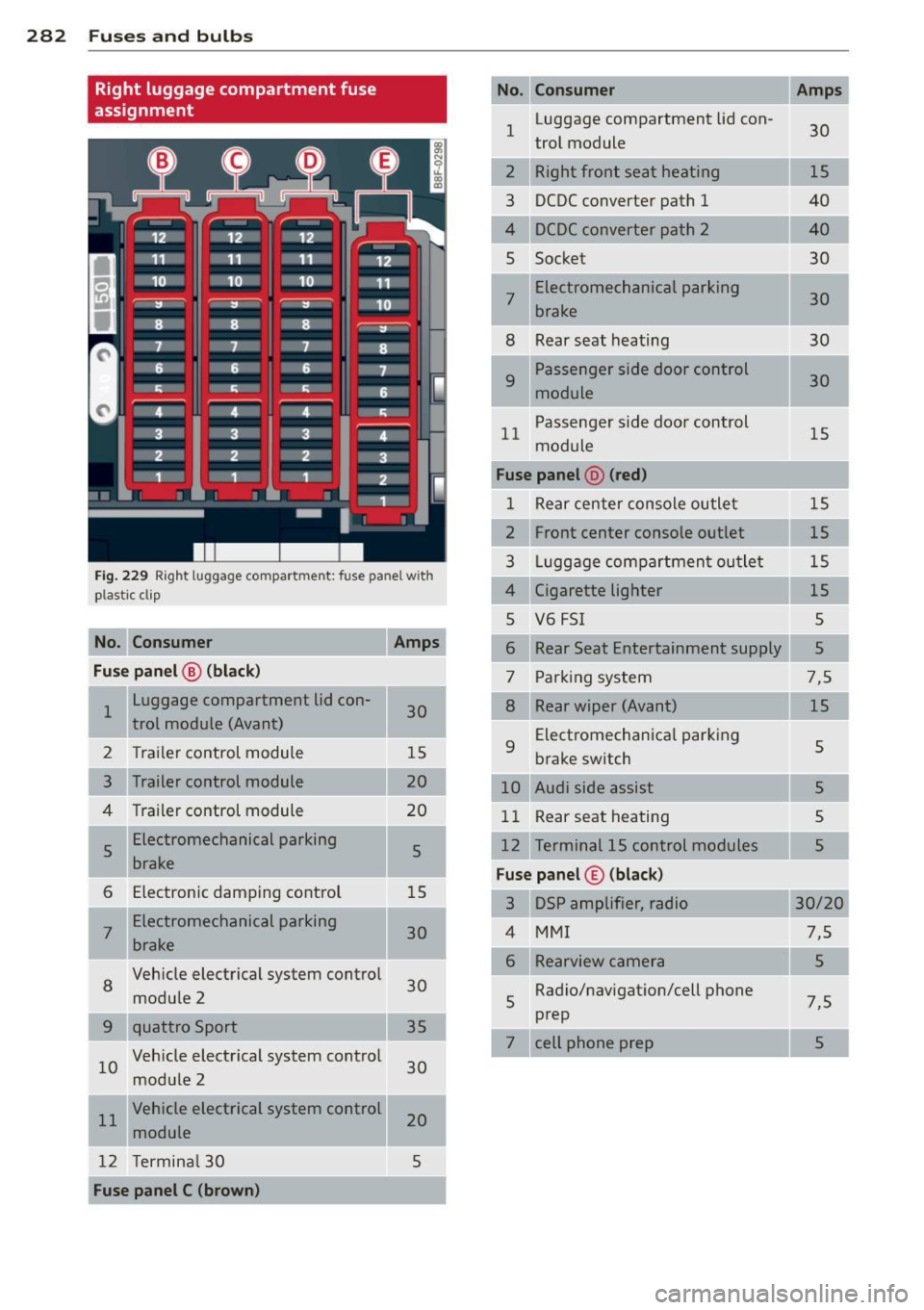
Right luggage compartment fuse
assignment
Fig. 229 Rig ht luggag e compar tmen t: fus e pan el w ith
pla stic cl ip
No. Consumer
Amps
Fuse panel @ (black)
1 Luggage compartment lid con-
30
trol module (Avant)
2 Trailer control module 15
3 Trailer control module
20
4 Trailer control module 20
I 5 Electromechanical parking
5
brake
6 Electronic damping control
15
7 Electromechanical
parking
30
brake
8
Vehicle electrical system control
30
module 2
35
10 Vehicle electrical system control
30
module 2
11 Vehicle electrical system control
20
module
12 Terminal 30 5
Fuse panel C (brown) No. Consumer
1
Luggage compartment lid con-
30
trol module
2 Right front seat heating
3 DCDC converter path 1
4 DCDC converter path 2
5 Socke t
7 Electromechanical parking
30
brake
8 Rear seat heating 30
9
Passenger side door control
30
module
11 Passenger
side door control
15
module
Fuse panel @ (red)
1 Rear center console outlet 15
2 Front center console outlet 15
3 Luggage compartment outlet 15
4 Cigarette lighter
15
5 V6 FSI 5
6 Rear Seat Entertainment supply
5
7 Parking
system 7,5
8 Rear wiper (Avant) 15
9
Electromechanical parking
5
brake switch
10 Audi side assist 5
11 Rear seat heating
5
Terminal 15 control modules
Fuse panel© (black)
3 DSP amplifier, radio
MMI
Rearview camera
5 Radio/navigation/cell
phone
prep 7,5
7 cell phone prep
5
Page 301 of 316
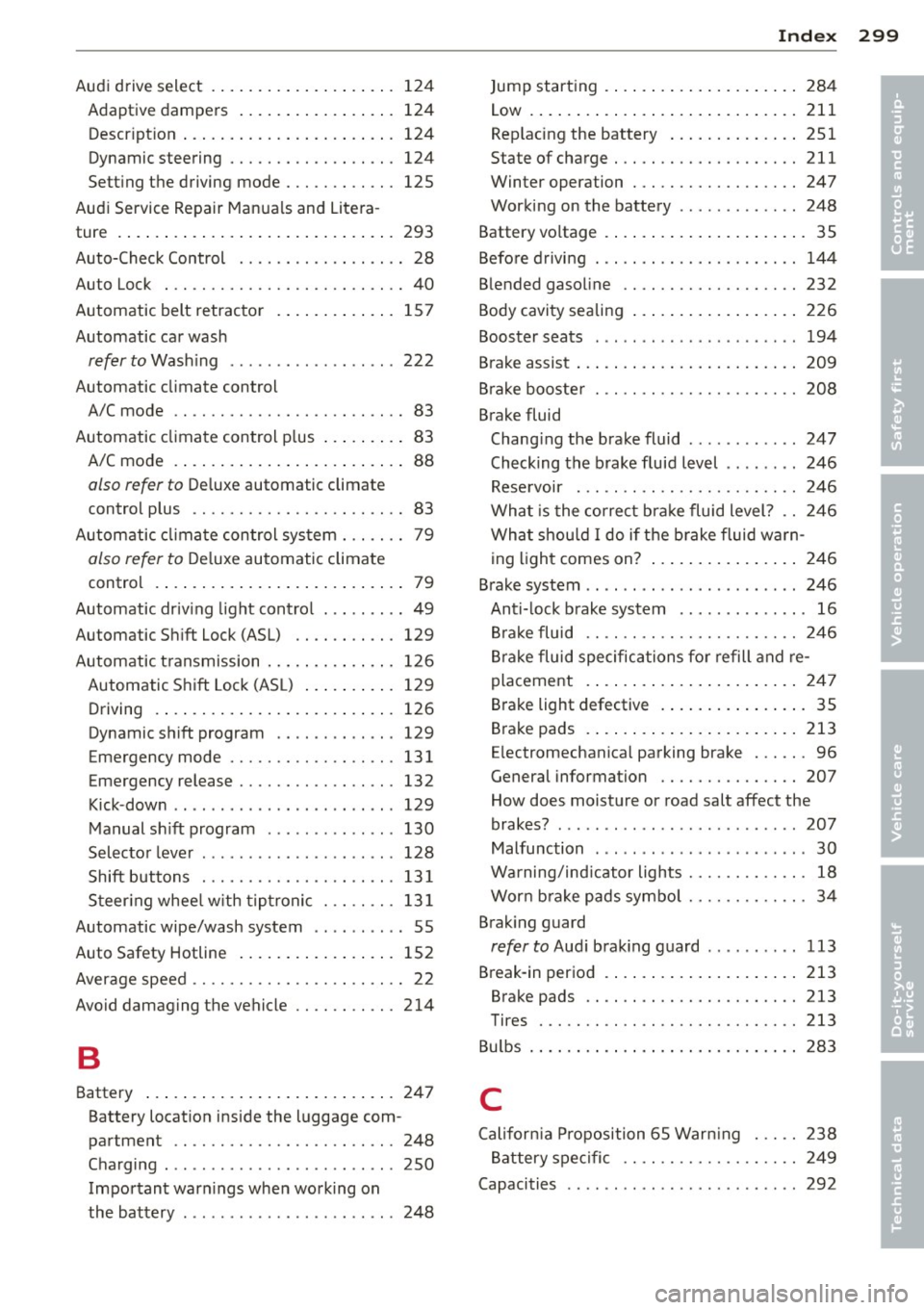
Audi drive select . ... .... ... .. .. .. ... 124
Adaptiv e dampers ..... ... .. .. .. .. . 124
Descr ipt ion ..... ........ ... .. .. .. . 124
Dynamic steering ......... .. .. .. .. . 124
Se tting the driving mode ... .. .. .. .. . 125
Aud i Service Repair Ma nua ls and Litera-
ture . ..... .. .. .... .. .... ... .. .. ... 293
Auto-Check Control . . . . . . . . . . . . . . . . . . 28
Auto Lock . . . . . . . . . . . . . . . . . . . . . . . . . . 40
Automatic belt retrac tor . ... .. .. .. .. . 15 7
Automatic ca r wash
refer to Wash ing ............ .... .. 222
Automatic climate control A/C mode .. ............. .... .. .... 83
Automatic clima te control p lus ... .. .. .. 83
A/C mode . ... ... ..... ... .. .. .. .... 88
also refer to Deluxe automatic climate
contro l plus . . . . . . . . . . . . . . . . . . . . . . . 83
Automatic clima te control sys tem . .. .. .. 79
also refer to D eluxe automatic clima te
control .... ... .. ..... ... .. .. .. .... 79
Automatic driv ing light contro l ... .. .. .. 49
Automatic S hift Lock (ASL) .. .. .. .. .. . 129
Autom atic t ransmission .. ... .. .. .. .. . 126
Automatic S hift Lock (ASL) . . . . . . . . . . 129
Driving .... .. .... .... ... .. .. .. ... 126
Dynamic shift program . . . . . . . . . . . . . 129
Emergency mode . . . . . . . . . . . . . . . . . . 131
Emergency release ........ .. .. .. .. . 132
Kick-dow n ............ ...... .... .. 129
Manual sh ift program . .... .. .. .. .. . 130
Selector leve r ............... ... ... 128
Shift buttons ............ .. .. .. .. . 13 1
S teer ing whee l w ith tiptronic . .. .. .. . 13 1
Automatic wipe/wash system . . . . . . . . . . 55
Auto Safety Hotline ..... ... .. .. .. .. . 152
Average speed . . . . . . . . . . . . . . . . . . . . . . . 2 2
Avoid damaging the vehicle .. .. .. .. .. . 214
B
Battery ..... .. .. .. .. .... ... .. .. ... 247
Battery locat ion inside the luggage com-
partment .. ............. .... .. ... 248
Cha rging . ................ ... ... .. 250
Impo rtant war nings when wo rking on
the battery . . . . . . . . . . . . . . . . . . . . . . . 248
Inde x 299
Jump start ing . ..... . .. .. ..... ... .. 284
Low . ... .. .. .. .... . ... ...... ... .. 211
Rep lacing the battery .. ..... ... .. .. 251
State of charge . .. ................. 211
Winter operation . ................. 247
Working on the battery ............. 248
Battery vo ltage . ...... .. .. ..... ... .. . 35
Befo re d rivi ng . .. .. .... ........... .. 144
B lended gasoline .. .. ........... .... 232
Body cavity sealing ... . .. ..... ... .. .. 226
Boos ter seats ... .. .. . .. .... .... .. .. 194
Brake assist ... .. .. .. .. .. ...... ... .. 209
B rake booste r ... ...... ............. 208
Brake fluid Changi ng the brake fluid ............ 247
Checking the brake fluid level ........ 246
Rese rvoir . .. .. .. .... ........... .. 246
What is the correct b ra ke fluid level? .. 24 6
Wha t shou ld I do i f the brake flui d war n-
ing ligh t comes on? .. ... .... ... .. .. 246
B rake system .. .. .... ... ....... ..... 246
Anti- lock b rake system .. .... ... .. .. . 16
Br ake fluid .. .. .. ................. 246
Br ake fluid specifications fo r refill and re-
placement . ..... ... .. .. ..... ... .. 2 47
Brake light defective . .. ..... ... .. .. . 35
B rake pads .. .... .. . .. .. ..... ... .. 213
E lectromechanica l parking brake ... .. . 96
General information ............... 207
How does moisture or road salt affect the
brakes? ......... .. ............... 207
Malfunction . . . . . . . . . . . . . . . . . . . . . . . 30
Wa rning/ind icator lights ........ .... . 18
Wor n bra ke pads symbo l . . . . . . . . . . . . . 34
Brak ing guard
refer to Aud i brak ing guard ......... . 113
Break -in period . ...... .. .. ..... ... .. 213
Brake pads .. .. .. .. ............... 213
Tires ..... .. .. .. .. .. ........... .. 213
Bu lbs . ... .. .. .. .... .. .. ...... ... .. 283
C
Cali for nia Pr oposition 65 War ning . .. .. 238
B attery spe cific . . . . . . . . . . . . . . . . . . . 249
Capacities .. .. .. .. .. . .. .... .... .. .. 292
•
•
Page 304 of 316

302 Index
Efficiency program . . . . . . . . . . . . . . . . . . . 24
Fuel economy messages . . . . . . . . . . . . . 26
Memory leve ls . . . . . . . . . . . . . . . . . . . . . 23
Other equipment . . . . . . . . . . . . . . . . . . . 25
Shift indicator . . . . . . . . . . . . . . . . . . . . . 25
Electrical seat adjustment
refer to Seat adjustment ........... . . 63
E lectromechan ical park ing brake
E mergency braking . . . . . . . . . . . . . . . . . 98
Malfunction . . . . . . . . . . . . . . . . . . . . . . . 99
Operation . . . . . . . . . . . . . . . . . . . . . . . . . 96
Parking .... ................ ..... .. 97
Releasing and closing ............. . . 96
Starting assist ........... .. .. .. .. .. 98
Starting from rest .......... .. .... .. 98
Starting off with a trailer . . . . . . . . . . . . . 98
Warning/ indicator lights .... ..... .. .. 17
Electronic differential lock (EDL) How the system works ....... .. .... . 205
Warning/indicator lights ... .. .. .. .. . . 16
Electronic immobilizer . . . . . . . . . . . . . . . . 39
Electronic power control
(EPC) warn ing/ indicator light ... .. .. . . 15
Electronic stabili zation program (ESP)
How the sys tem works ....... .. .. .. . 204
Warning/indicator lights ....... .. .. .. 15
Emergency braking . . . . . . . . . . . . . . . . . . . 98
E mergency flasher . . . . . . . . . . . . . . . . . . . 52
Warn ing/ indicator lights ..... .. .. .. . . 16
Emergency key . . . . . . . . . . . . . . . . . . . . . . 3 7
Start ing engine ........... ... .. ... . 39
Emergency locking of the doors ..... .. .. 44
E mergency release
Selector lever ............ .. .. .... . 132
E mergency starting ......... ... .. .. . 284
Emergency towing .......... ... .... . 286
E mergency unlocking
I gnition key ........... .. .. .. .. .. .. 39
Energy management ..... .. .... .. .. . 211
Battery power ............... .. ... 212
Driver notification . ......... .. .. .. . 212
E ngine
Compartment . ........... .. .. .... . 239
Coolant .. .. ............... .. .... . 244
H ood .. .. .. ................ ... .. . 237
Starting ... ... .... ...... .. .. .. .. .. 92 Starting
with jumper cables ....... .. 284
Stopping . ..... .. .. .............. .. 94
Engine compartment Safety instructions ............. .. .. 23 7
Working the engine compartment .... 237
Engine coolant system ............ ... 244
Adding coolant . .. ................ . 245
Checking coolant level ............ .. 244
Checking the engine coolant level ..... 244
Malfunction . . . . . . . . . . . . . . . . . . . . . . . 31
Radiator fan ..... ................ . 246
Engine coolant temperature
T emperature gauge . ........... .. .. . 10
Engine data . .... .. ............. .... 292
Engine hood
Closing . . . . . . . . . . . . . . . . . . . . . . . . . . 23 7
How to release the hood . . . . . . . . . . . . 23 7
Engine oil ...... .. ............. .... 239
Adding . .. .. .. .. ............. .. .. 242
Additives . ... .. .. .. .............. . 242
Changing ..... .. .. .............. . 243
Check oil level ... ............. .... 242
Consumption .. .. ............. .. .. 242
Oil consumption .. ... .......... .. .. 241
Oil grades . .... ................... 239
Specification and viscosity ........ ... 239
Engine oil level .... ................ .. 36
Engine oil pressure
Malfunction . . . . . . . . . . . . . . . . . . . . . . . 31
Engine oil sensor defective . . . . . . . . . . . . 36
Engine speed limitation . . . . . . . . . . . . . . . 36
Environment Break-in period . .. ............. .... 213
Catalytic converter ............. .... 214
Disposing of your vehicle battery ..... 251
Driving at high speeds .............. 215
Driving to minimize pollution and noise 215
Fuel .. .. .. .. .. .. ............. .. .. 234
Fuel economy .. .. ... .......... .. .. 215
Leaks under your vehicle .......... .. 23 7
Letting the vehicle stand and warm up. 216
Proper d isposal of drained brake fluid . 247
Proper disposal of drained engine cool-
ant .. .. .. .... .. ............. .... 245
Proper disposal of drained engine
oi l . . . . . . . . . . . . . . . . . . . . . . . . . 242, 243
Recycling used engine oil ............ 242
Page 308 of 316
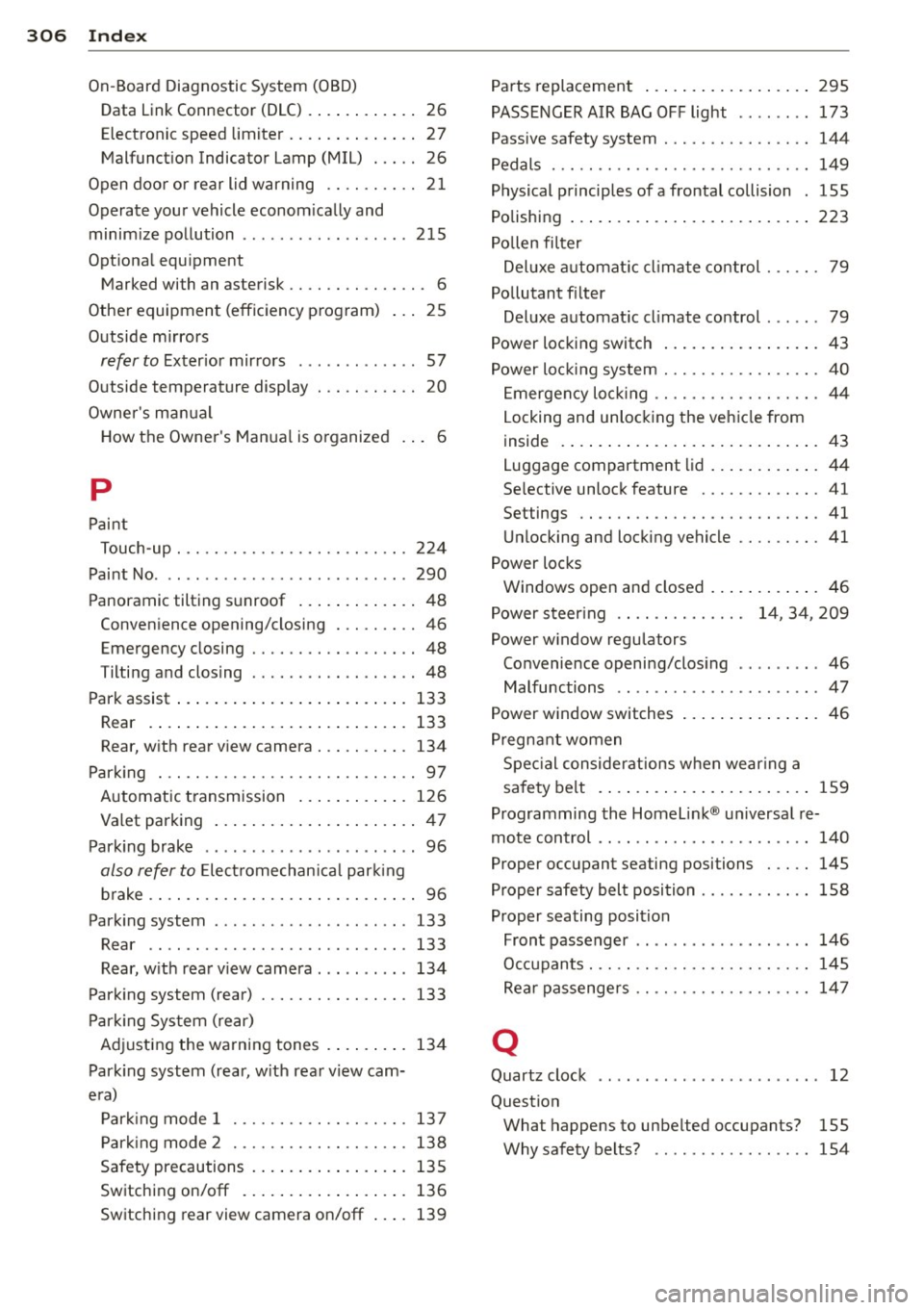
306 Index
------------------------------------
On-Board Diagnostic System (OBD) Data Link Connector (DLC) .. .. ... ... .. 26
Electronic speed limiter ...... .. .... .. 27
Malfunction Indicator Lamp (MIL) . . . . . 26
Open doo r or rear lid warning . . . . . . . . . . 21
Operate your vehicle econom ically and
minimize pollution .......... ... .. ... 215
Optiona l equipment
M arked with an asterisk . . . . . . . . . . . . . . . 6
Other equipment (efficiency program) 25
Outside mirrors
refer to Exterior mirrors ....... .. .. .. 57
Outside temperature display . .. .. .. .. . . 20
Owner 's manual
H ow the Owner's Manual is o rganized . . . 6
p
Paint
Touch-up ....... .. ....... .. .. .. .. . 224
Paint No ..... ................ ... .. . 290
Panoramic tilting sunroof ............. 48
Convenience opening/closing ... .. .. .. 46
Emergency clo sing .......... .. .... .. 48
Tilting and closing ........ .. .. .. .. .. 48
Park assist .................. .. .... . 133
Rear .. .... ................ ..... . 133
Rea r, with rear view camera . .. .. .... . 134
Parking ... ........ ....... .. .. .... .. 97
Automatic transmission ............ 126
Valet parking ................ .... .. 47
Parking brake ................ ... ... . 96
also refer to Electromechan ica l park ing
brake .. .. .. ... .......... .. .. .. .. .. 96
Park ing system .. ... .... ..... .. .. .. . 133
Rear .. .. .. ..... ........... ... .. . 133
Rear, w ith rear v iew camera ..... .. .. . 134
Parking system (rear) ......... .. .. .. . 133
Parking System (rear)
Adjusting the warning tones . ..... .. . 134
Parking system (rear, w ith rear view cam-
era)
Parking mode 1 .............. .... . 137
Parking mode 2 .......... .. .. .... . 138
Safety precautions ......... ... .... . 135
Switching on/off .......... ... .... . 136
Switching rear view camera on/off ... . 139 Parts
replacement .............. .... 295
PASSENGER AIR BAG OFF light ........ 173
Passive safety system . . . . . . . . . . . . . . . . 144
Pedals . .... .... .. ............. .... 149
Physical principles of a frontal collision . 155
Polishing ......... ................ . 223
Pollen filter
Deluxe automatic climate control . .. .. . 79
Pollutant filter Deluxe automat ic climate control ..... . 79
Power locking switch ................. 43
Power locking system ............ .... . 40
Emergency locking .. ........... .. .. . 44
Locking and unlocking the vehicle from
inside ........ .. .................. 43
Luggage compartment lid ........ ... . 44
Se lective unlock feature .......... .. . 41
Settings .. .. .. .. ............. .... . 41
Unlocking and locking vehicle .... .. .. . 41
Power locks Windows open and closed ........ ... . 46
Power steering . . . . . . . . . . . . . . 14, 34, 209
Power window regulators Convenience opening/closing ........ . 46
Malfunctions .. .. ..... ........... .. 47
Power window switches ............... 46
Pregnant women
Special considerations when wear ing a
safety belt . . . . . . . . . . . . . . . . . . . . . . . 159
Programming the Homelink ® un iversal re
mote control . . . . . . . . . . . . . . . . . . . . . . . 140
Proper occupant seating posi tions . .. .. 145
Proper safety belt position .......... .. 158
Proper seating position Front passenger . . . . . . . . . . . . . . . . . . . 146
Occupants . .. .. .. ... ... ... .... .... 145
Rear passengers .. ............. .. .. 147
Q
Quartz clock .. .. .. .......... ...... .. 12
Question Wha t happens to unbelted occupant s? 155
Why safety belts? ....... ...... .. .. 154