warning lights AUDI A5 COUPE 2015 User Guide
[x] Cancel search | Manufacturer: AUDI, Model Year: 2015, Model line: A5 COUPE, Model: AUDI A5 COUPE 2015Pages: 264, PDF Size: 66.83 MB
Page 22 of 264
Instruments and indicator lights
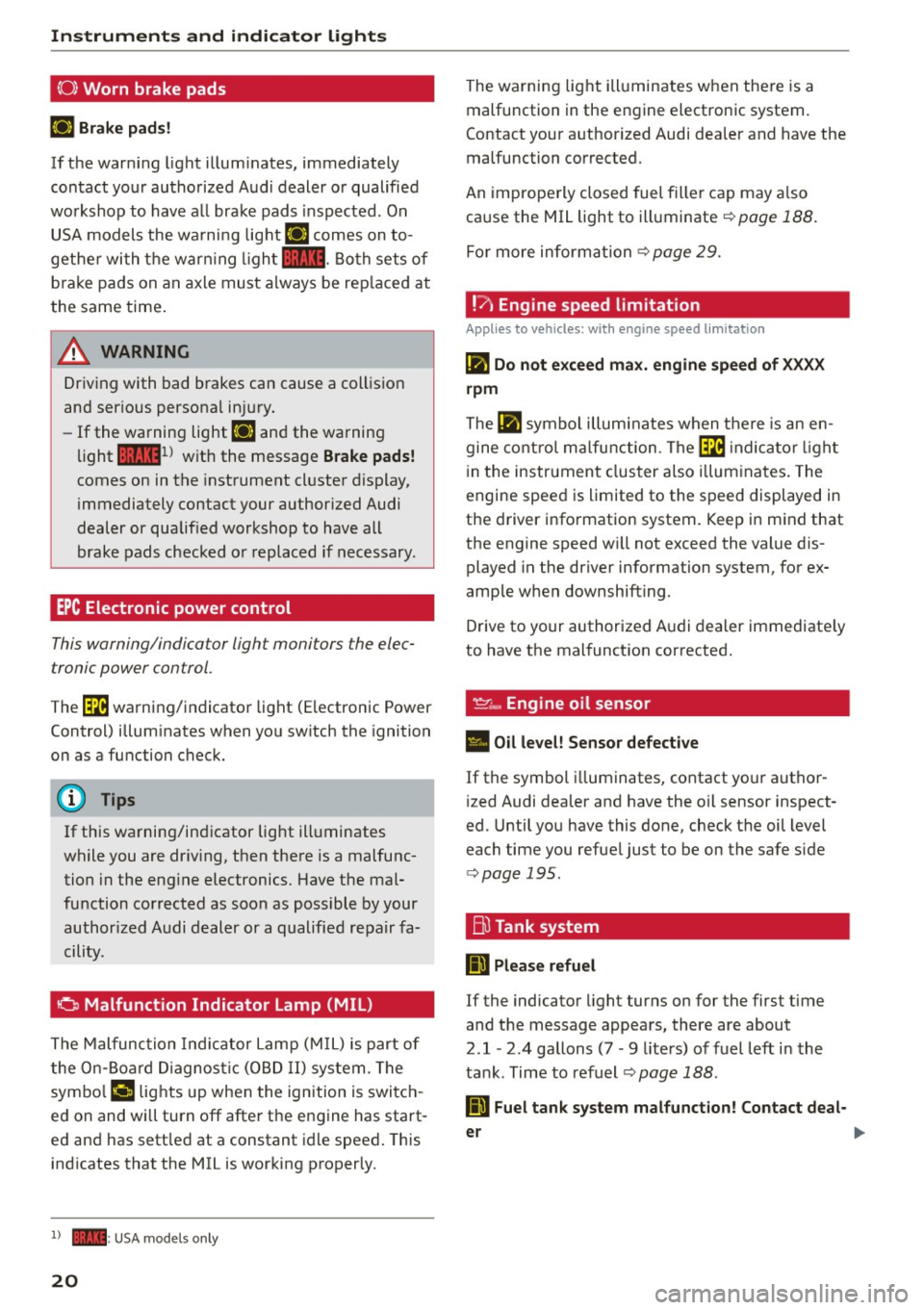
(0) Worn brake pads
El Brak e pads!
If th e warn ing lig ht illum ina tes, imme diately
c o ntact your authorized Aud i dealer or qualified
workshop to have a ll brake pads i nspected. On
USA models the wa rni ng light
El comes on to
gethe r with the war ning l igh t
1111 . Both sets of
b ra ke pads on an axle must a lways be rep laced at
the same time .
A WARNING
Driv ing with bad brakes can cause a collis ion
and ser ious personal in jury.
- If the warning light El and the warning
light
11111 ) w ith the message Brake pads!
comes on in the instrument cl uster display,
immediately contact your author ized Audi
dealer or qualified workshop to have all
brake pads checked o r replaced if necessary .
EPC Electronic power control
This warning/indicator ligh t monitors the elec
tronic power control .
The~ warning/indicator light (Electronic Power
Control) illum inates when yo u sw itch the ignition
on as a function check.
(D Tips
If this wa rning/ind icator light ill uminates
while you are dr iv ing, then the re is a malfunc
tion in the eng ine electronics. Have the mal
function corrected as soon as possible by your
author ized A udi dealer or a qualified re pair fa
cility.
0 Malfunction Indicator Lamp (MIL)
T he Malfunc tion Ind ica tor Lamp (M IL) is part o f
the On-Board Diagnos tic (O BD II ) system . The
symbo l
('4 lights up when the ignition is switch
e d on and wi ll turn off afte r the engine has start
e d an d has sett le d at a constant i dle speed . This
indicates that the MIL is working p roperly.
l) - : USA mo dels o nly
20
The wa rning lig ht ill uminates when the re is a
malfunction in the engine electronic system.
Contact your a uthorized Audi dea ler and have the
malfunction corrected.
An imprope rly closed fuel fille r cap may a lso
ca use the MIL light to illuminate ¢
page 188 .
For more inform ation ¢ page 29.
!?) Engine speed limitation
Applies to vehicles: wi th engine speed limitation
(II Do not exceed max. engine speed of XXXX
rpm
The (II symbo l illu min ates when t here is an en
gine co ntro l m alfu nction . The ~ indica tor light
in the instrument clus ter also i llum ina tes . T he
engine spee d is limited to the speed displayed in
t h e d river i nfo rmation system. Keep in m ind that
the engine speed w ill not exceed the value dis
played in the driver information system, for ex
amp le w hen downshifting .
D rive to your authorized A udi dealer immediate ly
to have t he mal funct ion corrected.
~~. Engine oil sensor
• Oil level! Sensor defective
If the symbol illuminates, contact yo ur autho r
i zed Audi dealer and have the oil sensor inspect
ed . Until you have this done, check t he oil level
each time you refue l just to be on the safe s ide
¢ page 195.
Bu Tank system
ID Please refuel
If the indicator light turns on for the first time
and the message appea rs, there are about
2
.1 -2 .4 gallons (7 -9 liters) of fuel left in the
ta nk . Time to refuel
¢page 188.
ID Fuel tank system malfunction! Contact deal -
er
~
Page 23 of 264
M N
i? co ,...., \!) ..,.,
N ..,., ,....,
If the indicator light turns on and this message
appears, there is a malfunction in the tank sys
tem.
Drive to your authorized Audi dealer immediately
to have the malfunction corrected.
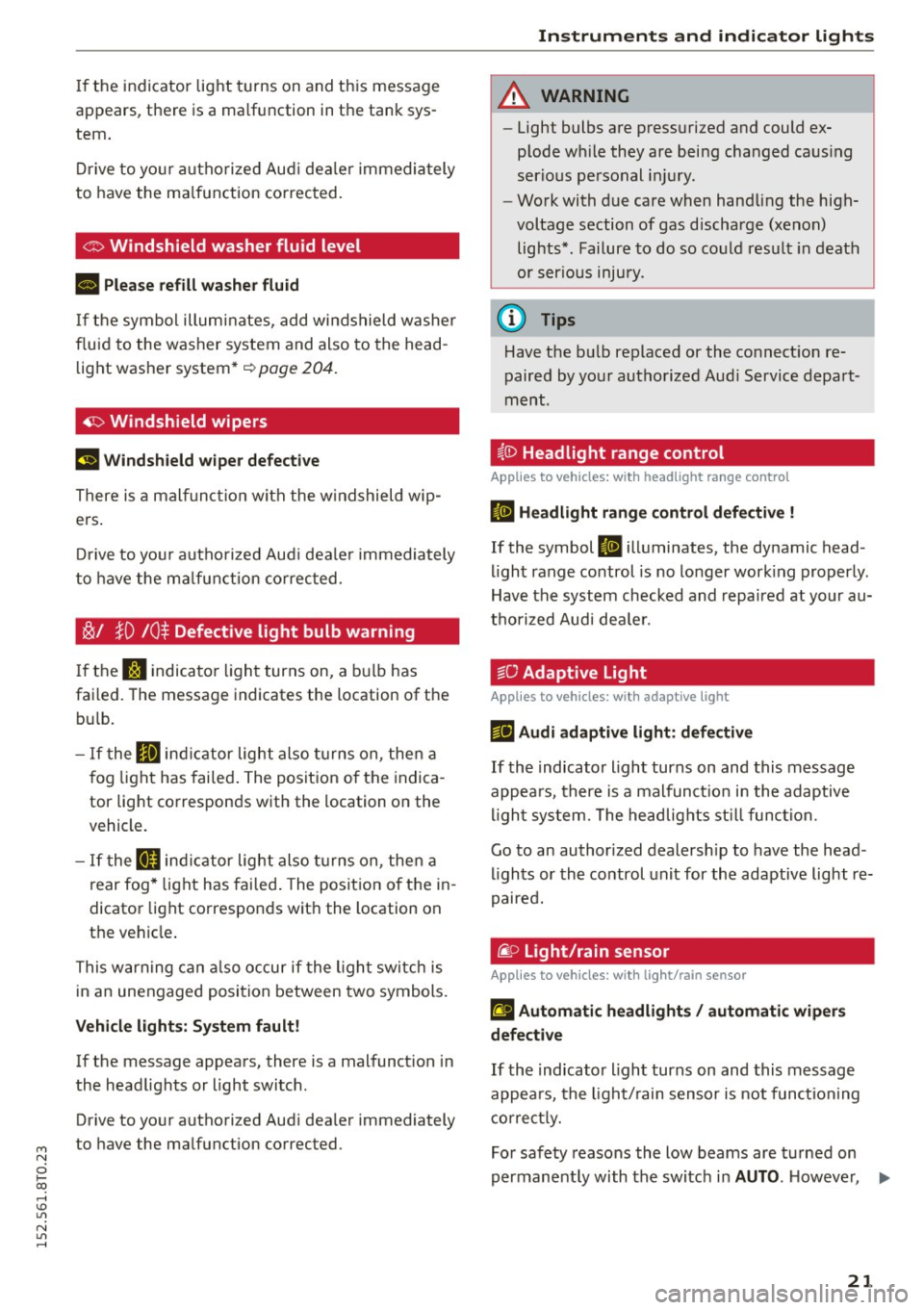
Ci:> Windshield washer flu id level
B Please refill washer fluid
If the symbol illuminates, add windshield washer
fluid to the washer system and also to the head
light washer system*
~ page 204.
~ Windshield wipers
(•j Windshield wiper defective
There is a malfunction with the windshield wip
ers.
Drive to your authorized Audi dealer immediately
to have the malfunction corrected.
~/ }D 10$ Defective light bulb warning
If the r.:J indicator light turns on, a bulb has
failed. The message indicates the location of the
bulb.
- If the Im indicator light also turns on, then a
fog light has failed. The position of the indica
tor light corresponds with the location on the
vehicle.
- If the II indicator light also turns on, then a
rear fog* light has failed. The position of the in
dicator light corresponds with the location on
the vehicle.
This warning can also occur if the light switch is
in an unengaged position between two symbols.
Vehicle lights: System fault!
If the message appears, there is a malfunction in
the headlights or light switch.
Drive to your authorized Audi dealer immediately
to have the malfunction corrected.
Instruments and indicator lights
A WARNING
-Light bulbs are pressurized and could ex
plode while they are being changed causing
serious personal injury.
-
- Work with due care when handling the high
voltage section of gas discharge (xenon)
lights*. Failure to do so could result in death
. . . or serious inJury.
@ Tips
Have the bulb replaced or the connection re
paired by your authorized Audi Service depart
ment.
i,0 Headlight range control
Applies to vehicles: with headlight range control
II Headlight range control defective !
If the symbol II illuminates, the dynamic head
light range control is no longer working properly.
Have the system checked and repaired at your au
thorized Audi dealer.
§0 Adaptive Light
Applies to vehicles: with adaptive ligh t
rlJ Audi adaptive light: defective
If the indicator light turns on and this message
appears, there is a malfunction in the adaptive
light system. The headlights still function.
Go to an authorized dealership to have the head
lights or the control unit for the adaptive light re
paired.
@. o Light /rain sen sor
Applies to vehicles: with light/ra in sensor
II Automatic headlights/ automatic wipers
defective
If the indicator light turns on and this message
appears, the light/rain sensor is not functioning
correctly.
For safety reasons the low beams are turned on
permanently with the switch in
AUTO . However, Ii),,
21
Page 24 of 264
Instruments and indicator lights
you can continue to turn the lights on and off us
ing the light switch . You can still control a ll func
tions that are independent of the rain sensor
through the windshield wiper lever .
Contact your authorized A udi dealer as soon as
possible to have the problem corrected.
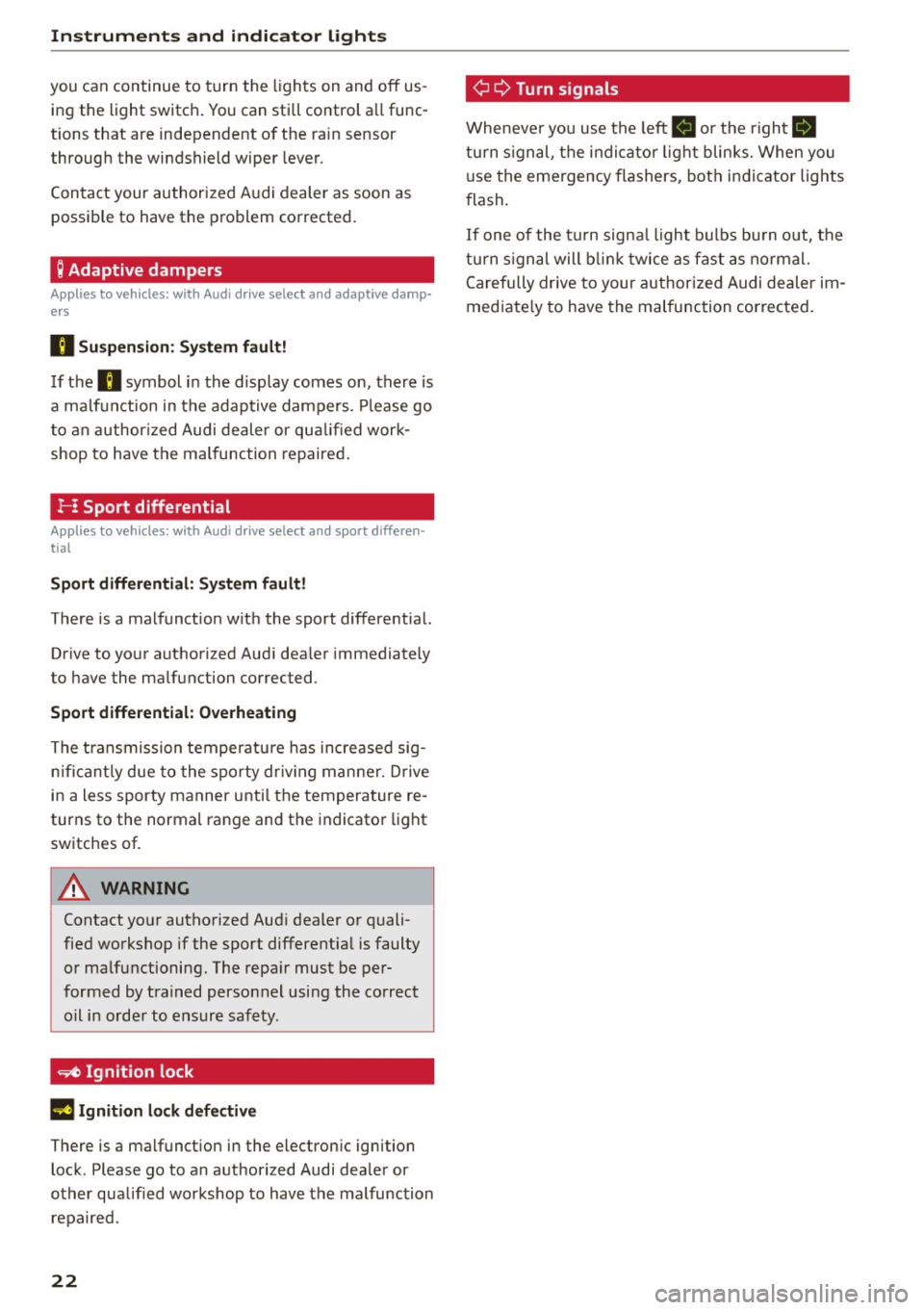
; Adaptive dampers
Applies to veh icles: w ith Audi drive select and adapt ive damp ·
ers
B Suspen sion : S ystem fault!
If the B symbol in the display comes on, there is
a ma lf u nction in the adaptive dampers. P lease go
t o an author ized Audi dealer or qua lified work
shop to have the malfunction repaired .
!-: Sport differential
Applies to vehicles: w ith Audi drive select and sport differen
tial
Sport differential: Sy ste m fault!
There is a malfunct ion wit h the sport differential.
Drive to yo ur authori zed Aud i dea ler immediately
to have the malfunction corrected .
Sport differential: Overheating
The transmission tempe ratu re has increased sig
n ifican tly due to the sporty dr iv ing manner. D rive
in a less sporty manner unti l the temperature re
turns to the normal range and the indicato r light
switches of.
A WARNING
Contact yo ur authorized Aud i dealer or quali
fied workshop if the sport differential is faulty
or ma lfunctioning. The repa ir must be per
formed by trained personnel using the co rrect
oil in orde r to ensure safety .
~ Ignition lock
II Ignition lock defective
There is a malfunct ion in the electron ic ignition
lock . Please go to an authorized Audi dealer or
other qualified workshop to have the malfunction repair ed .
22 ¢
Q Turn s
ignal s
Wheneve r you use the left B o r the right Ill
turn s ignal, t he indica to r li ght blinks. When you
u se the emergency flashers, bot h indicator lights
flash.
If one of the tu rn signa l ligh t bulbs bu rn out, the
turn s ign al will b link t wice as fast as normal.
Carefully drive to your author ized Audi dealer im
mediate ly to have the malfunction corrected .
Page 46 of 264
Lights and Vi sion
Lights and Vision
Exterior Lighting
Switching the lights on and off
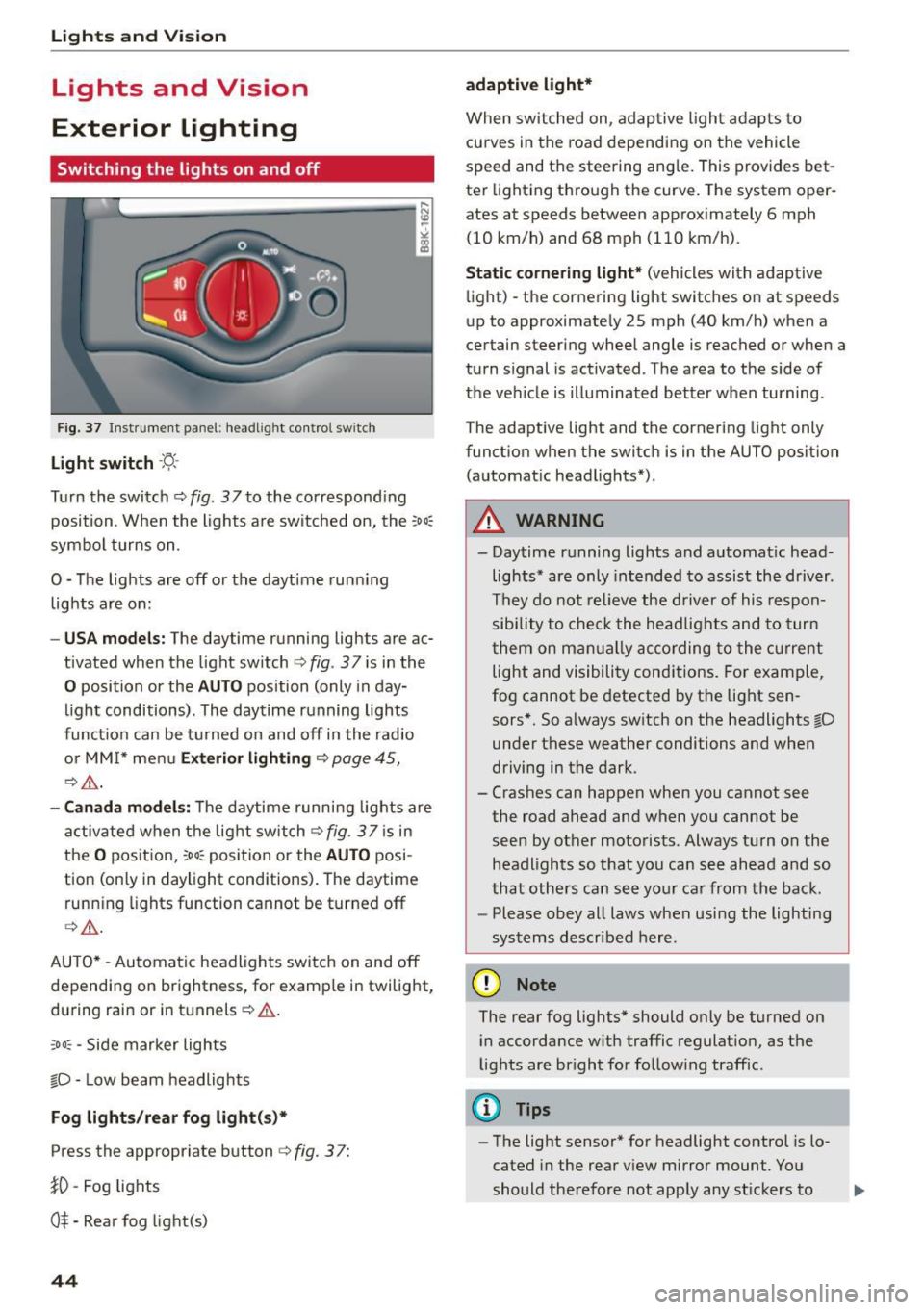
Fig. 3 7 Instrume nt pane l: headl ig h t co ntrol switc h
Light switch ·'t/-·
Tu rn the switch ¢ fig. 37 to the co rr e spond ing
position . Whe n the lights a re switched on, the
:oo,
symbo l turns on.
0 -The lights are off or the daytime runn ing
lights are on:
- USA models : The daytime running lights are ac
tivated when the light sw itch
¢ fig . 37 is in the
0 position or the AUTO position (only in day
li ght conditions). The daytime running lights
funct io n can be turned on and off in the radio
o r MM I* men u
Exterior lighting ¢ page 45,
c:?,& .
-Canada model s: T he daytime r unni ng lights are
activated when the lig ht switch
C?fig. 37 is in
t h e
O pos it ion, 300, position or the AUTO posi
tion (only in daylight conditions) . The daytime
runn ing lights function cannot be turned off
¢ ,A .
AUTO* -Au tomatic headlights swi tch on and off
depending on brightness, for examp le in twilight,
during rain or in tu nnels ¢
A.
:oo , -Side marker lights
fO -Low beam headlights
Fog lights /rear fog light(s )*
Press the appropriate button c:? fig. 3 7:
}0 -Fog lights
O* -Rea r fog light(s)
44
adaptive light*
When switched on, adap tive ligh t ad ap ts to
curves in the road depending on the vehicle
speed and the steering ang le. This provides bet
ter light ing through the curve. The system oper
ates at speeds between approximately 6 mph
(10 km/h) and 68 mph (110 km/h).
Static cornering light* (vehicles with adaptive
li ght) -the corne ring light switches on at speeds
up to approximate ly 25 mph (40 km/h) when a
certain steering wheel angle is reached or when a
turn s ignal is act ivated . T he area to the side of
the ve hicle is illuminated better when turning .
The adaptive light and the cornering light only
funct io n when the switc h is in the AUTO position
(automat ic head lights*) .
A WARNING
- Daytime r unning lights and a utomat ic head
lights* are only intended to as sist the driver .
T h ey do not re lieve the driver of his respon
sibility to c heck t he hea dlights and to tur n
t hem on m anually ac co rding to the cur rent
light and visibili ty conditions. Fo r exam ple,
fog cannot be detected by the light sen
sors*. So a lways sw itch on the headlights
l[D
under these weather conditi ons and when
driving in the dark.
- Crashes can happen when y ou cannot see
the road ahead and when you cannot be
seen by ot her moto rists. Always tu rn on the
headlights so that yo u ca n see ahead a nd so
that othe rs can see yo ur ca r from the back.
- Please obey all laws when usi ng the lighting
sys tems described here.
(D Note
The rear fog lights* should on ly be turned on
i n accordance w ith traffic regulat ion, as t he
lights are br ight for follow ing traffic.
{!) Tips
- The light sensor* for headlight control is lo
cated in the rear v iew mirror mount. Yo u
should the refore not app ly any st ickers to
Page 47 of 264
M N
0 loo
rl I.O
"' N
"' rl
the windshield in this a rea in order to
prevent malfunctions or failures .
- Some exterior lighting functions can be ad
ju ste d
~ page 45 .
-When yo u remove your key from the igni tion
while the vehi cle's ligh ts are turned o n, a
buzzer sounds as long as t he driver 's door is
open.
- In coo l o r dam p weather, t he inside of the
h eadlights, turn sig nals and tail lights can
fog over d ue to the temperature difference
between the inside and outs ide. They will
clea r shortly after switching them on. T his
does not affect t he service li fe of the light
i ng.
- In the event of a light sensor malfunction,
the driver is not ified in the instr ume nt clus
te r display~
page 21.
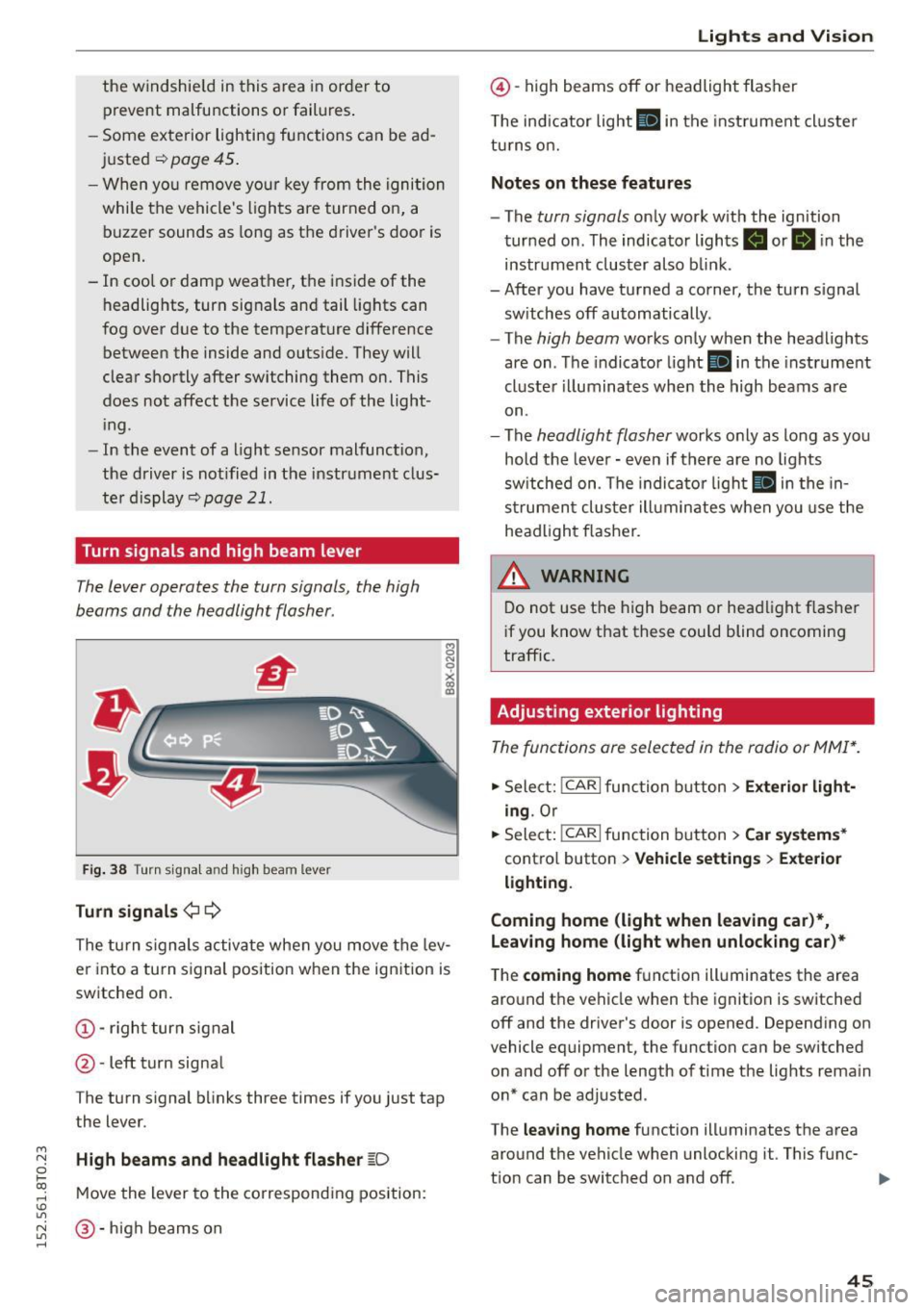
Turn signals and high beam lever
The lever operates the turn signals, the high
b eams and the headlight flasher.
Fi g. 3 8 Tu rn signa l and high beam lever
Turn signals ¢ Q
g N
0
~ CD
The turn signals activate when you move the lev
er into a turn s ignal position when the ignition is
switched on.
@ -righ t tur n signal
@ -left turn signa l
The turn s ignal b links three times if you just tap
the lever.
High beams and headlight flasher
[0
M ove the lever to the corresponding position:
@ -high beams o n
Lights and Vis ion
@ -high beams off or headlight flasher
T he ind icator light
II in t he inst rument cl uste r
tu rns on.
Notes on these features
- The
turn signals on ly wor k w ith the ign ition
tur ned on. The indicator ligh ts . or
II in the
instr um ent clus ter also b link.
-After you have tu rned a corner, the turn s ignal
sw itches off automatically.
- The
high beam works on ly when the headlights
are on . T he indicator light
II in the instrument
cluste r illuminates whe n the high beams a re
on.
- The
headlight flash er works o nly as long as yo u
hold the leve r - even if there are no lights
sw itched on . The indica to r li ght
II in the in
s trumen t cluste r ill umin ates when you use t he
head light flasher.
,&. WARNING
D o not use t he h igh beam or hea dlight flashe r
i f you know that these could blind oncoming
traffic.
Adjusting exterior lighting
The func tions are selected in the radio or MMI* .
.,. Select: !CAR I func tion b utton > Exterior light
ing .
Or
.,. Sele ct: !~C_A _R~ I function b utton > Car systems *
contro l butto n > Vehicle settings > Exterior
lighting .
Coming home (light when leaving car )*,
Leaving home (light when unlocking car)*
The
coming home f u nction illuminates the area
aro und t he vehicle when the ignition is switched
off and the driver's door is opened. Depend ing on
vehicle equipment, the function can be switched o n and off o r the length of t ime t he lig hts rema in
on* can be adjusted .
The
leaving home function illuminates t he area
around th e vehicle when unloc kin g it. This func-
t ion can be switched on and off. ""
45
Page 50 of 264
Lights and Vision
Q/P -Adjusting the left/right exterior mirror .
Move the knob in the des ired direction.
4ill -Heat ing the m irror g lass depending on the
outside temperature*.
.9 -Folding exterior mirrors* . In the Infotain
ment system, you can select if the mirrors fold in
automatically when you lock the vehicle
¢ page 36.
Front passenger's exterior mirror tilt
function*
To help you see the curb when backing into a
parking space, the surface of the mirror t ilts
slightly . Fo r this to happen, the knob must be in
the position for the front passenger 's outside
mirror.
You can adjust the tilted mirror su rface by turn
ing the knob in the des ired direction . Wh en you
move out of revers e and into another gear, the
new mirror position is stored and assigned to the
key you are using.
The mirror goes back into its origina l position
once you drive forward faster than 9 mph (15 km/h) or turn the ignition off.
A WARNING
Curved mirror surfaces (convex or spherical*)
increase your field of view. Remember that
vehicles or other objects will appear smaller
and farther away than when seen in a flat mir
ror. If you use this mirror to estimate distan
ces of following vehicles when changing
lanes, you cou ld estimate incorrectly and
cause an accident.
(D Note
-If the mirror hous ing was moved by force
(for example, by running into an object
when maneuvering the vehi cle), the mirror
must be folded all the way in using the pow
er folding function. The mirror housing
must not be moved back into place by hand
because this would impair the function of
the mirror mechanism.
- If you wash the vehicle in an automatic car
wash, you must fold the exterior mirrors in
48
to reduce the risk of damage to the mirrors.
Never fold power folding exterior mirrors*
by hand. Only fold them in and out using
the power controls.
(D Tips
-If the power adjusting function malfunc
tions, the g lass in both mirrors can be ad
justed by pressing on the edge of it by hand.
- The exterior mirror settings are stored with
the memory function* ¢
page 58.
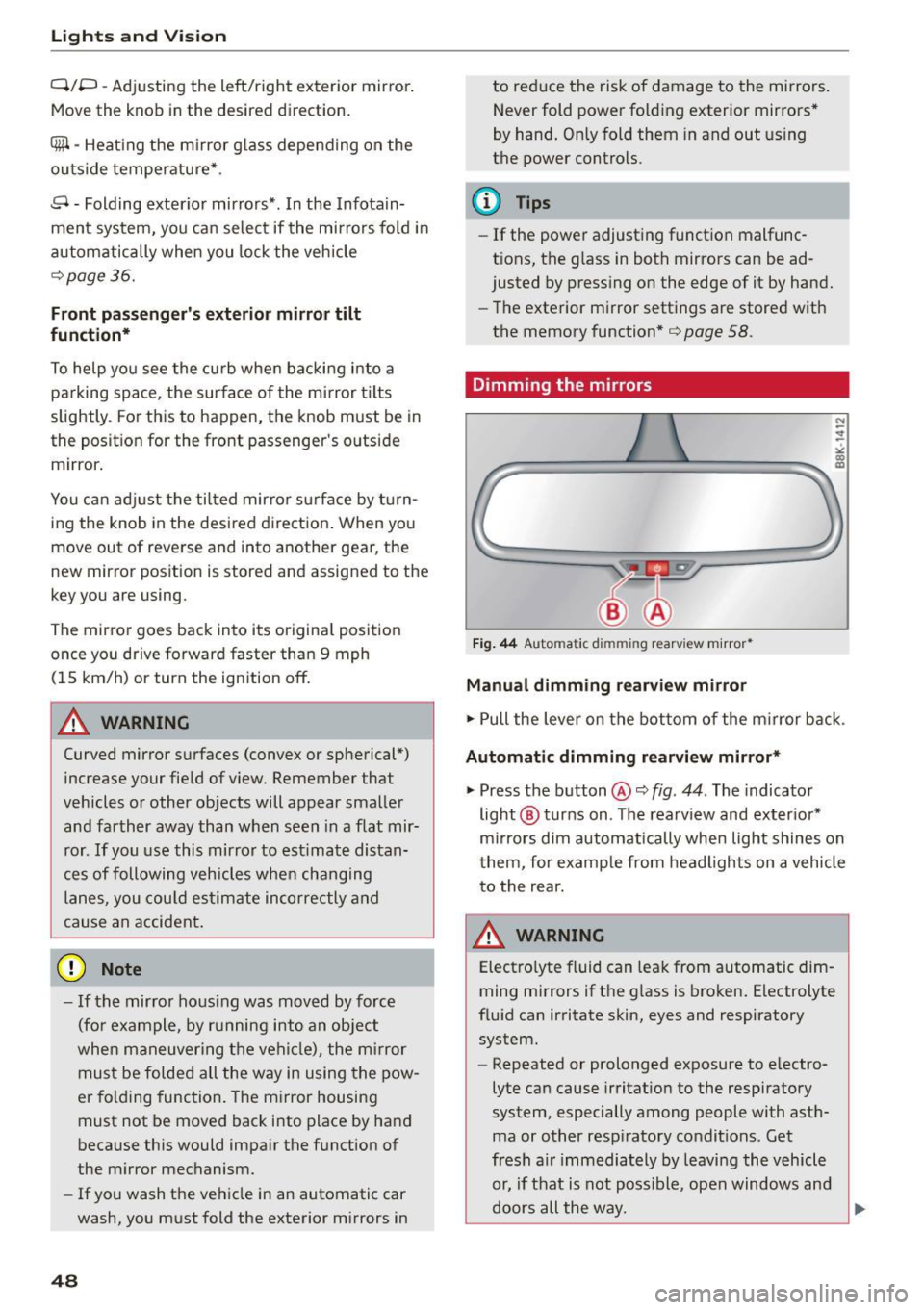
Dimming the mirrors
Fig. 44 Automat ic dimmin g rearv iew mirro r•
Manual dimming rearview mirror
.,. Pull the lever on the bottom of the m irror back .
Automat ic dimming rearview mirror*
.,. Press the button@¢ fig. 44. The indicator
light @ turns on . The rearview and exter ior*
mirrors dim automatically when light shines on
them, for example from headlights on a vehicle
to the rear.
~ WARNING
Electro lyte fluid can leak from automatic dim
ming mirrors if the glass is broken. Electrolyte
fluid can irritate skin, eyes and respiratory system.
- Repeated or prolonged exposure to e lectro
lyte can cause irritation to the respiratory
system, especially among people with asth
ma or other resp iratory conditions . Get
fresh a ir immediately by leaving the vehicle
or, if that is not possible, open windows and
doors all the way.
~
Page 52 of 264
Lights and Vi sion
You can adju st the settings for the rear sun shade
so the shade retracts a utomatica lly when you se
lect the reverse gear. To do this, se lect the
I CAR !
function button
> Windows > Rea r blind > au to
matic > on
or! CA R! function button> Car sys
tems *
control button > Vehicle sett ings > Auto
matic rear blind > On .
The cur ren t setting is au
tomatically stored and assigned to the remote
key. The sun shade is extended again as soon as
the vehicle is traveling forwa rd at a speed gre ater
than
9 mph (15 km/h) if the ignition has not
been switched off in t he meantime .
_& WARNING
Whe n lowe ring or raising the sunshade, make
sure there is nothing in its way and that it has
a free path to t ravel. Th is co uld cause perso n
al injury.
@ Tips
- Pressing t he button ru several times con
secutively can trigger the over load protec
tion. The sun shade can only be extended/ r etracted aga in after a br ief waiting period.
- The rear window sun shade only f unctions
when the vehicle interior is warmer tha n
14°F (-10°C).
Windshield wipers
Switching the windshield wipers on
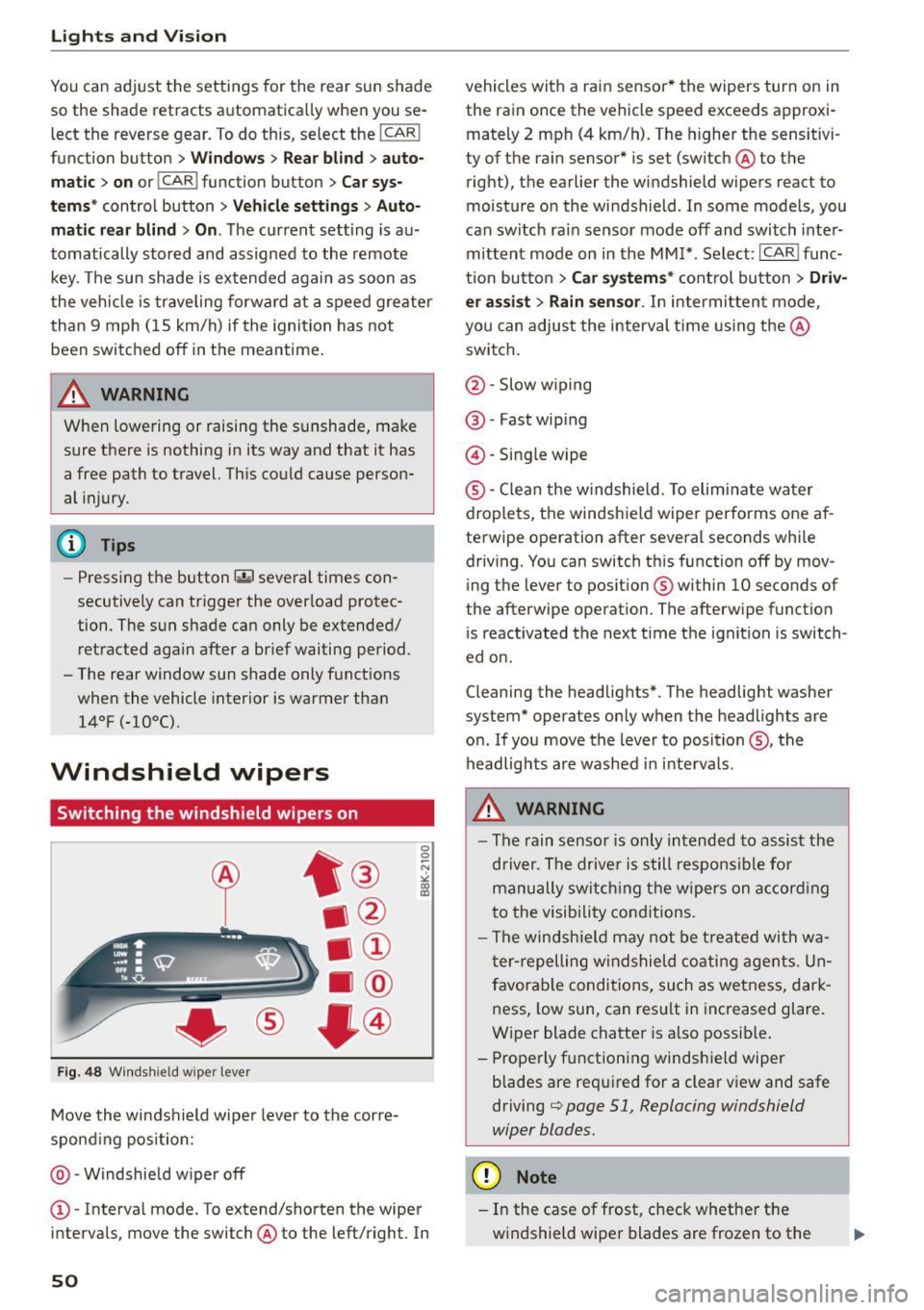
Fig . 48 W inds hield w iper leve r
Move the windshield wipe r leve r to the corre
spond ing pos ition:
@ -Windshie ld w iper off
0 0 -N st co Ul
© -Interva l mode. To extend/shorten the wiper
i n tervals , move the switch @to the left/right. In
50
vehicles with a rain sensor * the wipers turn on in
the rain once the vehicle speed exceeds approxi
mately 2 mph (4 km/h). The higher the sensitivi
ty of the ra in sensor * is set (switch @to the
right), the earlier the windshield wipe rs react to
moist ure o n the windsh ield . In some models, you
can switc h ra in sensor mode off and switch inte r
mittent mode on in the MM !* . Se lect :
I CAR I func
t ion but to n
> Car systems * cont rol bu tton > Driv
er assi st > Rain sensor .
In intermi tten t mode,
you can a djus t the interval time using the @
swi tch .
@ -Slow w iping
@ -Fast wip ing
@ -Sing le wipe
® -C le a n the w indshield. To elim inate water
droplets, the windsh ie ld wiper pe rforms one af
te rwipe operation after several seconds whi le
driv ing. You can switch th is function off by mov
ing the lever to pos ition ® within
10 seconds of
the afterwipe operation. The afterw ipe funct io n
i s reactivated the next t ime t he ignit ion is switch
ed o n.
C leaning the headlig hts". The headlight was her
system* operates on ly when the headlights are
o n. If you move the lever to position @, the
headlig hts are washed in in terva ls .
_& WARNING
- The rain senso r is only intended to assis t the
d river. The drive r is s till respons ible for
manu ally swi tching the wipers on a ccor din g
t o the visibility con ditions.
- The winds hiel d may not be treate d wi th w a
t er -repelling w ind shiel d coati ng a gents. Un
f avor able conditions, su ch as wetness, dar k
ness, low sun , can res ult in inc reased glare.
Wiper blade chatte r is a lso possib le .
- Properly f unctioning windsh ie ld wiper
b lades are req uired for a clear v iew and safe
driving
c::> page 51, Replacing windshield
wiper blades.
(D Note
- In the case of fr ost, check whether the
wi ndshie ld wipe r blades are frozen to t he
Page 55 of 264
M N
0 loo
rl I.O
"' N
"' rl
Adjusting the magnetic zone
Applies to vehicles: with digital compass
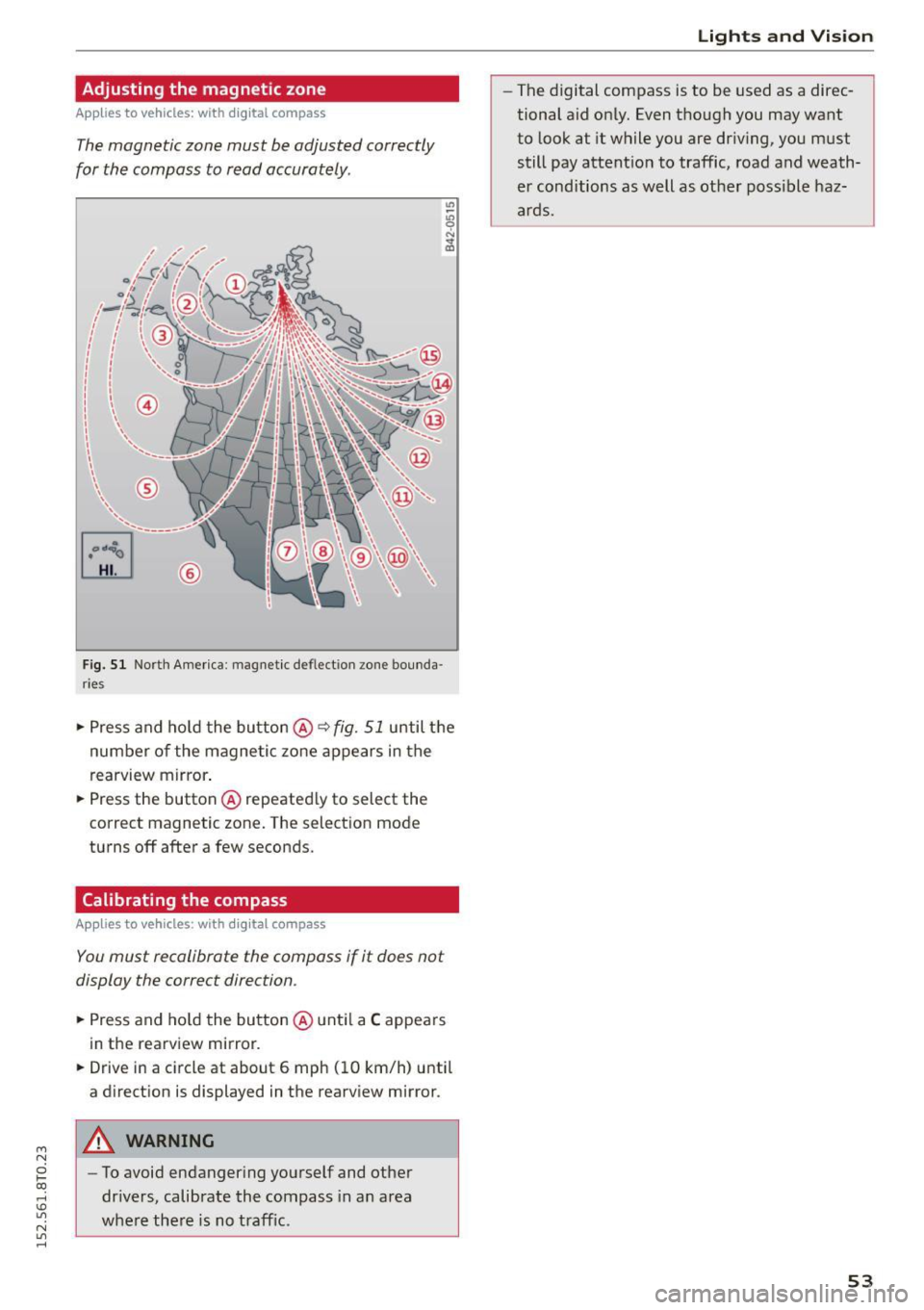
The magnetic zone must be adjusted correctly
for the compass to read accurately .
®
Fig. 51 North America : magnetic de flect io n zone bounda
r ie s
• Press and ho ld the button @~ fig. 51 until the
number of the magnetic zone appears in the
rearview mirror .
• Press the button @repeatedly to select the
correct magnetic zone. The selection mode
turns off after a few seconds .
Calibrating the compass
Applies to vehicles: with digital compass
You must recalibrate the compass if it does not
display the correct direction .
• Press and hold the button @until a C appears
in the rearview mirror.
• Drive in a circle at about 6 mph (10 km/h) until
a direction is displayed in the rearview mirror .
A WARNING
-To avoid endangering yourself and other
drivers, calibrate the compass in an area
whe re there is no traffic.
Lights and Vision
-The digital compass is to be used as a direc
tional aid only. Even though you may want
to look at it while you are driving, you must
still pay attention to traffic, road and weath
er conditions as well as other poss ible haz
ards.
53
Page 61 of 264
M N
0 loo
rl 1.0
"' N
"' rl
In addition to the d river 's seat settings, you can
also store and access the exterior mirror adjust
ment settings* using the remote control key or
memory button.
Remote control key
App lies to vehicles: with seat memory
To assign the driver's seat settings to the remote
control key when locking the veh icle, the funct ion
must be act ivated in the radio or
MM!*
• Select: I CARI function button > Seat adjust·
ment
> Driver's seat > Remote control key >
on .Or
• Select : I CAR I function button > Car sy stem s*
control button > Vehicle settings > Seats >
Driver' s seat > Remot e contro l key > On .
@ Tips
If you do not want anoth er driver's settings to
be assigned to the remote key, sw itc h off the
memory f un ct io n using the radio or MM I* or
the
I O N/OFF I but ton ¢ page 59 .
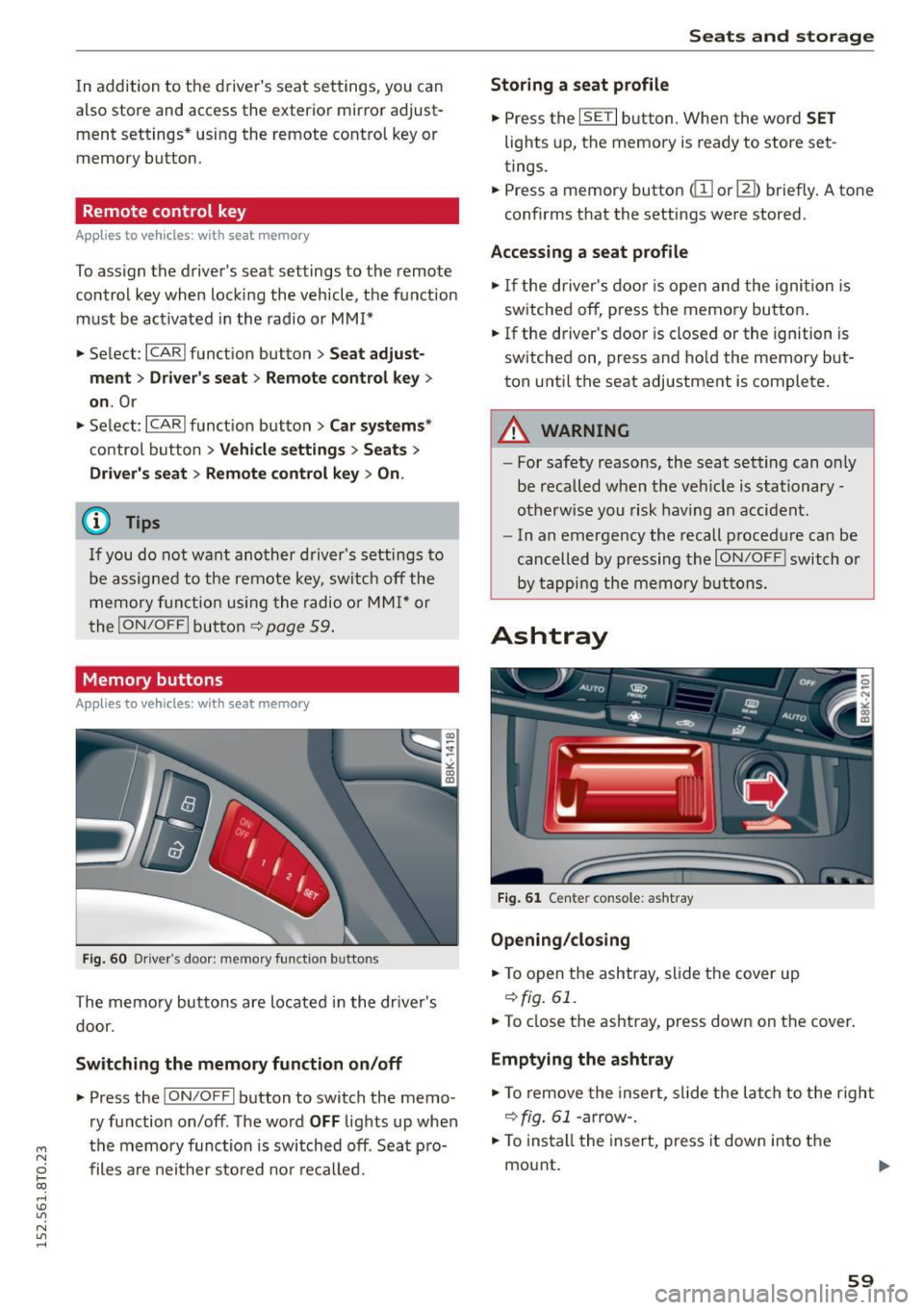
Memory buttons
Applies to vehicles: with seat memo ry
Fig. 6 0 Driver's door: memory fu nct io n buttons
The memory butto ns are located in the dr iver's
d oor.
Switching the memory function on /off
• Press the ION/O FF I button to switch the memo
ry function on/off . The word
OFF lights up when
the memory function is switched off. Seat p ro·
files are nei ther stored no r r eca lled.
Seats and storage
Storing a seat profile
• Press the ISET I button. Whe n the word SET
lights up, the memory is ready to store set
tings.
• Press a memory button
dil or [II) briefly . A tone
confirms that the settings were stored.
Accessing a seat profile
• If the driver's door is open and the ignition is
sw itched off, press the memory button .
• If the driver's door is closed or the ignition is
switched on, press and hold the memory but
ton unti l the seat adjustment is complete.
A WARNING
- For safety reasons, the seat setting can o nly
be recalled when the veh icle is stationary·
otherwise you risk hav ing an accident.
- In an emergency the recall procedure can be
cancelled by pressing the
I O N/OF F! switch o r
by tappi ng the memory buttons.
Ashtray
Fi g. 6 1 Center console: ashtray
Opening /clo sing
• To open the ashtray, sl ide the cover up
r:!) fig. 61.
• To close the ashtray, press down on the cover.
Emptying the ashtray
• To remove the insert, slide the latch to the right
r:!) fig. 61 -arrow-.
• To insta ll the insert, press it down into the
mou nt.
59
Page 78 of 264
Driving
oil pressure must first build up in the hy
draulic va lve adjusters. This is normal and
not a cause for concern .
- If yo u leave the vehicle with the ign ition
switched on, the ignition will switch off af
ter a certa in period o f time . P lease note that
electr ica l equipment suc h as exterior lights
will switch off as well when that happens.
Switching engine off
Applies to vehicles: w ith conven ience key
" Bring your veh icle to a complete stop .
" Automat ic transm iss ion: Move the se lector lev
er to the P or N pos ition .
" Press the
!S TAR T ENGINE STOPI bu tton
~page 75, fig. 80 .
Steering lock
The steering locks when you tu rn the engine off
using the
! STA RT E NG IN E STOP I button and open
the dr iver's door . The locked stee ring helps pre
vent vehicle theft .
Emergency off
If necessary, the eng ine can be sw itched off with
the selector lever in the R o r D/S pos itions . T he
engine stops if you press and hold the
I S TAR T ENGIN E ST OP I button at speeds be low
6 mph ( 10 km/h) and p ress the brake pedal.
A WARNING
- Never turn off the engine be fore the veh icle
has come to a comp lete stop. The f ull func
t ion of the b rake booster and the power
steering is not guaranteed. Yo u must use
more force to turn or bra ke if necessa ry. Be
ca use you cannot steer and b ra ke as you
usually wou ld, this could lead to c rashes
and serious injur ies .
- For safety reasons , you should always park
yo ur vehicle wi th the selec to r l ever in P . Oth
erwise, t he vehicle could inadve rten tly roll
away .
- T he rad iator fan ca n con tinue to run for up
to 10 m inutes eve n after yo u have tur ned
o ff the engine and removed the igni tion key .
T he r adiator fan c an also turn on ag ai n if t he
76
engine coolant heats up because of intense
sunlight or heat b uild- up in the eng ine com
partme nt.
- Always take the key w ith you whenever yo u
leave your vehicle . Otherwise, the engine
could be started or electrical equipment
such as the powe r windows could be operat
ed. This can lead to serio us i njur y.
(D Note
If the engine has been under heavy load for
an extended pe riod, heat bu ilds up in the en
gine compartment after the eng ine is switch
ed off -there is a risk of damaging the engine .
A llow the engi ne to run at id le for about two
m in utes before swit ching i t off.
Driver messages
Ignition is on
This message appears and a warning tone sound s
i f you open the d river's door when the ign ition is
switched on .
No key ident ified
This message appears when the
I S TAR T ENGINE ST OP I butto n is pressed if there
i s no maste r key ins ide the ve hicle or if the sys
tem does not recogni ze it. For examp le, the mas
ter key cannot be recogn ized if it is covered by an
object (e .g . a luminum brief case) wh ich
screens
the radio signal. Elect ro n ic dev ices such as cell
phon es can a lso inte rfe re with the radio signal.
Press brake pedal to start eng ine
This message appears if yo u do not press the
brake pedal to start the eng ine in a vehicle with
an a utomat ic transm ission.
Pre ss clutch pedal to start engine
This message appears if yo u do no t press the
cl utc h ped al to sta rt the eng ine in a ve hicle w it h
a manual transmission.
Shift to N or P to start eng ine
This message appears when attempt ing to star t
t h e engine if the selecto r lever for the automat ic
transmission is not in the P o r
N position. T he ..,.