set AUDI A6 1998 C5 / 2.G ATQ Engine Readiness Code Workshop Manual
[x] Cancel search | Manufacturer: AUDI, Model Year: 1998, Model line: A6, Model: AUDI A6 1998 C5 / 2.GPages: 47, PDF Size: 0.14 MB
Page 2 of 47
01-77
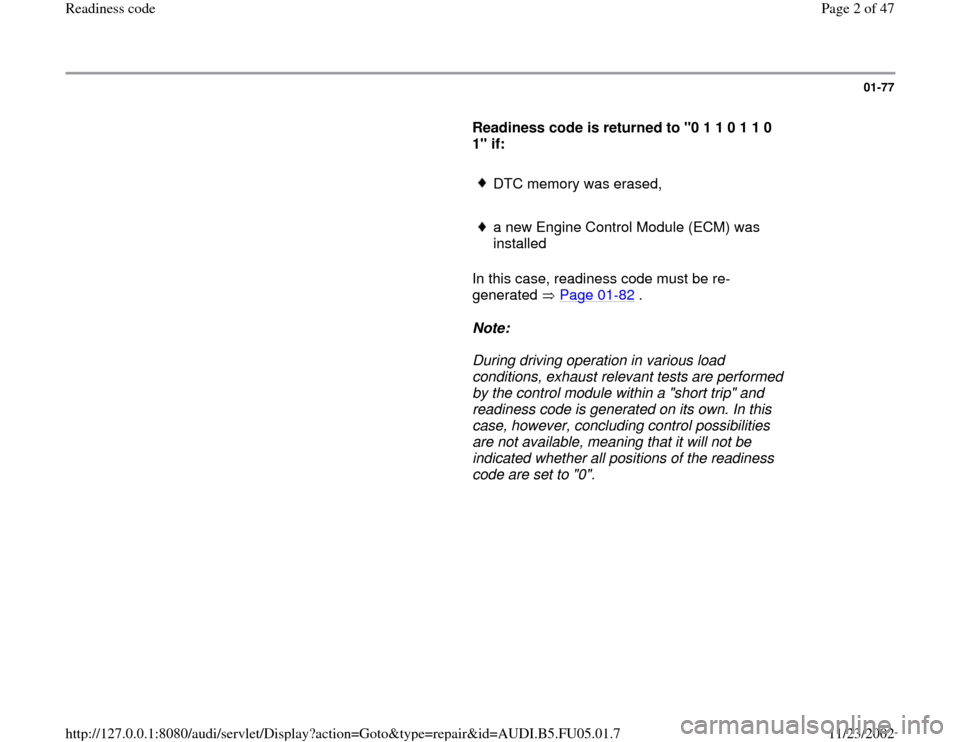
Readiness code is returned to "0 1 1 0 1 1 0
1" if:
DTC memory was erased,
a new Engine Control Module (ECM) was
installed
In this case, readiness code must be re-
generated Page 01
-82
.
Note:
During driving operation in various load
conditions, exhaust relevant tests are performed
by the control module within a "short trip" and
readiness code is generated on its own. In this
case, however, concluding control possibilities
are not available, meaning that it will not be
indicated whether all positions of the readiness
code are set to "0".
Pa
ge 2 of 47 Readiness code
11/23/2002 htt
p://127.0.0.1:8080/audi/servlet/Dis
play?action=Goto&t
yp
e=re
pair&id=AUDI.B5.FU05.01.7
Page 4 of 47
01-79
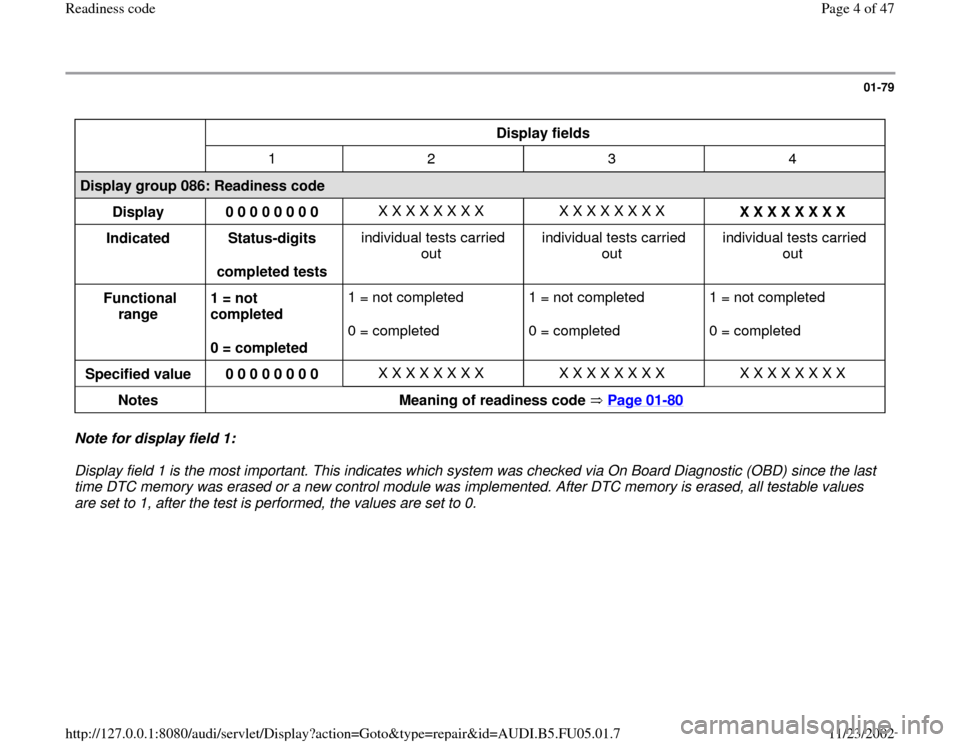
Display fields
1 2 3 4
Display group 086: Readiness code
Display
0 0 0 0 0 0 0 0 X X X X X X X X X X X X X X X X
X X X X X X X X
Indicated
Status-digits
completed tests individual tests carried
out individual tests carried
out individual tests carried
out
Functional
range 1 = not
completed
0 = completed 1 = not completed
0 = completed 1 = not completed
0 = completed 1 = not completed
0 = completed
Specified value
0 0 0 0 0 0 0 0 X X X X X X X X X X X X X X X X X X X X X X X X
Notes
Meaning of readiness code Page 01
-80
Note for display field 1:
Display field 1 is the most important. This indicates which system was checked via On Board Diagnostic (OBD) since the last
time DTC memory was erased or a new control module was implemented. After DTC memory is erased, all testable values
are set to 1, after the test is performed, the values are set to 0.
Pa
ge 4 of 47 Readiness code
11/23/2002 htt
p://127.0.0.1:8080/audi/servlet/Dis
play?action=Goto&t
yp
e=re
pair&id=AUDI.B5.FU05.01.7
Page 10 of 47
01-84
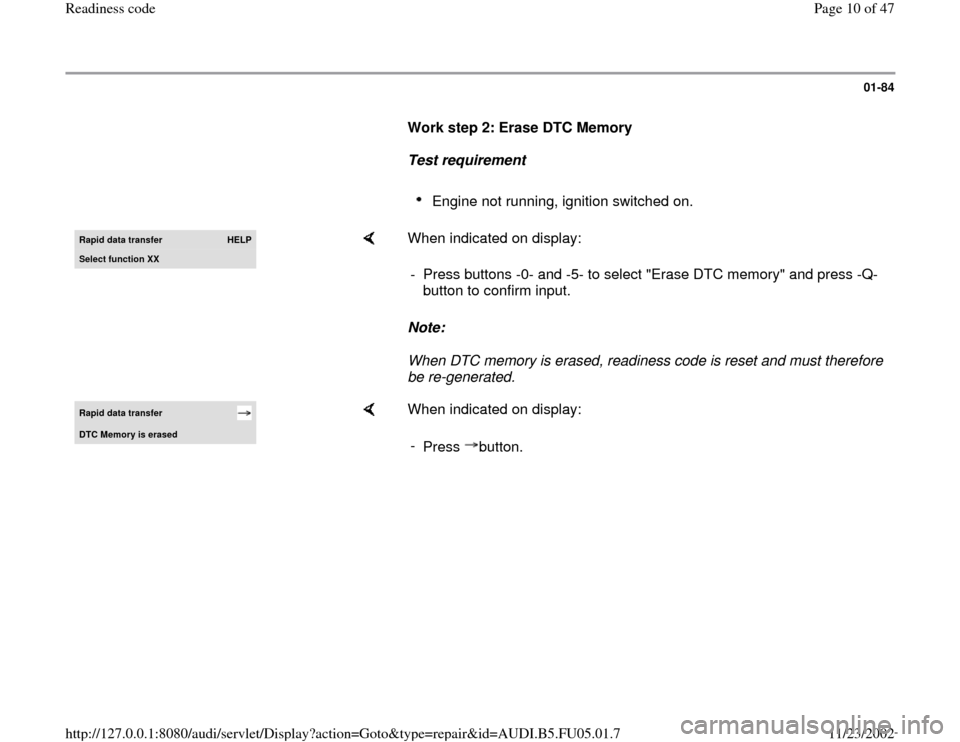
Work step 2: Erase DTC Memory
Test requirement
Engine not running, ignition switched on.
Rapid data transfer
HELP
Select function XX
When indicated on display:
Note:
When DTC memory is erased, readiness code is reset and must therefore
be re-generated. - Press buttons -0- and -5- to select "Erase DTC memory" and press -Q-
button to confirm input.
Rapid data transfer DTC Memor
y is erased
When indicated on display:
-
Press button.
Pa
ge 10 of 47 Readiness code11/23/2002 htt
p://127.0.0.1:8080/audi/servlet/Dis
play?action=Goto&t
yp
e=re
pair&id=AUDI.B5.FU05.01.7
Page 11 of 47
01-85
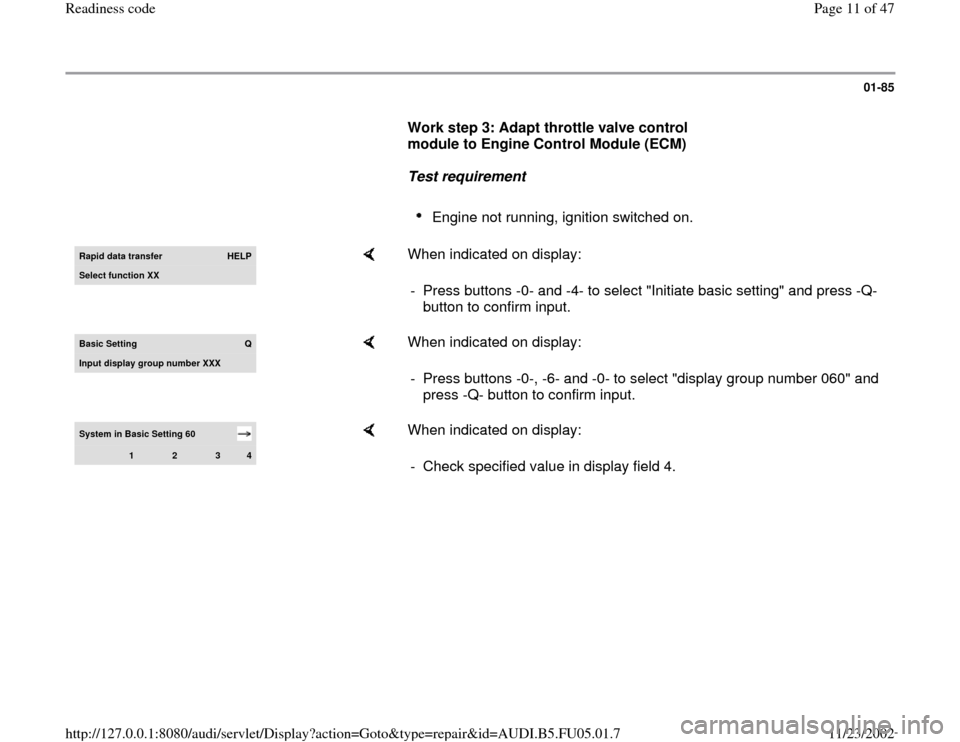
Work step 3: Adapt throttle valve control
module to Engine Control Module (ECM)
Test requirement
Engine not running, ignition switched on.
Rapid data transfer
HELP
Select function XX
When indicated on display:
- Press buttons -0- and -4- to select "Initiate basic setting" and press -Q-
button to confirm input.
Basic Setting
Q
Input display group number XXX
When indicated on display:
- Press buttons -0-, -6- and -0- to select "display group number 060" and
press -Q- button to confirm input.
System in Basic Setting 60
1
2
3
4
When indicated on display:
- Check specified value in display field 4.
Pa
ge 11 of 47 Readiness code11/23/2002 htt
p://127.0.0.1:8080/audi/servlet/Dis
play?action=Goto&t
yp
e=re
pair&id=AUDI.B5.FU05.01.7
Page 14 of 47
01-87
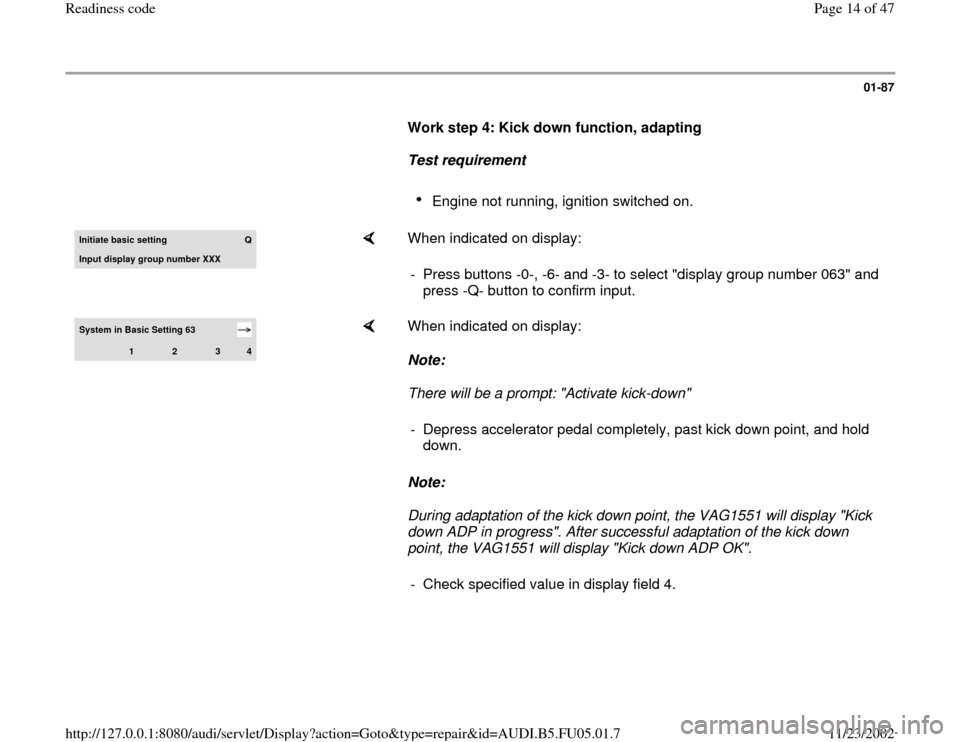
Work step 4: Kick down function, adapting
Test requirement
Engine not running, ignition switched on.
Initiate basic settin
g
Q
Input displa
y group number XXX
When indicated on display:
- Press buttons -0-, -6- and -3- to select "display group number 063" and
press -Q- button to confirm input.
System in Basic Setting 63
1
2
3
4
When indicated on display:
Note:
There will be a prompt: "Activate kick-down"
Note:
During adaptation of the kick down point, the VAG1551 will display "Kick
down ADP in progress". After successful adaptation of the kick down
point, the VAG1551 will display "Kick down ADP OK". - Depress accelerator pedal completely, past kick down point, and hold
down.
- Check specified value in display field 4.
Pa
ge 14 of 47 Readiness code11/23/2002 htt
p://127.0.0.1:8080/audi/servlet/Dis
play?action=Goto&t
yp
e=re
pair&id=AUDI.B5.FU05.01.7
Page 15 of 47
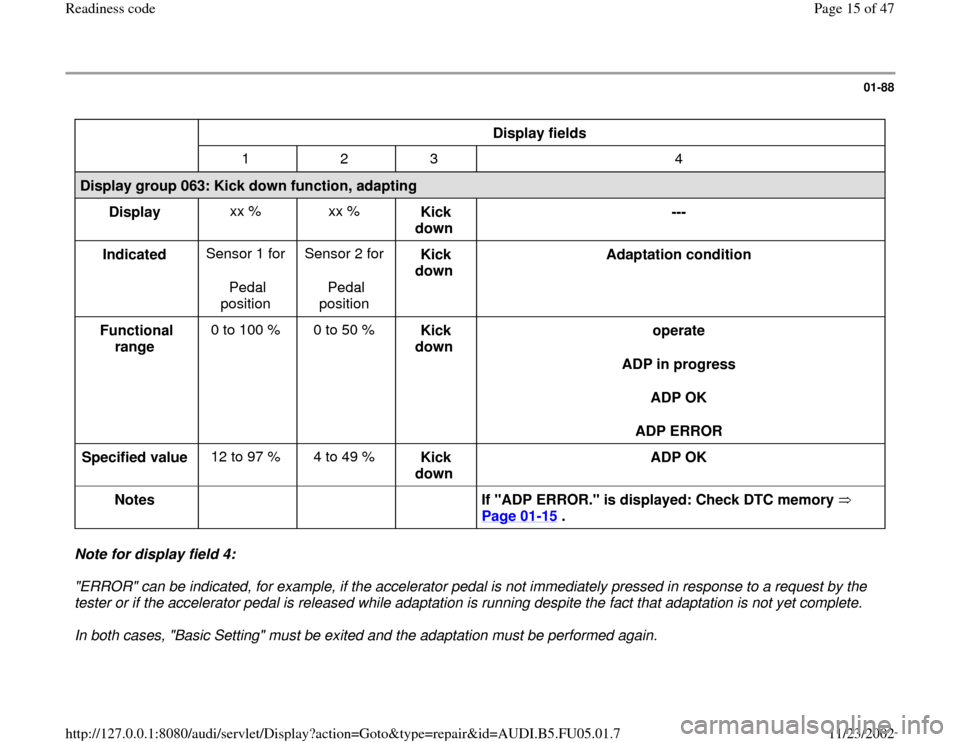
01-88
Display fields
1 2 3 4
Display group 063: Kick down function, adapting
Display xx % xx %
Kick
down ---
Indicated Sensor 1 for
Pedal
position Sensor 2 for
Pedal
position Kick
down Adaptation condition
Functional
range 0 to 100 % 0 to 50 %
Kick
down operate
ADP in progress
ADP OK
ADP ERROR
Specified value 12 to 97 % 4 to 49 %
Kick
down ADP OK
Notes
If "ADP ERROR." is displayed: Check DTC memory
Page 01
-15
.
Note for display field 4:
"ERROR" can be indicated, for example, if the accelerator pedal is not immediately pressed in response to a request by the
tester or if the accelerator pedal is released while adaptation is running despite the fact that adaptation is not yet complete.
In both cases, "Basic Setting" must be exited and the adaptation must be performed again.
Pa
ge 15 of 47 Readiness code11/23/2002 htt
p://127.0.0.1:8080/audi/servlet/Dis
play?action=Goto&t
yp
e=re
pair&id=AUDI.B5.FU05.01.7
Page 17 of 47
01-89
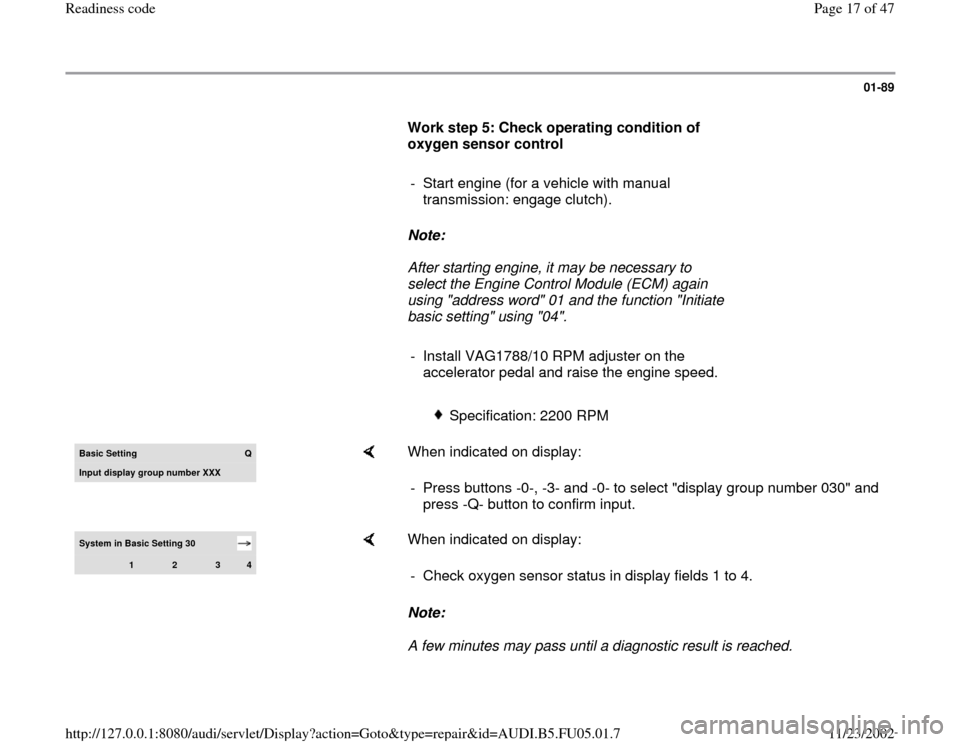
Work step 5: Check operating condition of
oxygen sensor control
- Start engine (for a vehicle with manual
transmission: engage clutch).
Note:
After starting engine, it may be necessary to
select the Engine Control Module (ECM) again
using "address word" 01 and the function "Initiate
basic setting" using "04".
- Install VAG1788/10 RPM adjuster on the
accelerator pedal and raise the engine speed.
Specification: 2200 RPM
Basic Settin
g
Q
Input displa
y group number XXX
When indicated on display:
- Press buttons -0-, -3- and -0- to select "display group number 030" and
press -Q- button to confirm input.
System in Basic Setting 30
1
2
3
4
When indicated on display:
Note:
A few minutes may pass until a diagnostic result is reached. - Check oxygen sensor status in display fields 1 to 4.
Pa
ge 17 of 47 Readiness code11/23/2002 htt
p://127.0.0.1:8080/audi/servlet/Dis
play?action=Goto&t
yp
e=re
pair&id=AUDI.B5.FU05.01.7
Page 20 of 47
01-91
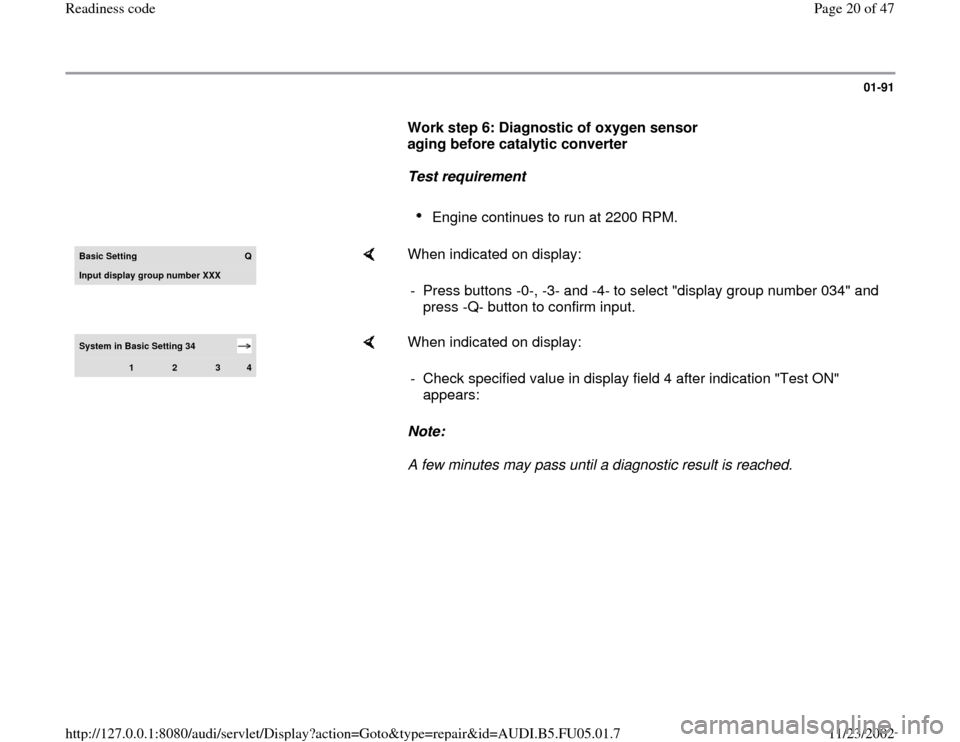
Work step 6: Diagnostic of oxygen sensor
aging before catalytic converter
Test requirement
Engine continues to run at 2200 RPM.
Basic Settin
g
Q
Input display group number XXX
When indicated on display:
- Press buttons -0-, -3- and -4- to select "display group number 034" and
press -Q- button to confirm input.
System in Basic Setting 34
1
2
3
4
When indicated on display:
Note:
A few minutes may pass until a diagnostic result is reached. - Check specified value in display field 4 after indication "Test ON"
appears:
Pa
ge 20 of 47 Readiness code11/23/2002 htt
p://127.0.0.1:8080/audi/servlet/Dis
play?action=Goto&t
yp
e=re
pair&id=AUDI.B5.FU05.01.7
Page 21 of 47
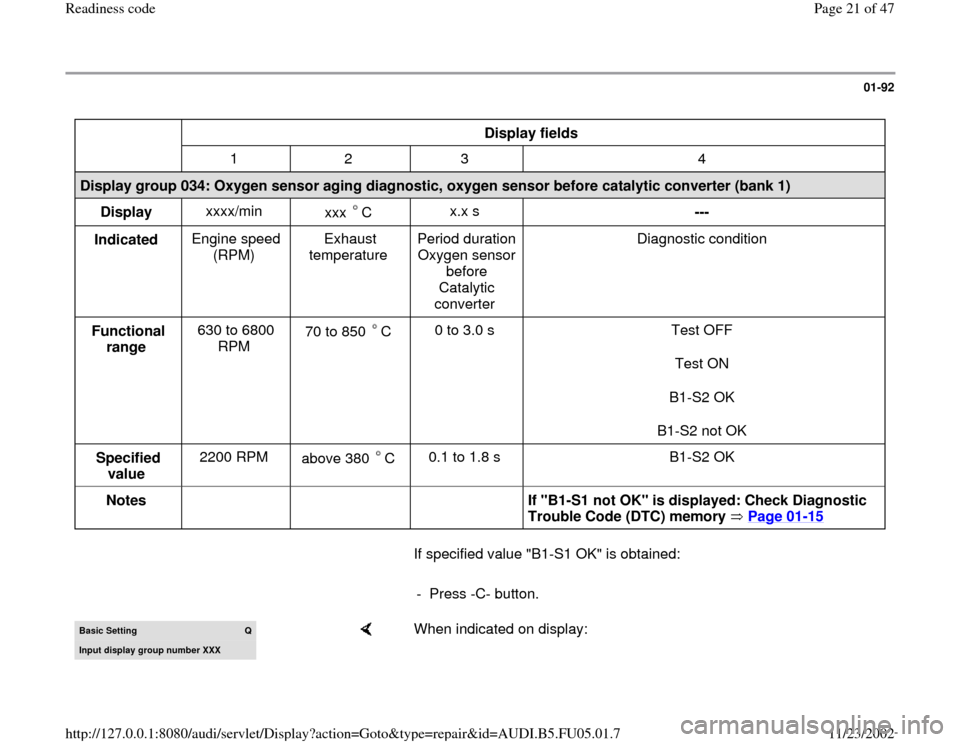
01-92
Display fields
1 2 3 4
Display group 034: Oxygen sensor aging diagnostic, oxygen sensor before catalytic converter (bank 1)
Display xxxx/min
xxx C
x.x s
---
Indicated Engine speed
(RPM) Exhaust
temperature Period duration
Oxygen sensor
before
Catalytic
converter Diagnostic condition
Functional
range 630 to 6800
RPM 70 to 850 C
0 to 3.0 s Test OFF
Test ON
B1-S2 OK
B1-S2 not OK
Specified
value 2200 RPM
above 380 C 0.1 to 1.8 s B1-S2 OK
Notes
If "B1-S1 not OK" is displayed: Check Diagnostic
Trouble Code (DTC) memory Page 01
-15
If specified value "B1-S1 OK" is obtained:
- Press -C- button.Basic Setting
Q
Input display group number XXX
When indicated on display:
Pa
ge 21 of 47 Readiness code11/23/2002 htt
p://127.0.0.1:8080/audi/servlet/Dis
play?action=Goto&t
yp
e=re
pair&id=AUDI.B5.FU05.01.7
Page 23 of 47
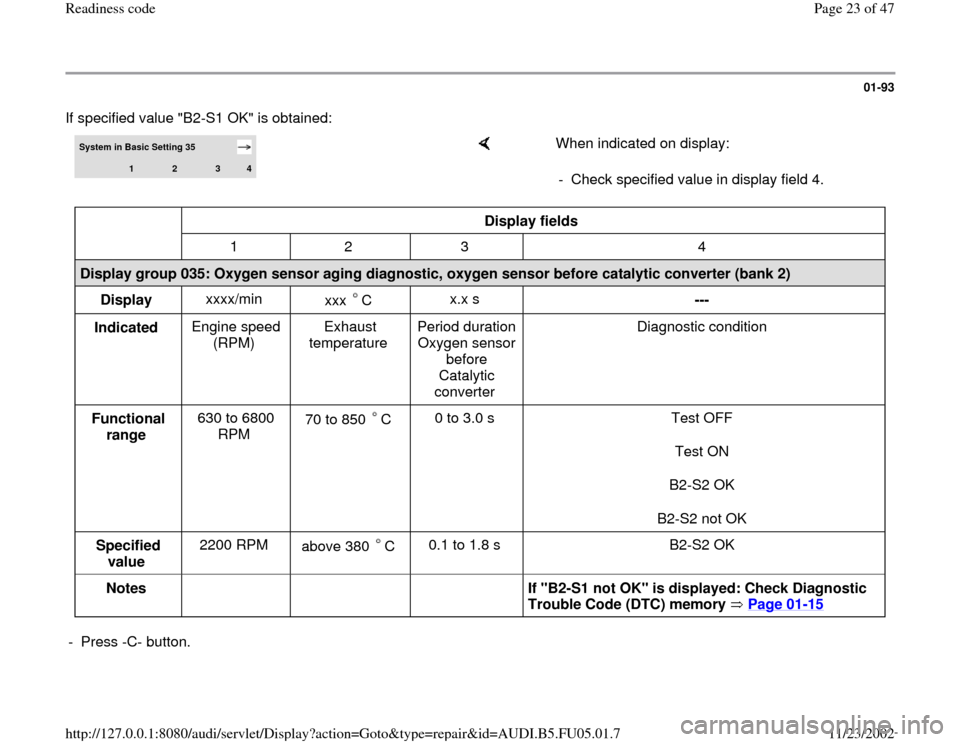
01-93
If specified value "B2-S1 OK" is obtained:
System in Basic Setting 35
1
2
3
4
When indicated on display:
- Check specified value in display field 4.
Display fields
1 2 3 4
Display group 035: Oxygen sensor aging diagnostic, oxygen sensor before catalytic converter (bank 2)
Display xxxx/min
xxx C
x.x s
---
Indicated Engine speed
(RPM) Exhaust
temperature Period duration
Oxygen sensor
before
Catalytic
converter Diagnostic condition
Functional
range 630 to 6800
RPM 70 to 850 C
0 to 3.0 s Test OFF
Test ON
B2-S2 OK
B2-S2 not OK
Specified
value 2200 RPM
above 380 C 0.1 to 1.8 s B2-S2 OK
Notes
If "B2-S1 not OK" is displayed: Check Diagnostic
Trouble Code (DTC) memory Page 01
-15
- Press -C- button.
Pa
ge 23 of 47 Readiness code11/23/2002 htt
p://127.0.0.1:8080/audi/servlet/Dis
play?action=Goto&t
yp
e=re
pair&id=AUDI.B5.FU05.01.7