Indicator lights AUDI A6 2013 Owner's Manual
[x] Cancel search | Manufacturer: AUDI, Model Year: 2013, Model line: A6, Model: AUDI A6 2013Pages: 306, PDF Size: 76.92 MB
Page 32 of 306
30 Instruments and warning /indicator lights
In order to make an accurate diagnosis, the
stored data can only be displayed using spe
cial diagnostic equipment (gener ic scan tool
for OBD).
I n order to connect the special diagnostic
equipment, push the plug into the Data Link
Connector (DLC) . The DLC is located to the
right of the hood release
c> fig. 16.
Your authorized Audi dealer or a qualified
service station can interpret the code and per
form the necessary repa ir.
A WARNING
Do not use the diagnostic connector for
personal use. Incorrect usage can cause
malfunctions, which can increase the risk
of a collis ion!
Electronic speed limiter -
Your veh
icle may be factory equipped with
tires that are rated for a maximum speed of
130 mph (210 km/h). Thi s is less than the
maximum speed of your vehicle. To reduce the
risk of sudden tire failure and loss of control if
the vehicle is operated at excessive speeds,
your vehicle also has an electronic speed limit
er. The electronic speed limiter prevents your
vehicle from going faster than the tire speed rating. For more information
c> page 251.
If the engine control unit receives faulty vehi
cle road speed signals, the Malfunction Indi
cator Lamp (MIU
¢1111i will illuminate. If this
occurs, contact the nearest authorized Aud i
dealer for assistance .
S models
Your vehicle's top speed is e lectronically limit
ed to 155 mph (250 km/h).
If the engine control unit receives faulty vehi
cle roadspeed signals, the Ma lfunction Indica
tor Lamp (MIU
¢1111i will illuminate. If th is oc
curs, contact the nearest authori zed Audi
dealer for assistance.
A WARNING
Always observe the posted speed limits
and adjust your speed to suit prevailing road, traffic and weather cond itions . Never
drive your vehicle faster than the maxi
mum speed rating of the tires installed.
Page 44 of 306
42 Clear vision
& WARNING
-Automatic headlights are only intended
to assist the driver . They do not relieve
the driver of his responsibility to check
the headlights and to turn them on man
ually according to the current light and
visibility conditions. For example, fog
cannot be detected by the light sensors.
So always switch on the headlights
io
under these weather conditions and
when driving in the dark.
- Crashes can happen when you cannot see
the road ahead and when you cannot be
seen by other motorists. Always turn on
theheadlightssothatyoucanseeahead and so that others can see your car from
the back .
- Please observe legal regulations when
using the lighting systems described .
(D Note
The rear fog lights should only be turned
on in accordance with traffic regulation, as
the lights are bright for following traffic.
{D) Tips
- The light sensor* for automatic head
light range control* is located in the rear
view mirror mount . You should therefore
not apply any stickers to the windshield
in this area in order to prevent malfunc
tions or failures .
- In the event of a light sensor malfunc
tion, the driver is notified in the instru
ment cluster display ~
page 22 .
-You will hear a warning tone if you open
the driver door when the exterior lights
are switched on.
- In cool or damp weather, the inside of
the headlights, turn signals and tail lights can fog over due to the tempera
ture difference between the inside and
outside. They will clear shortly after
switching them on. This does not affect
the service life of the lighting.
Emergency flasher
The emergency flasher makes other motorists
aware that you or your vehicle are in an emer
gency situation .
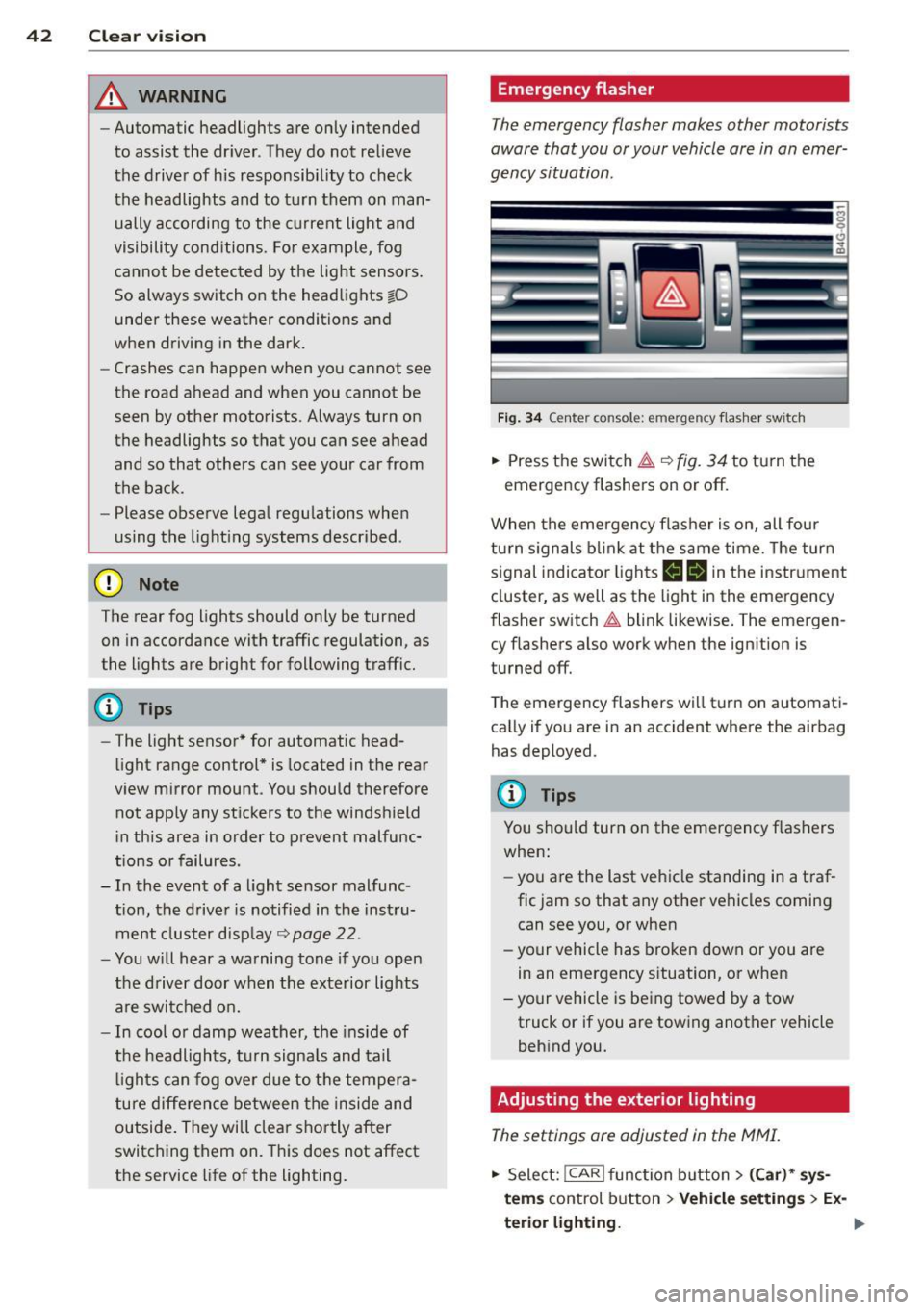
Fig. 34 Ce nte r co nso le: em erg en cy flash er sw itc h
.. Press the switch I:;,,. ~fig. 34 to turn the
emergency flashers on or off.
When the emergency flasher is on, all four
turn signals blink at the same time. The turn
signal indicator lights
B Nin the instrument
cluster, as well as the light in the emergency
flasher switch
I:;,,. blink likewise. The emergen
cy flashers also work when the ignition is
turned off.
The emergency flashers will turn on automati
cally if you are in an accident where the airbag
has deployed.
@ Tips
You should turn on the emergency flashers
when:
- you are the last vehicle standing in a traf
fic jam so that any other vehicles coming
can see you, or when
- your vehicle has broken down or you are
in an emergency situation, or when
-your vehicle is being towed by a tow
truck or if you are towing another vehicle
behind you.
Adjusting the exterior lighting
The settings ore adjusted in the MMI.
.. Select: !CAR ! function button> (Car)* sys
tems
control button > Vehicle settings > Ex-
terior lighting.
Ill>
Page 45 of 306
Automatic headlights
You can adjust the following settings in the
Automatic headlights menu:
Headlights activation time -You can adjust if
the headlights switch on
Early, Med . or Late
according to the sensitivity of the ligh t sensor.
Audi adaptive light* -You can switch adaptive
light
On and Off.
Daytime running lights
USA models:
You can switch the dayt ime run
n ing lights
on and off .
Canada models :
The function cannot be
turned off . It is activated automatically each
time the ignition is switched on. This menu
item is shown "greyed out" .
Coming home, Leaving home
The coming home function illuminates the
area outside the vehicle when you switch the
ignition off and open the driver's door. To turn
the function on, select
Lights when leaving
car > On .
The leaving home function illuminates the
area outside the vehicle when you un lock the
vehicle. To turn the funct ion on, select
Lights
when unlocking car > On .
The coming home and leaving home functions
only operate when it is dark and the light
switch is in the
AUTO position.
Clear vision 43
Turn signals and high beam lever
The lever on the left side of the steering col
umn is used to operate the turn signals and
the high beam as well as the headlight flash
er.
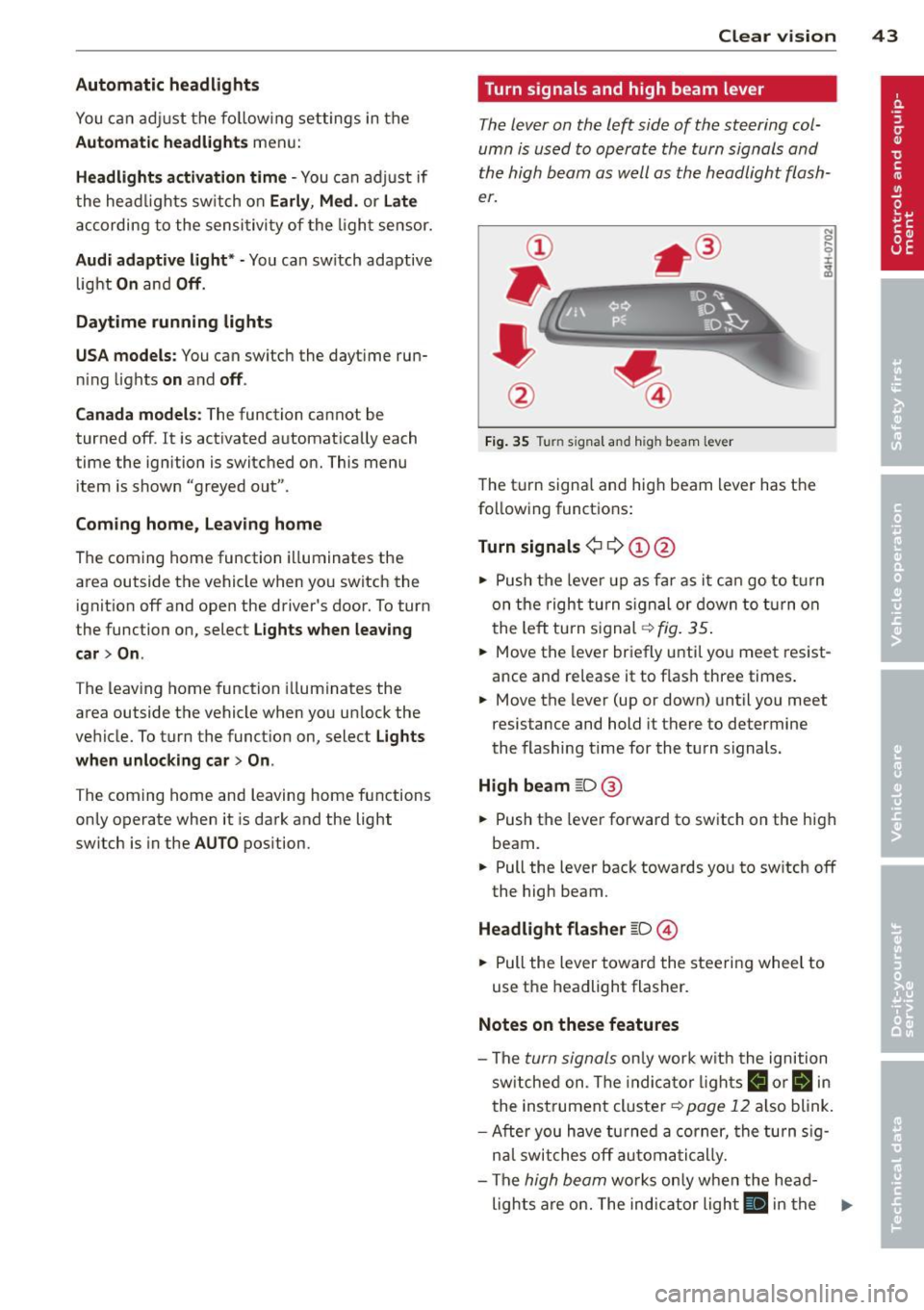
Fig. 35 Tu rn signal and high beam lever
The turn signal and high beam lever has the
following functions:
Turn signals ¢ 9 ©@
.. 0 ....
~
.,. Push the leve r up as far as it can go to turn
on the right turn signa l or down to turn on
the left tu rn s ignal ¢
fig. 35.
... Move the lever briefly until you meet resist
ance and re lease it to flash three times.
.,. Move the lever (up or down) until you meet
resistance and hold it there to determine
the flashing time for the turn signals.
High beam ~D @
... Push the lever forward to switch on the high
beam .
.,. Pull the lever back towards you to sw itch
off
the high beam.
Headlight flasher ~D ©
... Pull the lever toward the steering wheel to
use the headlight flasher.
Notes on these features
-The turn signals on ly work w ith the ignition
sw itched on. The indicator l ights
B or Bin
the instrument cluster¢ page 12 also blink.
-After you have turned a corner, the turn sig-
n al switches
off automatically.
- The
high beam works only when the head-
lights are on. The indicator light
El in the .,.
Page 46 of 306
44 Clear vis ion
instrument cluste r illuminates when the
high beams are on.
- T he
headlight flash er works only as long as
yo u hold the lever - even if there are no
l ights turned on. The indicator light
II in
the instrument cluster il luminates when you
use the headlight flasher.
A WARNING
Do not use the high beam or headlight
flasher if you know that these could blind
oncoming traffic.
Interior lights
Front and rear interior lighting
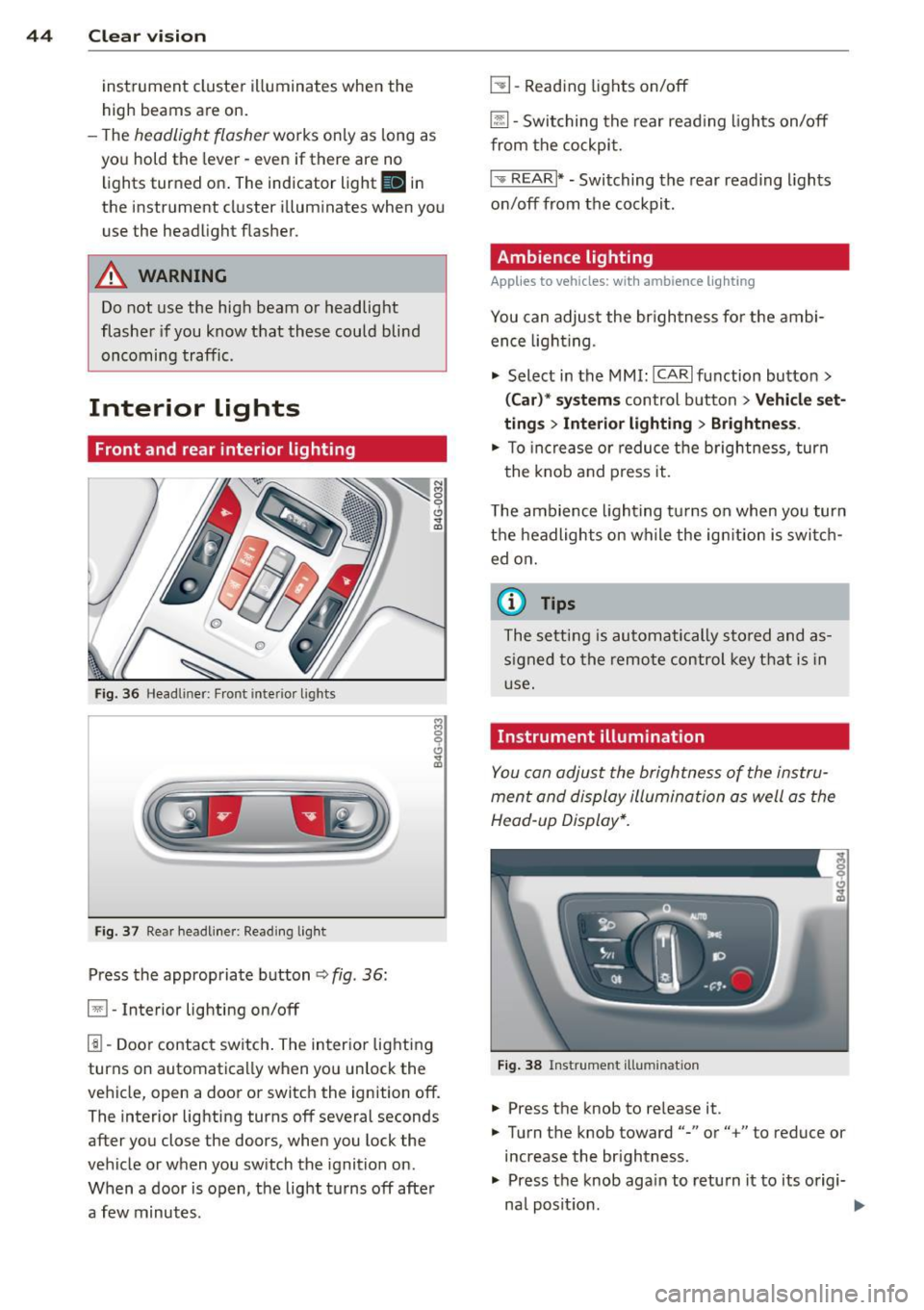
Fi g. 36 Headliner: Front interior ligh ts
Fig . 37 Re ar headli ne r: Readi ng light
Press the appropriate button q fig . 36:
El-Interior lighting on/off
I]]-Door contac t sw itch . The inter ior lighting
turns on automatica lly when you unlock the
vehicle, open a door or switch the ignition off.
The interior lighting turns off several seconds
after you close the doors, when you lock the
vehicle or when you sw itch the ignition on.
When a door is open, the light t urns off afte r
a few minutes.
L:!l -Read ing lights on/off
~ - Switching the rear read ing lights on/off
from the cockpi t.
I" REARI * - Switching the rear reading lights
o n/off from the cockpit.
Ambience lighting
Applies to vehicles: with ambience lighting
You can adjust the br ightness for the ambi
ence ligh tin g.
.. Select in the MMI: ICARlfunction butto n>
(Car )* sys tem s control button > Vehicle set
ting s
> Interi or lighting > Brightne ss.
.. To increase or reduce the b rightness , turn
t he knob and press it .
T he ambience light ing tu rns on when you turn
t h e headlights on wh ile the ig nition is swi tc h
ed on.
(D Tips
The setti ng is automati cally sto red and as
s igned to the remo te contr ol key t hat i s in
u se .
Instrument illumination
You can adjust the brightness of the instru
men t and di splay illumination a s well as the
Head-up Display*.
Fi g. 38 Instrume nt illumina tion
... Press the knob to re lease it.
.. Turn the knob toward"-" or"+" to reduce or
increase the br ightness .
.. Press the knob aga in to return it to its origi-
na l posit ion . ...
Page 77 of 306
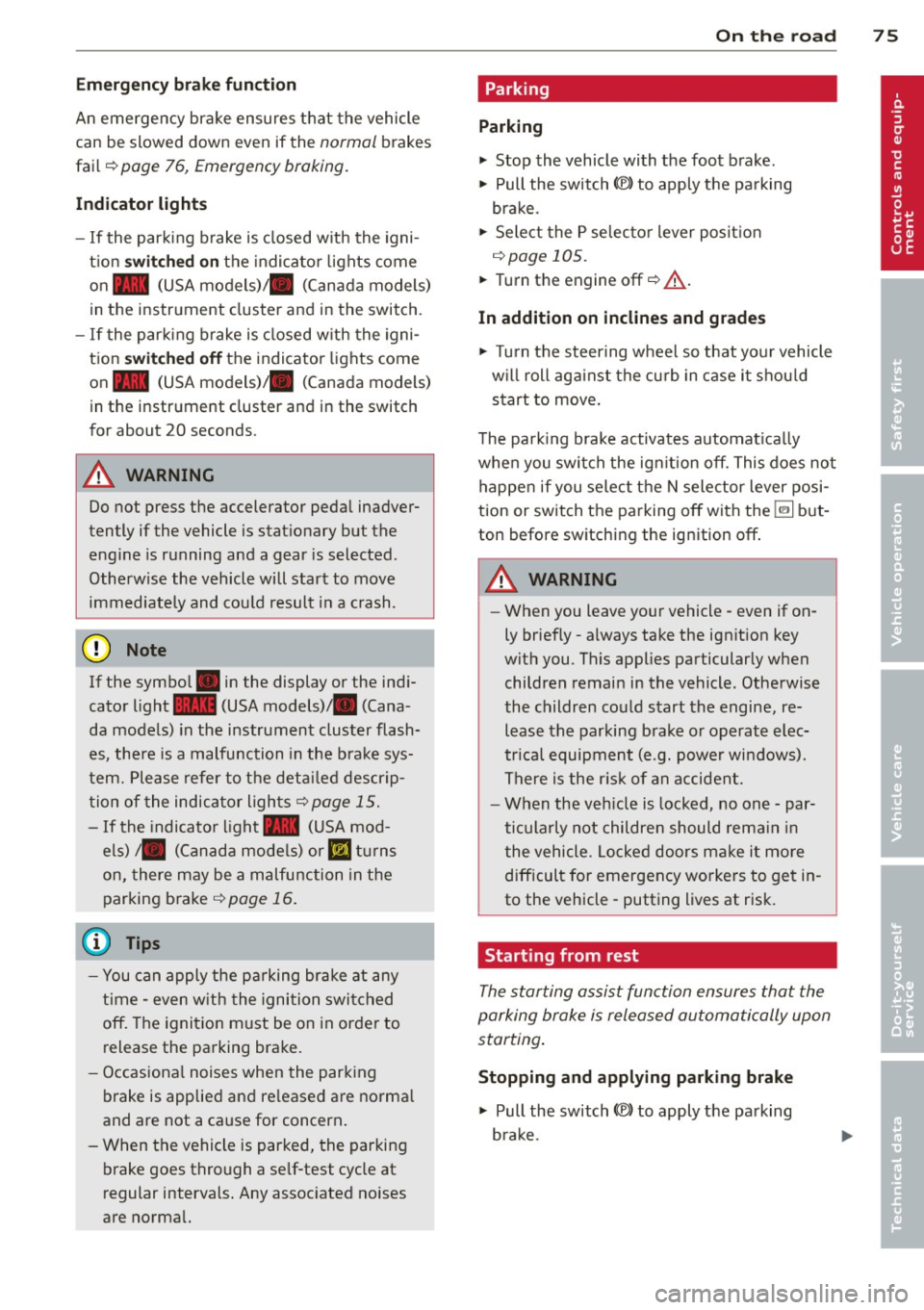
Emergency brake function
An emergency brake ensures that the vehicle
can be slowed down even if the
normal brakes
fail
c::> pag e 76, Emergency broking .
Indicator light s
-If the par king b rake is closed w ith the igni
t ion
s witched on the indicator lights come
on - (USA models)/ . (Canada models)
in the instrument cluster and in the switch.
- If the par king brake is closed w ith the igni
tion
s witc hed off the indicator lights come
on - (USA models)/ . (Canada models)
in the instr ument cluster and in the switch
for about 20 seconds.
A WARNING
Do not press the accelerator peda l inadver
tently if the vehicle is stat ionary but the
eng ine is running and a gear is selected .
Otherw ise the vehicle will start to move
immediately and cou ld result in a crash .
(D Note
If the symbol . in the display or the ind i
cato r light
1111 (USA models) . (Cana
da models) in the instrument cluster flash
es , the re is a malfunction in the bra ke sys
tem. Please refer to t he detai led descr ip
t ion of the indicator lights ¢
page 15.
- If the indicato r light - (USA mod-
els) . (Canada mode ls) or
IIJ t ur ns
on, there may be a malfunction in the
parking brake
r=> page 16.
@ Tips
-You can apply the pa rking brake at any
time -even w ith the ignition swi tched
off. The ignition must be on in order to
release the parking brake.
- Occasiona l noises when the parking
brake is applied and re leased are norma l
and are not a ca use for concern .
- When the vehicle is parked, the parking
brake goes thro ugh a se lf-test cycle at
r egular intervals . Any assoc iated noises
are norma l.
On the ro ad 75
Parking
Parking
~ Stop the vehicle with the foot brake .
~ Pull the switch(®) to apply t he pa rking
bra ke .
~ Select the P se lec to r lever posit ion
r=> poge 105.
~ Turn the engine off c::> &_.
In addition on inclines and grades
~ Tu rn the steering wheel so that yo ur vehicle
w il l roll aga inst the c urb in c ase it shou ld
s tart to move .
T he pa rk ing brake activates automat ica lly
when you swi tch the ign ition off. This does not
happe n if you se lect the N selector lever posi
tion or switch the parking off with the~ but
ton before switching the ignition off .
A WARNING
-When you leave your vehicle -even if on
ly briefly -always take the ign it ion key
with you . This applies particularly when
children remain in the vehicle. Othe rwise
the children could start the engine, re lease the parking brake o r operate elec
trica l equipment (e.g. power wi ndows).
There i s the r is k of an accident.
- When the veh icle is locked, no one -par
ticularly not childre n should rema in in
the vehicle . Locked doors ma ke it mo re
difficult for emergency wo rke rs to ge t in
to the vehicle -putting lives at risk .
Starting from rest
The starting assist fun ction ensures that the
parking broke is released automatically upon starting .
Stopping and applying parking brake
~ Pull the switch(®) to apply the pa rking
bra ke .
Page 82 of 306
80 On the road
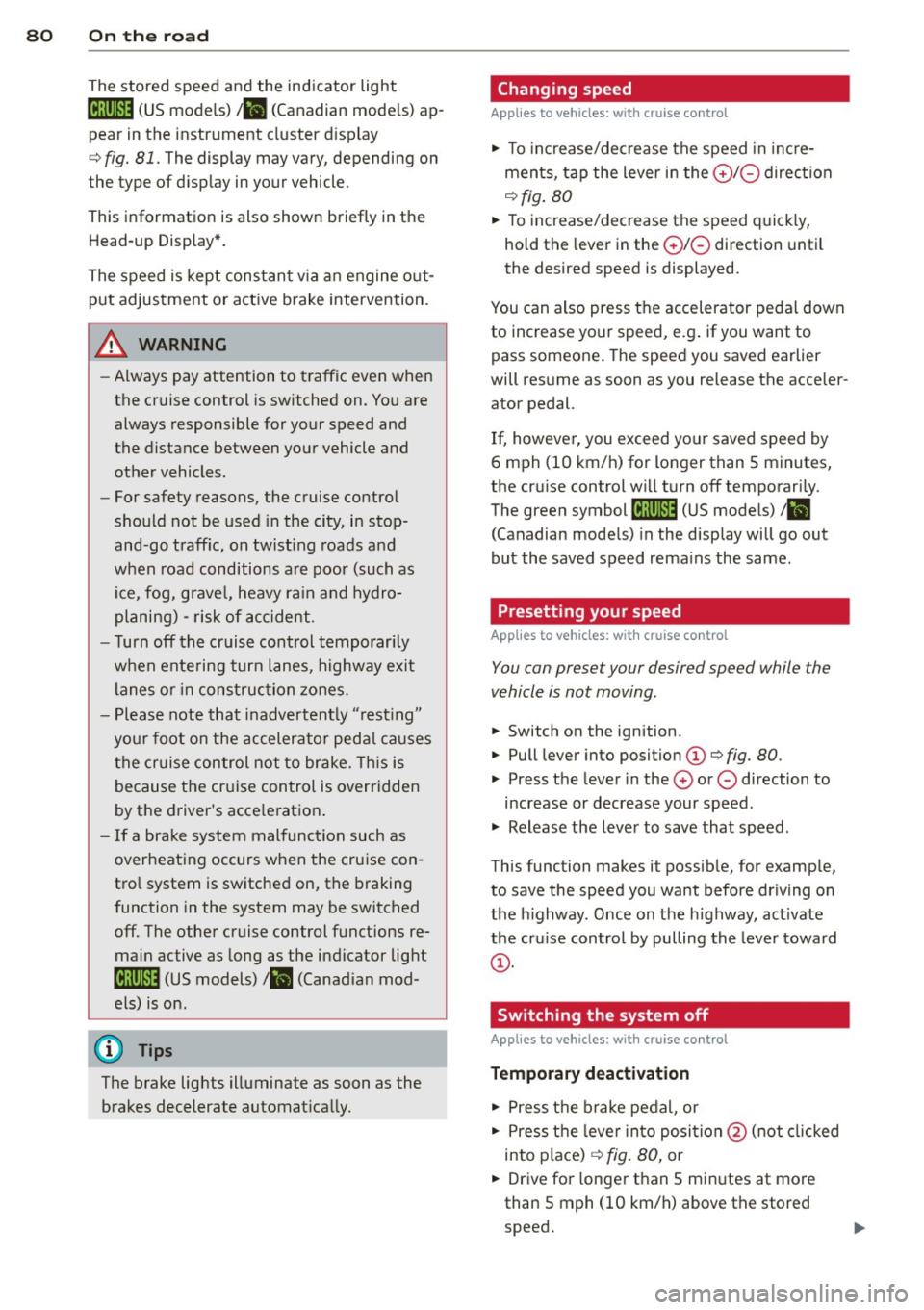
The stored speed and the ind icator light
A;(l)~i~ (US mo dels) 1,'I (Canadian mode ls) a p
pea r in the instrument cluster d isp lay
c::> fig. 81. The display may vary, depending on
the type of d isplay in your vehicle .
This informat ion is also shown briefly in the
Head -up Display*.
The speed is kept constant v ia an engine o ut
put adjustment or active b rake intervention.
A WARNING
- Always pay attention to traffic even when
the cruise control is switched on. You are
always responsible for your speed and
the distance between your vehicle and
other vehicles .
- For safety reasons, the cruise control
should not be used in the city, in stop
and-go traff ic, on twist ing roads and
when road conditions are poor (such as ice , fog, grave l, heavy ra in and hydro
planing) -risk of accident.
- Turn
off the cruise control temporar ily
when entering turn lanes, highway exit lanes o r in construc tion zones.
- Please note that inadvertently "rest ing"
yo ur foot on the accelerator peda l causes
the cruise control not to brake . T his is
because the cr uise control is overridden
by the d river's acce leration .
- If a brake system malfunc tion such as
overheating occurs when the cruise con
tro l system is switched on, the braking
function in the system may be switched
off. The other cruise control functions re
ma in active as long as the indicator light
[~;rn~i~ (US models) !Ill (Canad ian mod
els) is on .
(j) Tips
The brake lights illuminate as soon as the
brakes decelerate automat ica lly.
Changing speed
Applies to veh icles: w ith cru ise control
., To increase/decrease the speed in inc re
ments, tap the lever in the
0 10 direc tion
c::> fig . 80
., To increase/decrease the speed quic kly,
hold t he lever in the
0 10 direction until
the desired speed is displayed.
You can also press the accelerator pedal down
to increase your speed, e.g . if you want to
pass someone . The speed you saved earlier
will res ume as soon as you release the acceler
ator pedal.
If, however, you exceed your saved speed by
6 mph (10 km/h) for longer than 5 m inutes,
the cr uise control wi ll turn
off temporari ly.
The green symbol
A;(l)~i~ (US mode ls) 1,'I
(Canadian mode ls) in the display will go out
but the saved speed rema ins the same .
Presetting your speed
Applies to veh icles : w ith cru ise control
You can preset your desired speed while the
vehicle is not moving.
., Switch on the ignition.
., Pull lever into position
(D c::> fig . 80.
., Press t he lever in the 0 or 0 direction to
increase or decrease your speed .
., Release the lever to save that speed .
This function makes it possible, for examp le,
to save the speed you want before dr iving on
the h ighway. Once on t he h ighway, act ivate
the cru ise control by pulling the lever toward
(D .
Switching the system off
Applies to veh icles: w ith cruise control
Temporary deactivation
., Press the b rake pedal, or
., Press the leve r into posi tion @(n ot clicked
into place)
c::> fig. 80, or
... Drive for longer t han 5 min utes at more
than 5 mph (10 km/h) above the stored
speed.
Page 87 of 306
Audi adaptive cruise control and braking guard 85
the tachometer @and is also shown briefly
in the display @¢
fig. 87 .
.. You must also press the brake peda l when
the vehicle is stopped.
Switching adaptive cruise control off
.. Push the lever away from you into position
@ until it clicks into place. The message
ACC off appears.
@ Indicator lights
r• 1 -Adaptive cruise control is switched on. No
vehicles are detected up ahead . The stored
speed is ma intained.
I -A moving vehicle is detected up ahead .
The adaptive cruise control system regulates
the speed and distance to the moving vehicle
ahead and acce lerates/brakes automatical ly.
fa) -Adaptive cruise control is switched on. A
moving vehicle up ahead was detected. Your
ve hicl e remains stopped.
I -When automat ic braking is not able to
keep enough distance to a previously detected
moving vehicle up ahead, you must take con
trol and brake¢
page 87, Prompt for driver
intervention.
© Display
If adaptive cruise control is not shown in the
d isp lay, you can call it up with the multifunc
tion steering wheel buttons ¢
page 23.
Based on the symbols in the d isplay, you can
determine if the system is maintaining a dis
tance to the vehicle ahead and what that d is
tance is.
No vehicle -No veh icle ahead was detected .
White vehicle -A vehicle ahead was detected.
Red vehicle -Prompt for the driver to take ac
tion
¢ page 87.
Both arrow s on the scale© indicate the dis
tance to the vehicle ahead. No arrow appears
when the vehicle is on an open road and there
is no object ahead . If an object is detected
ahead , the arrow moves on the scale . The
green zone on the scale shows the stored
distance. For information on changing the
stored distance, refer to ¢
page 86. If the
distance selected is too close or may soon be
come too close, the arrows move into the red
zone on the sca le .
A WARNING
Improper use of the adaptive cruise con
trol can cause collisions, other accidents
and serious personal injur ies .
- Pressing the
!SET ! button when driv ing at
speeds below
20 mph (30 km/h), will au
tomatically accelerate the vehicle to
20
mph (30 km/h), which is the minimum
speed that can be set.
(D Tips
-If you switch the ignit ion or the adaptive
cruise control off, the set speed is erased
from the system memory.
- You cannot switch the Electronic Stabili
zation Control (ESC) to the SPORT mode
when adaptive cruise control is switched
on.
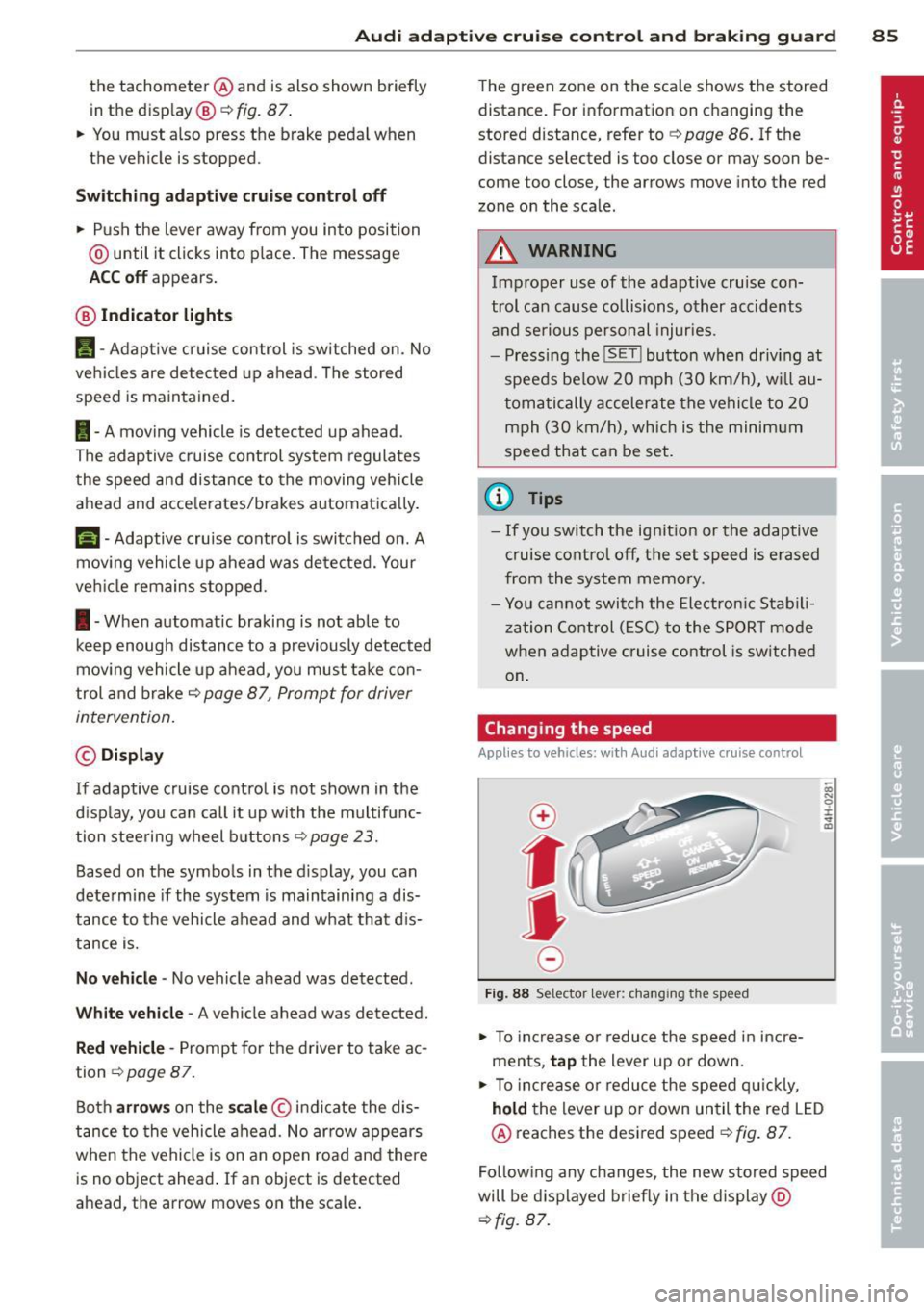
Changing the speed
Applies to vehicles: with Aud i adapt ive crui se control
0
f
• 0
Fig. 88 Selector lever: changing the speed
.. To increase o r reduce the speed in incre
ments,
tap the lever up or down.
-0:, N 0 ± ... a)
.. To incr ease o r reduce the speed quickly,
hold the lever up or down until the red LED
@ reaches the desired speed¢
fig. 87.
Following any changes, the new stored speed
will be displayed briefly in the display @
¢fig. 87.
Page 198 of 306
196 Intellig ent technolog y
-Never let the vehicle roll to a stop with
the engine shut off.
- If the brake booster is not working, for
example when towing your vehicle, or
because the brake booster has somehow
been damaged, the brake pedal must be
pressed considerably harder to make up
for the lack of booster assistance .
Electro-mechanical
power assist
The electro-mechanical power assist helps
the driver when steering.
Power stee ring adapts electronically based on
the veh icle speed.
Indicator lights and messages
• Steerin g d efecti ve! Stop th e vehicl e
If this indicator light turns on and stays on
and this message appears, the power steering may have fa iled.
Do
not continue driving . See your authorized
Aud i dealer or other qualified repa ir facility
for assistance.
lor-ij St eerin g: S yste m malfun ction ! You m ay
c ont inue driv ing
If the indicator light turns on and the mes
sage appears, the steering may be more diffi
cult to move or more sensitive than usual.
Drive s low ly to your author ized Audi dealer or
q ua lified workshop to have the malfunction
corrected .
(D Tips
If the . or 'Iij indicator light only stays
on for a shor t time, you may contin ue driv
ing .
Driving with your
quattro ®
Applies to vehicles : with all-wheel drive
With all-wheel drive , all four wheels are driv
en .
General info rmation
With a ll Wheel Drive, power is distributed to
all four wheels. This happens automatically
depending on your driving style and the road
condit ions at the time. See also ¢
page 192.
With the sport differential*, power distribu
t ion to the rear wheels is va riable and can be
adjusted with Audi drive select*
r::¢, page 98.
Always read and follow safety precautions
Q _& .
Winter tires
When driving in the winter, your vehicle with
all-wheel drive has an advantage, eve n wit h
regular tires. In winter road conditions it may
be advisable to mount winter tires (or all-sea
son tires) for improved driveability and brak
ing : these tires must be mo unted on
all fou r
wheel s. See also ¢ page 255 , Winter tires.
Tire chains
Where tire chains are mandatory on certain
roads, this no rma lly also app lies to ve hicles
with all-wheel drive r::¢,
page 256, Snow
chains.
Replacing wh eels /tires
Vehicles with all-wheel drive m ust always
have ti res of the same s ize. A lso avo id tires
with different t read depths . For detai ls see
page r::¢,
page 251, New tires and replacing
tires and wheels .
Off-Road driving?
You r Audi does not have e nough ground clea r
ance to be used as an off-road vehicle . It is
t h erefore best to avoid rough tracks and un
even terrain as much as possib le . Also refer to
r::¢, page 200. ..,_
Page 208 of 306
206 Trailer towing
Always apply brakes early. When driving
downhill, shift into a lower gear to use the en
g ine braking effect to slow the vehicle . Use of
the brakes alone can cause them to overheat
and fail.
Coolant temperature
The coolant temperature gauge¢ page 11
must be observed carefully. The coolant tem
perature can increase if you drive on long in
clines in a low gear at high engine speeds. Re
duce your speed immediately if the LEDs in
the top part of the display turn on .
For more information about indicator lights,
refer to. ¢
page 16 .
A WARNING
Anyone not properly restrained in a mov
ing vehicle is at a much greater risk in an
accident . Never let anyone r ide in your car
who is not properly wear ing the restraints
provided by Aud i.
Trailer towing tips
Important to know
Your vehicle handles differently when towing
a trailer because of the additional weight and
different weight distribution . Safety, perform
ance and economy w ill greatly depend on how
carefully you load your trailer and operate
your rig .
Before you actually tow your trailer, practice
turn ing, stopp ing and back ing up in an area
away from traffic. Keep practicing until you
have become comp lete ly familiar with the way
your ve hicle-trai ler comb ination behaves and
responds.
Backing up is difficult and requires practice .
Backing up with a tra iler generally requi res
steering act ion opposite to that when backing
up your vehicle without a trailer.
Maintain a greater distance between your ve
hicle and the one in front of you. You will need
more room to stop. To compensate for the trailer, you wi
ll need a larger than normal
turning radius.
When passing, remember that you cannot ac
celerate as fast as you norma lly would be
cause of the added load. Make sure you have
enough room to pass . After passing, a llow
plenty of room for your trailer before chang
ing lanes again.
Avoid jerky starts , sharp turns or rapid lane
changes.
(D Tips
- Do not tow a trailer during the break-in
period of your vehicle.
- If you tow a trailer, your Audi may re
quire more frequent maintenance due to
the extra load¢
page 285.
Parking on a slope
Do not park on o slope with a trailer. If it can
not be avoided, do so only after doing the fol
lowing:
When parking:
.,. App ly the foot brake .
.. Have someone pla ce chocks under both the
vehicle and the trailer wheels.
.. With chocks in place, slowly release the
brakes until the whee l chocks absorb the
load .
.. Turn the wheels towards the curb .
.. Apply the parking brake.
.. Select the P selector lever posit ion .
When restarting after parking:
.. Apply the foot brake.
.. Start the engine.
.. Select the D/S selector lever position .
.. Release the parking brake and slowly pull
out and away from the wheel chocks .
.,. Stop and have someone retr ieve the wheel
chocks .
Ill-
Page 292 of 306
29 0 Index
A
Accessories . ...... ..... ... .. .. .... . 28 7
Active lane ass ist . . . . . . . . . . . . . . . . . . . . 91
Activating and deactivating . . . . . . . . . . . 92
C leaning came ra area ... .. .. .. .. .. . 211
Descr ipt ion ... ........... .. .. .... .. 9 1
I nstrument cluster indicator light . . . . . 92
Messages . . . . . . . . . . . . . . . . . . . . . . . . . 92
Notes on instrument cluster display . . . . 92
Setting the steering wheel vibrat ion . . . . 93
AC (automatic cl imate control) . .. .. .. .. 67
AC (climate control) . . . . . . . . . . . . . . . . . . 65
Adaptive air suspension/sport . ... .. .. . . 98
Adapt ive cruise control . . . . . . . . . . . . . . . . 82
C leaning sensors/cameras .. .. .. .... . 211
Messages ............... .. .. .. .. .. 89
Request for driver intervention . . . . . . . . 8 7
Stop-and-go traffic . . . . . . . . . . . . . . . . . 86
Adapt ive Lig ht (defective) ... .. .. .... .. 22
Adding Eng ine coolant ............. .. .... . 233
Eng ine oil .. ..... ........... ... .. . 230
W indshield washer fluid .. ... .. .. .. . 239
Additives Eng ine oil ............... .. .. .. .. . 230
Ad justing
Air distribution (automatic climate con-
trol) ..... .. ... .. ..... ... .. .. .... .. 68
air distribution (climate control) . .... .. 65
Front seats . . . . . . . . . . . . . . . . . . . . . . . . 50
Instrument illum inat ion ... .. .. .. .. . .
44
Steer ing column electrically .. .. .. .. . . 70
Steer ing column manually ..... .. .... 70
Tempe ratu re (automat ic climate control) 68
Tempe ratu re (climate control) .. .. .. . . 65
A irbag system . . . . . . . . . . . . . . . . . 145, 166
Advanced Airbag System . . . . . . . . . . . . 149
Advanced Airbag System components . 153
Care ....... .......... ...... ... .. . 161
C hi ldren . ............... .. .. .... . 173
C hi ld restra ints ........... .. .. .. .. . 173
Components (front airbags) . .... ... . 153
Danger of fitting a child seat on the front
passenger seat . . . . . . . . . . . . . . . . . . . . 147
Disposa l ..... ........... .. .. .... . 161
Front airbags . . . . . . . . . . . . . . . . 149, 151
H ow do the front airbags work? . .... . 155 How many a
irbags does my vehicle
have? . ... .... .. .. ... .. ..... ... .. 153
How the Advanced Airbag System com -
ponents work together ......... .... 155
Important safety instructions on the
knee airbag system ................ 164
Important things to know . .. .. .. .. .. 145
Knee airbags . .. .. .......... ...... . 162
Monito ring .. .. . .. ............ .. .. 15 7
PASS ENG ER A IR BAG OFF light ... .. .. 158
Repairs ... .... .. .. ... .. . .... ... .. 161
Safety instr uctions . .. .. ..... .... . .. 160
Side airbags ..... .. ... ..... ... .. .. 165
S ide curtain airbags ............ .... 168
Warning/ind icator lights ........ .... . 19
Warning/Indicator lights ....... .... 157
When must the system be inspected? 157
Aircraft Transporting your vehicle ..... .. .. .. 278
All-wheel drive .. .. ............. .... 196
Win ter tires . .. . .. ............ .. .. 255
Alloy wheels .. .. .. .......... ...... . 213
Alternator . . . . . . . . . . . . . . . . . . . . . . . . . . 17
Amb ience lighting ................ ... 44
Anti-freeze
refer to Eng ine coolant ............ . 232
Anti- lock braking system . ..... ... .. .. 192
Warning/ind icator lights ........ .... . 20
An ti-s lip reg ulation ............. .. .. 192
Anti-theft systems Electronic immob ilizer ............. .. 32
Ashtray . ... .... .. .. ... .. ..... ... .. . 56
Audi braking guard
refer to b rak ing guard .......... .... . 82
Audi drive select
refer to drive select ............... .. 98
Audi Serv ice Repair Manuals and Litera-
ture ... .... .... .. ............. .... 285
A UTO
a ut omatic climate contro l . . . . . . . . . . . . 68
Automatic headlights ... .... ... .. .. . 41
climate control ... .. ... ..... ... .. .. . 65
A uto Lock .. .... ... ................ . 33
Automat ic be lt retractor ........... .. 139
A utomatic car wash . .... ..... ... .. .. 209